Introduction
Digital proofing tools help teams review, comment on, approve, and manage creative files in one organized online workspace. These files may include images, videos, PDFs, packaging designs, landing pages, emails, documents, banners, social media creatives, ads, and brand materials.
Instead of sending feedback through long email chains, chat messages, screenshots, or separate documents, digital proofing software keeps comments directly attached to the file being reviewed. This helps designers, marketers, agencies, clients, compliance teams, and project managers understand exactly what needs to change and who has approved the final version.
Digital proofing tools are especially useful for teams that produce high volumes of creative content and need clear approvals before publishing. They reduce confusion, prevent duplicate feedback, improve accountability, and speed up review cycles.
Common use cases include marketing creative approvals, video review, packaging proofing, website feedback, document review, agency-client collaboration, compliance approval, and brand asset review.
Buyers should evaluate digital proofing tools based on annotation quality, file type support, approval workflows, version comparison, user permissions, collaboration features, integrations, review tracking, security, reporting, and ease of use.
Best for: Marketing teams, creative teams, design agencies, video teams, packaging teams, brand managers, ecommerce teams, compliance reviewers, project managers, and enterprises managing structured approval workflows.
Not ideal for: Very small teams with simple file-sharing needs, users who only need casual comments, or companies that do not require formal approvals, version control, audit trails, or review accountability.
Key Trends in Digital Proofing Tools
AI-assisted review support is becoming more useful as teams look for faster ways to identify inconsistencies, missing brand elements, layout issues, duplicate feedback, and repetitive review tasks.
Video proofing is now a major requirement. Teams increasingly need frame-level comments, time-coded feedback, version comparison, and approval workflows for video campaigns, product videos, training content, and social media clips.
Brand compliance is becoming more important. Digital proofing tools are being used to ensure creative content follows brand rules, legal requirements, messaging standards, and campaign guidelines before publication.
Approval automation is growing. Teams want automatic routing, reviewer reminders, status updates, decision tracking, and approval deadlines to reduce manual follow-up work.
Remote creative collaboration is now standard. Agencies, clients, freelancers, internal teams, and external reviewers need a shared place to review work without downloading large files or managing scattered comments.
Integration with project management tools is becoming essential. Digital proofing platforms are expected to connect with task management, creative operations, DAM, file storage, design, and marketing workflow systems.
Audit trails are becoming more valuable for regulated industries. Teams need proof of who reviewed a file, what feedback was given, what changed, and who approved the final version.
Multi-format proofing is becoming a core expectation. Buyers want one platform that can review PDFs, images, videos, websites, documents, HTML files, emails, and design files where possible.
Security expectations are increasing. Buyers now look for SSO, permissions, encrypted access, guest reviewer controls, audit logs, and controlled sharing.
Ease of adoption matters more than feature count. If reviewers find the tool confusing, they may return to email comments, chat feedback, and unstructured review habits.
How We Selected These Tools
The tools in this list were selected based on practical digital proofing needs, market recognition, feature completeness, usability, collaboration strength, and suitability for different business sizes.
The evaluation considered how well each tool supports file review, annotations, approval decisions, version control, reviewer roles, status tracking, and centralized feedback.
Ease of use was considered because digital proofing tools must be adopted by designers, marketers, clients, legal reviewers, executives, and external stakeholders.
File type support was reviewed because creative teams often need to proof images, PDFs, videos, documents, websites, emails, and campaign assets.
Workflow depth was considered because many teams need structured approvals, deadlines, review stages, automated routing, and decision history.
Integration strength was reviewed because proofing tools often need to connect with project management, DAM, design, storage, marketing, and creative operations platforms.
Security posture was considered through features such as access permissions, reviewer controls, audit trails, SSO options, and secure sharing.
Support and onboarding were considered because proofing success depends on reviewer adoption, workflow setup, client collaboration, and clear process ownership.
The list includes a balanced mix of dedicated proofing platforms, agency-friendly review tools, enterprise workflow platforms, packaging-focused proofing tools, and lightweight visual feedback solutions.
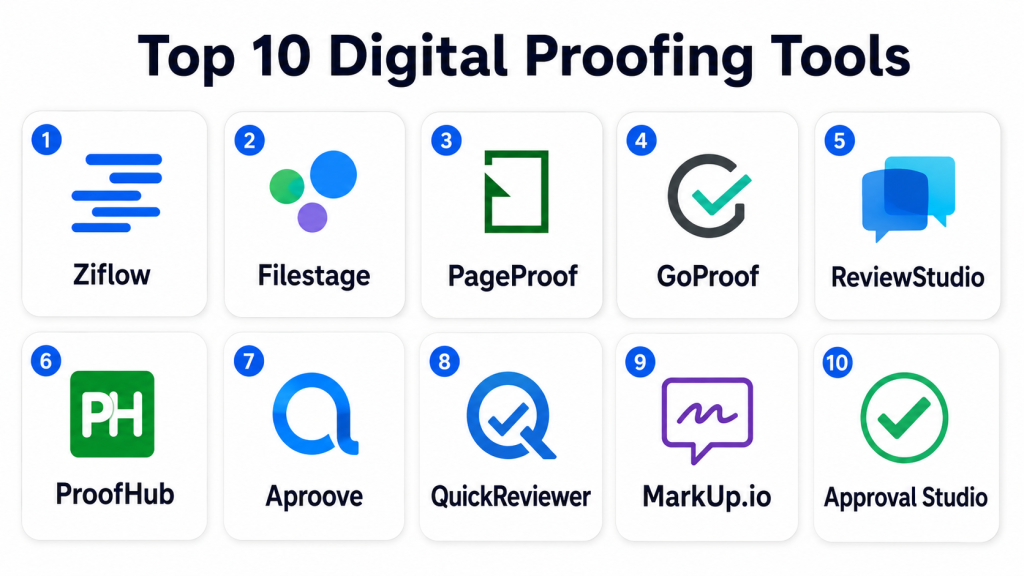
Top 10 Digital Proofing Tools
1. Ziflow
Short description: Ziflow is a dedicated online proofing platform built for creative review, feedback, approval workflows, and version management. It is well suited for marketing teams, creative operations teams, agencies, and enterprises that need structured review processes.
Key Features
- Online proofing for images, videos, PDFs, websites, documents, and creative files
- Markup, comments, annotations, and decision tracking
- Version comparison and side-by-side review
- Automated workflow routing and reviewer assignments
- Approval status tracking and audit history
- Guest reviewer access for clients and external stakeholders
- Integration options with creative and project management tools
Pros
- Strong dedicated proofing feature set
- Good fit for complex creative approval workflows
- Supports multiple content formats and review stages
Cons
- May be more advanced than very small teams need
- Workflow setup requires planning for best results
- Pricing and advanced features may vary by plan
Platforms / Deployment
Web-based platform. Cloud deployment.
Security & Compliance
Ziflow may support permissions, secure sharing, reviewer roles, audit trails, and enterprise access controls. Specific certifications and compliance details should be verified during vendor evaluation.
Integrations & Ecosystem
Ziflow is useful for teams that need proofing connected to broader creative operations and project management workflows.
- Project management tools
- DAM platforms
- Creative workflows
- Cloud storage systems
- Marketing operations platforms
- API-based integrations
Support & Community
Ziflow provides documentation, onboarding resources, customer support, and workflow guidance. Its community and support ecosystem are strongest among creative operations, marketing, and agency teams.
2. Filestage
Short description: Filestage is a review and approval platform that helps teams collect feedback, manage file versions, and get stakeholder sign-off in one place. It is useful for marketing teams, agencies, content teams, and businesses that need a clear approval workflow.
Key Features
- Review and approval workflows for documents, images, videos, and designs
- Commenting, annotations, and feedback tracking
- Version control and review history
- Approval decisions and reviewer status visibility
- Client and external reviewer collaboration
- Project-level organization for campaigns and creative work
- Automation for reminders and review progress
Pros
- Clean and easy review experience
- Good for agencies and marketing teams
- Helps reduce scattered feedback across emails and chats
Cons
- Advanced enterprise workflows may need higher-tier plans
- Complex review structures require setup discipline
- Some integrations may vary by package
Platforms / Deployment
Web-based platform. Cloud deployment.
Security & Compliance
Filestage may support secure review links, permissions, reviewer controls, and audit-style tracking. Specific compliance details should be verified directly with the vendor.
Integrations & Ecosystem
Filestage connects proofing with marketing, content, project, and collaboration workflows, making it useful for teams that manage many creative reviews.
- Project management tools
- Cloud storage platforms
- Collaboration tools
- Marketing workflows
- Creative review processes
- Automation and integration options
Support & Community
Filestage provides documentation, support resources, onboarding guidance, and customer success assistance. It is well known among content, marketing, and agency teams.
3. PageProof
Short description: PageProof is an online proofing tool focused on secure creative review, approvals, and workflow control. It is suitable for teams that need strong review visibility, structured approvals, and careful handling of creative files.
Key Features
- Online proofing for creative files and documents
- Markup tools, comments, and annotations
- Workflow routing and approval stages
- Version control and proof history
- Secure reviewer access and permissions
- Review status tracking and reminders
- Support for agency, brand, and enterprise approval processes
Pros
- Strong focus on secure proofing workflows
- Good for teams with formal approval stages
- Helps keep feedback centralized and traceable
Cons
- May require onboarding for non-technical reviewers
- Best results depend on workflow planning
- Some advanced capabilities may vary by plan
Platforms / Deployment
Web-based platform. Cloud deployment.
Security & Compliance
PageProof may support secure access, permissions, reviewer control, and proof tracking. Specific certifications and compliance details should be verified during procurement.
Integrations & Ecosystem
PageProof supports creative and marketing teams that need proofing connected with production and project workflows.
- Creative software workflows
- Project management systems
- File storage tools
- Marketing workflows
- Review and approval processes
- Integration options
Support & Community
PageProof provides support resources, documentation, onboarding help, and customer guidance. Its user base is commonly found among agencies, marketers, and creative production teams.
4. GoProof
Short description: GoProof is a creative proofing platform designed for agencies, marketing teams, and design teams that need structured feedback and approval. It is especially useful for teams working with creative files and client review cycles.
Key Features
- Online proofing and feedback collection
- Markup tools for creative review
- Version comparison and file history
- Approval decisions and reviewer tracking
- Client review and collaboration features
- Creative workflow support
- Integration with design and production processes
Pros
- Good fit for creative agencies and design teams
- Helps simplify client feedback cycles
- Supports structured review and approval
Cons
- May not be as broad as full creative operations platforms
- Best fit is creative proofing rather than general project management
- Integration depth may vary by use case
Platforms / Deployment
Web-based platform. Cloud deployment.
Security & Compliance
GoProof may support permissions, reviewer access controls, and secure sharing. Specific compliance certifications are not confidently stated and should be verified directly.
Integrations & Ecosystem
GoProof is useful when proofing is closely tied to design, creative production, and client approval workflows.
- Design workflows
- Creative production tools
- Client review processes
- Project collaboration
- File-based approval workflows
- Integration options
Support & Community
GoProof provides product support, documentation, and onboarding resources. Community strength is mostly centered around creative agencies and design production teams.
5. ReviewStudio
Short description: ReviewStudio is an online proofing and review platform for creative teams that need visual feedback, video review, document markup, and approval tracking. It is useful for agencies, media teams, marketing teams, and education or training content teams.
Key Features
- Proofing for images, videos, PDFs, and documents
- Time-coded video comments and annotations
- Review sessions and feedback tracking
- Version comparison and review history
- Approval status and reviewer decisions
- Collaboration tools for internal and external users
- Support for creative, media, and learning content workflows
Pros
- Strong support for video and visual review
- Useful for creative and media-heavy teams
- Clear feedback tools for reviewers
Cons
- May require process setup for larger teams
- Some users may need training for advanced review workflows
- Enterprise governance capabilities should be verified
Platforms / Deployment
Web-based platform. Cloud deployment.
Security & Compliance
ReviewStudio may support permissions, secure access, and controlled sharing. Specific compliance certifications should be verified during vendor review.
Integrations & Ecosystem
ReviewStudio fits teams that need collaborative review across visual, video, and document-based creative work.
- Video review workflows
- Creative production tools
- Client collaboration
- Document review processes
- Project workflows
- Integration options
Support & Community
ReviewStudio provides support documentation, product assistance, and onboarding resources. It is used by creative, media, and content teams that need practical review workflows.
6. ProofHub
Short description: ProofHub is a project management and collaboration platform that includes proofing features for reviewing files, discussing changes, and managing approvals. It is useful for teams that want proofing along with task management and project coordination.
Key Features
- File proofing with markup and comments
- Task management and project collaboration
- Discussions, notes, calendars, and team workflows
- File sharing and version organization
- Review feedback inside project workspaces
- Client collaboration options
- Centralized project visibility
Pros
- Combines proofing with project management
- Useful for teams wanting fewer separate tools
- Good for collaborative marketing and operations teams
Cons
- Proofing may not be as deep as dedicated proofing tools
- Advanced creative review workflows may be limited
- Best fit depends on project management needs
Platforms / Deployment
Web-based platform. Mobile access may be available. Cloud deployment.
Security & Compliance
ProofHub may support user roles, permissions, and controlled access. Specific compliance certifications should be verified directly with the vendor.
Integrations & Ecosystem
ProofHub works well where proofing is part of broader project management, task tracking, and team collaboration.
- Project workflows
- File sharing processes
- Team collaboration
- Client communication
- Marketing operations
- Task and approval management
Support & Community
ProofHub provides documentation, customer support, product guides, and onboarding help. Its community is broader across project management and team collaboration users.
7. Aproove
Short description: Aproove is an online proofing and workflow automation platform designed for creative review, marketing approvals, and enterprise production workflows. It is suitable for teams that need proofing combined with workflow control and process automation.
Key Features
- Online proofing for creative and marketing files
- Workflow automation and approval routing
- Markup, comments, and review tracking
- Version control and proof comparison
- Task and workflow visibility
- External reviewer collaboration
- Enterprise-oriented process management
Pros
- Strong for workflow-driven approval processes
- Useful for marketing and production teams
- Supports structured review and automation needs
Cons
- May be more complex than lightweight proofing tools
- Setup planning is important for full value
- Smaller teams may not need all workflow features
Platforms / Deployment
Web-based platform. Cloud deployment. Enterprise configuration may vary.
Security & Compliance
Aproove may support enterprise access controls, permissions, and workflow auditability. Specific compliance certifications should be verified during procurement.
Integrations & Ecosystem
Aproove is useful when digital proofing is connected to production workflows, marketing operations, and enterprise review processes.
- Creative production workflows
- Marketing operations systems
- Project and task workflows
- External review processes
- File management systems
- Integration options
Support & Community
Aproove provides support, onboarding resources, documentation, and enterprise workflow guidance. Community visibility is strongest among teams needing proofing with process automation.
8. QuickReviewer
Short description: QuickReviewer is an online proofing and review platform designed for fast feedback on designs, videos, PDFs, HTML files, and creative content. It is useful for agencies, freelancers, marketers, and distributed creative teams.
Key Features
- Online review for images, videos, PDFs, and HTML content
- Comments, annotations, and markup tools
- Version comparison and review history
- Client feedback and approval tracking
- Simple sharing for external reviewers
- Support for website and email proofing use cases
- Lightweight collaboration workflows
Pros
- Practical for fast creative reviews
- Useful for agencies and freelancers
- Supports multiple creative file types
Cons
- May not match advanced enterprise workflow needs
- Security and compliance details should be verified
- Support depth may vary by plan
Platforms / Deployment
Web-based platform. Cloud deployment.
Security & Compliance
QuickReviewer may support secure sharing and access controls. Specific compliance certifications are not confidently stated and should be verified directly.
Integrations & Ecosystem
QuickReviewer is suitable for teams that need simple proofing across common creative and web-based formats.
- Design review workflows
- Video review processes
- Web and HTML proofing
- Client collaboration
- Creative file approvals
- Lightweight integrations
Support & Community
QuickReviewer provides documentation and support resources. It is most useful for smaller teams, agencies, and creative professionals needing straightforward proofing.
9. MarkUp.io
Short description: MarkUp.io is a visual feedback platform that helps users comment directly on websites, images, PDFs, and live creative work. It is best suited for teams that want simple visual feedback without a heavy approval workflow.
Key Features
- Visual comments on websites and creative files
- Feedback directly placed on designs or pages
- Collaboration with internal and external reviewers
- Review links for easy sharing
- Support for web, image, and document feedback
- Simple interface for non-technical reviewers
- Useful for website and creative review cycles
Pros
- Very easy for visual feedback
- Good for websites, landing pages, and design review
- Lightweight compared with complex proofing systems
Cons
- Not ideal for deep enterprise approval workflows
- May not replace full proofing platforms for complex teams
- Governance and compliance needs should be checked carefully
Platforms / Deployment
Web-based platform. Cloud deployment.
Security & Compliance
MarkUp.io may support access controls and sharing permissions depending on plan. Specific certifications and compliance details should be verified with the vendor.
Integrations & Ecosystem
MarkUp.io works well where teams need fast visual feedback on web pages, designs, and campaign assets.
- Website review workflows
- Design feedback
- Creative collaboration
- Marketing content review
- Client review links
- Project workflow support
Support & Community
MarkUp.io provides help resources, product support, and user guidance. It is popular with marketers, designers, agencies, and web teams needing quick visual feedback.
10. Approval Studio
Short description: Approval Studio is an online proofing platform focused on design review, artwork approval, packaging proofing, and visual comparison. It is useful for design teams, packaging teams, agencies, and businesses that need detailed visual approval.
Key Features
- Online proofing for designs, artwork, and packaging files
- Markup and annotation tools
- Version comparison and visual difference checking
- Approval workflow and reviewer decisions
- External client and stakeholder review
- Task and project organization
- Support for packaging and artwork approval processes
Pros
- Strong for artwork and packaging review
- Useful visual comparison capabilities
- Good for design teams needing approval control
Cons
- May be less broad than large creative operations platforms
- Best fit is design and artwork proofing
- Enterprise integrations should be verified
Platforms / Deployment
Web-based platform. Cloud deployment.
Security & Compliance
Approval Studio may support reviewer permissions, controlled access, and secure sharing. Specific compliance certifications should be verified directly.
Integrations & Ecosystem
Approval Studio is practical for teams that need detailed proofing of packaging, artwork, design files, and visual creative content.
- Packaging review workflows
- Artwork approval processes
- Design team collaboration
- Client review workflows
- Version comparison workflows
- Creative production processes
Support & Community
Approval Studio provides documentation, onboarding support, and customer assistance. It is especially relevant for teams managing artwork and packaging approval cycles.
Comparison Table
| Tool Name | Best For | Platform(s) Supported | Deployment | Standout Feature | Public Rating |
|---|---|---|---|---|---|
| Ziflow | Creative operations and structured approvals | Web | Cloud | Advanced proofing workflows | N/A |
| Filestage | Marketing and agency review workflows | Web | Cloud | Simple review and approval tracking | N/A |
| PageProof | Secure creative proofing workflows | Web | Cloud | Formal approval routing | N/A |
| GoProof | Agencies and design teams | Web | Cloud | Creative file review and client proofing | N/A |
| ReviewStudio | Video and visual content review | Web | Cloud | Time-coded video feedback | N/A |
| ProofHub | Project management with proofing | Web / Mobile access | Cloud | Proofing inside project workflows | N/A |
| Aproove | Enterprise workflow-driven proofing | Web | Cloud / Enterprise options | Workflow automation for approvals | N/A |
| QuickReviewer | Fast creative and web proofing | Web | Cloud | Multi-format lightweight review | N/A |
| MarkUp.io | Website and visual feedback | Web | Cloud | Direct comments on live pages | N/A |
| Approval Studio | Artwork and packaging proofing | Web | Cloud | Visual comparison for design approval | N/A |
Evaluation & Scoring of Digital Proofing Tools
| Tool Name | Core (25%) | Ease (15%) | Integrations (15%) | Security (10%) | Performance (10%) | Support (10%) | Value (15%) | Weighted Total (0–10) |
|---|---|---|---|---|---|---|---|---|
| Ziflow | 10 | 8 | 9 | 8 | 8 | 8 | 8 | 8.55 |
| Filestage | 9 | 9 | 8 | 8 | 8 | 8 | 8 | 8.45 |
| PageProof | 9 | 8 | 8 | 8 | 8 | 8 | 8 | 8.30 |
| GoProof | 8 | 8 | 7 | 7 | 8 | 7 | 8 | 7.65 |
| ReviewStudio | 8 | 8 | 7 | 7 | 8 | 7 | 8 | 7.65 |
| ProofHub | 7 | 8 | 7 | 7 | 8 | 8 | 8 | 7.50 |
| Aproove | 9 | 7 | 8 | 8 | 8 | 8 | 7 | 8.00 |
| QuickReviewer | 7 | 8 | 6 | 6 | 7 | 7 | 8 | 7.00 |
| MarkUp.io | 7 | 9 | 7 | 7 | 8 | 7 | 8 | 7.60 |
| Approval Studio | 8 | 8 | 6 | 7 | 8 | 7 | 8 | 7.45 |
These scores are comparative and should be used as a practical shortlist guide. A higher score usually means stronger proofing depth, broader workflow capability, or better fit for larger teams. A lower score does not mean the tool is weak; it may simply focus on a specific use case such as website feedback, packaging proofing, or lightweight review. Buyers should validate these scores through demos, pilot projects, security review, reviewer testing, and integration checks.
Which Digital Proofing Tools Tool Is Right for You?
Solo / Freelancer
Solo users and freelancers usually need a simple proofing tool that makes client feedback easier to collect and manage. They may not need complex workflow automation, enterprise permissions, or multi-stage approvals.
QuickReviewer, MarkUp.io, Approval Studio, and Filestage can be practical options depending on the type of work. Designers and web freelancers may prefer simple visual feedback tools. Packaging or artwork-focused freelancers may prefer Approval Studio. The main focus should be easy sharing, clear comments, version tracking, and client-friendly review.
SMB
Small and medium-sized businesses usually need digital proofing tools to reduce email feedback, speed up campaign approvals, and improve collaboration between marketing, design, sales, and external agencies.
Filestage, Ziflow, ReviewStudio, ProofHub, and MarkUp.io can be strong options for SMB teams. If the team needs a simple review workflow, Filestage or MarkUp.io may work well. If the team needs deeper approval routing, Ziflow may be a better fit. If proofing is part of project management, ProofHub may be useful.
Mid-Market
Mid-market teams often manage more content, more reviewers, more campaigns, and more approval layers. They need stronger version control, workflow visibility, integrations, and accountability.
Ziflow, Filestage, PageProof, Aproove, and ReviewStudio are strong candidates for mid-market proofing needs. Marketing teams should focus on approval routing and campaign review. Video teams should prioritize time-coded comments. Agencies should prioritize client review access and version history.
Enterprise
Enterprises need structured workflows, permissions, audit trails, security controls, multi-stage approvals, external reviewer governance, and integration with DAM, project management, creative operations, and marketing systems.
Ziflow, PageProof, Aproove, Filestage, and Adobe-connected or enterprise-integrated proofing workflows can be strong options. Enterprises should prioritize SSO, permissions, audit history, workflow automation, integration depth, reporting, and administrative control.
Budget vs Premium
Budget-sensitive teams should avoid paying for complex workflows they will not use. If the main need is visual feedback on websites or simple design files, a lightweight tool may be enough.
Premium tools make sense when review cycles are frequent, approval chains are complex, compliance matters, or multiple stakeholders must sign off before content goes live. Before choosing a premium platform, teams should evaluate reviewer volume, file types, workflow rules, integrations, and training needs.
Feature Depth vs Ease of Use
Feature-rich proofing tools support detailed workflows, reviewer roles, version comparison, audit trails, approval decisions, and automation. These features are valuable for teams with high-volume creative operations.
Ease-of-use-focused tools help reviewers adopt quickly. If executives, clients, or external stakeholders find the platform confusing, they may return to email and chat feedback. The best proofing tool should balance workflow control with reviewer simplicity.
Integrations & Scalability
Digital proofing should connect with the systems where creative work is planned, created, stored, and published. Otherwise, teams may still need manual updates across multiple tools.
Marketing teams should review integrations with project management, DAM, file storage, design tools, and campaign management systems. Agencies should check client collaboration and sharing workflows. Enterprises should evaluate APIs, automation, SSO, admin controls, and reporting.
Security & Compliance Needs
Security matters when teams review unreleased campaigns, client work, product launches, legal documents, packaging files, regulated content, or confidential creative assets.
Buyers should evaluate SSO, MFA, role-based permissions, audit logs, secure sharing, link expiry, guest reviewer controls, encryption, data residency, and compliance documentation. Do not assume certifications or compliance claims. Always verify security details with the vendor before purchase.
Frequently Asked Questions (FAQs)
1. What are digital proofing tools?
Digital proofing tools help teams review, comment on, approve, and manage creative files online. They keep feedback attached to the file so teams can avoid scattered comments across email, chat, and documents.
2. How are digital proofing tools different from project management tools?
Project management tools organize tasks and timelines, while digital proofing tools focus on file review, annotations, version comparison, and approvals. Some platforms combine both, but dedicated proofing tools usually provide deeper review features.
3. What types of files can digital proofing tools review?
Many tools support images, PDFs, videos, documents, web pages, HTML files, and design files. File support varies by platform, so buyers should test the exact formats their team uses most often.
4. What pricing models do digital proofing tools usually use?
Most tools use subscription pricing based on users, reviewers, projects, storage, features, or workflow complexity. Some vendors may offer custom pricing for larger teams or enterprise requirements.
5. How long does implementation usually take?
Simple proofing tools can be adopted quickly, while complex approval workflows may take more planning. Implementation depends on file types, review stages, permissions, integrations, and user training.
6. What are common mistakes when choosing digital proofing software?
Common mistakes include ignoring reviewer experience, skipping workflow planning, not testing file formats, choosing tools without version comparison, and failing to define approval roles clearly.
7. Are digital proofing tools secure?
Many digital proofing tools include permissions, secure sharing, reviewer controls, and audit history. Security varies by vendor and plan, so teams should verify SSO, encryption, access controls, and compliance details before buying.
8. Can digital proofing tools support external clients and agencies?
Yes, many platforms allow external reviewers, clients, agencies, freelancers, and partners to comment or approve files through controlled access. Buyers should check guest permissions, link expiry, and reviewer limits.
9. What integrations are useful for digital proofing tools?
Useful integrations include project management tools, DAM platforms, cloud storage, design tools, marketing workflow systems, collaboration platforms, and automation tools. Integration needs depend on how creative work moves through the team.
10. How hard is it to switch digital proofing tools?
Switching can be manageable if files, comments, versions, and workflows are organized. Teams should export important review history where possible, map approval processes, train reviewers, and test new workflows before fully switching.
Conclusion
Digital proofing tools are valuable for teams that need faster, clearer, and more accountable creative review workflows. They help replace scattered email feedback, unclear chat comments, and confusing file versions with structured annotations, approval decisions, and review history. The best tool depends on team size, file types, approval complexity, client involvement, security needs, and integration requirements. Ziflow, Filestage, PageProof, and Aproove are strong choices for structured review and approval workflows, while ReviewStudio is useful for visual and video review. ProofHub is practical when proofing needs to sit inside project management, while MarkUp.io and QuickReviewer are useful for lightweight visual feedback. Approval Studio is a good fit for artwork and packaging-focused teams. The best next step is to shortlist two or three tools, test them with real creative files, involve actual reviewers, validate integrations and security, and run a small pilot before making a final decision.
