Introduction
Digital Forensics tools are specialized software solutions used to collect, preserve, analyze, and present digital evidence from computers, mobile devices, networks, and cloud environments. These tools play a crucial role in cybercrime investigations, incident response, compliance audits, and legal proceedings, ensuring that evidence is handled in a forensically sound manner.
In today’s cybersecurity landscape, where ransomware, insider threats, data breaches, and cyber espionage are increasing, digital forensics has become a critical capability for organizations. These tools help security teams reconstruct incidents, identify root causes, and support legal action when required.
Common use cases include:
- Investigating data breaches and cyberattacks
- Recovering deleted or hidden data
- Analyzing malware and suspicious files
- Supporting legal and compliance investigations
- Performing disk and memory analysis
Key evaluation criteria:
- Evidence acquisition and preservation capabilities
- Support for multiple file systems and devices
- Memory and disk forensics capabilities
- Reporting and documentation features
- Scalability and performance
- Ease of use and learning curve
- Integration with security tools
- Legal admissibility and compliance
Best for: Law enforcement agencies, cybersecurity teams, incident response teams, and enterprises handling sensitive data.
Not ideal for: Small organizations without dedicated security teams or those not involved in investigations or compliance.
Key Trends in Digital Forensics Tools
- Cloud forensics capabilities expanding rapidly
- AI-assisted analysis improving investigation speed
- Automation of evidence collection and reporting
- Integration with incident response and SOC platforms
- Support for mobile and IoT device forensics
- Remote forensics and live response capabilities
- Focus on ransomware and malware analysis
- Enhanced timeline reconstruction and visualization
- Compliance-driven reporting features
- Scalable solutions for enterprise environments
How We Evaluated Digital Forensics Tools (Methodology)
- Assessed market adoption and industry reputation
- Evaluated core forensic capabilities (disk, memory, network)
- Reviewed performance and scalability
- Considered ease of use and learning curve
- Assessed integration with security tools
- Evaluated reporting and compliance features
- Considered deployment flexibility (on-prem, cloud)
- Assessed fit across law enforcement and enterprise use cases
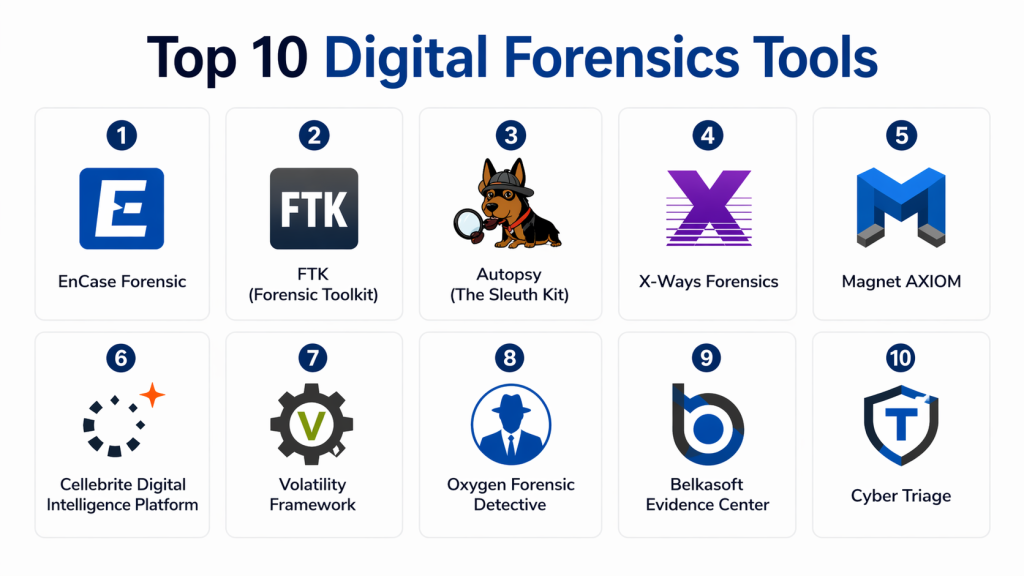
Top 10 Digital Forensics Tools
#1 — EnCase Forensic
Short description: One of the most widely used digital forensics tools in law enforcement and enterprise investigations. It provides deep disk analysis, evidence collection, and reporting capabilities. Known for reliability and legal acceptance. Suitable for advanced forensic investigations. Offers strong automation features.
Key Features
- Disk and file analysis
- Evidence acquisition
- Reporting tools
- Data recovery
- Automation
Pros
- Widely accepted in legal cases
- Comprehensive features
Cons
- Expensive
- Steep learning curve
Platforms / Deployment
Windows
Security & Compliance
Audit logs, encryption (others not publicly stated)
Integrations & Ecosystem
- Security tools
- SIEM platforms
- APIs
Support & Community
Strong enterprise and law enforcement support.
#2 — FTK (Forensic Toolkit)
Short description: A powerful digital forensics platform designed for speed and scalability. Offers advanced indexing and data analysis capabilities. Widely used by investigators for handling large datasets. Provides strong reporting features.
Key Features
- Data indexing
- Disk imaging
- File analysis
- Email analysis
- Reporting
Pros
- Fast processing
- Strong analysis tools
Cons
- Complex interface
- Resource intensive
Platforms / Deployment
Windows
Security & Compliance
Audit logs (others not publicly stated)
Integrations & Ecosystem
- Security tools
- Databases
- APIs
Support & Community
Well-documented with enterprise support.
#3 — Autopsy (Sleuth Kit)
Short description: An open-source digital forensics platform providing disk analysis and investigation tools. Ideal for beginners and professionals alike. Offers extensibility through plugins. Widely used in academic and enterprise environments.
Key Features
- Disk analysis
- Timeline creation
- Keyword search
- Plugin support
- Reporting
Pros
- Free and open-source
- Easy to use
Cons
- Limited advanced features
- Performance limitations
Platforms / Deployment
Windows / Linux
Security & Compliance
Not publicly stated
Integrations & Ecosystem
- Plugins
- APIs
- Security tools
Support & Community
Strong open-source community.
#4 — X-Ways Forensics
Short description: A lightweight yet powerful forensic tool for disk and file analysis. Known for speed and efficiency. Suitable for experienced investigators. Offers advanced data recovery capabilities.
Key Features
- Disk imaging
- Data recovery
- File analysis
- Memory analysis
- Reporting
Pros
- Fast performance
- Lightweight
Cons
- Complex interface
- Requires expertise
Platforms / Deployment
Windows
Security & Compliance
Not publicly stated
Integrations & Ecosystem
- APIs
- Security tools
Support & Community
Moderate support availability.
#5 — Magnet AXIOM
Short description: A modern digital forensics platform with strong support for cloud, mobile, and computer investigations. Known for intuitive interface and powerful analytics. Widely used by law enforcement and enterprises.
Key Features
- Cloud forensics
- Mobile analysis
- Disk analysis
- Timeline reconstruction
- Reporting
Pros
- User-friendly
- Comprehensive coverage
Cons
- Expensive
- Requires training
Platforms / Deployment
Windows
Security & Compliance
Audit logs, encryption (others not publicly stated)
Integrations & Ecosystem
- Cloud platforms
- Mobile devices
- APIs
Support & Community
Strong vendor support.
#6 — Cellebrite Digital Intelligence Platform
Short description: A leading platform for mobile and digital forensics. Specializes in extracting and analyzing data from mobile devices. Widely used by law enforcement agencies.
Key Features
- Mobile data extraction
- Analytics
- Reporting
- Evidence management
- Cloud support
Pros
- Strong mobile capabilities
- Widely adopted
Cons
- Expensive
- Limited desktop focus
Platforms / Deployment
Cloud / Windows
Security & Compliance
Encryption, audit logs (others not publicly stated)
Integrations & Ecosystem
- Mobile platforms
- Security tools
- APIs
Support & Community
Enterprise-level support.
#7 — Volatility Framework
Short description: An open-source memory forensics tool used for analyzing RAM dumps. Ideal for malware analysis and incident response. Popular among security researchers.
Key Features
- Memory analysis
- Malware detection
- Plugin support
- Process analysis
- Command-line interface
Pros
- Free and powerful
- Strong research community
Cons
- Requires expertise
- No GUI
Platforms / Deployment
Windows / Linux
Security & Compliance
Not publicly stated
Integrations & Ecosystem
- Plugins
- APIs
Support & Community
Active open-source community.
#8 — Oxygen Forensic Detective
Short description: A digital forensics tool focused on mobile and cloud investigations. Provides deep data extraction and analytics. Suitable for law enforcement and enterprises.
Key Features
- Mobile forensics
- Cloud data analysis
- Social media analysis
- Reporting
- Data extraction
Pros
- Strong mobile support
- Detailed analytics
Cons
- Expensive
- Learning curve
Platforms / Deployment
Windows
Security & Compliance
Encryption, audit logs (others not publicly stated)
Integrations & Ecosystem
- Mobile platforms
- Cloud services
- APIs
Support & Community
Enterprise support.
#9 — Belkasoft Evidence Center
Short description: A digital forensics solution offering comprehensive analysis of computers, mobile devices, and cloud data. Known for ease of use and strong analytics.
Key Features
- Multi-source analysis
- Data recovery
- Timeline analysis
- Reporting
- Cloud support
Pros
- User-friendly
- Comprehensive
Cons
- Performance issues on large datasets
- Limited advanced features
Platforms / Deployment
Windows
Security & Compliance
Not publicly stated
Integrations & Ecosystem
- Cloud platforms
- Security tools
- APIs
Support & Community
Moderate support.
#10 — BlackLight (Mac Forensics Tool)
Short description: A digital forensics tool focused on macOS systems. Provides deep analysis of Mac devices and data recovery. Ideal for Mac-specific investigations.
Key Features
- macOS analysis
- Data recovery
- File analysis
- Reporting
- Disk imaging
Pros
- Strong Mac support
- Easy to use
Cons
- Limited cross-platform support
- Niche focus
Platforms / Deployment
macOS
Security & Compliance
Not publicly stated
Integrations & Ecosystem
- Mac tools
- APIs
Support & Community
Vendor support available.
Comparison Table (Top 10)
| Tool Name | Best For | Platform(s) | Deployment | Standout Feature | Public Rating |
|---|---|---|---|---|---|
| EnCase | Law enforcement | Windows | On-prem | Legal acceptance | N/A |
| FTK | Large datasets | Windows | On-prem | Fast indexing | N/A |
| Autopsy | Open-source | Win/Linux | On-prem | Free tool | N/A |
| X-Ways | Experts | Windows | On-prem | Lightweight | N/A |
| Magnet AXIOM | Enterprise | Windows | On-prem | Cloud + mobile | N/A |
| Cellebrite | Mobile | Win/Cloud | Hybrid | Mobile extraction | N/A |
| Volatility | Memory | Win/Linux | On-prem | RAM analysis | N/A |
| Oxygen | Mobile/cloud | Windows | On-prem | Social analysis | N/A |
| Belkasoft | Multi-source | Windows | On-prem | Ease of use | N/A |
| BlackLight | Mac | macOS | On-prem | macOS focus | N/A |
Evaluation & Scoring of Digital Forensics Tools
| Tool | Core | Ease | Integrations | Security | Performance | Support | Value | Total |
|---|---|---|---|---|---|---|---|---|
| EnCase | 9 | 7 | 8 | 9 | 8 | 9 | 7 | 8.4 |
| FTK | 9 | 7 | 8 | 8 | 9 | 8 | 7 | 8.3 |
| Autopsy | 7 | 8 | 7 | 7 | 7 | 7 | 9 | 7.6 |
| X-Ways | 8 | 6 | 7 | 8 | 9 | 7 | 7 | 7.8 |
| Magnet | 9 | 8 | 8 | 9 | 8 | 8 | 7 | 8.5 |
| Cellebrite | 9 | 8 | 8 | 9 | 8 | 9 | 7 | 8.6 |
| Volatility | 8 | 6 | 6 | 8 | 8 | 7 | 9 | 7.7 |
| Oxygen | 8 | 7 | 7 | 8 | 8 | 8 | 7 | 7.8 |
| Belkasoft | 8 | 8 | 7 | 7 | 7 | 7 | 8 | 7.7 |
| BlackLight | 7 | 8 | 6 | 7 | 7 | 7 | 7 | 7.1 |
Interpretation:
Higher scores indicate stronger capabilities. Enterprise tools perform better in security and performance, while open-source tools offer better value and flexibility.
Which Digital Forensics Tool Is Right for You?
Solo / Freelancer
Autopsy or Volatility are good starting points.
SMB
Belkasoft or Oxygen offer ease of use.
Mid-Market
FTK or Magnet AXIOM provide strong balance.
Enterprise
EnCase, Cellebrite, and Magnet AXIOM are top choices.
Budget vs Premium
- Budget: Autopsy
- Premium: EnCase
Feature Depth vs Ease
- Easy: Magnet
- Advanced: EnCase
Integrations & Scalability
- Best integrations: FTK, Magnet
Security & Compliance
- High compliance: EnCase, Cellebrite
FAQs
1. What is digital forensics?
Digital forensics is the process of collecting, preserving, and analyzing digital evidence from computers, networks, and devices. It helps investigators understand what happened during a cyber incident. The goal is to maintain data integrity while uncovering useful insights. It is widely used in cybersecurity, legal cases, and compliance audits.
2. What are digital forensics tools used for?
These tools are used to recover deleted data, analyze system activity, and investigate cyberattacks. They help identify how a breach occurred and what data was affected. Investigators also use them to trace malicious actions and gather evidence. They are essential for incident response and legal investigations.
3. Are digital forensics tools difficult to use?
Some tools are complex and require specialized training, especially enterprise-grade solutions. However, there are beginner-friendly tools available with graphical interfaces. Learning curve depends on the tool and use case. Proper training and practice significantly improve efficiency and accuracy.
4. Can digital forensics tools recover deleted data?
Yes, most digital forensics tools can recover deleted or hidden files from storage devices. They use advanced techniques to reconstruct lost data. However, success depends on how the data was deleted and overwritten. Early analysis increases the chances of recovery.
5. Are digital forensics tools expensive?
Pricing varies widely depending on features and target users. Enterprise tools are usually expensive due to advanced capabilities. Open-source tools are available for free and offer good functionality. Organizations should choose based on their needs and budget.
6. Do digital forensics tools support cloud environments?
Modern digital forensics tools support cloud platforms and SaaS applications. They can analyze logs, user activity, and stored data from cloud services. This is important as more data is moving to the cloud. Capabilities vary depending on the vendor.
7. How long does a digital forensics investigation take?
The duration depends on the size of the data and complexity of the case. Small investigations may take hours or days, while large ones can take weeks. Proper planning and automation tools can speed up the process. Accuracy is more important than speed.
8. Are digital forensics results legally admissible?
Yes, results are admissible if proper forensic procedures are followed. Tools must preserve evidence integrity and maintain audit trails. Investigators must follow legal guidelines. This ensures evidence can be used in court.
9. What integrations are important for digital forensics tools?
Integration with SIEM, EDR, and incident response platforms is very important. These integrations help collect data efficiently and automate workflows. APIs allow customization and scalability. Strong integrations improve investigation outcomes.
10. What are alternatives to digital forensics tools?
Alternatives include manual analysis or basic system utilities. However, they lack advanced capabilities and efficiency. Digital forensics tools provide structured workflows and accurate results. They are essential for professional investigations.
Conclusion
Digital forensics tools are essential for organizations that need to investigate cyber incidents, recover data, and support legal processes. As cyber threats continue to evolve, these tools provide the ability to analyze complex environments, identify attack patterns, and ensure evidence integrity. From disk and memory analysis to cloud and mobile forensics, modern tools offer comprehensive capabilities for today’s digital landscape.
Selecting the right tool depends on your organization’s needs, technical expertise, and budget. Enterprises may require advanced solutions like EnCase or Magnet AXIOM, while smaller teams may benefit from open-source tools like Autopsy or Volatility. The best approach is to evaluate a few tools, test their capabilities in real scenarios, and ensure they align with your investigation and compliance requirements before making a decision.
