Introduction
Digital Asset Management, commonly called DAM, is software that helps businesses store, organize, manage, search, approve, share, and reuse digital files from one central platform. These files may include images, videos, logos, product photos, campaign files, creative designs, brand documents, sales presentations, audio files, and other media assets.
For modern businesses, content is no longer created for one channel only. A single brand may need assets for websites, social media, ecommerce stores, mobile apps, email campaigns, sales teams, regional offices, agencies, and partners. Without a proper DAM system, teams often waste time searching for the right file, use outdated versions, duplicate work, or accidentally publish unapproved content.
Digital Asset Management tools solve this problem by creating a single trusted source for approved digital assets. They help teams improve brand consistency, speed up content delivery, manage permissions, support creative workflows, and reduce confusion across departments.
Common use cases include brand asset management, marketing campaign management, ecommerce product content management, video library organization, creative approvals, agency collaboration, sales enablement, and partner asset sharing.
Buyers should evaluate DAM tools based on ease of use, metadata management, search quality, AI tagging, version control, approval workflows, user permissions, integration options, scalability, security, support quality, and total value.
Best for: Marketing teams, brand managers, creative teams, ecommerce companies, product teams, media teams, agencies, sales enablement teams, and enterprises managing large volumes of digital content.
Not ideal for: Very small teams with only a few files, businesses that only need simple cloud storage, or users who do not need asset approvals, metadata, permissions, brand control, or structured content workflows.
Key Trends in Digital Asset Management (DAM)
AI-assisted tagging is becoming more important because teams want faster asset discovery without manually tagging every file. Modern DAM systems can help identify objects, colors, file types, themes, faces, and visual patterns.
Brand governance is now a major requirement. Businesses want to make sure only approved logos, images, templates, product photos, and brand documents are used by teams, agencies, partners, and regional offices.
Video asset management is growing quickly. Companies are producing more video content for training, campaigns, product education, social media, and customer support, so DAM platforms are improving video preview, metadata, storage, and delivery features.
Creative workflow automation is becoming more common. Teams want review, approval, annotation, version control, and publishing workflows inside or connected to their DAM system.
Rights and usage management is becoming more important. Companies need to track license expiry, usage permissions, model releases, regional restrictions, and asset ownership.
Self-service brand portals are becoming popular. Sales teams, partners, distributors, franchisees, and agencies can access approved assets without repeatedly asking the marketing team.
Integration with marketing technology is now essential. DAM tools are expected to connect with CMS, ecommerce, PIM, design tools, project management software, marketing automation platforms, and collaboration tools.
Security expectations are increasing. Buyers now look for SSO, MFA, role-based access, audit logs, encryption, permission control, and secure sharing features.
Cloud-based DAM adoption is growing because teams need remote access, easier collaboration, faster deployment, and lower infrastructure responsibility.
Asset analytics are becoming more useful. Teams want to understand which assets are downloaded, shared, reused, or ignored so they can improve content planning.
How We Selected These Tools
The tools in this list were selected based on practical DAM use cases, market recognition, feature depth, usability, security expectations, and suitability for different business sizes.
The selection considers how well each tool supports centralized asset storage, metadata, tagging, search, version control, permissions, sharing, and brand governance.
Ease of use was considered because DAM platforms must be adopted by marketers, designers, sales teams, agencies, and business users, not just technical teams.
Integration strength was reviewed because DAM software often needs to connect with creative tools, CMS platforms, ecommerce systems, PIM platforms, project management software, and marketing tools.
Scalability was considered for teams managing large asset libraries, multiple brands, regional users, partner access, and high-volume content operations.
Security posture was considered through features such as permissions, SSO options, role-based controls, audit capabilities, and controlled external sharing.
Support and onboarding were considered because DAM success depends heavily on migration planning, metadata structure, user training, and long-term governance.
The list includes a balanced mix of enterprise platforms, brand-focused DAM tools, marketing-friendly options, developer-connected media platforms, and open-source alternatives.
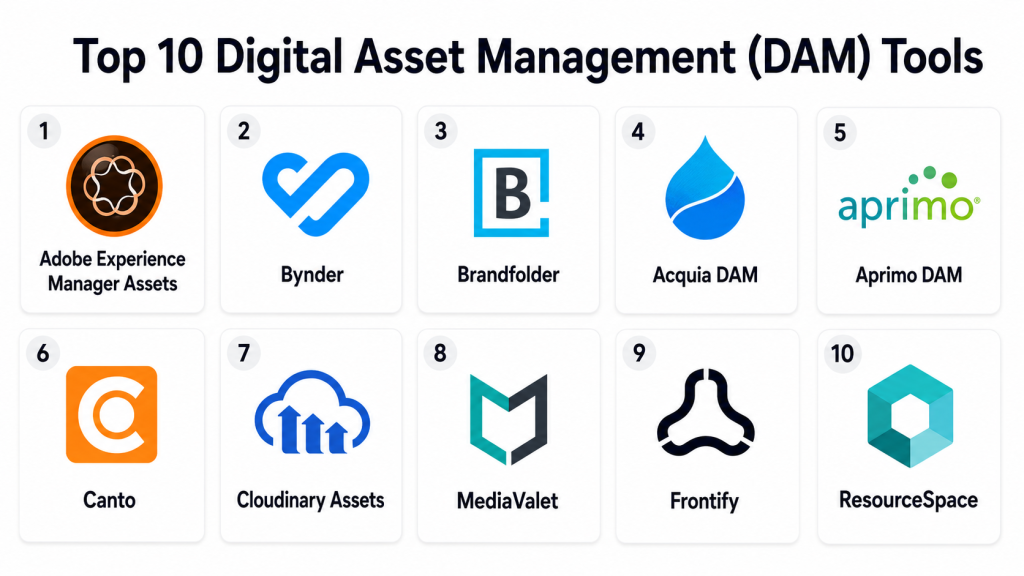
Top 10 Digital Asset Management (DAM) Tools
1. Adobe Experience Manager Assets
Short description: Adobe Experience Manager Assets is an enterprise-grade DAM platform built for large organizations that need deep asset management, creative workflows, brand control, and digital experience integration. It is best suited for enterprises already using Adobe tools or managing complex content operations.
Key Features
- Centralized asset library for images, videos, documents, creative files, and brand assets
- Advanced metadata, taxonomy, tagging, and search capabilities
- Integration with Adobe Creative Cloud and Adobe Experience Cloud
- Dynamic media management for images and videos
- Asset versioning, review, approval, and workflow support
- Enterprise brand governance and content lifecycle control
- Scalable asset management for global teams and large libraries
Pros
- Strong choice for enterprises using Adobe products
- Deep creative and marketing workflow capabilities
- Suitable for complex global content operations
Cons
- Can be complex for smaller teams
- Implementation may require expert planning and support
- Cost may be higher than simpler DAM platforms
Platforms / Deployment
Web-based platform. Primarily cloud deployment, with enterprise configuration options depending on customer requirements.
Security & Compliance
Security capabilities may include role-based permissions, access controls, SSO, encryption, and audit features. Exact compliance certifications should be verified during procurement because availability may vary by plan and deployment.
Integrations & Ecosystem
Adobe Experience Manager Assets fits well into large creative, marketing, and digital experience ecosystems. It is especially valuable when design, campaign, content, and web experience workflows are already connected to Adobe platforms.
- Adobe Creative Cloud
- Adobe Experience Cloud
- CMS platforms
- Ecommerce systems
- Marketing automation tools
- APIs and enterprise extensions
Support & Community
Adobe provides enterprise documentation, training resources, implementation partners, professional services, and customer support options. Its ecosystem is large, making it easier to find experienced consultants and implementation partners.
2. Bynder
Short description: Bynder is a cloud-based DAM platform focused on brand management, asset organization, creative collaboration, and controlled asset distribution. It is suitable for mid-market and enterprise teams that need a balance of usability and DAM depth.
Key Features
- Centralized asset library with search and filtering
- Brand portals for internal and external asset sharing
- Metadata management and structured asset organization
- Creative workflow and approval features
- Digital brand guideline support
- AI-assisted tagging and asset discovery
- Integrations with marketing, creative, and content tools
Pros
- User-friendly for marketing and brand teams
- Strong brand portal and sharing experience
- Good fit for distributed teams and external partners
Cons
- Advanced features may depend on plan level
- Pricing may not suit very small teams
- Metadata and workflow setup still require planning
Platforms / Deployment
Web-based platform. Cloud deployment.
Security & Compliance
Bynder may support enterprise security features such as permissions, SSO options, access controls, and administrative governance. Exact certifications and compliance details should be verified during the buying process.
Integrations & Ecosystem
Bynder integrates with common creative, content, and marketing tools, making it useful for teams that need assets to move across campaigns, websites, sales channels, and partner workflows.
- Adobe Creative Cloud
- CMS platforms
- Marketing automation tools
- Project management tools
- Ecommerce workflows
- API-based integrations
Support & Community
Bynder offers onboarding resources, customer support, documentation, and customer success services. It has strong visibility among marketing, brand, and creative operations teams.
3. Brandfolder
Short description: Brandfolder is a DAM platform designed to help teams organize, distribute, and measure brand assets. It is especially useful for brand teams, marketing teams, sales enablement teams, and organizations that need simple external sharing.
Key Features
- Centralized storage for brand files, images, videos, and documents
- Branded asset collections and portals
- Metadata, tagging, and search capabilities
- Usage insights and asset performance visibility
- Permissions and controlled sharing
- External partner and agency access
- Simple asset distribution for sales and marketing teams
Pros
- Strong for brand asset sharing
- Easy for non-technical users to adopt
- Useful for marketing, sales, and partner enablement
Cons
- May not fit highly customized enterprise workflows
- Advanced governance may require careful setup
- Feature availability may vary by package
Platforms / Deployment
Web-based platform. Cloud deployment.
Security & Compliance
Security features may include permissions, access controls, sharing restrictions, and enterprise authentication options. Specific compliance certifications should be verified with the vendor.
Integrations & Ecosystem
Brandfolder is useful when approved assets need to be shared across marketing, sales, design, partner, and customer-facing teams.
- Design tools
- CMS platforms
- Marketing platforms
- Sales enablement workflows
- Collaboration tools
- API and connector-based workflows
Support & Community
Brandfolder provides help documentation, onboarding support, customer success resources, and support options. It is well recognized among brand and marketing teams.
4. Acquia DAM
Short description: Acquia DAM is a mature DAM platform used by organizations that need structured asset organization, metadata management, brand control, and content operations support. It is suitable for mid-market and enterprise teams with serious marketing and digital content needs.
Key Features
- Centralized library for creative, marketing, product, and brand assets
- Strong metadata and taxonomy management
- Controlled asset sharing and portals
- Asset usage visibility and reporting
- Workflow support for content review and approvals
- Rights and usage management features
- Integration with broader digital experience workflows
Pros
- Strong metadata and content organization capabilities
- Good fit for marketing and product content operations
- Useful for teams managing structured asset libraries
Cons
- Requires planning for taxonomy and governance
- May be more than very small teams need
- Pricing and packaging may vary
Platforms / Deployment
Web-based platform. Cloud deployment.
Security & Compliance
Acquia DAM may support enterprise access controls, user permissions, SSO options, and administrative controls. Specific compliance details should be verified during vendor review.
Integrations & Ecosystem
Acquia DAM works well for organizations that need assets connected to websites, campaigns, product content, and digital experience workflows.
- CMS platforms
- Marketing tools
- Creative software
- Product content workflows
- Ecommerce platforms
- API-based integrations
Support & Community
Acquia provides documentation, customer support, onboarding resources, and professional services. Its ecosystem is strong in digital experience and content management environments.
5. Aprimo DAM
Short description: Aprimo DAM is an enterprise-focused digital asset management platform designed for large marketing organizations, regulated businesses, and teams with complex content operations. It combines DAM with broader marketing workflow and content lifecycle needs.
Key Features
- Enterprise DAM for large asset libraries
- Marketing workflow and content operations support
- Metadata, taxonomy, and search features
- Rights management and usage controls
- Review and approval workflows
- Brand governance and content lifecycle management
- Support for complex enterprise marketing processes
Pros
- Strong fit for large and complex marketing teams
- Useful for regulated and global organizations
- Supports DAM plus content operations workflows
Cons
- Can be too advanced for simple DAM needs
- Implementation may require significant planning
- Smaller teams may prefer easier lightweight tools
Platforms / Deployment
Web-based platform. Cloud deployment. Enterprise configuration may vary.
Security & Compliance
Aprimo is designed for enterprise environments and may include role-based access, SSO, audit controls, and governance features. Specific certifications should be verified directly.
Integrations & Ecosystem
Aprimo supports complex marketing technology stacks where DAM is part of a larger planning, approval, and content operations environment.
- Marketing resource management systems
- CMS platforms
- Creative tools
- Workflow systems
- Campaign platforms
- Enterprise APIs
Support & Community
Aprimo provides enterprise support, documentation, implementation guidance, and customer success resources. Its community is mainly enterprise and marketing operations focused.
6. Canto
Short description: Canto is a user-friendly DAM platform built for marketing teams, creative teams, nonprofits, education, and growing businesses. It is a good fit for teams that want a practical DAM without heavy technical complexity.
Key Features
- Centralized asset library with folders, albums, and collections
- Visual search and metadata tagging
- Branded portals and external sharing
- Approval and collaboration workflows
- Version control and asset organization
- Image and video management
- Simple interface for business users
Pros
- Easy to learn and use
- Good for marketing and creative teams
- Strong visual organization and sharing features
Cons
- May not match deep enterprise customization needs
- Advanced automation may be limited compared with larger platforms
- Large-scale governance requires strong admin discipline
Platforms / Deployment
Web-based platform. Cloud deployment.
Security & Compliance
Canto may offer user roles, permissions, sharing controls, and administrative settings. Exact compliance certifications should be verified during evaluation.
Integrations & Ecosystem
Canto connects well with common marketing and creative workflows, making it useful for teams that need practical asset access and sharing.
- Adobe Creative Cloud
- CMS tools
- Social and marketing platforms
- Project collaboration tools
- Cloud storage workflows
- API-based connections
Support & Community
Canto offers documentation, onboarding help, training resources, and customer support. It is commonly used by teams looking for simple and approachable DAM software.
7. Cloudinary Assets
Short description: Cloudinary Assets is a DAM and media management solution designed for teams that manage images and videos at scale. It is especially useful for ecommerce, web, mobile, and developer-connected workflows where media transformation and delivery matter.
Key Features
- Image and video asset management
- Media optimization and transformation
- AI-assisted tagging and metadata support
- Developer-friendly APIs
- Dynamic media delivery for websites and applications
- Ecommerce and product media support
- Collaboration between creative and technical teams
Pros
- Strong for image and video-heavy businesses
- Good fit for developer and ecommerce workflows
- Powerful media transformation and delivery capabilities
Cons
- May feel technical for purely marketing-led teams
- Traditional brand portal needs may require careful evaluation
- Best value depends on media volume and delivery requirements
Platforms / Deployment
Web-based platform with API-driven workflows. Cloud deployment.
Security & Compliance
Cloudinary may support enterprise access controls and security features. Exact certification and compliance details should be verified based on plan and contract.
Integrations & Ecosystem
Cloudinary is strong for teams that connect DAM with websites, mobile apps, ecommerce platforms, and developer workflows.
- Developer APIs
- CMS platforms
- Ecommerce systems
- PIM workflows
- Web and mobile applications
- Creative and marketing tools
Support & Community
Cloudinary has strong technical documentation, support resources, developer guides, and a broader technical community. It is especially useful for engineering-connected media operations.
8. MediaValet
Short description: MediaValet is a cloud-based DAM platform used by organizations that need secure asset storage, easy search, controlled sharing, and collaboration. It is suitable for marketing, brand, creative, and enterprise teams managing large asset libraries.
Key Features
- Centralized digital asset library
- Asset search, tagging, and metadata
- Secure sharing and branded portals
- Image, video, document, and creative file support
- User permissions and access controls
- Collaboration and distribution features
- Scalable cloud asset management
Pros
- Good cloud DAM experience for distributed teams
- Useful for secure asset sharing and brand control
- Suitable for large libraries and multi-team access
Cons
- Advanced workflows may require configuration
- Pricing may not suit very small teams
- Metadata planning is important for best results
Platforms / Deployment
Web-based platform. Cloud deployment.
Security & Compliance
MediaValet may support enterprise-oriented access controls, user permissions, and secure sharing. Exact compliance certifications should be verified before purchase.
Integrations & Ecosystem
MediaValet is practical for teams that need DAM connected with marketing, creative, and collaboration workflows.
- Creative tools
- CMS platforms
- Collaboration software
- Marketing systems
- Branded portals
- API-based workflows
Support & Community
MediaValet provides documentation, onboarding guidance, training resources, and customer support. Its ecosystem is more customer and vendor-led than open community-driven.
9. Frontify
Short description: Frontify is a brand management and DAM platform that helps companies manage brand guidelines, approved assets, templates, and brand portals. It is especially useful when brand consistency is a top priority.
Key Features
- Brand guidelines and digital brand portals
- Centralized DAM for approved brand assets
- Template and brand governance support
- Asset sharing and permission controls
- Collaboration features for brand teams
- Searchable asset collections
- Self-service access for distributed teams
Pros
- Strong for brand governance and consistency
- Easy for teams and partners to access approved assets
- Combines DAM with brand guideline management
Cons
- May not be the deepest DAM for complex media operations
- Less ideal for developer-first media delivery
- Advanced enterprise use cases may require setup planning
Platforms / Deployment
Web-based platform. Cloud deployment.
Security & Compliance
Frontify may support role-based access, permissions, and enterprise administration. Specific compliance certifications should be verified during vendor review.
Integrations & Ecosystem
Frontify is useful for brand-led organizations that need approved assets and guidelines to move across teams, markets, and campaigns.
- Design tools
- Brand guideline workflows
- Marketing platforms
- CMS tools
- Collaboration tools
- API and integration options
Support & Community
Frontify provides documentation, onboarding resources, customer support, and enterprise assistance. It has strong recognition among brand management and creative operations teams.
10. ResourceSpace
Short description: ResourceSpace is an open-source DAM platform for organizations that want more control over deployment, customization, and asset management. It can be useful for nonprofits, education, public-sector teams, and businesses with technical resources.
Key Features
- Open-source DAM foundation
- Asset storage, search, tagging, and metadata
- Customizable fields and workflows
- User permissions and access control
- File sharing and download options
- Self-hosting flexibility
- Configurable asset management structure
Pros
- Open-source option with strong control
- Can be cost-effective for technically capable teams
- Flexible for custom asset management needs
Cons
- Requires more technical ownership than cloud DAM tools
- User experience depends on configuration
- Support model may vary by deployment choice
Platforms / Deployment
Web-based platform. Self-hosted and hosted options may be available depending on setup.
Security & Compliance
Security depends on hosting, configuration, permissions, access controls, and internal administration. Compliance details are best treated as Varies / N/A unless verified for the specific deployment.
Integrations & Ecosystem
ResourceSpace can support configurable DAM workflows for teams that have technical resources and need flexible asset management.
- Custom integrations
- API-based workflows
- Internal systems
- Web publishing workflows
- Metadata-driven processes
- Self-hosted infrastructure
Support & Community
Support depends on whether the organization uses community resources, internal technical staff, or paid support services. Documentation and community knowledge are important parts of the ecosystem.
Comparison Table
| Tool Name | Best For | Platform(s) Supported | Deployment | Standout Feature | Public Rating |
|---|---|---|---|---|---|
| Adobe Experience Manager Assets | Large enterprises and Adobe-centric teams | Web | Cloud / Enterprise options | Deep Adobe ecosystem integration | N/A |
| Bynder | Brand and marketing teams | Web | Cloud | Brand portals and asset sharing | N/A |
| Brandfolder | Brand asset distribution and partner access | Web | Cloud | Simple branded asset collections | N/A |
| Acquia DAM | Structured marketing and content operations | Web | Cloud | Strong metadata and content organization | N/A |
| Aprimo DAM | Enterprise marketing operations | Web | Cloud | DAM plus content operations workflows | N/A |
| Canto | SMB and mid-market creative teams | Web | Cloud | Easy visual asset organization | N/A |
| Cloudinary Assets | Developer-connected media and ecommerce teams | Web / API-driven workflows | Cloud | Media transformation and delivery | N/A |
| MediaValet | Distributed teams managing large libraries | Web | Cloud | Secure cloud asset sharing | N/A |
| Frontify | Brand governance and guideline management | Web | Cloud | Brand guidelines plus DAM | N/A |
| ResourceSpace | Open-source and self-hosted DAM needs | Web | Self-hosted / Hosted options | Open-source flexibility | N/A |
Evaluation & Scoring of Digital Asset Management (DAM)
| Tool Name | Core (25%) | Ease (15%) | Integrations (15%) | Security (10%) | Performance (10%) | Support (10%) | Value (15%) | Weighted Total (0–10) |
|---|---|---|---|---|---|---|---|---|
| Adobe Experience Manager Assets | 10 | 7 | 10 | 9 | 9 | 9 | 7 | 8.85 |
| Bynder | 9 | 9 | 8 | 8 | 8 | 8 | 8 | 8.45 |
| Brandfolder | 8 | 9 | 8 | 8 | 8 | 8 | 8 | 8.15 |
| Acquia DAM | 9 | 8 | 8 | 8 | 8 | 8 | 8 | 8.30 |
| Aprimo DAM | 9 | 7 | 8 | 9 | 8 | 8 | 7 | 8.10 |
| Canto | 8 | 9 | 7 | 7 | 8 | 8 | 8 | 7.95 |
| Cloudinary Assets | 9 | 7 | 9 | 8 | 9 | 8 | 8 | 8.35 |
| MediaValet | 8 | 8 | 7 | 8 | 8 | 8 | 8 | 7.85 |
| Frontify | 8 | 9 | 7 | 8 | 8 | 8 | 8 | 8.00 |
| ResourceSpace | 7 | 6 | 7 | 6 | 7 | 6 | 9 | 6.95 |
These scores are comparative and should be used as a practical shortlist guide. A lower score does not mean a tool is weak; it may simply serve a narrower audience or require more technical ownership. Enterprise tools often score higher in feature depth, integrations, and governance, while simpler tools may score higher in usability and value. Buyers should validate these scores through demos, pilot projects, security checks, and real workflow testing.
Which Digital Asset Management (DAM) Tool Is Right for You?
Solo / Freelancer
Solo users and freelancers usually do not need a complex DAM platform unless they manage many client assets, photography collections, video files, campaign libraries, or brand kits. For simple file storage, a cloud drive may be enough.
If a freelancer needs DAM features, the best choice is usually a lightweight and easy-to-use option. Canto, Brandfolder, or ResourceSpace may work depending on budget, technical comfort, and sharing needs. The main focus should be easy search, simple client sharing, file version control, and clear asset organization.
SMB
Small and medium-sized businesses usually need DAM software to reduce file confusion, improve brand consistency, and help marketing or sales teams quickly find approved content. They often need simple onboarding more than deep enterprise customization.
Canto, Bynder, Brandfolder, Frontify, and MediaValet are strong options for SMB teams. These tools can help organize campaign files, brand assets, product images, presentations, social content, and partner materials. SMB buyers should prioritize ease of use, permission controls, sharing features, and support quality.
Mid-Market
Mid-market companies usually need more structure. They may have multiple departments, multiple brands, regional users, external agencies, and growing content libraries. At this stage, metadata, approvals, integrations, and governance become more important.
Bynder, Acquia DAM, Brandfolder, MediaValet, Frontify, and Cloudinary Assets can be strong choices depending on the main use case. Brand-heavy teams may prefer Bynder or Frontify. Ecommerce and media-heavy teams may prefer Cloudinary Assets. Teams with structured content operations may prefer Acquia DAM.
Enterprise
Enterprises need strong governance, scalability, security, workflow automation, role-based access, auditability, and integration depth. They may need DAM to connect with CMS, PIM, ecommerce, marketing automation, creative tools, and enterprise content platforms.
Adobe Experience Manager Assets, Aprimo DAM, Acquia DAM, Bynder, and Cloudinary Assets are strong enterprise candidates. The best fit depends on whether the main priority is digital experience, marketing operations, brand governance, media delivery, or global content control.
Budget vs Premium
Budget-sensitive teams should avoid buying a platform that is too complex for their real needs. A simpler DAM that people actually use can deliver more value than a premium tool that remains underused.
Premium DAM tools make sense when the organization has large asset volumes, multiple teams, approval complexity, compliance requirements, and deep integration needs. Before buying a premium platform, teams should review migration effort, training needs, admin responsibility, and long-term governance.
Feature Depth vs Ease of Use
Feature-rich DAM platforms can support advanced workflows, metadata models, rights management, localization, governance, and enterprise security. However, they can also require more planning and training.
Ease-of-use-focused DAM tools help teams adopt faster. If the main problem is that users cannot find the correct approved file, a simple and visual platform may be enough. If the problem is global governance and content lifecycle control, deeper functionality becomes more important.
Integrations & Scalability
DAM should not work in isolation. It should connect with the tools where assets are created, reviewed, published, and measured.
Marketing teams should check CMS, design, project management, social media, and campaign integrations. Ecommerce teams should check PIM, product content, commerce, and media delivery workflows. Developer-led teams should prioritize APIs, automation, and performance.
Security & Compliance Needs
Security matters when DAM stores unreleased campaigns, licensed images, product launch materials, internal documents, brand files, or sensitive media.
Buyers should evaluate SSO, MFA, RBAC, encryption, audit logs, permission inheritance, external sharing controls, data residency, retention policies, and compliance documentation. Do not assume certifications or compliance claims. Always verify with the vendor before purchase.
Frequently Asked Questions (FAQs)
1. What is Digital Asset Management software?
Digital Asset Management software helps teams store, organize, search, approve, share, and reuse digital files from one central platform. It is useful for managing images, videos, documents, logos, brand files, and campaign assets.
2. How is DAM different from cloud storage?
Cloud storage mainly stores files, while DAM adds metadata, tagging, advanced search, version control, permissions, approvals, usage rights, and brand governance. DAM is better when many users need controlled access to approved assets.
3. What pricing models do DAM tools usually use?
Most DAM tools use subscription pricing based on users, storage, features, asset volume, support level, or enterprise needs. Some vendors provide custom pricing, so buyers should confirm pricing directly before choosing.
4. How long does DAM implementation take?
Implementation time depends on asset volume, metadata structure, integrations, user roles, workflows, and migration complexity. Smaller teams can move faster, while larger organizations need more planning and testing.
5. What are the common mistakes when choosing DAM software?
Common mistakes include ignoring metadata planning, not cleaning old files, choosing a tool without user training, skipping security review, and buying a platform that is too complex for the team’s actual needs.
6. Is DAM software secure?
Many DAM platforms include security features such as user permissions, role-based access, SSO options, encryption, and controlled sharing. Security varies by vendor and plan, so teams should verify details before purchase.
7. Can DAM tools scale for global teams?
Yes, many DAM platforms are designed for distributed users, regional teams, agencies, partners, and global content libraries. Scalability depends on permissions, performance, storage, workflows, integrations, and support.
8. What integrations should a DAM tool support?
A good DAM tool should support integrations with design tools, CMS platforms, ecommerce systems, PIM tools, project management software, marketing automation platforms, and APIs for custom workflows.
9. How difficult is it to switch DAM platforms?
Switching can be challenging if assets, metadata, folders, permissions, and usage rights are poorly organized. A successful migration needs planning, cleanup, mapping, testing, and user training.
10. Are there alternatives to DAM software?
Alternatives include cloud storage, CMS media libraries, project management tools, PIM systems, and file-sharing platforms. These may work for small teams, but DAM is better for structured asset governance and search.
Conclusion
Digital Asset Management software is now an important part of modern content, marketing, brand, ecommerce, and creative operations. The right DAM platform helps teams save time, reduce duplicate work, protect brand consistency, manage approved files, and distribute assets more confidently across channels. However, there is no single best DAM tool for every organization. Adobe Experience Manager Assets and Aprimo DAM are strong for complex enterprise needs, while Bynder, Brandfolder, Canto, MediaValet, and Frontify are practical for marketing and brand teams that need usability and governance. Cloudinary Assets is a strong fit for media-heavy digital workflows, while ResourceSpace is useful for teams that want open-source flexibility. The best next step is to shortlist two or three tools, test them with real assets, review integrations and security needs, and run a focused pilot before making a final decision.
