Introduction
Deal Desk Workflow Tools help revenue teams manage complex sales deals that need pricing review, discount approval, legal input, finance validation, quote creation, contract review, and executive sign-off. In simple words, these tools bring sales, finance, legal, RevOps, product, and leadership teams into one structured workflow so deals can move faster without losing control over margin, risk, or compliance.
Deal desk workflows matter because modern B2B deals often involve custom pricing, multi-product bundles, non-standard terms, contract redlines, usage-based pricing, approval thresholds, renewal adjustments, and enterprise buyer requirements. Without a structured workflow, teams rely on emails, spreadsheets, chat messages, and manual follow-ups. This creates delays, discount leakage, inconsistent approvals, contract risk, and poor visibility for revenue leaders. A strong deal desk workflow tool helps companies standardize approvals, reduce cycle time, improve quote accuracy, protect margins, and create a better buying experience.
Real-world use cases include:
- Discount approval workflows for non-standard pricing, special terms, and margin exceptions.
- Quote creation and approval for sales teams preparing complex proposals.
- Legal and contract review for custom terms, redlines, and customer-specific agreements.
- Finance approval for payment terms, revenue recognition, credit checks, and deal profitability.
- Sales operations governance for pricing rules, approval thresholds, and policy compliance.
- Enterprise deal collaboration across sales, RevOps, legal, finance, product, and leadership.
- Renewal and expansion deal management for upsells, cross-sells, amendments, and contract changes.
Evaluation Criteria for Buyers:
- Approval workflow automation for pricing, discounts, legal, finance, and executive reviews.
- CPQ and quoting capability for accurate quotes, bundles, pricing rules, and product configuration.
- CRM integration so deal records, approvals, quotes, and customer data stay connected.
- Contract workflow support for legal review, redlines, terms, approvals, and e-signature handoff.
- Revenue control for margins, payment terms, discount policies, and deal profitability.
- Collaboration features for sales, RevOps, finance, legal, leadership, and customer-facing teams.
- Analytics and reporting for deal cycle time, approval bottlenecks, discount trends, and win rates.
- Security controls such as RBAC, SSO, audit logs, data protection, and permission management.
- Scalability for complex products, multiple regions, business units, currencies, and approval rules.
- Ease of adoption for sales reps, managers, approvers, deal desk teams, and administrators.
Best for: Deal Desk Workflow Tools are best for B2B SaaS companies, enterprise sales teams, RevOps teams, sales operations leaders, finance teams, legal teams, CPQ administrators, revenue leaders, and organizations managing complex pricing, custom quotes, negotiated contracts, and non-standard approval workflows.
Not ideal for: Very small sales teams with simple pricing and standard contracts may not need a dedicated deal desk workflow tool. If deals are low-value, discounting is minimal, and quotes are simple, a basic CRM, proposal tool, or spreadsheet-based approval process may be enough until deal complexity increases.
Key Trends in Deal Desk Workflow Tools
- AI-assisted deal guidance is becoming more useful as tools help reps understand pricing rules, approval needs, next steps, and deal risks.
- Quote-to-cash alignment is becoming a priority because companies want quoting, approvals, contracts, billing, and revenue operations to work together.
- Discount governance is getting stronger as finance and RevOps teams focus on margin protection and approval consistency.
- CRM-native workflows are becoming essential because sales teams do not want to manage approvals in disconnected systems.
- Legal and finance collaboration is becoming more structured so non-standard terms, payment changes, and contract exceptions are reviewed faster.
- Subscription and usage-based pricing models are increasing complexity and require better deal desk controls for pricing, amendments, renewals, and expansions.
- Deal analytics are becoming more important as revenue teams track bottlenecks, approval times, discount leakage, win rates, and stalled deals.
- No-code and low-code workflow configuration is gaining traction because RevOps teams need to update rules without waiting on engineering.
- Revenue lifecycle management is replacing isolated tools as companies connect CPQ, CLM, billing, approvals, renewals, and customer expansion.
- Governance and auditability are stronger buying criteria because revenue teams need to prove who approved what, when, and under which policy.
How We Selected These Tools
The tools in this list were selected based on relevance to deal desk workflows, CPQ, approvals, quote-to-cash operations, legal handoffs, revenue operations, pricing governance, and B2B sales collaboration.
Evaluation logic included:
- Deal desk workflow depth for pricing exceptions, approvals, quote review, legal input, and finance validation.
- Market recognition and adoption among sales operations, RevOps, finance, legal, and enterprise sales teams.
- CPQ and quoting strength for product configuration, pricing rules, discount controls, and proposal generation.
- Approval automation for multi-step, conditional, role-based, and threshold-based workflows.
- CRM integration with platforms like Salesforce, HubSpot, and other sales systems.
- Contract and legal workflow support for redlines, clause handling, terms, and e-signature handoff.
- Analytics and reporting for approval speed, deal quality, discounting, bottlenecks, and revenue visibility.
- Security and governance including permissions, audit trails, authentication, and administrative controls.
- Scalability for SMB, mid-market, and enterprise revenue teams.
- Practical buyer fit across SaaS, technology, services, manufacturing, and complex B2B sales models.
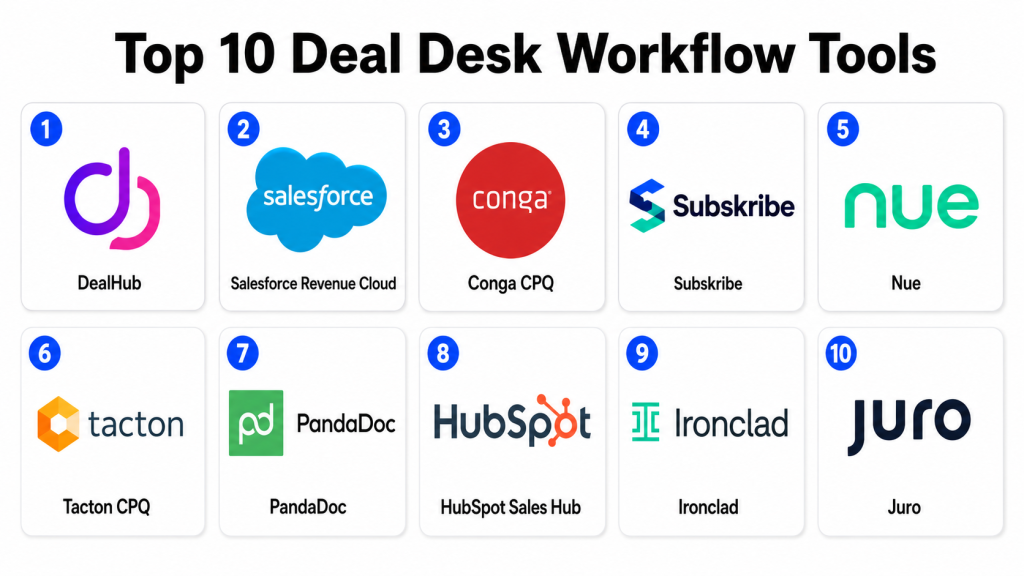
Top 10 Deal Desk Workflow Tools
1- DealHub
Short description: DealHub is a revenue platform focused on CPQ, quote generation, deal approvals, contract workflows, billing support, and guided selling. It is well suited for B2B SaaS and technology companies that need a structured deal desk process connected with CRM and revenue operations.
Key Features
- CPQ workflows for configuration, pricing, and quoting.
- Approval automation for discounts, legal terms, finance review, and deal exceptions.
- Guided selling and deal playbook support.
- Proposal and quote generation.
- Contract workflow and e-signature handoff support.
- Revenue workflow visibility for sales and RevOps teams.
- CRM integration for deal data and approval context.
Pros
- Strong fit for SaaS and subscription-based revenue teams.
- Combines quoting, approvals, and deal collaboration in one workflow.
- Useful for reducing manual deal desk follow-ups.
Cons
- Complex pricing models may require careful configuration.
- Best value depends on CRM and RevOps process maturity.
- Smaller teams with simple quoting may not need the full platform.
Platforms / Deployment
Web / Cloud
Security & Compliance
DealHub commonly supports enterprise access controls, user permissions, workflow auditability, and secure revenue process management. Specific certifications and compliance requirements should be confirmed directly with the vendor.
Integrations & Ecosystem
DealHub connects deal desk workflows with CRM, sales, revenue, contract, and billing systems. It is useful for teams that want approvals and quotes tied directly to sales opportunities.
Common integration areas include:
- CRM systems.
- E-signature tools.
- Billing systems.
- Contract workflows.
- Revenue operations tools.
- Business intelligence platforms.
Support & Community
DealHub provides documentation, onboarding, customer support, implementation guidance, and RevOps-focused resources. Its community is strongest among SaaS sales teams, RevOps leaders, CPQ administrators, and deal desk teams.
2- Salesforce Revenue Cloud
Short description: Salesforce Revenue Cloud supports CPQ, pricing, quoting, approvals, contracts, billing workflows, and revenue lifecycle operations within the Salesforce ecosystem. It is a strong option for enterprises and mid-market companies that already use Salesforce as their core CRM.
Key Features
- CPQ for product configuration, pricing, and quote creation.
- Approval workflows for discounts and deal exceptions.
- CRM-native deal and opportunity visibility.
- Contract and order management support.
- Billing and revenue workflow alignment.
- Pricing rules and product catalog management.
- Reporting and dashboards through Salesforce.
Pros
- Strong fit for Salesforce-centered revenue teams.
- Keeps sales opportunities, quotes, approvals, and account data connected.
- Scalable for complex enterprise sales and quote-to-cash processes.
Cons
- Implementation can require experienced Salesforce specialists.
- Configuration complexity can increase with complex product catalogs.
- Smaller teams may find it too heavy for basic deal desk needs.
Platforms / Deployment
Web / Cloud
Security & Compliance
Salesforce enterprise products commonly support role-based access, authentication options, auditability, encryption options, and administrative controls. Specific certifications and compliance needs should be confirmed during vendor review.
Integrations & Ecosystem
Salesforce Revenue Cloud connects naturally with Salesforce CRM, sales processes, service workflows, partner systems, and revenue operations.
Common integration areas include:
- Salesforce CRM.
- Billing systems.
- ERP systems.
- E-signature platforms.
- Contract management tools.
- Analytics and reporting platforms.
Support & Community
Salesforce provides enterprise support, documentation, training, implementation partners, and a large customer ecosystem. Its community is strong among sales operations, RevOps, Salesforce administrators, CPQ teams, and enterprise revenue leaders.
3- Conga CPQ
Short description: Conga CPQ helps sales and revenue teams manage product configuration, pricing, quote generation, contract workflows, and deal approvals. It is useful for companies that need CPQ connected with document generation, contract lifecycle management, and revenue operations.
Key Features
- Configure, price, and quote workflows.
- Discount and pricing approval automation.
- Product catalog and pricing rule management.
- Proposal and document generation.
- Contract lifecycle integration.
- CRM-connected sales workflow support.
- Reporting for quotes, approvals, and deal activity.
Pros
- Strong connection between CPQ, documents, and contracts.
- Useful for sales teams managing complex quotes and terms.
- Good fit for organizations needing revenue and contract workflow alignment.
Cons
- Configuration may require experienced administrators.
- Complex deployments need careful data and process planning.
- Best value depends on how well CPQ and CLM workflows are connected.
Platforms / Deployment
Web / Cloud
Security & Compliance
Conga commonly supports enterprise access controls, permissions, auditability, authentication options, and administrative controls. Specific certifications and compliance requirements should be confirmed with the vendor.
Integrations & Ecosystem
Conga connects quoting, contract, document, and revenue workflows with CRM and business systems.
Common integration areas include:
- CRM systems.
- Contract lifecycle management tools.
- E-signature platforms.
- ERP systems.
- Billing systems.
- Reporting tools.
Support & Community
Conga provides documentation, customer support, implementation services, partner resources, and training. Its community is strong among sales operations, legal operations, revenue teams, and contract management professionals.
4- Subskribe
Short description: Subskribe is a quote-to-revenue platform designed for SaaS and subscription businesses. It supports quoting, approvals, billing, revenue operations, amendments, renewals, and complex subscription deal structures.
Key Features
- Quote-to-revenue workflows for subscription businesses.
- Deal approval routing for pricing, terms, and exceptions.
- Support for amendments, renewals, expansions, and usage-based models.
- Product catalog and pricing management.
- Billing and revenue process alignment.
- CRM integration for opportunity and customer context.
- Deal visibility for sales, finance, and RevOps teams.
Pros
- Strong fit for SaaS companies with subscription and usage-based pricing.
- Helps connect deal desk workflows with billing and revenue operations.
- Useful for complex renewals, amendments, and expansion deals.
Cons
- Best suited for subscription businesses rather than all industries.
- Implementation requires clear pricing and revenue process design.
- May not be necessary for simple one-time product sales.
Platforms / Deployment
Web / Cloud
Security & Compliance
Security and compliance details should be confirmed during vendor evaluation. Enterprise deployments may include access controls, permissions, workflow auditability, and administrative governance.
Integrations & Ecosystem
Subskribe connects sales, quoting, billing, and revenue operations workflows for SaaS companies.
Common integration areas include:
- CRM systems.
- Billing systems.
- Revenue recognition workflows.
- Finance systems.
- Data and reporting platforms.
- Contract workflows.
Support & Community
Subskribe provides onboarding, documentation, customer support, and implementation guidance. Its community is strongest among SaaS finance, RevOps, sales operations, and subscription revenue teams.
5- Nue
Short description: Nue is a revenue lifecycle platform built for SaaS companies managing quoting, pricing, approvals, billing, renewals, and revenue workflows. It is useful for teams that want deal desk, CPQ, subscription management, and revenue operations connected in one system.
Key Features
- CPQ and quote management for SaaS deals.
- Pricing and packaging workflow support.
- Approval routing for discounts and non-standard terms.
- Subscription lifecycle support for renewals and amendments.
- Billing and revenue operations connection.
- CRM integration for deal and account data.
- Dashboards for revenue and deal visibility.
Pros
- Strong fit for SaaS and recurring revenue teams.
- Useful for connecting sales, finance, and RevOps workflows.
- Supports modern pricing and packaging changes.
Cons
- Best fit is subscription-focused revenue teams.
- Complex enterprise requirements should be validated carefully.
- Teams with simple quotes may not need the full platform.
Platforms / Deployment
Web / Cloud
Security & Compliance
Security and compliance details should be confirmed with the vendor. Enterprise deployments may include permissions, access control, workflow audit trails, and secure revenue data handling.
Integrations & Ecosystem
Nue connects CRM, quoting, billing, subscription, and revenue operations workflows.
Common integration areas include:
- CRM systems.
- Billing platforms.
- Finance systems.
- Revenue operations tools.
- Product catalogs.
- Reporting and analytics tools.
Support & Community
Nue provides onboarding, implementation support, documentation, and customer success resources. Its community is strongest among SaaS RevOps, finance, sales operations, and revenue lifecycle teams.
6- Tacton CPQ
Short description: Tacton CPQ is a configure, price, quote platform designed for complex product configuration and manufacturing sales. It is useful for companies selling configurable products where deal desk workflows must validate technical accuracy, pricing, discounts, and approvals.
Key Features
- Advanced product configuration for complex offerings.
- Pricing and quoting workflows.
- Guided selling and configuration rules.
- Approval workflows for discounts and exceptions.
- Proposal and quote document generation.
- CRM and ERP integration support.
- Support for manufacturing and industrial sales processes.
Pros
- Strong fit for manufacturers and complex product sellers.
- Helps reduce quoting errors for configurable products.
- Useful for technical sales and engineering-aligned deal workflows.
Cons
- May be more complex than needed for simple SaaS or service deals.
- Implementation requires product and configuration rule expertise.
- Best value depends on accurate product data and pricing logic.
Platforms / Deployment
Web / Cloud
Security & Compliance
Tacton commonly supports enterprise access controls, permissions, and secure configuration workflows. Specific certifications and compliance requirements should be confirmed directly with the vendor.
Integrations & Ecosystem
Tacton CPQ connects configuration and quoting workflows with CRM, ERP, product data, and manufacturing systems.
Common integration areas include:
- CRM systems.
- ERP systems.
- Product data systems.
- CAD and engineering workflows.
- Proposal tools.
- Reporting systems.
Support & Community
Tacton provides documentation, implementation support, customer success services, and partner assistance. Its community is strongest among manufacturers, industrial sellers, technical sales teams, and CPQ administrators.
7- PandaDoc
Short description: PandaDoc helps sales teams create proposals, quotes, contracts, approval workflows, and e-signature documents. It is a practical choice for SMB and mid-market teams that need faster proposal approvals and lightweight deal desk workflows.
Key Features
- Proposal and quote document generation.
- Approval workflows for sales documents.
- E-signature and contract completion.
- Templates and content library support.
- CRM integration for sales workflows.
- Document tracking and engagement analytics.
- Collaboration tools for sales and customer-facing teams.
Pros
- Easy to use for sales teams and proposal workflows.
- Good fit for SMB and mid-market deal approvals.
- Combines proposals, approvals, and e-signature in one flow.
Cons
- Not as deep as enterprise CPQ platforms for complex pricing rules.
- Advanced deal desk workflows may require integrations.
- May not fit highly complex quote-to-cash processes.
Platforms / Deployment
Web / Cloud / iOS / Android
Security & Compliance
PandaDoc commonly supports access controls, permissions, secure document handling, and auditability for documents and signatures. Specific certifications and compliance needs should be confirmed with the vendor.
Integrations & Ecosystem
PandaDoc connects proposal and contract workflows with CRM, payment, storage, and collaboration systems.
Common integration areas include:
- CRM systems.
- Payment platforms.
- Cloud storage tools.
- Collaboration tools.
- E-signature workflows.
- Automation tools.
Support & Community
PandaDoc provides documentation, support resources, templates, onboarding help, and customer education. Its community is strong among sales teams, agencies, SMBs, proposal managers, and revenue operations users.
8- HubSpot Sales Hub
Short description: HubSpot Sales Hub helps teams manage deals, quotes, approvals, pipelines, automation, and customer communication inside HubSpot CRM. It is useful for SMB and mid-market teams that want a simpler deal desk workflow connected with sales pipeline management.
Key Features
- Deal pipeline and opportunity tracking.
- Quote creation and sales document support.
- Workflow automation for sales approvals and follow-ups.
- CRM-connected customer and deal data.
- Task management and collaboration features.
- Reporting dashboards for sales activity.
- Integration with HubSpot marketing, service, and operations tools.
Pros
- Easy to use for sales and RevOps teams.
- Strong fit for companies already using HubSpot CRM.
- Practical option for lightweight deal desk workflows.
Cons
- Not as advanced as dedicated CPQ tools for complex pricing.
- Enterprise-level approval logic may need workarounds.
- Advanced revenue workflows may require additional tools.
Platforms / Deployment
Web / Cloud / iOS / Android
Security & Compliance
HubSpot commonly supports user permissions, authentication options, secure data handling, and administrative controls. Specific certifications and compliance requirements should be confirmed directly with the vendor.
Integrations & Ecosystem
HubSpot Sales Hub connects deal workflows with CRM, marketing, service, operations, and reporting.
Common integration areas include:
- HubSpot CRM.
- Marketing automation.
- Customer service workflows.
- Sales enablement tools.
- Payment systems.
- Reporting dashboards.
Support & Community
HubSpot provides documentation, Academy resources, support options, onboarding services, marketplace apps, and a strong community. Its community is especially strong among SMB, mid-market, sales, marketing, and RevOps teams.
9- Ironclad
Short description: Ironclad is a contract lifecycle management platform that helps legal, sales, and business teams manage contract intake, review, approval, negotiation, and execution. It is a strong fit for deal desk workflows where legal review and contract approvals are major bottlenecks.
Key Features
- Contract intake and workflow automation.
- Legal review and approval routing.
- Contract repository and searchable records.
- Collaboration for legal, sales, and business users.
- Redlining and negotiation workflow support.
- E-signature and CRM integration.
- Reporting for contract status and cycle time.
Pros
- Strong fit for legal-heavy deal desk workflows.
- Helps reduce contract review bottlenecks.
- Useful for standardizing non-standard terms and approvals.
Cons
- Not a full CPQ platform by itself.
- May need integration with quoting and revenue tools.
- Best value depends on legal workflow maturity.
Platforms / Deployment
Web / Cloud
Security & Compliance
Ironclad commonly supports enterprise access controls, permissions, audit trails, authentication options, and administrative security settings. Specific certifications and compliance requirements should be confirmed during vendor evaluation.
Integrations & Ecosystem
Ironclad connects contract workflows with CRM, e-signature, storage, and business systems.
Common integration areas include:
- CRM systems.
- E-signature platforms.
- Cloud storage tools.
- Collaboration tools.
- Legal operations systems.
- Business intelligence tools.
Support & Community
Ironclad provides documentation, onboarding resources, customer support, implementation guidance, and legal operations education. Its community is strong among legal operations, sales operations, procurement, and contract management professionals.
10- Juro
Short description: Juro is a contract automation platform that supports contract creation, review, approval, signing, repository management, and reminders. It is useful for fast-growing companies that need contract workflows connected with sales and deal desk approvals.
Key Features
- Contract creation, review, and approval workflows.
- Templates and structured contract data.
- Collaboration between legal, sales, and business users.
- E-signature and contract completion.
- Contract repository and search.
- CRM integration for sales workflows.
- Reminders and contract status dashboards.
Pros
- User-friendly for legal and business teams.
- Good fit for fast-moving sales contract workflows.
- Helps reduce manual contract handoffs.
Cons
- Not a dedicated CPQ or pricing approval tool.
- Complex enterprise deal desk workflows may require integrations.
- Advanced revenue operations needs may need additional systems.
Platforms / Deployment
Web / Cloud
Security & Compliance
Juro commonly supports controlled access, permissions, authentication options, and administrative settings. Specific certifications and compliance requirements should be confirmed directly with the vendor.
Integrations & Ecosystem
Juro connects contract automation with CRM, e-signature, collaboration, and business workflows.
Common integration areas include:
- CRM systems.
- E-signature workflows.
- Productivity suites.
- Cloud storage tools.
- Collaboration tools.
- Reporting workflows.
Support & Community
Juro provides documentation, onboarding resources, customer support, and contract automation guidance. Its community is strongest among in-house legal teams, startups, scaleups, and sales operations teams improving contract workflows.
Comparison Table
| Tool Name | Best For | Platform Supported | Deployment | Standout Feature | Public Rating |
|---|---|---|---|---|---|
| DealHub | SaaS deal desk and CPQ workflows | Web | Cloud | CPQ, approvals, and guided selling in one workflow | N/A |
| Salesforce Revenue Cloud | Salesforce-centered quote-to-cash teams | Web | Cloud | CRM-native CPQ and approval workflows | N/A |
| Conga CPQ | CPQ, documents, and contract alignment | Web | Cloud | Quote generation connected with contract workflows | N/A |
| Subskribe | SaaS subscription quote-to-revenue | Web | Cloud | Subscription approvals, billing, and revenue workflows | N/A |
| Nue | SaaS revenue lifecycle teams | Web | Cloud | Pricing, quoting, approvals, and subscription workflows | N/A |
| Tacton CPQ | Complex manufacturing and technical sales | Web | Cloud | Advanced product configuration and quote accuracy | N/A |
| PandaDoc | SMB and mid-market proposal approvals | Web / iOS / Android | Cloud | Proposals, approvals, and e-signature | N/A |
| HubSpot Sales Hub | Lightweight CRM-based deal workflows | Web / iOS / Android | Cloud | Easy CRM-native quotes and sales automation | N/A |
| Ironclad | Legal-heavy deal desk approvals | Web | Cloud | Contract review and legal workflow automation | N/A |
| Juro | Fast-moving contract approval workflows | Web | Cloud | Contract automation and sales collaboration | N/A |
Evaluation & Scoring of Deal Desk Workflow Tools
| Tool Name | Core 25% | Ease 15% | Integrations 15% | Security 10% | Performance 10% | Support 10% | Value 15% | Weighted Total |
| DealHub | 9 | 8 | 9 | 8 | 8 | 8 | 8 | 8.35 |
| Salesforce Revenue Cloud | 9 | 7 | 10 | 9 | 9 | 9 | 7 | 8.55 |
| Conga CPQ | 8 | 7 | 9 | 8 | 8 | 8 | 7 | 7.85 |
| Subskribe | 8 | 8 | 8 | 8 | 8 | 8 | 8 | 8.00 |
| Nue | 8 | 8 | 8 | 8 | 8 | 8 | 8 | 8.00 |
| Tacton CPQ | 9 | 7 | 8 | 8 | 9 | 8 | 7 | 8.05 |
| PandaDoc | 7 | 9 | 8 | 8 | 8 | 8 | 9 | 8.00 |
| HubSpot Sales Hub | 7 | 9 | 8 | 8 | 8 | 8 | 9 | 8.00 |
| Ironclad | 8 | 8 | 9 | 8 | 9 | 8 | 7 | 8.10 |
| Juro | 7 | 9 | 8 | 8 | 8 | 8 | 8 | 7.85 |
The scoring is comparative and should be used as a practical starting point, not a final buying decision. Enterprise teams may value CPQ depth, CRM integration, security, and complex approval routing more than ease of use. SMB and mid-market teams may prioritize quick adoption, proposal speed, and simpler workflows. A tool with a slightly lower score may still be the best fit if it matches your sales process, pricing model, CRM stack, legal workflow, and approval complexity. Buyers should test each platform with real quotes, discount requests, contract exceptions, and approval rules before final selection.
Which Deal Desk Workflow Tool Is Right for You?
Solo / Freelancer
Solo professionals and independent sales consultants usually do not need a full deal desk workflow tool unless they manage complex client proposals, approvals, or contract workflows. PandaDoc, HubSpot Sales Hub, or Juro may be enough for creating proposals, tracking documents, managing signatures, and keeping sales communication organized.
If a consultant advises SaaS or enterprise revenue teams, understanding platforms like DealHub, Salesforce Revenue Cloud, Conga, Subskribe, and Ironclad is useful. However, for personal use, a simpler proposal and CRM workflow is usually more practical than an enterprise CPQ system.
SMB
SMBs should focus on simple approvals, fast quote creation, proposal management, CRM integration, and easy adoption. PandaDoc, HubSpot Sales Hub, Juro, and DealHub can be strong options depending on whether the business needs proposals, contracts, CPQ, or subscription deal workflows.
Small businesses should avoid overcomplicating the deal desk too early. The first priority should be clear pricing rules, approval thresholds, standard templates, and visibility into deal status. Once discounting, contract review, or custom terms become frequent, a dedicated workflow tool becomes more valuable.
Mid-Market
Mid-market companies often need stronger deal desk workflows because sales teams manage more pricing exceptions, contract redlines, multi-step approvals, and renewal changes. DealHub, Conga CPQ, Subskribe, Nue, PandaDoc, Ironclad, Juro, and HubSpot Sales Hub can all be relevant depending on the sales motion.
If the company sells SaaS subscriptions, DealHub, Subskribe, or Nue may be strong options. If proposal generation is the main bottleneck, PandaDoc can help. If legal review slows down deals, Ironclad or Juro may be better. If Salesforce is the core CRM, Salesforce Revenue Cloud or Conga CPQ may be worth evaluating.
Enterprise
Enterprises usually need advanced approval rules, CPQ, custom pricing, margin governance, quote-to-cash integration, legal workflows, finance validation, regional approval paths, audit trails, and executive reporting. Salesforce Revenue Cloud, DealHub, Conga CPQ, Tacton CPQ, Ironclad, and Subskribe are strong enterprise candidates depending on industry and revenue model.
Enterprise buyers should focus on integration depth, scalability, pricing logic, approval complexity, security controls, reporting, and administrator governance. The best tool is the one that helps sales teams move quickly while giving finance, legal, RevOps, and leadership enough control over risk and profitability.
Budget vs Premium
Budget-focused buyers should first define the exact workflow problem. If the main problem is proposal creation and document approval, PandaDoc, HubSpot Sales Hub, or Juro may be practical. If the main issue is pricing governance and complex approvals, DealHub or a focused CPQ platform may provide stronger value.
Premium buyers should evaluate Salesforce Revenue Cloud, Conga CPQ, Tacton CPQ, Subskribe, Nue, and Ironclad when deal complexity is high. These platforms are better suited for organizations that need advanced approval routing, quote-to-cash workflows, legal review, pricing controls, and enterprise reporting.
Feature Depth vs Ease of Use
Salesforce Revenue Cloud, Conga CPQ, DealHub, Tacton CPQ, Subskribe, and Nue provide stronger depth for complex quoting, approvals, subscription revenue, or technical product configuration. They are useful when pricing, finance, legal, and revenue operations must work together.
PandaDoc, HubSpot Sales Hub, Juro, and Ironclad may be easier to adopt for specific workflows such as proposals, CRM-based deal tracking, or contract approvals. Buyers should choose feature depth when deals are complex and choose ease of use when the main goal is faster adoption and reduced manual follow-up.
Integrations & Scalability
Deal desk workflows depend heavily on integration with CRM, CPQ, CLM, billing, ERP, e-signature, finance, and reporting systems. A deal approval process should not sit outside the systems that sales and finance use every day. Poor integration can create duplicate data entry, stale quote information, missed approvals, and reporting gaps.
Scalability depends on product catalog complexity, deal volume, discount rules, user roles, regions, approval thresholds, and contract workflows. Large organizations should validate CRM sync, API access, quote accuracy, approval routing, permission controls, audit logs, and reporting flexibility before rollout.
Security & Compliance Needs
Deal desk tools handle sensitive pricing, discounts, margins, customer terms, contract documents, legal approvals, and revenue data. Buyers should review role-based access, SSO, MFA, audit trails, document permissions, approval history, encryption, and administrative controls before selecting a platform.
Highly regulated organizations should also evaluate segregation of duties, pricing policy governance, legal approval evidence, finance review records, contract history, and reporting controls. A strong deal desk workflow tool should help teams close deals faster while protecting margin, data, and compliance.
Frequently Asked Questions
1- What are Deal Desk Workflow Tools?
Deal Desk Workflow Tools help sales, finance, legal, RevOps, and leadership teams manage complex deal approvals. They support pricing review, discount approvals, quote creation, contract review, finance validation, and deal collaboration.
2- Who should use Deal Desk Workflow Tools?
B2B sales teams, SaaS companies, enterprise sellers, RevOps teams, sales operations, finance teams, legal teams, and revenue leaders benefit most from these tools. They are especially useful when deals involve custom pricing, discounts, or non-standard terms.
3- What is the difference between deal desk software and CPQ software?
CPQ software focuses on configuring products, pricing deals, and generating quotes. Deal desk software focuses more broadly on approval workflows, collaboration, finance review, legal review, margin governance, and exception handling. Many tools combine both capabilities.
4- What features are most important in deal desk workflow software?
Important features include approval routing, discount controls, quote creation, CRM integration, legal workflow support, finance review, audit trails, analytics, collaboration, and role-based permissions. The right feature set depends on deal complexity and sales process maturity.
5- How much do Deal Desk Workflow Tools cost?
Pricing varies by vendor, number of users, modules, CRM integration, CPQ complexity, contract workflow needs, implementation scope, and support level. Many vendors use custom pricing, so buyers should request quotes based on actual deal workflows.
6- How long does implementation take?
Implementation depends on product catalog complexity, approval rules, CRM setup, pricing policies, legal workflows, and finance requirements. Simple proposal tools can launch faster, while enterprise CPQ and quote-to-cash platforms usually need phased planning and testing.
7- What are common mistakes when choosing a deal desk tool?
Common mistakes include ignoring approval complexity, underestimating CRM integration, failing to involve finance and legal, using unclear pricing rules, and choosing a tool that sales reps find difficult. Buyers should test real deal scenarios before final selection.
8- Can deal desk tools reduce approval delays?
Yes, deal desk tools can reduce approval delays by automatically routing deals to the right people, sending reminders, enforcing thresholds, showing approval status, and keeping comments in one place. Results depend on clear rules and strong user adoption.
9- Do deal desk workflow tools integrate with CRM systems?
Most leading deal desk tools integrate with CRM systems so opportunities, accounts, quotes, approvals, and customer data stay connected. Buyers should validate CRM sync, field mapping, permission handling, and reporting needs before implementation.
10- Are deal desk tools useful for SaaS companies?
Yes, deal desk tools are very useful for SaaS companies because SaaS deals often involve subscriptions, renewals, amendments, usage-based pricing, discounts, payment terms, and contract exceptions. Tools like DealHub, Subskribe, Nue, and Salesforce Revenue Cloud can support these workflows.
Conclusion
Deal Desk Workflow Tools help revenue teams bring speed, control, and accountability to complex sales deals. The right platform can reduce approval delays, improve quote accuracy, protect margins, streamline legal review, connect sales and finance, and give RevOps better visibility into deal bottlenecks. DealHub, Salesforce Revenue Cloud, Conga CPQ, Subskribe, Nue, Tacton CPQ, PandaDoc, HubSpot Sales Hub, Ironclad, and Juro each serve different needs, from enterprise CPQ and quote-to-cash workflows to proposal automation and contract approvals. The best tool depends on your pricing model, CRM stack, sales process, legal review needs, finance controls, and deal complexity. Start by shortlisting two or three tools, test them with real discount, quote, and contract approval scenarios, validate integrations and security, and then scale once sales, finance, legal, and RevOps teams trust the workflow.
