Introduction
Data migration tools are software solutions designed to help organizations transfer, replicate, or consolidate data from one system, application, or storage environment to another. These tools streamline complex data movement, ensuring that business-critical information remains intact, secure, and accessible throughout the process. Companies increasingly rely on multi-cloud, hybrid infrastructure, and system upgrades, making data migration critical for operational continuity and compliance.
Modern organizations face massive volumes of structured and unstructured data, integrating analytics, and ensuring regulatory compliance across multiple jurisdictions. Efficient data migration reduces downtime, prevents data loss, and supports modernization initiatives such as cloud adoption, SaaS migrations, and platform consolidations.
Real-world use cases include migrating databases from on-premises servers to cloud platforms, consolidating multiple CRM or ERP systems into a single solution, moving legacy applications to modern SaaS platforms, synchronizing data across multiple geographic regions for compliance and disaster recovery, and enabling analytics workflows by centralizing datasets.
Evaluation criteria buyers should consider include data format support, speed and performance, reliability and error handling, security and compliance, integration capabilities, automation and scheduling, user interface and ease of use, cost and licensing model, support and community, and reporting and monitoring.
Best for IT managers, cloud engineers, database administrators, data architects, and enterprises undertaking cloud adoption, SaaS migrations, or system consolidation projects.
Not ideal for small businesses with minimal data transfer needs or organizations with simple, one-off migrations where manual processes may suffice.
Key Trends in Data Migration Tools
- AI-assisted mapping for automated detection of schema conflicts
- Real-time migration and continuous data replication to reduce downtime
- Cloud-first adoption with native support for major public clouds
- Hybrid infrastructure support for seamless migration across on-premises and cloud
- Enhanced security protocols with end-to-end encryption and granular access control
- Low-code automation with visual workflows reducing scripting requirements
- Data quality checks built into migration processes
- Compliance-driven features for GDPR, HIPAA, and industry-specific standards
- API-centric integrations for SaaS apps and third-party platforms
- Cost efficiency models with pay-as-you-go and subscription-based licensing
How We Selected These Tools
- Evaluated market adoption and mindshare based on enterprise usage patterns
- Assessed feature completeness including migration types, validation, and scheduling
- Analyzed reliability and performance signals for large-scale migrations
- Reviewed security posture including encryption, RBAC, and compliance certifications
- Considered integration capabilities with cloud and on-premise platforms
- Studied customer fit across segments from SMBs to enterprise-scale organizations
- Checked automation and monitoring functionality including reporting dashboards
- Prioritized tools with strong documentation and support resources
- Weighted scalability and future readiness with AI-driven automation
- Verified vendor stability and track record ensuring ongoing product support
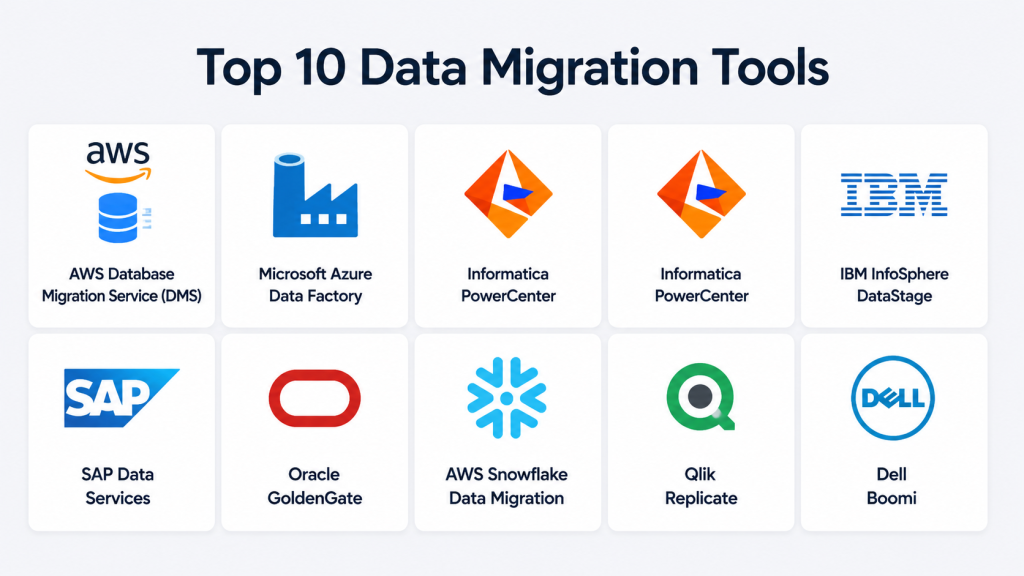
Top 10 Data Migration Tools
#1 — AWS Database Migration Service (DMS)
Short description: Managed cloud service to migrate relational, NoSQL, and data warehouse databases to AWS securely and efficiently. Designed for enterprises moving large-scale workloads to the cloud.
Key Features
- Continuous replication with minimal downtime
- Schema and code conversion for heterogeneous migrations
- Supports multiple database engines (Oracle, SQL Server, PostgreSQL, MySQL)
- Real-time monitoring dashboards
- Automated error handling and recovery
- Encryption in transit and at rest
Pros
- Minimal downtime migrations
- Fully managed, reducing operational overhead
Cons
- Limited support for some legacy systems
- AWS-specific; less optimal for multi-cloud environments
Platforms / Deployment
Web / Windows / Linux
Cloud
Security & Compliance
Supports SSL/TLS encryption and IAM-based access control
Not publicly stated: SOC 2, ISO 27001, HIPAA compliance
Integrations & Ecosystem
AWS ecosystem integration ensures compatibility with S3, Redshift, and EC2
- CloudWatch monitoring
- Lambda triggers
- API-driven orchestration
Support & Community
Extensive documentation and AWS forums
Enterprise support plans available
Large community for best practices
#2 — Microsoft Azure Data Factory
Short description: Cloud-based ETL and data integration service for orchestrating and automating data movement across diverse sources.
Key Features
- Visual workflow designer
- Native connectors for databases, SaaS apps, and on-premises sources
- Data transformation via mapping data flows
- Monitoring and logging dashboards
- Pipeline scheduling and automation
Pros
- Integration with Azure ecosystem simplifies migration
- Scalable cloud-native architecture
Cons
- Learning curve for complex flows
- Limited support for non-Azure cloud sources
Platforms / Deployment
Web / Windows / Linux
Cloud
Security & Compliance
Supports role-based access control, encryption, firewall rules
ISO 27001, SOC 2 compliance reported
Integrations & Ecosystem
Azure SQL, Synapse, Blob Storage, Power BI connectors
- REST APIs and SDKs for custom integrations
- Data Lake and analytics integrations
Support & Community
Microsoft Docs and community forums
Enterprise support tiers
Active user base for shared solutions
#3 — Informatica PowerCenter
Short description: Enterprise-grade ETL and data migration platform for complex data integration projects, supporting hybrid deployments.
Key Features
- Graphical ETL workflow designer
- Advanced transformation and cleansing
- High-volume data processing
- Metadata management and lineage tracking
- Cross-platform database support
Pros
- Handles complex, heterogeneous environments
- Mature and stable solution
Cons
- High licensing costs
- Requires skilled resources for setup
Platforms / Deployment
Windows / Linux
Cloud / Self-hosted / Hybrid
Security & Compliance
Encryption, SSO/SAML, audit logging
ISO 27001 certified; HIPAA compliance varies
Integrations & Ecosystem
Wide connector library for databases and cloud platforms
- API integration support
- Extensible via SDKs
Support & Community
Enterprise-grade support plans
Extensive documentation and training
Large professional community
#4 — Talend Data Integration
Short description: Open-source and commercial platform for data migration, integration, and ETL tasks, ideal for SMBs to enterprises.
Key Features
- Visual pipeline design with drag-and-drop components
- Supports batch and real-time migration
- Pre-built connectors for databases, SaaS, and cloud
- Data quality and profiling tools
- Job scheduling and monitoring dashboards
Pros
- Flexible open-source options
- Broad connector support
Cons
- Performance may vary in large datasets
- Requires customization for complex workflows
Platforms / Deployment
Windows / macOS / Linux
Cloud / Self-hosted / Hybrid
Security & Compliance
Not publicly stated: SSO, MFA, audit logs
GDPR and HIPAA compliance available in commercial editions
Integrations & Ecosystem
APIs for custom integration
- Connectors for Salesforce, AWS, Azure, Google Cloud
- Extensible via Java/SDK components
Support & Community
Strong community for open-source edition
Paid commercial support available
Documentation covers beginner to advanced use cases
#5 — IBM InfoSphere DataStage
Short description: Enterprise ETL tool for large-scale data migrations and integration across heterogeneous environments.
Key Features
- Parallel processing for high-volume data
- Metadata-driven design
- Real-time and batch data migration
- Extensive transformation library
- Monitoring and error handling dashboards
Pros
- Handles massive datasets efficiently
- Mature enterprise-grade solution
Cons
- High cost and resource-intensive
- Steeper learning curve
Platforms / Deployment
Windows / Linux
Cloud / Self-hosted / Hybrid
Security & Compliance
Encryption, RBAC, SSO/SAML
ISO 27001 and SOC 2 compliance
Integrations & Ecosystem
Connectors for databases, cloud, and legacy systems
- API support for automation
- Integrates with IBM analytics ecosystem
Support & Community
IBM enterprise support plans
Extensive documentation
Professional services available
#6 — SAP Data Services
Short description: Comprehensive ETL and migration tool designed for SAP and non-SAP systems, suitable for enterprise environments.
Key Features
- Data profiling, cleansing, and transformation
- Batch and real-time migration
- Integration with SAP applications and databases
- Workflow orchestration and monitoring
- Metadata management
Pros
- Deep SAP ecosystem integration
- Enterprise-grade performance
Cons
- High licensing costs
- Complexity for non-SAP users
Platforms / Deployment
Windows / Linux
Cloud / Self-hosted / Hybrid
Security & Compliance
Supports encryption and access control
SOC 2 and GDPR compliance in commercial deployment
Integrations & Ecosystem
SAP HANA, ERP, BW connectors
- REST APIs for custom workflows
- Extensible via SDKs
Support & Community
Enterprise support from SAP
Detailed documentation and user guides
Community network for SAP professionals
#7 — Oracle GoldenGate
Short description: Real-time data replication and migration tool for Oracle and heterogeneous databases, aimed at enterprise users.
Key Features
- Continuous, low-latency replication
- Heterogeneous database support
- Conflict detection and resolution
- High-availability and disaster recovery
- Monitoring and alerting dashboards
Pros
- Minimizes downtime with real-time replication
- Reliable for mission-critical systems
Cons
- Complex setup and administration
- Best suited for Oracle-heavy environments
Platforms / Deployment
Windows / Linux
Cloud / Self-hosted / Hybrid
Security & Compliance
Encryption and RBAC
Not publicly stated: SOC 2, HIPAA compliance
Integrations & Ecosystem
Oracle database and middleware ecosystem
- Supports cloud and on-prem connectors
- APIs for automation
Support & Community
Oracle enterprise support
Documentation and best practices
Professional services available
#8 — Snowflake Data Migration
Short description: Cloud-first data warehouse migration and ETL tool enabling secure, large-scale cloud data consolidation.
Key Features
- Scalable cloud-native data pipelines
- Optimized for structured and semi-structured data
- Real-time replication
- Monitoring and auditing dashboards
- Integration with cloud-native analytics tools
Pros
- High scalability and performance
- Minimal operational overhead in cloud
Cons
- Less suited for on-premises legacy migrations
- AWS and Snowflake specific
Platforms / Deployment
Web
Cloud
Security & Compliance
Encryption in transit and at rest
ISO 27001, SOC 2 reported
Integrations & Ecosystem
AWS ecosystem: S3, Redshift, Glue
- Cloud-native APIs and connectors
- BI tool integration
Support & Community
Vendor documentation and forums
Paid enterprise support
Active community for best practices
#9 — Qlik Replicate
Short description: Data replication and migration tool for real-time, zero-downtime migrations across heterogeneous databases.
Key Features
- Change data capture (CDC) for minimal downtime
- Broad database and cloud support
- GUI-based mapping and monitoring
- Validation and error handling
- Real-time reporting dashboards
Pros
- Supports continuous replication
- Flexible integration across cloud and on-prem systems
Cons
- Requires licensing for full feature set
- Configuration complexity for advanced workflows
Platforms / Deployment
Windows / Linux
Cloud / Self-hosted / Hybrid
Security & Compliance
Supports encryption and SSO
Not publicly stated: ISO 27001, HIPAA
Integrations & Ecosystem
Connectors for major DBs and cloud platforms
- APIs for orchestration
- Extensible via SDK
Support & Community
Vendor documentation and technical support
Community forums active
Training resources available
#10 — Dell Boomi
Short description: Low-code integration and migration platform for cloud and on-premises systems, suitable for SMBs to large enterprises.
Key Features
- Visual drag-and-drop workflow builder
- Pre-built connectors for SaaS, databases, and applications
- Cloud-native orchestration
- Data validation and transformation
- Real-time monitoring and alerting
Pros
- User-friendly low-code interface
- Broad SaaS and cloud connectivity
Cons
- May not handle extremely large datasets efficiently
- Advanced features require higher-tier subscription
Platforms / Deployment
Web / Windows / Linux
Cloud
Security & Compliance
Supports SSO, encryption, and audit logs
Not publicly stated: ISO 27001, SOC 2
Integrations & Ecosystem
Connectors for Salesforce, SAP, Oracle, Workday
- REST APIs for automation
- Extensible with Boomi AtomSphere
Support & Community
Vendor support and documentation
Training and certification programs
Active user community
Comparison Table (Top 10)
| Tool Name | Best For | Platform(s) Supported | Deployment | Standout Feature | Public Rating |
|---|---|---|---|---|---|
| AWS DMS | Enterprise cloud migrations | Web / Windows / Linux | Cloud | Continuous replication with minimal downtime | N/A |
| Azure Data Factory | Cloud ETL & integration | Web / Windows / Linux | Cloud | Visual workflow automation | N/A |
| Informatica PowerCenter | Complex enterprise ETL | Windows / Linux | Cloud / Self-hosted / Hybrid | High-volume parallel processing | N/A |
| Talend Data Integration | SMB to enterprise | Windows / macOS / Linux | Cloud / Self-hosted / Hybrid | Open-source flexibility | N/A |
| IBM DataStage | Large-scale migration | Windows / Linux | Cloud / Self-hosted / Hybrid | Parallel processing & reliability | N/A |
| SAP Data Services | SAP/non-SAP migration | Windows / Linux | Cloud / Self-hosted / Hybrid | Deep SAP integration | N/A |
| Oracle GoldenGate | Real-time replication | Windows / Linux | Cloud / Self-hosted / Hybrid | Continuous low-latency replication | N/A |
| Snowflake Migration | Cloud data consolidation | Web | Cloud | Optimized cloud data warehouse migration | N/A |
| Qlik Replicate | Real-time heterogeneous migration | Windows / Linux | Cloud / Self-hosted / Hybrid | Change data capture | N/A |
| Dell Boomi | Low-code SaaS integration | Web / Windows / Linux | Cloud | Visual low-code interface | N/A |
Evaluation & Scoring of Data Migration Tools
| Tool Name | Core (25%) | Ease (15%) | Integrations (15%) | Security (10%) | Performance (10%) | Support (10%) | Value (15%) | Weighted Total |
|---|---|---|---|---|---|---|---|---|
| AWS DMS | 9 | 8 | 8 | 8 | 9 | 8 | 8 | 8.5 |
| Azure Data Factory | 8 | 7 | 8 | 8 | 8 | 7 | 8 | 7.9 |
| Informatica PowerCenter | 9 | 6 | 9 | 8 | 9 | 8 | 6 | 8.1 |
| Talend Data Integration | 7 | 8 | 8 | 7 | 7 | 7 | 8 | 7.5 |
| IBM DataStage | 9 | 6 | 8 | 8 | 9 | 7 | 6 | 7.9 |
| SAP Data Services | 8 | 6 | 8 | 8 | 8 | 7 | 6 | 7.5 |
| Oracle GoldenGate | 8 | 6 | 7 | 8 | 9 | 7 | 7 | 7.5 |
| Snowflake Migration | 7 | 8 | 7 | 8 | 8 | 7 | 8 | 7.6 |
| Qlik Replicate | 8 | 7 | 8 | 7 | 8 | 7 | 7 | 7.5 |
| Dell Boomi | 7 | 8 | 8 | 7 | 7 | 7 | 7 | 7.4 |
Scores are comparative and highlight relative strengths across criteria including core features, ease of use, integrations, security, performance, support, and value.
Which Data Migration Tool Is Right for You?
Solo / Freelancer
Cloud-native, low-cost solutions like Talend or Snowflake are best. Focus on low learning curve and minimal infrastructure.
SMB
Talend or Dell Boomi provide flexibility with cost-effective subscriptions and broad SaaS connectivity.
Mid-Market
AWS DMS, Azure Data Factory, or Qlik Replicate support hybrid environments with moderate-scale migrations and some real-time needs.
Enterprise
Informatica, IBM DataStage, SAP Data Services, Oracle GoldenGate for complex, multi-source, high-volume migrations. Focus on advanced security, compliance, and support.
Budget vs Premium
Open-source and cloud-native tools are suitable for tight budgets. Premium tools deliver enterprise-grade features and reliability.
Feature Depth vs Ease of Use
Low-code platforms favor ease of use and rapid deployment. Enterprise ETL tools offer deep features but require skilled personnel.
Integrations & Scalability
Select tools with broad connectors and APIs for future scaling. Cloud-native options simplify SaaS integration, while hybrid tools handle legacy workloads.
Security & Compliance Needs
For regulated industries, prioritize encryption, audit trails, RBAC, and SOC/ISO certifications. Compliance support is critical for HIPAA, GDPR, and enterprise mandates.
Frequently Asked Questions (FAQs)
1. What pricing models do data migration tools use?
Most offer subscription-based pricing or pay-per-use for cloud-native tools. Enterprise licenses vary based on volume and deployment options.
2. How long does a typical migration take?
It depends on dataset size, complexity, and infrastructure. Small migrations may take hours, while large-scale migrations can take days or weeks.
3. Can I migrate data without downtime?
Many tools support real-time replication or incremental migration to minimize downtime. Verify that your chosen tool supports continuous replication.
4. Are these tools secure?
Most provide encryption, role-based access, and audit logs. Enterprise tools often offer SOC 2 and ISO 27001 certifications.
5. How complex is implementation?
Ease of use varies. Low-code platforms are easier for smaller teams, while enterprise ETL tools require experienced administrators.
6. Can I integrate with cloud and SaaS systems?
Yes. Modern tools support multiple connectors, APIs, and cloud integration. Verify compatibility with your target platforms.
7. What common mistakes should I avoid?
- Failing to validate data before migration
- Ignoring schema mismatches
- Underestimating downtime or performance impact
- Skipping incremental replication or testing
8. Can small businesses use these tools?
Yes, open-source or cloud-native platforms like Talend or Snowflake are ideal for SMBs with moderate data volumes.
9. How do I monitor migration progress?
Most tools provide dashboards, logs, and alerting. Real-time reporting helps identify issues before completion.
10. What happens if migration fails?
Robust tools offer rollback options, error recovery, and retries to ensure data integrity.
Conclusion
Selecting the right data migration tool depends on organizational size, data complexity, and compliance requirements. Low-code and cloud-native tools suit freelancers and SMBs, while enterprise-grade ETL and replication solutions are ideal for large, regulated environments. Evaluate tools based on core features, integration capabilities, security, and scalability. Shortlist 2–3 tools, run pilots, and validate security and performance before full deployment to ensure a smooth, efficient migration
