Introduction
Data Collection Mobile Apps help organizations capture, validate, organize, and synchronize field data using smartphones and tablets. These applications are widely used across industries such as healthcare, logistics, research, construction, agriculture, inspections, utilities, government surveys, and field service operations. Instead of relying on paper forms and manual data entry, organizations can collect structured information digitally in real time.
As mobile-first operations continue expanding, modern data collection apps now support offline access, GPS tagging, multimedia capture, AI-assisted workflows, barcode scanning, cloud synchronization, and integration with analytics platforms. Businesses increasingly rely on these tools to improve operational visibility, reduce reporting delays, minimize human errors, and streamline compliance documentation.
Real-world use cases include:
- Field inspections and audits
- Healthcare and clinical surveys
- Construction site reporting
- Logistics and delivery verification
- Agricultural and environmental data collection
Evaluation Criteria for Buyers
Organizations should evaluate:
- Offline functionality
- Mobile usability
- Form customization flexibility
- GPS and multimedia capture
- Workflow automation
- Integration capabilities
- Security and compliance controls
- Reporting and analytics
- Scalability across teams
- Pricing and deployment complexity
Best for: Enterprises, NGOs, healthcare providers, logistics companies, researchers, construction firms, utilities, and organizations managing mobile or distributed data collection operations.
Not ideal for: Businesses needing only lightweight note-taking tools, organizations without mobile workforce requirements, or teams that primarily operate within desktop-based systems.
Key Trends in Data Collection Mobile Apps
- AI-assisted form automation is improving data accuracy and validation.
- Offline-first mobile design continues to dominate field operations.
- GIS and GPS mapping integrations are becoming standard features.
- Real-time cloud synchronization is reducing reporting delays.
- Mobile apps increasingly support image recognition and barcode scanning.
- Low-code and no-code workflow builders are expanding adoption.
- Security expectations now commonly include MFA, RBAC, encryption, and audit logs.
- Integration with BI and analytics platforms is becoming more important.
- Automated compliance reporting is growing across regulated industries.
- Voice-to-text and AI transcription features are improving usability.
How We Selected These Tools
The following tools were selected based on:
- Market adoption and industry visibility
- Mobile app reliability and usability
- Offline data collection capabilities
- Form-building flexibility
- Integration ecosystem maturity
- Security and compliance readiness
- Workflow automation capabilities
- Reporting and analytics depth
- Scalability across SMB and enterprise environments
- Customer support and implementation maturity
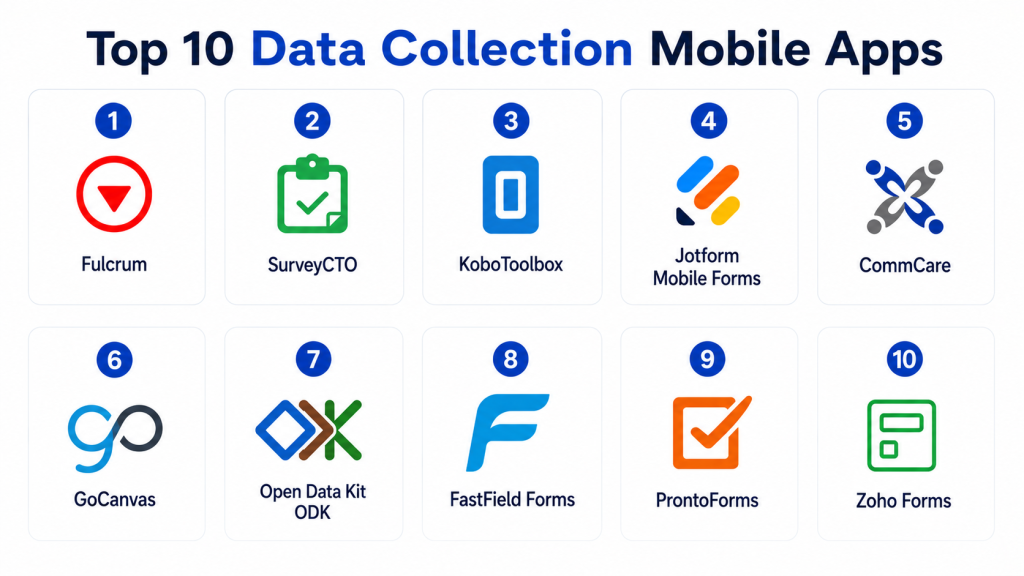
Top 10 Data Collection Mobile Apps
1- Fulcrum
Short description: Fulcrum is a powerful field data collection platform designed for inspections, field operations, utilities, and infrastructure management. It combines customizable mobile forms with GIS capabilities and offline data collection.
Key Features
- Offline mobile data collection
- GPS and GIS integration
- Custom workflow automation
- Photo and video capture
- Real-time synchronization
- Barcode and QR scanning
- Advanced analytics dashboards
Pros
- Excellent offline capabilities
- Strong GIS integration
- Flexible form customization
Cons
- Advanced features may require training
- Premium pricing for enterprise usage
- Smaller businesses may not need full capability depth
Platforms / Deployment
- Web / iOS / Android
- Cloud
Security & Compliance
- MFA
- RBAC
- Encryption
- Audit logging
Integrations & Ecosystem
Fulcrum integrates with GIS, analytics, and operational systems for enterprise field workflows.
- ArcGIS
- APIs
- Zapier
- Cloud storage platforms
- Reporting tools
Support & Community
Strong implementation guidance with good documentation and enterprise onboarding support.
2- SurveyCTO
Short description: SurveyCTO is widely used for research surveys, humanitarian operations, healthcare studies, and government data collection projects requiring offline reliability.
Key Features
- Offline survey collection
- Advanced survey logic
- Secure data encryption
- GPS and multimedia support
- Data validation controls
- Cloud synchronization
- Export and analytics support
Pros
- Excellent for research operations
- Strong offline performance
- Reliable survey logic capabilities
Cons
- Less suitable for complex operational workflows
- Interface feels more research-focused
- Limited enterprise asset management features
Platforms / Deployment
- Web / Android
- Cloud
Security & Compliance
- Encryption
- RBAC
- MFA
- Audit logging
Integrations & Ecosystem
SurveyCTO supports integrations for research, analytics, and reporting environments.
- APIs
- Statistical software
- Cloud storage tools
- Analytics platforms
- Spreadsheet exports
Support & Community
Well-regarded support among research and NGO communities with strong onboarding resources.
3- KoboToolbox
Short description: KoboToolbox is a widely adopted humanitarian and NGO-focused data collection platform supporting surveys, field assessments, and operational reporting.
Key Features
- Offline survey collection
- Form builder
- GPS capture
- Multimedia support
- Data visualization
- Conditional logic
- Bulk deployment support
Pros
- Strong humanitarian sector adoption
- Accessible deployment model
- Good offline capabilities
Cons
- Enterprise integrations are more limited
- Advanced customization may require technical skills
- Reporting depth can vary
Platforms / Deployment
- Web / Android
- Cloud / Self-hosted
Security & Compliance
- Encryption
- RBAC
- MFA support
- Varies / N/A for broader certifications
Integrations & Ecosystem
KoboToolbox supports integrations for humanitarian and survey operations.
- APIs
- GIS platforms
- Spreadsheet tools
- Reporting systems
- Data export tools
Support & Community
Large global user community with extensive public learning resources.
4- Jotform Mobile Forms
Short description: Jotform Mobile Forms provides customizable mobile data collection and workflow automation for SMBs and operational teams.
Key Features
- Drag-and-drop form builder
- Mobile offline forms
- Payment collection
- Conditional workflows
- Electronic signatures
- File uploads
- Workflow approvals
Pros
- Easy-to-use interface
- Fast form deployment
- Strong workflow flexibility
Cons
- Enterprise analytics are limited
- Complex operational workflows may require customization
- Offline features vary by use case
Platforms / Deployment
- Web / iOS / Android
- Cloud
Security & Compliance
- MFA
- Encryption
- RBAC
- GDPR support
Integrations & Ecosystem
Jotform integrates with business, CRM, and productivity platforms.
- Google Workspace
- Salesforce
- HubSpot
- APIs
- Zapier
Support & Community
Strong onboarding resources and broad SMB adoption community.
5- CommCare
Short description: CommCare is designed primarily for healthcare, humanitarian, and social impact organizations needing secure mobile data collection and case management.
Key Features
- Offline mobile forms
- Case management
- Workflow automation
- GPS tracking
- Multimedia capture
- Analytics dashboards
- User role management
Pros
- Strong healthcare use cases
- Excellent offline functionality
- Scalable humanitarian deployment
Cons
- Interface may feel technical for new users
- Less suitable for commercial logistics operations
- Advanced customization may require expertise
Platforms / Deployment
- Web / Android
- Cloud / Self-hosted
Security & Compliance
- Encryption
- RBAC
- Audit logging
- MFA support
Integrations & Ecosystem
CommCare supports integrations with healthcare and operational systems.
- APIs
- Reporting tools
- Cloud platforms
- Analytics systems
- Case management systems
Support & Community
Strong NGO and healthcare support ecosystem with implementation consulting availability.
6- GoCanvas
Short description: GoCanvas helps businesses digitize paper forms and operational workflows for inspections, field reporting, and compliance tracking.
Key Features
- Mobile form builder
- Offline data collection
- Workflow automation
- Electronic signatures
- Image capture
- PDF generation
- Dispatch integrations
Pros
- Good operational workflow support
- Easy mobile deployment
- Strong compliance documentation features
Cons
- Advanced analytics are limited
- Enterprise customization may require upgrades
- Interface can feel dated in some workflows
Platforms / Deployment
- Web / iOS / Android
- Cloud
Security & Compliance
- MFA
- RBAC
- Encryption
- Audit logs
Integrations & Ecosystem
GoCanvas integrates with operational and business management platforms.
- QuickBooks
- Salesforce
- APIs
- Cloud storage systems
- Workflow automation tools
Support & Community
Good customer onboarding and implementation support for operational teams.
7- Open Data Kit ODK
Short description: ODK is an open-source mobile data collection platform widely used in research, public health, and field survey environments.
Key Features
- Offline mobile surveys
- Open-source architecture
- GPS and multimedia capture
- Flexible form logic
- Cloud synchronization
- Data export capabilities
- Survey management
Pros
- Open-source flexibility
- Strong research adoption
- Cost-effective deployment
Cons
- Technical setup requirements
- Enterprise support varies
- UI is less polished than commercial competitors
Platforms / Deployment
- Web / Android
- Cloud / Self-hosted
Security & Compliance
- Encryption
- RBAC
- Varies / N/A for enterprise certifications
Integrations & Ecosystem
ODK integrates with research and operational reporting systems through APIs and exports.
- APIs
- GIS tools
- Analytics platforms
- Cloud storage
- Spreadsheet systems
Support & Community
Large global open-source community with extensive implementation resources.
8- FastField Forms
Short description: FastField Forms focuses on mobile inspections, audits, field reporting, and operational workflow automation.
Key Features
- Offline forms
- GPS capture
- Barcode scanning
- Workflow approvals
- Real-time synchronization
- Conditional logic
- Image and video capture
Pros
- Strong inspection workflows
- Good mobile usability
- Fast deployment
Cons
- Limited enterprise AI capabilities
- Smaller ecosystem than larger competitors
- Reporting customization limitations
Platforms / Deployment
- Web / iOS / Android
- Cloud
Security & Compliance
- MFA
- RBAC
- Encryption
Integrations & Ecosystem
FastField Forms supports integrations for operational workflows and analytics.
- APIs
- CRM systems
- Cloud storage
- Spreadsheet tools
- Reporting systems
Support & Community
Responsive support with practical onboarding guidance.
9- ProntoForms
Short description: ProntoForms is an enterprise-focused mobile forms platform used for field inspections, compliance workflows, and operational reporting.
Key Features
- Enterprise mobile forms
- Offline functionality
- Workflow automation
- Compliance reporting
- Image and signature capture
- GPS data collection
- Analytics dashboards
Pros
- Strong enterprise operational workflows
- Reliable mobile performance
- Good compliance support
Cons
- Pricing may be high for SMBs
- Enterprise setup complexity
- Smaller community compared to broader platforms
Platforms / Deployment
- Web / iOS / Android
- Cloud
Security & Compliance
- MFA
- RBAC
- Encryption
- Audit logs
Integrations & Ecosystem
ProntoForms integrates with enterprise business systems and operational platforms.
- Salesforce
- Microsoft Dynamics
- APIs
- ERP platforms
- Cloud systems
Support & Community
Strong enterprise onboarding and implementation support structure.
10- Zoho Forms
Short description: Zoho Forms provides mobile-friendly form creation and operational data collection within the Zoho business ecosystem.
Key Features
- Mobile form builder
- Offline submissions
- Workflow automation
- Approval management
- Analytics dashboards
- Payment collection
- Cloud synchronization
Pros
- Affordable pricing
- Easy SMB adoption
- Strong Zoho ecosystem integration
Cons
- Limited enterprise operational depth
- Less specialized for industrial field workflows
- Advanced analytics capabilities are moderate
Platforms / Deployment
- Web / iOS / Android
- Cloud
Security & Compliance
- MFA
- Encryption
- RBAC
- GDPR support
Integrations & Ecosystem
Zoho Forms integrates deeply with Zoho business applications and productivity tools.
- Zoho CRM
- Zoho Analytics
- APIs
- Google Workspace
- Workflow automation tools
Support & Community
Strong SMB-focused support ecosystem with accessible documentation.
Comparison Table
| Tool Name | Best For | Platform(s) Supported | Deployment | Standout Feature | Public Rating |
|---|---|---|---|---|---|
| Fulcrum | Enterprise field operations | Web, iOS, Android | Cloud | GIS integration | N/A |
| SurveyCTO | Research surveys | Web, Android | Cloud | Advanced survey logic | N/A |
| KoboToolbox | NGOs and humanitarian operations | Web, Android | Cloud, Self-hosted | Humanitarian deployment | N/A |
| Jotform Mobile Forms | SMB workflows | Web, iOS, Android | Cloud | Drag-and-drop forms | N/A |
| CommCare | Healthcare and NGOs | Web, Android | Cloud, Self-hosted | Case management | N/A |
| GoCanvas | Operational reporting | Web, iOS, Android | Cloud | Compliance workflows | N/A |
| ODK | Open-source research collection | Web, Android | Cloud, Self-hosted | Open-source flexibility | N/A |
| FastField Forms | Inspections and audits | Web, iOS, Android | Cloud | Mobile inspections | N/A |
| ProntoForms | Enterprise compliance operations | Web, iOS, Android | Cloud | Enterprise workflows | N/A |
| Zoho Forms | SMB business forms | Web, iOS, Android | Cloud | Zoho ecosystem integration | N/A |
Evaluation & Scoring of Data Collection Mobile Apps
| Tool Name | Core 25% | Ease 15% | Integrations 15% | Security 10% | Performance 10% | Support 10% | Value 15% | Weighted Total |
|---|---|---|---|---|---|---|---|---|
| Fulcrum | 9 | 8 | 8.5 | 8.5 | 8.5 | 8 | 7.5 | 8.4 |
| SurveyCTO | 8.5 | 8 | 7 | 8 | 8.5 | 8 | 8 | 8.0 |
| KoboToolbox | 8 | 7.5 | 6.5 | 7.5 | 8 | 7.5 | 9 | 7.9 |
| Jotform Mobile Forms | 8 | 9 | 8 | 8 | 8 | 8 | 8.5 | 8.3 |
| CommCare | 8.5 | 7.5 | 7 | 8 | 8.5 | 8 | 8 | 8.0 |
| GoCanvas | 8 | 8 | 7.5 | 8 | 8 | 7.5 | 8 | 8.0 |
| ODK | 7.5 | 6.5 | 7 | 7 | 7.5 | 7 | 9.5 | 7.6 |
| FastField Forms | 8 | 8 | 7 | 7.5 | 8 | 7.5 | 8 | 7.9 |
| ProntoForms | 8.5 | 7.5 | 8 | 8.5 | 8.5 | 8 | 7 | 8.1 |
| Zoho Forms | 7.5 | 8.5 | 8 | 7.5 | 7.5 | 7.5 | 9 | 8.0 |
These scores are comparative rather than absolute. Enterprise-focused tools generally score higher on security, workflow depth, and scalability, while SMB and open-source tools often perform better on affordability and deployment simplicity. Buyers should align platform selection with operational complexity, compliance requirements, and integration priorities.
Which Data Collection Mobile App Is Right for You?
Solo / Freelancer
Independent consultants, inspectors, and small operational teams may benefit most from Zoho Forms, Jotform Mobile Forms, or FastField Forms because of their ease of use and fast deployment.
SMB
Growing businesses requiring operational reporting and workflow automation should evaluate GoCanvas, Jotform, or Fulcrum for balanced functionality and scalability.
Mid-Market
Organizations managing distributed field teams and operational audits may prefer Fulcrum, ProntoForms, or FastField Forms for stronger workflow and reporting capabilities.
Enterprise
Large enterprises with compliance-heavy or infrastructure-focused operations should evaluate Fulcrum, ProntoForms, or CommCare depending on industry and operational complexity.
Budget vs Premium
Budget-conscious organizations may prefer KoboToolbox, ODK, or Zoho Forms, while premium enterprise buyers needing advanced operational workflows and governance may choose Fulcrum or ProntoForms.
Feature Depth vs Ease of Use
Enterprise platforms provide stronger workflow automation, compliance management, and scalability, while SMB-oriented tools prioritize usability and faster onboarding.
Integrations & Scalability
Organizations with existing ERP, CRM, GIS, or analytics systems should prioritize API maturity and ecosystem compatibility during evaluation.
Security & Compliance Needs
Healthcare, utilities, government, and regulated industries should prioritize encryption, RBAC, MFA, and audit logging capabilities when selecting platforms.
Frequently Asked Questions
1- What are Data Collection Mobile Apps?
These are mobile applications used to collect, validate, store, and synchronize operational or survey data from smartphones and tablets.
2- Why is offline functionality important?
Offline functionality allows field workers to continue collecting data in remote areas without internet connectivity.
3- Which industries use these tools most?
Healthcare, logistics, construction, utilities, NGOs, agriculture, research, and field service industries commonly use these applications.
4- Are these platforms suitable for SMBs?
Yes. Many tools offer SMB-friendly pricing and simple deployment models suitable for smaller operational teams.
5- Can these apps capture photos and GPS data?
Most modern platforms support multimedia capture, GPS tagging, barcode scanning, and location tracking.
6- What are the biggest implementation challenges?
Common challenges include workflow mapping, user training, data migration, and integration planning with existing systems.
7- Are integrations important in mobile data collection?
Yes. Integration with CRM, ERP, GIS, analytics, and reporting systems improves operational efficiency and centralized visibility.
8- Do these platforms support compliance workflows?
Many enterprise-focused tools support audit logs, approval workflows, compliance reporting, and operational traceability.
9- What pricing models are common?
Most vendors use subscription-based pricing models based on users, forms, submissions, or feature tiers.
10- How should organizations shortlist vendors?
Organizations should evaluate offline capabilities, security controls, integration support, workflow flexibility, mobile usability, scalability, and implementation complexity before selecting vendors.
Conclusion
Data Collection Mobile Apps have become essential operational tools for organizations managing distributed workforces, inspections, research surveys, field reporting, and compliance documentation. Modern platforms now combine offline mobility, workflow automation, multimedia capture, analytics, and cloud synchronization into unified mobile-first systems. Enterprise buyers often prioritize governance, integrations, and workflow scalability, while SMBs focus more on usability, affordability, and deployment simplicity. The best platform depends heavily on operational requirements, industry workflows, security expectations, and integration priorities. Organizations should shortlist two or three vendors, validate offline functionality and reporting workflows carefully, and run a pilot deployment before committing to a long-term operational rollout.
