Introduction
Content curation tools help users discover, collect, organize, filter, save, share, and publish relevant content from different sources. In simple English, these tools help marketers, researchers, founders, creators, analysts, and teams find useful articles, trends, reports, social posts, videos, newsletters, and industry updates without manually searching everywhere.
Content curation matters because audiences expect helpful, timely, and relevant information. Businesses also need to monitor competitors, track market trends, support social media publishing, create newsletters, and build topic authority. A good content curation tool saves time, reduces research overload, and helps teams turn scattered information into useful content assets.
Common real-world use cases include:
- Finding industry news for newsletters
- Curating articles for social media posts
- Monitoring competitors and market trends
- Saving research for blog and content planning
- Building internal knowledge libraries for teams
Buyers should evaluate:
- Content discovery quality
- Source coverage
- Filtering and topic tracking
- AI summaries and recommendations
- Social media publishing support
- Newsletter and content hub features
- Collaboration workflows
- Integrations with marketing tools
- Analytics and reporting
- Security and data controls
Best for: marketers, content teams, agencies, founders, researchers, social media managers, newsletter creators, consultants, analysts, educators, and businesses that need a steady flow of relevant content ideas.
Not ideal for: users who only need simple bookmarking, teams that already have a full media intelligence platform, or businesses needing deep compliance-grade archiving rather than content discovery and sharing.
Key Trends in Content Curation Tools
- AI-assisted discovery: Many tools are adding smarter topic recommendations, article summaries, content scoring, and automated source suggestions.
- Newsletter-first curation: Curated newsletters remain a practical way for brands, creators, and communities to share useful insights with audiences.
- Social publishing integration: Content curation is increasingly connected with social scheduling, campaign planning, and multi-channel publishing.
- Topic intelligence: Users want tools that track themes, competitors, keywords, categories, and audience interests instead of only saving links.
- Human-in-the-loop curation: AI can help discover content, but users still need editorial judgment to avoid low-quality or irrelevant material.
- Content repurposing workflows: Curated articles are often turned into social posts, newsletters, blog ideas, internal reports, and thought-leadership content.
- Team collaboration: Content teams need shared boards, approval workflows, saved collections, comments, and shared libraries.
- Trust and source quality: Users are becoming more careful about misinformation, duplicate content, and low-quality sources.
- Integration with knowledge systems: Curated content increasingly flows into note-taking apps, CRMs, project tools, and internal wikis.
- Privacy and access controls: Teams need to manage who can view, save, edit, approve, and publish curated content.
How We Selected These Tools
The Top 10 content curation tools were selected using a practical SaaS and product evaluation approach. The goal is to compare widely recognized tools that support discovery, organization, sharing, publishing, and research workflows.
Selection criteria included:
- Market adoption and general recognition
- Strength of content discovery and feed management
- Ability to organize, tag, save, and share content
- Social publishing and newsletter support
- AI-assisted or automation features where available
- Team collaboration and workflow fit
- Integration with marketing, productivity, and publishing tools
- Reliability and usability across devices
- Security and privacy posture signals
- Fit for solo creators, SMBs, agencies, content teams, and larger organizations
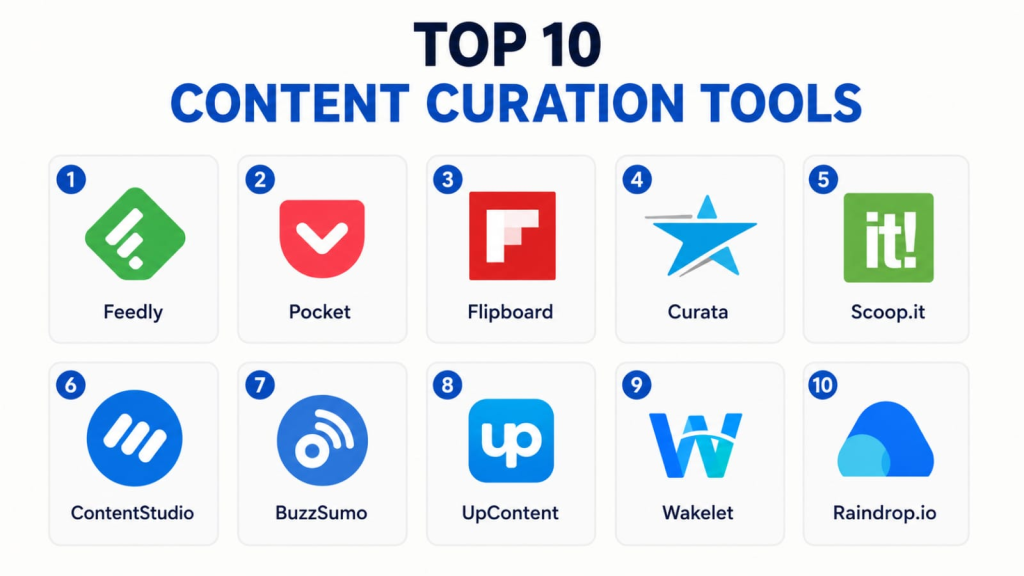
Top 10 Content Curation Tools
#1 — Feedly
Short description (2–3 lines): Feedly is a content discovery and RSS-based research tool that helps users follow trusted sources, topics, publications, blogs, and news feeds. It is best for marketers, analysts, researchers, and teams that want structured industry monitoring.
Key Features
- RSS feed aggregation
- Topic and source tracking
- AI-assisted research features where available
- Boards for saving articles
- Team sharing options
- Keyword and trend monitoring
- Web and mobile access
Pros
- Strong for structured content discovery
- Useful for research, newsletters, and industry monitoring
- Good fit for individuals and teams
Cons
- Advanced research features may require paid plans
- Can feel too detailed for casual users
- Not a full social media publishing suite by itself
Platforms / Deployment
Web / iOS / Android
Cloud-based service
Security & Compliance
Feedly provides account security and business-focused controls depending on plan. Specific compliance details such as SOC 2, ISO 27001, HIPAA, SSO/SAML, RBAC, and audit logs should be verified based on plan and business use case.
Integrations & Ecosystem
Feedly works well as a research and source-monitoring layer for content teams. It can support workflows for saving, organizing, and sharing relevant content.
- RSS feeds
- Saved boards
- Topic monitoring
- Team sharing
- Automation connections where available
- Read-it-later workflows
Support & Community
Feedly provides documentation and support resources. It has a strong user base among researchers, marketers, analysts, and professionals who rely on curated information.
#2 — Pocket
Short description (2–3 lines): Pocket is a read-it-later and content saving tool that helps users collect articles, videos, and web pages for later reading. It is best for individuals and teams that want a simple way to save useful content and build a personal reading library.
Key Features
- Save articles and web pages
- Offline reading support where available
- Tags for organization
- Clean reading view
- Content recommendations
- Cross-device sync
- Browser and mobile capture
Pros
- Very simple for saving and reading content later
- Good clean reading experience
- Helpful for personal research and idea collection
Cons
- Not a full content marketing platform
- Limited team workflow compared with curation suites
- Publishing and approval features are not the main focus
Platforms / Deployment
Web / iOS / Android / Browser extensions
Cloud-based service
Security & Compliance
Not publicly stated for SOC 2, ISO 27001, HIPAA, SSO/SAML, RBAC, audit logs, and enterprise compliance controls.
Integrations & Ecosystem
Pocket works well as a personal content capture and reading tool. It supports simple workflows for saving content from browsers, mobile apps, and different reading sources.
- Browser saving
- Mobile app saving
- Tagging
- Offline reading
- Clean reader view
- Cross-device sync
Support & Community
Pocket provides help resources and has broad recognition among users who save articles, research, and reading material.
#3 — Flipboard
Short description (2–3 lines): Flipboard is a visual content discovery and magazine-style curation tool. It is best for users who want to discover, collect, and share content around topics in a visually appealing format.
Key Features
- Topic-based content discovery
- Magazine-style content collections
- Personalized reading feed
- Social sharing options
- Mobile-first reading experience
- Curated topic boards
- Visual content browsing
Pros
- Attractive visual reading experience
- Good for topic discovery and casual curation
- Useful for creators who want magazine-style collections
Cons
- Less suitable for advanced content operations
- Limited workflow controls for teams
- Not ideal for deep analytics or enterprise content governance
Platforms / Deployment
Web / iOS / Android
Cloud-based service
Security & Compliance
Not publicly stated for SOC 2, ISO 27001, HIPAA, SSO/SAML, RBAC, audit logs, and enterprise compliance controls.
Integrations & Ecosystem
Flipboard is designed around topic discovery and curated magazines. Its ecosystem is strongest for visual browsing and sharing.
- Topic feeds
- Magazine collections
- Social sharing
- Personalized discovery
- Mobile reading
- Content saving
Support & Community
Flipboard provides support resources and has a broad user community among readers, creators, and topic-based content curators.
#4 — Curata
Short description (2–3 lines): Curata is a content curation and content marketing tool designed for businesses that want to discover, organize, and share relevant third-party content. It is best for marketing teams and content operations that need a more structured curation workflow.
Key Features
- Content discovery
- Content organization
- Curation workflow support
- Publishing support
- Topic and source filtering
- Team collaboration
- Content marketing alignment
Pros
- Stronger business-oriented curation workflow
- Useful for content marketing teams
- Helps organize and publish curated content
Cons
- May be more than needed for solo users
- Pricing and access details may vary
- Not ideal for users who only need basic bookmarking
Platforms / Deployment
Web
Cloud-based service
Security & Compliance
Not publicly stated for SOC 2, ISO 27001, HIPAA, SSO/SAML, RBAC, audit logs, and enterprise compliance controls.
Integrations & Ecosystem
Curata is focused on content marketing and business curation workflows. It fits teams that need to move from discovery to organized publishing.
- Content discovery
- Topic filtering
- Publishing workflows
- Team collaboration
- Content organization
- Marketing workflow support
Support & Community
Support and onboarding may vary by plan or business arrangement. Community strength is more business-focused than consumer-focused.
#5 — Scoop.it
Short description (2–3 lines): Scoop.it is a content curation and publishing platform that helps users discover, organize, and share content around specific topics. It is useful for marketers, educators, consultants, and businesses building topic authority.
Key Features
- Topic-based content discovery
- Curated content hubs
- Publishing and sharing tools
- Content suggestions
- Team collaboration options
- Social sharing support
- Content organization
Pros
- Good for topic-based curation
- Useful for thought leadership and content sharing
- Supports both discovery and publishing workflows
Cons
- Advanced features may require paid plans
- Not ideal for users who only need a private reading list
- Design and workflow preferences may vary by user
Platforms / Deployment
Web
Cloud-based service
Security & Compliance
Not publicly stated for SOC 2, ISO 27001, HIPAA, SSO/SAML, RBAC, audit logs, and enterprise compliance controls.
Integrations & Ecosystem
Scoop.it focuses on content discovery and topic-based publishing. It can support curated content pages, social sharing, and content marketing workflows.
- Topic pages
- Content suggestions
- Social sharing
- Team curation
- Publishing workflows
- Content organization
Support & Community
Scoop.it provides help resources and support. It has recognition among marketers, educators, and professionals who use curated content for audience engagement.
#6 — ContentStudio
Short description (2–3 lines): ContentStudio is a content marketing and social media management platform with content discovery and curation capabilities. It is best for agencies, marketers, and social media teams that want discovery, scheduling, and publishing in one workflow.
Key Features
- Content discovery
- Social media scheduling
- Content planning calendar
- Topic and trend discovery
- Team collaboration
- Analytics and reporting
- Multi-channel publishing support
Pros
- Combines curation with social media publishing
- Good for agencies and marketing teams
- Useful content calendar and workflow features
Cons
- May feel too broad for users who only need curation
- Advanced features may require higher-tier plans
- Setup can take time for teams managing many channels
Platforms / Deployment
Web / iOS / Android availability may vary
Cloud-based service
Security & Compliance
Not publicly stated for SOC 2, ISO 27001, HIPAA, SSO/SAML, RBAC, audit logs, and enterprise compliance controls.
Integrations & Ecosystem
ContentStudio’s ecosystem is built around content discovery, social publishing, scheduling, and reporting.
- Social media platforms
- Content calendar
- Discovery streams
- Team workflows
- Analytics
- Publishing automation
Support & Community
ContentStudio provides support resources and onboarding content. It has a user base among agencies, social media managers, and content marketing teams.
#7 — BuzzSumo
Short description (2–3 lines): BuzzSumo is a content research and discovery tool used to identify popular content, topics, influencers, and content performance signals. It is best for marketers, SEO teams, PR teams, and content strategists.
Key Features
- Content discovery
- Topic and trend research
- Content performance insights
- Influencer discovery
- Alerts and monitoring
- Competitor content analysis
- Reporting support
Pros
- Strong for content research and strategy
- Useful for identifying high-performing topics
- Good fit for SEO, PR, and content teams
Cons
- Not a simple reading or bookmarking tool
- Pricing may be higher than basic curation apps
- Best value comes from strategic research use
Platforms / Deployment
Web
Cloud-based service
Security & Compliance
Not publicly stated for SOC 2, ISO 27001, HIPAA, SSO/SAML, RBAC, audit logs, and broad enterprise compliance controls.
Integrations & Ecosystem
BuzzSumo is strongest as a content intelligence and research tool. It supports workflows around discovering what content performs well and where opportunities exist.
- Content research
- Competitor analysis
- Influencer discovery
- Alerts
- Topic insights
- Reporting workflows
Support & Community
BuzzSumo provides documentation and support resources. It is widely recognized among content marketers, SEO teams, PR professionals, and digital strategists.
#8 — UpContent
Short description (2–3 lines): UpContent is a content curation tool that helps businesses discover, filter, and share relevant third-party content. It is best for teams that need curated content for newsletters, social media, and audience engagement.
Key Features
- Content discovery
- Topic-based filtering
- Content recommendations
- Approval and sharing workflows
- Integration with marketing tools
- Team collaboration
- Curated content distribution support
Pros
- Good for business-focused content curation
- Helps teams find and share relevant third-party content
- Useful for newsletters and social sharing workflows
Cons**
- May require setup to tune topics correctly
- Not ideal for casual personal reading
- Feature value depends on content workflow maturity
Platforms / Deployment
Web
Cloud-based service
Security & Compliance
Not publicly stated for SOC 2, ISO 27001, HIPAA, SSO/SAML, RBAC, audit logs, and broad enterprise compliance controls.
Integrations & Ecosystem
UpContent is designed to fit into business content workflows and marketing stacks.
- Marketing platform integrations where available
- Newsletter workflows
- Social sharing workflows
- Topic filters
- Team collaboration
- Content recommendations
Support & Community
UpContent provides support and onboarding resources. It is most relevant for teams using curated content as part of marketing and audience engagement.
#9 — Wakelet
Short description (2–3 lines): Wakelet is a content collection and curation tool that helps users save, organize, and present links, media, notes, and resources into collections. It is especially useful for educators, creators, teams, and communities.
Key Features
- Curated collections
- Link and media saving
- Notes and text blocks
- Collaboration features
- Public or private collections
- Visual presentation layouts
- Easy sharing
Pros
- Very easy to create curated collections
- Useful for education, resources, and community sharing
- Good visual organization for mixed content
Cons
- Not a deep analytics or content intelligence tool
- Less suited for complex marketing operations
- Advanced workflow controls may be limited
Platforms / Deployment
Web / iOS / Android
Cloud-based service
Security & Compliance
Not publicly stated for SOC 2, ISO 27001, HIPAA, SSO/SAML, RBAC, audit logs, and broad enterprise compliance controls.
Integrations & Ecosystem
Wakelet works well for saving and presenting curated resources. Its ecosystem is strongest in education, community sharing, and simple content collections.
- Link collections
- Media saving
- Collaborative collections
- Public and private sharing
- Visual layouts
- Resource boards
Support & Community
Wakelet provides support resources and has a strong community among educators, creators, and users who build shareable resource collections.
#10 — Raindrop.io
Short description (2–3 lines): Raindrop.io is a bookmark manager and content organization tool that helps users save, tag, search, and organize links, articles, images, and references. It is best for users who want a clean personal or team content library.
Key Features
- Bookmark saving
- Collections and tags
- Full-text search features where available
- Visual bookmarks
- Browser extensions
- Team sharing options
- Cross-device access
Pros
- Strong bookmark and reference organization
- Clean interface and useful tagging
- Good for research libraries and curated resources
Cons
- Not a full publishing or newsletter platform
- Advanced features may require paid access
- Content discovery is not the main focus compared with research tools
Platforms / Deployment
Web / Windows / macOS / Linux / iOS / Android / Browser extensions
Cloud-based service
Security & Compliance
Not publicly stated for SOC 2, ISO 27001, HIPAA, SSO/SAML, RBAC, audit logs, and broad enterprise compliance controls.
Integrations & Ecosystem
Raindrop.io is strongest for saving and organizing content rather than discovering it automatically. It works well for personal knowledge libraries and team resource collections.
- Browser extensions
- Tags and collections
- Search
- Team collections
- Cross-device sync
- Visual bookmarking
Support & Community
Raindrop.io provides support resources and has a strong user base among researchers, designers, developers, writers, and knowledge workers.
Comparison Table
| Tool Name | Best For | Platform(s) Supported | Deployment | Standout Feature | Public Rating |
|---|---|---|---|---|---|
| Feedly | Research and source monitoring | Web / iOS / Android | Cloud | Topic feeds and saved boards | N/A |
| Read-it-later content saving | Web / iOS / Android / Browser extensions | Cloud | Simple article saving and reading | N/A | |
| Visual content discovery | Web / iOS / Android | Cloud | Magazine-style curated collections | N/A | |
| Curata | Business content curation | Web | Cloud | Structured marketing curation workflow | N/A |
| Scoop.it | Topic-based curation and publishing | Web | Cloud | Curated topic pages | N/A |
| ContentStudio | Social curation and publishing | Web / Mobile availability varies | Cloud | Discovery plus social scheduling | N/A |
| BuzzSumo | Content research and strategy | Web | Cloud | Content performance insights | N/A |
| UpContent | Business content recommendations | Web | Cloud | Curated content discovery for teams | N/A |
| Wakelet | Resource collections and education | Web / iOS / Android | Cloud | Visual curated collections | N/A |
| Raindrop.io | Bookmark and reference libraries | Web / Desktop / Mobile / Browser extensions | Cloud | Collections, tags, and visual bookmarks | N/A |
Evaluation & Scoring of Content Curation Tools
| Tool Name | Core (25%) | Ease (15%) | Integrations (15%) | Security (10%) | Performance (10%) | Support (10%) | Value (15%) | Weighted Total (0–10) |
|---|---|---|---|---|---|---|---|---|
| Feedly | 9 | 8 | 8 | 7 | 9 | 8 | 8 | 8.20 |
| 7 | 9 | 7 | 6 | 8 | 7 | 8 | 7.45 | |
| 7 | 9 | 5 | 5 | 8 | 7 | 8 | 7.10 | |
| Curata | 8 | 7 | 7 | 5 | 8 | 7 | 6 | 7.05 |
| Scoop.it | 8 | 8 | 7 | 5 | 8 | 7 | 7 | 7.35 |
| ContentStudio | 8 | 8 | 9 | 6 | 8 | 8 | 8 | 7.95 |
| BuzzSumo | 9 | 7 | 8 | 6 | 9 | 8 | 7 | 7.90 |
| UpContent | 8 | 7 | 8 | 5 | 8 | 7 | 7 | 7.35 |
| Wakelet | 7 | 9 | 6 | 5 | 8 | 7 | 9 | 7.35 |
| Raindrop.io | 8 | 9 | 7 | 6 | 8 | 7 | 8 | 7.75 |
These scores are comparative and should be used as a practical shortlist guide. A higher score does not mean the tool is best for every workflow. For example, BuzzSumo is stronger for content research, while Pocket is better for personal reading and saving. Security scores are conservative where enterprise compliance details are not publicly stated. Buyers should test tools with real content sources, publishing workflows, team needs, and security requirements before making a decision.
Which Content Curation Tool Is Right for You?
Solo / Freelancer
Solo creators, consultants, freelancers, writers, and researchers usually need simple tools that help them save ideas, track trends, and publish useful content without a heavy workflow.
Good options include:
- Pocket for saving articles and reading later
- Raindrop.io for building a personal content library
- Feedly for following trusted sources
- Wakelet for creating shareable collections
- Flipboard for visual topic discovery
Solo users should avoid complex enterprise-style platforms unless they need advanced research or publishing workflows.
SMB
Small businesses, agencies, educators, and content teams often need source discovery, social sharing, newsletters, and content planning support.
Good options include:
- Feedly for industry source monitoring
- Scoop.it for topic-based curation
- ContentStudio for social scheduling and content discovery
- Wakelet for resource collections
- Raindrop.io for team content libraries
SMBs should check whether the tool supports collaboration, approval workflows, sharing, and export options.
Mid-Market
Mid-market teams may need stronger workflows for content planning, competitor monitoring, trend tracking, social publishing, and content intelligence.
Good options include:
- ContentStudio for social publishing and planning
- BuzzSumo for content research and performance insights
- Feedly for structured source monitoring
- UpContent for business content recommendations
- Scoop.it for curation and publishing
Mid-market buyers should evaluate team roles, reporting, integrations, campaign workflows, and content approval needs.
Enterprise
Enterprise content teams may need governance, compliance reviews, access control, team permissions, brand consistency, and advanced analytics.
Better-fit options may include:
- BuzzSumo for content intelligence and competitive research
- Feedly for business research workflows
- ContentStudio for multi-channel publishing
- Curata for structured content curation workflows
- UpContent for team-based content recommendations
Enterprise buyers should validate security controls, permissions, support commitments, and compliance documentation before adoption.
Budget vs Premium
Budget users can start with simpler tools that offer practical value without heavy setup.
Good budget-friendly options include:
- Wakelet
- Raindrop.io
- Feedly
Premium users may prefer BuzzSumo, ContentStudio, Curata, Scoop.it, or UpContent when they need deeper research, publishing, analytics, team collaboration, or marketing workflow support.
Feature Depth vs Ease of Use
For feature depth, consider:
- BuzzSumo
- ContentStudio
- Feedly
- Curata
- UpContent
For ease of use, consider:
- Wakelet
- Raindrop.io
- Scoop.it
The best tool depends on whether the user needs simple content saving or a complete curation-to-publishing workflow.
Integrations & Scalability
Content curation becomes more valuable when it connects with social media, newsletters, knowledge bases, automation tools, CRM systems, and content calendars.
Strong integration-focused choices include:
- ContentStudio for social publishing workflows
- Feedly for source monitoring and research workflows
- BuzzSumo for content research and reporting
- Raindrop.io for bookmarking and resource libraries
- Scoop.it for curated publishing
For scalability, buyers should check content limits, team roles, sharing workflows, API availability, and reporting depth.
Security & Compliance Needs
Content curation tools may store competitor research, internal reading lists, market insights, saved customer references, and campaign ideas. Teams should treat this data carefully.
Check for:
- Account security
- MFA availability
- Workspace permissions
- Team roles
- Data export options
- Content visibility settings
- Privacy policy clarity
- Admin controls
- Compliance documentation for business use
For regulated industries or sensitive internal research, do not assume compliance unless the vendor clearly states it.
Frequently Asked Questions
1. What is a content curation tool?
A content curation tool helps users discover, save, organize, filter, and share relevant content from different sources. It is useful for research, newsletters, social media, and content marketing.
2. Are content curation tools only for marketers?
No. Researchers, educators, consultants, founders, students, analysts, creators, and internal teams can also use them to organize useful content and track important topics.
3. Which content curation tool is best for beginners?
Pocket, Wakelet, Flipboard, Raindrop.io, and Feedly are good beginner-friendly options. They are easier to start with than advanced marketing or research platforms.
4. Which tool is best for content marketing teams?
Feedly, ContentStudio, BuzzSumo, Scoop.it, Curata, and UpContent are useful for marketing teams. The best choice depends on whether the team needs research, publishing, social scheduling, or content recommendations.
5. Are content curation tools free?
Many tools offer free or low-cost plans, but advanced features often require paid plans. Paid features may include team collaboration, analytics, AI discovery, publishing, alerts, or integrations.
6. Can content curation tools help with social media?
Yes, many tools help users find relevant articles and ideas for social media. Some platforms also support scheduling, publishing, and campaign planning.
7. Can these tools help with newsletters?
Yes, content curation tools are useful for newsletter research and content collection. Some tools support publishing workflows or make it easier to collect curated links for email campaigns.
8. What is the biggest mistake when choosing a content curation tool?
The biggest mistake is choosing a tool without understanding the workflow. A simple bookmark manager may be enough for personal use, while marketing teams may need discovery, approvals, analytics, and publishing.
9. Are content curation tools secure?
Security varies by platform. Users should check account protection, team permissions, data export options, privacy settings, and compliance documentation before using a tool for sensitive business content.
10. Can teams collaborate inside content curation tools?
Yes, many tools support shared boards, collections, team libraries, approvals, or content calendars. Team features usually vary by plan.
Conclusion
Content curation tools help users find better information, organize useful resources, support content planning, and share relevant insights with audiences. The best tool depends on the user’s real workflow. A solo creator may only need a simple saving and reading app, while a marketing team may need discovery, approval, publishing, analytics, and collaboration.
Feedly is strong for structured source monitoring. Pocket is useful for saving and reading later. Flipboard works well for visual topic discovery. Scoop.it, Curata, and UpContent are better suited for business content curation. ContentStudio is strong for social publishing workflows, while BuzzSumo is useful for content research and strategy. Wakelet is practical for visual collections, and Raindrop.io is excellent for organized bookmarking and reference libraries.
The best next step is to shortlist two or three tools, test them with real sources and topics, review collaboration and security needs, and choose the platform that fits your content workflow instead of selecting only by popularity.
