Introduction
Container Security Tools are specialized cybersecurity solutions designed to protect containerized applications across their entire lifecycle, from development to runtime. These tools help identify vulnerabilities, enforce security policies, and monitor container behavior in environments like Docker and Kubernetes.
As organizations adopt microservices and cloud-native architectures, containers have become a core component of modern infrastructure. However, they also introduce new security risks such as misconfigurations, vulnerable images, and runtime threats. Container security tools address these challenges by offering image scanning, runtime protection, compliance enforcement, and integration with DevSecOps workflows.
Real-world use cases:
- Scanning container images for vulnerabilities
- Securing Kubernetes clusters
- Monitoring runtime behavior of containers
- Enforcing security policies in CI/CD pipelines
- Ensuring compliance with security standards
What buyers should evaluate:
- Image scanning and vulnerability detection
- Runtime protection capabilities
- Kubernetes security support
- Integration with DevOps tools
- Automation and policy enforcement
- Ease of deployment and usability
- Scalability across environments
- Compliance and reporting features
- API and extensibility
- Pricing and licensing
Best for: DevOps teams, cloud-native developers, security teams, and enterprises using containers
Not ideal for: Organizations not using containerized applications
Key Trends in Container Security Tools
- Integration with DevSecOps pipelines
- AI-driven vulnerability detection
- Focus on Kubernetes and container orchestration security
- Runtime threat detection and response
- Shift toward CNAPP platforms
- Automation of security policies
- Continuous image scanning
- Integration with cloud security tools
- Real-time monitoring and alerts
- Unified cloud-native security platforms
How We Selected These Tools (Methodology)
- Market adoption and reputation
- Coverage across container lifecycle
- Strength of runtime protection capabilities
- Integration with DevOps and cloud ecosystems
- Automation and analytics features
- Scalability across environments
- Ease of deployment and usability
- Vendor innovation and maturity
- Support and community strength
- Fit across SMB and enterprise environments
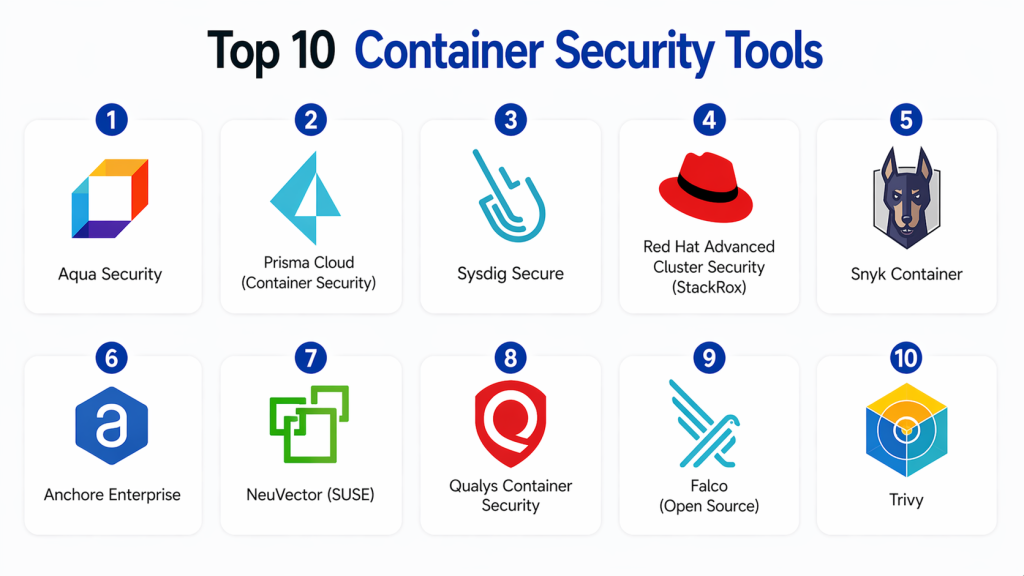
Top 10 Container Security Tools
#1 — Aqua Security
Short description :
Aqua Security is a leading container security platform focused on protecting cloud-native applications. It provides image scanning and runtime protection. It integrates with Kubernetes and DevOps tools. It is scalable. It supports compliance. It is widely used by enterprises.
Key Features
- Image scanning
- Runtime protection
- Kubernetes security
- Compliance monitoring
- Integration
Pros
- Strong container security
- Scalable
- Advanced features
Cons
- Complex setup
- Requires expertise
Platforms / Deployment
- Cloud
Security & Compliance
- RBAC
- Compliance: Not publicly stated
Integrations & Ecosystem
- Kubernetes
- CI/CD tools
- APIs
Support & Community
- Enterprise support
#2 — Prisma Cloud (Container Security)
Short description :
Prisma Cloud provides container security with strong visibility and protection. It scans images and monitors runtime behavior. It integrates with DevOps pipelines. It is scalable. It supports multi-cloud environments. It is suitable for enterprises.
Key Features
- Image scanning
- Runtime protection
- Monitoring
- Integration
- Compliance
Pros
- Multi-cloud support
- Scalable
- Strong visibility
Cons
- Expensive
- Complex
Platforms / Deployment
- Cloud
Security & Compliance
- RBAC
- Compliance: Not publicly stated
#3 — Sysdig Secure
Short description :
Sysdig Secure provides container and Kubernetes security with runtime monitoring. It offers vulnerability detection and compliance checks. It integrates with cloud platforms. It is scalable. It provides strong insights.
Key Features
- Runtime security
- Vulnerability scanning
- Monitoring
- Integration
- Analytics
Pros
- Strong visibility
- Scalable
- Flexible
Cons
- Learning curve
- Complex setup
Platforms / Deployment
- Cloud
Security & Compliance
- RBAC
- Compliance: Not publicly stated
#4 — Red Hat Advanced Cluster Security (StackRox)
Short description :
Red Hat ACS provides Kubernetes-native container security. It focuses on cluster protection and policy enforcement. It integrates with OpenShift. It is scalable. It supports compliance. It is widely used in enterprises.
Key Features
- Kubernetes security
- Policy enforcement
- Monitoring
- Integration
- Compliance
Pros
- Strong Kubernetes focus
- Scalable
- Reliable
Cons
- Limited outside Red Hat
- Complex setup
Platforms / Deployment
- Cloud / Hybrid
Security & Compliance
- RBAC
- Compliance: Not publicly stated
#5 — Snyk Container
Short description :
Snyk Container provides vulnerability scanning for container images. It integrates with developer workflows. It offers automation and reporting. It is scalable. It is easy to use. It is suitable for developers and teams.
Key Features
- Image scanning
- Vulnerability detection
- Integration
- Automation
- Reporting
Pros
- Easy to use
- Developer-friendly
- Scalable
Cons
- Limited runtime protection
- Cost
Platforms / Deployment
- Cloud
Security & Compliance
- RBAC
- Compliance: Not publicly stated
#6 — Anchore Enterprise
Short description :
Anchore Enterprise provides container security with strong image scanning and policy enforcement. It integrates with CI/CD pipelines. It supports automation. It is scalable. It is suitable for enterprises.
Key Features
- Image scanning
- Policy enforcement
- Integration
- Automation
- Reporting
Pros
- Flexible
- Scalable
- Strong policy control
Cons
- Requires expertise
- Setup complexity
Platforms / Deployment
- Cloud / Self-hosted
Security & Compliance
- RBAC
- Compliance: Not publicly stated
#7 — NeuVector (SUSE)
Short description :
NeuVector provides container security with runtime protection and network security. It focuses on Kubernetes environments. It offers visibility and threat detection. It is scalable. It supports compliance.
Key Features
- Runtime protection
- Network security
- Monitoring
- Integration
- Compliance
Pros
- Strong runtime security
- Scalable
- Flexible
Cons
- Complex
- Learning curve
Platforms / Deployment
- Cloud / On-prem
Security & Compliance
- RBAC
- Compliance: Not publicly stated
#8 — Twistlock (Prisma Cloud Compute)
Short description :
Twistlock provides container security with vulnerability scanning and runtime protection. It integrates with Prisma Cloud. It supports multi-cloud environments. It is scalable. It provides strong detection.
Key Features
- Image scanning
- Runtime protection
- Monitoring
- Integration
- Analytics
Pros
- Strong detection
- Scalable
- Flexible
Cons
- Complex
- Expensive
Platforms / Deployment
- Cloud
Security & Compliance
- RBAC
- Compliance: Not publicly stated
#9 — Qualys Container Security
Short description :
Qualys provides container security with vulnerability scanning and monitoring. It integrates with Qualys platform. It supports automation. It is scalable. It is suitable for enterprises.
Key Features
- Image scanning
- Monitoring
- Integration
- Automation
- Reporting
Pros
- Strong integration
- Scalable
- Reliable
Cons
- Complex interface
- Cost
Platforms / Deployment
- Cloud
Security & Compliance
- RBAC
- Compliance: Not publicly stated
#10 — Falco (Open Source)
Short description :
Falco is an open-source runtime security tool for containers and Kubernetes. It monitors system calls and detects anomalies. It is lightweight. It is flexible. It is widely used. It is suitable for developers.
Key Features
- Runtime monitoring
- Threat detection
- Open-source
- Integration
- Alerts
Pros
- Free
- Flexible
- Lightweight
Cons
- Limited features
- Requires setup
Platforms / Deployment
- Linux / Cloud
Security & Compliance
- Not publicly stated
Comparison Table
| Tool | Best For | Platform | Deployment | Feature | Rating |
|---|---|---|---|---|---|
| Aqua | Enterprise | Cloud | Cloud | Runtime | N/A |
| Prisma | Enterprise | Cloud | Cloud | Multi-cloud | N/A |
| Sysdig | Enterprise | Cloud | Cloud | Monitoring | N/A |
| Red Hat | Enterprise | Hybrid | Hybrid | Kubernetes | N/A |
| Snyk | Devs | Cloud | Cloud | Scanning | N/A |
| Anchore | Enterprise | Multi | Hybrid | Policy | N/A |
| NeuVector | Enterprise | Multi | Hybrid | Network | N/A |
| Twistlock | Enterprise | Cloud | Cloud | Detection | N/A |
| Qualys | Enterprise | Cloud | Cloud | Integration | N/A |
| Falco | Devs | Linux | Local | Runtime | N/A |
Evaluation & Scoring of Container Security Tools
| Tool | Core | Ease | Integration | Security | Performance | Support | Value | Total |
|---|---|---|---|---|---|---|---|---|
| Aqua | 10 | 7 | 9 | 10 | 9 | 9 | 7 | 8.9 |
| Prisma | 10 | 7 | 9 | 10 | 9 | 9 | 7 | 8.9 |
| Sysdig | 9 | 7 | 8 | 9 | 8 | 8 | 8 | 8.4 |
| Red Hat | 9 | 7 | 8 | 9 | 8 | 8 | 8 | 8.4 |
| Snyk | 8 | 9 | 8 | 8 | 8 | 8 | 9 | 8.4 |
| Anchore | 9 | 7 | 8 | 9 | 8 | 8 | 8 | 8.4 |
| NeuVector | 9 | 7 | 8 | 9 | 8 | 8 | 8 | 8.4 |
| Twistlock | 9 | 7 | 8 | 9 | 8 | 8 | 7 | 8.2 |
| Qualys | 9 | 7 | 8 | 9 | 8 | 8 | 7 | 8.2 |
| Falco | 8 | 8 | 7 | 8 | 8 | 7 | 9 | 8.1 |
Which Container Security Tool Is Right for You?
Solo / Freelancer
- Falco
SMB
- Snyk
Mid-Market
- Sysdig, Anchore
Enterprise
- Aqua, Prisma
Budget vs Premium
- Budget → Falco
- Premium → Aqua
Feature Depth vs Ease
- Easy → Snyk
- Advanced → Aqua
Integrations & Scalability
- Best → Prisma
Security Needs
- High security → Aqua
Frequently Asked Questions (FAQs)
1. What are Container Security Tools?
Container security tools are solutions designed to protect containerized applications throughout their lifecycle. They help identify vulnerabilities in container images and monitor runtime behavior. These tools provide visibility into container environments. They help improve overall cloud security.
2. Why are container security tools important?
They are important because containers introduce new security risks such as misconfigurations and vulnerabilities. These tools help detect and prevent threats early. They also ensure compliance with security standards. This strengthens the overall security posture.
3. How do container security tools work?
They scan container images for vulnerabilities and monitor runtime activity. They analyze behavior to detect anomalies. They provide alerts and remediation recommendations. This helps security teams respond quickly to threats.
4. Who should use container security tools?
These tools are used by DevOps teams, security professionals, and organizations using containers. They are ideal for cloud-native environments. Companies using Kubernetes benefit the most. They help secure modern applications.
5. Are container security tools scalable?
Yes, container security tools are designed to scale across large environments. They support multi-cloud and Kubernetes deployments. Cloud-based solutions make scaling easier. This ensures consistent protection.
6. Do container security tools integrate with other tools?
Yes, they integrate with CI/CD pipelines, cloud platforms, and security tools. This creates a unified security ecosystem. Integration improves automation and workflows. It enables faster detection and response.
7. Are container security tools secure?
Yes, these tools include security controls such as access management and monitoring. They help improve overall security posture. Proper configuration ensures optimal performance. They reduce risk exposure.
8. Are container security tools difficult to implement?
Implementation depends on the tool and environment. Many tools offer easy deployment in cloud environments. Advanced configurations may require expertise. Proper planning ensures successful setup.
9. What are alternatives to container security tools?
Alternatives include CWPP and CNAPP platforms. These tools provide broader cloud security coverage. Container security tools focus specifically on containers. They complement other security solutions.
10. Are container security tools expensive?
Pricing varies based on features and scale. Some open-source tools are free, while enterprise tools can be costly. Flexible pricing models are available. Investing in these tools helps prevent costly breaches.
Conclusion
Container Security Tools are essential for protecting modern cloud-native applications by securing containers throughout their lifecycle. They help identify vulnerabilities, monitor runtime behavior, and ensure compliance, making them a critical component of cloud security strategies.
The right tool depends on your organization’s needs and environment. Enterprise solutions like Aqua Security and Prisma Cloud provide advanced capabilities, while tools like Snyk and Falco offer flexibility and cost-effectiveness. Organizations should evaluate their requirements, test solutions, and integrate container security into their DevSecOps workflows.
