Introduction
Computerized Maintenance Management Systems, commonly known as CMMS, are software solutions that help organizations plan, track, and optimize maintenance operations for assets, equipment, and facilities. These platforms centralize maintenance workflows, enabling teams to manage work orders, preventive maintenance schedules, inventory, and asset lifecycle data efficiently.
In modern operations, especially across manufacturing, facilities management, healthcare, and energy sectors, CMMS tools are critical for reducing downtime, improving asset reliability, and ensuring compliance. Today’s CMMS platforms go beyond basic maintenance tracking by incorporating AI-driven predictive maintenance, IoT integrations, identity management, cybersecurity controls, Zero Trust access, and role-based permissions to enhance both operational efficiency and security.
Common use cases:
- Preventive and predictive maintenance scheduling
- Asset tracking and lifecycle management
- Work order management
- Inventory and spare parts tracking
- Compliance reporting and audits
Key evaluation criteria:
- Work order and maintenance workflow management
- Asset tracking and reporting capabilities
- Integration with IoT, ERP, and facility systems
- Ease of use and mobile accessibility
- Scalability across sites and teams
- Security features such as RBAC, MFA, audit logs
- Reporting and analytics depth
- Pricing and value
Best for: Manufacturing companies, facility managers, healthcare institutions, energy providers, and enterprises managing complex assets.
Not ideal for: Very small teams with minimal equipment or simple maintenance needs.
Key Trends in Computerized Maintenance Management Systems
- AI-driven predictive maintenance using machine learning
- Integration with IoT sensors for real-time monitoring
- Mobile-first maintenance management apps
- Cloud-based deployment models for scalability
- Data-driven decision making through analytics
- Automation of maintenance workflows
- Zero Trust security adoption for operational systems
- Integration with ERP and asset management platforms
- Use of digital twins for asset monitoring
- Subscription-based SaaS pricing models
How We Evaluated Computerized Maintenance Management Systems (Methodology)
- Market adoption and industry recognition
- Feature completeness across maintenance lifecycle
- Reliability and system performance
- Security posture including access control and compliance readiness
- Integration ecosystem with ERP and IoT systems
- Ease of onboarding and usability
- Scalability across industries and asset sizes
- Support quality and documentation
- Overall value and ROI potential
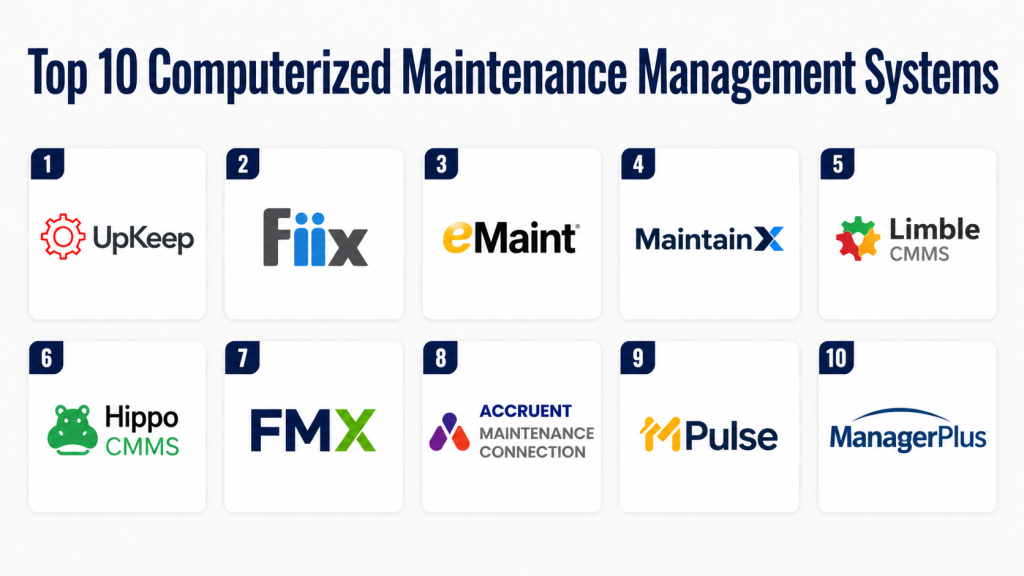
Top 10 Computerized Maintenance Management Systems
#1 — UpKeep
Short description:
UpKeep is a modern CMMS platform designed for mobile-first maintenance management. It enables teams to manage work orders, track assets, and schedule preventive maintenance efficiently. The platform offers real-time updates and analytics. It integrates with business systems for seamless workflows. UpKeep is suitable for SMBs and enterprises. Its user-friendly interface improves adoption.
Key Features
- Work order management
- Preventive maintenance scheduling
- Asset tracking
- Mobile app support
- Analytics and reporting
- Integration support
Pros
- Easy to use
- Strong mobile capabilities
Cons
- Pricing varies
- Limited advanced customization
Platforms / Deployment
Web / Mobile / Cloud
Security & Compliance
SSO, RBAC, encryption. Compliance: Not publicly stated
Integrations & Ecosystem
Integrates with business and maintenance tools
- ERP systems
- IoT platforms
- APIs
Support & Community
Strong support with onboarding resources
#2 — Fiix
Short description:
Fiix is a cloud-based CMMS platform focused on asset management and maintenance optimization. It provides tools for work orders, scheduling, and analytics. The platform supports IoT integration for predictive maintenance. Fiix is suitable for manufacturing and industrial sectors. It enhances asset reliability. It offers scalability and flexibility.
Key Features
- Asset management
- Work order tracking
- Preventive maintenance
- IoT integration
- Analytics dashboard
Pros
- Strong asset tracking
- Scalable solution
Cons
- Learning curve
- Customization limits
Platforms / Deployment
Web / Cloud
Security & Compliance
SSO, encryption. Compliance: Not publicly stated
Integrations & Ecosystem
- ERP systems
- IoT devices
- APIs
Support & Community
Good documentation and support
#3 — eMaint
Short description:
eMaint is a comprehensive CMMS platform offering maintenance management and asset tracking. It supports predictive maintenance and analytics. The platform integrates with enterprise systems. It is suitable for large organizations. eMaint provides flexibility and customization. It enhances maintenance efficiency.
Key Features
- Work order management
- Predictive maintenance
- Asset tracking
- Reporting tools
- Integration support
Pros
- Highly customizable
- Enterprise-ready
Cons
- Complex setup
- Higher cost
Platforms / Deployment
Web / Cloud
Security & Compliance
SSO, RBAC. Compliance: Not publicly stated
Integrations & Ecosystem
- ERP
- IoT platforms
Support & Community
Enterprise suppor
#4 — MaintainX
Short description:
MaintainX is a CMMS platform focused on simplifying maintenance workflows. It provides mobile-first tools for managing work orders and assets. The platform enables real-time communication among teams. It integrates with business tools. MaintainX is suitable for SMBs and mid-sized companies. It improves operational efficiency.
Key Features
- Work order management
- Asset tracking
- Mobile app
- Communication tools
- Analytics
Pros
- Easy to use
- Strong collaboration
Cons
- Limited enterprise features
- Basic reporting
Platforms / Deployment
Web / Mobile / Cloud
Security & Compliance
Encryption. Compliance: Not publicly stated
Integrations & Ecosystem
- Business tools
- APIs
Support & Community
Responsive support
#5 — Limble CMMS
Short description:
Limble CMMS is a user-friendly platform designed for maintenance teams. It offers tools for work orders, scheduling, and asset management. The platform is easy to deploy and use. It integrates with other systems. Limble is suitable for SMBs and mid-sized organizations. It improves maintenance tracking.
Key Features
- Work order management
- Preventive maintenance
- Asset tracking
- Reporting
- Integration support
Pros
- Simple interface
- Fast implementation
Cons
- Limited advanced features
- Customization constraints
Platforms / Deployment
Web / Mobile / Cloud
Security & Compliance
Not publicly stated
Integrations & Ecosystem
- ERP tools
- APIs
Support & Community
Good onboarding support
#6 — Hippo CMMS
Short description:
Hippo CMMS provides maintenance management tools for facilities and asset tracking. It offers scheduling, reporting, and analytics features. The platform is easy to use and deploy. It integrates with business systems. Hippo is suitable for small to mid-sized organizations. It simplifies maintenance operations.
Key Features
- Work order management
- Scheduling tools
- Asset tracking
- Reporting
- Integration support
Pros
- Easy to use
- Affordable
Cons
- Limited scalability
- Basic analytics
Platforms / Deployment
Web / Cloud
Security & Compliance
Not publicly stated
Integrations & Ecosystem
- Business tools
- APIs
Support & Community
Standard support
#7 — FMX
Short description:
FMX is a facilities management and CMMS platform designed for schools and organizations. It provides tools for work orders, scheduling, and asset tracking. The platform integrates with enterprise systems. It is easy to use and deploy. FMX improves maintenance efficiency. It is suitable for various industries.
Key Features
- Work order management
- Asset tracking
- Scheduling
- Reporting
- Integration support
Pros
- User-friendly
- Strong support
Cons
- Limited advanced features
- Customization limits
Platforms / Deployment
Web / Cloud
Security & Compliance
Not publicly stated
Integrations & Ecosystem
- Enterprise tools
- APIs
Support & Community
Good support
#8 — Accruent Maintenance Connection
Short description:
Accruent Maintenance Connection is an enterprise CMMS platform offering advanced maintenance management. It supports asset tracking, analytics, and integrations. The platform is suitable for large organizations. It enhances operational efficiency. It provides strong reporting capabilities. It integrates with enterprise systems.
Key Features
- Asset management
- Work order tracking
- Analytics
- Integration support
- Reporting tools
Pros
- Enterprise-ready
- Strong analytics
Cons
- Complex setup
- Higher cost
Platforms / Deployment
Web / Cloud
Security & Compliance
SSO, encryption. Compliance: Not publicly stated
Integrations & Ecosystem
- ERP
- IoT
Support & Community
Enterprise support
#9 — MPulse
Short description:
MPulse is a CMMS platform designed for maintenance tracking and asset management. It offers scheduling, reporting, and analytics tools. The platform integrates with business systems. It is suitable for SMBs and enterprises. MPulse improves maintenance operations. It supports asset lifecycle management.
Key Features
- Work order management
- Asset tracking
- Scheduling
- Reporting
- Integration support
Pros
- Flexible
- Good reporting
Cons
- UI improvements needed
- Learning curve
Platforms / Deployment
Web / Cloud
Security & Compliance
Not publicly stated
Integrations & Ecosystem
- Business tools
- APIs
Support & Community
Standard support
#10 — ManagerPlus
Short description:
ManagerPlus is a CMMS platform focused on asset and maintenance management. It offers tools for scheduling, tracking, and reporting. The platform integrates with enterprise systems. It is suitable for organizations managing complex assets. ManagerPlus improves operational efficiency. It supports scalability.
Key Features
- Asset management
- Work order tracking
- Scheduling
- Reporting
- Integration support
Pros
- Scalable
- Strong asset tracking
Cons
- Complex interface
- Setup effort required
Platforms / Deployment
Web / Cloud
Security & Compliance
Not publicly stated
Integrations & Ecosystem
- ERP
- APIs
Support & Community
Standard support
Comparison Table (Top 10)
| Tool Name | Best For | Platform(s) Supported | Deployment | Standout Feature | Public Rating |
|---|---|---|---|---|---|
| UpKeep | SMB/Enterprise | Web/Mobile | Cloud | Mobile-first | N/A |
| Fiix | Manufacturing | Web | Cloud | IoT integration | N/A |
| eMaint | Enterprise | Web | Cloud | Customization | N/A |
| MaintainX | SMB | Web/Mobile | Cloud | Collaboration | N/A |
| Limble | SMB | Web/Mobile | Cloud | Ease of use | N/A |
| Hippo | Small teams | Web | Cloud | Affordability | N/A |
| FMX | Facilities | Web | Cloud | Simplicity | N/A |
| Accruent | Enterprise | Web | Cloud | Analytics | N/A |
| MPulse | Mid-market | Web | Cloud | Reporting | N/A |
| ManagerPlus | Enterprise | Web | Cloud | Asset tracking | N/A |
Evaluation & Scoring of Computerized Maintenance Management Systems
| Tool Name | Core | Ease | Integrations | Security | Performance | Support | Value | Weighted Total |
|---|---|---|---|---|---|---|---|---|
| UpKeep | 9 | 9 | 9 | 8 | 9 | 9 | 8 | 8.8 |
| Fiix | 8 | 8 | 9 | 8 | 8 | 8 | 7 | 7.9 |
| eMaint | 9 | 7 | 9 | 8 | 9 | 9 | 7 | 8.3 |
| MaintainX | 7 | 9 | 7 | 7 | 8 | 8 | 8 | 7.8 |
| Limble | 7 | 9 | 7 | 6 | 8 | 7 | 8 | 7.6 |
| Hippo | 6 | 9 | 6 | 6 | 7 | 7 | 9 | 7.3 |
| FMX | 7 | 8 | 7 | 6 | 7 | 7 | 8 | 7.4 |
| Accruent | 9 | 6 | 9 | 8 | 9 | 9 | 7 | 8.2 |
| MPulse | 7 | 7 | 7 | 6 | 7 | 7 | 7 | 7.0 |
| ManagerPlus | 8 | 6 | 8 | 7 | 8 | 8 | 7 | 7.6 |
Which Computerized Maintenance Management System Is Right for You?
Solo / Freelancer
Basic maintenance tools may be sufficient.
SMB
MaintainX and Limble offer simplicity and affordability.
Mid-Market
Fiix and MPulse provide scalability and features.
Enterprise
UpKeep, eMaint, and Accruent offer advanced capabilities.
Budget vs Premium
Budget tools focus on simplicity, premium tools offer advanced analytics.
Feature Depth vs Ease of Use
Advanced tools provide more features but require training.
Integrations & Scalability
Choose tools with strong ERP and IoT integrations.
Security & Compliance Needs
Look for SSO, RBAC, and encryption for secure operations.
Frequently Asked Questions
1. What is CMMS?
CMMS is software used to manage maintenance operations. It tracks assets, schedules maintenance, and manages work orders. It improves efficiency and reduces downtime. It is widely used in industries. It supports asset lifecycle management.
2. How much does CMMS cost?
Pricing varies based on features and size. Some tools use subscription pricing. Enterprise tools cost more. Additional costs may include setup. Compare ROI before choosing.
3. Is CMMS secure?
Most platforms offer encryption and access control. Some support SSO and RBAC. Security varies by provider. Protecting data is important. Always review features.
4. Can it integrate with ERP systems?
Yes, most CMMS tools integrate with ERP systems. This improves data flow. It enhances efficiency. APIs allow customization. Check compatibility.
5. How long does implementation take?
Implementation can take days to months. Simple tools are faster. Enterprise tools take longer. Planning is important. Training is required.
6. Can small businesses use CMMS?
Yes, many tools are designed for SMBs. They are affordable. They improve efficiency. They reduce downtime. They support growth.
7. What are common mistakes?
Choosing based only on price is common. Ignoring integrations is risky. Complex tools can be hard to use. Lack of training reduces value. Plan carefully.
8. How does AI help?
AI enables predictive maintenance. It improves efficiency. It reduces downtime. It provides insights. It enhances decision-making.
9. Can it scale?
Yes, most platforms scale. Enterprise tools support large operations. SMB tools support growth. Choose based on needs. Scalability is important.
10. Can you switch tools?
Switching is possible but requires planning. Data migration is needed. Integrations must be updated. Training is required. Choose compatible tools.
Conclusion
Computerized Maintenance Management Systems have become essential for organizations aiming to improve asset reliability, reduce downtime, and streamline maintenance operations. By centralizing maintenance workflows and leveraging automation, analytics, and predictive capabilities, CMMS platforms help businesses operate more efficiently and make data-driven decisions. As industries increasingly adopt digital transformation strategies, these systems play a critical role in ensuring operational continuity and performance.
Choosing the right CMMS depends on your organization’s size, industry, and maintenance complexity. Enterprise platforms like UpKeep, eMaint, and Accruent offer advanced features and scalability, while solutions like MaintainX and Limble provide simplicity and affordability for smaller teams. Integration capabilities, ease of use, and analytics should be key factors in your evaluation process.
To make the best decision, shortlist a few platforms, test their functionality, and evaluate how well they align with your maintenance goals. Focus on scalability, ROI, and security to ensure long-term value. With the right CMMS solution, organizations can significantly improve maintenance efficiency and achieve better operational outcomes.
