Introduction
Cloud File Storage refers to storing, managing, and accessing files over the internet instead of relying on local storage like hard drives or on-premise servers. It enables users to upload files to remote servers, access them from anywhere, and collaborate in real time across teams and devices.
In today’s distributed work environment, cloud file storage has become essential for businesses and individuals alike. With remote work, hybrid teams, and global collaboration becoming the norm, organizations need secure, scalable, and accessible storage solutions.
Real-world use cases:
- Team collaboration and file sharing across locations
- Backup and disaster recovery for critical data
- Centralized document management for enterprises
- Media storage and distribution (images, videos, large files)
- Developer workflows and application storage
What buyers should evaluate:
- Storage scalability and pricing models
- Security and compliance features
- File syncing and sharing capabilities
- Integration with productivity tools
- Performance and uptime reliability
- Access controls and permissions
- Offline access and versioning
- Ease of use and onboarding
- API and developer support
Best for:
Startups, enterprises, remote teams, freelancers, developers, and organizations handling large volumes of digital content.
Not ideal for:
Users with minimal storage needs or those requiring complete offline-only systems without internet dependency.
Key Trends in Cloud File Storage
- AI-powered file organization with smart tagging and search
- Zero-trust security models becoming standard
- Integrated collaboration tools replacing standalone apps
- Hybrid and edge storage adoption increasing
- Data sovereignty and compliance controls gaining importance
- Automation for file lifecycle management
- Deep SaaS integrations across ecosystems
- Enhanced version control and audit tracking
- Rise of privacy-first storage platforms
How We Selected These Tools (Methodology)
- Market adoption and global usage trends
- Feature completeness and innovation
- Performance and reliability indicators
- Security posture and compliance capabilities
- Integration ecosystem depth
- Suitability across individual, SMB, and enterprise users
- Developer support and APIs
- Ease of use and onboarding experience
- Support quality and documentation
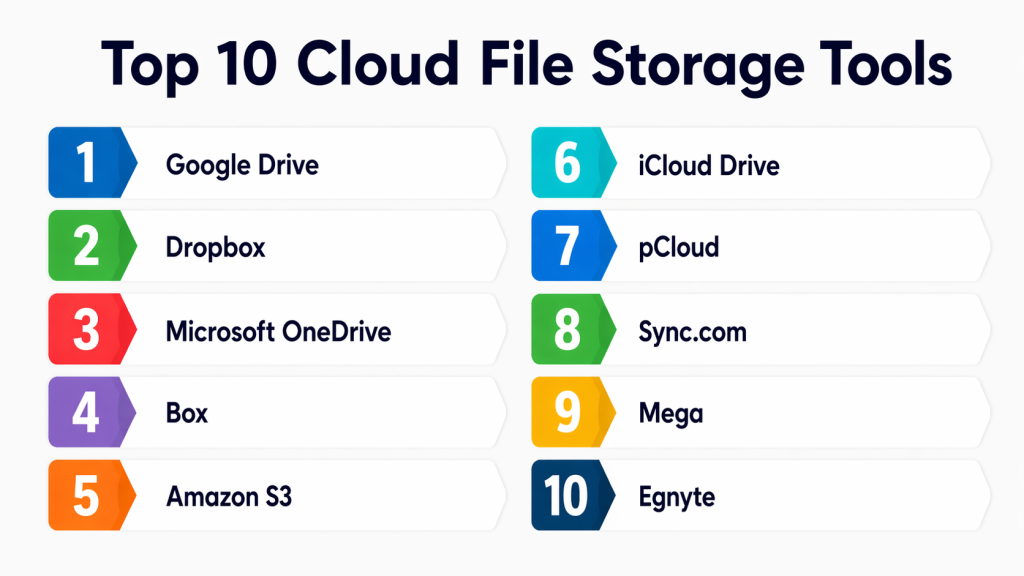
Top 10 Cloud File Storage Tools
#1 — Google Drive
Short description:
Google Drive is a cloud-based storage platform designed for seamless collaboration and document management. It allows users to store, share, and edit files in real time across teams. Strong integration with productivity apps enhances workflow efficiency. It is widely used by individuals, startups, and enterprises.
Key Features
- Real-time collaboration
- AI-powered search
- File versioning
- Shared drives
- Workspace integration
Pros
- Easy collaboration
- User-friendly interface
Cons
- Limited admin depth
- Pricing scales with storage
Platforms / Deployment
Web / Windows / macOS / iOS / Android — Cloud
Security & Compliance
Encryption, MFA, RBAC
Integrations & Ecosystem
Strong ecosystem with productivity tools
- Docs, Sheets, Slides
- Gmail
- Third-party SaaS apps
Support & Community
Extensive documentation and large user base
#2 — Dropbox
Short description:
Dropbox is a cloud storage platform known for reliable file syncing and sharing capabilities. It offers a clean and simple interface for managing files across devices. Teams can collaborate efficiently with version control and sharing features. It is ideal for users prioritizing ease of use and performance.
Key Features
- Smart sync
- File recovery
- Version history
- Offline access
- File previews
Pros
- Fast syncing
- Simple UI
Cons
- Higher pricing
- Limited native tools
Platforms / Deployment
Web / Windows / macOS / Linux / iOS / Android — Cloud
Security & Compliance
Encryption, MFA, SSO
Integrations & Ecosystem
- Slack
- Zoom
- Microsoft Office
Support & Community
Strong support ecosystem
#3 — Microsoft OneDrive
Short description:
Microsoft OneDrive is a cloud storage service tightly integrated with Microsoft productivity tools. It enables users to store, share, and collaborate on files within a unified ecosystem. Businesses benefit from built-in security and compliance features. It is best suited for organizations using Microsoft environments.
Key Features
- Office integration
- File sharing
- Version control
- Backup sync
- Personal vault
Pros
- Strong enterprise integration
- Secure environment
Cons
- Learning curve
- Occasional sync issues
Platforms / Deployment
Web / Windows / macOS / iOS / Android — Cloud
Security & Compliance
SSO, MFA, encryption
Integrations & Ecosystem
- Microsoft 365
- Teams
- SharePoint
Support & Community
Enterprise-level support
#4 — Box
Short description:
Box is an enterprise-focused cloud storage solution built for secure content management and collaboration. It offers advanced governance, compliance, and workflow automation features. Organizations use it to handle sensitive data securely. It is ideal for regulated industries and large enterprises.
Key Features
- Advanced security
- Workflow automation
- File collaboration
- Content lifecycle management
- Audit logs
Pros
- Strong compliance
- Enterprise-grade controls
Cons
- Expensive
- Complex setup
Platforms / Deployment
Web / Windows / macOS / iOS / Android — Cloud
Security & Compliance
SOC 2, encryption
Integrations & Ecosystem
- Salesforce
- Slack
- Google Workspace
Support & Community
Robust enterprise support
#5 — Amazon S3
Short description:
Amazon S3 is a highly scalable object storage service designed for developers and enterprises. It provides durable storage for large-scale data and applications. Users can manage storage through APIs and automation. It is widely used for backups, analytics, and cloud-native applications.
Key Features
- Unlimited scalability
- High durability
- API access
- Lifecycle policies
- Data tiering
Pros
- Highly scalable
- Reliable infrastructure
Cons
- Complex for beginners
- Requires technical expertise
Platforms / Deployment
Cloud
Security & Compliance
Encryption, IAM
Integrations & Ecosystem
- AWS services
- Developer tools
- Analytics platforms
Support & Community
Extensive documentation
#6 — iCloud Drive
Short description:
iCloud Drive is Apple’s cloud storage service designed for seamless syncing across Apple devices. It allows users to store files, photos, and backups easily. Integration with macOS and iOS provides a smooth user experience. It is best suited for individuals within the Apple ecosystem.
Key Features
- Device syncing
- Backup automation
- File sharing
- Secure storage
- App integration
Pros
- Smooth Apple integration
- Easy setup
Cons
- Limited cross-platform
- Fewer advanced features
Platforms / Deployment
macOS / iOS — Cloud
Security & Compliance
Encryption, MFA
Integrations & Ecosystem
- Apple ecosystem
- Native apps
Support & Community
Strong Apple support
#7 — pCloud
Short description:
pCloud is a cloud storage platform known for its strong privacy focus and flexible pricing options. It offers client-side encryption and lifetime storage plans. Users can securely store, share, and access files from anywhere. It is ideal for individuals and small teams prioritizing data privacy.
Key Features
- Client-side encryption
- File sharing
- Versioning
- Media streaming
- Offline access
Pros
- Privacy-focused
- Flexible pricing
Cons
- Limited enterprise features
- Smaller ecosystem
Platforms / Deployment
Web / Windows / macOS / Linux / iOS / Android — Cloud
Security & Compliance
Encryption
Integrations & Ecosystem
- API support
- Limited integrations
Support & Community
Moderate support
#8 — Sync.com
Short description:
Sync.com is a secure cloud storage solution focused on end-to-end encryption and privacy. It ensures that only users can access their stored data. File sharing and backup features are simple and reliable. It is best suited for users with strict security requirements.
Key Features
- End-to-end encryption
- File sharing
- Backup restore
- Version history
- Access control
Pros
- High security
- Affordable plans
Cons
- Slower sync
- Limited integrations
Platforms / Deployment
Web / Windows / macOS / iOS / Android — Cloud
Security & Compliance
Zero-knowledge encryption
Integrations & Ecosystem
Limited ecosystem
Support & Community
Good support
#9 — Mega
Short description:
Mega is a cloud storage platform designed with strong privacy and encryption features. It offers a large free storage tier for users. Secure file sharing and communication tools are included. It is ideal for individuals seeking secure and cost-effective storage.
Key Features
- End-to-end encryption
- File sharing
- Free storage
- Chat features
- Versioning
Pros
- Strong encryption
- Free storage tier
Cons
- Limited enterprise use
- Performance variability
Platforms / Deployment
Web / Windows / macOS / Linux / iOS / Android — Cloud
Security & Compliance
Encryption
Integrations & Ecosystem
Limited integrations
Support & Community
Moderate support
#10 — Egnyte
Short description:
Egnyte is a hybrid cloud storage platform designed for enterprise environments with strict compliance needs. It combines cloud and on-premise storage for flexibility. Advanced governance and data control features enhance security. It is ideal for organizations requiring regulatory compliance.
Key Features
- Hybrid storage
- Governance tools
- Secure sharing
- Data classification
- Audit logs
Pros
- Strong compliance
- Flexible deployment
Cons
- Expensive
- Complex setup
Platforms / Deployment
Cloud / Hybrid
Security & Compliance
SOC 2, encryption
Integrations & Ecosystem
- Microsoft ecosystem
- Google Workspace
- Enterprise tools
Support & Community
Enterprise-grade support
Comparison Table (Top 10)
| Tool Name | Best For | Platform(s) | Deployment | Standout Feature | Public Rating |
|---|---|---|---|---|---|
| Google Drive | Collaboration | Multi-platform | Cloud | Real-time editing | N/A |
| Dropbox | File syncing | Multi-platform | Cloud | Smart sync | N/A |
| OneDrive | Microsoft users | Multi-platform | Cloud | Office integration | N/A |
| Box | Enterprises | Multi-platform | Cloud | Compliance tools | N/A |
| Amazon S3 | Developers | Cloud | Cloud | Scalability | N/A |
| iCloud Drive | Apple users | Apple ecosystem | Cloud | Device sync | N/A |
| pCloud | Privacy users | Multi-platform | Cloud | Lifetime plans | N/A |
| Sync.com | Security-focused | Multi-platform | Cloud | Zero-knowledge encryption | N/A |
| Mega | Free storage | Multi-platform | Cloud | Large free tier | N/A |
| Egnyte | Enterprises | Multi-platform | Hybrid | Hybrid storage | N/A |
Evaluation & Scoring of Cloud File Storage
| Tool | Core | Ease | Integrations | Security | Performance | Support | Value | Total |
|---|---|---|---|---|---|---|---|---|
| Google Drive | 9 | 9 | 9 | 8 | 8 | 8 | 8 | 8.6 |
| Dropbox | 8 | 9 | 8 | 8 | 9 | 8 | 7 | 8.2 |
| OneDrive | 9 | 8 | 9 | 9 | 8 | 8 | 8 | 8.6 |
| Box | 9 | 7 | 8 | 9 | 8 | 9 | 7 | 8.3 |
| Amazon S3 | 10 | 6 | 9 | 9 | 10 | 8 | 7 | 8.5 |
| iCloud | 7 | 9 | 7 | 8 | 8 | 7 | 8 | 7.9 |
| pCloud | 8 | 8 | 6 | 9 | 7 | 7 | 8 | 7.8 |
| Sync.com | 8 | 7 | 6 | 10 | 7 | 7 | 8 | 7.8 |
| Mega | 7 | 7 | 5 | 9 | 6 | 6 | 9 | 7.2 |
| Egnyte | 9 | 7 | 8 | 9 | 8 | 9 | 7 | 8.3 |
How to interpret scores:
These scores are comparative across the selected tools. A higher score reflects stronger overall performance in that category. Enterprise tools tend to score higher in security and integrations, while consumer tools perform better in ease of use. Choose based on your priorities, not just the total score.
Which Cloud File Storage Tool Is Right for You?
Solo / Freelancer
Choose Google Drive, Dropbox, or pCloud for ease of use and affordability.
SMB
Dropbox, OneDrive, and Sync.com offer a balance of cost, security, and collaboration.
Mid-Market
Box and Egnyte provide better governance and team management features.
Enterprise
Amazon S3, Box, and Egnyte are ideal for scalability and compliance.
Budget vs Premium
Free tiers (Google Drive, Mega) work well for individuals, while enterprises need premium solutions.
Feature Depth vs Ease of Use
Dropbox and Google Drive prioritize simplicity; Amazon S3 prioritizes power.
Integrations & Scalability
OneDrive and Google Drive excel in ecosystem integrations.
Security & Compliance Needs
Sync.com, Box, and Egnyte are best for strict security requirements.
Frequently Asked Questions (FAQs)
1. What is cloud file storage?
Cloud file storage allows users to store and access files over the internet instead of local devices. It enables remote access, collaboration, and backup. Most solutions also include syncing across devices and sharing capabilities.
2. Is cloud file storage secure?
Most platforms provide encryption, MFA, and access controls. Security depends on configuration and provider capabilities. Enterprises should evaluate compliance certifications and data protection policies carefully.
3. How much does cloud storage cost?
Pricing varies based on storage size, features, and users. Many tools offer free tiers, while enterprise plans scale based on usage. Costs can increase significantly with large data volumes.
4. Can I access files offline?
Yes, most tools allow offline access by syncing files locally. Changes are updated when the device reconnects to the internet. This is useful for remote work scenarios.
5. What is the difference between cloud storage and backup?
Cloud storage focuses on accessibility and collaboration, while backup emphasizes data recovery. Some tools combine both features for convenience.
6. How do I choose the right tool?
Consider storage needs, security, integrations, and budget. Test a few tools before committing. Evaluate scalability for future growth.
7. Can I switch providers easily?
Migration is possible but may require time and tools. Large datasets can be challenging to transfer. Plan migration carefully to avoid downtime.
8. What integrations should I look for?
Look for integrations with productivity tools, communication apps, and business systems. APIs are important for customization and automation.
9. Are there compliance concerns?
Yes, industries like healthcare and finance require strict compliance. Choose providers that meet relevant regulatory standards.
10. What are common mistakes to avoid?
Ignoring security settings, underestimating storage needs, and not testing performance are common mistakes. Always evaluate before scaling.
Conclusion
Cloud file storage has evolved into a critical component of modern digital operations, enabling seamless collaboration, secure data access, and scalable storage for businesses of all sizes. From individual users to large enterprises, the right platform can significantly improve productivity and data management efficiency.
Each tool in this list offers unique strengths—whether it’s ease of use, deep integrations, advanced security, or enterprise scalability. Instead of searching for a single “best” solution, focus on aligning the platform with your specific needs, workflows, and growth plans.
A practical approach is to shortlist a few tools, test them in real-world scenarios, and validate how well they integrate with your existing systems. By doing so, you can ensure that your chosen cloud storage solution supports both your current requirements and future expansion.
Ultimately, cloud file storage is not just about saving files—it’s about enabling smarter, faster, and more secure ways of working in a connected and data-driven world.
