Introduction
Changelog & Release Notes Tools are platforms that help teams document, organize, and communicate product updates, bug fixes, and feature releases to users and stakeholders. These tools transform raw development changes into structured, user-friendly updates that improve transparency and engagement.
In modern product development, frequent releases are common, and clear communication is essential. Without proper release notes, users may miss important updates or struggle to understand product changes. These tools ensure that every release is documented, accessible, and aligned with product communication strategies.
Common real-world use cases:
- Publishing product updates and release notes
- Communicating bug fixes and improvements
- Maintaining changelogs for developers and users
- Automating release documentation
- Improving user engagement and transparency
What buyers should evaluate:
- Automation of changelog generation
- Integration with version control and CI/CD
- Customization and formatting options
- Collaboration features for teams
- Hosting and publishing capabilities
- Version tracking and history management
- Ease of use and onboarding
- Analytics and user engagement tracking
- Support for multi-product environments
Best for: Product managers, developers, DevOps teams, and SaaS companies that release updates frequently.
Not ideal for: Projects with infrequent releases or minimal need for structured user communication.
Key Trends in Changelog & Release Notes Tools
- Increasing adoption of automated changelog generation
- Integration with CI/CD and version control systems
- Focus on user-friendly and visually appealing release notes
- Real-time updates and notifications for users
- Support for multi-channel publishing
- Enhanced collaboration features for teams
- Integration with product analytics tools
- Customizable templates and branding
- AI-assisted summarization of changes
- Emphasis on customer communication and engagement
How We Selected These Tools (Methodology)
- Market adoption and product popularity
- Strength of changelog and release note features
- Integration with development and DevOps tools
- Ease of use and customization
- Scalability for growing teams
- Automation capabilities
- User engagement and communication features
- Deployment flexibility
- Innovation and product updates
- Community and support availability
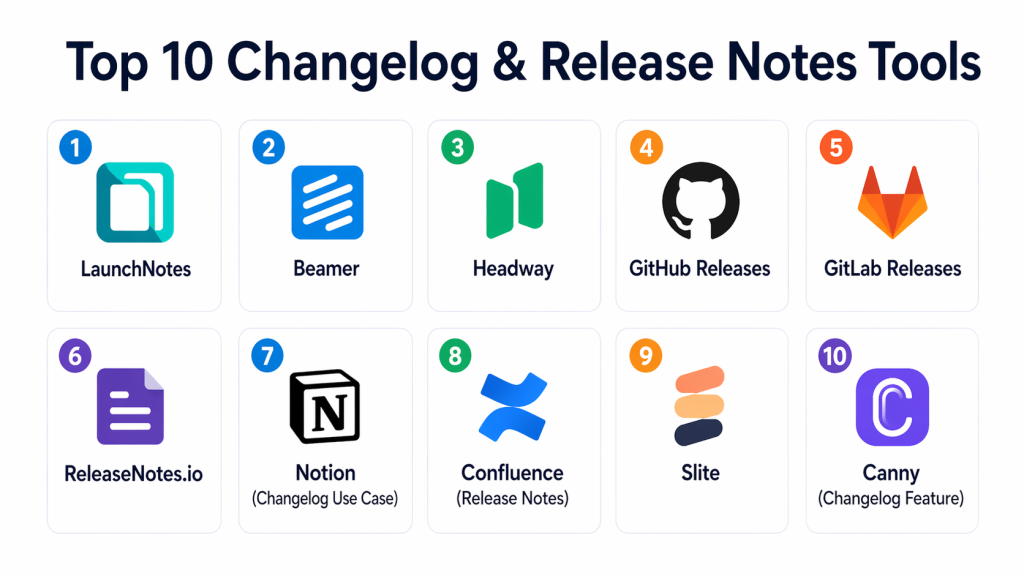
Top 10 Changelog & Release Notes Tools
#1 — LaunchNotes
Short description: LaunchNotes is a modern platform designed for product teams to communicate updates effectively. It enables teams to create, manage, and publish release notes with a strong focus on user engagement and communication.
Key Features
- Release note publishing
- Audience targeting
- Scheduling updates
- Feedback collection
- Integration with development tools
Pros
- Strong user communication focus
- Easy to use
Cons
- Limited customization for advanced users
- Premium pricing
Platforms / Deployment
- Cloud
Security & Compliance
- Not publicly stated
Integrations & Ecosystem
Integrates with product and development workflows.
- Dev tools
- CI/CD pipelines
Support & Community
Good documentation with growing adoption.
#2 — Beamer
Short description: Beamer is a changelog and notification platform that helps teams announce product updates directly to users through in-app notifications and widgets.
Key Features
- In-app notifications
- Changelog publishing
- User segmentation
- Analytics dashboard
- Customizable widgets
Pros
- Strong user engagement features
- Easy integration
Cons
- Limited developer-focused features
- Pricing tiers
Platforms / Deployment
- Cloud
Security & Compliance
- Not publicly stated
Integrations & Ecosystem
Works with web applications and product platforms.
- Web apps
- Analytics tools
Support & Community
Active support with good onboarding.
#3 — Headway
Short description: Headway provides a simple way to create and share product updates through widgets and hosted changelogs, focusing on ease of use and user communication.
Key Features
- Hosted changelog pages
- Notification widgets
- Custom branding
- Integration support
- Simple UI
Pros
- Easy to use
- Clean interface
Cons
- Limited advanced features
- Basic analytics
Platforms / Deployment
- Cloud
Security & Compliance
- Not publicly stated
Integrations & Ecosystem
Integrates with product and web environments.
- Web apps
- Dev tools
Support & Community
Moderate support with growing user base.
#4 — GitHub Releases
Short description: GitHub Releases allows developers to create release notes directly from repositories, making it ideal for open-source and developer-focused projects.
Key Features
- Release tagging
- Markdown-based notes
- Version tracking
- Integration with repositories
- Asset management
Pros
- Free and widely used
- Developer-friendly
Cons
- Limited user-facing features
- Basic customization
Platforms / Deployment
- Cloud
Security & Compliance
- Not publicly stated
Integrations & Ecosystem
Works within developer workflows.
- Git repositories
- CI/CD pipelines
Support & Community
Very large developer community.
#5 — GitLab Releases
Short description: GitLab provides release note capabilities integrated into its DevOps platform, enabling teams to manage releases alongside code and pipelines.
Key Features
- Release creation
- CI/CD integration
- Version tracking
- Automation support
- Collaboration tools
Pros
- All-in-one DevOps platform
- Strong automation
Cons
- Complex interface
- Requires setup
Platforms / Deployment
- Cloud / Self-hosted
Security & Compliance
- RBAC, audit logs
Integrations & Ecosystem
Integrates with development pipelines.
- CI/CD tools
- Dev platforms
Support & Community
Strong enterprise and open-source support.
#6 — ReleaseNotes.io
Short description: ReleaseNotes.io helps teams automate release note generation by collecting changes from development workflows and presenting them in a structured format.
Key Features
- Automated release notes
- Integration with dev tools
- Custom templates
- Collaboration features
- Publishing options
Pros
- Automation-focused
- Easy integration
Cons
- Limited customization
- Smaller ecosystem
Platforms / Deployment
- Cloud
Security & Compliance
- Not publicly stated
Integrations & Ecosystem
Supports integration with development workflows.
- Dev tools
- CI/CD pipelines
Support & Community
Growing adoption with moderate support.
#7 — Notion (Changelog Use Case)
Short description: Notion can be used as a flexible tool for maintaining changelogs and release notes with customizable templates and collaboration features.
Key Features
- Custom documentation
- Collaboration tools
- Templates
- Version tracking
- Sharing capabilities
Pros
- Highly flexible
- Easy collaboration
Cons
- Not purpose-built
- Manual effort required
Platforms / Deployment
- Cloud
Security & Compliance
- Not publicly stated
Integrations & Ecosystem
Works with productivity and collaboration tools.
- Workspace tools
- APIs
Support & Community
Large user community.
#8 — Confluence (Release Notes)
Short description: Confluence provides documentation and release note capabilities for teams using structured knowledge management systems.
Key Features
- Documentation management
- Collaboration tools
- Templates
- Version control
- Integration with development tools
Pros
- Strong documentation capabilities
- Good team collaboration
Cons
- Requires setup
- Not release-focused
Platforms / Deployment
- Cloud / Self-hosted
Security & Compliance
- RBAC
Integrations & Ecosystem
Integrates with enterprise tools.
- Dev tools
- Collaboration platforms
Support & Community
Strong enterprise support.
#9 — Slite
Short description: Slite is a collaborative documentation platform that can be used to create and share release notes internally and externally.
Key Features
- Team collaboration
- Document sharing
- Templates
- Version history
- Easy publishing
Pros
- Simple interface
- Good collaboration
Cons
- Limited release automation
- Not specialized
Platforms / Deployment
- Cloud
Security & Compliance
- Not publicly stated
Integrations & Ecosystem
Works with team collaboration tools.
- Workspace tools
- APIs
Support & Community
Moderate support.
#10 — Canny (Changelog Feature)
Short description: Canny provides changelog features alongside user feedback tools, enabling teams to communicate updates while collecting user insights.
Key Features
- Changelog publishing
- User feedback integration
- Roadmap tracking
- Notifications
- Analytics
Pros
- Combines feedback and updates
- User-focused
Cons
- Limited technical features
- Requires setup
Platforms / Deployment
- Cloud
Security & Compliance
- Not publicly stated
Integrations & Ecosystem
Integrates with product and feedback tools.
- Product tools
- Analytics platforms
Support & Community
Growing community with good support.
Comparison Table (Top 10)
| Tool Name | Best For | Platform(s) Supported | Deployment | Standout Feature | Public Rating |
|---|---|---|---|---|---|
| LaunchNotes | Product teams | Web | Cloud | Audience targeting | N/A |
| Beamer | User engagement | Web | Cloud | In-app notifications | N/A |
| Headway | Simplicity | Web | Cloud | Widgets | N/A |
| GitHub Releases | Developers | Web | Cloud | Repository integration | N/A |
| GitLab | DevOps teams | Web | Hybrid | CI/CD integration | N/A |
| ReleaseNotes.io | Automation | Web | Cloud | Auto generation | N/A |
| Notion | Documentation | Web | Cloud | Flexibility | N/A |
| Confluence | Enterprises | Web | Hybrid | Knowledge base | N/A |
| Slite | Teams | Web | Cloud | Collaboration | N/A |
| Canny | Product teams | Web | Cloud | Feedback integration | N/A |
Evaluation & Scoring of Changelog & Release Notes Tools
| Tool Name | Core (25%) | Ease (15%) | Integrations (15%) | Security (10%) | Performance (10%) | Support (10%) | Value (15%) | Weighted Total (0–10) |
|---|---|---|---|---|---|---|---|---|
| LaunchNotes | 9 | 9 | 8 | 8 | 8 | 8 | 7 | 8.3 |
| Beamer | 8 | 9 | 7 | 7 | 8 | 8 | 8 | 8.0 |
| Headway | 7 | 9 | 7 | 7 | 8 | 7 | 8 | 7.8 |
| GitHub | 8 | 8 | 9 | 7 | 8 | 9 | 9 | 8.4 |
| GitLab | 9 | 7 | 9 | 8 | 8 | 8 | 8 | 8.3 |
| ReleaseNotes.io | 8 | 8 | 8 | 7 | 8 | 7 | 8 | 7.9 |
| Notion | 7 | 9 | 7 | 7 | 8 | 8 | 9 | 8.0 |
| Confluence | 8 | 8 | 8 | 8 | 8 | 8 | 7 | 8.0 |
| Slite | 7 | 9 | 7 | 7 | 8 | 7 | 8 | 7.8 |
| Canny | 8 | 8 | 7 | 7 | 8 | 7 | 8 | 7.9 |
How to interpret scores:
These scores are comparative benchmarks based on weighted criteria. Higher scores indicate stronger overall performance, but the best tool depends on your needs. Some tools focus on developer workflows, while others emphasize user communication. Always evaluate tools in your environment before selecting.
Which Changelog & Release Notes Tool Is Right for You?
Solo / Freelancer
GitHub Releases is ideal due to simplicity and ease of use. It integrates directly with repositories and requires minimal setup. It is cost-effective and widely supported. Perfect for developer-focused workflows.
SMB
Beamer and Headway provide easy-to-use platforms with strong user engagement features. They help communicate updates effectively without complex setups. SMBs benefit from their simplicity and flexibility. These tools are scalable for growing products.
Mid-Market
ReleaseNotes.io and Notion provide better customization and automation. They support collaboration and structured documentation. These tools help manage increasing complexity. They are suitable for expanding teams.
Enterprise
LaunchNotes and Confluence are ideal for large organizations. They offer advanced collaboration, customization, and scalability. Enterprises benefit from their robust features and integration capabilities. These tools handle complex workflows effectively.
Budget vs Premium
- Budget: GitHub Releases, Notion
- Premium: LaunchNotes, Beamer
Feature Depth vs Ease of Use
- Easy: Headway, GitHub
- Advanced: LaunchNotes, Confluence
Integrations & Scalability
Choose tools that integrate with CI/CD pipelines and product platforms. Scalability is important for growing applications. Ensure the tool supports automation and collaboration. Integration flexibility is key.
Security & Compliance Needs
Prioritize tools with access control and audit capabilities. Compliance needs vary by organization. Tools with reporting and monitoring features provide better governance. Security visibility is essential.
Frequently Asked Questions (FAQs)
1. What is a changelog tool?
A changelog tool helps document and communicate updates, bug fixes, and new features in a structured format. It ensures that users and stakeholders are aware of changes. These tools improve transparency and user trust. They are widely used in modern software development.
2. Why are release notes important?
Release notes inform users about updates and improvements. They help users understand changes and new features. This improves user experience and engagement. Clear communication also reduces support requests.
3. Can changelog tools automate updates?
Yes, many tools can automatically generate changelogs from commits and pull requests. Automation reduces manual effort and ensures consistency. It also speeds up release documentation. This is important for frequent releases.
4. Are these tools suitable for developers?
Yes, many tools are designed specifically for developers. They integrate with version control systems and CI/CD pipelines. This allows seamless workflow integration. Developer-focused tools simplify release management.
5. Do these tools support user notifications?
Yes, some tools provide in-app notifications and email updates. This helps inform users about new releases in real time. Notifications improve engagement and awareness. It is useful for SaaS products.
6. Can these tools be used for internal documentation?
Yes, tools like Notion and Confluence are widely used for internal changelogs. They support collaboration and documentation. Teams can track changes internally. This improves communication across departments.
7. How difficult is implementation?
Implementation depends on the tool and requirements. Some tools are easy to set up, while others require configuration. Proper planning helps simplify the process. Starting with basic setups is recommended.
8. Are free changelog tools available?
Yes, tools like GitHub Releases and open-source options are available. They provide basic functionality without cost. However, advanced features may require paid tools. Teams should evaluate their needs.
9. What are common mistakes in release notes?
Common mistakes include lack of clarity, missing details, and inconsistent formatting. These issues reduce usability and understanding. Using structured tools helps avoid these problems. Clear communication is key.
10. What are alternatives to changelog tools?
Alternatives include manual documentation or spreadsheets. However, these methods are less efficient and harder to scale. Changelog tools provide automation and structure. They are preferred for modern workflows.
Conclusion
Changelog and release notes tools play a vital role in communicating product updates and maintaining transparency with users. As software development becomes more agile and release cycles shorten, having a structured approach to documenting changes is essential. These tools not only improve user engagement but also help teams stay organized and aligned. Whether you choose developer-focused solutions like GitHub Releases or user-centric platforms like LaunchNotes, the key is to match the tool with your workflow and communication needs. Start by identifying your requirements, test a few tools, and implement the one that best supports your release process and user communication strategy.
