Introduction
Change Management Tools ITIL help organizations plan, review, approve, schedule, implement, and audit changes across IT systems, applications, infrastructure, networks, cloud platforms, databases, and business services. In simple words, these tools help IT teams make changes safely without causing unnecessary outages, service disruption, compliance gaps, or operational confusion.
Change management matters because every IT environment changes constantly. Teams deploy software, update servers, modify firewall rules, patch systems, change configurations, migrate workloads, add users, update integrations, and improve services. Without a structured ITIL-aligned change process, changes can create incidents, downtime, security exposure, failed releases, and poor communication between IT, DevOps, security, operations, and business stakeholders. A strong change management platform helps teams assess risk, automate approvals, maintain change calendars, connect changes to incidents and assets, and provide audit-ready visibility.
Real-world use cases include:
- Standard change workflows for low-risk, repeatable changes such as routine patches or access updates.
- Normal change approval for infrastructure updates, application deployments, configuration changes, and service modifications.
- Emergency change control for urgent fixes, security patches, outages, and production incidents.
- Change advisory board support for review meetings, approval history, impact assessment, and change scheduling.
- Release and deployment planning for DevOps, application teams, and IT operations.
- CMDB impact analysis to understand affected services, assets, dependencies, and users.
- Audit and compliance reporting for change history, approvals, rollback plans, evidence, and risk controls.
Evaluation Criteria for Buyers:
- ITIL-aligned change workflows for standard, normal, emergency, and major changes.
- Approval automation for risk-based routing, CAB review, technical approvals, and business sign-off.
- Risk and impact assessment based on services, assets, dependencies, urgency, and change type.
- Change calendar visibility to avoid conflicts, blackout periods, and overlapping deployments.
- CMDB and asset integration for understanding affected configuration items and services.
- Incident, problem, and release management connection for complete ITSM process alignment.
- Automation and DevOps integration for deployment pipelines, monitoring tools, and change records.
- Security controls such as RBAC, SSO, MFA, audit logs, encryption, and approval history.
- Reporting and dashboards for success rate, failed changes, emergency changes, lead time, and risk trends.
- Ease of adoption for change managers, service owners, approvers, engineers, DevOps teams, and auditors.
Best for: Change Management Tools ITIL are best for IT service management teams, change managers, IT operations teams, DevOps teams, infrastructure teams, security teams, service owners, compliance teams, and enterprises that need structured control over production changes.
Not ideal for: Very small teams with simple systems and low change volume may not need a dedicated ITIL change management platform. If changes are rare, low-risk, and managed by a small technical team, a lightweight ticketing tool, project board, or DevOps workflow may be enough until change risk and audit needs increase.
Key Trends in Change Management Tools ITIL
- Change enablement is becoming more practical than rigid change control as teams balance speed, governance, and operational safety.
- Risk-based approvals are replacing one-size-fits-all workflows so low-risk changes can move faster while high-risk changes receive deeper review.
- DevOps and ITIL workflows are becoming more connected as deployment pipelines, change records, release notes, and incident data are linked together.
- AI-assisted change risk analysis is becoming more useful as platforms analyze historical failures, affected services, urgency, dependencies, and change patterns.
- CMDB-driven impact analysis is becoming more important because teams need to understand what services, users, and assets may be affected by a change.
- Automated standard changes are reducing manual approval effort by pre-approving repeatable, low-risk activities with defined procedures.
- Change calendars are becoming more visible across teams to reduce conflicts, blackout violations, and overlapping production changes.
- Emergency change governance is becoming stricter because organizations need fast fixes without losing audit evidence or post-change review.
- Enterprise service management is expanding change workflows beyond IT into security, facilities, compliance, and business operations.
- Audit-ready change records are becoming a stronger buying requirement as regulated organizations need approval history, test evidence, rollback plans, and change outcomes.
How We Selected These Tools
The tools in this list were selected based on their relevance to ITIL change management, ITSM maturity, change workflow automation, CMDB connection, approval controls, release coordination, service impact visibility, reporting, and enterprise adoption.
Evaluation logic included:
- Change management depth across standard, normal, emergency, and major change workflows.
- ITSM process coverage including incident, problem, request, asset, CMDB, knowledge, and release management.
- Market recognition and adoption among ITSM, IT operations, DevOps, enterprise service management, and service desk teams.
- Approval and workflow automation for technical review, CAB approval, risk scoring, and business sign-off.
- CMDB and dependency visibility for assessing change impact and service relationships.
- DevOps and automation integration for deployment pipelines, monitoring tools, and collaboration systems.
- Security and governance signals such as permissions, audit trails, authentication, and administrative controls.
- Scalability for SMB, mid-market, and enterprise change management environments.
- Ease of use for agents, engineers, approvers, change managers, and service owners.
- Practical buyer fit across IT operations, regulated industries, cloud teams, DevOps organizations, and enterprise support functions.
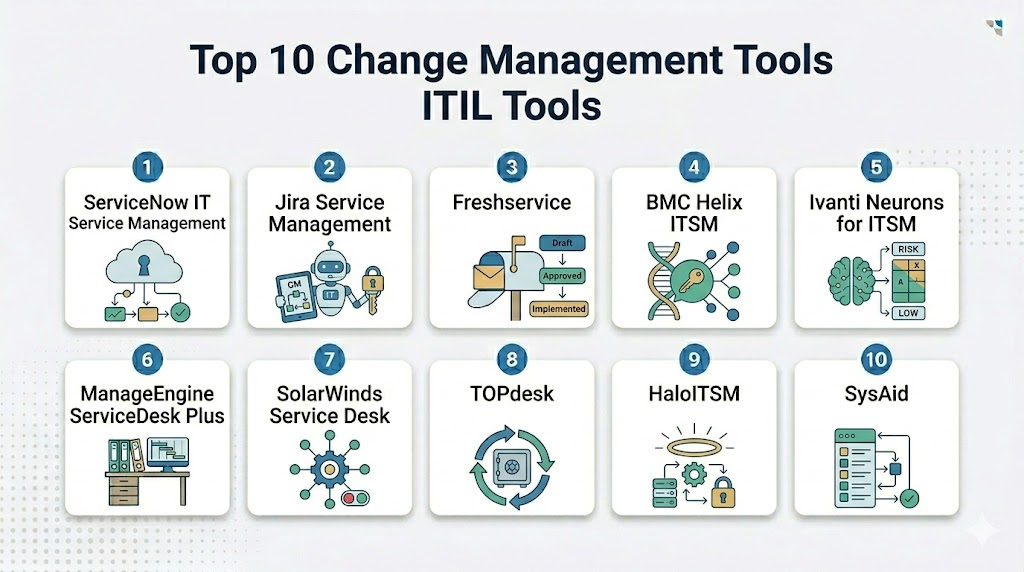
Top 10 Change Management Tools ITIL Tools
1- ServiceNow IT Service Management
Short description: ServiceNow IT Service Management is an enterprise ITSM platform with strong change management, request management, incident management, problem management, CMDB, workflow automation, and enterprise service management capabilities. It is best suited for large organizations that need scalable, governed, and highly configurable change processes.
Key Features
- ITIL-aligned change management workflows.
- Standard, normal, emergency, and major change support.
- Change advisory board and approval automation.
- Change calendar and blackout window visibility.
- CMDB-based impact analysis and service dependency mapping.
- Incident, problem, release, asset, and knowledge management integration.
- Reporting dashboards for change success, risk, volume, and audit readiness.
Pros
- Strong enterprise-grade change management depth.
- Highly scalable across IT and enterprise service management.
- Excellent fit for organizations needing CMDB-driven governance.
Cons
- Implementation can be complex and resource-intensive.
- Requires strong governance to avoid workflow and catalog sprawl.
- May be too advanced for small IT teams with simple change needs.
Platforms / Deployment
Web / Cloud
Security & Compliance
ServiceNow commonly supports enterprise access controls, SSO, role-based permissions, audit logs, encryption options, workflow governance, and administrative security settings. Specific certifications and compliance requirements should be confirmed during vendor evaluation.
Integrations & Ecosystem
ServiceNow connects change workflows with IT operations, monitoring, DevOps, security, HR, CMDB, asset management, and enterprise systems. It is useful where change processes must interact with multiple teams and platforms.
Common integration areas include:
- CMDB and asset management tools.
- DevOps and CI CD pipelines.
- Monitoring and observability platforms.
- Identity and access management systems.
- Collaboration platforms.
- ERP and enterprise workflow systems.
Support & Community
ServiceNow provides enterprise support, documentation, training, implementation partners, marketplace apps, and customer success resources. Its community is strong among ITSM leaders, service management teams, workflow administrators, enterprise architects, and large-scale operations teams.
2- Jira Service Management
Short description: Jira Service Management is an ITSM platform from Atlassian that supports change management, request management, incident management, problem management, approvals, assets, automation, and DevOps collaboration. It is especially useful for teams already using Jira Software, Confluence, and Atlassian workflows.
Key Features
- Change request management and approval workflows.
- Standard and emergency change workflow support.
- Integration with Jira Software for DevOps and deployment visibility.
- Change calendar and risk assessment support.
- Assets and configuration management capabilities.
- Automation rules for routing, notifications, and approvals.
- Knowledge base integration through Confluence.
Pros
- Strong fit for DevOps and software delivery teams.
- Excellent integration with Atlassian ecosystem.
- Good balance of flexibility, usability, and ITSM capability.
Cons
- Complex enterprise governance may require careful setup.
- Some advanced needs may depend on add-ons or higher plans.
- Non-Atlassian organizations may need more integration planning.
Platforms / Deployment
Web / Cloud / Data Center options may vary
Security & Compliance
Atlassian products commonly support access controls, SSO options, permissions, audit logs, and administrative security settings. Specific certifications and compliance requirements should be confirmed directly with the vendor.
Integrations & Ecosystem
Jira Service Management connects ITIL change management with development, knowledge, incident response, monitoring, and collaboration workflows.
Common integration areas include:
- Jira Software.
- Confluence.
- DevOps pipelines.
- Monitoring tools.
- Identity systems.
- Collaboration platforms.
Support & Community
Atlassian provides documentation, support resources, training, marketplace partners, and a large community. Its community is strong among IT teams, DevOps teams, agile teams, service desk administrators, and technical support organizations.
3- Freshservice
Short description: Freshservice is a cloud-based ITSM platform that supports change management, service requests, incident management, problem management, asset management, knowledge base, automation, and service desk operations. It is well suited for SMB and mid-market teams that want ITIL-aligned workflows with easier adoption.
Key Features
- Change management workflows with approvals and planning.
- Change calendar and release coordination support.
- Incident, problem, request, and asset management.
- Workflow automation for routing, notifications, and approvals.
- Knowledge base and self-service portal.
- AI-assisted service desk capabilities.
- Dashboards for SLA, change performance, and IT operations visibility.
Pros
- Easier to adopt than many enterprise-heavy ITSM platforms.
- Good fit for SMB and mid-market IT teams.
- Strong balance of ITSM capability and usability.
Cons
- Very complex enterprise workflows should be validated carefully.
- Reporting and customization depth may vary by plan.
- Large organizations may need deeper governance and integration planning.
Platforms / Deployment
Web / Cloud / iOS / Android
Security & Compliance
Freshservice commonly supports role-based access, authentication options, permissions, auditability, and secure service management workflows. Specific certifications and compliance requirements should be confirmed during vendor review.
Integrations & Ecosystem
Freshservice connects change management with service desk, IT operations, collaboration, identity, monitoring, asset, and productivity systems.
Common integration areas include:
- Identity and directory systems.
- Collaboration tools.
- Endpoint and asset tools.
- Monitoring platforms.
- Productivity suites.
- Business workflow systems.
Support & Community
Freshservice provides documentation, onboarding resources, support, training content, and marketplace integrations. Its community is strong among SMB and mid-market ITSM teams, service desk managers, IT support leaders, and service operations administrators.
4- BMC Helix ITSM
Short description: BMC Helix ITSM is an enterprise ITSM platform that supports change management, incident management, problem management, asset management, CMDB, knowledge, AI-assisted service operations, and workflow automation. It is a strong fit for mature IT organizations with complex change environments.
Key Features
- Enterprise change management and approval workflows.
- Risk and impact assessment support.
- Change calendar and scheduling visibility.
- CMDB and service dependency integration.
- Incident, problem, release, and asset management alignment.
- AI-assisted service operations and workflow automation.
- Dashboards for change volume, success rate, risk, and compliance.
Pros
- Strong fit for mature enterprise ITSM environments.
- Deep ITIL-aligned process coverage.
- Useful for complex infrastructure and service operations.
Cons
- Implementation and administration can require experienced teams.
- May be more complex than small organizations need.
- User experience and workflow configuration should be tested carefully.
Platforms / Deployment
Web / Cloud / Enterprise deployment options may vary
Security & Compliance
BMC Helix commonly supports enterprise access controls, authentication options, role-based permissions, auditability, encryption options, and administrative governance. Specific certifications and compliance details should be confirmed with the vendor.
Integrations & Ecosystem
BMC Helix connects change workflows with IT operations, monitoring, CMDB, service desk, asset, automation, and enterprise systems.
Common integration areas include:
- CMDB and asset systems.
- Monitoring and observability tools.
- Identity platforms.
- Collaboration tools.
- Automation platforms.
- ERP and enterprise systems.
Support & Community
BMC provides enterprise support, documentation, implementation services, customer success resources, and training. Its community is strong among enterprise ITSM teams, IT operations leaders, service management professionals, and large infrastructure organizations.
5- Ivanti Neurons for ITSM
Short description: Ivanti Neurons for ITSM supports change management, incident management, request management, problem management, asset management, automation, and enterprise service workflows. It is useful for IT teams that want change management connected with endpoint, asset, service desk, and automation capabilities.
Key Features
- Change management workflows and approvals.
- Risk assessment and change scheduling.
- Incident, problem, request, and asset management.
- Workflow automation for routing, approvals, and escalations.
- Endpoint and asset intelligence connection.
- Self-service portal and knowledge base support.
- Reporting for SLA, change performance, and IT operations.
Pros
- Strong fit for IT teams connecting service desk and asset workflows.
- Useful for endpoint-aware change and service management.
- Flexible platform for IT and enterprise service workflows.
Cons
- Configuration can require careful planning.
- Some advanced workflows may need experienced administration.
- Smaller teams may find the platform broader than necessary.
Platforms / Deployment
Web / Cloud / Enterprise deployment options may vary
Security & Compliance
Ivanti commonly supports access controls, authentication options, permissions, audit logs, and administrative governance. Specific certifications and compliance needs should be confirmed during vendor evaluation.
Integrations & Ecosystem
Ivanti connects ITIL change workflows with IT assets, endpoints, security, identity, operations, and service management systems.
Common integration areas include:
- Endpoint management tools.
- Asset management systems.
- Identity providers.
- Monitoring tools.
- Collaboration platforms.
- Security operations systems.
Support & Community
Ivanti provides documentation, support services, implementation partners, training, and customer success resources. Its community is strong among IT operations, endpoint management, service desk, and ITSM administrators.
6- ManageEngine ServiceDesk Plus
Short description: ManageEngine ServiceDesk Plus is an ITSM platform that supports change management, incident management, request management, asset management, problem management, knowledge base, automation, and reporting. It is a practical choice for SMB, mid-market, and cost-conscious IT teams.
Key Features
- ITIL-aligned change management workflows.
- Change approvals, planning, scheduling, and review support.
- Incident, problem, request, and asset management.
- Change calendar and task assignment.
- Workflow automation for routing and notifications.
- Knowledge base and self-service portal.
- Reports for change performance, SLA, and service desk activity.
Pros
- Strong value for cost-conscious ITSM teams.
- Good balance of ITIL features and practical administration.
- Flexible deployment options for different organizations.
Cons
- Enterprise-scale complexity should be tested carefully.
- User experience may require configuration for best adoption.
- Advanced enterprise service management workflows may need additional setup.
Platforms / Deployment
Web / Cloud / On-premises options may vary / iOS / Android
Security & Compliance
ManageEngine commonly supports access controls, role-based permissions, authentication options, audit logs, and administrative settings. Specific certifications and compliance requirements should be confirmed directly with the vendor.
Integrations & Ecosystem
ManageEngine ServiceDesk Plus connects change management with IT operations, endpoint, identity, monitoring, and business systems.
Common integration areas include:
- Identity and directory systems.
- Endpoint management tools.
- Monitoring platforms.
- Asset management systems.
- Collaboration tools.
- ManageEngine and Zoho ecosystem tools.
Support & Community
ManageEngine provides documentation, support resources, training content, implementation guidance, and an active user ecosystem. Its community is strong among SMB IT teams, IT admins, service desk managers, and cost-conscious ITSM teams.
7- SolarWinds Service Desk
Short description: SolarWinds Service Desk is a cloud-based ITSM platform that supports change management, incident management, asset management, service catalog, knowledge base, automation, and service desk reporting. It is suitable for IT teams that want practical change management with service desk and asset workflows.
Key Features
- Change management workflows and approval routing.
- Change calendar and task management.
- Incident and request management.
- Asset management and discovery support.
- Knowledge base and self-service portal.
- Automation for ticket routing and notifications.
- Reporting dashboards for service desk and change performance.
Pros
- Practical option for IT teams needing service desk and change workflows.
- Useful for change tracking connected with assets and incidents.
- Good fit for cloud-based ITSM adoption.
Cons
- Complex enterprise workflows may require validation.
- Deep customization may be limited compared with larger platforms.
- Best fit depends on ITSM maturity and integration needs.
Platforms / Deployment
Web / Cloud
Security & Compliance
SolarWinds Service Desk commonly supports access controls, permissions, authentication options, auditability, and administrative settings. Specific certifications and compliance details should be confirmed during vendor review.
Integrations & Ecosystem
SolarWinds Service Desk connects change management with IT assets, monitoring, productivity, and support systems.
Common integration areas include:
- Asset management tools.
- Monitoring systems.
- Identity providers.
- Collaboration platforms.
- Productivity suites.
- Reporting systems.
Support & Community
SolarWinds provides documentation, customer support, training resources, and implementation guidance. Its community is strong among IT administrators, service desk teams, IT operations users, and infrastructure support teams.
8- TOPdesk
Short description: TOPdesk is a service management platform that supports change management, incident management, service requests, asset management, knowledge management, self-service portals, and enterprise service delivery. It is often used by IT, facilities, HR, education, healthcare, and public-sector teams.
Key Features
- Change management and approval workflows.
- Request, incident, and asset management.
- Self-service portal and service catalog support.
- Knowledge base for end-user self-service.
- Workflow automation for routing and task assignment.
- Multi-department service management capabilities.
- Reporting dashboards for service performance.
Pros
- Strong fit for IT and enterprise service management.
- Useful for organizations expanding service management beyond IT.
- Practical for education, healthcare, public sector, and facilities teams.
Cons
- Advanced customization needs should be validated.
- Large enterprise integrations may require planning.
- Multi-department adoption may need process design and training.
Platforms / Deployment
Web / Cloud / Enterprise deployment options may vary
Security & Compliance
TOPdesk commonly supports permissions, authentication options, access controls, auditability, and administrative governance. Specific certifications and compliance requirements should be confirmed during vendor evaluation.
Integrations & Ecosystem
TOPdesk connects change workflows with IT, HR, facilities, assets, knowledge, and business systems.
Common integration areas include:
- Identity systems.
- Asset management tools.
- Collaboration platforms.
- Monitoring tools.
- HR systems.
- Reporting tools.
Support & Community
TOPdesk provides documentation, customer support, onboarding assistance, training, and service management guidance. Its community is strong among IT service teams, facilities teams, education institutions, public-sector organizations, and enterprise service management users.
9- HaloITSM
Short description: HaloITSM is an ITSM platform that supports change management, request management, incident management, problem management, asset management, service catalog, automation, and reporting. It is useful for teams that want a modern service desk with configurable change workflows.
Key Features
- Change management workflows and approvals.
- Incident, request, problem, and asset management.
- Service catalog and portal management.
- Workflow automation for approvals and fulfillment.
- Knowledge base and self-service support.
- SLA tracking and service dashboards.
- Integration options for IT operations and collaboration tools.
Pros
- Modern interface and strong ITSM workflow coverage.
- Good fit for teams wanting configurable change workflows.
- Useful for IT departments improving self-service and automation.
Cons
- Enterprise-scale implementation should be validated carefully.
- Some complex integrations may require technical support.
- Best value depends on workflow design and adoption.
Platforms / Deployment
Web / Cloud / On-premises options may vary
Security & Compliance
HaloITSM commonly supports permissions, access controls, authentication options, auditability, and administrative settings. Specific certifications and compliance needs should be confirmed directly with the vendor.
Integrations & Ecosystem
HaloITSM integrates with IT, collaboration, monitoring, asset, endpoint, and productivity tools.
Common integration areas include:
- Identity providers.
- Collaboration tools.
- Monitoring systems.
- Asset management tools.
- Endpoint tools.
- Reporting platforms.
Support & Community
HaloITSM provides support, documentation, onboarding resources, and implementation guidance. Its community is strongest among ITSM teams, service desk leaders, managed service providers, and IT operations users.
10- SysAid
Short description: SysAid is an ITSM and service desk platform that supports change management, incident management, service requests, asset management, automation, self-service, and reporting. It is suitable for IT teams looking for practical ITIL-aligned workflows with service desk automation.
Key Features
- Change management workflow support.
- Incident, request, and asset management.
- Self-service portal and knowledge base.
- Workflow automation and routing rules.
- SLA tracking and reporting dashboards.
- Asset discovery and IT inventory visibility.
- AI-assisted service desk capabilities depending on configuration.
Pros
- Practical option for IT teams seeking ITSM automation.
- Useful for service desk and asset-connected workflows.
- Good fit for organizations wanting ITIL-aligned functionality without excessive complexity.
Cons
- Advanced enterprise customization should be validated.
- Integration depth may vary by environment.
- Best fit depends on ITSM maturity and process needs.
Platforms / Deployment
Web / Cloud / Enterprise deployment options may vary
Security & Compliance
SysAid commonly supports user permissions, access controls, authentication options, auditability, and administrative settings. Specific certifications and compliance requirements should be confirmed directly with the vendor.
Integrations & Ecosystem
SysAid connects change management with service desk, asset, identity, collaboration, and IT operations workflows.
Common integration areas include:
- Identity systems.
- Asset management systems.
- Collaboration tools.
- Monitoring platforms.
- Productivity suites.
- Reporting tools.
Support & Community
SysAid provides documentation, support services, onboarding resources, and service management guidance. Its community is strongest among IT support teams, service desk managers, SMB IT departments, and mid-market ITSM users.
Comparison Table
| Tool Name | Best For | Platform Supported | Deployment | Standout Feature | Public Rating |
|---|---|---|---|---|---|
| ServiceNow IT Service Management | Large enterprise change governance | Web | Cloud | CMDB-driven change workflows and enterprise automation | N/A |
| Jira Service Management | DevOps and Atlassian-centered teams | Web | Cloud / Data Center options may vary | Change workflows connected with Jira and Confluence | N/A |
| Freshservice | SMB and mid-market ITSM teams | Web / iOS / Android | Cloud | Easy ITIL-aligned change management adoption | N/A |
| BMC Helix ITSM | Mature enterprise IT operations | Web | Cloud / Enterprise options may vary | Deep ITSM and service operations capabilities | N/A |
| Ivanti Neurons for ITSM | ITSM with endpoint and asset alignment | Web | Cloud / Enterprise options may vary | Change workflows connected with endpoint intelligence | N/A |
| ManageEngine ServiceDesk Plus | Cost-conscious IT teams | Web / iOS / Android | Cloud / On-premises options may vary | Practical ITIL change workflows with flexible deployment | N/A |
| SolarWinds Service Desk | Cloud-based IT service teams | Web | Cloud | Change management with asset and service desk workflows | N/A |
| TOPdesk | Multi-department service management | Web | Cloud / Enterprise options may vary | IT and enterprise service management usability | N/A |
| HaloITSM | Modern configurable ITSM teams | Web | Cloud / On-premises options may vary | Configurable workflows and modern service desk experience | N/A |
| SysAid | Practical ITSM and service desk automation | Web | Cloud / Enterprise options may vary | ITIL-aligned service desk and asset workflows | N/A |
Evaluation & Scoring of Change Management Tools ITIL
| Tool Name | Core 25% | Ease 15% | Integrations 15% | Security 10% | Performance 10% | Support 10% | Value 15% | Weighted Total |
| ServiceNow IT Service Management | 10 | 7 | 10 | 9 | 9 | 9 | 7 | 8.75 |
| Jira Service Management | 8 | 8 | 9 | 8 | 8 | 8 | 8 | 8.15 |
| Freshservice | 8 | 9 | 8 | 8 | 8 | 8 | 9 | 8.35 |
| BMC Helix ITSM | 9 | 7 | 9 | 9 | 9 | 8 | 7 | 8.25 |
| Ivanti Neurons for ITSM | 8 | 7 | 8 | 8 | 8 | 8 | 7 | 7.60 |
| ManageEngine ServiceDesk Plus | 8 | 8 | 8 | 8 | 8 | 8 | 9 | 8.15 |
| SolarWinds Service Desk | 7 | 8 | 8 | 8 | 8 | 8 | 8 | 7.75 |
| TOPdesk | 8 | 8 | 7 | 8 | 8 | 8 | 8 | 7.85 |
| HaloITSM | 8 | 8 | 8 | 8 | 8 | 8 | 8 | 8.00 |
| SysAid | 7 | 8 | 7 | 8 | 8 | 8 | 8 | 7.60 |
The scoring is comparative and should be used as a practical starting point, not a final buying decision. Enterprise teams may value CMDB integration, approval governance, automation, audit trails, and scalability more than ease of setup. SMB and mid-market teams may prioritize ease of adoption, practical change workflows, and lower administration effort. A tool with a slightly lower score may still be the best fit if it matches your change volume, ITSM maturity, compliance needs, DevOps workflow, and budget. Buyers should test each platform with real standard, normal, emergency, and major change scenarios before final selection.
Which Change Management Tools ITIL Tool Is Right for You?
Solo / Freelancer
Solo professionals and independent IT consultants usually do not need a full enterprise change management platform for personal operations. A lightweight ticketing tool, project board, or documentation workflow may be enough for simple change planning and approval tracking.
If a consultant manages IT services for clients, ManageEngine ServiceDesk Plus, Freshservice, HaloITSM, or Jira Service Management may be practical choices. The focus should be on easy change records, approval history, scheduling, and clear communication rather than heavy enterprise governance.
SMB
SMBs should focus on easy setup, clear change workflows, simple approvals, service desk integration, asset visibility, and practical reporting. Freshservice, ManageEngine ServiceDesk Plus, Jira Service Management, HaloITSM, SolarWinds Service Desk, and SysAid can be strong options depending on team size and internal skills.
Small businesses should avoid building overly complex CAB workflows too early. The best starting point is to define standard changes, document risk, require approvals for normal changes, maintain a change calendar, and review failed changes consistently.
Mid-Market
Mid-market organizations often need stronger change control because they manage more systems, more teams, more releases, and higher service expectations. Jira Service Management, Freshservice, ManageEngine ServiceDesk Plus, HaloITSM, TOPdesk, Ivanti, and SolarWinds Service Desk can all be relevant depending on ITSM maturity.
If DevOps integration is important, Jira Service Management can be a strong fit. If ease of adoption is the priority, Freshservice may be practical. If cost-conscious ITSM depth matters, ManageEngine can be useful. If multi-department service management is growing, TOPdesk or HaloITSM may be worth evaluating.
Enterprise
Enterprises usually need advanced change workflows, CAB governance, CMDB-based impact analysis, blackout calendars, emergency change controls, audit trails, release integration, automation, security controls, and reporting. ServiceNow, BMC Helix, Ivanti, Jira Service Management, and Matrix-level enterprise ITSM tools are strong candidates, with Freshservice and ManageEngine also relevant for some enterprise use cases.
Enterprise buyers should focus on CMDB quality, workflow flexibility, risk scoring, integration architecture, approval routing, reporting, and governance. The best platform is the one that lets low-risk changes move quickly while ensuring high-risk changes receive proper review.
Budget vs Premium
Budget-focused buyers should start with tools that provide practical change workflows without excessive administration. Freshservice, ManageEngine ServiceDesk Plus, Jira Service Management, HaloITSM, SolarWinds Service Desk, and SysAid may provide strong value depending on team size and process maturity.
Premium buyers should evaluate ServiceNow, BMC Helix, Ivanti, and enterprise-grade Jira Service Management when change management is mission-critical. These platforms are better suited for complex infrastructure, regulated environments, global IT teams, CMDB dependencies, and large-scale workflow automation.
Feature Depth vs Ease of Use
ServiceNow, BMC Helix, and Ivanti offer deeper enterprise ITSM and change management capabilities. They are useful when organizations need advanced approvals, impact analysis, CMDB integration, audit controls, automation, and enterprise service governance.
Freshservice, Jira Service Management, ManageEngine ServiceDesk Plus, HaloITSM, SolarWinds Service Desk, TOPdesk, and SysAid may be easier to adopt depending on the use case. Buyers should choose feature depth when change risk is high and choose ease of use when adoption speed and practical process control matter most.
Integrations & Scalability
Change management becomes more valuable when it integrates with CMDB, asset management, monitoring, incident management, DevOps pipelines, collaboration tools, identity systems, security tools, and release management workflows. A production deployment, for example, may need to create a change record, link related incidents, notify stakeholders, schedule a window, validate approvals, and update release status.
Scalability depends on change volume, number of services, business units, regions, approvers, teams, and integration points. Large organizations should validate API availability, CMDB relationship quality, workflow performance, permission models, automation rules, audit trails, and reporting flexibility before final selection.
Security & Compliance Needs
Change management tools often contain sensitive information about infrastructure, production systems, security changes, access updates, application deployments, and operational risk. Buyers should review RBAC, SSO, MFA, encryption, audit logs, approval history, change evidence, and administrative controls before purchase.
Highly regulated organizations should also evaluate segregation of duties, emergency change review, rollback evidence, CAB records, failed change reporting, and audit-ready dashboards. A strong change management tool should improve delivery speed while reducing operational and compliance risk.
Frequently Asked Questions
1- What are Change Management Tools ITIL?
Change Management Tools ITIL help organizations plan, approve, schedule, implement, and review IT changes using structured service management practices. They reduce risk by tracking approvals, impact, testing, communication, and change outcomes.
2- Who should use ITIL change management tools?
IT service management teams, IT operations, DevOps teams, infrastructure teams, security teams, change managers, service owners, and compliance teams should use these tools. They are especially useful when production changes can affect business services.
3- What is the difference between change management and change enablement?
Change management traditionally focuses on controlling changes to reduce risk. Change enablement is a more modern approach that focuses on enabling safe, efficient, and well-governed change while avoiding unnecessary approval bottlenecks.
4- What features are most important in ITIL change tools?
Important features include change workflows, approval routing, risk assessment, impact analysis, change calendar, CAB support, CMDB integration, rollback plans, audit logs, automation, reporting, and integration with incident, problem, and release management.
5- How much do Change Management Tools ITIL cost?
Pricing varies by vendor, number of agents, modules, deployment model, integrations, automation depth, support level, and enterprise requirements. Many vendors use custom pricing for larger deployments, so buyers should request quotes based on actual ITSM needs.
6- How long does implementation take?
Implementation depends on process maturity, workflow complexity, CMDB quality, approval rules, integrations, data migration, and user training. A simple rollout can move faster, while enterprise change management usually requires phased implementation and governance planning.
7- What are common mistakes in ITIL change management?
Common mistakes include over-approving low-risk changes, skipping impact analysis, weak emergency change review, poor communication, outdated CMDB data, unclear ownership, and not measuring failed changes. Good tools help, but process discipline is still required.
8- Can change management tools reduce incidents?
Yes, change management tools can reduce change-related incidents by enforcing risk assessment, approvals, testing evidence, deployment windows, communication, rollback plans, and post-implementation reviews. Results depend on process quality and team adoption.
9- Do change management tools integrate with DevOps pipelines?
Many modern ITSM tools integrate with DevOps pipelines to connect deployments, change records, approvals, incidents, and release workflows. This helps teams maintain governance while supporting faster software delivery.
10- What is a standard change?
A standard change is a pre-approved, low-risk, repeatable change with a known procedure and predictable outcome. Examples may include routine access updates, approved patch tasks, or recurring maintenance activities that follow established controls.
Conclusion
Change Management Tools ITIL help organizations manage IT changes with better control, visibility, and accountability. The right platform can reduce failed changes, improve approval speed, connect changes with incidents and assets, support CAB reviews, strengthen audit readiness, and help IT teams deliver safer service improvements. ServiceNow and BMC Helix are strong choices for large enterprise environments, Jira Service Management is ideal for Atlassian and DevOps-centered teams, Freshservice and ManageEngine are practical for SMB and mid-market adoption, and Ivanti, SolarWinds, TOPdesk, HaloITSM, and SysAid serve different ITSM maturity levels and service management needs. The best choice depends on your change volume, CMDB quality, approval complexity, DevOps integration needs, compliance requirements, and budget. Start by shortlisting two or three tools, test them with real standard, normal, and emergency changes, validate integrations and security, and then scale once IT teams and approvers trust the workflow.
