Introduction
Bring Your Own Device (BYOD) Management Tools are solutions that allow organizations to securely manage employee-owned devices—such as smartphones, tablets, and laptops—used to access corporate data and applications. Instead of issuing company-owned hardware, businesses enable employees to use personal devices while maintaining control over security, compliance, and access.
As hybrid and remote work models continue to expand, BYOD has become a practical necessity rather than a convenience. However, this flexibility introduces risks like data leakage, unsecured endpoints, and compliance gaps. Modern BYOD tools address these challenges with device management, application control, identity integration, and real-time threat detection.
Real-world use cases include:
- Securing employee mobile access to business apps
- Managing remote workforce devices across locations
- Enforcing compliance policies in regulated industries
- Protecting sensitive data on personal devices
- Enabling flexible work environments with controlled access
What buyers should evaluate:
- Multi-platform device support
- Security controls (encryption, MFA, zero trust)
- Ease of deployment and onboarding
- Integration with identity and IT systems
- Scalability for growing teams
- User privacy controls (data separation)
- Compliance capabilities
- Automation and policy enforcement
- Cost and licensing flexibility
Best for: IT managers, security teams, enterprises with distributed workforces, startups adopting remote work, and industries like healthcare, finance, and IT services.
Not ideal for: Organizations that only use company-owned devices, or very small teams with minimal security requirements.
Key Trends in BYOD Management Tools
- Zero Trust BYOD frameworks ensuring continuous authentication and device validation
- AI-powered threat detection identifying anomalies in real time
- Privacy-first containerization separating personal and corporate data
- Unified Endpoint Management (UEM) replacing standalone MDM solutions
- Cloud-native architectures enabling faster deployments and scaling
- Automation-driven IT operations reducing manual configuration effort
- Identity-first security models tightly integrated with IAM platforms
- Cross-platform consistency across mobile, desktop, and IoT devices
- Compliance automation with real-time monitoring and reporting
- Flexible pricing models supporting SMB and enterprise needs
How We Selected These Tools (Methodology)
- Evaluated global adoption and enterprise usage patterns
- Assessed completeness of BYOD and UEM feature sets
- Reviewed reliability and performance indicators
- Considered security capabilities and risk mitigation features
- Analyzed integration ecosystems and API flexibility
- Evaluated usability and onboarding experience
- Included tools suitable for SMB, mid-market, and enterprise
- Prioritized vendors with proven scalability
- Considered vendor reputation and product maturity
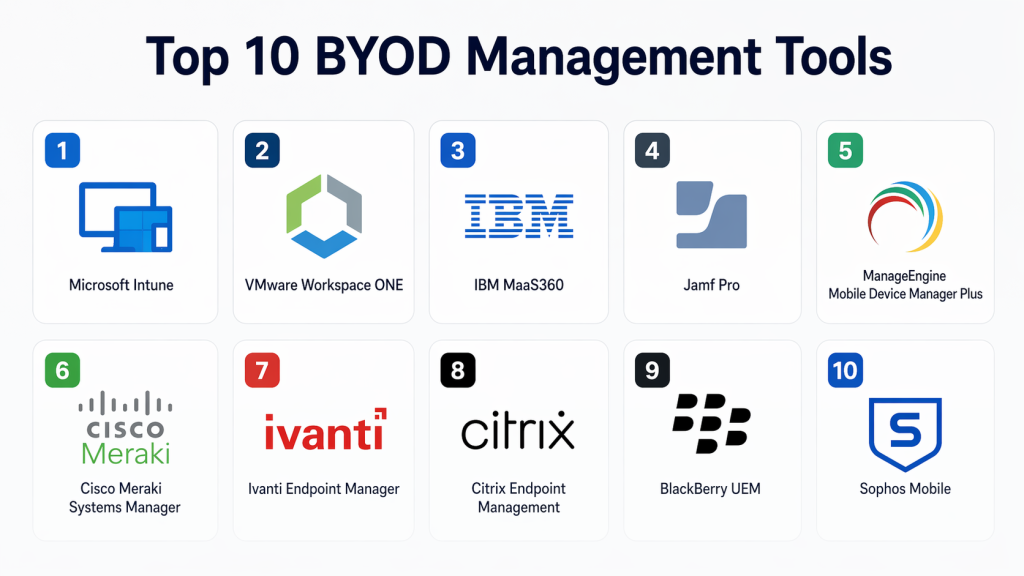
Top 10 BYOD Management Tools
#1 — Microsoft Intune
Short description: A cloud-based endpoint management platform designed to secure and manage devices across organizations. It integrates deeply with Microsoft ecosystems, making it ideal for enterprises using Microsoft 365 and Azure-based infrastructure. Suitable for businesses prioritizing identity-driven security and centralized control.
Key Features
- Mobile device and application management
- Conditional access policies
- Endpoint compliance enforcement
- App protection without full device enrollment
- Remote device wipe and reset
- Integration with identity services
- Endpoint analytics
Pros
- Deep integration with Microsoft ecosystem
- Strong security and compliance capabilities
Cons
- Learning curve for new users
- Best value within Microsoft-centric environments
Platforms / Deployment
Cloud / Windows / macOS / iOS / Android
Security & Compliance
SSO, MFA, encryption, RBAC, audit logs
Integrations & Ecosystem
Microsoft Intune integrates tightly with enterprise identity and productivity platforms, enabling centralized policy enforcement and seamless user access across services.
- Azure Active Directory
- Microsoft Defender
- Microsoft 365 apps
- Security and compliance tools
Support & Community
Comprehensive documentation, enterprise-grade support, and a large global user community
#2 — VMware Workspace ONE
Short description: A unified endpoint management solution offering advanced automation, identity integration, and cross-platform device control. It is widely used by enterprises needing scalable BYOD and UEM capabilities with strong policy enforcement and analytics.
Key Features
- Unified endpoint management
- Application lifecycle management
- Identity-based access control
- Automation workflows
- Real-time compliance monitoring
- Remote device configuration
- Analytics dashboard
Pros
- Highly scalable for enterprises
- Strong automation capabilities
Cons
- Higher cost for smaller organizations
- Complex configuration
Platforms / Deployment
Cloud / Hybrid / Windows / macOS / iOS / Android
Security & Compliance
SSO, encryption, RBAC
Integrations & Ecosystem
VMware Workspace ONE supports integration with enterprise IT infrastructure and cloud platforms, enabling flexible deployment and control.
- VMware ecosystem
- Identity providers
- Cloud platforms
- Enterprise apps
Support & Community
Strong enterprise support with extensive documentation
#3 — IBM MaaS360
Short description: An AI-driven unified endpoint management platform designed to provide deep insights into device behavior and security posture. It is well-suited for enterprises that prioritize analytics and automated threat detection.
Key Features
- AI-powered insights and analytics
- Mobile threat defense
- Device compliance management
- Secure containerization
- App lifecycle management
- Risk-based access controls
Pros
- Built-in AI-driven intelligence
- Strong security focus
Cons
- Interface can feel less modern
- Customization options limited
Platforms / Deployment
Cloud / iOS / Android / Windows / macOS
Security & Compliance
Encryption, MFA, compliance monitoring
Integrations & Ecosystem
IBM MaaS360 integrates with enterprise security systems and analytics platforms to provide comprehensive visibility and control.
- IBM security tools
- Identity services
- Cloud integrations
Support & Community
Enterprise-level support with structured onboarding
#4 — Jamf Pro
Short description: A specialized BYOD management solution focused on Apple devices, providing deep control and optimization for macOS and iOS environments. It is widely used by organizations with Apple-centric device strategies.
Key Features
- Apple device lifecycle management
- Configuration profiles
- App distribution and updates
- Security enforcement
- Remote management capabilities
- Device inventory tracking
Pros
- Best-in-class Apple device support
- Strong usability and performance
Cons
- Limited support for non-Apple devices
- Higher cost for smaller teams
Platforms / Deployment
Cloud / macOS / iOS
Security & Compliance
Encryption, device compliance
Integrations & Ecosystem
Jamf Pro integrates closely with Apple ecosystems and enterprise identity solutions to streamline device management.
- Apple ecosystem
- Identity providers
- Security tools
Support & Community
Highly active community and strong vendor support
#5 — ManageEngine Mobile Device Manager Plus
Short description: A cost-effective and easy-to-use BYOD management solution designed for SMBs and mid-sized organizations. It offers a balance of essential features and affordability.
Key Features
- Device enrollment and provisioning
- Policy enforcement
- Remote troubleshooting
- App management
- Security controls
- Device tracking
- Compliance monitoring
Pros
- Affordable pricing
- Easy setup and use
Cons
- Limited advanced automation
- Basic interface design
Platforms / Deployment
Cloud / On-premise / iOS / Android / Windows
Security & Compliance
Encryption, policy enforcement
Integrations & Ecosystem
ManageEngine integrates with IT management and directory services, making it suitable for organizations with existing IT infrastructure.
- Directory services
- IT management tools
- Monitoring platforms
Support & Community
Good SMB-focused support and documentation
#6 — Cisco Meraki Systems Manager
Short description: A cloud-based device management solution integrated with Cisco networking infrastructure. It provides simplified BYOD management with strong network visibility.
Key Features
- Device monitoring and tracking
- Network-based policy enforcement
- App management
- Remote troubleshooting
- Device configuration
- Security controls
Pros
- Easy deployment
- Strong network integration
Cons
- Best suited for Cisco environments
- Limited customization
Platforms / Deployment
Cloud / iOS / Android / macOS / Windows
Security & Compliance
Encryption, access control
Integrations & Ecosystem
Cisco Meraki integrates with networking and security infrastructure, providing unified visibility across devices and networks.
- Cisco networking tools
- Security platforms
- Cloud services
Support & Community
Reliable enterprise support
#7 — Ivanti Endpoint Manager
Short description: A comprehensive endpoint management platform offering advanced BYOD capabilities combined with strong security and automation features. It is suitable for enterprises with complex IT environments.
Key Features
- Endpoint security management
- Patch management
- Automation workflows
- Remote device control
- BYOD policy enforcement
- Compliance monitoring
Pros
- Strong automation and control
- Enterprise-grade security
Cons
- Complex setup
- Higher cost
Platforms / Deployment
Cloud / Hybrid / Windows / macOS / iOS / Android
Security & Compliance
RBAC, encryption, compliance monitoring
Integrations & Ecosystem
Ivanti integrates with ITSM, security, and enterprise tools to support large-scale deployments and workflows.
- ITSM platforms
- Security tools
- Enterprise applications
Support & Community
Enterprise-level support and onboarding
#8 — Citrix Endpoint Management
Short description: A BYOD management solution focused on secure application delivery and virtualization. It is ideal for organizations relying on virtual desktops and remote access solutions.
Key Features
- Secure app access
- Virtualization support
- Device management
- Policy enforcement
- Identity integration
- Remote access control
Pros
- Strong virtualization capabilities
- Secure application delivery
Cons
- Requires Citrix ecosystem familiarity
- Complex implementation
Platforms / Deployment
Cloud / Hybrid / Multi-platform
Security & Compliance
SSO, encryption
Integrations & Ecosystem
Citrix integrates with virtualization platforms and identity solutions, enabling secure access across distributed environments.
- Citrix ecosystem
- Identity providers
- Enterprise apps
Support & Community
Enterprise-grade support
#9 — BlackBerry UEM
Short description: A security-focused endpoint management solution trusted by regulated industries for its strong encryption and compliance capabilities. It is ideal for organizations with strict data protection requirements.
Key Features
- Secure device management
- Application containerization
- Compliance enforcement
- Threat detection
- Policy management
- Device monitoring
Pros
- High security standards
- Trusted in regulated sectors
Cons
- Less modern interface
- Limited flexibility
Platforms / Deployment
Cloud / Hybrid / Multi-platform
Security & Compliance
Encryption, compliance standards
Integrations & Ecosystem
BlackBerry UEM integrates with enterprise security tools and applications to provide a secure BYOD environment.
- Security platforms
- Enterprise applications
- Identity systems
Support & Community
Strong enterprise support
#10 — Sophos Mobile
Short description: A security-first BYOD management tool designed to protect mobile devices and integrate with broader cybersecurity solutions. It is well-suited for SMBs and security-focused teams.
Key Features
- Device encryption
- Application management
- Threat protection
- Compliance policies
- Remote wipe capabilities
- Device monitoring
Pros
- Strong security integration
- Easy deployment
Cons
- Limited advanced customization
- Best within Sophos ecosystem
Platforms / Deployment
Cloud / iOS / Android / Windows
Security & Compliance
MFA, encryption, compliance monitoring
Integrations & Ecosystem
Sophos Mobile integrates with cybersecurity tools to enhance threat detection and response across endpoints.
- Sophos security suite
- Endpoint protection tools
- Identity systems
Support & Community
Good support and documentation
Comparison Table (Top 10)
| Tool Name | Best For | Platform(s) Supported | Deployment | Standout Feature | Public Rating |
|---|---|---|---|---|---|
| Microsoft Intune | Enterprises | Multi-platform | Cloud | Microsoft ecosystem integration | N/A |
| VMware Workspace ONE | Large enterprises | Multi-platform | Hybrid | Automation and scalability | N/A |
| IBM MaaS360 | Security-focused enterprises | Multi-platform | Cloud | AI-driven insights | N/A |
| Jamf Pro | Apple-focused orgs | macOS/iOS | Cloud | Apple device optimization | N/A |
| ManageEngine MDM | SMBs | Multi-platform | Hybrid | Cost-effective solution | N/A |
| Cisco Meraki | Network-centric orgs | Multi-platform | Cloud | Network integration | N/A |
| Ivanti Endpoint Manager | Enterprises | Multi-platform | Hybrid | Automation and control | N/A |
| Citrix Endpoint | Virtualization-heavy orgs | Multi-platform | Hybrid | Secure app delivery | N/A |
| BlackBerry UEM | Regulated industries | Multi-platform | Hybrid | High security focus | N/A |
| Sophos Mobile | SMB security teams | Multi-platform | Cloud | Threat protection | N/A |
Evaluation & Scoring of BYOD Management Tools
| Tool Name | Core (25%) | Ease (15%) | Integrations (15%) | Security (10%) | Performance (10%) | Support (10%) | Value (15%) | Weighted Total |
|---|---|---|---|---|---|---|---|---|
| Microsoft Intune | 9 | 8 | 9 | 9 | 9 | 8 | 8 | 8.6 |
| VMware Workspace ONE | 9 | 7 | 9 | 9 | 9 | 8 | 7 | 8.3 |
| IBM MaaS360 | 8 | 7 | 8 | 9 | 8 | 8 | 7 | 8.0 |
| Jamf Pro | 8 | 9 | 7 | 8 | 8 | 8 | 7 | 8.0 |
| ManageEngine MDM | 7 | 8 | 7 | 7 | 7 | 7 | 9 | 7.6 |
| Cisco Meraki | 8 | 8 | 8 | 8 | 8 | 8 | 7 | 7.9 |
| Ivanti Endpoint Manager | 9 | 7 | 8 | 9 | 9 | 8 | 7 | 8.2 |
| Citrix Endpoint | 8 | 7 | 8 | 9 | 8 | 8 | 7 | 8.0 |
| BlackBerry UEM | 8 | 6 | 7 | 10 | 8 | 8 | 7 | 8.0 |
| Sophos Mobile | 7 | 8 | 7 | 8 | 7 | 7 | 8 | 7.6 |
How to interpret scores:
- These scores are comparative, not absolute performance guarantees
- Higher scores indicate better balance across features, usability, and value
- Security-heavy tools may score higher in compliance but lower in ease
- SMB-focused tools often excel in value but may lack advanced features
- Choose based on your organization’s specific priorities and constraints
Which BYOD Management Tools Is Right for You?
Solo / Freelancer
For individuals or freelancers, simplicity and affordability matter most. Tools like ManageEngine Mobile Device Manager Plus and Sophos Mobile provide essential features without overwhelming complexity.
SMB
Small businesses should focus on ease of use, cost efficiency, and basic security. ManageEngine, Cisco Meraki, and Sophos Mobile offer balanced solutions for SMB environments.
Mid-Market
Mid-sized organizations require scalability and better automation. VMware Workspace ONE and IBM MaaS360 are strong options due to their advanced capabilities and flexibility.
Enterprise
Enterprises need high security, scalability, and deep integrations. Microsoft Intune, Ivanti Endpoint Manager, and BlackBerry UEM are ideal for complex environments.
Budget vs Premium
- Budget-friendly: ManageEngine, Sophos Mobile
- Premium solutions: VMware Workspace ONE, Microsoft Intune, Ivanti
Feature Depth vs Ease of Use
- Feature-rich platforms: VMware Workspace ONE, Ivanti
- User-friendly tools: Jamf Pro, ManageEngine
Integrations & Scalability
- Best integrations: Microsoft Intune, VMware
- Highly scalable: IBM MaaS360, Citrix
Security & Compliance Needs
- High-security environments: BlackBerry UEM, Microsoft Intune, Ivanti
Frequently Asked Questions (FAQs)
1. What is a BYOD management tool?
A BYOD management tool helps organizations control and secure employee-owned devices used for work. It ensures that sensitive company data remains protected while allowing users to access corporate resources from personal devices. These tools enforce policies, manage apps, and monitor device compliance.
2. How do BYOD tools protect company data?
BYOD tools use encryption, access controls, and policy enforcement to secure corporate data. They can isolate work data from personal data using containerization. Many tools also offer remote wipe capabilities to remove company data if a device is lost or compromised.
3. Are BYOD tools intrusive for employees?
Modern BYOD solutions are designed with privacy in mind. They typically separate personal and work data, ensuring that IT teams cannot access personal information. Employees retain control over their private data while organizations manage only corporate resources.
4. How much do BYOD management tools cost?
Pricing varies depending on the number of devices, features, and deployment model. Some tools offer per-device or per-user pricing, while others provide bundled enterprise plans. Costs can range from budget-friendly SMB solutions to premium enterprise platforms.
5. How long does implementation take?
Implementation timelines vary based on organization size and complexity. Small teams can deploy BYOD tools within days, while enterprises may require weeks for full rollout. Proper planning and testing are essential for smooth deployment.
6. Can BYOD tools support multiple device types?
Yes, most modern BYOD tools support multiple platforms including iOS, Android, Windows, and macOS. This cross-platform compatibility is essential for organizations with diverse device environments.
7. What are common mistakes when implementing BYOD?
Common mistakes include unclear policies, lack of employee training, and insufficient security controls. Organizations should define clear guidelines, ensure user awareness, and test policies before full deployment.
8. Can BYOD tools integrate with existing IT systems?
Most BYOD tools offer integrations with identity providers, cloud platforms, and security solutions. These integrations enable seamless authentication, policy enforcement, and centralized management.
9. Is it possible to switch BYOD tools later?
Yes, organizations can switch tools, but it requires careful planning. Data migration, policy reconfiguration, and user onboarding must be managed properly to avoid disruptions.
10. Are BYOD tools suitable for regulated industries?
Yes, many BYOD tools are designed to meet compliance requirements in industries like healthcare and finance. They provide features such as audit logs, encryption, and policy enforcement to support regulatory standards.
Conclusion
BYOD management tools have become a cornerstone of modern IT strategy as organizations continue to embrace remote work and flexible device usage. They enable businesses to balance employee convenience with strong security controls, ensuring that corporate data remains protected even on personal devices. From enterprise-grade platforms like Microsoft Intune and VMware Workspace ONE to cost-effective solutions like ManageEngine and Sophos Mobile, there is a wide range of options tailored to different organizational needs.
Choosing the right tool requires a clear understanding of your priorities—whether that is security, scalability, ease of use, or integration capabilities. Enterprises may prioritize advanced compliance and automation, while smaller organizations often focus on affordability and simplicity. Evaluating device compatibility, deployment models, and long-term scalability is critical before making a decision.
The best approach is to shortlist two or three tools that align with your requirements and run a pilot implementation. Testing real-world performance, integration capabilities, and security controls will help you make a confident and informed decision that supports your organization’s growth and security goals
