Introduction
Bioinformatics Workflow Managers are software platforms that help researchers design, execute, and manage complex computational pipelines used in genomics, proteomics, and other life science domains. These tools automate repetitive tasks, ensure reproducibility, and enable scalable analysis across large biological datasets.
As bioinformatics workflows become increasingly complex with multi-step data processing and integration, manual execution is no longer practical. Workflow managers provide structure, automation, and error handling, allowing researchers to focus on insights rather than infrastructure. They are essential in high-throughput sequencing, clinical genomics, and AI-driven biological research.
Real-world use cases:
- Genomics and sequencing data analysis
- Proteomics data pipelines
- Clinical bioinformatics workflows
- Data preprocessing for machine learning
- Reproducible scientific research
What buyers should evaluate:
- Workflow automation and orchestration capabilities
- Scalability for large datasets and HPC environments
- Integration with bioinformatics tools and databases
- Reproducibility and version control features
- Ease of use and learning curve
- Support for scripting and customization
- Cloud and container support
- Error handling and monitoring
- Community and ecosystem
Best for: Bioinformatics researchers, computational biologists, genomics labs, and organizations handling complex biological data pipelines.
Not ideal for: Non-technical users or teams without computational biology workflows.
Key Trends in Bioinformatics Workflow Managers
- Cloud-native workflow orchestration becoming standard
- Integration with container technologies like Docker
- Support for reproducible research and versioning
- Automation of large-scale genomics pipelines
- AI and machine learning integration in workflows
- High-performance computing support
- Increased adoption of open-source tools
- Workflow sharing and collaboration features
- Enhanced monitoring and logging capabilities
How We Selected Bioinformatics Workflow Managers (Methodology)
- Evaluated adoption in bioinformatics and research communities
- Assessed workflow automation and orchestration features
- Reviewed scalability and performance capabilities
- Analyzed integration with bioinformatics tools
- Considered reproducibility and version control features
- Evaluated usability and documentation
- Reviewed community support and ecosystem
- Assessed flexibility and customization
- Considered overall value and reliability
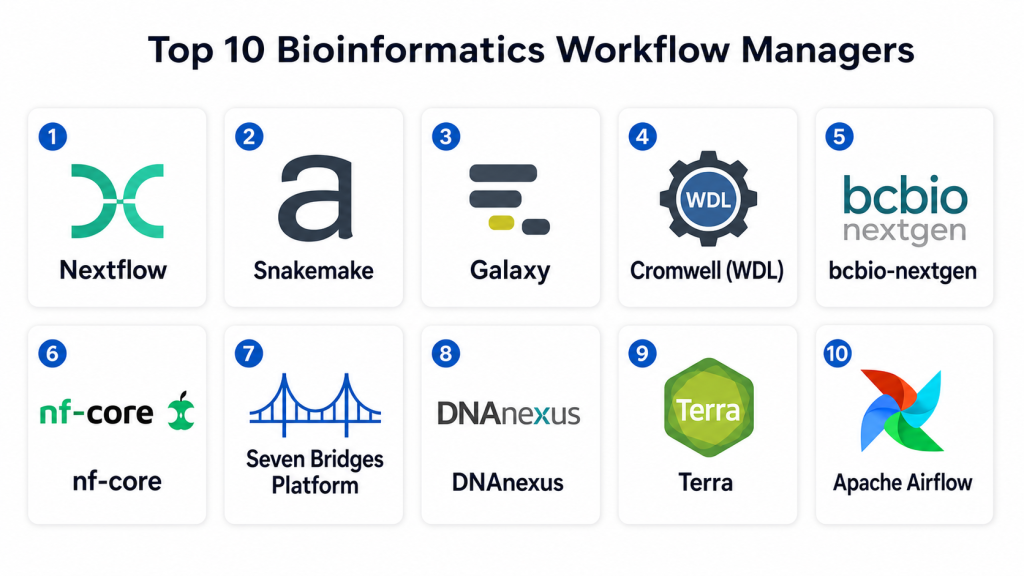
Top 10 Bioinformatics Workflow Managers
#1 — Nextflow
Short description: Nextflow is a powerful workflow management system designed for scalable and reproducible scientific workflows. It supports containerization and cloud execution. It is widely used in genomics and bioinformatics. It enables parallel execution of pipelines. It integrates with multiple computing environments. It is ideal for complex data workflows.
Key Features
- Workflow automation
- Container support
- Parallel execution
- Cloud integration
- Reproducibility features
- Pipeline sharing
Pros
- Highly scalable
- Strong community support
Cons
- Requires scripting knowledge
- Learning curve
Platforms / Deployment
Linux / Cloud / HPC
Security & Compliance
Not publicly stated
Integrations & Ecosystem
Nextflow integrates with bioinformatics tools, cloud platforms, and container systems to enable scalable workflows.
- Docker
- Kubernetes
- Cloud platforms
Support & Community
Large open-source community
#2 — Snakemake
Short description: Snakemake is a workflow management system designed for reproducible data analysis. It uses a Python-based syntax. It supports complex workflows and parallel execution. It is widely used in research. It is flexible and scalable. It is ideal for bioinformatics pipelines.
Key Features
- Python-based workflows
- Reproducibility
- Parallel execution
- Workflow automation
- Scalability
Pros
- Flexible and powerful
- Easy integration with Python
Cons
- Requires programming knowledge
- Limited GUI
Platforms / Deployment
Linux / macOS / Cloud
Security & Compliance
Not publicly stated
Integrations & Ecosystem
Snakemake integrates with data analysis tools and supports containerized workflows.
- Docker
- Cloud systems
Support & Community
Active research community
#3 — Galaxy
Short description: Galaxy is a user-friendly workflow platform designed for bioinformatics analysis. It provides a graphical interface for building workflows. It supports reproducibility and sharing. It is widely used in academia. It is suitable for non-programmers. It enables collaborative research.
Key Features
- Graphical workflow builder
- Reproducibility
- Data sharing
- Integration with tools
- Collaboration features
Pros
- Easy to use
- No coding required
Cons
- Limited flexibility
- Performance limitations
Platforms / Deployment
Web / Cloud
Security & Compliance
Access controls
Integrations & Ecosystem
Galaxy integrates with numerous bioinformatics tools and data repositories for comprehensive workflows.
- Data repositories
- Analysis tools
Support & Community
Large community support
#4 — Cromwell
Short description: Cromwell is a workflow execution engine developed for scientific pipelines. It supports WDL workflows. It is widely used in genomics. It enables scalable execution. It integrates with cloud platforms. It is suitable for large datasets.
Key Features
- Workflow execution
- WDL support
- Scalability
- Cloud integration
- Automation
Pros
- Strong scalability
- Cloud support
Cons
- Complex setup
- Limited GUI
Platforms / Deployment
Cloud / HPC
Security & Compliance
Not publicly stated
Integrations & Ecosystem
Cromwell integrates with genomics pipelines and cloud platforms for scalable execution.
- Cloud platforms
- APIs
Support & Community
Active developer community
#5 — bcbio-nextgen
Short description: bcbio-nextgen is a bioinformatics pipeline automation tool designed for sequencing analysis. It provides standardized workflows. It supports reproducibility. It is widely used in genomics research. It simplifies complex pipelines.
Key Features
- Pipeline automation
- Genomics workflows
- Reproducibility
- Data processing
- Integration support
Pros
- Ready-to-use pipelines
- Strong genomics support
Cons
- Limited customization
- Requires setup
Platforms / Deployment
Linux / Cloud
Security & Compliance
Not publicly stated
Integrations & Ecosystem
bcbio integrates with sequencing tools and data platforms for streamlined analysis.
- Data tools
- APIs
Support & Community
Active research community
#6 — nf-core
Short description: nf-core is a community-driven platform built on Nextflow. It provides curated bioinformatics pipelines. It ensures best practices and reproducibility. It is widely used in research. It simplifies workflow management.
Key Features
- Curated pipelines
- Reproducibility
- Community support
- Nextflow integration
- Workflow sharing
Pros
- High-quality pipelines
- Strong community
Cons
- Limited customization
- Requires Nextflow knowledge
Platforms / Deployment
Linux / Cloud
Security & Compliance
Not publicly stated
Integrations & Ecosystem
nf-core integrates with Nextflow and bioinformatics tools for standardized workflows.
- Nextflow
- Data tools
Support & Community
Strong open-source community
#7 — Seven Bridges Platform
Short description: Seven Bridges Platform is a cloud-based bioinformatics workflow manager designed for large-scale data analysis. It provides workflow automation and collaboration features. It supports genomics research. It is widely used in enterprise environments.
Key Features
- Cloud-based workflows
- Collaboration tools
- Automation
- Data analysis
- Integration support
Pros
- Scalable cloud platform
- Strong collaboration
Cons
- Expensive
- Requires training
Platforms / Deployment
Cloud
Security & Compliance
Encryption, access controls
Integrations & Ecosystem
Seven Bridges integrates with cloud and research systems for advanced workflows.
- APIs
- Cloud tools
Support & Community
Enterprise support
#8 — DNAnexus
Short description: DNAnexus is a cloud-based platform for genomic data analysis and workflow management. It provides secure and scalable data processing. It supports collaboration. It is widely used in genomics. It is suitable for enterprise use.
Key Features
- Data analysis
- Workflow management
- Cloud scalability
- Collaboration tools
- Security features
Pros
- Strong security
- Scalable platform
Cons
- Expensive
- Complex setup
Platforms / Deployment
Cloud
Security & Compliance
Encryption, access controls
Integrations & Ecosystem
DNAnexus integrates with genomics tools and cloud systems for data processing.
- APIs
- Data platforms
Support & Community
Enterprise support
#9 — Terra
Short description: Terra is a cloud-based platform for biomedical research workflows. It provides data analysis and workflow automation. It supports collaboration. It integrates with cloud services. It is widely used in research.
Key Features
- Workflow automation
- Data analysis
- Cloud integration
- Collaboration tools
- Scalability
Pros
- Easy collaboration
- Strong cloud support
Cons
- Learning curve
- Limited customization
Platforms / Deployment
Cloud
Security & Compliance
Access controls
Integrations & Ecosystem
Terra integrates with cloud and research tools for scalable workflows.
- Cloud systems
- APIs
Support & Community
Strong research support
#10 — Airflow
Short description: Airflow is a general-purpose workflow orchestration tool used in data engineering and bioinformatics. It provides scheduling and monitoring features. It supports complex workflows. It is widely used in data pipelines. It is flexible and scalable.
Key Features
- Workflow orchestration
- Scheduling
- Monitoring
- Automation
- Scalability
Pros
- Highly flexible
- Strong ecosystem
Cons
- Requires setup
- Not bioinformatics-specific
Platforms / Deployment
Linux / Cloud
Security & Compliance
Access controls
Integrations & Ecosystem
Airflow integrates with data and cloud systems for workflow orchestration.
- APIs
- Data platforms
Support & Community
Large developer community
Comparison Table (Top 10)
| Tool Name | Best For | Platform(s) Supported | Deployment | Standout Feature | Public Rating |
|---|---|---|---|---|---|
| Nextflow | Genomics pipelines | Linux | Cloud/HPC | Scalability | N/A |
| Snakemake | Research workflows | Linux/macOS | Cloud | Python workflows | N/A |
| Galaxy | Beginners | Web | Cloud | GUI interface | N/A |
| Cromwell | Large datasets | Cloud | Cloud/HPC | WDL support | N/A |
| bcbio-nextgen | Sequencing | Linux | Cloud | Prebuilt pipelines | N/A |
| nf-core | Standard pipelines | Linux | Cloud | Community pipelines | N/A |
| Seven Bridges | Enterprise | Web | Cloud | Collaboration | N/A |
| DNAnexus | Genomics | Web | Cloud | Security | N/A |
| Terra | Research | Web | Cloud | Collaboration | N/A |
| Airflow | Data pipelines | Linux | Cloud | Flexibility | N/A |
Evaluation & Scoring of Bioinformatics Workflow Managers
| Tool Name | Core (25%) | Ease (15%) | Integrations (15%) | Security (10%) | Performance (10%) | Support (10%) | Value (15%) | Weighted Total |
|---|---|---|---|---|---|---|---|---|
| Nextflow | 9 | 7 | 9 | 8 | 9 | 9 | 8 | 8.6 |
| Snakemake | 9 | 7 | 8 | 7 | 8 | 8 | 9 | 8.2 |
| Galaxy | 7 | 9 | 7 | 7 | 7 | 8 | 9 | 7.9 |
| Cromwell | 8 | 6 | 8 | 7 | 9 | 7 | 8 | 7.9 |
| bcbio-nextgen | 8 | 7 | 7 | 7 | 8 | 7 | 8 | 7.7 |
| nf-core | 8 | 7 | 8 | 7 | 8 | 8 | 9 | 8.0 |
| Seven Bridges | 9 | 8 | 9 | 9 | 9 | 9 | 7 | 8.7 |
| DNAnexus | 9 | 7 | 9 | 9 | 9 | 9 | 7 | 8.6 |
| Terra | 8 | 8 | 8 | 8 | 8 | 8 | 8 | 8.1 |
| Airflow | 8 | 6 | 9 | 7 | 9 | 8 | 8 | 8.0 |
Interpretation: These scores provide a comparative view of each platform’s strengths across functionality, usability, and value. Higher scores indicate stronger overall capability, but the best choice depends on workflow complexity and technical expertise.
Which Bioinformatics Workflow Manager Is Right for You?
Solo / Freelancer
Individual researchers should consider tools like Galaxy or Snakemake. These platforms are accessible and provide essential workflow management capabilities. Galaxy is especially useful for beginners due to its graphical interface. Snakemake is ideal for users comfortable with scripting. These tools allow flexibility without requiring heavy infrastructure. Choose based on technical skill level. Simplicity is key.
SMB
Small labs should look at bcbio-nextgen or nf-core. These tools provide prebuilt pipelines and standardized workflows. They reduce setup time and improve reproducibility. SMBs benefit from tools that balance ease of use and functionality. These platforms are cost-effective and scalable. They support growing research needs. Choose tools with strong community support.
Mid-Market
Mid-sized organizations should consider Nextflow or Terra. These platforms offer scalability and integration capabilities. They support complex workflows and collaboration. Mid-market users benefit from automation and performance. These tools enable efficient data processing. Choose platforms that support expansion and integration.
Enterprise
Large organizations should use Seven Bridges or DNAnexus. These platforms provide enterprise-grade scalability, security, and collaboration features. They support large datasets and global workflows. Enterprise tools require investment and expertise. They are ideal for large-scale research operations. Performance and compliance are key factors.
Budget vs Premium
Open-source tools are cost-effective and suitable for academic use. Premium platforms offer advanced features and support. Budget constraints should guide the decision. Evaluate long-term value rather than initial cost. Premium tools are better for enterprise workflows. Choose based on research needs.
Feature Depth vs Ease of Use
Simple tools are easier to use but may lack advanced features. Enterprise tools provide deeper functionality but require expertise. Organizations should balance usability with capability. Choose tools that match team skills. Avoid unnecessary complexity.
Integrations & Scalability
Platforms with strong integration capabilities are essential for scaling workflows. Integration with cloud and HPC systems improves efficiency. Scalability ensures long-term usability. Choose flexible platforms. This supports research growth.
Security & Compliance Needs
Bioinformatics workflows often involve sensitive data. Security and compliance features are critical. Choose platforms with access controls and encryption. Organizations should verify compliance requirements. Data protection is essential. Always prioritize security.
Frequently Asked Questions FAQs
1. What are bioinformatics workflow managers?
Bioinformatics workflow managers are tools that automate and manage complex data analysis pipelines. They help researchers process large biological datasets efficiently. These tools ensure reproducibility and reduce manual errors. They are widely used in genomics and proteomics research. They improve workflow organization. They are essential for modern bioinformatics.
2. Why are workflow managers important?
Workflow managers simplify complex data processing tasks. They automate repetitive steps and improve efficiency. They ensure consistent and reproducible results. They help manage large datasets. They reduce human error. They are critical for scalable research workflows.
3. Are these tools difficult to use?
Some tools are beginner-friendly, while others require programming knowledge. Galaxy is easy to use with a graphical interface. Tools like Nextflow and Snakemake require scripting. Learning curve depends on the platform. Beginners should start with simpler tools. Choose based on experience level.
4. Can these tools handle large datasets?
Yes, most workflow managers are designed for large-scale data processing. They support HPC and cloud environments. Performance depends on infrastructure. Choose tools optimized for scalability. Handling large datasets is a key feature. They are essential for modern research.
5. Do workflow managers support integration?
Yes, most tools integrate with bioinformatics software and data platforms. APIs enable automation and customization. Integration improves workflow efficiency. Compatibility is important. Choose tools with strong integration support. This enhances productivity.
6. Are open-source tools reliable?
Open-source tools are widely used and supported by active communities. They provide flexibility and cost advantages. However, they may require technical expertise. Reliability depends on usage and support. They are ideal for academic research. Many are industry-standard.
7. How much do these tools cost?
Open-source tools are free, while commercial platforms require subscriptions. Pricing varies based on features and scale. Enterprise tools are more expensive. Organizations should evaluate budget and needs. Long-term value is important.
8. Can these tools improve collaboration?
Yes, many workflow managers support collaboration features. Teams can share workflows and data. Collaboration improves efficiency. Cloud-based tools enhance teamwork. Choose tools with collaboration capabilities.
9. What industries use these tools?
Bioinformatics workflow managers are used in pharmaceuticals, biotech, and academic research. They support genomics and proteomics studies. Industry adoption is growing. They are essential for data-driven research.
10. What should I look for in a tool?
Focus on automation, scalability, and integration capabilities. Evaluate ease of use and performance. Consider security and support. Choose based on research needs. Testing tools is recommended.
Conclusion
Bioinformatics Workflow Managers have become essential for handling the growing complexity of biological data analysis. From open-source solutions like Nextflow and Snakemake to enterprise platforms like Seven Bridges and DNAnexus, these tools provide the automation, scalability, and reproducibility needed for modern research workflows. They enable researchers to process large datasets efficiently while maintaining consistency and accuracy.
Choosing the right workflow manager depends on your technical expertise, data scale, and research requirements. Academic users may benefit from flexible open-source tools, while enterprises should prioritize scalability, security, and integration capabilities. The best approach is to shortlist a few tools, test them with real workflows, and evaluate how well they align with your research processes before making a final decision.
