Introduction
Accounts Receivable Automation Tools help businesses streamline the process of invoicing, collections, payment tracking, and cash flow management. These tools reduce manual work, improve accuracy, and accelerate the payment cycle.
In today’s fast-moving business environment, managing receivables efficiently is critical for maintaining healthy cash flow. Modern AR automation platforms leverage AI, automation, and analytics to reduce Days Sales Outstanding (DSO), improve collections, and enhance customer communication.
Common use cases include:
- Automating invoice generation and delivery
- Tracking payments and outstanding balances
- Managing collections and follow-ups
- Reconciling payments with accounting systems
- Improving cash flow visibility
Key evaluation criteria:
- Invoice automation capabilities
- Payment tracking and reconciliation
- Integration with accounting and ERP systems
- Automation of collections workflows
- Reporting and analytics
- Ease of use and onboarding
- Security and access control
- Scalability and performance
Best for: Finance teams, accounting departments, SMBs, mid-market companies, and enterprises managing large volumes of receivables.
Not ideal for: Very small businesses with minimal invoicing needs or those managing receivables manually.
Key Trends in Accounts Receivable Automation Tools
- AI-driven collections and payment predictions
- Automation of invoicing and reminders
- Real-time cash flow visibility dashboards
- Integration with ERP and accounting systems
- Digital payment enablement
- Cloud-based AR platforms
- Customer self-service payment portals
- API-first architectures for flexibility
- Enhanced security with role-based access control
- Subscription-based pricing models
How We Evaluated Accounts Receivable Automation Tools
- Market adoption across finance and accounting teams
- Feature completeness for AR workflows
- Performance, scalability, and reliability
- Security features and compliance readiness
- Integration ecosystem with finance tools
- Ease of use and onboarding experience
- Vendor support and documentation quality
- Suitability across SMB, mid-market, and enterprise
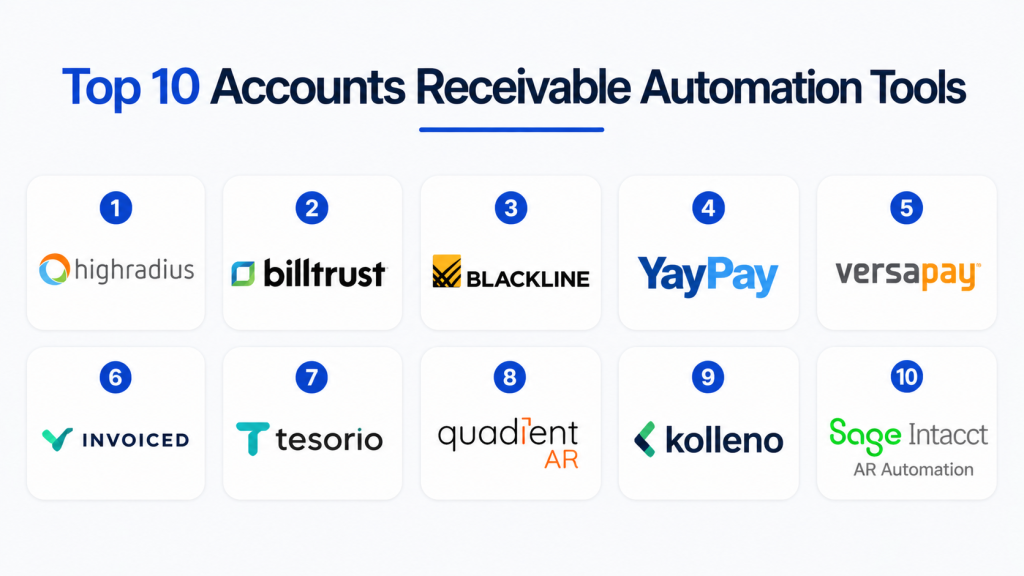
Top 10 Accounts Receivable Automation Tools
#1 — HighRadius
Short description :
HighRadius is a leading AR automation platform designed for enterprises. It uses AI to automate invoicing, collections, and cash application processes. The platform provides real-time analytics and insights. It is ideal for large organizations. HighRadius helps reduce DSO and improve cash flow. It integrates with major ERP systems.
Key Features
- AI-driven collections
- Cash application automation
- Invoice management
- Analytics
- Workflow automation
Pros
- Strong automation capabilities
- Advanced analytics
Cons
- Complex implementation
- Premium pricing
Platforms / Deployment
Cloud
Security & Compliance
SSO, RBAC, encryption
Integrations & Ecosystem
- ERP systems
- Finance tools
Support & Community
Enterprise-level support
#2 — Billtrust
Short description :
Billtrust is an AR automation platform focused on invoicing and payments. It offers automation for billing and collections. The platform provides customer portals for payments. It is ideal for mid-market and enterprise businesses. Billtrust helps streamline AR processes. It improves payment efficiency.
Key Features
- Invoice automation
- Payment processing
- Customer portals
- Collections management
- Reporting
Pros
- Strong billing features
- Good payment integration
Cons
- Limited customization
- Pricing varies
Platforms / Deployment
Cloud
Security & Compliance
Encryption
Integrations & Ecosystem
- Accounting systems
- ERP tools
Support & Community
Reliable support
#3 — BlackLine
Short description :
BlackLine offers financial automation including AR processes. It focuses on reconciliation and financial close management. The platform provides automation and analytics. It is ideal for enterprises. BlackLine improves financial accuracy. It integrates with ERP systems.
Key Features
- Financial automation
- Reconciliation
- Reporting
- Workflow automation
- Analytics
Pros
- Strong financial controls
- Enterprise-grade
Cons
- Complex
- Not AR-focused only
Platforms / Deployment
Cloud
Security & Compliance
RBAC, encryption
Integrations & Ecosystem
- ERP systems
- Finance tools
Support & Community
Enterprise support
#4 — YayPay
Short description :
YayPay is an AR automation platform designed for mid-market companies. It offers collections automation and analytics. The platform provides real-time insights into receivables. It is easy to use and deploy. YayPay helps improve cash flow. It integrates with accounting systems.
Key Features
- Collections automation
- Payment tracking
- Analytics
- Reporting
- Integration
Pros
- Easy to use
- Strong analytics
Cons
- Limited enterprise features
- Smaller ecosystem
Platforms / Deployment
Cloud
Security & Compliance
Encryption
Integrations & Ecosystem
- Accounting tools
- ERP systems
Support & Community
Good support
#5 — Versapay
Short description :
Versapay is a collaborative AR platform focused on invoicing and payments. It offers automation and customer engagement tools. The platform provides payment portals and analytics. It is ideal for mid-sized businesses. Versapay helps streamline collections. It improves customer experience.
Key Features
- Invoice automation
- Payment portals
- Collections
- Analytics
- Customer collaboration
Pros
- Strong collaboration features
- Easy to use
Cons
- Limited enterprise capabilities
- Pricing varies
Platforms / Deployment
Cloud
Security & Compliance
Encryption
Integrations & Ecosystem
- ERP systems
- Accounting tools
Support & Community
Reliable support
#6 — Invoiced
Short description :
Invoiced is an AR automation platform designed for SMBs and mid-market companies. It provides invoicing, payment tracking, and collections automation. The platform is easy to deploy and use. It offers real-time reporting. Invoiced helps improve cash flow. It integrates with accounting tools.
Key Features
- Invoice automation
- Payment tracking
- Collections
- Reporting
- Integration
Pros
- User-friendly
- Affordable
Cons
- Limited advanced features
- Not ideal for enterprises
Platforms / Deployment
Cloud
Security & Compliance
Encryption
Integrations & Ecosystem
- Accounting tools
- Payment gateways
Support & Community
Good SMB support
#7 — Tesorio
Short description :
Tesorio is a cash flow performance platform with AR automation capabilities. It provides analytics and automation for collections. The platform helps optimize cash flow. It is ideal for mid-market and enterprise companies. Tesorio offers predictive insights. It integrates with ERP systems.
Key Features
- Cash flow analytics
- Collections automation
- Forecasting
- Reporting
- Integration
Pros
- Strong analytics
- Predictive insights
Cons
- Premium pricing
- Requires setup
Platforms / Deployment
Cloud
Security & Compliance
Encryption
Integrations & Ecosystem
- ERP systems
- Finance tools
Support & Community
Reliable support
#8 — Quadient AR
Short description :
Quadient AR provides automation for invoicing and collections. It offers analytics and reporting tools. The platform supports payment processing. It is ideal for mid-market companies. Quadient helps improve efficiency. It integrates with finance systems.
Key Features
- Invoice automation
- Collections
- Reporting
- Payment processing
- Analytics
Pros
- Strong reporting
- Reliable
Cons
- Limited customization
- Learning curve
Platforms / Deployment
Cloud
Security & Compliance
Encryption
Integrations & Ecosystem
- ERP systems
- Accounting tools
Support & Community
Good support
#9 — Kolleno
Short description :
Kolleno is a modern AR automation platform focusing on payments and collections. It provides real-time visibility into receivables. The platform offers automation and analytics. It is ideal for SMBs. Kolleno is easy to use. It helps improve cash flow.
Key Features
- Payment automation
- Collections
- Reporting
- Analytics
- Integration
Pros
- Modern interface
- Easy to use
Cons
- Limited enterprise features
- Smaller ecosystem
Platforms / Deployment
Cloud
Security & Compliance
Encryption
Integrations & Ecosystem
- Accounting tools
- ERP systems
Support & Community
Good support
#10 — Sage Intacct AR Automation
Short description :
Sage Intacct offers AR automation within its accounting platform. It provides invoicing, collections, and reporting features. The platform is widely used by SMBs and mid-market companies. It integrates with Sage systems. It offers scalability and ease of use. It helps streamline financial operations.
Key Features
- Invoice management
- Collections
- Reporting
- Automation
- Integration
Pros
- Easy to use
- Strong accounting integration
Cons
- Limited standalone features
- Requires Sage ecosystem
Platforms / Deployment
Cloud
Security & Compliance
SSO, encryption
Integrations & Ecosystem
- Sage tools
- Accounting systems
Support & Community
Reliable support
Comparison Table (Top 10)
| Tool Name | Best For | Platform(s) | Deployment | Standout Feature | Rating |
|---|---|---|---|---|---|
| HighRadius | Enterprise | Web | Cloud | AI automation | N/A |
| Billtrust | Mid/Enterprise | Web | Cloud | Billing automation | N/A |
| BlackLine | Enterprise | Web | Cloud | Financial control | N/A |
| YayPay | Mid-market | Web | Cloud | Analytics | N/A |
| Versapay | Mid-market | Web | Cloud | Collaboration | N/A |
| Invoiced | SMB | Web | Cloud | Simplicity | N/A |
| Tesorio | Enterprise | Web | Cloud | Forecasting | N/A |
| Quadient | Mid-market | Web | Cloud | Reporting | N/A |
| Kolleno | SMB | Web | Cloud | Modern UI | N/A |
| Sage Intacct | SMB/Mid | Web | Cloud | Accounting integration | N/A |
Evaluation & Scoring of Accounts Receivable Automation Tools
| Tool | Core | Ease | Integrations | Security | Performance | Support | Value | Total |
|---|---|---|---|---|---|---|---|---|
| HighRadius | 9 | 6 | 9 | 9 | 9 | 9 | 6 | 8.4 |
| Billtrust | 8 | 7 | 8 | 8 | 8 | 8 | 7 | 7.8 |
| BlackLine | 8 | 6 | 8 | 9 | 8 | 8 | 6 | 7.7 |
| YayPay | 7 | 8 | 7 | 7 | 7 | 7 | 8 | 7.4 |
| Versapay | 7 | 8 | 7 | 7 | 7 | 7 | 8 | 7.4 |
| Invoiced | 6 | 9 | 6 | 7 | 7 | 7 | 9 | 7.3 |
| Tesorio | 8 | 7 | 8 | 8 | 8 | 8 | 7 | 7.9 |
| Quadient | 7 | 7 | 7 | 7 | 7 | 7 | 7 | 7.0 |
| Kolleno | 6 | 9 | 6 | 7 | 7 | 7 | 9 | 7.3 |
| Sage Intacct | 7 | 8 | 7 | 8 | 7 | 7 | 8 | 7.5 |
How to interpret scores:
These scores provide a comparative overview based on weighted criteria such as features, usability, and value. Enterprise tools score higher in performance and automation, while SMB tools excel in ease of use and affordability. These are relative comparisons, not absolute benchmarks.
Which Accounts Receivable Automation Tool Is Right for You?
Solo / Freelancer
Invoiced or Kolleno is sufficient.
SMB
Invoiced, Kolleno, and Sage Intacct are ideal.
Mid-Market
YayPay, Versapay, and Quadient provide balanced features.
Enterprise
HighRadius, Tesorio, and BlackLine are best.
Budget vs Premium
Budget: Invoiced, Kolleno
Premium: HighRadius, Tesorio
Feature Depth vs Ease of Use
Deep: HighRadius, BlackLine
Easy: Invoiced, Kolleno
Integrations & Scalability
Strong: HighRadius, Tesorio
Scalable: BlackLine, Sage Intacct
Security & Compliance Needs
High: HighRadius, BlackLine
Moderate: Invoiced, Kolleno
Frequently Asked Questions (FAQs)
1. What are accounts receivable automation tools?
Accounts receivable automation tools help businesses manage invoicing, collections, and payments efficiently. They automate repetitive tasks and reduce manual errors. These tools provide visibility into outstanding balances. They improve cash flow management. They are widely used by finance teams.
2. How much do AR automation tools cost?
Pricing varies depending on features and scale. Cloud-based tools use subscription models. SMB tools are more affordable. Enterprise solutions are expensive. Additional costs may include integrations and customization.
3. Are AR tools necessary for small businesses?
Small businesses may not need them initially. However, as invoicing grows, automation becomes useful. These tools improve efficiency and accuracy. They reduce manual work. Growing businesses benefit from using them.
4. How long does implementation take?
Cloud tools can be deployed quickly. Enterprise systems take longer. Integration complexity affects timelines. Planning helps reduce delays. Testing ensures smooth deployment.
5. What integrations are important?
Important integrations include ERP, accounting, and payment systems. APIs enable flexibility. Integration improves efficiency. It reduces manual work. Businesses should ensure compatibility.
6. Can AR automation reduce DSO?
Yes, automation improves collections and reduces delays. It sends reminders and tracks payments. This reduces DSO. It improves cash flow. Businesses benefit from faster payments.
7. What security features should these tools have?
Tools should include RBAC, encryption, and authentication. Data protection is critical. Compliance is important. Secure systems ensure reliability. Businesses should evaluate security carefully.
8. Can these tools manage collections?
Yes, they automate collections and follow-ups. They track outstanding invoices. They improve communication. They reduce manual effort. This enhances efficiency.
9. Can you switch tools later?
Switching is possible but complex. It involves data migration and integration changes. Costs may be high. Planning reduces risks. Choose scalable tools initially.
10. What are alternatives to AR tools?
Alternatives include spreadsheets or accounting software. These lack automation. AR tools provide better efficiency. They improve accuracy. They are more scalable.
Conclusion
Accounts Receivable Automation Tools are essential for businesses looking to improve cash flow, reduce manual effort, and streamline financial operations. From enterprise platforms like HighRadius and Tesorio to SMB-friendly solutions like Invoiced and Kolleno, there are tools available for every business size and complexity. These platforms help automate invoicing, improve collections, and provide better visibility into receivables.
Choosing the right AR automation tool depends on your organization’s needs, budget, and integration requirements. Instead of focusing only on features, consider ease of use, scalability, and compatibility with your existing systems. A practical approach is to shortlist a few tools, test them in real-world scenarios, and validate integrations before making a final decision. This ensures better financial efficiency and long-term success.
