Introduction
Secrets Scanning Tools are specialized software solutions designed to detect and prevent sensitive information such as API keys, passwords, tokens, and credentials from being committed into code repositories, configuration files, or shared across development pipelines. These tools play a critical role in modern software development, DevOps workflows, and security compliance. With cloud-native architectures, multi-cloud deployments, and automated CI/CD pipelines, secrets scanning has become essential for protecting intellectual property, avoiding data breaches, and maintaining organizational policies.
Real-world use cases include:
- Scanning Git, SVN, or Mercurial repositories for exposed secrets
- Detecting API keys, tokens, and credentials in container images and Dockerfiles
- Monitoring CI/CD pipelines for accidental leaks
- Enforcing organizational policies to prevent secret exposure before deployment
- Integrating with ticketing and alerting systems to remediate detected secrets
Evaluation criteria buyers should consider:
- Accuracy and detection capabilities
- Repository and CI/CD platform support
- Automation and real-time monitoring
- Ease of integration and API support
- Security and compliance certifications
- Performance and scalability
- Alerting and reporting features
- Pricing and value for the organization
- Support and community strength
Best for: DevOps teams, security engineers, software developers, and enterprises of all sizes who manage multiple repositories or handle sensitive credentials
Not ideal for: Small projects or individual developers with minimal secrets exposure; lightweight scripts or static configuration may not need full enterprise-grade tools
Key Trends in Secrets Scanning Tools
- AI-powered pattern detection to reduce false positives
- Native integrations with CI/CD platforms such as GitHub Actions, GitLab CI, and Azure DevOps
- Policy-as-Code support for automated enforcement of secret management policies
- Multi-cloud and container image scanning support
- Developer-first UX for early detection in pull requests
- Automated remediation workflows connecting to ticketing or Slack/Teams alerts
- API-driven extensibility for enterprise integrations
- Compliance reporting features to meet SOC 2, ISO 27001, and GDPR requirements
- Hybrid deployment models including cloud, self-hosted, and containerized agents
- Subscription pricing with feature-based tiers suitable for small teams to large enterprises
How We Selected These Tools
- Market adoption and mindshare among DevOps and security teams
- Breadth and depth of core detection features
- Accuracy, reliability, and performance benchmarks
- Security posture including RBAC, audit logs, and encryption
- Available integrations and ecosystem compatibility
- Customer fit across solo developers, SMBs, and enterprises
- Frequency of updates and active maintenance
- AI and automation capabilities
- Community and vendor support
- Cost-to-value comparison for organizations of varying sizes
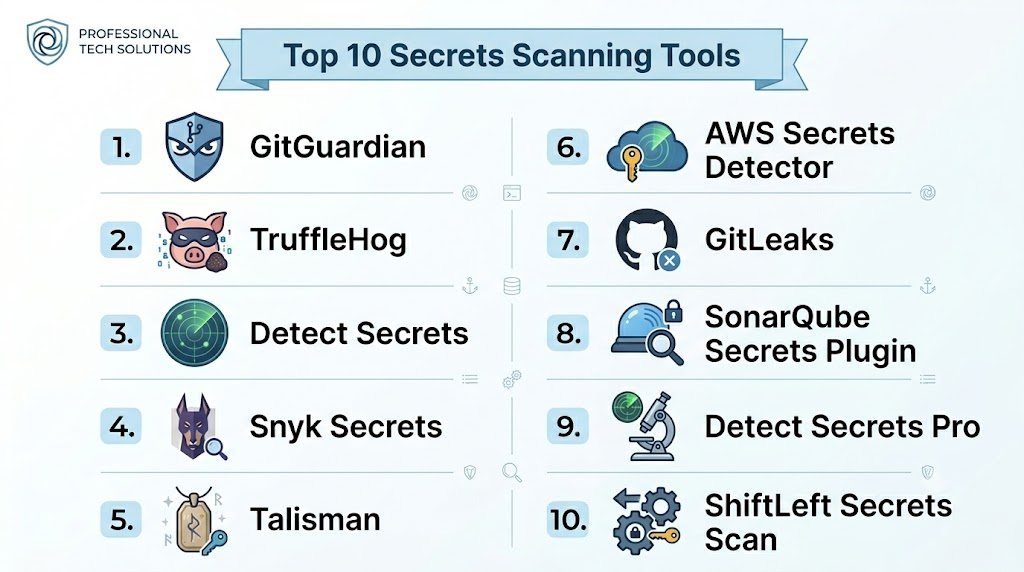
Top 10 Secrets Scanning Tools
1- GitGuardian
Short description: Detects exposed secrets in Git repositories in real time, designed for enterprises and developers
Key Features
- Real-time scanning of public and private repos
- Policy enforcement for secrets exposure
- CI/CD pipeline integration
- Dashboard with remediation guidance
- Role-based access and alerts
Pros
- High accuracy with AI-driven detection
- Strong compliance and reporting features
Cons
- Pricing may be steep for small teams
- Initial configuration can be complex for large orgs
Platforms / Deployment
- Web, Cloud, Self-hosted
Security & Compliance
- SOC 2, ISO 27001, MFA, audit logs
Integrations & Ecosystem
- GitHub, GitLab, Bitbucket, Slack, Jira
- API access for custom integrations
Support & Community
- Comprehensive documentation, enterprise support tiers, active community
2- TruffleHog
Short description: Open-source tool scanning repositories for high-entropy strings that may represent secrets
Key Features
- Entropy-based scanning for secrets
- Git history analysis
- Supports multiple VCS platforms
- CLI and API access
- Python-based extensibility
Pros
- Free and open-source
- Flexible for developers and security auditors
Cons
- May generate false positives
- Requires scripting for automated workflows
Platforms / Deployment
- Windows, macOS, Linux, Cloud, Self-hosted
Security & Compliance
- Varies / N/A
Integrations & Ecosystem
- GitHub, GitLab, Bitbucket
- Can be integrated into CI/CD pipelines with scripting
Support & Community
- Community-driven, active GitHub repo, limited formal support
3- Detect Secrets
Short description: Python-based tool for pre-commit and repository scanning to prevent secrets from entering version control
Key Features
- Pre-commit hook integration
- Plugin-based detection for different secret types
- YAML configuration for policies
- Supports historical repo scanning
- CLI interface with JSON output
Pros
- Developer-friendly, easy to configure
- Open-source and extensible
Cons
- Limited real-time monitoring features
- Requires knowledge of Python environment
Platforms / Deployment
- Linux, macOS, Cloud, Self-hosted
Security & Compliance
- Varies / N/A
Integrations & Ecosystem
- GitHub, GitLab, Bitbucket
- CI/CD integration via hooks
Support & Community
- Community support, active GitHub contributors
4- Snyk Secrets
Short description: Part of Snyk’s DevSecOps suite, scanning repositories for exposed secrets and vulnerabilities
Key Features
- Secrets detection alongside security vulnerability scanning
- CI/CD integration with automated pull request checks
- Detailed remediation guidance
- Reporting dashboards
- API access for custom workflows
Pros
- Integrated with broader DevSecOps platform
- Enterprise-ready analytics and alerts
Cons
- Paid tiers required for full functionality
- Focused primarily on GitHub and GitLab integrations
Platforms / Deployment
- Web, Cloud
Security & Compliance
- SOC 2, MFA, audit logs
Integrations & Ecosystem
- GitHub, GitLab, Bitbucket, Jira
- Webhooks and API for custom automation
Support & Community
- Enterprise support tiers, strong documentation
5- Talisman
Short description: Pre-commit hook for detecting secrets and sensitive data in code before it enters the repository
Key Features
- Entropy-based secret detection
- Regex patterns for common secret types
- Pre-commit hook integration
- Configurable rules
- Open-source
Pros
- Easy to implement for developers
- Lightweight and fast
Cons
- Limited historical scanning
- CLI-based, not enterprise dashboard-ready
Platforms / Deployment
- Windows, macOS, Linux, Self-hosted
Security & Compliance
- Varies / N/A
Integrations & Ecosystem
- Git, CI/CD pipelines via scripting
Support & Community
- Community-driven, open-source documentation
6- AWS Secrets Detector
Short description: Native AWS tool for detecting exposed AWS credentials and secrets in code and configuration files
Key Features
- AWS IAM credential scanning
- Integration with AWS CodeCommit and CodePipeline
- Automated alerts via SNS
- Detailed remediation steps
- Supports Lambda and container images
Pros
- Native AWS integration
- Supports cloud-native architectures
Cons
- Limited to AWS ecosystem
- Enterprise dashboard is basic
Platforms / Deployment
- Cloud, Web
Security & Compliance
- AWS IAM, audit logging
Integrations & Ecosystem
- AWS CodeCommit, CodePipeline, Lambda
- SNS notifications
Support & Community
- AWS support tiers, documentation-rich
7- GitLeaks
Short description: Open-source CLI tool that scans Git repos for secrets using regex and entropy heuristics
Key Features
- Scans Git history and commits
- Supports multiple regex rules
- CI/CD integration via CLI
- JSON output and reporting
- Configurable thresholds for entropy detection
Pros
- Lightweight and fast
- Open-source and flexible
Cons
- CLI-focused, limited UI/dashboard
- False positives can occur
Platforms / Deployment
- Windows, macOS, Linux, Cloud, Self-hosted
Security & Compliance
- Varies / N/A
Integrations & Ecosystem
- GitHub, GitLab, Bitbucket
- CI/CD scripts
Support & Community
- Community-supported
8- SonarQube Secrets Plugin
Short description: Extends SonarQube’s static code analysis to detect secrets in source code
Key Features
- Integrates with SonarQube dashboards
- Detects passwords, API keys, and tokens
- Supports multiple programming languages
- Continuous scanning and pull request checks
- Reporting with remediation guidance
Pros
- Unified with code quality metrics
- Supports enterprise CI/CD pipelines
Cons
- Requires SonarQube installation
- Plugin configuration can be complex
Platforms / Deployment
- Windows, Linux, Cloud, Self-hosted
Security & Compliance
- Not publicly stated
Integrations & Ecosystem
- CI/CD pipelines, Jira, Slack notifications
- Plugin-based extensibility
Support & Community
- SonarQube community support, vendor support tiers
9- Detect Secrets Pro
Short description: Commercial version of Detect Secrets, offering enterprise-grade support and advanced reporting
Key Features
- Centralized dashboard for multiple repos
- CI/CD integration and real-time scanning
- Compliance reporting features
- API access for automation
- Enhanced detection algorithms
Pros
- Enterprise-ready with support
- Advanced analytics and reporting
Cons
- Paid product; higher cost for small teams
- Limited open-source flexibility
Platforms / Deployment
- Cloud, Self-hosted
Security & Compliance
- Not publicly stated
Integrations & Ecosystem
- GitHub, GitLab, Bitbucket, Slack, Jira
Support & Community
- Professional support tiers
10- ShiftLeft Secrets Scan
Short description: Part of ShiftLeft DevSecOps platform, focusing on early detection of secrets and vulnerabilities
Key Features
- Pre-commit and CI/CD pipeline scanning
- Real-time alerts
- Automated remediation guidance
- Enterprise analytics dashboard
- API access for workflow integration
Pros
- Early detection in dev lifecycle
- Enterprise analytics support
Cons
- Primarily targeted at medium-to-large enterprises
- Pricing not transparent
Platforms / Deployment
- Web, Cloud, Self-hosted
Security & Compliance
- SOC 2, audit logging
Integrations & Ecosystem
- GitHub, GitLab, Bitbucket, Jira, Slack
Support & Community
- Enterprise support tiers
Comparison Table (Top 10)
| Tool Name | Best For | Platform(s) Supported | Deployment | Standout Feature | Public Rating |
|---|---|---|---|---|---|
| GitGuardian | Enterprise, DevOps teams | Web | Cloud / Self-hosted | Real-time repo scanning | N/A |
| TruffleHog | Developers, Security Auditors | Windows, macOS, Linux | Cloud / Self-hosted | Entropy-based detection | N/A |
| Detect Secrets | Developers, SMBs | Linux, macOS | Cloud / Self-hosted | Pre-commit hooks | N/A |
| Snyk Secrets | Enterprise, DevSecOps | Web | Cloud | Integrated DevSecOps platform | N/A |
| Talisman | Developers | Windows, macOS, Linux | Self-hosted | Lightweight pre-commit hook | N/A |
| AWS Secrets Detector | AWS DevOps teams | Cloud | Cloud | AWS-native credential detection | N/A |
| GitLeaks | Developers, Security Auditors | Windows, macOS, Linux | Cloud / Self-hosted | Regex + entropy scanning | N/A |
| SonarQube Secrets Plugin | Enterprises | Windows, Linux | Cloud / Self-hosted | Integrates with code quality | N/A |
| Detect Secrets Pro | Enterprises | Cloud | Cloud / Self-hosted | Enterprise dashboards | N/A |
| ShiftLeft Secrets Scan | Medium-Large Enterprises | Web | Cloud / Self-hosted | Early dev lifecycle scanning | N/A |
Evaluation & Scoring of Secrets Scanning Tools
| Tool Name | Core (25%) | Ease (15%) | Integrations (15%) | Security (10%) | Performance (10%) | Support (10%) | Value (15%) | Weighted Total |
|---|---|---|---|---|---|---|---|---|
| GitGuardian | 9 | 8 | 8 | 9 | 8 | 8 | 7 | 8.4 |
| TruffleHog | 7 | 7 | 6 | 7 | 7 | 6 | 9 | 7.0 |
| Detect Secrets | 8 | 8 | 7 | 7 | 7 | 6 | 8 | 7.6 |
| Snyk Secrets | 9 | 8 | 9 | 8 | 8 | 8 | 7 | 8.3 |
| Talisman | 7 | 8 | 6 | 7 | 7 | 6 | 9 | 7.2 |
| AWS Secrets Detector | 8 | 7 | 7 | 8 | 8 | 7 | 7 | 7.6 |
| GitLeaks | 7 | 8 | 6 | 7 | 7 | 6 | 8 | 7.1 |
| SonarQube Secrets Plugin | 8 | 7 | 7 | 7 | 7 | 6 | 7 | 7.3 |
| Detect Secrets Pro | 9 | 8 | 8 | 8 | 8 | 8 | 7 | 8.1 |
| ShiftLeft Secrets Scan | 9 | 8 | 8 | 8 | 8 | 8 | 7 | 8.1 |
Scores are comparative; higher totals indicate stronger overall performance, but the right choice depends on team size, CI/CD complexity, and security requirements.
Which Secrets Scanning Tool Is Right for You?
Solo / Freelancer
Choose lightweight tools like Detect Secrets or Talisman for pre-commit scanning without heavy enterprise overhead
SMB
GitLeaks or Detect Secrets offers balance of cost, integration, and ease of use for small teams
Mid-Market
Snyk Secrets or GitGuardian provides enterprise-grade detection, dashboards, and compliance reporting
Enterprise
GitGuardian Enterprise, ShiftLeft Secrets Scan, or Detect Secrets Pro offer full-scale integration, analytics, and regulatory compliance features
Budget vs Premium
Free/open-source tools are suitable for small teams; premium platforms provide centralized dashboards, enterprise reporting, and advanced AI detection
Feature Depth vs Ease of Use
Open-source CLI tools offer flexibility but may require scripting; enterprise solutions trade flexibility for streamlined dashboards and automation
Integrations & Scalability
If multi-repo, multi-cloud, or large CI/CD pipelines are involved, choose platforms with strong API access and pipeline-native integrations
Security & Compliance Needs
Enterprises needing SOC 2, ISO 27001, or GDPR reporting should favor commercial tools with proven audit and compliance features
Frequently Asked Questions (FAQs)
1- What is the cost model for secrets scanning tools?
Pricing varies: open-source tools are free; enterprise tools often have subscription tiers based on number of repos, users, or pipelines
2- Can these tools prevent secrets from being committed?
Yes, pre-commit hooks and CI/CD integration allow early detection and blocking of secrets before they reach production
3- How do I integrate with CI/CD pipelines?
Most tools provide APIs or native integrations with GitHub Actions, GitLab CI, Azure DevOps, Jenkins, and similar platforms
4- Are open-source tools sufficient for enterprises?
They work for small teams but may lack dashboards, real-time alerts, and compliance reporting needed by large organizations
5- How often should secrets scanning occur?
Continuous scanning in pipelines is best; historical scans of repositories are recommended periodically
6- Can AI improve detection accuracy?
Yes, AI can detect patterns, reduce false positives, and catch obfuscated secrets that traditional regex may miss
7- What platforms do these tools support?
Most support GitHub, GitLab, Bitbucket, and generic Git; some also scan Docker images and cloud configuration files
8- How do I handle false positives?
Tools usually allow configuring ignore rules, custom regex, or threshold adjustments to minimize unnecessary alerts
9- Can secrets scanning tools enforce policies?
Yes, they can prevent commits containing secrets and trigger workflow-based alerts or remediation actions
10- Are there alternatives to secrets scanning tools?
Alternatives include secret management systems and credential rotation policies, but scanning complements these approaches
Conclusion
Secrets scanning tools are essential for modern DevOps and security workflows, helping prevent sensitive data leaks, maintain compliance, and enforce policies. The “best” tool depends on your environment, team size, and risk tolerance. Solo developers may prefer lightweight open-source solutions, while enterprises benefit from AI-powered, dashboard-rich commercial platforms. tools based on your CI/CD ecosystem, run a pilot, and validate integrations, detection accuracy, and compliance coverage before full deployment
