Introduction
GitOps Tools enable organizations to manage infrastructure and application deployments using Git as the single source of truth. By storing declarative configurations in Git repositories, teams can automate provisioning, enforce consistency, and track changes, ensuring reliable and auditable operations.
Real-world use cases include:
- Continuous deployment: Automatically sync infrastructure and applications from Git to environments.
- Disaster recovery: Recreate infrastructure reliably from Git repositories.
- Multi-cloud management: Standardize deployments across AWS, Azure, GCP, and Kubernetes clusters.
- Compliance and audit: Maintain full audit trails of infrastructure changes.
- Collaboration: Enable cross-team collaboration using pull requests and version-controlled configurations.
What buyers should evaluate:
- Supported platforms and cloud providers
- GitOps workflows and branching strategies
- Integration with CI/CD pipelines and DevOps tools
- Real-time deployment and drift detection
- Monitoring and alerting capabilities
- Access control and security policies
- Modular templates and reusable components
- Learning curve and documentation quality
- Licensing and cost models
- Community and ecosystem support
Best for: DevOps engineers, cloud architects, platform teams, and organizations seeking automated, version-controlled infrastructure and application management.
Not ideal for: Small teams with minimal infrastructure, manual deployment workflows, or organizations not using Git-centric processes.
Key Trends in GitOps Tools
- Adoption of Kubernetes-native GitOps workflows.
- CI/CD integration for continuous application and infrastructure deployment.
- Multi-cloud support for hybrid environments.
- Automated drift detection and rollback capabilities.
- Policy enforcement integrated into GitOps pipelines.
- AI-driven validation and anomaly detection in deployments.
- Support for serverless and containerized workloads.
- Enhanced monitoring, observability, and reporting dashboards.
- Modular and reusable declarative configurations.
- Git-based collaboration for cross-team workflow management.
How We Selected These Tools (Methodology)
- Evaluated market adoption, community size, and enterprise recognition.
- Reviewed feature completeness, including deployment automation, rollback, and drift detection.
- Assessed scalability and performance across multi-cloud and Kubernetes environments.
- Considered security, access control, and audit capabilities.
- Investigated integrations with CI/CD pipelines and DevOps tools.
- Checked suitability across SMB, mid-market, and enterprise teams.
- Factored in ease of use, documentation quality, and learning curve.
- Evaluated modularity, reusable templates, and ecosystem support.
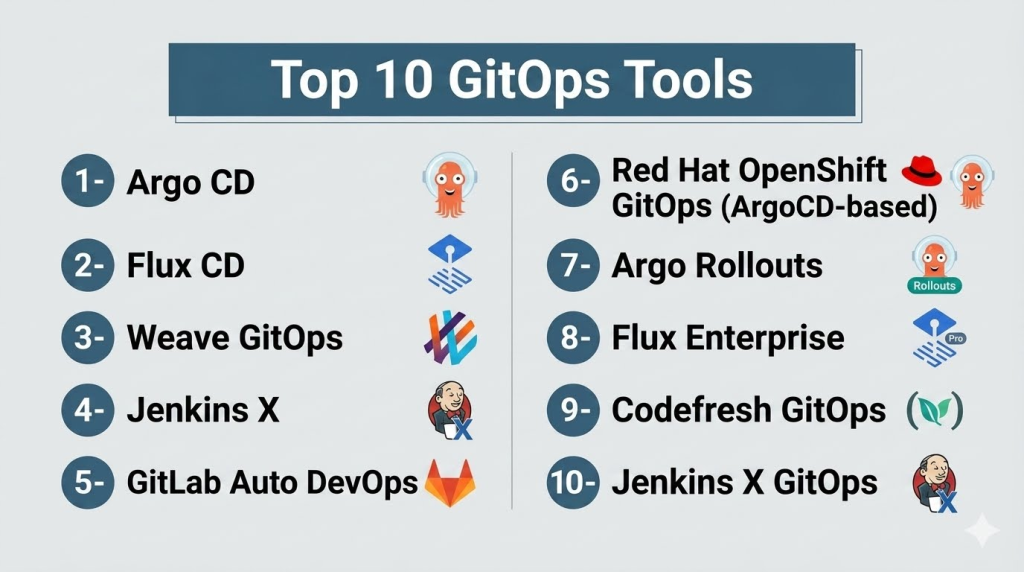
Top 10 GitOps Tools
1- Argo CD
Short description: Kubernetes-native GitOps tool for continuous delivery, enabling automated deployment and synchronization from Git repositories.
Key Features
- Declarative deployment via Git repositories
- Automated sync and drift detection
- Rollback and rollback strategies
- Multi-cluster management
- Integration with CI/CD pipelines
Pros
- Kubernetes-native and widely adopted
- Supports complex deployment workflows
Cons
- Kubernetes-focused, less suitable for non-Kubernetes workloads
- Requires GitOps knowledge
Platforms / Deployment
- Linux, macOS
- Cloud / On-prem / Hybrid
Security & Compliance
- RBAC, SSO/SAML integration
- Not publicly stated
Integrations & Ecosystem
- CI/CD pipelines (Jenkins, GitHub Actions)
- Helm charts and Kustomize
- Custom plugins and webhooks
Support & Community
- Strong open-source community
- Documentation and tutorials
- Community forums and Slack channels
2- Flux CD
Short description: GitOps operator for Kubernetes, automating application deployments and ensuring cluster state matches Git.
Key Features
- Declarative configuration sync
- Automated reconciliation loops
- Multi-cluster support
- Git-based version control for infrastructure
- CI/CD integration
Pros
- Lightweight and Kubernetes-native
- Strong community and ecosystem
Cons
- Limited to Kubernetes
- CLI-heavy setup
Platforms / Deployment
- Linux, macOS
- Cloud / On-prem / Hybrid
Security & Compliance
- Git-based audit and RBAC
- Not publicly stated
Integrations & Ecosystem
- CI/CD pipelines, Helm charts
- Kustomize integration
- Notification and monitoring tools
Support & Community
- Open-source community support
- Documentation and examples
- Active Slack and GitHub discussions
3- Weave GitOps
Short description: Enterprise-ready GitOps platform built on Flux CD for multi-cluster Kubernetes deployments.
Key Features
- Multi-cluster deployment management
- Automated drift detection
- Git-based version control
- Role-based access control
- CI/CD pipeline integration
Pros
- Enterprise-grade features
- Centralized cluster management
Cons
- Focused on Kubernetes only
- Paid enterprise support required
Platforms / Deployment
- Linux, macOS
- Cloud / On-prem / Hybrid
Security & Compliance
- RBAC, audit logging
- Not publicly stated
Integrations & Ecosystem
- CI/CD pipelines, Flux CD plugins
- Monitoring dashboards
- Webhooks and notifications
Support & Community
- Enterprise support available
- Detailed documentation
- Growing community
4- Jenkins X
Short description: CI/CD platform leveraging GitOps workflows for Kubernetes, enabling automated build, test, and deployment.
Key Features
- GitOps-driven CI/CD pipelines
- Kubernetes-native deployments
- Automated environment promotion
- Helm chart integration
- Multi-environment management
Pros
- Strong CI/CD integration
- Kubernetes-native with GitOps model
Cons
- Complex setup for beginners
- Kubernetes dependency
Platforms / Deployment
- Linux, macOS
- Cloud / On-prem / Hybrid
Security & Compliance
- Role-based access, audit logging
- Not publicly stated
Integrations & Ecosystem
- GitHub, GitLab, Bitbucket
- Helm charts, Kustomize
- CI/CD pipeline extensions
Support & Community
- Open-source support
- Documentation and tutorials
- Active community
5- GitLab Auto DevOps
Short description: GitOps feature within GitLab for automating CI/CD and deployments using Git repositories.
Key Features
- Automated CI/CD pipelines
- Git-based environment configuration
- Built-in monitoring and logging
- Kubernetes integration
- Reusable pipeline templates
Pros
- Integrated with GitLab ecosystem
- Easy to enable and manage
Cons
- GitLab-specific
- Limited flexibility outside GitLab
Platforms / Deployment
- Linux, macOS, Windows
- Cloud / Self-hosted
Security & Compliance
- Role-based access, audit logs
- Not publicly stated
Integrations & Ecosystem
- GitLab CI/CD
- Kubernetes, Helm charts
- Monitoring and notification tools
Support & Community
- GitLab support tiers
- Documentation
- Active community forums
6- Red Hat OpenShift GitOps (ArgoCD-based)
Short description: GitOps operator for OpenShift clusters enabling Git-based application and infrastructure deployments.
Key Features
- Kubernetes-native GitOps workflows
- Multi-environment management
- Automated sync and rollback
- Policy enforcement
- CI/CD integration
Pros
- OpenShift integration
- Enterprise-ready
Cons
- OpenShift-only
- Requires Kubernetes knowledge
Platforms / Deployment
- Linux
- Cloud / On-prem / Hybrid
Security & Compliance
- RBAC, SSO/SAML integration
- Not publicly stated
Integrations & Ecosystem
- Helm charts, Kustomize
- CI/CD pipelines
- Monitoring dashboards
Support & Community
- Red Hat support
- Documentation and guides
- Active enterprise community
7- Argo Rollouts
Short description: Kubernetes-native progressive delivery controller for GitOps, supporting blue-green and canary deployments.
Key Features
- Blue-green and canary strategies
- Automated Git-driven deployment
- Integration with Argo CD
- Metrics-based rollout
- Multi-cluster support
Pros
- Advanced deployment strategies
- Integrates with existing GitOps workflows
Cons
- Kubernetes-specific
- Requires Argo CD
Platforms / Deployment
- Linux
- Cloud / On-prem / Hybrid
Security & Compliance
- Role-based access, audit logging
- Not publicly stated
Integrations & Ecosystem
- Argo CD, Helm charts, Prometheus
- CI/CD pipelines
- Notification hooks
Support & Community
- Open-source support
- Documentation and examples
- Active GitHub community
8- Flux Enterprise
Short description: Enterprise-grade GitOps platform based on Flux, supporting multi-cluster and multi-cloud deployments.
Key Features
- Centralized GitOps management
- Drift detection and auto-sync
- Multi-cluster support
- CI/CD integration
- Policy enforcement
Pros
- Enterprise-ready
- Multi-cloud support
Cons
- Flux expertise required
- Enterprise license needed
Platforms / Deployment
- Linux, macOS
- Cloud / On-prem / Hybrid
Security & Compliance
- RBAC, audit logging
- Not publicly stated
Integrations & Ecosystem
- Flux, CI/CD pipelines
- Monitoring tools
- Webhooks and notifications
Support & Community
- Enterprise support
- Documentation and tutorials
- Growing community
9- Codefresh GitOps
Short description: GitOps automation platform integrated with Codefresh CI/CD for Kubernetes deployment management.
Key Features
- Declarative GitOps pipelines
- Automated deployments
- Multi-environment promotion
- CI/CD integration
- Rollback and monitoring
Pros
- Tight integration with Codefresh pipelines
- Easy visualization of deployments
Cons
- Codefresh-specific
- Enterprise subscription required
Platforms / Deployment
- Linux, macOS, Windows
- Cloud / On-prem
Security & Compliance
- RBAC and audit logging
- Not publicly stated
Integrations & Ecosystem
- Kubernetes, Helm charts
- CI/CD pipelines
- Monitoring and notifications
Support & Community
- Enterprise support packages
- Documentation
- Growing user community
10- Jenkins X GitOps
Short description: Jenkins X implementation of GitOps for automated CI/CD, environment management, and Kubernetes deployments.
Key Features
- GitOps-driven CI/CD
- Automated environment provisioning
- Helm and Kustomize integration
- Multi-cluster support
- Rollback and drift detection
Pros
- Kubernetes-native and CI/CD integrated
- Automates repetitive tasks
Cons
- Complex setup for small teams
- Kubernetes-dependent
Platforms / Deployment
- Linux, macOS
- Cloud / On-prem / Hybrid
Security & Compliance
- RBAC, audit logging
- Not publicly stated
Integrations & Ecosystem
- GitHub, GitLab, Bitbucket
- Helm charts and Kustomize
- CI/CD pipelines and monitoring
Support & Community
- Open-source and enterprise support
- Documentation and tutorials
- Active community
Comparison Table (Top 10)
| Tool Name | Best For | Platform(s) Supported | Deployment | Standout Feature | Public Rating |
|---|---|---|---|---|---|
| Argo CD | Kubernetes deployments | Linux, macOS | Cloud / On-prem / Hybrid | Automated sync & drift detection | N/A |
| Flux CD | Kubernetes | Linux, macOS | Cloud / On-prem / Hybrid | Continuous reconciliation | N/A |
| Weave GitOps | Multi-cluster enterprises | Linux, macOS | Cloud / On-prem / Hybrid | Centralized cluster mgmt | N/A |
| Jenkins X | CI/CD & Kubernetes | Linux, macOS | Cloud / On-prem / Hybrid | GitOps-driven pipelines | N/A |
| GitLab Auto DevOps | GitLab users | Linux, macOS, Windows | Cloud / Self-hosted | Automated CI/CD pipelines | N/A |
| OpenShift GitOps | OpenShift environments | Linux | Cloud / On-prem / Hybrid | Kubernetes-native GitOps | N/A |
| Argo Rollouts | Kubernetes deployments | Linux | Cloud / On-prem / Hybrid | Progressive delivery | N/A |
| Flux Enterprise | Multi-cloud | Linux, macOS | Cloud / On-prem / Hybrid | Enterprise GitOps mgmt | N/A |
| Codefresh GitOps | Codefresh CI/CD | Linux, macOS, Windows | Cloud / On-prem | GitOps automation | N/A |
| Jenkins X GitOps | CI/CD & Kubernetes | Linux, macOS | Cloud / On-prem / Hybrid | GitOps-driven environments | N/A |
Evaluation & Scoring of GitOps Tools
| Tool Name | Core (25%) | Ease (15%) | Integrations (15%) | Security (10%) | Performance (10%) | Support (10%) | Value (15%) | Weighted Total |
|---|---|---|---|---|---|---|---|---|
| Argo CD | 9 | 8 | 8 | 8 | 8 | 7 | 8 | 8.1 |
| Flux CD | 8 | 8 | 8 | 8 | 8 | 7 | 7 | 7.8 |
| Weave GitOps | 8 | 7 | 8 | 8 | 8 | 7 | 7 | 7.8 |
| Jenkins X | 8 | 7 | 7 | 8 | 7 | 7 | 7 | 7.5 |
| GitLab Auto DevOps | 8 | 8 | 7 | 7 | 7 | 7 | 7 | 7.5 |
| OpenShift GitOps | 8 | 7 | 7 | 8 | 7 | 7 | 7 | 7.5 |
| Argo Rollouts | 8 | 7 | 7 | 8 | 7 | 7 | 7 | 7.5 |
| Flux Enterprise | 8 | 7 | 8 | 8 | 8 | 7 | 7 | 7.8 |
| Codefresh GitOps | 8 | 8 | 7 | 7 | 7 | 7 | 7 | 7.5 |
| Jenkins X GitOps | 8 | 7 | 7 | 8 | 7 | 7 | 7 | 7.5 |
Which GitOps Tool Is Right for You?
Solo / Freelancer
- Open-source tools like Argo CD or Flux CD provide lightweight GitOps workflows for Kubernetes.
SMB
- Cloud-native solutions like GitLab Auto DevOps or Codefresh GitOps simplify CI/CD integration and deployments.
Mid-Market
- Weave GitOps or Flux Enterprise enable multi-cluster and multi-cloud management.
Enterprise
- Full-featured platforms like OpenShift GitOps, Argo Rollouts, and Jenkins X GitOps support governance, audit, and advanced deployment strategies.
Budget vs Premium
- Budget: Argo CD, Flux CD, Jenkins X GitOps
- Premium: Flux Enterprise, Weave GitOps, Codefresh GitOps
Feature Depth vs Ease of Use
- Feature-rich tools like OpenShift GitOps or Weave GitOps may have higher complexity.
- Easier adoption: Argo CD, Flux CD, Codefresh GitOps
Integrations & Scalability
- Enterprises: prioritize CI/CD, monitoring, multi-cluster integrations.
- SMB: simpler tools sufficient for smaller clusters.
Security & Compliance Needs
- Enterprises needing governance and audit: OpenShift GitOps, Flux Enterprise, Argo Rollouts
Frequently Asked Questions (FAQs)
1- What pricing models do GitOps tools use?
Open-source tools are free; enterprise solutions use subscriptions or user-based pricing.
2- How long does deployment take?
Cloud-native tools deploy in hours; enterprise platforms may take days or weeks.
3- Do these tools require Git knowledge?
Yes, understanding Git workflows is essential for effective GitOps adoption.
4- Are these tools Kubernetes-only?
Most tools focus on Kubernetes; some enterprise platforms support multi-cloud environments.
5- Can GitOps automate rollback?
Yes, many tools provide automated rollback and drift detection.
6- How secure are these deployments?
RBAC, SSO/SAML, and audit logging ensure secure GitOps workflows.
7- Can GitOps integrate with CI/CD pipelines?
Yes, tools integrate with Jenkins, GitHub Actions, GitLab, and other CI/CD platforms.
8- Can policies be reused across projects?
Yes, modular templates allow cross-project reuse.
9- What common mistakes do teams make?
Ignoring drift detection, poor branch strategies, or insufficient monitoring.
10- Can teams switch GitOps tools easily?
Migration requires translating configurations and updating pipelines; open-source solutions are generally easier.
Conclusion
GitOps tools provide version-controlled, automated deployments for infrastructure and applications. Selecting the right tool depends on team skill, Kubernetes and cloud environments, integrations, and compliance requirements. Organizations should pilot workflows, and validate drift detection, rollback, and monitoring before enterprise adoption. These tools improve deployment reliability, collaboration, and auditability.
