Introduction
Email Spam Filtering Tools are software solutions that detect and block unwanted or malicious emails, ensuring inbox safety and operational continuity. These tools analyze incoming messages using rules, heuristics, machine learning, and threat intelligence to filter spam, phishing attempts, malware, and other malicious content.
Email spam filtering is crucial for businesses, SaaS providers, and enterprises, as spam emails can lead to phishing attacks, malware infections, and data breaches. Modern spam filters also improve productivity by reducing clutter and enhancing email deliverability for legitimate communications.
Real-World Use Cases:
- Protecting corporate email accounts from phishing and malware
- Reducing spam and unwanted messages in inboxes
- Integrating with email servers for real-time filtering
- Enhancing deliverability of marketing campaigns
- Reporting and analytics for email security trends
Evaluation Criteria for Buyers:
- Accuracy and false positive rate
- Real-time scanning and threat detection
- Integration with email clients and servers
- AI and machine learning for adaptive filtering
- Malware and phishing detection capabilities
- Reporting and analytics dashboards
- User and admin management tools
- Cloud vs on-prem deployment options
- API availability for automation and integration
- Compliance with GDPR, HIPAA, and other regulations
Best for: Enterprises, SMBs, SaaS providers, and IT teams managing email security
Not ideal for: Personal use or small organizations without centralized email systems
Key Trends in Email Spam Filtering Tools
- AI-driven spam and phishing detection
- Machine learning to adapt to new spam patterns
- Integration with email clients, servers, and cloud platforms
- Multi-layered filtering combining heuristics, rules, and reputation analysis
- Real-time monitoring and alerts
- Cloud-based deployment for scalability and low maintenance
- Integration with DLP (Data Loss Prevention) and endpoint security
- Mobile and webmail support for remote access
- Analytics dashboards for threat insights
- Adaptive filtering based on user behavior and organization policies
How We Selected These Tools
- Evaluated market adoption and reputation among enterprises
- Reviewed feature completeness including spam detection, phishing prevention, and analytics
- Assessed reliability and real-time scanning performance
- Examined security posture including encryption, compliance, and data privacy
- Checked integration with email servers, clients, and cloud services
- Considered scalability for high-volume email environments
- Prioritized AI and machine learning capabilities for adaptive filtering
- Reviewed user experience and administrative controls
- Balanced cost-effectiveness against feature richness
- Ensured reporting and analytics for actionable insights
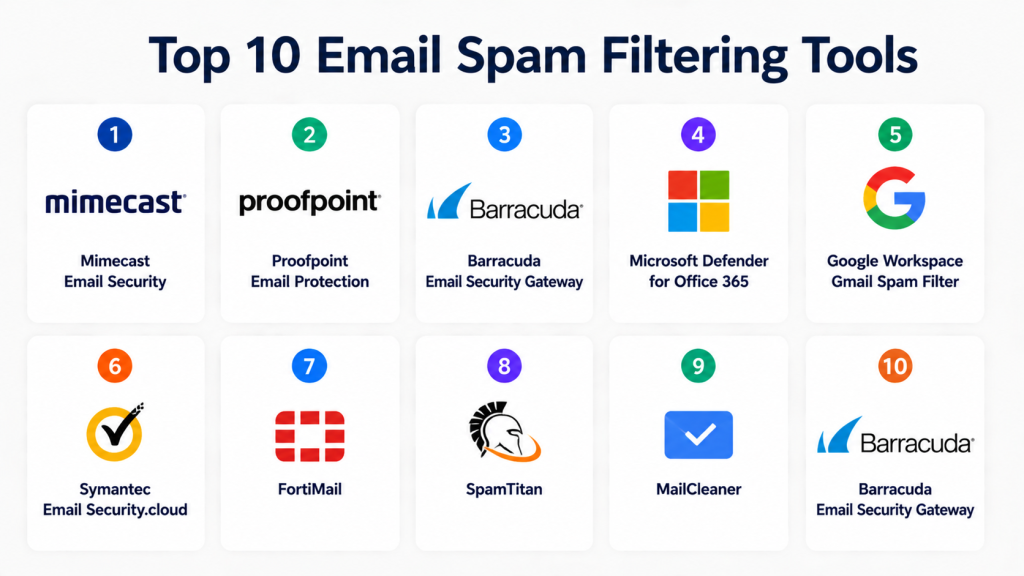
Top 10 Email Spam Filtering Tools
1- Mimecast Email Security
Short description: Mimecast provides cloud-based email security with spam filtering, phishing protection, and threat intelligence
Key Features
- Real-time spam and phishing detection
- Attachment and URL scanning
- AI and machine learning-based filtering
- Admin dashboard and analytics
- Email continuity and archiving
- Mobile and desktop email support
Pros
- Comprehensive enterprise protection
- Advanced threat intelligence
- Cloud-native and scalable
Cons
- Premium pricing
- Complex configuration for small businesses
Platforms / Deployment
- Web / Cloud
Security & Compliance
- SOC 2, ISO 27001, GDPR, HIPAA
Integrations & Ecosystem
- Microsoft 365, Google Workspace, Exchange
- REST APIs, SDKs, webhooks
Support & Community
- Documentation, dedicated support, community portal
2- Proofpoint Email Protection
Short description: Proofpoint delivers AI-driven spam filtering and phishing detection for enterprise email systems
Key Features
- Real-time spam filtering
- Phishing and malware detection
- AI-based threat scoring
- Email encryption and DLP integration
- Reporting dashboards
Pros
- Highly accurate detection
- Enterprise-grade analytics
- Scalable for high-volume emails
Cons
- Premium licensing
- Steep learning curve for administrators
Platforms / Deployment
- Web / Cloud
Security & Compliance
- SOC 2, ISO 27001, GDPR, HIPAA
Integrations & Ecosystem
- Exchange, Microsoft 365, Google Workspace, APIs
Support & Community
- Enterprise support, documentation, training resources
3- Barracuda Email Security Gateway
Short description: Barracuda provides spam and virus filtering with advanced threat protection for email systems
Key Features
- Spam and malware detection
- Phishing protection and URL scanning
- AI and heuristic filtering
- Email archiving and backup
- Admin console and reporting
Pros
- Easy deployment and management
- Multi-layered security approach
- Cloud and on-prem options
Cons
- Limited advanced analytics in lower tiers
- Setup can be complex for beginners
Platforms / Deployment
- Web / Cloud / On-prem
Security & Compliance
- SOC 2, ISO 27001, GDPR
Integrations & Ecosystem
- Exchange, Microsoft 365, Google Workspace, APIs, SDKs
Support & Community
- Documentation, support portal, training materials
4- Microsoft Defender for Office 365
Short description: Microsoft Defender protects Office 365 users from spam, phishing, malware, and unsafe attachments
Key Features
- Anti-spam and phishing filters
- Safe attachments and links scanning
- AI-driven threat protection
- Email encryption and DLP
- Admin dashboards and reporting
Pros
- Seamless Microsoft 365 integration
- AI-powered detection
- Scalable for enterprises
Cons
- Limited support for non-Microsoft email systems
- Licensing required for advanced features
Platforms / Deployment
- Web / Cloud
Security & Compliance
- SOC 2, ISO 27001, GDPR, HIPAA
Integrations & Ecosystem
- Microsoft 365, Exchange, APIs
Support & Community
- Documentation, support portal, training
5- Google Workspace Gmail Spam Filter
Short description: Gmail built-in filters with AI-based spam detection, phishing alerts, and malware protection
Key Features
- Spam and phishing detection
- Machine learning adaptive filters
- Safe attachments scanning
- Admin reporting dashboards
- Integration with Google Workspace apps
Pros
- Seamless integration for Gmail users
- Adaptive AI spam filtering
- Free for Workspace accounts
Cons
- Limited customization for enterprises
- Advanced analytics require additional tools
Platforms / Deployment
- Web / Cloud
Security & Compliance
- SOC 2, ISO 27001, GDPR
Integrations & Ecosystem
- Google Workspace apps, APIs
Support & Community
- Google support, documentation, community forums
6- Symantec Email Security.cloud
Short description: Symantec offers cloud-based spam filtering and malware protection for enterprise email
Key Features
- Spam and phishing detection
- Attachment and URL scanning
- AI-based threat intelligence
- Reporting dashboards
- Policy management and DLP
Pros
- Comprehensive threat protection
- Scalable cloud deployment
- Enterprise-grade analytics
Cons
- Premium pricing
- Learning curve for configuration
Platforms / Deployment
- Web / Cloud
Security & Compliance
- SOC 2, ISO 27001, GDPR, HIPAA
Integrations & Ecosystem
- Microsoft 365, Exchange, Google Workspace, APIs
Support & Community
- Support portal, documentation, enterprise onboarding
7- FortiMail
Short description: FortiMail provides email security with spam filtering, malware protection, and phishing detection
Key Features
- Real-time spam filtering
- Malware and phishing protection
- AI and heuristic analysis
- Admin dashboard and reporting
- Integration with Fortinet security tools
Pros
- Enterprise-grade protection
- Scalable for high-volume email traffic
- Integrated threat intelligence
Cons
- On-prem deployment may be complex
- Premium support for advanced features
Platforms / Deployment
- Web / Cloud / On-prem
Security & Compliance
- SOC 2, ISO 27001, GDPR
Integrations & Ecosystem
- Email servers, APIs, Fortinet security ecosystem
Support & Community
- Documentation, support portal, enterprise training
8- SpamTitan
Short description: SpamTitan provides cloud-based and on-prem email spam filtering with advanced threat protection
Key Features
- Spam and phishing detection
- Malware and ransomware protection
- Policy-based filtering
- Reporting dashboards
- API for integration
Pros
- Easy deployment and management
- Cost-effective for SMBs
- Cloud and on-prem options
Cons
- Limited advanced analytics
- UI can be less intuitive
Platforms / Deployment
- Web / Cloud / On-prem
Security & Compliance
- SOC 2, GDPR
Integrations & Ecosystem
- Exchange, Microsoft 365, APIs, SDKs
Support & Community
- Documentation, support portal, community forums
9- MailCleaner
Short description: MailCleaner provides spam filtering, malware detection, and email security analytics
Key Features
- Spam and virus filtering
- Real-time threat analysis
- Admin dashboards and reporting
- Quarantine management
- Policy customization
Pros
- Affordable solution for SMBs
- Easy-to-use interface
- Flexible deployment
Cons
- Limited AI-based filtering
- Not optimized for high-volume enterprises
Platforms / Deployment
- Web / Cloud / On-prem
Security & Compliance
- GDPR, SOC 2
Integrations & Ecosystem
- Email servers, APIs
Support & Community
- Documentation, support portal
10- Barracuda Email Security Gateway
Short description: Barracuda offers enterprise email security with spam filtering, virus detection, and policy-based threat management
Key Features
- Spam and malware detection
- Phishing protection
- Advanced threat intelligence
- Reporting dashboards
- Policy management
Pros
- Multi-layered security
- Scalable for enterprise
- Flexible deployment
Cons
- Premium cost
- Complex setup for SMBs
Platforms / Deployment
- Web / Cloud / On-prem
Security & Compliance
- SOC 2, ISO 27001, GDPR, PCI DSS
Integrations & Ecosystem
- Exchange, Microsoft 365, APIs, SDKs
Support & Community
- Documentation, support portal, training
Comparison Table
| Tool Name | Best For | Platform(s) Supported | Deployment | Standout Feature | Public Rating |
|---|---|---|---|---|---|
| Mimecast Email Security | Enterprise | Web | Cloud | AI-driven spam & phishing | N/A |
| Proofpoint Email Protection | Enterprise | Web | Cloud | AI-based scoring | N/A |
| Barracuda Email Security Gateway | SMB & Enterprise | Web | Cloud / On-prem | Multi-layered filtering | N/A |
| Microsoft Defender for Office 365 | Microsoft 365 users | Web | Cloud | Integrated threat protection | N/A |
| Gmail Spam Filter | Gmail & Workspace | Web | Cloud | AI-adaptive spam filtering | N/A |
| Symantec Email Security.cloud | Enterprise | Web | Cloud | AI-driven malware detection | N/A |
| FortiMail | Enterprise | Web | Cloud / On-prem | Integrated threat intelligence | N/A |
| SpamTitan | SMB & Cloud users | Web | Cloud / On-prem | Cost-effective spam filtering | N/A |
| MailCleaner | SMB | Web | Cloud / On-prem | Policy customization | N/A |
| Barracuda Email Security Gateway | Enterprise | Web | Cloud / On-prem | Advanced threat protection | N/A |
Evaluation & Scoring
| Tool Name | Core | Ease | Integrations | Security | Performance | Support | Value | Weighted Total |
|---|---|---|---|---|---|---|---|---|
| Mimecast Email Security | 9 | 8 | 8 | 9 | 9 | 8 | 7 | 8.6 |
| Proofpoint Email Protection | 9 | 8 | 8 | 9 | 8 | 7 | 7 | 8.1 |
| Barracuda Email Security Gateway | 8 | 8 | 7 | 8 | 8 | 7 | 7 | 7.7 |
| Microsoft Defender for Office 365 | 8 | 9 | 8 | 9 | 8 | 8 | 7 | 8.3 |
| Gmail Spam Filter | 7 | 9 | 7 | 8 | 7 | 8 | 7 | 7.7 |
| Symantec Email Security.cloud | 8 | 8 | 8 | 9 | 8 | 7 | 7 | 7.9 |
| FortiMail | 8 | 7 | 7 | 8 | 8 | 7 | 7 | 7.7 |
| SpamTitan | 7 | 7 | 7 | 8 | 7 | 7 | 7 | 7.3 |
| MailCleaner | 7 | 8 | 7 | 8 | 7 | 7 | 7 | 7.3 |
| Barracuda Email Security Gateway | 8 | 7 | 7 | 8 | 8 | 7 | 7 | 7.7 |
Which Email Spam Filtering Tool Is Right for You?
Solo / Freelancer
Choose lightweight cloud-based solutions with easy integration
SMB
Select cost-effective cloud or on-prem solutions with basic analytics and spam detection
Mid-Market
Use AI-driven adaptive filtering tools with reporting dashboards and policy customization
Enterprise
Focus on enterprise-grade tools with multi-layered security, AI, and compliance features
Budget vs Premium
Budget options cover basic spam and malware filtering; premium options include AI, analytics, and advanced threat detection
Feature Depth vs Ease of Use
High feature depth platforms provide advanced security; simpler tools allow faster deployment
Integrations & Scalability
Pick solutions that integrate with email clients, servers, and cloud platforms for high-volume environments
Security & Compliance Needs
Ensure SOC 2, PCI DSS, GDPR, HIPAA compliance for enterprise email protection
Frequently Asked Questions
1- What is an email spam filtering tool?
It identifies and blocks spam, phishing, and malicious emails to protect inboxes
2- How do these tools detect spam?
They use AI, heuristics, and behavioral analysis to score and filter messages
3- Can SMBs use email spam filters?
Yes, many cloud-based solutions are cost-effective and easy to deploy
4- Are these tools cloud or on-prem?
Most offer cloud, some provide on-prem or hybrid deployment
5- Do these tools protect against phishing?
Yes, they detect malicious links, attachments, and impersonation attempts
6- How complex is setup?
Cloud tools are typically plug-and-play; enterprise-grade solutions may require configuration
7- Can these tools integrate with Gmail or Office 365?
Yes, most support major email platforms and servers
8- Are AI features standard?
Yes, AI is increasingly used for adaptive filtering and threat detection
9- Can they reduce false positives?
Yes, AI and machine learning reduce the chance of blocking legitimate emails
10- Are analytics available?
Yes, most enterprise solutions offer dashboards, reporting, and threat insights
Conclusion
Email Spam Filtering Tools protect businesses from spam, phishing, and malware while improving productivity and security. Choosing the right tool depends on email volume, deployment preferences, and integration requirements. Next steps: evaluate features, test integration, and ensure compliance and scalability before deployment
