Introduction
Cartography and Map Design Tools are specialized platforms used to create visually compelling maps, thematic representations, and geographic visualizations. These tools allow designers, GIS professionals, and researchers to turn spatial data into interactive, detailed, and aesthetically precise maps suitable for presentations, reports, or digital platforms.
High-quality cartography is critical for urban planning, environmental monitoring, marketing, and education. With increasing datasets from IoT, satellite imagery, and GIS platforms, map design tools help translate complex data into actionable insights through visualization, storytelling, and thematic layering.
Real-world use cases include:
- Creating interactive maps for tourism or educational platforms
- Designing detailed topographic or terrain maps for environmental studies
- Visualizing demographic, marketing, or election data
- Building navigation and routing interfaces for logistics companies
- Producing printed or digital maps for research, reports, or publications
Evaluation criteria for buyers:
- Ease of use and user interface design
- Variety of cartographic templates and styling options
- Integration with GIS and spatial data sources
- Support for interactive and static maps
- Export formats (vector, raster, PDF, SVG, web formats)
- Layer management and thematic mapping capabilities
- Real-time data visualization support
- Collaboration and sharing features
- Deployment options: desktop, web, or cloud
- Cost and value for professional vs. casual use
Best for: GIS professionals, urban planners, data analysts, designers, and educators who need professional map visuals.
Not ideal for: Teams that only need basic mapping, internal reference maps, or tools without design/visualization focus.
Key Trends in Cartography & Map Design Tools
- Integration with GIS platforms for real-time and complex spatial data visualization
- Cloud-based collaboration for design teams and institutions
- AI-assisted labeling and symbol placement for faster map creation
- Enhanced support for interactive web maps and mobile platforms
- Advanced 3D mapping and terrain visualization
- Pre-built templates and styling presets for thematic maps
- Open-source tools gaining adoption for cost-effective customization
- Automated color schemes, scale bars, and typography optimization
- Compatibility with data visualization platforms like Tableau and Power BI
- Increased support for multi-format exports for print, web, and presentations
How We Selected These Tools (Methodology)
- Reviewed market adoption and relevance across industries
- Evaluated feature completeness: styling, visualization, export options
- Analyzed integration with GIS, mapping datasets, and data APIs
- Assessed ease of use and learning curve for professional designers
- Checked reliability and performance for large and interactive maps
- Considered cloud, desktop, and hybrid deployment options
- Reviewed security and compliance capabilities where applicable
- Examined documentation, tutorials, and community support
- Evaluated cost-effectiveness relative to feature set
- Prioritized tools with active updates and strong community or enterprise backing
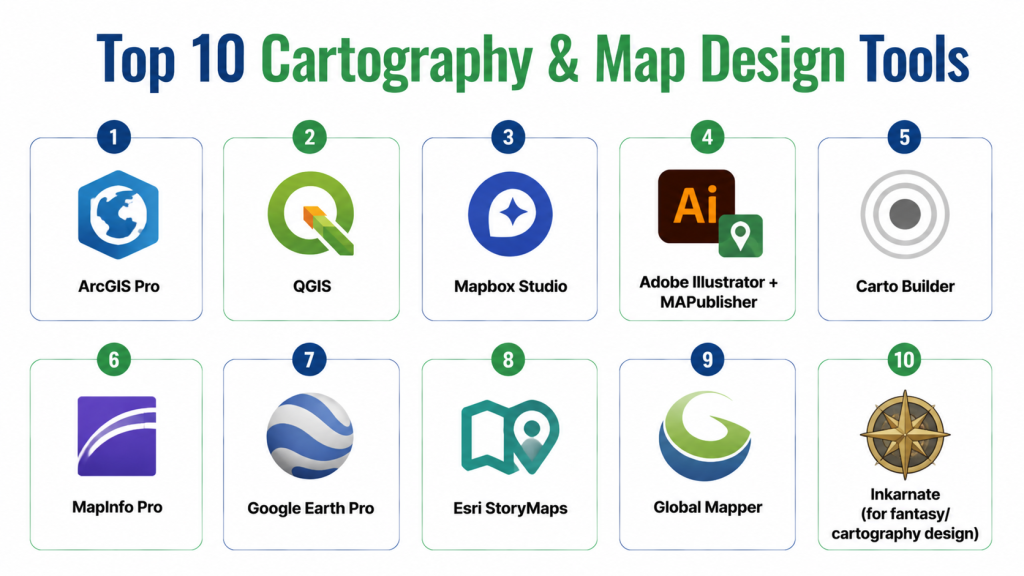
Top 10 Cartography & Map Design Tools
1- ArcGIS Pro
Short description: Professional GIS and cartography platform for creating highly detailed and interactive maps, widely used by urban planners and enterprises.
Key Features
- 2D and 3D map creation
- Thematic mapping and layer management
- Integration with ArcGIS online datasets
- Advanced spatial analysis and geoprocessing
- Custom symbology, labeling, and design tools
- Export to multiple formats including web, PDF, and print
Pros
- Feature-rich and widely adopted
- Strong support and tutorials
Cons
- Premium pricing
- Steep learning curve for beginners
Platforms / Deployment
- Windows, Cloud
Security & Compliance
- SSO/SAML, encryption
- SOC 2, ISO 27001
Integrations & Ecosystem
Connects with GIS databases, Tableau, Power BI, and web mapping APIs.
- Supports Python scripting
- Integration with IoT and real-time data feeds
Support & Community
- Enterprise support tiers
- Extensive documentation and forums
- Active GIS user community
2- QGIS
Short description: Open-source GIS and map design tool for creating thematic and analytical maps with full customization options.
Key Features
- Multi-format data support (vector and raster)
- Plugins for enhanced cartography and visualization
- Advanced layer styling and labeling
- Map composer and print layout tools
- Scripting with Python for automation
Pros
- Free and highly flexible
- Large community support
Cons
- Requires technical knowledge for full use
- Less polished interface than commercial software
Platforms / Deployment
- Windows, macOS, Linux, Self-hosted
Security & Compliance
- Not publicly stated
Integrations & Ecosystem
- Plugins for Carto, GeoServer, and web visualization
- Supports Python, R scripting
- Export to SVG, PDF, and web formats
Support & Community
- Extensive tutorials and forums
- Community-driven support channels
3- Mapbox Studio
Short description: Cloud-based platform for designing interactive, web-ready maps with custom styling and vector tiles.
Key Features
- Interactive web map creation
- Custom styling and color schemes
- Real-time updates and data integration
- Vector tiles and offline map support
- API and SDK access for developers
Pros
- Developer-friendly and scalable
- High customization for web and mobile maps
Cons
- Subscription pricing based on usage
- Requires coding for advanced features
Platforms / Deployment
- Web, iOS, Android, Cloud
Security & Compliance
- Not publicly stated
Integrations & Ecosystem
- Integrates with GIS datasets, JavaScript libraries, and analytics tools
- APIs for web and mobile apps
- Compatible with GIS formats (GeoJSON, Shapefile)
Support & Community
- Documentation, tutorials, and forums
- Enterprise support options
4- Adobe Illustrator + MAPublisher
Short description: Graphic design and map-making combination for high-quality cartographic design with professional publishing.
Key Features
- Vector-based map creation
- Integration with GIS data via MAPublisher plugin
- Custom styling, typography, and labeling
- Layer management for complex maps
- Export to print and digital formats
Pros
- Exceptional design control
- Ideal for print-quality maps
Cons
- Expensive software license
- Limited GIS analysis features
Platforms / Deployment
- Windows, macOS
Security & Compliance
- Not publicly stated
Integrations & Ecosystem
- MAPublisher connects with ArcGIS, shapefiles, and GIS data formats
- Works with Illustrator workflows
Support & Community
- Adobe tutorials and MAPublisher guides
- Forums and design communities
5- Carto Builder
Short description: Cloud platform for designing interactive maps and visual storytelling for spatial analytics and business intelligence.
Key Features
- Drag-and-drop map design
- Real-time data integration
- Advanced styling and thematic layers
- API access for developers
- Dashboard embedding and collaboration
Pros
- User-friendly interface
- Great for analytics-focused maps
Cons
- Subscription cost can be high
- Limited offline capabilities
Platforms / Deployment
- Web, Cloud
Security & Compliance
- Not publicly stated
Integrations & Ecosystem
- Connects to SQL databases, BI tools, and GIS datasets
- Supports Python and JavaScript APIs
Support & Community
- Documentation and tutorials
- Enterprise support available
6- MapInfo Pro
Short description: Desktop GIS software for map visualization and spatial analysis in business and urban planning.
Key Features
- Detailed mapping and thematic visualization
- Integration with Excel and databases
- Spatial analysis and routing tools
- Multi-layered mapping
- Export to print and digital formats
Pros
- Strong analytical and mapping tools
- Enterprise integration support
Cons
- Desktop-focused
- Costly for smaller organizations
Platforms / Deployment
- Windows, Cloud
Security & Compliance
- Not publicly stated
Integrations & Ecosystem
- Connects with databases, Tableau, and GIS formats
- Supports multiple export options
Support & Community
- Vendor support
- Documentation and user forums
7- Google Earth Pro
Short description: Desktop and cloud mapping tool for visualization, satellite imagery, and basic cartography design.
Key Features
- High-resolution satellite imagery
- Map annotations and custom layers
- 3D visualization and terrain analysis
- Import/export GIS data
- Geocoding and measurement tools
Pros
- Free and widely accessible
- Excellent satellite imagery
Cons
- Limited design customization
- Not suitable for professional cartography publishing
Platforms / Deployment
- Windows, macOS, Cloud
Security & Compliance
- Not publicly stated
Integrations & Ecosystem
- Compatible with KML, CSV, and shapefiles
- Basic integration with GIS datasets
Support & Community
- Google documentation and help forums
8- Esri StoryMaps
Short description: Cloud-based platform to create visually engaging interactive maps and geographic stories for web and presentations.
Key Features
- Interactive map builder with templates
- Integration with ArcGIS datasets
- Multimedia embedding (images, video, text)
- Thematic mapping and visualization
- Collaboration features
Pros
- Excellent for storytelling and public engagement
- Easy to use for non-technical users
Cons
- Limited advanced cartography features
- Subscription pricing
Platforms / Deployment
- Web, Cloud
Security & Compliance
- Not publicly stated
Integrations & Ecosystem
- Works with ArcGIS Online and other GIS datasets
- API access for developers
Support & Community
- Esri tutorials and community forums
9- Global Mapper
Short description: GIS and cartography tool for terrain, LiDAR, and spatial data visualization.
Key Features
- Terrain and 3D mapping
- LiDAR and DEM data support
- Advanced geospatial analysis
- Map export in multiple formats
- Scripting and automation support
Pros
- Ideal for engineering and topographic maps
- Supports many data formats
Cons
- UI less modern
- Limited collaboration tools
Platforms / Deployment
- Windows, Cloud
Security & Compliance
- Not publicly stated
Integrations & Ecosystem
- Integrates with CAD, GIS servers, and databases
Support & Community
- Documentation and technical support
10- Inkarnate (for fantasy/cartography design)
Short description: Cloud-based map design tool for fictional or creative maps, often used in gaming, storytelling, or educational purposes.
Key Features
- Drag-and-drop map design interface
- Custom icons, terrain, and styling
- Export to high-resolution images
- Collaborative editing for teams
- Pre-built map assets and templates
Pros
- Easy for creative, non-technical users
- Great for fantasy and storytelling maps
Cons
- Limited GIS analytics
- Web-based with subscription plan
Platforms / Deployment
- Web, Cloud
Security & Compliance
- Not publicly stated
Integrations & Ecosystem
- Export to PNG, JPEG, or PDF
- Limited API integration
Support & Community
- Tutorials and help documentation
- Community forum
Comparison Table (Top 10)
| Tool Name | Best For | Platform(s) Supported | Deployment | Standout Feature | Public Rating |
|---|---|---|---|---|---|
| ArcGIS Pro | Enterprise | Windows, Web | Cloud/Hybrid | Advanced spatial analysis | N/A |
| QGIS | Open-source | Windows, macOS, Linux | Self-hosted | Free and flexible | N/A |
| Mapbox Studio | Developers | Web, iOS, Android | Cloud | Interactive web maps | N/A |
| Illustrator + MAPublisher | Designers | Windows, macOS | Desktop | Print-quality cartography | N/A |
| Carto Builder | Enterprise | Web | Cloud | Location intelligence maps | N/A |
| MapInfo Pro | SMB/Enterprise | Windows | Desktop | Business mapping | N/A |
| Google Earth Pro | Researchers | Windows, macOS | Desktop/Cloud | Satellite imagery | N/A |
| Esri StoryMaps | Educators/Storytelling | Web | Cloud | Interactive narratives | N/A |
| Global Mapper | Surveyors | Windows | Desktop | Terrain and LiDAR | N/A |
| Inkarnate | Creative/fantasy | Web | Cloud | Artistic maps | N/A |
Top 3 Enterprise: ArcGIS Pro, Carto Builder, Mapbox Studio
Top 3 SMB: MapInfo Pro, QGIS, Illustrator + MAPublisher
Top 3 Developers: Mapbox Studio, QGIS, Global Mapper
Evaluation & Scoring of Cartography & Map Design Tools
| Tool Name | Core (25%) | Ease (15%) | Integrations (15%) | Security (10%) | Performance (10%) | Support (10%) | Value (15%) | Weighted Total (0–10) |
|---|---|---|---|---|---|---|---|---|
| ArcGIS Pro | 10 | 8 | 9 | 9 | 9 | 9 | 7 | 8.9 |
| QGIS | 8 | 6 | 7 | 7 | 8 | 7 | 10 | 7.6 |
| Mapbox Studio | 9 | 8 | 8 | 8 | 9 | 8 | 7 | 8.3 |
| Illustrator + MAPublisher | 9 | 7 | 7 | 7 | 8 | 7 | 7 | 7.6 |
| Carto Builder | 9 | 9 | 8 | 8 | 9 | 9 | 7 | 8.5 |
| MapInfo Pro | 8 | 7 | 7 | 7 | 8 | 7 | 8 | 7.6 |
| Google Earth Pro | 8 | 8 | 6 | 7 | 8 | 7 | 10 | 7.7 |
| Esri StoryMaps | 8 | 9 | 7 | 7 | 8 | 7 | 7 | 7.7 |
| Global Mapper | 8 | 7 | 7 | 7 | 8 | 7 | 8 | 7.5 |
| Inkarnate | 7 | 9 | 6 | 7 | 7 | 7 | 8 | 7.4 |
Which Cartography & Map Design Tool Is Right for You?
Solo / Freelancer
QGIS, Inkarnate, or Google Earth Pro offer low-cost, flexible options for personal or creative projects.
SMB
MapInfo Pro, Illustrator + MAPublisher, or ArcGIS Pro provide professional-quality maps for smaller organizations.
Mid-Market
Carto Builder and Mapbox Studio are ideal for interactive, web-based mapping and analytics.
Enterprise
ArcGIS Pro, Carto Builder, and Mapbox Studio offer advanced analysis, collaboration, and integration with large datasets.
Budget vs Premium
QGIS and Google Earth Pro are free or low-cost; premium tools offer advanced features and enterprise support.
Feature Depth vs Ease of Use
QGIS and ArcGIS Pro provide depth; StoryMaps, Carto, and Inkarnate focus on ease of use and design.
Integrations & Scalability
ArcGIS Pro, Mapbox Studio, and Carto Builder integrate with GIS, BI, and analytics pipelines, supporting large datasets.
Security & Compliance Needs
Choose platforms with role-based access, encryption, and enterprise-grade compliance for sensitive projects.
Frequently Asked Questions (FAQs)
1- What is a cartography tool?
A platform that allows users to design, visualize, and publish spatial data as maps with precision and styling options.
2- Can these tools integrate with GIS datasets?
Yes, most tools like ArcGIS Pro, Mapbox, and QGIS support integration with GIS data formats.
3- Which tool is best for beginners?
Inkarnate or StoryMaps provide intuitive, drag-and-drop interfaces for non-technical users.
4- Are there open-source options?
Yes, QGIS and GeoServer are free and widely supported by the community.
5- Can these maps be interactive?
Yes, Mapbox Studio, Carto, and StoryMaps support interactive web maps and dashboards.
6- Do these tools support 3D maps?
ArcGIS Pro, Google Earth Pro, and ESRI CityEngine support 3D mapping and terrain visualization.
7- What export formats are available?
PDF, SVG, PNG, JPEG, web tiles, and GIS formats like GeoJSON and Shapefiles.
8- Can I use these tools for commercial projects?
Yes, with proper licensing; open-source tools allow commercial use under their license terms.
9- Are mobile maps supported?
Mapbox, Google Earth Pro, and ArcGIS offer mobile-friendly or mobile apps.
10- What are common mistakes in choosing a tool?
Ignoring design vs. analytics needs, platform compatibility, or integration with existing GIS workflows.
Conclusion
Cartography & Map Design Tools transform raw geographic data into visually compelling maps for analysis, decision-making, and communication. Tool choice depends on project complexity, team size, deployment preference, and design vs. analytical requirements. Solo users can start with QGIS or Inkarnate, SMBs with MapInfo Pro or Illustrator + MAPublisher, while enterprises benefit from ArcGIS Pro, Carto Builder, or Mapbox Studio. Next steps: shortlist 2–3 platforms, pilot your maps, and validate usability, integrations, and output formats before full deployment.
