Introduction
Field Service Management software helps businesses manage field operations such as technician scheduling, work orders, dispatching, asset maintenance, customer communication, invoicing, and mobile workforce coordination. These platforms are widely used by HVAC companies, telecom providers, utilities, manufacturing firms, healthcare equipment providers, and maintenance service businesses.
As organizations continue investing in automation, remote operations, AI-assisted scheduling, and predictive maintenance, FSM platforms have become critical operational systems rather than optional workflow tools. Modern platforms now combine mobile apps, IoT integration, AI route optimization, customer self-service, and analytics into a single operational environment.
Real-world use cases include:
- Managing technician dispatch and routing
- Preventive maintenance scheduling
- Utility and telecom field operations
- Equipment installation and repair tracking
- Customer service ticket management and invoicing
Evaluation Criteria for Buyers
When evaluating FSM software, buyers should assess:
- Scheduling and dispatch automation
- Mobile workforce capabilities
- Offline mobile access
- Asset and inventory management
- CRM and ERP integrations
- Reporting and analytics
- AI-driven optimization features
- Scalability across locations
- Security and access controls
- Pricing flexibility and implementation complexity
Best for: Enterprises, service contractors, utilities, telecom providers, HVAC businesses, maintenance companies, and organizations managing distributed field teams.
Not ideal for: Small businesses with minimal field operations, companies with fully in-office service models, or organizations needing only lightweight ticketing software.
Key Trends in Field Service Management Software
- AI-powered dispatch optimization is becoming standard for route planning and technician allocation.
- Predictive maintenance using IoT and sensor data is reducing downtime across industrial sectors.
- Mobile-first field operations are replacing paper-based workflows.
- Customer self-service portals and live technician tracking are increasingly expected.
- FSM platforms are integrating deeply with ERP, CRM, and asset management systems.
- Offline mobile capabilities remain important for remote industrial environments.
- AI copilots are improving knowledge retrieval and technician guidance.
- Subscription pricing models are replacing perpetual licensing.
- Real-time analytics and operational dashboards are becoming core buying criteria.
- Security expectations now commonly include RBAC, MFA, SSO, and audit logging.
How We Selected These Tools
The following FSM platforms were selected based on:
- Market adoption and enterprise visibility
- Feature completeness across dispatch, scheduling, invoicing, and asset management
- Mobile application maturity
- AI and automation capabilities
- Reliability and operational scalability
- Integration ecosystem and API flexibility
- Support for SMB, mid-market, and enterprise organizations
- Security and compliance readiness
- Industry specialization and vertical support
- Customer experience and implementation maturity
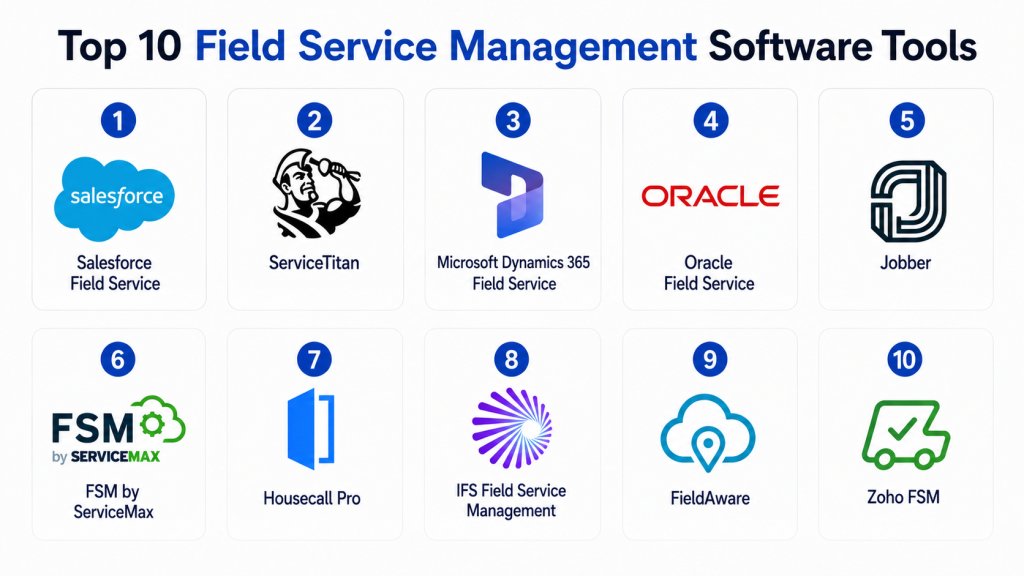
Top 10 Field Service Management Software Tools
1- Salesforce Field Service
Short description: Salesforce Field Service is an enterprise-grade FSM platform designed for organizations already invested in the Salesforce ecosystem. It offers advanced scheduling, mobile workforce management, AI-powered dispatching, and customer engagement capabilities.
Key Features
- AI-powered scheduling and optimization
- Mobile workforce management
- Work order lifecycle tracking
- Customer appointment management
- Asset and inventory management
- Offline mobile functionality
- Deep Salesforce CRM integration
Pros
- Excellent enterprise scalability
- Strong CRM integration ecosystem
- Advanced AI and analytics capabilities
Cons
- Higher implementation complexity
- Premium pricing for advanced features
- May be excessive for small businesses
Platforms / Deployment
- Web / iOS / Android
- Cloud
Security & Compliance
- SSO/SAML
- MFA
- RBAC
- Audit logs
- GDPR support
- SOC 2 and ISO 27001 support through Salesforce ecosystem
Integrations & Ecosystem
Salesforce Field Service integrates deeply with Salesforce products and enterprise business systems.
- Salesforce CRM
- Slack
- ERP platforms
- Service Cloud
- APIs and automation tools
Support & Community
Large enterprise support ecosystem with extensive documentation, partner network, and implementation consultants.
2- ServiceTitan
Short description: ServiceTitan focuses heavily on residential and commercial service businesses including HVAC, plumbing, and electrical service providers. It combines scheduling, invoicing, customer management, and field operations in a unified platform.
Key Features
- Smart dispatching
- Mobile technician tools
- Invoice and payment management
- Customer communication automation
- Marketing and sales tracking
- Inventory management
- Reporting dashboards
Pros
- Industry-focused workflows
- Strong mobile experience
- Excellent operational visibility
Cons
- Pricing may be high for smaller teams
- Learning curve for advanced reporting
- Limited fit outside service industries
Platforms / Deployment
- Web / iOS / Android
- Cloud
Security & Compliance
- RBAC
- MFA
- Encryption
- Not publicly stated for broader certifications
Integrations & Ecosystem
ServiceTitan supports integrations for accounting, payments, CRM, and customer communication tools.
- QuickBooks
- Sage
- Zapier
- Financing platforms
- Payment gateways
Support & Community
Strong onboarding programs and active customer education resources.
3- Microsoft Dynamics 365 Field Service
Short description: Microsoft Dynamics 365 Field Service provides enterprise FSM capabilities tightly integrated with the Microsoft ecosystem. It is particularly strong for organizations using Dynamics ERP and Microsoft cloud infrastructure.
Key Features
- AI-assisted scheduling
- Remote assist capabilities
- IoT-driven predictive maintenance
- Asset management
- Mobile field apps
- Work order automation
- Mixed reality support
Pros
- Strong Microsoft ecosystem integration
- Advanced enterprise analytics
- Excellent scalability
Cons
- Requires Microsoft ecosystem familiarity
- Complex deployment for smaller businesses
- Licensing can become expensive
Platforms / Deployment
- Web / Windows / iOS / Android
- Cloud / Hybrid
Security & Compliance
- SSO/SAML
- MFA
- RBAC
- Audit logs
- Microsoft compliance ecosystem support
Integrations & Ecosystem
Deep integration across Microsoft business applications and cloud infrastructure.
- Microsoft Teams
- Power BI
- Azure IoT
- Dynamics ERP
- Power Platform
Support & Community
Large enterprise support network with strong documentation and partner ecosystem.
4- Oracle Field Service
Short description: Oracle Field Service is a large-scale enterprise FSM platform known for advanced routing, AI scheduling, and workforce optimization capabilities.
Key Features
- Predictive workforce optimization
- AI route planning
- Real-time technician tracking
- Capacity planning
- Mobile workforce management
- Customer communication tools
- SLA management
Pros
- Advanced scheduling intelligence
- Strong enterprise scalability
- Effective for large distributed workforces
Cons
- Enterprise-focused pricing
- Complex implementation
- Smaller organizations may find it excessive
Platforms / Deployment
- Web / iOS / Android
- Cloud
Security & Compliance
- RBAC
- MFA
- SSO
- Encryption
- Oracle cloud compliance ecosystem
Integrations & Ecosystem
Oracle Field Service integrates with Oracle ERP, CX, and third-party enterprise systems.
- Oracle ERP
- CRM platforms
- REST APIs
- Workforce systems
- Analytics tools
Support & Community
Enterprise-grade support with strong professional services availability.
5- Jobber
Short description: Jobber is an SMB-focused FSM platform designed for home service businesses and independent contractors seeking simplicity and affordability.
Key Features
- Scheduling and dispatching
- Quotes and invoicing
- Customer management
- Online booking
- Mobile workforce app
- Payment processing
- Workflow automation
Pros
- Easy to use
- Fast implementation
- Strong fit for small businesses
Cons
- Limited enterprise scalability
- Fewer advanced analytics capabilities
- Limited customization compared to enterprise platforms
Platforms / Deployment
- Web / iOS / Android
- Cloud
Security & Compliance
- MFA
- Encryption
- RBAC
- Not publicly stated for advanced certifications
Integrations & Ecosystem
Jobber integrates with accounting and payment systems commonly used by SMBs.
- QuickBooks
- Stripe
- Mailchimp
- Zapier
- Google Calendar
Support & Community
Well-rated customer support with onboarding resources aimed at SMB operators.
6- FSM by ServiceMax
Short description: ServiceMax focuses on asset-centric field service operations for manufacturing, healthcare, and industrial equipment providers.
Key Features
- Asset lifecycle management
- Preventive maintenance
- Technician scheduling
- Mobile service execution
- Inventory tracking
- AI-driven service insights
- Contract management
Pros
- Strong industrial use-case support
- Excellent asset-centric workflows
- Predictive maintenance capabilities
Cons
- More suitable for large organizations
- Complex implementation
- Higher operational cost
Platforms / Deployment
- Web / iOS / Android
- Cloud
Security & Compliance
- RBAC
- MFA
- Encryption
- Audit logging
- Varies / N/A for additional certifications
Integrations & Ecosystem
ServiceMax integrates with ERP, CRM, and industrial asset systems.
- Salesforce
- SAP
- Oracle ERP
- IoT systems
- APIs
Support & Community
Strong enterprise implementation ecosystem and consulting availability.
7- Housecall Pro
Short description: Housecall Pro is designed for small service businesses needing simple scheduling, invoicing, and technician coordination.
Key Features
- Dispatch management
- Online booking
- Mobile technician app
- Estimates and invoices
- Customer notifications
- Payment collection
- Recurring service plans
Pros
- User-friendly interface
- Good SMB affordability
- Fast onboarding
Cons
- Limited enterprise functionality
- Basic reporting compared to enterprise tools
- Less customizable
Platforms / Deployment
- Web / iOS / Android
- Cloud
Security & Compliance
- MFA
- Encryption
- RBAC
- Not publicly stated for broader compliance standards
Integrations & Ecosystem
Supports integrations commonly needed by SMB field teams.
- QuickBooks
- Stripe
- Google Calendar
- Zapier
- Financing tools
Support & Community
Strong onboarding and customer support reputation among SMB customers.
8- IFS Field Service Management
Short description: IFS FSM is an enterprise-grade service management platform focused on complex service operations, manufacturing, aerospace, telecom, and utilities.
Key Features
- Enterprise scheduling optimization
- Asset lifecycle management
- Predictive maintenance
- AI-powered workforce planning
- SLA management
- Mobile field service
- Contract and warranty management
Pros
- Excellent enterprise capabilities
- Strong industrial vertical support
- Advanced service lifecycle management
Cons
- Significant implementation complexity
- Premium enterprise pricing
- Requires experienced administrators
Platforms / Deployment
- Web / iOS / Android
- Cloud / Hybrid
Security & Compliance
- SSO
- MFA
- RBAC
- Audit logging
- Enterprise compliance support
Integrations & Ecosystem
IFS supports large enterprise integrations across operational systems.
- ERP platforms
- IoT systems
- CRM tools
- APIs
- Asset management platforms
Support & Community
Strong enterprise support with implementation partner ecosystem.
9- FieldAware
Short description: FieldAware provides cloud-based FSM capabilities focused on operational efficiency, technician mobility, and service automation.
Key Features
- Work order management
- GPS technician tracking
- Mobile field operations
- Customer communication
- Scheduling automation
- Reporting dashboards
- Asset tracking
Pros
- Mobile-friendly platform
- Good operational visibility
- Easier implementation than many enterprise tools
Cons
- Smaller ecosystem compared to market leaders
- Limited advanced AI capabilities
- Enterprise customization limitations
Platforms / Deployment
- Web / iOS / Android
- Cloud
Security & Compliance
- RBAC
- Encryption
- MFA
- Varies / N/A for additional certifications
Integrations & Ecosystem
FieldAware supports operational integrations through APIs and business connectors.
- CRM platforms
- ERP systems
- Accounting tools
- APIs
- Mobile integrations
Support & Community
Responsive support for mid-market customers with implementation assistance.
10- Zoho FSM
Short description: Zoho FSM is a cost-effective FSM solution designed for SMBs and organizations already using Zoho business applications.
Key Features
- Work order management
- Scheduling and dispatch
- Mobile workforce tools
- Customer portals
- Billing and invoicing
- Asset tracking
- Workflow automation
Pros
- Affordable pricing
- Easy integration with Zoho ecosystem
- Simple interface for SMB teams
Cons
- Limited enterprise-scale functionality
- Fewer advanced AI capabilities
- Less mature than some enterprise competitors
Platforms / Deployment
- Web / iOS / Android
- Cloud
Security & Compliance
- MFA
- RBAC
- Encryption
- GDPR support
Integrations & Ecosystem
Zoho FSM integrates naturally with Zoho applications and common SMB business tools.
- Zoho CRM
- Zoho Books
- APIs
- Google Workspace
- Third-party connectors
Support & Community
Good SMB-focused support ecosystem and accessible documentation.
Comparison Table
| Tool Name | Best For | Platform(s) Supported | Deployment | Standout Feature | Public Rating |
|---|---|---|---|---|---|
| Salesforce Field Service | Enterprises | Web, iOS, Android | Cloud | AI scheduling | N/A |
| ServiceTitan | HVAC and service businesses | Web, iOS, Android | Cloud | Industry workflows | N/A |
| Microsoft Dynamics 365 Field Service | Microsoft-centric enterprises | Web, Windows, iOS, Android | Cloud, Hybrid | IoT integration | N/A |
| Oracle Field Service | Large distributed teams | Web, iOS, Android | Cloud | Predictive routing | N/A |
| Jobber | SMB service businesses | Web, iOS, Android | Cloud | Ease of use | N/A |
| ServiceMax | Industrial service operations | Web, iOS, Android | Cloud | Asset-centric FSM | N/A |
| Housecall Pro | Small service teams | Web, iOS, Android | Cloud | Fast onboarding | N/A |
| IFS FSM | Complex enterprise operations | Web, iOS, Android | Cloud, Hybrid | Enterprise asset lifecycle | N/A |
| FieldAware | Mid-market service operations | Web, iOS, Android | Cloud | Technician mobility | N/A |
| Zoho FSM | SMBs using Zoho ecosystem | Web, iOS, Android | Cloud | Cost efficiency | N/A |
Evaluation & Scoring of Field Service Management Software
| Tool Name | Core 25% | Ease 15% | Integrations 15% | Security 10% | Performance 10% | Support 10% | Value 15% | Weighted Total |
|---|---|---|---|---|---|---|---|---|
| Salesforce Field Service | 9.5 | 7.5 | 9.5 | 9 | 9 | 9 | 7 | 8.7 |
| ServiceTitan | 8.5 | 8.5 | 8 | 7.5 | 8.5 | 8.5 | 7.5 | 8.2 |
| Microsoft Dynamics 365 Field Service | 9 | 7.5 | 9 | 9 | 9 | 8.5 | 7 | 8.5 |
| Oracle Field Service | 9 | 7 | 8.5 | 8.5 | 9 | 8 | 6.5 | 8.1 |
| Jobber | 7.5 | 9 | 7 | 7 | 8 | 8 | 9 | 8.0 |
| ServiceMax | 8.5 | 7 | 8.5 | 8 | 8.5 | 8 | 7 | 8.0 |
| Housecall Pro | 7 | 9 | 6.5 | 7 | 7.5 | 8 | 9 | 7.8 |
| IFS FSM | 9 | 6.5 | 8.5 | 8.5 | 9 | 8 | 6.5 | 8.0 |
| FieldAware | 7.5 | 8 | 7 | 7 | 7.5 | 7.5 | 8 | 7.6 |
| Zoho FSM | 7 | 8.5 | 7.5 | 7 | 7.5 | 7.5 | 9 | 7.8 |
These scores are comparative rather than absolute. Enterprise platforms score highly on scalability, AI capabilities, and integration depth, while SMB-focused tools perform better on affordability and ease of use. Buyers should prioritize criteria aligned with their operational complexity, industry requirements, and internal IT resources. A smaller business may achieve better ROI from a lightweight FSM platform even if enterprise products score higher overall.
Which Field Service Management Software Tool Is Right for You?
Solo / Freelancer
Independent contractors and very small service businesses typically benefit from simpler platforms such as Jobber or Housecall Pro. These tools prioritize usability, mobile invoicing, scheduling, and customer communication without requiring dedicated IT resources.
SMB
Growing service organizations often need stronger reporting, automation, and integrations. ServiceTitan and Zoho FSM provide strong operational workflows while remaining manageable for medium-sized teams.
Mid-Market
Mid-market businesses handling multiple regions or specialized service operations may benefit from FieldAware or ServiceMax depending on operational complexity and asset management requirements.
Enterprise
Large enterprises with complex field operations should evaluate Salesforce Field Service, Microsoft Dynamics 365 Field Service, Oracle Field Service, or IFS FSM. These platforms support enterprise workflows, advanced integrations, AI optimization, and large-scale workforce coordination.
Budget vs Premium
Budget-focused buyers should prioritize Jobber, Zoho FSM, and Housecall Pro. Premium enterprise buyers requiring deep customization and scalability may prefer Salesforce, Oracle, or Microsoft Dynamics.
Feature Depth vs Ease of Use
Enterprise FSM suites offer advanced capabilities but often involve steeper learning curves and implementation timelines. Simpler SMB tools prioritize fast onboarding and operational simplicity.
Integrations & Scalability
Organizations with existing ERP, CRM, or asset management investments should prioritize integration compatibility. Salesforce and Microsoft ecosystems are especially strong for organizations already standardized on those platforms.
Security & Compliance Needs
Industries such as utilities, healthcare equipment, telecom, and industrial manufacturing may require stronger RBAC, audit logging, MFA, and compliance capabilities. Enterprise-grade FSM platforms generally provide stronger governance capabilities.
Frequently Asked Questions
1- What is Field Service Management software?
FSM software helps organizations manage field technicians, scheduling, dispatching, service requests, maintenance operations, invoicing, and customer communication from a centralized platform.
2- Who uses FSM software most commonly?
Industries such as HVAC, utilities, telecom, healthcare equipment servicing, manufacturing, plumbing, electrical services, and maintenance operations commonly use FSM platforms.
3- Is FSM software suitable for small businesses?
Yes. Platforms like Jobber, Housecall Pro, and Zoho FSM are designed specifically for SMBs and independent contractors needing affordable scheduling and invoicing tools.
4- What are the biggest implementation challenges?
Common challenges include poor workflow mapping, inadequate technician training, weak ERP integration planning, and underestimating data migration complexity.
5- Do FSM platforms support offline mobile access?
Many modern FSM tools support offline mobile functionality so technicians can continue working in remote or low-connectivity environments.
6- How important are integrations in FSM platforms?
Integrations are critical because FSM systems often connect with CRM, ERP, accounting, inventory, and customer communication systems.
7- Can FSM software improve customer experience?
Yes. Features such as appointment tracking, automated notifications, faster dispatching, and self-service portals improve customer transparency and response times.
8- Are AI capabilities becoming important in FSM?
AI is increasingly used for route optimization, predictive maintenance, scheduling automation, and technician assistance workflows.
9- What pricing models are common for FSM software?
Most vendors use subscription-based pricing models based on technician count, feature tiers, or operational scale.
10- How should companies shortlist FSM vendors?
Organizations should evaluate operational complexity, industry specialization, integration needs, mobile usability, reporting requirements, scalability, and total implementation cost before selecting vendors.
Conclusion
Field Service Management software has evolved from basic dispatching systems into intelligent operational platforms that support scheduling, customer engagement, predictive maintenance, workforce coordination, and business analytics. Enterprise organizations often prioritize scalability, integrations, and AI optimization, while SMBs usually focus on usability, affordability, and deployment speed. There is no single universal winner because the right FSM platform depends heavily on industry requirements, workforce size, asset complexity, and existing business systems. Organizations should shortlist two or three tools aligned with their operational maturity, validate integrations and security requirements early, and run a controlled pilot before making a long-term platform commitment.
