Introduction
eFax & Fax Server Software helps organizations send, receive, archive, manage, and secure fax communications digitally without relying on traditional fax machines. These platforms combine cloud communication, document management, email integration, compliance controls, and workflow automation to modernize fax operations across industries such as healthcare, legal, government, insurance, logistics, and finance.
Despite the growth of digital communication platforms, fax technology remains widely used because many industries still depend on legally accepted document transmission methods and secure record sharing. Modern eFax systems now integrate with email platforms, CRMs, cloud storage environments, EHR systems, and enterprise workflows while reducing hardware dependency and administrative overhead.
Real World Use Cases
- Secure healthcare record sharing between hospitals and clinics
- Legal contract transmission and document archiving
- Government document exchange and compliance workflows
- Financial institution document verification and approvals
- Remote workforce fax communication without physical fax machines
- Enterprise document routing and automated workflows
Evaluation Criteria for Buyers
- Security and compliance capabilities
- Cloud vs on-premise deployment flexibility
- Ease of setup and administration
- API and workflow integration support
- Scalability for enterprise workloads
- Mobile and remote access support
- Document archiving and audit logs
- OCR and intelligent routing capabilities
- Reliability and delivery confirmation
- Total operational cost and licensing model
Best for: Healthcare providers, legal firms, enterprises, compliance-driven organizations, government agencies, financial institutions, and distributed teams needing secure document transmission.
Not ideal for: Small teams that rarely send faxes, businesses already using fully digital document signing ecosystems, or organizations without regulated communication requirements.
Key Trends in eFax & Fax Server Software
- Cloud-based fax platforms are replacing traditional fax hardware across enterprises.
- AI-assisted document classification and routing are improving operational efficiency.
- Healthcare and legal industries continue driving strong compliance-focused adoption.
- Hybrid deployment models are growing for organizations with strict data residency requirements.
- Mobile-first fax access is becoming a standard enterprise expectation.
- API-driven integrations are connecting fax workflows with CRM, ERP, and EHR systems.
- Secure digital archiving and audit logging are becoming critical purchasing factors.
- Fax automation workflows are reducing manual administrative work.
- OCR and searchable fax archives are improving document retrieval processes.
- Subscription pricing models are replacing legacy telecom-style billing structures.
How We Selected These Tools
The tools in this list were selected using a balanced evaluation methodology focused on functionality, enterprise readiness, usability, and long-term scalability.
Selection factors included:
- Market adoption and enterprise visibility
- Reliability and transmission consistency
- Security and compliance positioning
- Integration ecosystem maturity
- Ease of deployment and administration
- Mobile and remote accessibility
- Cloud infrastructure quality
- Support for regulated industries
- Workflow automation capabilities
- Customer suitability across SMB and enterprise environments
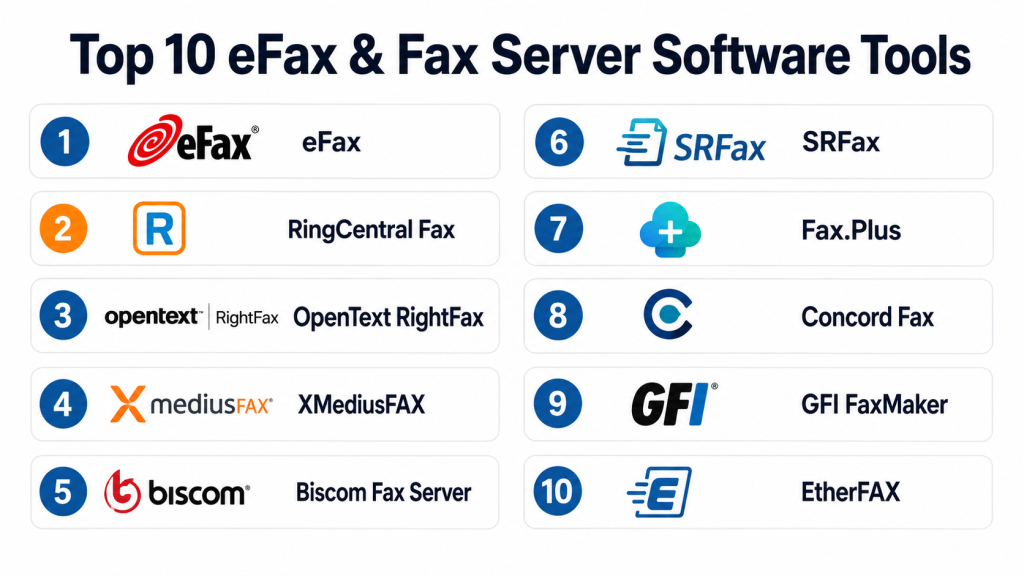
Top 10 eFax & Fax Server Software Tools
1- eFax
Short description: eFax is one of the most recognized cloud fax platforms, offering digital fax services for businesses and individuals seeking a fully online fax workflow with mobile and email integration.
Key Features
- Cloud-based fax management
- Mobile faxing applications
- Email-to-fax workflows
- Digital signatures
- Secure document sharing
- International fax support
- Large file transfer capabilities
Pros
- Easy setup for remote teams
- Strong mobile experience
- Eliminates traditional fax hardware
Cons
- Premium plans can become expensive
- Advanced enterprise customization is limited
- Some users report occasional delivery delays
Platforms / Deployment
- Web / Windows / macOS / iOS / Android
- Cloud
Security & Compliance
- Encryption support
- Audit trails
- HIPAA-ready plans available
- Secure cloud document handling
Integrations & Ecosystem
eFax integrates with common business productivity platforms and supports flexible digital workflows.
- Email clients
- Cloud storage systems
- Mobile productivity apps
- Digital document workflows
Support & Community
eFax provides standard onboarding, documentation, and business support options with a large customer base globally.
2- RingCentral Fax
Short description: RingCentral Fax combines cloud faxing with enterprise communication infrastructure, making it suitable for organizations already using RingCentral collaboration products.
Key Features
- Cloud fax services
- Secure document transmission
- Email-to-fax support
- Mobile applications
- Administrative controls
- Fax archiving
- Team collaboration support
Pros
- Strong unified communications ecosystem
- Good scalability for enterprises
- Reliable remote access capabilities
Cons
- Best value comes within RingCentral ecosystem
- Advanced compliance features may require higher plans
- Interface complexity for smaller teams
Platforms / Deployment
- Web / Windows / macOS / iOS / Android
- Cloud
Security & Compliance
- Encryption
- Administrative access controls
- Audit capabilities
- HIPAA support options
Integrations & Ecosystem
RingCentral Fax integrates naturally with enterprise communication and collaboration environments.
- Microsoft Teams
- Microsoft 365
- Google Workspace
- CRM systems
- Enterprise communication tools
Support & Community
RingCentral offers enterprise support tiers, onboarding resources, and a large ecosystem of business customers.
3- OpenText RightFax
Short description: OpenText RightFax is a leading enterprise fax server platform designed for high-volume organizations requiring secure, scalable, and compliant document delivery.
Key Features
- Enterprise fax server management
- Intelligent document routing
- Workflow automation
- High-volume fax processing
- Centralized administration
- Audit and compliance tracking
- OCR support
Pros
- Excellent enterprise scalability
- Strong compliance positioning
- Mature workflow automation capabilities
Cons
- Requires experienced administration
- Higher implementation complexity
- Premium enterprise pricing
Platforms / Deployment
- Windows / Web
- Self-hosted / Hybrid
Security & Compliance
- RBAC
- Audit logs
- Encryption
- Compliance-oriented workflows
Integrations & Ecosystem
RightFax integrates deeply into enterprise document and ERP ecosystems.
- SAP
- Oracle
- Microsoft environments
- Healthcare systems
- Enterprise workflow tools
Support & Community
OpenText provides enterprise-grade support and implementation services for large organizations.
4- XMediusFAX
Short description: XMediusFAX focuses on secure enterprise fax communication with strong healthcare, finance, and government industry adoption.
Key Features
- Secure digital faxing
- Cloud and hybrid deployment
- Fax automation
- Intelligent routing
- Mobile access
- High availability architecture
- Administrative monitoring
Pros
- Strong security positioning
- Good hybrid deployment flexibility
- Enterprise workflow support
Cons
- Learning curve for administrators
- Enterprise-focused pricing
- Smaller ecosystem than larger UC vendors
Platforms / Deployment
- Windows / Web / Mobile
- Cloud / Hybrid
Security & Compliance
- Encryption
- Audit trails
- Access controls
- HIPAA and compliance-focused capabilities
Integrations & Ecosystem
XMediusFAX integrates with enterprise communication and document workflows.
- Microsoft Exchange
- EHR systems
- Enterprise document platforms
- APIs
- Cloud infrastructure tools
Support & Community
Enterprise-focused support and onboarding are available with strong industry specialization.
5- Biscom Fax Server
Short description: Biscom Fax Server provides secure fax automation and enterprise document delivery for regulated industries and large organizations.
Key Features
- Fax automation workflows
- Secure document delivery
- Centralized management
- High-volume processing
- Mobile access
- OCR support
- Workflow tracking
Pros
- Strong enterprise scalability
- Reliable fax delivery infrastructure
- Good compliance support
Cons
- User interface may feel traditional
- Requires administrative expertise
- Smaller SMB focus
Platforms / Deployment
- Windows / Web
- Self-hosted / Hybrid
Security & Compliance
- Encryption
- Administrative controls
- Audit capabilities
- Compliance support for regulated industries
Integrations & Ecosystem
Biscom integrates with enterprise communication and workflow systems.
- Microsoft environments
- ERP systems
- EHR platforms
- Enterprise APIs
Support & Community
Biscom offers enterprise support services and implementation assistance for large deployments.
6- SRFax
Short description: SRFax is a healthcare-focused cloud fax platform known for secure HIPAA-oriented workflows and simple deployment.
Key Features
- Secure cloud faxing
- HIPAA-oriented workflows
- Email-to-fax support
- Document archiving
- Mobile accessibility
- Fax broadcasting
- Delivery confirmation
Pros
- Easy deployment for healthcare organizations
- Competitive pricing
- Reliable cloud delivery
Cons
- Interface is less modern
- Limited enterprise customization
- Smaller ecosystem integrations
Platforms / Deployment
- Web / Mobile
- Cloud
Security & Compliance
- HIPAA-focused architecture
- Encryption
- Secure document storage
- Audit capabilities
Integrations & Ecosystem
SRFax supports healthcare and business communication workflows.
- EHR systems
- Email clients
- APIs
- Secure cloud workflows
Support & Community
Support quality is generally strong for healthcare customers with practical onboarding guidance.
7- Fax.Plus
Short description: Fax.Plus is a modern cloud fax platform designed for SMBs and distributed teams needing secure, lightweight digital fax workflows.
Key Features
- Cloud faxing
- Mobile apps
- Team collaboration
- Multi-user management
- Email integration
- Electronic signatures
- Cloud storage support
Pros
- Simple user experience
- Affordable SMB pricing
- Strong mobile functionality
Cons
- Limited advanced enterprise workflows
- Smaller integration ecosystem
- Fewer high-volume enterprise capabilities
Platforms / Deployment
- Web / Windows / macOS / iOS / Android
- Cloud
Security & Compliance
- Encryption
- Secure cloud infrastructure
- Access controls
- Compliance support varies by plan
Integrations & Ecosystem
Fax.Plus integrates with modern productivity and cloud collaboration environments.
- Google Workspace
- Slack
- Microsoft 365
- Zapier
- Cloud storage systems
Support & Community
Documentation is straightforward and onboarding is simple for small businesses.
8- Concord Fax
Short description: Concord Fax provides secure cloud fax services for healthcare, finance, and enterprise organizations requiring compliance-focused communication.
Key Features
- Secure cloud faxing
- Intelligent routing
- Delivery tracking
- Administrative controls
- Workflow automation
- API support
- Audit reporting
Pros
- Strong compliance orientation
- Good enterprise workflow support
- Reliable transmission performance
Cons
- Less brand visibility than larger vendors
- Limited consumer-focused features
- Enterprise setup complexity
Platforms / Deployment
- Web / Mobile
- Cloud / Hybrid
Security & Compliance
- Encryption
- Audit logs
- Access controls
- Compliance-oriented infrastructure
Integrations & Ecosystem
Concord Fax supports integrations with enterprise communication systems.
- Healthcare systems
- APIs
- Document workflows
- Enterprise communication tools
Support & Community
Enterprise onboarding and support are available with industry-specific expertise.
9- GFI FaxMaker
Short description: GFI FaxMaker is an on-premise and hybrid fax server platform designed for organizations wanting centralized fax infrastructure management.
Key Features
- Fax server management
- Email-to-fax workflows
- Centralized administration
- Secure archiving
- Automated routing
- Reporting tools
- Multi-user support
Pros
- Good on-premise flexibility
- Strong administrative controls
- Cost-effective for some enterprises
Cons
- Older interface design
- Requires server management expertise
- Less cloud-native than newer platforms
Platforms / Deployment
- Windows
- Self-hosted / Hybrid
Security & Compliance
- Access controls
- Audit logging
- Secure fax storage
- Compliance support varies by deployment
Integrations & Ecosystem
FaxMaker integrates with traditional enterprise infrastructure and communication systems.
- Microsoft Exchange
- Active Directory
- Email systems
- Enterprise server environments
Support & Community
GFI provides business support and documentation with moderate enterprise community adoption.
10- EtherFAX
Short description: EtherFAX delivers cloud-based secure document exchange and digital fax services focused on healthcare, finance, and enterprise communication.
Key Features
- Secure cloud document exchange
- API-first architecture
- Fax automation
- High-speed delivery
- Intelligent routing
- Digital workflow support
- Enterprise scalability
Pros
- Strong API capabilities
- Modern cloud infrastructure
- Enterprise-grade performance
Cons
- Enterprise-oriented pricing
- Requires technical integration planning
- Smaller SMB focus
Platforms / Deployment
- Web / Mobile
- Cloud / Hybrid
Security & Compliance
- Encryption
- Audit logging
- Access controls
- Compliance-oriented architecture
Integrations & Ecosystem
EtherFAX focuses heavily on enterprise workflow automation and integration flexibility.
- APIs
- Healthcare systems
- Enterprise document workflows
- Cloud infrastructure platforms
- Communication systems
Support & Community
Enterprise onboarding and technical support are strong for organizations implementing large-scale workflows.
Comparison Table
| Tool Name | Best For | Platform Supported | Deployment | Standout Feature | Public Rating |
|---|---|---|---|---|---|
| eFax | SMB and remote teams | Multi-platform | Cloud | Easy online fax workflows | N/A |
| RingCentral Fax | Unified communications | Multi-platform | Cloud | Communication ecosystem integration | N/A |
| OpenText RightFax | Enterprise organizations | Windows, Web | Hybrid | Enterprise fax automation | N/A |
| XMediusFAX | Regulated industries | Multi-platform | Hybrid | Secure enterprise workflows | N/A |
| Biscom Fax Server | High-volume enterprises | Windows, Web | Hybrid | Large-scale processing | N/A |
| SRFax | Healthcare organizations | Web, Mobile | Cloud | HIPAA-focused workflows | N/A |
| Fax.Plus | SMB teams | Multi-platform | Cloud | Mobile-friendly simplicity | N/A |
| Concord Fax | Compliance-heavy businesses | Web, Mobile | Hybrid | Workflow automation | N/A |
| GFI FaxMaker | On-premise infrastructure | Windows | Hybrid | Centralized fax management | N/A |
| EtherFAX | API-driven enterprises | Web, Mobile | Hybrid | API-first architecture | N/A |
Evaluation & Scoring of eFax & Fax Server Software
| Tool Name | Core | Ease | Integrations | Security | Performance | Support | Value | Weighted Total |
| eFax | 8 | 9 | 7 | 8 | 8 | 8 | 7 | 7.95 |
| RingCentral Fax | 8 | 8 | 9 | 8 | 8 | 8 | 7 | 8.00 |
| OpenText RightFax | 10 | 6 | 9 | 10 | 10 | 9 | 6 | 8.60 |
| XMediusFAX | 9 | 7 | 8 | 9 | 9 | 8 | 7 | 8.15 |
| Biscom Fax Server | 9 | 7 | 8 | 9 | 9 | 8 | 7 | 8.15 |
| SRFax | 8 | 8 | 7 | 9 | 8 | 8 | 8 | 8.00 |
| Fax.Plus | 7 | 9 | 7 | 7 | 8 | 7 | 9 | 7.80 |
| Concord Fax | 8 | 7 | 7 | 8 | 8 | 7 | 7 | 7.50 |
| GFI FaxMaker | 8 | 6 | 7 | 8 | 8 | 7 | 8 | 7.45 |
| EtherFAX | 9 | 7 | 9 | 9 | 9 | 8 | 7 | 8.35 |
These scores are comparative and intended to help buyers evaluate strengths across different business scenarios. Enterprise platforms naturally score higher in compliance, scalability, and integrations, while SMB-focused tools often provide better usability and affordability. Organizations should prioritize the criteria most aligned with operational requirements, security obligations, and deployment preferences.
Which eFax & Fax Server Software Tool Is Right for You?
Solo / Freelancer
Independent professionals and small practices generally benefit from lightweight cloud platforms like eFax or Fax.Plus. These tools are easy to deploy, affordable, and accessible from mobile devices without requiring IT administration.
SMB
Small and medium businesses should evaluate RingCentral Fax, SRFax, or Fax.Plus. These platforms balance usability, collaboration, and cloud flexibility while reducing infrastructure management overhead.
Mid-Market
Mid-sized organizations handling regulated workflows may benefit from XMediusFAX, EtherFAX, or Concord Fax because they provide stronger automation, security, and workflow management capabilities.
Enterprise
Large enterprises with strict governance requirements should evaluate OpenText RightFax, Biscom Fax Server, or XMediusFAX. These platforms support high-volume processing, centralized administration, auditability, and complex enterprise integrations.
Budget vs Premium
Budget-conscious buyers often prefer Fax.Plus or SRFax for predictable cloud pricing. Premium enterprise environments requiring compliance-heavy workflows and automation typically invest in OpenText RightFax or EtherFAX.
Feature Depth vs Ease of Use
eFax and Fax.Plus emphasize simplicity and user accessibility. OpenText RightFax and Biscom Fax Server deliver deeper enterprise functionality but require more administrative expertise.
Integrations & Scalability
Organizations requiring ERP, CRM, EHR, or API integrations should focus on EtherFAX, RingCentral Fax, or OpenText RightFax due to their mature enterprise ecosystems.
Security & Compliance Needs
Healthcare, government, and finance organizations should prioritize platforms offering encryption, audit trails, access controls, and compliance-focused workflows such as SRFax, XMediusFAX, and OpenText RightFax.
Frequently Asked Questions
1. What is eFax software?
eFax software allows users to send and receive faxes digitally using cloud services, email systems, mobile apps, or enterprise communication platforms without needing physical fax machines.
2. Why do businesses still use fax communication?
Many regulated industries continue using fax because it remains legally accepted for document exchange and supports compliance-focused workflows for sensitive information sharing.
3. What is the difference between eFax and fax server software?
eFax platforms are usually cloud-based subscription services, while fax server software often involves centralized enterprise infrastructure management and on-premise deployment options.
4. Is cloud faxing secure?
Modern cloud fax providers typically use encryption, secure transmission protocols, audit logging, and access controls to protect sensitive business documents during transmission and storage.
5. Which industries use fax software most?
Healthcare, legal, government, banking, insurance, logistics, and manufacturing industries commonly use digital fax systems for secure document exchange and compliance requirements.
6. Can eFax software integrate with email systems?
Yes, most modern fax platforms integrate with email environments so users can send and receive faxes directly through business email workflows.
7. What should enterprises evaluate before choosing a fax platform?
Organizations should evaluate security controls, scalability, compliance features, integration capabilities, deployment flexibility, reliability, and long-term operational costs.
8. Are mobile fax applications reliable for business use?
Most enterprise fax vendors now provide stable mobile applications that support secure document uploads, notifications, digital signatures, and remote workflow access.
9. Is on-premise fax software still relevant?
Yes, some enterprises and government agencies still prefer on-premise or hybrid deployments for data residency, infrastructure control, and regulatory compliance reasons.
10. What is the biggest mistake organizations make with fax modernization?
A common mistake is focusing only on cost reduction while ignoring integration quality, security controls, workflow automation, and long-term scalability requirements.
Conclusion
eFax & Fax Server Software continues to play an important role in secure enterprise communication, especially across highly regulated industries where compliance, auditability, and document integrity remain critical. Modern platforms have evolved far beyond traditional fax machines by offering cloud infrastructure, API integrations, workflow automation, mobile accessibility, and intelligent document management. The right solution depends heavily on business size, compliance obligations, deployment preferences, and integration requirements. SMBs often prioritize simplicity and affordability, while enterprises require scalable infrastructure, governance controls, and centralized administration. Instead of searching for a universal winner, organizations should identify operational priorities, shortlist two or three vendors, validate integration compatibility, and conduct pilot testing before making a long-term investment decision.
