Introduction
Meeting Management Software helps organizations plan, schedule, execute, and track meetings efficiently. It simplifies complex coordination, centralizes agendas, and enhances collaboration across teams, departments, or external stakeholders. With distributed teams becoming the norm, these tools are essential for maintaining productivity, accountability, and alignment.
Businesses use these tools to automate meeting invites, manage attendee lists, provide pre-meeting preparation materials, and capture meeting minutes. They can integrate with calendars, email platforms, and collaboration suites, streamlining communication and reducing administrative overhead.
Use Cases:
- Scheduling cross-departmental meetings with automated reminders.
- Capturing real-time minutes and action items during meetings.
- Tracking decisions and follow-ups across multiple projects.
- Conducting remote or hybrid team meetings with collaboration features.
- Analyzing meeting efficiency and attendance trends for optimization.
Evaluation Criteria:
- Core scheduling and agenda management capabilities
- Collaboration and note-taking functionality
- Integration with calendars and collaboration tools
- Security and compliance features
- Reporting and analytics
- Ease of use and onboarding experience
- Customization and scalability options
- Mobile accessibility and deployment flexibility
Best for: IT managers, project managers, team leads, executives, and organizations of all sizes seeking streamlined meeting workflows.
Not ideal for: Individuals with minimal meeting needs or companies that rely entirely on informal communication channels.
Key Trends in Meeting Management Software
- AI-powered scheduling and conflict resolution
- Automated note-taking and transcription
- Integration with chat platforms and video conferencing tools
- Mobile-first features for hybrid workforces
- Predictive analytics for meeting optimization
- Enhanced security with SSO, MFA, and encryption
- Cloud-based deployment with offline capabilities
- Flexible pricing models including per-user and per-organization plans
- Voice-activated and assistant-based meeting management
- Compliance with corporate governance and data privacy standards
How We Selected These Tools
- Evaluated market adoption and overall mindshare
- Analyzed feature completeness and differentiation
- Monitored reliability and performance metrics
- Assessed security posture and compliance certifications
- Reviewed ecosystem and integration capabilities
- Considered customer feedback and adoption across industries
- Balanced options across enterprise, SMB, and developer-focused platforms
- Prioritized tools supporting remote and hybrid collaboration
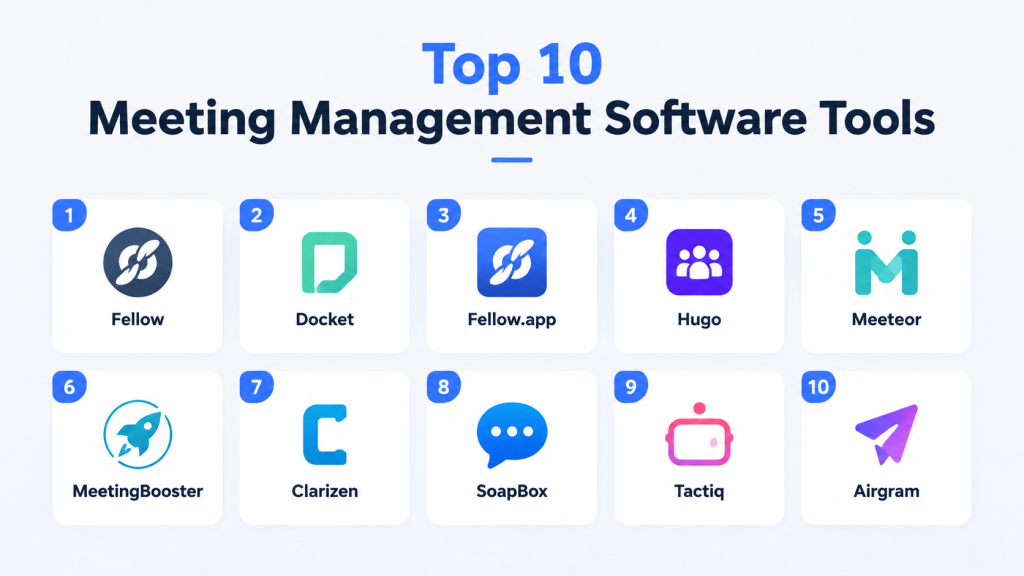
Top 10 Meeting Management Software Tools
#1 — Fellow
Short description (2–3 lines): Fellow simplifies meeting agendas, notes, and follow-ups. Ideal for team leads and managers in medium to large organizations.
Key Features
- Collaborative agenda creation
- Real-time note-taking
- Action item tracking
- Meeting templates for recurring sessions
- Integrations with Slack, Zoom, and Google Workspace
Pros
- Streamlines team alignment
- Reduces missed follow-ups
- Enhances accountability
Cons
- Learning curve for new users
- Limited reporting in basic plan
Platforms / Deployment
- Web / macOS / Windows / iOS / Android
- Cloud
Security & Compliance
- SSO/SAML, MFA, encryption
- SOC 2, GDPR
Integrations & Ecosystem
Supports major productivity tools:
- Slack
- Zoom
- Google Workspace
- Microsoft Teams
- API for custom integrations
Support & Community
- Strong documentation
- Online tutorials
- Community forums
- Support tiers vary
#2 — Docket
Short description (2–3 lines): Docket centralizes agendas, notes, and tasks. Best for organizations looking to optimize meeting preparation and productivity.
Key Features
- Agenda templates
- Real-time collaborative notes
- Action item assignment
- Calendar integrations
- Meeting analytics
Pros
- Improves pre-meeting prep
- Tracks action items effectively
Cons
- Limited customization options
- Can be expensive at scale
Platforms / Deployment
- Web / macOS / Windows / iOS / Android
- Cloud
Security & Compliance
- Not publicly stated
Integrations & Ecosystem
- Zoom, Slack, Microsoft Teams
- Google Workspace
- Outlook
- API support
Support & Community
- Email support
- Help center documentation
- Online training webinars
#3 — Fellow.app
Short description (2–3 lines): Designed for 1-on-1s, team meetings, and retrospectives. Suitable for managers aiming to increase engagement and accountability.
Key Features
- Custom meeting templates
- Real-time collaboration
- Performance and feedback tracking
- Calendar synchronization
- Action tracking
Pros
- Enhances engagement
- Reduces follow-up confusion
Cons
- Limited reporting in basic plans
- Some users report interface clutter
Platforms / Deployment
- Web / iOS / Android
- Cloud
Security & Compliance
- SSO, MFA, encryption
- GDPR
Integrations & Ecosystem
- Slack, Zoom, Google Workspace
- API for advanced integrations
Support & Community
- Documentation
- Email support
- Webinars and community group
#4 — Hugo
Short description (2–3 lines): Hugo provides collaborative meeting agendas and notes. Ideal for distributed teams requiring real-time updates.
Key Features
- Agenda creation and sharing
- Notes and action items
- Meeting templates
- Calendar integrations
- Analytics and reporting
Pros
- Boosts team accountability
- Easy agenda management
Cons
- Learning curve for advanced features
- Limited offline functionality
Platforms / Deployment
- Web / macOS / Windows / iOS / Android
- Cloud
Security & Compliance
- SSO/SAML, MFA, encryption
- SOC 2, GDPR
Integrations & Ecosystem
- Slack, Zoom, Microsoft Teams
- Google Workspace
- API support
Support & Community
- Help center
- Email support
- Knowledge base
#5 — Meeteor
Short description (2–3 lines): Focused on structured meetings and action tracking. Great for teams seeking accountability and clarity.
Key Features
- Agenda building
- Action item tracking
- Notes and minutes
- Calendar sync
- Meeting templates
Pros
- Keeps meetings structured
- Enhances accountability
Cons
- Interface can feel dated
- Limited analytics
Platforms / Deployment
- Web / iOS / Android
- Cloud
Security & Compliance
- Not publicly stated
Integrations & Ecosystem
- Slack, Google Workspace, Zoom
- Outlook
Support & Community
- Email support
- Documentation
#6 — MeetingBooster
Short description (2–3 lines): Automates meeting management for enterprises. Helps reduce wasted time and improve decision tracking.
Key Features
- Agenda and minutes automation
- Action item follow-ups
- Calendar integrations
- Reporting and analytics
- Recurring meeting templates
Pros
- Reduces administrative burden
- Enhances accountability
Cons
- Enterprise-focused; overkill for small teams
- Interface complexity
Platforms / Deployment
- Web / Windows / iOS
- Cloud / On-premise
Security & Compliance
- SSO, encryption
- ISO 27001
Integrations & Ecosystem
- Outlook, Teams, Slack
- API access
Support & Community
- Documentation
- Customer support tiers
#7 — Clarizen
Short description (2–3 lines): Project-focused meeting management with task tracking. Best for mid-market to large enterprises managing multiple projects.
Key Features
- Meeting agendas
- Task and project tracking
- Action follow-ups
- Reporting dashboards
- Calendar sync
Pros
- Integrated with project workflows
- Scales across departments
Cons
- Steep learning curve
- Higher pricing
Platforms / Deployment
- Web / iOS / Android
- Cloud / Hybrid
Security & Compliance
- SSO, MFA, encryption
- SOC 2, ISO 27001
Integrations & Ecosystem
- Microsoft Teams, Slack, Zoom
- API for custom integrations
Support & Community
- Knowledge base
- Customer support
#8 — SoapBox
Short description (2–3 lines): Simplifies 1-on-1s and team meetings. Focuses on engagement and structured agendas.
Key Features
- Meeting agendas
- Action item tracking
- Templates for 1-on-1s
- Calendar sync
- Feedback collection
Pros
- Encourages accountability
- Easy to use for managers
Cons
- Limited reporting
- Not ideal for complex project tracking
Platforms / Deployment
- Web / iOS / Android
- Cloud
Security & Compliance
- Not publicly stated
Integrations & Ecosystem
- Slack, Zoom, Google Workspace
Support & Community
- Help center
- Email support
#9 — Tactiq
Short description (2–3 lines): AI-driven note-taking for meetings. Ideal for remote teams and recording action items efficiently.
Key Features
- Automatic transcription
- Action item detection
- Agenda highlighting
- Integrations with video conferencing
- Analytics dashboards
Pros
- Reduces manual note-taking
- Improves follow-up accuracy
Cons
- Best for audio/video meetings only
- Limited offline use
Platforms / Deployment
- Web / iOS / Android
- Cloud
Security & Compliance
- Not publicly stated
Integrations & Ecosystem
- Zoom, Google Meet, Microsoft Teams
Support & Community
- Email support
- Documentation
#10 — Airgram
Short description (2–3 lines): Combines meeting notes, transcription, and action tracking. Useful for hybrid and distributed teams.
Key Features
- Automated notes and transcription
- Agenda management
- Action item tracking
- Calendar integration
- Collaboration tools
Pros
- Reduces meeting overhead
- Enhances collaboration
Cons
- Learning curve for advanced features
- Limited analytics
Platforms / Deployment
- Web / iOS / Android
- Cloud
Security & Compliance
- Not publicly stated
Integrations & Ecosystem
- Zoom, Google Workspace, Slack
- API support
Support & Community
- Help center
- Online guides
Comparison Table (Top 10)
| Tool Name | Best For | Platform(s) Supported | Deployment | Standout Feature | Public Rating |
|---|---|---|---|---|---|
| Fellow | Team leads & managers | Web/macOS/Windows/iOS/Android | Cloud | Real-time collaborative agendas | N/A |
| Docket | Optimizing productivity | Web/macOS/Windows/iOS/Android | Cloud | Pre-meeting prep automation | N/A |
| Fellow.app | Engagement & accountability | Web/iOS/Android | Cloud | Feedback & 1-on-1 tracking | N/A |
| Hugo | Distributed teams | Web/macOS/Windows/iOS/Android | Cloud | Real-time collaborative notes | N/A |
| Meeteor | Structured meetings | Web/iOS/Android | Cloud | Action tracking | N/A |
| MeetingBooster | Enterprise automation | Web/Windows/iOS | Cloud/On-premise | Automated minutes & follow-ups | N/A |
| Clarizen | Project-focused meetings | Web/iOS/Android | Cloud/Hybrid | Integration with project workflows | N/A |
| SoapBox | 1-on-1 & team meetings | Web/iOS/Android | Cloud | Engagement templates | N/A |
| Tactiq | AI transcription | Web/iOS/Android | Cloud | AI-driven note-taking | N/A |
| Airgram | Hybrid teams | Web/iOS/Android | Cloud | Automated transcription & action items | N/A |
Evaluation & Scoring of Meeting Management Software
| Tool Name | Core (25%) | Ease (15%) | Integrations (15%) | Security (10%) | Performance (10%) | Support (10%) | Value (15%) | Weighted Total |
|---|---|---|---|---|---|---|---|---|
| Fellow | 9 | 8 | 8 | 9 | 9 | 8 | 8 | 8.6 |
| Docket | 8 | 8 | 7 | 8 | 8 | 7 | 7 | 7.8 |
| Fellow.app | 9 | 8 | 8 | 9 | 8 | 8 | 8 | 8.4 |
| Hugo | 8 | 8 | 8 | 9 | 8 | 8 | 7 | 8.0 |
| Meeteor | 7 | 8 | 7 | 7 | 7 | 7 | 7 | 7.2 |
| MeetingBooster | 9 | 7 | 8 | 9 | 9 | 8 | 8 | 8.3 |
| Clarizen | 9 | 7 | 8 | 9 | 9 | 8 | 8 | 8.3 |
| SoapBox | 8 | 8 | 7 | 7 | 8 | 7 | 7 | 7.5 |
| Tactiq | 8 | 7 | 7 | 7 | 7 | 7 | 7 | 7.3 |
| Airgram | 8 | 8 | 8 | 7 | 8 | 7 | 7 | 7.7 |
Scores are comparative; higher weighted totals indicate better alignment with typical business needs. Organizations should consider context, team size, and meeting complexity when interpreting.
Which Meeting Management Software Tool Is Right for You?
Solo / Freelancer
- Fellow, Docket, or SoapBox for simple scheduling and accountability.
SMB
- Hugo, Meeteor, or Airgram provide collaborative features at an affordable scale.
Mid-Market
- MeetingBooster or Clarizen for structured and integrated workflows.
Enterprise
- Fellow, Clarizen, or MeetingBooster for complex multi-department coordination.
Budget vs Premium
- Free or entry-level plans suffice for small teams; premium tiers for analytics and compliance-heavy industries.
Feature Depth vs Ease of Use
- Tools like Clarizen offer depth but require onboarding; SoapBox or Docket are simpler for quick adoption.
Integrations & Scalability
- Look for Slack, Zoom, Google Workspace, and Microsoft Teams compatibility for long-term flexibility.
Security & Compliance Needs
- SOC 2, ISO 27001, SSO, MFA, and encryption are critical for enterprises and regulated industries.
Frequently Asked Questions (FAQs)
1. What is the typical pricing model for Meeting Management Software?
Pricing usually depends on the number of users, features included, and deployment type. Many offer monthly or annual subscription plans.
2. Can these tools integrate with my existing calendar system?
Yes, most support Google Calendar, Outlook, and iCal for seamless scheduling.
3. Are AI features like automatic notes common?
Yes, tools like Tactiq and Airgram provide AI transcription and automated action item tracking.
4. How secure is my data in these tools?
Top tools offer encryption, SSO, MFA, and comply with SOC 2 or ISO 27001. Some details vary per platform.
5. Can these tools handle hybrid or remote teams?
Absolutely, all listed tools support cloud deployment and mobile apps for distributed teams.
6. How steep is the learning curve?
It depends; simple tools like Docket or SoapBox are intuitive, while enterprise solutions like Clarizen may require training.
7. Can I track meeting performance and analytics?
Yes, many tools provide dashboards, attendance tracking, and action item completion metrics.
8. What happens if I switch tools?
Most offer export options for notes, action items, and agendas, ensuring data portability.
9. Are there free versions available?
Some platforms like Fellow or SoapBox provide free tiers with limited features suitable for small teams.
10. Can these tools support regulatory compliance?
Enterprise tools support GDPR, SOC 2, and ISO 27001. Verify each tool for specific regulatory requirements.
Conclusion
Meeting Management Software has become a core component for productivity and collaboration. The “best” tool depends on team size, workflow complexity, integration needs, and budget. Solo users may prefer simple, intuitive tools, while enterprises benefit from structured, secure platforms with deep analytics. Begin by shortlisting 2–3 tools, running a pilot, and validating integrations and security requirements to find the optimal fit. A carefully chosen solution ensures meetings drive value, accountability, and productivity across your organization.
