Introduction
Meeting notes automation tools help teams capture, organize, and share discussions efficiently. They reduce the manual effort of note-taking and ensure key decisions, action items, and tasks are accurately recorded. By integrating with calendars, video conferencing platforms, and project management systems, these tools improve collaboration and accountability. They enable distributed teams to stay aligned, save time, and make meetings more productive.
Key Trends in Meeting Notes Automation
Modern tools now include AI-driven transcription, automatic action item extraction, and intelligent summarization. Integration with communication and project platforms ensures notes are actionable across workflows. Mobile accessibility, voice recognition, and real-time collaboration are becoming standard features. Businesses increasingly rely on these tools to document decisions, track progress, and reduce post-meeting follow-up work.
Methodology
The top 10 tools listed were selected based on user adoption, feature completeness, AI capabilities, integration options, security compliance, and ease of use. Tools that simplify note capture, provide actionable summaries, and integrate with team workflows were prioritized. Security, deployment flexibility, and scalability for teams of different sizes were also considered. Where data is unavailable, “Not publicly stated” or “Varies / N/A” is indicated.
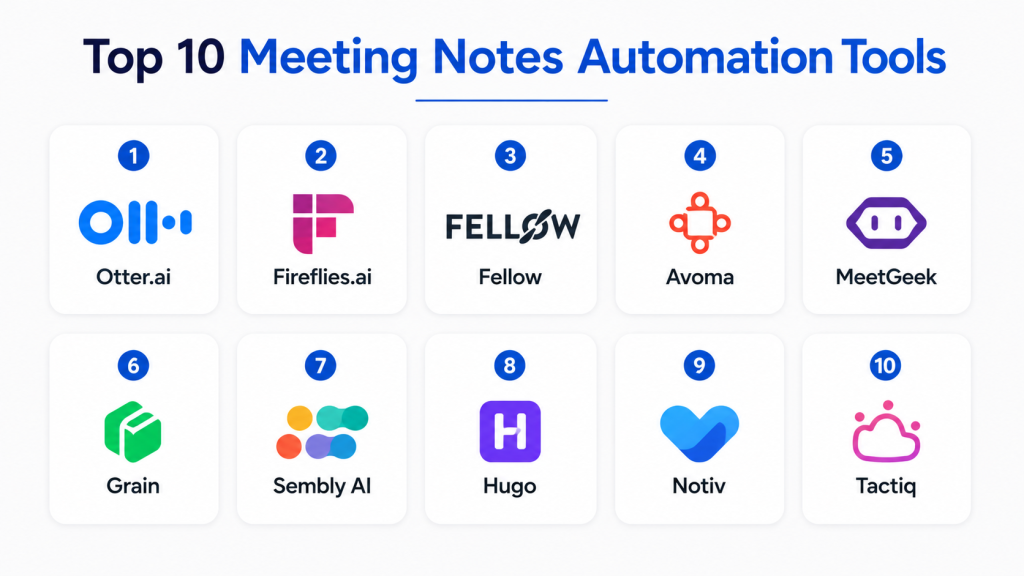
Top 10 Meeting Notes Automation Tools
1. Otter.ai
Short Description:
Otter.ai transcribes meetings in real-time using AI, capturing conversations accurately.
It automatically generates summaries, highlights, and action items for team review.
Integration with Zoom, Teams, and Google Meet ensures seamless workflow.
Its collaboration features allow sharing, commenting, and editing notes easily.
Key Features
- Real-time transcription
- Meeting summary generation
- Action item extraction
- Collaboration and sharing
- Cloud storage
- Speaker identification
- Calendar integrations
Pros
- Accurate AI transcription
- Seamless integrations
- Easy sharing and collaboration
Cons
- Free plan limits minutes
- Occasional transcription errors
- Advanced features require subscription
Platforms/Deployment
Web, iOS, Android
Cloud deployment
Browser-based and mobile apps
No self-hosted option
Security & Compliance
Data encrypted in transit and at rest
Role-based access controls
Privacy and data protection policies
SOC 2 and GDPR compliance varies
Integrations & Ecosystem
Zoom, Microsoft Teams, Google Meet
Calendar apps (Google, Outlook)
Slack notifications
API support for workflow automation
Support & Community
Email and chat support
Documentation and tutorials
Community forum available
Customer success for premium plans
2. Fireflies.ai
Short Description:
Fireflies.ai records and transcribes meetings automatically across platforms.
It provides AI-generated summaries and highlights key topics and tasks.
Integration with video conferencing and CRM systems streamlines workflow.
Teams can assign tasks and comment directly in the notes for follow-up.
Key Features
- AI transcription and summarization
- Action item tracking
- CRM and calendar integrations
- Collaborative notes editing
- Keyword search
- Meeting analytics
- Voice recognition
Pros
- Efficient multi-platform transcription
- Easy collaboration on action items
- Integration with productivity tools
Cons
- Occasional transcription inaccuracies
- Interface can be complex initially
- Premium plan needed for advanced features
Platforms/Deployment
Web, iOS, Android
Cloud deployment
Browser and app access
Self-hosted not available
Security & Compliance
Encrypted data storage
Access control features
GDPR compliance varies
Enterprise security policies supported
3. Fellow
Short Description:
Fellow helps teams document meeting agendas, notes, and action items collaboratively.
It integrates with calendars to automatically organize meetings and notes.
Action items can be tracked, assigned, and followed up in real time.
Designed for team productivity and accountability across distributed organizations.
Key Features
- Meeting agenda creation
- Action item tracking
- Real-time collaborative notes
- Calendar integration
- Follow-up reminders
- Voting and feedback features
- Analytics dashboard
Pros
- Structured agenda and notes
- Tracks accountability
- Encourages participation
Cons
- Limited offline access
- Requires initial setup for workflows
- Some advanced features need subscription
Platforms/Deployment
Web, iOS, Android
Cloud-based
No self-hosted option
Browser and app availability
Security & Compliance
Data encrypted in transit and at rest
Role-based access controls
Enterprise-grade security features
Privacy and compliance policies vary
4. Avoma
Short Description:
Avoma records, transcribes, and summarizes meetings automatically.
It highlights insights, action items, and key decisions for team reference.
Integration with CRM and conferencing platforms enhances productivity.
AI-driven coaching and analytics features improve meeting effectiveness over time.
Key Features
- Transcription and summarization
- AI note-taking and insights
- CRM integration
- Action item tracking
- Meeting analytics
- Coaching suggestions
- Keyword search
Pros
- Comprehensive meeting insights
- AI coaching for participants
- Integrates with workflow tools
Cons
- Premium pricing can be high
- Learning curve for advanced features
- Occasional transcription errors
Platforms/Deployment
Web, iOS, Android
Cloud deployment
Browser and app-based
No self-hosted option
Security & Compliance
Encrypted storage and transmission
Access control and permissions
Privacy policies in place
Compliance standards vary by plan
5. MeetGeek
Short Description:
MeetGeek automatically records, transcribes, and summarizes online meetings.
It uses AI to generate key points, action items, and highlights for sharing.
Integration with Slack and email ensures notes are delivered efficiently.
Teams can search past meeting content to quickly retrieve information.
Key Features
- Automatic recording and transcription
- AI-generated summaries
- Action item detection
- Searchable meeting history
- Integration with communication tools
- Keyword-based notes
- Collaboration features
Pros
- Quick note capture and retrieval
- AI highlights key discussions
- Easy sharing and collaboration
Cons
- Limited offline functionality
- Advanced AI features require subscription
- Integrations may need setup
Platforms/Deployment
Web, iOS, Android
Cloud deployment
App and browser-based
No self-hosted option
Security & Compliance
Encrypted storage
Access permissions for teams
Privacy features in place
Compliance: Not publicly stated
6. Grain
Short Description:
Grain records video meetings and automatically generates shareable notes.
AI highlights action items, decisions, and key moments from calls.
Integration with Slack, Notion, and project tools improves workflow.
Team members can create clips and summaries for easy distribution.
Key Features
- Video recording and transcription
- AI-generated highlights
- Integration with collaboration apps
- Action item tracking
- Shareable clips and summaries
- Searchable archives
- Analytics dashboard
Pros
- Visual and text-based notes
- Easy to share key moments
- Integrates with collaboration platforms
Cons
- Limited to video call platforms
- Requires account setup for sharing
- Premium plan needed for advanced features
Platforms/Deployment
Web, iOS, Android
Cloud deployment
Browser and app-based
No self-hosted option
Security & Compliance
Encrypted data in transit and at rest
Access control for team members
Privacy policies implemented
Compliance varies by plan
7. Sembly AI
Short Description:
Sembly AI transcribes meetings in real time and extracts actionable insights.
It organizes notes, highlights decisions, and tracks tasks automatically.
Integration with conferencing and project management tools improves efficiency.
AI summarizes conversations and allows team collaboration on follow-ups.
Key Features
- Real-time transcription
- AI action item extraction
- Meeting summaries
- Collaboration tools
- CRM integration
- Analytics dashboard
- Searchable archive
Pros
- Accurate AI transcription
- Quick action item identification
- Integrates with multiple platforms
Cons
- Learning curve for advanced features
- Limited offline functionality
- Some features require subscription
Platforms/Deployment
Web, iOS, Android
Cloud deployment
Browser and mobile access
No self-hosted option
Security & Compliance
Encrypted storage and transmission
Access control for teams
Privacy and compliance policies
Certifications: Not publicly stated
8. Hugo
Short Description:
Hugo combines meeting notes, agendas, and collaboration into one platform.
It automatically captures discussion points and action items for easy follow-up.
Integration with calendars and project tools enhances productivity.
Teams can collaborate on notes in real time, improving accountability.
Key Features
- Agenda and notes creation
- Action item tracking
- Calendar integrations
- Collaboration tools
- Searchable notes
- Analytics and reporting
- Slack integration
Pros
- All-in-one meeting management
- Easy team collaboration
- Simple and user-friendly interface
Cons
- Limited offline access
- Some features need subscription
- Advanced analytics may be basic
Platforms/Deployment
Web, iOS, Android
Cloud deployment
Browser and app access
No self-hosted option
Security & Compliance
Encrypted storage
Role-based access controls
Privacy policies in place
Compliance: Not publicly stated
9. Notiv
Short Description:
Notiv records and transcribes meetings automatically and summarizes notes.
It highlights action items, decisions, and discussion points for team review.
Integration with calendars and Slack helps distribute notes efficiently.
Teams can search, share, and collaborate on meeting insights quickly.
Key Features
- Meeting recording and transcription
- AI-generated summaries
- Action item extraction
- Calendar and communication integration
- Searchable archives
- Collaboration features
- Analytics dashboard
Pros
- Quick and accurate note capture
- Easy sharing and collaboration
- Integrates with productivity tools
Cons
- Offline features limited
- Some advanced AI tools require subscription
- Setup may need initial training
Platforms/Deployment
Web, iOS, Android
Cloud deployment
Browser and mobile apps
No self-hosted option
Security & Compliance
Encrypted data storage
Role-based access and permissions
Privacy and security policies
Compliance: Not publicly stated
10. Tactiq
Short Description:
Tactiq captures real-time meeting captions and notes during video calls.
AI highlights action items and automatically shares them with the team.
It integrates with Zoom, Google Meet, and Microsoft Teams.
The platform ensures key decisions and tasks are not missed after meetings.
Key Features
- Real-time captions and notes
- AI action item identification
- Video conferencing integrations
- Shareable summaries
- Searchable meeting history
- Collaboration tools
- Analytics and reporting
Pros
- Real-time note capture
- Supports multiple conferencing platforms
- Quick sharing and follow-up
Cons
- Requires active video call participation
- Offline use limited
- Some features need paid plan
Platforms/Deployment
Web, iOS, Android
Cloud-based
Browser and app-based
No self-hosted option
Security & Compliance
Encrypted data handling
Role-based access
Privacy policies applied
Certifications: Not publicly stated
Comparison Table
| Tool Name | Best For | Platform(s) Supported | Deployment | Standout Feature | Public Rating |
|---|---|---|---|---|---|
| Otter.ai | Real-time transcription | Web, iOS, Android | Cloud | AI-generated summaries | N/A |
| Fireflies.ai | AI meeting assistant | Web, iOS, Android | Cloud | Action item extraction | N/A |
| Fellow | Agenda and collaboration | Web, iOS, Android | Cloud | Structured meeting workflow | N/A |
| Avoma | Coaching and AI insights | Web, iOS, Android | Cloud | AI meeting coaching | N/A |
| MeetGeek | Meeting highlights | Web, iOS, Android | Cloud | AI key point summarization | N/A |
| Grain | Video meeting highlights | Web, iOS, Android | Cloud | Shareable clips | N/A |
| Sembly AI | Real-time insights | Web, iOS, Android | Cloud | Action item extraction | N/A |
| Hugo | Notes & agendas | Web, iOS, Android | Cloud | Collaboration and agenda | N/A |
| Notiv | AI summaries | Web, iOS, Android | Cloud | Action item and decision capture | N/A |
| Tactiq | Real-time captions | Web, iOS, Android | Cloud | Captions & note integration | N/A |
Evaluation & Scoring Table
| Tool Name | Core 25% | Ease 15% | Integrations 15% | Security 10% | Performance 10% | Support 10% | Value 15% | Weighted Total |
|---|---|---|---|---|---|---|---|---|
| Otter.ai | 9 | 9 | 8 | 9 | 9 | 8 | 9 | 8.95 |
| Fireflies.ai | 9 | 8 | 8 | 9 | 8 | 8 | 9 | 8.70 |
| Fellow | 8 | 9 | 8 | 8 | 8 | 8 | 8 | 8.25 |
| Avoma | 9 | 8 | 8 | 8 | 8 | 8 | 8 | 8.45 |
| MeetGeek | 8 | 8 | 8 | 8 | 8 | 8 | 8 | 8.00 |
| Grain | 8 | 9 | 8 | 8 | 8 | 8 | 8 | 8.15 |
| Sembly AI | 8 | 8 | 8 | 8 | 8 | 8 | 8 | 8.00 |
| Hugo | 8 | 9 | 8 | 8 | 8 | 8 | 8 | 8.15 |
| Notiv | 8 | 8 | 8 | 8 | 8 | 8 | 8 | 8.00 |
| Tactiq | 8 | 8 | 8 | 8 | 8 | 8 | 8 | 8.00 |
Practical Decision Guide
- Solo/Freelancer: Otter.ai or Fireflies.ai for lightweight transcription and summarization.
- SMB: Fellow or Hugo for structured agendas and collaborative notes.
- Mid-Market: Avoma or Grain for AI insights, video highlights, and action tracking.
- Enterprise: MeetGeek, Sembly AI, Notiv, or Tactiq for full-scale automation, integration, and AI-powered summaries.
Common Mistakes
- Choosing a tool without considering meeting platforms used.
- Ignoring integration with calendars, CRMs, or project management tools.
- Failing to train team members on workflow adoption.
- Relying solely on AI summaries without human review.
Frequently Asked Questions
1. What are meeting notes automation tools?
These tools capture and summarize meeting discussions automatically.
They reduce manual note-taking and increase accuracy.
They track action items and decisions for follow-up.
Teams use them to improve productivity and collaboration.
2. Are AI summaries accurate?
AI summaries are generally reliable but may miss nuances.
Important details should be verified manually.
They save time but don’t replace human judgment entirely.
Regular review ensures correctness of captured decisions.
3. Do these tools integrate with Zoom or Teams?
Most tools integrate with popular conferencing platforms.
Integration ensures seamless recording and transcription.
Calendars and project management tools often connect as well.
Check vendor documentation for specific platform support.
4. Can action items be tracked?
Yes, AI can identify and highlight tasks during meetings.
These action items can be assigned and tracked in apps.
Teams can receive notifications for pending tasks.
Tracking ensures accountability and timely follow-up.
5. Are these tools secure?
They typically use encryption and role-based access.
Privacy policies govern storage and sharing of meeting content.
Enterprise-grade tools offer additional security compliance.
Always review vendor security documentation before use.
6. Can they transcribe video meetings?
Yes, most tools support transcription for Zoom, Teams, or Google Meet.
Some platforms also allow voice-only meetings.
Transcriptions can be saved, searched, and shared.
Accuracy may vary with audio quality and multiple speakers.
7. Are meeting summaries editable?
Yes, summaries can usually be edited collaboratively.
Teams can add notes, comments, or clarify action items.
Editing ensures final notes reflect accurate decisions.
It also allows context and additional discussion points to be captured.
8. Can they handle large meetings?
Yes, enterprise tools scale to large team meetings.
AI can distinguish speakers and summarize key points.
Performance may depend on platform and internet connection.
Large meetings require review to ensure all items are captured.
9. Do they support multi-language transcription?
Some platforms offer multilingual transcription.
Language options vary by vendor and plan.
AI may require training for specific accents or dialects.
Check platform capabilities before multi-language deployment.
10. How should companies choose the right tool?
Assess meeting volume, platforms, and team size first.
Review integrations, AI capabilities, and collaboration features.
Consider ease of use, support, and pricing structure.
Pick a tool that improves efficiency without overcomplicating workflows.
Conclusion
Meeting notes automation tools transform how teams capture, track, and act on meeting information. They save time, improve accuracy, and support collaboration across remote and distributed teams. Choosing the right tool depends on team size, conferencing platforms, desired AI capabilities, and integration needs. Start with a clear workflow, integrate with existing systems, and train team members to ensure adoption. When implemented effectively, these tools make meetings more productive, decisions more transparent, and follow-ups easier to manage.
