Introduction
Digital Safety Monitoring Tools help organizations detect, monitor, prevent, and respond to online risks across digital platforms, websites, apps, communities, marketplaces, social media, collaboration spaces, and user-generated content environments. These tools are used to identify harmful content, cyber abuse, phishing signals, brand impersonation, unsafe user behavior, fraud patterns, policy violations, data exposure, and online threats before they become larger problems.
For modern organizations, digital safety is no longer only an IT security concern. It also affects brand trust, customer experience, employee safety, community health, compliance readiness, and platform reputation. A strong digital safety monitoring tool gives teams better visibility into online activity, risky behavior, suspicious content, and emerging threats.
Common use cases include online threat detection, brand protection, content risk monitoring, social media safety, child safety monitoring, employee digital risk visibility, phishing detection, fake account tracking, harmful behavior alerts, and marketplace abuse monitoring.
Buyers should evaluate monitoring coverage, alert accuracy, AI detection, workflow automation, reporting, integrations, data privacy, real-time alerts, scalability, security controls, support quality, and ease of deployment.
Best for: trust and safety teams, security teams, compliance teams, brand protection teams, HR teams, platform operators, marketplaces, schools, nonprofits, enterprises, community managers, and online businesses that need proactive digital risk visibility.
Not ideal for: organizations with no online presence, small private teams with very limited digital exposure, or businesses that only need basic antivirus or simple web filtering.
Key Trends in Digital Safety Monitoring Tools
- AI-driven monitoring is becoming important for detecting harmful content, risky behavior, fake accounts, and suspicious activity faster.
- Organizations are moving from reactive reporting to proactive digital risk detection.
- Brand impersonation, phishing, fake domains, and social media abuse are now major safety concerns for public-facing companies.
- Online communities and marketplaces are using safety monitoring to detect harassment, scams, spam, and policy violations.
- Employee digital safety is becoming more important as teams work across remote tools, social platforms, and collaboration apps.
- Real-time alerts are now expected for critical digital safety incidents.
- Risk scoring is helping teams prioritize which alerts need immediate action.
- Integration with ticketing, SIEM, CRM, trust and safety workflows, and communication tools is becoming more valuable.
- Privacy-aware monitoring is becoming important because organizations must balance safety with responsible data handling.
- Reporting dashboards are helping leaders understand digital risk patterns, response times, and safety performance.
How We Selected These Tools
The tools below were selected based on digital safety monitoring relevance, market recognition, feature depth, practical use cases, and suitability across different organization sizes.
- Platforms with strong digital risk, online safety, or threat monitoring capabilities were prioritized.
- Tools supporting brand protection, phishing detection, content risk, social media monitoring, or user safety were considered.
- AI-based detection, automation, and risk scoring were reviewed where clearly available.
- Tools suitable for enterprises, marketplaces, communities, schools, and public-facing brands were included.
- Alerting, reporting, dashboards, and workflow support were considered important.
- Integration options with security, trust and safety, customer support, and communication systems were reviewed where clear.
- Security, privacy, and compliance details were included only where confidently known.
- Public ratings were not guessed; “N/A” is used where confidence is not clear.
- The list balances security-focused, brand-focused, community-focused, and safety-focused monitoring platforms.
- Tools were assessed for practical adoption, not just feature volume.
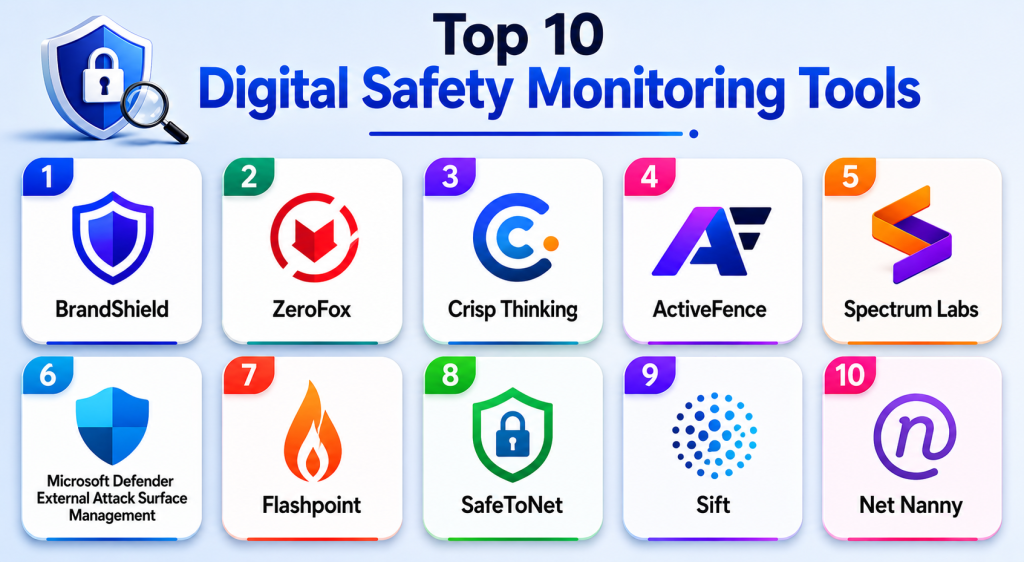
Top 10 Digital Safety Monitoring Tools
1 — BrandShield
Overview: BrandShield is a digital risk protection and brand protection platform that helps organizations monitor and take action against online brand abuse, phishing, impersonation, fake domains, counterfeit activity, and social media threats. It is useful for companies that need to protect brand reputation and customers online.
Key Features
- Brand impersonation monitoring.
- Phishing and fake domain detection.
- Social media threat monitoring.
- Marketplace and counterfeit monitoring.
- Executive impersonation detection.
- Risk prioritization and takedown workflows.
- Reporting and digital risk visibility.
Pros
- Strong fit for brand protection and digital risk teams.
- Helps identify phishing and impersonation threats.
- Useful for organizations with public brand exposure.
Cons
- May be more than needed for small local businesses.
- Best results require clear brand assets and monitoring rules.
- Pricing and enforcement workflows may vary.
Platforms / Deployment
Web
Cloud
Security & Compliance
Security features may include access controls, secure dashboards, and enterprise data protection practices. Specific certifications should be verified directly. If uncertain: Not publicly stated.
Integrations & Ecosystem
BrandShield fits well into brand protection, legal, security, and digital risk workflows.
- Social media monitoring.
- Domain monitoring.
- Marketplace monitoring.
- Phishing detection.
- Takedown workflows.
- Security and brand reporting processes.
Support & Community
BrandShield provides business support, onboarding assistance, and brand protection guidance. Support depth may depend on plan, risk volume, and takedown requirements.
2 — ZeroFox
Overview: ZeroFox is a digital risk protection platform used for external threat intelligence, brand protection, social media risk monitoring, phishing detection, executive protection, and online threat visibility. It is useful for organizations that need to monitor risks beyond their internal systems.
Key Features
- External threat monitoring.
- Social media risk detection.
- Brand and executive protection.
- Phishing and malicious domain detection.
- Dark web and surface web risk visibility.
- Alert prioritization.
- Takedown and remediation workflows.
Pros
- Strong fit for enterprise digital risk protection.
- Useful for monitoring external threats and impersonation.
- Helps security teams prioritize online risks.
Cons
- May be too advanced for basic safety monitoring needs.
- Implementation and alert tuning may require planning.
- Pricing may be better suited for larger organizations.
Platforms / Deployment
Web
Cloud
Security & Compliance
Security features may include enterprise access controls, audit-related capabilities, and secure data handling. Specific certifications should be verified directly. If uncertain: Not publicly stated.
Integrations & Ecosystem
ZeroFox supports digital risk operations across security and brand protection teams.
- Threat intelligence workflows.
- Security operations.
- Brand protection.
- Social media monitoring.
- Domain monitoring.
- Takedown and remediation workflows.
Support & Community
ZeroFox provides enterprise support, onboarding, and digital risk expertise. It is better suited for organizations with mature security or risk operations.
3 — Crisp Thinking
Overview: Crisp Thinking is a digital risk intelligence and online safety platform that helps organizations monitor harmful content, social media risks, brand threats, online abuse, and emerging digital safety issues. It is useful for companies that need human and AI-supported digital risk monitoring.
Key Features
- Social media risk monitoring.
- Harmful content detection.
- Brand safety monitoring.
- Online abuse and threat identification.
- Human analyst support.
- Alerting and escalation workflows.
- Digital risk reporting.
Pros
- Strong focus on online safety and digital risk intelligence.
- Useful for public-facing brands and platforms.
- Combines monitoring technology with expert review.
Cons
- May be more service-led than simple self-serve tools.
- Smaller organizations may not need advanced risk intelligence.
- Pricing and workflow structure may vary.
Platforms / Deployment
Web, managed service options may vary
Cloud
Security & Compliance
Security and data handling details should be verified directly. Specific certifications are not publicly stated unless confirmed by the vendor.
Integrations & Ecosystem
Crisp Thinking supports brand, safety, and risk monitoring workflows.
- Social media platforms.
- Brand safety monitoring.
- Online threat detection.
- Human review workflows.
- Escalation processes.
- Reporting dashboards.
Support & Community
Crisp Thinking provides business-focused support and analyst-led assistance. It is useful for organizations with high public visibility or online safety risk exposure.
4 — ActiveFence
Overview: ActiveFence is a trust and safety platform that helps organizations detect harmful content, coordinated abuse, online threats, fraud signals, misinformation risks, and policy violations. It is useful for digital platforms and online communities that need deeper safety intelligence.
Key Features
- Harmful content monitoring.
- Abuse and policy violation detection.
- Threat intelligence for digital safety risks.
- Behavioral risk signals.
- Investigation and review workflows.
- Reporting and safety insights.
- Custom policy frameworks.
Pros
- Strong fit for platforms with complex safety risks.
- Useful for proactive detection and investigation.
- Supports trust and safety teams with deeper intelligence.
Cons
- May be too advanced for simple monitoring needs.
- Requires strong internal policies for best results.
- Implementation may require safety operations expertise.
Platforms / Deployment
Web, API
Cloud
Security & Compliance
Security features may include enterprise access controls and secure data handling. Specific certifications should be verified directly. If uncertain: Not publicly stated.
Integrations & Ecosystem
ActiveFence supports digital safety operations for platforms and online communities.
- Trust and safety workflows.
- Content risk monitoring.
- Abuse detection.
- Marketplace safety.
- Investigation workflows.
- Dashboard and API-based operations.
Support & Community
ActiveFence provides business support and trust and safety expertise. It is best suited for organizations with structured safety teams and higher-risk digital environments.
5 — Spectrum Labs
Overview: Spectrum Labs is a digital safety and trust platform focused on detecting harmful behavior, abuse, harassment, hate speech, grooming, spam, and risky interactions in online communities. It is useful for platforms that need real-time user safety monitoring.
Key Features
- AI-based harmful behavior detection.
- Toxicity and harassment monitoring.
- Real-time conversation safety signals.
- Policy-based moderation support.
- Risk scoring and alerting.
- Review queue support.
- Reporting and safety analytics.
Pros
- Strong focus on user safety and community health.
- Useful for social, gaming, marketplace, and messaging platforms.
- Helps detect risky behavior before it escalates.
Cons
- May require tuning for platform-specific policies.
- Not a general brand protection tool.
- Pricing and implementation may vary.
Platforms / Deployment
Web, API
Cloud
Security & Compliance
Security features may include data protection practices and access controls. Specific certifications should be verified directly. If uncertain: Not publicly stated.
Integrations & Ecosystem
Spectrum Labs fits platforms where user interactions need safety monitoring.
- Community platforms.
- Gaming chat.
- Social apps.
- Marketplaces.
- Messaging systems.
- Safety dashboards.
Support & Community
Spectrum Labs provides business support and implementation guidance. It is most relevant for platforms with active users, conversations, and community safety risks.
6 — Microsoft Defender External Attack Surface Management
Overview: Microsoft Defender External Attack Surface Management helps organizations discover and monitor internet-exposed assets, unknown digital infrastructure, risky services, and external security exposure. It is useful for security teams that need visibility into digital assets that could create safety or security risk.
Key Features
- External asset discovery.
- Attack surface monitoring.
- Risk visibility for internet-facing assets.
- Exposure prioritization.
- Security posture insights.
- Integration with Microsoft security ecosystem.
- Continuous monitoring workflows.
Pros
- Strong fit for organizations using Microsoft security tools.
- Useful for identifying unknown digital exposure.
- Helps security teams prioritize external risk.
Cons
- Focuses more on security exposure than content or community safety.
- May require security expertise to interpret findings.
- Not suitable as a standalone content moderation platform.
Platforms / Deployment
Web
Cloud
Security & Compliance
Microsoft cloud security controls may apply depending on configuration. Specific compliance requirements should be verified based on deployment, region, and customer environment.
Integrations & Ecosystem
This tool works well inside Microsoft security and operations environments.
- Microsoft security tools.
- Security operations workflows.
- Asset management processes.
- Risk dashboards.
- Alerting and investigation workflows.
- Enterprise security reporting.
Support & Community
Microsoft provides documentation, cloud support, enterprise support, and security ecosystem resources. It is best for security teams managing external digital exposure.
7 — Flashpoint
Overview: Flashpoint provides threat intelligence and risk intelligence for organizations monitoring cyber threats, fraud, illicit online activity, dark web risks, brand abuse, and external digital threats. It is useful for security, fraud, and intelligence teams that need deeper visibility into online risk.
Key Features
- Threat intelligence monitoring.
- Dark web and illicit source intelligence.
- Fraud and cyber risk insights.
- Brand and executive risk visibility.
- Alerting and investigation workflows.
- Risk intelligence reporting.
- Security team support.
Pros
- Strong fit for cyber threat intelligence teams.
- Useful for monitoring hidden and external risk sources.
- Helps organizations understand emerging digital threats.
Cons
- May be too advanced for basic safety monitoring.
- Requires skilled analysts for best value.
- Pricing and access may be suited to larger organizations.
Platforms / Deployment
Web
Cloud
Security & Compliance
Security features may include enterprise access controls and secure intelligence workflows. Specific certifications should be verified directly. If uncertain: Not publicly stated.
Integrations & Ecosystem
Flashpoint supports intelligence-led security and digital risk workflows.
- Threat intelligence platforms.
- Security operations.
- Fraud teams.
- Brand protection.
- Investigation workflows.
- Risk reporting.
Support & Community
Flashpoint provides enterprise support, intelligence resources, and analyst-focused guidance. It is best suited for organizations with security and risk intelligence functions.
8 — SafeToNet
Overview: SafeToNet is a digital safety tool focused on protecting children and young users from online harm, risky messaging, cyberbullying, grooming signals, and unsafe digital interactions. It is useful for families, schools, and organizations concerned with child online safety.
Key Features
- Digital wellbeing monitoring.
- Online safety alerts.
- Harmful interaction detection.
- Child safety-focused monitoring.
- Cyberbullying risk visibility.
- Safety education support.
- Parent or guardian visibility features.
Pros
- Strong focus on child and youth digital safety.
- Useful for family and school safety contexts.
- Helps identify risky interactions early.
Cons
- Not designed for enterprise brand protection or cyber threat intelligence.
- Feature availability may vary by region or product setup.
- Organizations should review privacy and consent needs carefully.
Platforms / Deployment
Mobile and web options may vary
Cloud
Security & Compliance
Security and privacy practices should be verified directly, especially where minors’ data may be involved. Specific certifications are not publicly stated unless confirmed by the vendor.
Integrations & Ecosystem
SafeToNet is more focused on child safety and digital wellbeing than enterprise platform moderation.
- Family safety workflows.
- School safety programs.
- Child online protection.
- Mobile device safety.
- Digital wellbeing monitoring.
- Safety alerts.
Support & Community
Support resources may vary by product and region. It is most useful for families, schools, and organizations focused on youth safety.
9 — Sift
Overview: Sift is a fraud and risk decisioning platform that helps digital businesses detect suspicious behavior, account abuse, payment fraud, fake accounts, and marketplace risk. It is useful for companies that need digital safety monitoring around transactions, accounts, and user behavior.
Key Features
- Fraud detection.
- Account abuse monitoring.
- Payment risk scoring.
- Fake account detection.
- Marketplace risk signals.
- Case management workflows.
- Risk analytics and decisioning.
Pros
- Strong fit for ecommerce, marketplaces, and fintech-like platforms.
- Helps detect suspicious digital behavior.
- Useful for risk teams managing user and transaction safety.
Cons
- Focuses more on fraud and abuse than content safety.
- Requires data integration for best performance.
- May be more advanced than needed for simple websites.
Platforms / Deployment
Web, API
Cloud
Security & Compliance
Security features may include access controls, data protection, and risk workflow safeguards. Specific certifications should be verified directly. If uncertain: Not publicly stated.
Integrations & Ecosystem
Sift fits digital businesses with transaction and account risk workflows.
- Ecommerce platforms.
- Marketplaces.
- Payment workflows.
- Account registration flows.
- Fraud review systems.
- Risk decisioning dashboards.
Support & Community
Sift provides documentation, business support, and fraud expertise resources. It is suitable for teams managing account, payment, and marketplace abuse risks.
10 — Net Nanny
Overview: Net Nanny is a digital safety and parental control tool that helps monitor online activity, filter unsafe content, manage screen time, and protect users from inappropriate web content. It is useful for families and smaller safety-focused environments that need web and device-level monitoring.
Key Features
- Web filtering.
- Online activity monitoring.
- Screen time management.
- App and website controls.
- Alerts and reports.
- Family safety dashboard.
- Device-level safety controls.
Pros
- Simple option for family-focused digital safety.
- Helps reduce exposure to inappropriate content.
- Useful for web filtering and screen time visibility.
Cons
- Not designed for enterprise trust and safety operations.
- Not suitable for brand protection or marketplace abuse monitoring.
- Feature availability may vary by device and plan.
Platforms / Deployment
Windows, macOS, iOS, Android
Cloud-connected device software
Security & Compliance
Security and privacy details should be reviewed directly. Enterprise compliance certifications are not publicly stated.
Integrations & Ecosystem
Net Nanny is built for family and device-level safety rather than enterprise integrations.
- Device monitoring.
- Web filtering.
- Parental control workflows.
- Screen time management.
- Family dashboards.
- Activity reporting.
Support & Community
Support resources and help documentation are available. It is best suited for household and child safety use cases rather than business risk monitoring.
Comparison Table
| Tool Name | Best For | Platform(s) Supported | Deployment | Standout Feature | Public Rating |
|---|---|---|---|---|---|
| BrandShield | Brand protection and impersonation monitoring | Web | Cloud | Phishing, fake domain, and brand abuse detection | N/A |
| ZeroFox | Enterprise digital risk protection | Web | Cloud | External threat and social risk monitoring | N/A |
| Crisp Thinking | Online safety and digital risk intelligence | Web, managed service options vary | Cloud | Human and AI-supported risk monitoring | N/A |
| ActiveFence | Trust and safety intelligence | Web, API | Cloud | Harmful content and abuse detection | N/A |
| Spectrum Labs | Community safety monitoring | Web, API | Cloud | Real-time harmful behavior detection | N/A |
| Microsoft Defender External Attack Surface Management | External asset and exposure monitoring | Web | Cloud | Internet-exposed asset discovery | N/A |
| Flashpoint | Threat and risk intelligence | Web | Cloud | Dark web and external threat intelligence | N/A |
| SafeToNet | Child and youth digital safety | Mobile and web options vary | Cloud | Online harm and cyberbullying risk monitoring | N/A |
| Sift | Fraud and account abuse monitoring | Web, API | Cloud | Digital risk and fraud decisioning | N/A |
| Net Nanny | Family web safety monitoring | Windows, macOS, iOS, Android | Cloud-connected device software | Web filtering and screen time controls | N/A |
Evaluation & Scoring of Digital Safety Monitoring Tools
| Tool Name | Core (25%) | Ease (15%) | Integrations (15%) | Security (10%) | Performance (10%) | Support (10%) | Value (15%) | Weighted Total |
|---|---|---|---|---|---|---|---|---|
| BrandShield | 8 | 8 | 7 | 7 | 8 | 8 | 7 | 7.65 |
| ZeroFox | 9 | 7 | 8 | 8 | 8 | 8 | 7 | 7.95 |
| Crisp Thinking | 8 | 7 | 7 | 7 | 8 | 8 | 7 | 7.45 |
| ActiveFence | 9 | 7 | 8 | 8 | 8 | 8 | 7 | 7.95 |
| Spectrum Labs | 9 | 7 | 8 | 7 | 8 | 8 | 7 | 7.85 |
| Microsoft Defender External Attack Surface Management | 8 | 7 | 9 | 9 | 8 | 8 | 7 | 7.95 |
| Flashpoint | 9 | 7 | 8 | 8 | 8 | 8 | 7 | 7.95 |
| SafeToNet | 7 | 8 | 6 | 7 | 7 | 7 | 7 | 7.00 |
| Sift | 9 | 8 | 9 | 8 | 9 | 8 | 7 | 8.35 |
| Net Nanny | 7 | 9 | 5 | 6 | 7 | 7 | 8 | 7.00 |
The scores are comparative and should be used as a practical selection guide, not as a universal ranking. A family safety tool should not be compared directly with enterprise threat intelligence software without context. A marketplace may need fraud monitoring, while a public brand may need impersonation protection. The right choice depends on risk type, monitoring scope, user base, compliance needs, and internal response capacity.
Which Digital Safety Monitoring Tool Is Right for You?
Solo / Small Organization
Small organizations, creators, schools, and local groups usually need simple digital safety visibility, web protection, or basic brand monitoring. Net Nanny may fit family or child safety use cases, while SafeToNet is better for youth digital safety. Small public-facing businesses may start with brand monitoring and basic phishing awareness tools before moving to enterprise-grade platforms.
Best fit: SafeToNet, Net Nanny, BrandShield.
SMB
Small and mid-sized businesses need practical monitoring for brand abuse, fake accounts, phishing attempts, unsafe community activity, and digital fraud. BrandShield, Sift, Spectrum Labs, and Crisp Thinking can be useful depending on whether the main risk is brand, fraud, content, or community safety.
Best fit: BrandShield, Sift, Spectrum Labs, Crisp Thinking.
Mid-Market
Mid-market organizations often need stronger alerting, workflows, integrations, and reporting. ZeroFox, ActiveFence, Sift, BrandShield, and Microsoft Defender External Attack Surface Management are suitable for teams with growing digital risk exposure.
Best fit: ZeroFox, ActiveFence, Sift, BrandShield, Microsoft Defender External Attack Surface Management.
Enterprise
Enterprises need scalable digital risk intelligence, external threat visibility, impersonation monitoring, fraud detection, safety analytics, and integration with security operations. ZeroFox, Flashpoint, ActiveFence, Sift, Microsoft Defender External Attack Surface Management, and BrandShield are strong candidates for enterprise needs.
Best fit: ZeroFox, Flashpoint, ActiveFence, Sift, Microsoft Defender External Attack Surface Management.
Budget vs Premium
Budget-conscious teams should focus on the specific problem first. For family safety, Net Nanny or SafeToNet may be practical. For small brand protection, BrandShield-style monitoring may help. Premium organizations with advanced risk needs should consider ZeroFox, Flashpoint, ActiveFence, Sift, or Microsoft Defender External Attack Surface Management.
Feature Depth vs Ease of Use
Net Nanny and SafeToNet are easier for family or youth safety use cases. BrandShield is focused on brand and impersonation monitoring. Sift is strong for fraud and account abuse. ZeroFox, Flashpoint, ActiveFence, and Microsoft Defender External Attack Surface Management provide deeper enterprise-level monitoring but require stronger operational processes.
Integrations & Scalability
Organizations with mature security or trust and safety teams should evaluate APIs, SIEM integrations, case management workflows, alert routing, data exports, user roles, reporting dashboards, and automation options. Scalability matters when risk signals come from many channels, regions, and digital assets.
Security & Compliance Needs
Digital safety monitoring tools may process sensitive data such as user reports, social media content, phishing indicators, exposed assets, risk signals, account behavior, and brand abuse evidence. Buyers should review encryption, user permissions, audit logs, retention policies, regional data handling, privacy controls, and vendor security documentation before selecting a tool.
Frequently Asked Questions
1. What are Digital Safety Monitoring Tools?
Digital Safety Monitoring Tools help organizations detect and respond to online risks such as harmful content, fraud, phishing, brand impersonation, fake accounts, unsafe behavior, and external digital threats.
2. Who needs digital safety monitoring software?
Enterprises, marketplaces, schools, nonprofits, public brands, social platforms, ecommerce companies, security teams, trust and safety teams, and family safety users may need digital safety monitoring depending on risk exposure.
3. How is digital safety monitoring different from cybersecurity software?
Cybersecurity software mainly protects systems, networks, and data. Digital safety monitoring focuses more on online risks such as abuse, impersonation, harmful content, fraud signals, user safety, and external digital exposure.
4. Can these tools monitor social media risks?
Yes, many digital safety platforms monitor social media for brand abuse, impersonation, harmful mentions, threats, scams, and risky conversations. Coverage varies by vendor and use case.
5. Do digital safety tools detect phishing and fake domains?
Some tools specialize in phishing, fake domains, brand impersonation, and takedown workflows. Brand protection and digital risk platforms are usually strongest for this use case.
6. Are these tools useful for online communities?
Yes, community platforms can use digital safety monitoring to detect harassment, hate speech, grooming risks, spam, fake accounts, and policy violations. Tools like Spectrum Labs and ActiveFence are more relevant for these workflows.
7. Are digital safety tools suitable for families and schools?
Some tools are built specifically for family and child safety. SafeToNet and Net Nanny are examples of tools more focused on youth safety, web filtering, and online wellbeing.
8. What mistakes should buyers avoid?
Common mistakes include choosing a tool without defining risk types, ignoring privacy needs, relying only on alerts without response workflows, not testing false positives, and failing to assign ownership for incidents.
9. Can digital safety tools integrate with security systems?
Many enterprise tools can connect with security operations, ticketing, risk dashboards, or investigation workflows. Integration depth varies, so buyers should verify API support and workflow compatibility.
10. What are alternatives to digital safety monitoring tools?
Alternatives include manual monitoring, social listening tools, content moderation tools, fraud detection systems, parental control tools, SIEM tools, web filtering tools, and general threat intelligence platforms. These may work for narrow needs but may not cover the full digital safety picture.
Conclusion
Digital Safety Monitoring Tools help organizations protect people, brands, communities, digital assets, and online operations from emerging risks. The right tool depends on the type of safety problem you are trying to solve. BrandShield and ZeroFox are strong for brand protection and digital risk visibility. Crisp Thinking, ActiveFence, and Spectrum Labs are useful for online safety, harmful behavior, and trust and safety workflows. Microsoft Defender External Attack Surface Management and Flashpoint are better suited for security and threat intelligence teams. Sift is strong for fraud and account abuse monitoring, while SafeToNet and Net Nanny are more relevant for child and family safety. There is no single best tool for every organization. Start by identifying your main risk areas, shortlisting two or three tools, testing alert quality, reviewing integrations, validating privacy controls, and confirming support before making a final decision.
