Introduction
Academic writing tools help students, researchers, teachers, authors, editors, and institutions create better academic content. These tools support grammar checking, citation management, academic tone improvement, reference organization, plagiarism checking, collaborative writing, formatting, and research productivity.
Academic writing is not only about correct grammar. It also needs clarity, structure, originality, proper referencing, and a formal tone. Whether someone is writing an essay, thesis, dissertation, journal paper, research proposal, or technical report, the right tool can save time and reduce common writing mistakes.
Academic writing tools are useful for many real-world needs, such as preparing research papers, managing references, improving sentence clarity, checking originality, collaborating with supervisors, and organizing long-form documents.
Before choosing a tool, users should evaluate grammar accuracy, citation support, plagiarism features, AI writing controls, privacy, integrations, ease of use, pricing, support quality, and collaboration options.
Best for: students, researchers, PhD scholars, professors, academic editors, universities, research teams, and professional writers.
Not ideal for: users who only need basic spelling correction, teams with strict no-AI policies, or organizations that need fully self-hosted writing systems.
Key Trends in Academic Writing Tools
- AI writing assistants are becoming more focused on academic tone, clarity, rewriting, and summarization.
- Universities and publishers are giving more importance to responsible AI use and academic integrity.
- Citation tools are becoming more collaborative for research teams and supervisors.
- Academic writing tools are integrating more deeply with Word, Google Docs, browsers, LaTeX editors, and web platforms.
- Privacy and data protection are becoming important for unpublished manuscripts and student work.
- Plagiarism checking is expanding into originality review, citation checking, and submission readiness.
- Cloud-based tools are popular, but offline writing tools still matter for thesis and book-length projects.
- Users prefer tools that improve writing without replacing original research thinking.
- Institutions are looking for admin controls, license management, onboarding, and security options.
- Academic tools are moving beyond grammar into research discovery, note organization, and writing workflow support.
How We Selected These Tools
The tools were selected based on practical academic writing needs and overall usefulness.
- Popularity among students, researchers, and academic professionals
- Strength of writing, editing, citation, and research features
- Suitability for different users, from solo students to institutions
- Ease of use for beginners and non-technical users
- Support for common platforms such as Word, Google Docs, browsers, and web editors
- Academic relevance instead of only general business writing
- Integration with citation, research, and document workflows
- Privacy and security signals where clearly available
- Documentation, onboarding, and support quality
- Long-term usefulness for serious academic writing
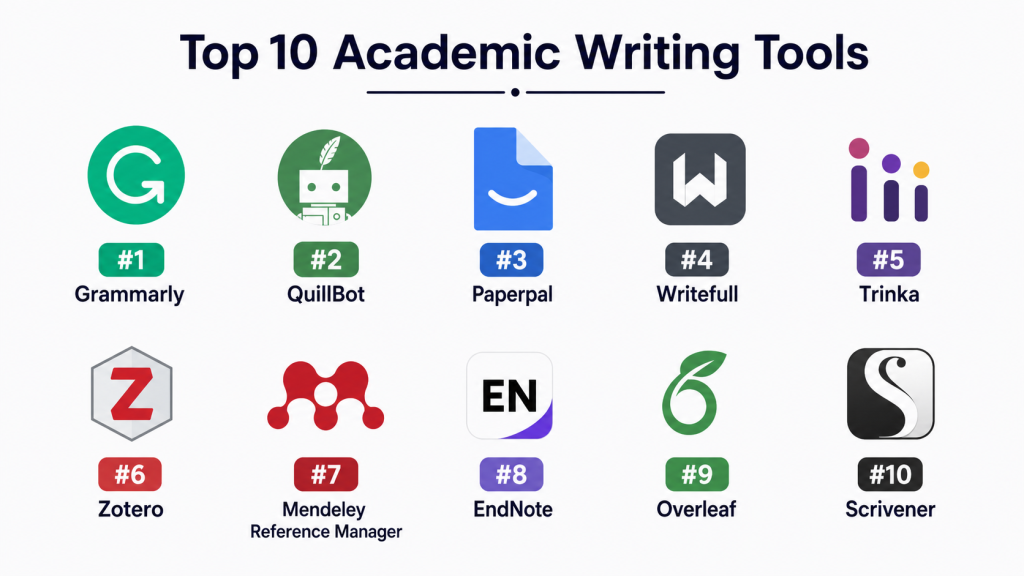
Top 10 Academic Writing Tools
1. Grammarly
Short description: Grammarly is a popular writing assistant that helps improve grammar, spelling, punctuation, clarity, tone, and readability. It is useful for students, researchers, professionals, and academic writers who want cleaner writing across different platforms.
Key Features
- Grammar, spelling, and punctuation checking
- Tone and clarity suggestions
- Browser extension and document editor support
- AI-assisted rewriting and drafting features
- Plagiarism checking in selected plans
- Vocabulary and readability improvement
- Team and institution-friendly options
Pros
- Easy to use for beginners
- Works across many writing platforms
- Strong for general grammar and clarity improvement
Cons
- Not every suggestion is academic-specific
- Advanced features may require paid access
- Users must review suggestions to protect academic meaning
Platforms / Deployment
Web, Windows, macOS, iOS, Android, browser extensions
Cloud
Security & Compliance
Enterprise controls may be available in selected plans. Specific compliance details vary, so buyers should verify requirements before institutional use.
Integrations & Ecosystem
Grammarly works well across everyday writing environments and supports many academic writing workflows.
- Microsoft Word
- Google Docs
- Browser extensions
- Desktop apps
- Mobile keyboard
- Business and education workflows
Support & Community
Grammarly has strong documentation, help resources, onboarding guidance, and wide user familiarity. Enterprise support may vary by plan.
2. QuillBot
Short description: QuillBot is an AI writing and paraphrasing tool used by students, researchers, bloggers, and academic writers. It helps rewrite sentences, summarize content, check grammar, and improve readability.
Key Features
- Paraphrasing modes
- Grammar checker
- Summarizer
- Citation generator
- Plagiarism checker in selected plans
- Browser and document integrations
- AI writing support
Pros
- Helpful for rewriting complex sentences
- Simple and beginner-friendly interface
- Useful for summarizing and improving readability
Cons
- Paraphrasing may change meaning if not reviewed
- Not a replacement for original thinking
- Some advanced features require paid plans
Platforms / Deployment
Web, browser extensions, Microsoft Word extension
Cloud
Security & Compliance
Not publicly stated for all compliance areas. Buyers should verify privacy, data usage, and institutional controls before large-scale use.
Integrations & Ecosystem
QuillBot is helpful for users who need quick writing improvement, paraphrasing, and summarization support.
- Web editor
- Browser extension
- Microsoft Word add-in
- Citation tools
- Grammar checker
- Summarization workflow
Support & Community
Support resources are available through help documentation and product guidance. The tool has a broad user base among students and online writers.
3. Paperpal
Short description: Paperpal is an academic writing assistant designed for students, researchers, and authors preparing essays, manuscripts, and journal submissions. It focuses on academic tone, clarity, grammar, and submission readiness.
Key Features
- Academic grammar and language suggestions
- Paraphrasing and rewriting support
- Research-focused writing assistance
- Citation support
- Submission-readiness checks
- Word, Google Docs, Chrome, and Overleaf support
- AI features for academic workflows
Pros
- Strong focus on academic writing
- Useful for manuscripts and research papers
- Helpful for non-native English academic writers
Cons
- Some features may require paid plans
- Users still need subject knowledge
- May be more academic-focused than casual users need
Platforms / Deployment
Web, Microsoft Word, Google Docs, Chrome, Overleaf
Cloud
Security & Compliance
Privacy features are described by the vendor, but specific institutional compliance requirements should be verified directly.
Integrations & Ecosystem
Paperpal fits well into research writing, editing, and publishing workflows.
- Microsoft Word
- Google Docs
- Chrome extension
- Overleaf
- Academic writing editor
- Research writing workflows
Support & Community
Paperpal provides product guidance, academic writing resources, and documentation. Support may vary by subscription or institutional plan.
4. Writefull
Short description: Writefull is an academic writing assistant for students, researchers, publishers, and institutions. It helps improve academic language, rewrite sentences, generate titles, and support manuscript preparation.
Key Features
- Academic language correction
- Paraphrasing support
- Title and abstract support
- Sentence improvement tools
- Overleaf and Word support
- Research-focused AI assistance
- Publisher and institutional options
Pros
- Strong academic English focus
- Useful for thesis and manuscript writing
- Good fit for research writing environments
Cons
- Less broad for general writing tasks
- Some features may require paid access
- AI suggestions still need human review
Platforms / Deployment
Web, Microsoft Word, Overleaf
Cloud
Security & Compliance
Not publicly stated for all certifications and controls. Institutions should verify privacy, data retention, and compliance needs.
Integrations & Ecosystem
Writefull is designed for academic writing environments and research workflows.
- Microsoft Word
- Overleaf
- Web writing tools
- Publisher workflows
- Academic language tools
- Institutional solutions
Support & Community
Writefull provides academic-focused documentation and support resources. Support depth may vary between individual and institutional users.
5. Trinka
Short description: Trinka is an AI writing assistant focused on academic, technical, and professional writing. It is useful for research papers, thesis writing, publication preparation, and formal documents.
Key Features
- Academic grammar correction
- Technical writing improvement
- Style and tone suggestions
- Plagiarism checking options
- Citation and publication support features
- Word and browser support
- Enterprise and institutional options
Pros
- Good for academic and technical writing
- Helps improve formal tone and readability
- Useful for publication-focused writing
Cons
- Some features may be plan-dependent
- Less useful for only basic grammar checking
- Compliance details should be verified for institutions
Platforms / Deployment
Web, Microsoft Word, browser extensions
Cloud
Security & Compliance
Some enterprise security features may be available, but exact compliance details should be verified. If unsure, treat details as not publicly stated.
Integrations & Ecosystem
Trinka supports academic and technical writing workflows across common writing platforms.
- Microsoft Word
- Browser extension
- Web editor
- Academic writing tools
- Publication preparation features
- Plagiarism workflows
Support & Community
Documentation and help resources are available. Institutional support may depend on the selected plan.
6. Zotero
Short description: Zotero is a free and widely used reference management tool for collecting, organizing, citing, and sharing research sources. It is ideal for students, researchers, and academic teams managing large research libraries.
Key Features
- Reference collection and organization
- Citation and bibliography generation
- PDF storage and annotation
- Browser connector
- Word and Google Docs citation support
- Group libraries
- Open-source community support
Pros
- Free and useful for academic research
- Strong citation management capabilities
- Good community and plugin ecosystem
Cons
- Limited writing assistance features
- Storage limits may require paid upgrades
- Interface may feel technical for beginners
Platforms / Deployment
Windows, macOS, Linux, iOS, Web library
Desktop application with cloud sync
Security & Compliance
Not publicly stated for enterprise compliance certifications. Users should review institutional requirements before sensitive research use.
Integrations & Ecosystem
Zotero has a strong academic ecosystem and is widely used in research workflows.
- Browser connector
- Microsoft Word
- Google Docs
- PDF workflows
- Group libraries
- Plugin ecosystem
Support & Community
Zotero has strong documentation, forums, guides, and an active academic user community.
7. Mendeley Reference Manager
Short description: Mendeley Reference Manager helps researchers organize references, manage PDFs, generate citations, and collaborate on academic libraries. It is useful for students, scholars, and research groups.
Key Features
- Reference management
- PDF organization
- Citation generation
- Word citation plugin
- Cloud sync
- Research library management
- Collaboration features
Pros
- Good for managing research papers and PDFs
- Useful for citation-heavy academic writing
- Familiar to many researchers
Cons
- Not a full writing assistant
- Some users may prefer open-source alternatives
- Feature availability can vary by platform
Platforms / Deployment
Windows, macOS, Linux, Web
Desktop application with cloud sync
Security & Compliance
Not publicly stated for all compliance needs. Buyers should verify privacy, data handling, and institutional requirements.
Integrations & Ecosystem
Mendeley supports citation and research organization workflows.
- Microsoft Word
- Web library
- PDF management
- Citation plugins
- Research discovery workflows
- Cloud sync
Support & Community
Documentation and help resources are available. Community familiarity is strong among researchers, though support experience may vary.
8. EndNote
Short description: EndNote is a professional reference management tool used by researchers, universities, and institutions for citation management, bibliography creation, and research organization.
Key Features
- Advanced reference management
- Citation and bibliography formatting
- Word integration
- PDF organization
- Library sharing
- Research collaboration support
- Large citation style database
Pros
- Strong for advanced citation workflows
- Suitable for universities and research institutions
- Mature reference management capabilities
Cons
- Paid tool compared with free alternatives
- Learning curve can be higher for beginners
- Not focused on AI writing assistance
Platforms / Deployment
Windows, macOS, Web, iOS
Desktop application with cloud sync
Security & Compliance
Not publicly stated for all compliance categories. Institutions should verify security, privacy, and data requirements directly.
Integrations & Ecosystem
EndNote fits well into formal research and publishing workflows.
- Microsoft Word
- Citation styles
- PDF management
- Online library sync
- Research collaboration
- Institutional library workflows
Support & Community
EndNote has documentation, training materials, and support options. Community strength is strong in academic and library environments.
9. Overleaf
Short description: Overleaf is a collaborative LaTeX writing platform used for research papers, theses, technical documents, and academic publishing. It is especially useful for STEM writers and teams working with equations, references, and structured documents.
Key Features
- Online LaTeX editor
- Real-time collaboration
- Templates for academic papers and theses
- Version history
- Reference and bibliography support
- Commenting and review workflows
- Journal and publisher-friendly formatting support
Pros
- Excellent for technical and research writing
- Strong collaboration for LaTeX documents
- Useful for equations, tables, and structured papers
Cons
- Requires LaTeX knowledge for best results
- Not ideal for simple essay writing
- Advanced collaboration features may require paid plans
Platforms / Deployment
Web
Cloud
Security & Compliance
SSO and enterprise options may be available in selected plans. Specific certifications and controls should be verified directly.
Integrations & Ecosystem
Overleaf is deeply connected to academic publishing and technical writing workflows.
- LaTeX ecosystem
- Reference managers
- Templates
- Publisher workflows
- Collaborative editing
- Technical writing workflows
Support & Community
Overleaf has strong documentation, templates, learning resources, and a large academic user community.
10. Scrivener
Short description: Scrivener is a long-form writing tool used by authors, researchers, thesis writers, and book writers. It helps organize complex writing projects, notes, drafts, chapters, and research materials.
Key Features
- Long-form document organization
- Binder-style project structure
- Research notes and draft management
- Corkboard and outlining tools
- Export and compile options
- Offline writing support
- Useful for thesis and book-length projects
Pros
- Excellent for managing large writing projects
- Strong offline desktop writing experience
- Useful for researchers who need structure
Cons
- Not a grammar or citation tool by default
- Learning curve for new users
- Collaboration features are limited compared with cloud tools
Platforms / Deployment
Windows, macOS, iOS
Desktop application
Security & Compliance
Not publicly stated for enterprise compliance. Since it is mainly desktop-based, data handling depends on user storage and sync setup.
Integrations & Ecosystem
Scrivener is best for drafting and organizing complex writing projects.
- Export to common formats
- Research note organization
- Long-form project management
- External editing workflows
- Citation workflows through external tools
- Offline writing setup
Support & Community
Scrivener has documentation, tutorials, and a strong writing community. Support is suitable for individual writers and long-form authors.
Comparison Table
| Tool Name | Best For | Platform(s) Supported | Deployment | Standout Feature | Public Rating |
|---|---|---|---|---|---|
| Grammarly | General academic grammar and clarity | Web, Windows, macOS, iOS, Android | Cloud | Cross-platform writing assistant | N/A |
| QuillBot | Paraphrasing and summarization | Web, browser, Word | Cloud | Multiple paraphrasing modes | N/A |
| Paperpal | Academic manuscripts and research writing | Web, Word, Google Docs, Chrome, Overleaf | Cloud | Academic-focused writing checks | N/A |
| Writefull | Academic English improvement | Web, Word, Overleaf | Cloud | Research-focused language correction | N/A |
| Trinka | Academic and technical writing | Web, Word, browser | Cloud | Technical writing suggestions | N/A |
| Zotero | Citation and reference management | Windows, macOS, Linux, iOS, Web | Desktop with cloud sync | Free reference management | N/A |
| Mendeley Reference Manager | PDF and citation organization | Windows, macOS, Linux, Web | Desktop with cloud sync | Research library management | N/A |
| EndNote | Advanced citation workflows | Windows, macOS, Web, iOS | Desktop with cloud sync | Professional reference management | N/A |
| Overleaf | LaTeX academic collaboration | Web | Cloud | Collaborative LaTeX editor | N/A |
| Scrivener | Thesis and long-form drafting | Windows, macOS, iOS | Desktop | Long-form writing organization | N/A |
Evaluation & Scoring of Academic Writing Tools
| Tool Name | Core (25%) | Ease (15%) | Integrations (15%) | Security (10%) | Performance (10%) | Support (10%) | Value (15%) | Weighted Total |
|---|---|---|---|---|---|---|---|---|
| Grammarly | 9 | 9 | 9 | 8 | 9 | 8 | 8 | 8.65 |
| QuillBot | 8 | 9 | 7 | 7 | 8 | 7 | 8 | 7.85 |
| Paperpal | 9 | 8 | 8 | 8 | 8 | 8 | 8 | 8.25 |
| Writefull | 8 | 8 | 8 | 7 | 8 | 8 | 8 | 7.90 |
| Trinka | 8 | 8 | 7 | 7 | 8 | 7 | 8 | 7.75 |
| Zotero | 9 | 7 | 9 | 7 | 8 | 9 | 10 | 8.55 |
| Mendeley Reference Manager | 8 | 8 | 8 | 7 | 8 | 7 | 8 | 7.85 |
| EndNote | 9 | 7 | 8 | 7 | 8 | 8 | 7 | 7.90 |
| Overleaf | 9 | 7 | 8 | 8 | 9 | 8 | 8 | 8.20 |
| Scrivener | 8 | 7 | 6 | 7 | 9 | 8 | 8 | 7.55 |
These scores are comparative, not official ratings. A higher score means the tool performs strongly across the selected criteria. However, the best tool depends on your writing process, budget, academic level, institution rules, and integration needs. Zotero may be stronger for citations, while Grammarly may be better for everyday writing improvement.
Which Academic Writing Tool Is Right for You?
Solo / Freelancer
Solo writers, independent researchers, students, and freelance editors should focus on ease of use, pricing, and practical writing improvement. Grammarly, QuillBot, Paperpal, and Zotero are good starting points.
A practical setup can include one writing assistant and one reference manager. For example, a writer may use Grammarly or Paperpal for language improvement and Zotero for citation management.
SMB
Small education businesses, research consultancies, editing agencies, and coaching teams should choose tools that support repeatable workflows. Grammarly, Trinka, Paperpal, and Mendeley can help improve quality, manage references, and reduce editing time.
SMBs should also check team licensing, privacy policies, onboarding needs, and whether users can adopt the tool without heavy training.
Mid-Market
Mid-market academic publishers, research departments, and education teams need stronger collaboration, documentation, and integration support. Overleaf, EndNote, Paperpal, Writefull, and Zotero can be useful depending on the writing environment.
The key is to avoid using too many tools. Choose tools based on actual workflows such as LaTeX writing, Word-based editing, citation-heavy writing, or research library management.
Enterprise
Large universities, publishers, and research organizations should prioritize security, admin controls, licensing flexibility, support quality, and policy alignment. Grammarly enterprise options, Overleaf institutional options, EndNote, Writefull, and Paperpal may fit different enterprise needs.
Enterprise buyers should verify SSO, access controls, data privacy, AI usage policy, onboarding support, and compliance requirements before deployment.
Budget vs Premium
Budget-conscious users can start with Zotero, free writing editors, and basic grammar tools. Premium tools are better when users need advanced AI assistance, plagiarism checking, collaboration, submission review, or professional support.
Do not choose based only on price. A low-cost tool that does not fit the workflow can waste time and create more manual work.
Feature Depth vs Ease of Use
Grammarly and QuillBot are easier for beginners. Paperpal, Writefull, and Trinka are better for academic writing improvement. Zotero, EndNote, and Mendeley are stronger for citation workflows. Overleaf is powerful for LaTeX users but requires more learning.
Choose simple tools for general writing and deeper tools for research-heavy academic work.
Integrations & Scalability
If most writing happens in Word, choose tools with strong Word support. If the team writes in LaTeX, Overleaf and Writefull may be more relevant. If citation management is the main need, Zotero, EndNote, or Mendeley should be reviewed first.
Scalability depends on team size, shared libraries, collaboration features, admin controls, and long-term support.
Security & Compliance Needs
For unpublished research, student papers, institutional projects, or sensitive manuscripts, security matters. Buyers should review data storage, AI training policies, encryption, access controls, SSO, audit logs, and privacy commitments.
If details are unclear, treat them as not publicly stated and verify before purchase.
Frequently Asked Questions
1. What are academic writing tools?
Academic writing tools help users write, edit, organize, cite, and format academic content. They are commonly used for essays, research papers, theses, dissertations, and journal manuscripts.
2. Are academic writing tools only for students?
No. They are also useful for researchers, professors, academic editors, publishers, institutions, and professionals who write formal research-based documents.
3. Do academic writing tools replace human editing?
No. These tools improve grammar, structure, clarity, and organization, but human review is still needed for research accuracy, originality, argument quality, and subject expertise.
4. Which tool is best for citation management?
Zotero, Mendeley Reference Manager, and EndNote are strong choices for citation management. The best option depends on budget, collaboration needs, and preferred writing platform.
5. Which tool is best for academic grammar checking?
Paperpal, Writefull, Trinka, and Grammarly are useful for grammar and academic language improvement. Academic-focused tools may be better for research papers and manuscripts.
6. Are AI academic writing tools safe to use?
They can be useful, but users must follow university, publisher, or institution policies. Writers should avoid submitting AI-generated content without proper review and academic integrity checks.
7. What is the most common mistake when using academic writing tools?
The biggest mistake is accepting every suggestion without review. Some suggestions may change meaning, reduce technical accuracy, or make the writing less suitable for academic standards.
8. Do academic writing tools support plagiarism checking?
Some tools offer plagiarism checking in selected plans, but not all tools include it. Users should verify availability, limits, and report quality before depending on this feature.
9. Can academic writing tools scale for universities?
Yes, some tools offer institutional or enterprise plans. Universities should review admin controls, privacy terms, license management, onboarding support, and policy alignment.
10. Are free academic writing tools enough?
Free tools may be enough for basic grammar checks, citations, and simple writing support. Paid tools are often better for advanced editing, plagiarism checking, collaboration, and research workflows.
11. How long does onboarding usually take?
Individual users can usually start quickly. Institutional onboarding may take longer because it includes licensing, user training, privacy review, and internal approval.
12. What should users check before switching tools?
Users should check export options, citation library migration, document compatibility, team training needs, privacy policies, and support for their main writing platform.
Conclusion
Academic writing tools are now important for students, researchers, institutions, and professional writers who want to improve writing quality, manage references, and work more efficiently. However, there is no single best tool for everyone. Grammarly and QuillBot are strong for general writing improvement, while Paperpal, Writefull, and Trinka are better for academic language support. Zotero, Mendeley Reference Manager, and EndNote are stronger for citation and research organization. Overleaf is ideal for LaTeX-based collaboration, while Scrivener is useful for long-form writing projects such as theses, dissertations, and books.
The best approach is to shortlist two or three tools based on your actual workflow. Test them with a real academic document, check integrations, review privacy needs, compare pricing, and confirm whether the tool improves writing quality without changing your original meaning.Introduction
Academic writing tools help students, researchers, teachers, authors, editors, and institutions create better academic content. These tools support grammar checking, citation management, academic tone improvement, reference organization, plagiarism checking, collaborative writing, formatting, and research productivity.
Academic writing is not only about correct grammar. It also needs clarity, structure, originality, proper referencing, and a formal tone. Whether someone is writing an essay, thesis, dissertation, journal paper, research proposal, or technical report, the right tool can save time and reduce common writing mistakes.
Academic writing tools are useful for many real-world needs, such as preparing research papers, managing references, improving sentence clarity, checking originality, collaborating with supervisors, and organizing long-form documents.
Before choosing a tool, users should evaluate grammar accuracy, citation support, plagiarism features, AI writing controls, privacy, integrations, ease of use, pricing, support quality, and collaboration options.
Best for: students, researchers, PhD scholars, professors, academic editors, universities, research teams, and professional writers.
Not ideal for: users who only need basic spelling correction, teams with strict no-AI policies, or organizations that need fully self-hosted writing systems.
Key Trends in Academic Writing Tools
- AI writing assistants are becoming more focused on academic tone, clarity, rewriting, and summarization.
- Universities and publishers are giving more importance to responsible AI use and academic integrity.
- Citation tools are becoming more collaborative for research teams and supervisors.
- Academic writing tools are integrating more deeply with Word, Google Docs, browsers, LaTeX editors, and web platforms.
- Privacy and data protection are becoming important for unpublished manuscripts and student work.
- Plagiarism checking is expanding into originality review, citation checking, and submission readiness.
- Cloud-based tools are popular, but offline writing tools still matter for thesis and book-length projects.
- Users prefer tools that improve writing without replacing original research thinking.
- Institutions are looking for admin controls, license management, onboarding, and security options.
- Academic tools are moving beyond grammar into research discovery, note organization, and writing workflow support.
How We Selected These Tools
The tools were selected based on practical academic writing needs and overall usefulness.
- Popularity among students, researchers, and academic professionals
- Strength of writing, editing, citation, and research features
- Suitability for different users, from solo students to institutions
- Ease of use for beginners and non-technical users
- Support for common platforms such as Word, Google Docs, browsers, and web editors
- Academic relevance instead of only general business writing
- Integration with citation, research, and document workflows
- Privacy and security signals where clearly available
- Documentation, onboarding, and support quality
- Long-term usefulness for serious academic writing
Top 10 Academic Writing Tools
1. Grammarly
Short description: Grammarly is a popular writing assistant that helps improve grammar, spelling, punctuation, clarity, tone, and readability. It is useful for students, researchers, professionals, and academic writers who want cleaner writing across different platforms.
Key Features
- Grammar, spelling, and punctuation checking
- Tone and clarity suggestions
- Browser extension and document editor support
- AI-assisted rewriting and drafting features
- Plagiarism checking in selected plans
- Vocabulary and readability improvement
- Team and institution-friendly options
Pros
- Easy to use for beginners
- Works across many writing platforms
- Strong for general grammar and clarity improvement
Cons
- Not every suggestion is academic-specific
- Advanced features may require paid access
- Users must review suggestions to protect academic meaning
Platforms / Deployment
Web, Windows, macOS, iOS, Android, browser extensions
Cloud
Security & Compliance
Enterprise controls may be available in selected plans. Specific compliance details vary, so buyers should verify requirements before institutional use.
Integrations & Ecosystem
Grammarly works well across everyday writing environments and supports many academic writing workflows.
- Microsoft Word
- Google Docs
- Browser extensions
- Desktop apps
- Mobile keyboard
- Business and education workflows
Support & Community
Grammarly has strong documentation, help resources, onboarding guidance, and wide user familiarity. Enterprise support may vary by plan.
2. QuillBot
Short description: QuillBot is an AI writing and paraphrasing tool used by students, researchers, bloggers, and academic writers. It helps rewrite sentences, summarize content, check grammar, and improve readability.
Key Features
- Paraphrasing modes
- Grammar checker
- Summarizer
- Citation generator
- Plagiarism checker in selected plans
- Browser and document integrations
- AI writing support
Pros
- Helpful for rewriting complex sentences
- Simple and beginner-friendly interface
- Useful for summarizing and improving readability
Cons
- Paraphrasing may change meaning if not reviewed
- Not a replacement for original thinking
- Some advanced features require paid plans
Platforms / Deployment
Web, browser extensions, Microsoft Word extension
Cloud
Security & Compliance
Not publicly stated for all compliance areas. Buyers should verify privacy, data usage, and institutional controls before large-scale use.
Integrations & Ecosystem
QuillBot is helpful for users who need quick writing improvement, paraphrasing, and summarization support.
- Web editor
- Browser extension
- Microsoft Word add-in
- Citation tools
- Grammar checker
- Summarization workflow
Support & Community
Support resources are available through help documentation and product guidance. The tool has a broad user base among students and online writers.
3. Paperpal
Short description: Paperpal is an academic writing assistant designed for students, researchers, and authors preparing essays, manuscripts, and journal submissions. It focuses on academic tone, clarity, grammar, and submission readiness.
Key Features
- Academic grammar and language suggestions
- Paraphrasing and rewriting support
- Research-focused writing assistance
- Citation support
- Submission-readiness checks
- Word, Google Docs, Chrome, and Overleaf support
- AI features for academic workflows
Pros
- Strong focus on academic writing
- Useful for manuscripts and research papers
- Helpful for non-native English academic writers
Cons
- Some features may require paid plans
- Users still need subject knowledge
- May be more academic-focused than casual users need
Platforms / Deployment
Web, Microsoft Word, Google Docs, Chrome, Overleaf
Cloud
Security & Compliance
Privacy features are described by the vendor, but specific institutional compliance requirements should be verified directly.
Integrations & Ecosystem
Paperpal fits well into research writing, editing, and publishing workflows.
- Microsoft Word
- Google Docs
- Chrome extension
- Overleaf
- Academic writing editor
- Research writing workflows
Support & Community
Paperpal provides product guidance, academic writing resources, and documentation. Support may vary by subscription or institutional plan.
4. Writefull
Short description: Writefull is an academic writing assistant for students, researchers, publishers, and institutions. It helps improve academic language, rewrite sentences, generate titles, and support manuscript preparation.
Key Features
- Academic language correction
- Paraphrasing support
- Title and abstract support
- Sentence improvement tools
- Overleaf and Word support
- Research-focused AI assistance
- Publisher and institutional options
Pros
- Strong academic English focus
- Useful for thesis and manuscript writing
- Good fit for research writing environments
Cons
- Less broad for general writing tasks
- Some features may require paid access
- AI suggestions still need human review
Platforms / Deployment
Web, Microsoft Word, Overleaf
Cloud
Security & Compliance
Not publicly stated for all certifications and controls. Institutions should verify privacy, data retention, and compliance needs.
Integrations & Ecosystem
Writefull is designed for academic writing environments and research workflows.
- Microsoft Word
- Overleaf
- Web writing tools
- Publisher workflows
- Academic language tools
- Institutional solutions
Support & Community
Writefull provides academic-focused documentation and support resources. Support depth may vary between individual and institutional users.
5. Trinka
Short description: Trinka is an AI writing assistant focused on academic, technical, and professional writing. It is useful for research papers, thesis writing, publication preparation, and formal documents.
Key Features
- Academic grammar correction
- Technical writing improvement
- Style and tone suggestions
- Plagiarism checking options
- Citation and publication support features
- Word and browser support
- Enterprise and institutional options
Pros
- Good for academic and technical writing
- Helps improve formal tone and readability
- Useful for publication-focused writing
Cons
- Some features may be plan-dependent
- Less useful for only basic grammar checking
- Compliance details should be verified for institutions
Platforms / Deployment
Web, Microsoft Word, browser extensions
Cloud
Security & Compliance
Some enterprise security features may be available, but exact compliance details should be verified. If unsure, treat details as not publicly stated.
Integrations & Ecosystem
Trinka supports academic and technical writing workflows across common writing platforms.
- Microsoft Word
- Browser extension
- Web editor
- Academic writing tools
- Publication preparation features
- Plagiarism workflows
Support & Community
Documentation and help resources are available. Institutional support may depend on the selected plan.
6. Zotero
Short description: Zotero is a free and widely used reference management tool for collecting, organizing, citing, and sharing research sources. It is ideal for students, researchers, and academic teams managing large research libraries.
Key Features
- Reference collection and organization
- Citation and bibliography generation
- PDF storage and annotation
- Browser connector
- Word and Google Docs citation support
- Group libraries
- Open-source community support
Pros
- Free and useful for academic research
- Strong citation management capabilities
- Good community and plugin ecosystem
Cons
- Limited writing assistance features
- Storage limits may require paid upgrades
- Interface may feel technical for beginners
Platforms / Deployment
Windows, macOS, Linux, iOS, Web library
Desktop application with cloud sync
Security & Compliance
Not publicly stated for enterprise compliance certifications. Users should review institutional requirements before sensitive research use.
Integrations & Ecosystem
Zotero has a strong academic ecosystem and is widely used in research workflows.
- Browser connector
- Microsoft Word
- Google Docs
- PDF workflows
- Group libraries
- Plugin ecosystem
Support & Community
Zotero has strong documentation, forums, guides, and an active academic user community.
7. Mendeley Reference Manager
Short description: Mendeley Reference Manager helps researchers organize references, manage PDFs, generate citations, and collaborate on academic libraries. It is useful for students, scholars, and research groups.
Key Features
- Reference management
- PDF organization
- Citation generation
- Word citation plugin
- Cloud sync
- Research library management
- Collaboration features
Pros
- Good for managing research papers and PDFs
- Useful for citation-heavy academic writing
- Familiar to many researchers
Cons
- Not a full writing assistant
- Some users may prefer open-source alternatives
- Feature availability can vary by platform
Platforms / Deployment
Windows, macOS, Linux, Web
Desktop application with cloud sync
Security & Compliance
Not publicly stated for all compliance needs. Buyers should verify privacy, data handling, and institutional requirements.
Integrations & Ecosystem
Mendeley supports citation and research organization workflows.
- Microsoft Word
- Web library
- PDF management
- Citation plugins
- Research discovery workflows
- Cloud sync
Support & Community
Documentation and help resources are available. Community familiarity is strong among researchers, though support experience may vary.
8. EndNote
Short description: EndNote is a professional reference management tool used by researchers, universities, and institutions for citation management, bibliography creation, and research organization.
Key Features
- Advanced reference management
- Citation and bibliography formatting
- Word integration
- PDF organization
- Library sharing
- Research collaboration support
- Large citation style database
Pros
- Strong for advanced citation workflows
- Suitable for universities and research institutions
- Mature reference management capabilities
Cons
- Paid tool compared with free alternatives
- Learning curve can be higher for beginners
- Not focused on AI writing assistance
Platforms / Deployment
Windows, macOS, Web, iOS
Desktop application with cloud sync
Security & Compliance
Not publicly stated for all compliance categories. Institutions should verify security, privacy, and data requirements directly.
Integrations & Ecosystem
EndNote fits well into formal research and publishing workflows.
- Microsoft Word
- Citation styles
- PDF management
- Online library sync
- Research collaboration
- Institutional library workflows
Support & Community
EndNote has documentation, training materials, and support options. Community strength is strong in academic and library environments.
9. Overleaf
Short description: Overleaf is a collaborative LaTeX writing platform used for research papers, theses, technical documents, and academic publishing. It is especially useful for STEM writers and teams working with equations, references, and structured documents.
Key Features
- Online LaTeX editor
- Real-time collaboration
- Templates for academic papers and theses
- Version history
- Reference and bibliography support
- Commenting and review workflows
- Journal and publisher-friendly formatting support
Pros
- Excellent for technical and research writing
- Strong collaboration for LaTeX documents
- Useful for equations, tables, and structured papers
Cons
- Requires LaTeX knowledge for best results
- Not ideal for simple essay writing
- Advanced collaboration features may require paid plans
Platforms / Deployment
Web
Cloud
Security & Compliance
SSO and enterprise options may be available in selected plans. Specific certifications and controls should be verified directly.
Integrations & Ecosystem
Overleaf is deeply connected to academic publishing and technical writing workflows.
- LaTeX ecosystem
- Reference managers
- Templates
- Publisher workflows
- Collaborative editing
- Technical writing workflows
Support & Community
Overleaf has strong documentation, templates, learning resources, and a large academic user community.
10. Scrivener
Short description: Scrivener is a long-form writing tool used by authors, researchers, thesis writers, and book writers. It helps organize complex writing projects, notes, drafts, chapters, and research materials.
Key Features
- Long-form document organization
- Binder-style project structure
- Research notes and draft management
- Corkboard and outlining tools
- Export and compile options
- Offline writing support
- Useful for thesis and book-length projects
Pros
- Excellent for managing large writing projects
- Strong offline desktop writing experience
- Useful for researchers who need structure
Cons
- Not a grammar or citation tool by default
- Learning curve for new users
- Collaboration features are limited compared with cloud tools
Platforms / Deployment
Windows, macOS, iOS
Desktop application
Security & Compliance
Not publicly stated for enterprise compliance. Since it is mainly desktop-based, data handling depends on user storage and sync setup.
Integrations & Ecosystem
Scrivener is best for drafting and organizing complex writing projects.
- Export to common formats
- Research note organization
- Long-form project management
- External editing workflows
- Citation workflows through external tools
- Offline writing setup
Support & Community
Scrivener has documentation, tutorials, and a strong writing community. Support is suitable for individual writers and long-form authors.
Comparison Table
| Tool Name | Best For | Platform(s) Supported | Deployment | Standout Feature | Public Rating |
|---|---|---|---|---|---|
| Grammarly | General academic grammar and clarity | Web, Windows, macOS, iOS, Android | Cloud | Cross-platform writing assistant | N/A |
| QuillBot | Paraphrasing and summarization | Web, browser, Word | Cloud | Multiple paraphrasing modes | N/A |
| Paperpal | Academic manuscripts and research writing | Web, Word, Google Docs, Chrome, Overleaf | Cloud | Academic-focused writing checks | N/A |
| Writefull | Academic English improvement | Web, Word, Overleaf | Cloud | Research-focused language correction | N/A |
| Trinka | Academic and technical writing | Web, Word, browser | Cloud | Technical writing suggestions | N/A |
| Zotero | Citation and reference management | Windows, macOS, Linux, iOS, Web | Desktop with cloud sync | Free reference management | N/A |
| Mendeley Reference Manager | PDF and citation organization | Windows, macOS, Linux, Web | Desktop with cloud sync | Research library management | N/A |
| EndNote | Advanced citation workflows | Windows, macOS, Web, iOS | Desktop with cloud sync | Professional reference management | N/A |
| Overleaf | LaTeX academic collaboration | Web | Cloud | Collaborative LaTeX editor | N/A |
| Scrivener | Thesis and long-form drafting | Windows, macOS, iOS | Desktop | Long-form writing organization | N/A |
Evaluation & Scoring of Academic Writing Tools
| Tool Name | Core (25%) | Ease (15%) | Integrations (15%) | Security (10%) | Performance (10%) | Support (10%) | Value (15%) | Weighted Total |
|---|---|---|---|---|---|---|---|---|
| Grammarly | 9 | 9 | 9 | 8 | 9 | 8 | 8 | 8.65 |
| QuillBot | 8 | 9 | 7 | 7 | 8 | 7 | 8 | 7.85 |
| Paperpal | 9 | 8 | 8 | 8 | 8 | 8 | 8 | 8.25 |
| Writefull | 8 | 8 | 8 | 7 | 8 | 8 | 8 | 7.90 |
| Trinka | 8 | 8 | 7 | 7 | 8 | 7 | 8 | 7.75 |
| Zotero | 9 | 7 | 9 | 7 | 8 | 9 | 10 | 8.55 |
| Mendeley Reference Manager | 8 | 8 | 8 | 7 | 8 | 7 | 8 | 7.85 |
| EndNote | 9 | 7 | 8 | 7 | 8 | 8 | 7 | 7.90 |
| Overleaf | 9 | 7 | 8 | 8 | 9 | 8 | 8 | 8.20 |
| Scrivener | 8 | 7 | 6 | 7 | 9 | 8 | 8 | 7.55 |
These scores are comparative, not official ratings. A higher score means the tool performs strongly across the selected criteria. However, the best tool depends on your writing process, budget, academic level, institution rules, and integration needs. Zotero may be stronger for citations, while Grammarly may be better for everyday writing improvement.
Which Academic Writing Tool Is Right for You?
Solo / Freelancer
Solo writers, independent researchers, students, and freelance editors should focus on ease of use, pricing, and practical writing improvement. Grammarly, QuillBot, Paperpal, and Zotero are good starting points.
A practical setup can include one writing assistant and one reference manager. For example, a writer may use Grammarly or Paperpal for language improvement and Zotero for citation management.
SMB
Small education businesses, research consultancies, editing agencies, and coaching teams should choose tools that support repeatable workflows. Grammarly, Trinka, Paperpal, and Mendeley can help improve quality, manage references, and reduce editing time.
SMBs should also check team licensing, privacy policies, onboarding needs, and whether users can adopt the tool without heavy training.
Mid-Market
Mid-market academic publishers, research departments, and education teams need stronger collaboration, documentation, and integration support. Overleaf, EndNote, Paperpal, Writefull, and Zotero can be useful depending on the writing environment.
The key is to avoid using too many tools. Choose tools based on actual workflows such as LaTeX writing, Word-based editing, citation-heavy writing, or research library management.
Enterprise
Large universities, publishers, and research organizations should prioritize security, admin controls, licensing flexibility, support quality, and policy alignment. Grammarly enterprise options, Overleaf institutional options, EndNote, Writefull, and Paperpal may fit different enterprise needs.
Enterprise buyers should verify SSO, access controls, data privacy, AI usage policy, onboarding support, and compliance requirements before deployment.
Budget vs Premium
Budget-conscious users can start with Zotero, free writing editors, and basic grammar tools. Premium tools are better when users need advanced AI assistance, plagiarism checking, collaboration, submission review, or professional support.
Do not choose based only on price. A low-cost tool that does not fit the workflow can waste time and create more manual work.
Feature Depth vs Ease of Use
Grammarly and QuillBot are easier for beginners. Paperpal, Writefull, and Trinka are better for academic writing improvement. Zotero, EndNote, and Mendeley are stronger for citation workflows. Overleaf is powerful for LaTeX users but requires more learning.
Choose simple tools for general writing and deeper tools for research-heavy academic work.
Integrations & Scalability
If most writing happens in Word, choose tools with strong Word support. If the team writes in LaTeX, Overleaf and Writefull may be more relevant. If citation management is the main need, Zotero, EndNote, or Mendeley should be reviewed first.
Scalability depends on team size, shared libraries, collaboration features, admin controls, and long-term support.
Security & Compliance Needs
For unpublished research, student papers, institutional projects, or sensitive manuscripts, security matters. Buyers should review data storage, AI training policies, encryption, access controls, SSO, audit logs, and privacy commitments.
If details are unclear, treat them as not publicly stated and verify before purchase.
Frequently Asked Questions
1. What are academic writing tools?
Academic writing tools help users write, edit, organize, cite, and format academic content. They are commonly used for essays, research papers, theses, dissertations, and journal manuscripts.
2. Are academic writing tools only for students?
No. They are also useful for researchers, professors, academic editors, publishers, institutions, and professionals who write formal research-based documents.
3. Do academic writing tools replace human editing?
No. These tools improve grammar, structure, clarity, and organization, but human review is still needed for research accuracy, originality, argument quality, and subject expertise.
4. Which tool is best for citation management?
Zotero, Mendeley Reference Manager, and EndNote are strong choices for citation management. The best option depends on budget, collaboration needs, and preferred writing platform.
5. Which tool is best for academic grammar checking?
Paperpal, Writefull, Trinka, and Grammarly are useful for grammar and academic language improvement. Academic-focused tools may be better for research papers and manuscripts.
6. Are AI academic writing tools safe to use?
They can be useful, but users must follow university, publisher, or institution policies. Writers should avoid submitting AI-generated content without proper review and academic integrity checks.
7. What is the most common mistake when using academic writing tools?
The biggest mistake is accepting every suggestion without review. Some suggestions may change meaning, reduce technical accuracy, or make the writing less suitable for academic standards.
8. Do academic writing tools support plagiarism checking?
Some tools offer plagiarism checking in selected plans, but not all tools include it. Users should verify availability, limits, and report quality before depending on this feature.
9. Can academic writing tools scale for universities?
Yes, some tools offer institutional or enterprise plans. Universities should review admin controls, privacy terms, license management, onboarding support, and policy alignment.
10. Are free academic writing tools enough?
Free tools may be enough for basic grammar checks, citations, and simple writing support. Paid tools are often better for advanced editing, plagiarism checking, collaboration, and research workflows.
Conclusion
Academic writing tools are now important for students, researchers, institutions, and professional writers who want to improve writing quality, manage references, and work more efficiently. However, there is no single best tool for everyone. Grammarly and QuillBot are strong for general writing improvement, while Paperpal, Writefull, and Trinka are better for academic language support. Zotero, Mendeley Reference Manager, and EndNote are stronger for citation and research organization. Overleaf is ideal for LaTeX-based collaboration, while Scrivener is useful for long-form writing projects such as theses, dissertations, and books.
The best approach is to shortlist two or three tools based on your actual workflow. Test them with a real academic document, check integrations, review privacy needs, compare pricing, and confirm whether the tool improves writing quality without changing your original meaning.
