Introduction
Creative project management tools help teams plan, organize, review, approve, and deliver creative work in a structured way. These tools are commonly used by marketing teams, design teams, agencies, content teams, brand teams, video teams, and product marketing groups that manage multiple campaigns, assets, feedback loops, deadlines, and stakeholder approvals.
Creative work is different from standard task management because it often includes briefs, design files, copy drafts, campaign calendars, visual approvals, brand guidelines, client feedback, and multiple revision cycles. A good creative project management platform brings all of this work into one place so teams can reduce missed deadlines, avoid scattered feedback, and improve visibility across projects.
Common use cases include campaign planning, design production, content calendars, agency-client collaboration, brand asset workflows, creative approvals, product launch planning, and marketing operations.
Buyers should evaluate ease of use, workflow flexibility, proofing and approval features, integrations, automation, reporting, security, scalability, pricing, and support quality.
Best for: marketing teams, agencies, creative departments, brand managers, designers, content teams, project managers, and growing businesses that manage repeatable creative workflows.
Not ideal for: very small teams that only need a simple checklist, teams that work fully inside one design tool, or organizations that need deep software development project management instead of creative workflow management.
Key Trends in Creative Project Management Tools
- AI-assisted planning is becoming more common, helping teams summarize briefs, generate task lists, draft project plans, and identify bottlenecks faster.
- Creative proofing and approval workflows are now more important because teams need clear feedback, version control, and stakeholder sign-off.
- Marketing and creative operations alignment is growing, with tools supporting campaign calendars, workload planning, and cross-functional visibility.
- No-code automation helps reduce repetitive project coordination tasks such as status updates, review reminders, task routing, and approval notifications.
- Integration-first workflows are becoming standard, especially with design, communication, storage, CRM, DAM, and analytics platforms.
- Resource and workload visibility is a major buying factor for agencies and internal creative teams managing multiple active projects.
- Security and access control are now expected, especially for teams handling client assets, confidential campaigns, product launches, and brand materials.
- Template-driven project delivery is helping teams standardize repeatable workflows such as social campaigns, landing pages, videos, and brand launches.
- Hybrid work support remains important, with teams needing cloud-based collaboration, mobile access, comments, approvals, and shared dashboards.
- Executive reporting is becoming more practical, with dashboards showing project health, timeline risk, campaign status, and team capacity.
How We Selected These Tools
The tools in this list were selected based on practical usefulness for creative and marketing teams. The evaluation focuses on how well each platform supports real creative workflows rather than only general task management.
Selection criteria included:
- Market adoption and recognition among creative, marketing, agency, and operations teams
- Feature completeness for briefs, tasks, timelines, approvals, comments, dashboards, and reporting
- Support for creative review cycles, stakeholder collaboration, and file-based workflows
- Flexibility for different team sizes, from freelancers to enterprise departments
- Reliability signals such as mature product design, broad usage, and workflow consistency
- Security posture signals such as access controls, admin controls, permissions, and enterprise options
- Integration ecosystem with design tools, communication tools, cloud storage, calendars, and automation platforms
- Usability for non-technical users such as marketers, designers, writers, and clients
- Scalability for multi-team, multi-brand, or agency-client delivery
- Value for money based on feature depth, learning curve, and team fit
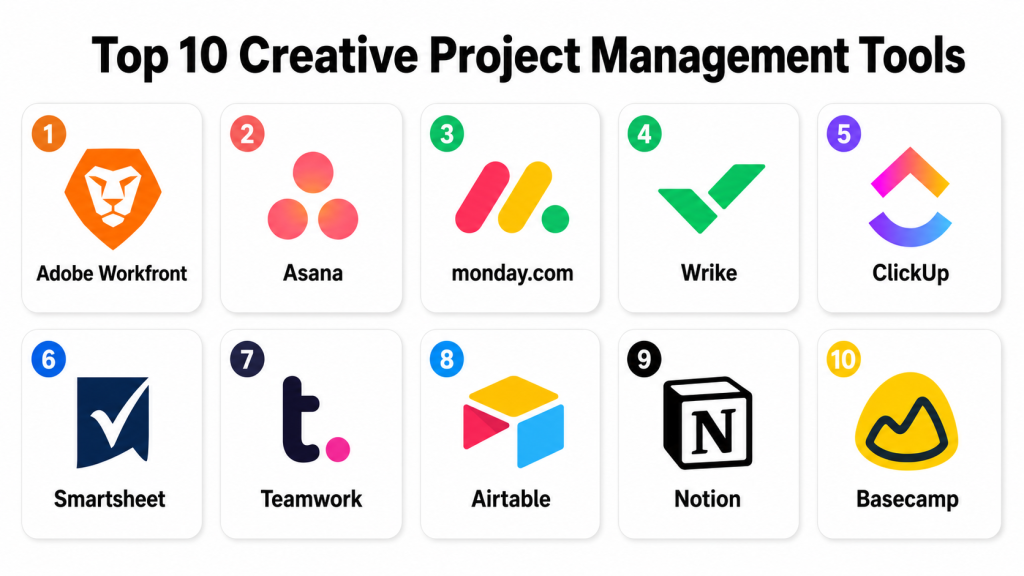
Top 10 Creative Project Management Tools
1. Adobe Workfront
Short description: Adobe Workfront is a work management platform designed for enterprise marketing, creative, and operations teams. It is especially strong for large organizations that need structured workflows, campaign visibility, approval processes, and integration with creative production systems.
Key Features
- Enterprise-grade project and portfolio management
- Creative workflow planning and approval routing
- Campaign and marketing operations visibility
- Resource management and workload tracking
- Custom dashboards and reporting
- Workflow templates for repeatable creative processes
- Strong fit for large brand, marketing, and creative operations teams
Pros
- Strong choice for enterprise creative operations and marketing teams
- Good for complex approval workflows and multi-stakeholder review cycles
- Works well where project visibility and governance are important
Cons
- Can be complex for smaller teams
- Implementation may require planning, admin setup, and training
- Pricing and packaging may not suit basic project management needs
Platforms / Deployment
Web / iOS / Android
Cloud
Security & Compliance
Enterprise access controls, permissions, admin controls, and authentication options are commonly available. Specific certifications and compliance details may vary by plan and region. If a detail is not visible in the buyer’s contract or security documentation, treat it as Not publicly stated.
Integrations & Ecosystem
Adobe Workfront is especially relevant for teams already using creative and marketing platforms. It supports enterprise workflow connections and is often used as part of a wider marketing operations stack.
Common ecosystem areas include:
- Creative production tools
- Digital asset management systems
- Marketing campaign platforms
- Cloud storage platforms
- Communication and collaboration tools
- Reporting and business workflow systems
Support & Community
Adobe Workfront generally suits teams that need structured onboarding, enterprise support, and implementation guidance. Documentation and support options are stronger for business and enterprise users. Smaller teams may need extra time to configure it properly.
2. Asana
Short description: Asana is a flexible work management platform used by marketing, creative, operations, and cross-functional teams. It works well for teams that want simple task management with enough structure for campaigns, content calendars, creative requests, and approvals.
Key Features
- Task lists, boards, timelines, and calendar views
- Project templates for campaigns and creative workflows
- Custom fields and rules for workflow automation
- Forms for creative requests and intake processes
- Dashboards for project status and team visibility
- Goals and reporting options for larger teams
- Collaboration through comments, attachments, and approvals
Pros
- Easy to adopt for creative and marketing teams
- Flexible enough for both simple and structured workflows
- Strong templates and views for content and campaign planning
Cons
- Advanced reporting and admin controls may require higher plans
- Creative proofing is not as deep as dedicated proofing tools
- Complex portfolio governance may need careful setup
Platforms / Deployment
Web / Windows / macOS / iOS / Android
Cloud
Security & Compliance
Asana supports common security features such as user permissions, admin controls, SSO options, and enterprise-level controls depending on the plan. Specific compliance details should be verified through official security documentation. Unknown details should be treated as Not publicly stated.
Integrations & Ecosystem
Asana has a broad ecosystem, making it useful for creative teams that already use multiple tools for communication, storage, design, and marketing delivery.
Common integrations include:
- Communication tools
- Cloud storage platforms
- Calendar tools
- Design and creative collaboration tools
- Automation platforms
- Reporting and business apps
Support & Community
Asana has strong documentation, templates, onboarding resources, and a large user community. Paid plans usually provide stronger support options, while smaller teams can rely on help articles and templates for setup.
3. monday.com
Short description: monday.com is a visual work management platform used by creative, marketing, sales, operations, and project teams. It is strong for teams that want customizable boards, dashboards, automations, and colorful project visibility without heavy technical setup.
Key Features
- Customizable boards for creative projects and campaigns
- Multiple views including timeline, kanban, calendar, and workload
- Automation recipes for status changes and reminders
- Forms for creative requests and project intake
- Dashboards for reporting and visibility
- Workload management for team capacity planning
- Templates for marketing, design, and content workflows
Pros
- Highly visual and easy for non-technical teams to understand
- Strong customization without requiring code
- Good fit for agencies, marketing teams, and growing SMBs
Cons
- Costs can increase as teams scale
- Too much customization can create inconsistent workflows
- Advanced governance may require careful admin management
Platforms / Deployment
Web / Windows / macOS / iOS / Android
Cloud
Security & Compliance
monday.com offers common business security features such as permissions, authentication options, admin controls, and access management depending on plan. Compliance and certification details should be verified directly for each plan. Unknown details should be written as Not publicly stated.
Integrations & Ecosystem
monday.com has a strong integration ecosystem and works well for teams that want to connect project management with communication, storage, CRM, and marketing tools.
Common integrations include:
- Messaging and team communication platforms
- Cloud storage tools
- Calendar platforms
- CRM systems
- Automation tools
- Forms and marketing workflow tools
Support & Community
monday.com provides documentation, templates, learning resources, and customer support options. Its community and marketplace make it easier for teams to discover workflow examples and ready-made templates.
4. Wrike
Short description: Wrike is a work management and project collaboration platform suitable for marketing, creative, professional services, and enterprise teams. It is useful for teams that need structured project planning, proofing, workload visibility, and detailed reporting.
Key Features
- Project planning with lists, boards, tables, and timelines
- Creative proofing and approval workflows
- Custom request forms for project intake
- Workload and resource management
- Dashboards and reporting
- Automation for repeatable workflows
- Strong fit for marketing and creative operations teams
Pros
- Good balance of project management and creative proofing
- Strong for teams managing multiple campaigns or client projects
- Useful reporting and workload management options
Cons
- May feel complex for teams that only need simple task tracking
- Setup requires planning to avoid cluttered workspaces
- Some advanced features may depend on higher plans
Platforms / Deployment
Web / Windows / macOS / iOS / Android
Cloud
Security & Compliance
Wrike supports common enterprise security capabilities such as user permissions, authentication options, admin controls, and role-based access features depending on plan. Specific compliance details should be verified in official security documents. If uncertain, use Not publicly stated.
Integrations & Ecosystem
Wrike works well in creative and marketing ecosystems where teams need to connect work management with communication, storage, design, and business platforms.
Common integrations include:
- Cloud file storage
- Communication platforms
- Design collaboration tools
- CRM and marketing tools
- Business intelligence tools
- Automation platforms
Support & Community
Wrike offers documentation, onboarding content, product education, and support options. Larger teams may benefit from structured onboarding and admin training.
5. ClickUp
Short description: ClickUp is an all-in-one productivity and project management platform used by creative, marketing, product, and operations teams. It is popular with teams that want tasks, docs, dashboards, whiteboards, goals, automation, and collaboration in one workspace.
Key Features
- Tasks, lists, boards, calendars, timelines, and workload views
- Docs and knowledge base features
- Whiteboards for brainstorming and planning
- Custom fields, statuses, and workflow automation
- Dashboards for project and team reporting
- Creative request and campaign management templates
- AI-assisted writing and productivity features where available
Pros
- Very feature-rich for the price compared with many alternatives
- Good for teams that want one platform for tasks, docs, and planning
- Flexible enough for creative, marketing, and operations workflows
Cons
- Feature depth can feel overwhelming at first
- Workspace setup must be controlled to avoid complexity
- Some teams may not need its full feature set
Platforms / Deployment
Web / Windows / macOS / Linux / iOS / Android
Cloud
Security & Compliance
ClickUp provides common security controls such as permissions, authentication options, admin settings, and workspace access controls depending on plan. Specific certifications and compliance details should be verified before purchase. Unknown items should be treated as Not publicly stated.
Integrations & Ecosystem
ClickUp supports many common productivity and creative workflow integrations, making it suitable for teams that need a central workspace across multiple tools.
Common integrations include:
- Communication tools
- Cloud storage systems
- Calendar apps
- Design collaboration tools
- Developer and product tools
- Automation platforms
Support & Community
ClickUp has extensive documentation, templates, help resources, and a large community. Because the tool is broad, teams should invest time in workspace design and onboarding.
6. Smartsheet
Short description: Smartsheet is a work management platform built around spreadsheet-like project tracking, automation, dashboards, and business workflow management. It is useful for creative operations teams that prefer structured tables, project plans, and executive reporting.
Key Features
- Spreadsheet-style project and campaign tracking
- Grid, card, Gantt, and calendar views
- Workflow automation and alerts
- Forms for creative requests and intake
- Dashboards for portfolio visibility
- Resource and workload management options
- Strong reporting for operations and leadership teams
Pros
- Familiar spreadsheet-like interface for business users
- Strong for structured tracking, approvals, and dashboards
- Good fit for operations-heavy creative teams
Cons
- Less visually creative than some modern project tools
- Can feel formal for small design teams
- Advanced setup may require admin experience
Platforms / Deployment
Web / iOS / Android
Cloud
Security & Compliance
Smartsheet supports business and enterprise security features such as access controls, permissions, admin settings, and authentication options depending on plan. Specific certifications and compliance claims should be verified through official security resources. If not confirmed, write Not publicly stated.
Integrations & Ecosystem
Smartsheet works well in business environments where creative projects need to connect with reporting, approvals, file storage, and enterprise workflows.
Common integrations include:
- Cloud storage platforms
- Communication tools
- Calendar tools
- Business reporting systems
- Automation platforms
- Enterprise workflow tools
Support & Community
Smartsheet offers documentation, training resources, templates, and business support options. It is especially useful for teams that value structured onboarding and process consistency.
7. Teamwork
Short description: Teamwork is a project management platform often used by agencies, client services teams, and creative delivery teams. It is strong for client collaboration, task tracking, time tracking, workload planning, and project profitability visibility.
Key Features
- Project and task management for client work
- Time tracking and workload management
- Client collaboration features
- Project templates and task lists
- Billing and profitability-focused workflow support
- Dashboards and reporting
- Milestones, comments, files, and approvals
Pros
- Strong fit for agencies and client-facing creative teams
- Good balance of project delivery and time tracking
- Useful for managing multiple client projects at once
Cons
- May be more agency-focused than internal creative teams need
- Interface and setup may take time for new users
- Advanced business controls may require higher plans
Platforms / Deployment
Web / Windows / macOS / iOS / Android
Cloud
Security & Compliance
Teamwork includes common business security features such as permissions, user controls, authentication options, and admin settings depending on plan. Specific certifications should be verified directly. Unknown details should be treated as Not publicly stated.
Integrations & Ecosystem
Teamwork supports creative and client-service workflows by connecting project delivery with communication, file storage, billing, and productivity platforms.
Common integrations include:
- Communication tools
- File storage platforms
- Calendar systems
- Accounting and billing tools
- Helpdesk and CRM tools
- Automation platforms
Support & Community
Teamwork provides documentation, onboarding resources, templates, and customer support options. It is particularly helpful for agencies that need repeatable client project structures.
8. Airtable
Short description: Airtable is a flexible database-style platform used for content calendars, campaign trackers, creative production pipelines, and asset workflows. It is ideal for teams that want spreadsheet simplicity with database-style customization and workflow views.
Key Features
- Custom tables for creative projects, assets, campaigns, and briefs
- Grid, calendar, kanban, gallery, and timeline views
- Forms for intake and request collection
- Automations for workflow triggers
- Interfaces for custom team dashboards
- Strong filtering, grouping, and relational data features
- Useful for content operations and campaign planning
Pros
- Extremely flexible for custom creative workflows
- Great for content calendars and asset tracking
- Easy to start with, yet powerful for structured operations
Cons
- Requires good design to avoid messy databases
- Not always the best fit for traditional task-heavy project management
- Permission and governance needs should be reviewed carefully for larger teams
Platforms / Deployment
Web / Windows / macOS / iOS / Android
Cloud
Security & Compliance
Airtable provides business and enterprise security features such as permissions, admin controls, authentication options, and access management depending on plan. Specific compliance details should be checked directly. Unknown details should be listed as Not publicly stated.
Integrations & Ecosystem
Airtable has a strong ecosystem for teams that want to connect creative operations with forms, automation, reporting, and content workflows.
Common integrations include:
- Communication tools
- Cloud storage platforms
- Calendar tools
- Automation platforms
- Forms and workflow tools
- Reporting and dashboard tools
Support & Community
Airtable has strong documentation, templates, community examples, and learning resources. Teams with complex workflows may need a clear data structure before scaling usage.
9. Notion
Short description: Notion is a flexible workspace for docs, wikis, project tracking, content calendars, and team knowledge. It works well for creative teams that want a clean place to combine briefs, notes, tasks, roadmaps, and lightweight project workflows.
Key Features
- Docs, wikis, databases, and project pages
- Custom views for content calendars and task tracking
- Templates for creative planning and team operations
- Comments, mentions, and collaborative editing
- Knowledge base and documentation support
- Lightweight dashboards and project hubs
- AI writing and summarization features where available
Pros
- Very flexible for briefs, notes, planning, and knowledge management
- Clean interface that creative teams often find easy to use
- Good for teams that want docs and projects in one place
Cons
- Not as strong for heavy project governance as enterprise tools
- Advanced reporting and workload planning may be limited
- Requires structure to avoid scattered pages and databases
Platforms / Deployment
Web / Windows / macOS / iOS / Android
Cloud
Security & Compliance
Notion provides common workspace security features such as permissions, authentication options, admin controls, and access management depending on plan. Specific compliance details should be verified directly. Unknown items should be treated as Not publicly stated.
Integrations & Ecosystem
Notion works well as a central workspace and connects with common productivity, communication, file, and workflow tools.
Common integrations include:
- Communication platforms
- Cloud storage tools
- Calendar tools
- Design and documentation workflows
- Automation tools
- Project and productivity apps
Support & Community
Notion has a large community, many templates, strong documentation, and broad learning resources. It is easy to start with, but larger teams should define workspace rules and page ownership.
10. Basecamp
Short description: Basecamp is a simple project collaboration platform focused on communication, tasks, schedules, files, and team coordination. It is useful for creative teams, agencies, and small businesses that want a calmer alternative to complex project management systems.
Key Features
- Project message boards for organized communication
- To-do lists and task assignments
- Schedules and milestone tracking
- File sharing and document organization
- Client collaboration support
- Campfire-style team chat
- Simple project structure with minimal configuration
Pros
- Very easy to understand and adopt
- Good for teams that want simple coordination without heavy setup
- Useful for client communication and straightforward creative projects
Cons
- Less advanced reporting and automation than many competitors
- Not ideal for complex approval workflows or resource planning
- May feel too simple for enterprise creative operations
Platforms / Deployment
Web / Windows / macOS / iOS / Android
Cloud
Security & Compliance
Basecamp includes common access and account security features. Enterprise-level compliance, advanced governance, or detailed certification information should be verified directly. If not confirmed, write Not publicly stated.
Integrations & Ecosystem
Basecamp focuses more on simplicity than a large enterprise integration ecosystem. It can still work with common productivity and workflow tools depending on team needs.
Common ecosystem areas include:
- Calendar tools
- File sharing workflows
- Communication workflows
- Automation platforms
- Email-based collaboration
- Client project coordination
Support & Community
Basecamp is known for simple documentation and straightforward product usage. It is easier to onboard than many larger platforms, though teams needing advanced workflow customization may require a different tool.
Comparison Table
| Tool Name | Best For | Platform(s) Supported | Deployment | Standout Feature | Public Rating |
|---|---|---|---|---|---|
| Adobe Workfront | Enterprise creative operations and marketing teams | Web / iOS / Android | Cloud | Structured enterprise creative workflow management | N/A |
| Asana | Marketing, content, and cross-functional teams | Web / Windows / macOS / iOS / Android | Cloud | Flexible project views and simple adoption | N/A |
| monday.com | SMBs, agencies, and visual project teams | Web / Windows / macOS / iOS / Android | Cloud | Highly visual boards and automation | N/A |
| Wrike | Creative teams needing proofing and reporting | Web / Windows / macOS / iOS / Android | Cloud | Creative proofing and workload visibility | N/A |
| ClickUp | Teams wanting an all-in-one workspace | Web / Windows / macOS / Linux / iOS / Android | Cloud | Tasks, docs, whiteboards, and dashboards in one platform | N/A |
| Smartsheet | Operations-heavy creative and marketing teams | Web / iOS / Android | Cloud | Spreadsheet-style project control and dashboards | N/A |
| Teamwork | Agencies and client services teams | Web / Windows / macOS / iOS / Android | Cloud | Client project delivery with time tracking | N/A |
| Airtable | Content operations and custom creative workflows | Web / Windows / macOS / iOS / Android | Cloud | Flexible database-style workflow tracking | N/A |
| Notion | Creative planning, briefs, docs, and lightweight projects | Web / Windows / macOS / iOS / Android | Cloud | Docs, wikis, and project databases together | N/A |
| Basecamp | Small teams and simple client collaboration | Web / Windows / macOS / iOS / Android | Cloud | Simple communication-first project workspace | N/A |
Evaluation & Scoring of Creative Project Management Tools
The scoring below is comparative and practical. It is not a universal ranking for every business. A tool with a slightly lower score may still be the best choice if it fits your team’s workflow, budget, security needs, and adoption style.
| Tool Name | Core (25%) | Ease (15%) | Integrations (15%) | Security (10%) | Performance (10%) | Support (10%) | Value (15%) | Weighted Total (0–10) |
|---|---|---|---|---|---|---|---|---|
| Adobe Workfront | 9 | 6 | 8 | 8 | 8 | 8 | 7 | 7.95 |
| Asana | 8 | 9 | 8 | 8 | 8 | 8 | 8 | 8.15 |
| monday.com | 8 | 8 | 8 | 8 | 8 | 8 | 8 | 8.00 |
| Wrike | 8 | 7 | 8 | 8 | 8 | 8 | 7 | 7.70 |
| ClickUp | 9 | 7 | 8 | 7 | 7 | 7 | 9 | 7.90 |
| Smartsheet | 8 | 7 | 7 | 8 | 8 | 8 | 7 | 7.55 |
| Teamwork | 8 | 8 | 7 | 7 | 8 | 8 | 8 | 7.75 |
| Airtable | 8 | 8 | 8 | 7 | 8 | 7 | 8 | 7.80 |
| Notion | 7 | 9 | 7 | 7 | 8 | 8 | 9 | 7.80 |
| Basecamp | 6 | 9 | 6 | 6 | 8 | 8 | 8 | 7.15 |
How to interpret these scores:
- A higher score means the tool is broadly strong across the full evaluation model.
- The score does not mean the tool is best for every team or every workflow.
- Enterprise teams should pay more attention to governance, security, reporting, and admin controls.
- Agencies should prioritize client collaboration, time tracking, approvals, and repeatable templates.
- Small creative teams should prioritize ease of use, adoption speed, and value.
- Always validate your shortlist with a pilot project before making a final decision.
Which Creative Project Management Tool Is Right for You?
Solo / Freelancer
Freelancers usually need simplicity, fast setup, lightweight task tracking, and easy client communication. They may not need enterprise dashboards, advanced governance, or complex approval rules.
Good options include:
- Notion for briefs, notes, simple content calendars, and client planning pages
- Basecamp for simple communication, tasks, and client collaboration
- ClickUp for freelancers who want tasks, docs, dashboards, and planning in one place
- Airtable for freelancers managing structured content calendars, creative assets, or campaign lists
For freelancers, the best tool is usually the one that reduces admin work instead of adding more process.
SMB
Small and mid-sized businesses often need better structure than freelancers but do not always need enterprise complexity. They need a tool that supports marketing campaigns, content workflows, approvals, team visibility, and simple reporting.
Good options include:
- Asana for easy adoption and flexible project management
- monday.com for visual planning and simple automation
- ClickUp for teams wanting many features in one workspace
- Teamwork for service-based teams that manage client projects
- Airtable for structured campaign and content operations
SMBs should focus on adoption speed, template quality, ease of reporting, and integration with existing tools.
Mid-Market
Mid-market teams usually manage multiple departments, brands, campaigns, and stakeholder groups. They need better visibility, stronger approval processes, resource planning, and repeatable workflows.
Good options include:
- Wrike for creative proofing, workload tracking, and project reporting
- Asana for cross-functional campaign management
- monday.com for visual dashboards and scalable workflows
- Smartsheet for structured operations and executive reporting
- ClickUp for flexible all-in-one team workspaces
Mid-market buyers should test permission models, reporting dashboards, workflow automations, and integration depth before choosing.
Enterprise
Enterprise teams often need governance, security, approval routing, portfolio visibility, resource management, and structured implementation. They may also need stronger admin controls and formal onboarding.
Good options include:
- Adobe Workfront for enterprise creative operations and marketing governance
- Wrike for creative proofing, workload management, and reporting
- Smartsheet for structured business workflow management
- Asana for cross-functional visibility and enterprise collaboration
- monday.com for visual enterprise work management where customization is important
Enterprise teams should involve marketing operations, IT, security, creative leaders, and project managers in the evaluation process.
Budget vs Premium
Budget-conscious teams should look at whether the tool provides enough value without forcing unnecessary upgrades. A low-cost plan is not always cheaper if teams need extra tools for proofing, reporting, automation, or client collaboration.
Budget-friendly choices often include:
- ClickUp
- Notion
- Basecamp
- Airtable
- Asana
Premium or enterprise-oriented choices often include:
- Adobe Workfront
- Wrike
- Smartsheet
- monday.com
- Asana Enterprise-level plans
The best approach is to compare the total workflow cost, not only the license cost.
Feature Depth vs Ease of Use
Some tools are powerful but require setup. Others are simple but may not support complex creative operations.
For ease of use:
- Basecamp
- Notion
- Asana
- monday.com
For deeper workflow control:
- Adobe Workfront
- Wrike
- Smartsheet
- ClickUp
- Airtable
Teams should choose based on how much structure they truly need. Too much complexity can slow creative work, while too little structure can create missed deadlines and unclear ownership.
Integrations & Scalability
Creative teams rarely work in one tool. They often use design platforms, cloud storage, communication tools, calendars, marketing platforms, CRM systems, and digital asset management platforms.
Strong choices for integration-heavy teams include:
- Asana
- monday.com
- ClickUp
- Wrike
- Airtable
- Adobe Workfront
When evaluating integrations, check whether the connection supports real workflow needs or only basic syncing. Also review API availability, automation limits, permissions, and admin controls.
Security & Compliance Needs
Security matters when teams handle client data, unreleased campaigns, brand assets, confidential product launches, contracts, or regulated content. Buyers should validate security directly before purchase.
Security-focused teams should evaluate:
- SSO and SAML availability
- MFA options
- Role-based access control
- Audit logs
- Admin permissions
- Data encryption
- Guest and client access controls
- Compliance documentation
- Data retention and export controls
Enterprise buyers may prefer Adobe Workfront, Wrike, Smartsheet, Asana, or monday.com, depending on the required governance model and contract-level security commitments.
Frequently Asked Questions
1. What are creative project management tools?
Creative project management tools help teams organize campaigns, design work, content production, approvals, feedback, files, timelines, and delivery tasks. They are built to make creative workflows clearer and easier to manage.
2. How are creative project management tools different from normal task management tools?
Normal task tools focus mainly on assignments and deadlines. Creative project management tools often include briefs, file reviews, approvals, comments, version tracking, campaign calendars, and stakeholder collaboration.
3. Which teams need creative project management software most?
Marketing teams, design teams, agencies, brand teams, video teams, content teams, and product marketing groups benefit the most. Any team managing repeatable creative work with many stakeholders can use these tools.
4. Are these tools suitable for small businesses?
Yes, but small businesses should avoid overbuying. Tools like Asana, monday.com, ClickUp, Notion, Airtable, and Basecamp can work well when the setup is simple and focused.
5. Do creative project management tools support approval workflows?
Many tools support approvals, comments, task routing, and review stages. Tools like Adobe Workfront, Wrike, Asana, and monday.com are commonly used for structured approval workflows.
6. What pricing model do these tools usually follow?
Most cloud-based tools use subscription pricing based on users, plan level, and feature access. Advanced features such as automation, reporting, security, proofing, and enterprise controls may require higher plans.
7. How long does implementation usually take?
Simple tools can be adopted quickly, especially with templates. Larger platforms may require workflow mapping, admin setup, permissions planning, team training, and pilot testing before full rollout.
8. What common mistakes should buyers avoid?
Common mistakes include choosing too many features, skipping workflow planning, ignoring user adoption, failing to define approval rules, and not checking integrations before purchase.
9. Are creative project management tools secure?
Many tools offer security features such as permissions, authentication options, admin controls, and access management. Buyers should verify exact security and compliance details directly before making a decision.
10. Can these tools integrate with design and marketing platforms?
Yes, many tools integrate with communication, file storage, design, calendar, CRM, and automation platforms. Integration depth varies, so teams should test real workflows before final selection.
Conclusion
Creative project management tools help teams bring order, visibility, and accountability to creative work. The right platform can reduce scattered feedback, improve approval speed, centralize campaign planning, and help managers understand workload and project status. However, there is no single best tool for every team. A freelancer may prefer Notion or Basecamp, while an agency may need Teamwork or monday.com. A growing marketing team may choose Asana, ClickUp, Airtable, or Wrike, while an enterprise creative operations team may need Adobe Workfront or Smartsheet. The best next step is to shortlist two or three tools, map your real creative workflow, run a small pilot project, test integrations, review security needs, and choose the platform your team can actually use consistently.
