Introduction
UX Research Tools are software platforms that help teams gather insights about user behavior, preferences, and interactions with digital products. They collect qualitative and quantitative data through surveys, usability testing, session recordings, and analytics. These insights allow designers, product managers, and researchers to make informed decisions that improve the user experience and product usability.
Organizations increasingly rely on UX Research Tools to optimize digital products for engagement, conversion, and accessibility. With the rise of remote work, global user bases, and AI-assisted analysis, these tools are critical for keeping design decisions user-focused and data-driven.
Real-world use cases include:
- Conducting usability tests for web and mobile applications
- Gathering feedback through surveys and polls
- Analyzing session recordings to identify pain points
- Measuring task completion and satisfaction rates
- Running A/B tests and prototype validations
Evaluation criteria buyers should consider:
- Research types supported (qualitative, quantitative)
- Integration with analytics, design, and project management tools
- Remote user testing capabilities
- Collaboration and team workflow features
- Reporting and visualization tools
- Ease of use and onboarding
- Security and privacy compliance
- Cost, scalability, and licensing options
Best for: UX designers, product managers, researchers, and teams of any size seeking actionable user insights
Not ideal for: Teams with minimal user interaction or projects that rely on informal feedback methods
Key Trends in UX Research Tools
- AI-assisted insights for faster data analysis
- Remote user testing with global participant access
- Integration with design, analytics, and project management platforms
- Real-time collaborative dashboards
- Multi-device session tracking for web and mobile
- Automated transcription and sentiment analysis
- Privacy-focused research workflows
- Low-code/no-code tools for rapid test setup
- Flexible subscription or pay-per-use pricing models
- Continuous UX monitoring for live products
How We Selected These Tools
- Market adoption and popularity among UX teams
- Feature completeness for both qualitative and quantitative research
- Reliability and performance in real-world usage
- Security posture including data privacy
- Integration with analytics, CI/CD, and design tools
- Ecosystem support and extensibility
- Ease of use and onboarding
- Reporting and visualization capabilities
- Balance of SMB, enterprise, and open-source solutions
- Global applicability across devices and industries
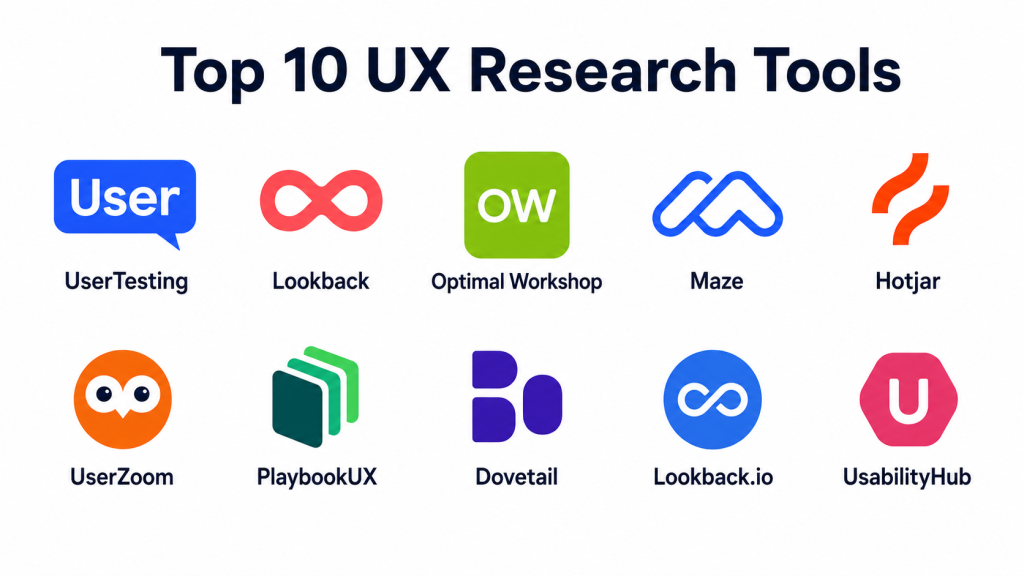
Top 10 UX Research Tools
#1 — UserTesting
Short description: Platform for remote usability testing and live user feedback, ideal for researchers and product teams
Key Features
- Video-based user testing with real participants
- Real-time feedback collection
- Task completion and satisfaction metrics
- Integration with analytics tools
- Mobile and desktop testing
- Collaboration dashboards
Pros
- Fast insights from real users
- Detailed session recordings
Cons
- Costly for large-scale testing
- Limited analytics customization
Platforms / Deployment
Web / Windows / macOS / Linux / iOS / Android
Cloud
Security & Compliance
Not publicly stated
Integrations & Ecosystem
- Integrates with Jira, Slack, and analytics platforms
- API for custom workflows
- Embeddable surveys
Support & Community
Comprehensive documentation, responsive support, active user community
#2 — Lookback
Short description: UX research platform for live interviews, usability testing, and feedback capture
Key Features
- Live remote interviews and testing
- Session recording with annotations
- Multi-device testing support
- Integrated feedback collection
- Collaboration and commenting tools
Pros
- Excellent live session capabilities
- Cross-platform testing
Cons
- Requires scheduling participants
- Limited automated analytics
Platforms / Deployment
Web / Windows / macOS / Linux / iOS / Android
Cloud
Security & Compliance
Not publicly stated
Integrations & Ecosystem
- Slack and design tool integrations
- API support for session data
- Connects with project management platforms
Support & Community
Documentation and email support, active user forums
#3 — Optimal Workshop
Short description: Suite for card sorting, tree testing, and survey-based user research
Key Features
- Card sorting and tree testing
- Survey creation and analysis
- Participant recruitment tools
- Reporting dashboards
- Remote usability testing
Pros
- Strong information architecture testing
- Easy-to-read insights
Cons
- Limited session recording
- Less suited for behavioral analytics
Platforms / Deployment
Web / Windows / macOS / Linux
Cloud
Security & Compliance
Not publicly stated
Integrations & Ecosystem
- Works with analytics tools and CMS
- API for participant management
- Reporting export
Support & Community
Documentation, community support, onboarding guides
#4 — Maze
Short description: Rapid testing platform for prototypes and live products with analytics
Key Features
- Prototype testing from Figma, Sketch, Adobe XD
- User flow tracking
- Quantitative metrics and satisfaction scores
- Collaboration dashboards
- Task analysis and reporting
Pros
- Quick testing for prototypes
- Detailed analytics
Cons
- Limited qualitative feedback
- Relies on pre-designed prototypes
Platforms / Deployment
Web / Windows / macOS / Linux
Cloud
Security & Compliance
Not publicly stated
Integrations & Ecosystem
- Integrates with design tools and project management platforms
- API access for workflow automation
Support & Community
Documentation, tutorials, and responsive support
#5 — Hotjar
Short description: User behavior analytics platform with session recordings, heatmaps, and feedback polls
Key Features
- Heatmaps and click tracking
- Session recordings
- Feedback polls and surveys
- Conversion funnel analysis
- Real-time insights
Pros
- Easy to set up and interpret
- Visual insights for product improvements
Cons
- Limited usability testing features
- Qualitative feedback depends on user responses
Platforms / Deployment
Web / Windows / macOS / Linux / iOS / Android
Cloud
Security & Compliance
Not publicly stated
Integrations & Ecosystem
- Integrates with analytics, CMS, and project management tools
- API support for data export
Support & Community
Documentation and customer support, community forums
#6 — UserZoom
Short description: Enterprise UX research platform offering remote testing, surveys, and analytics
Key Features
- Remote usability testing
- Surveys and quantitative research
- Participant recruitment
- Analytics dashboards
- Task and behavior tracking
Pros
- Scalable for enterprise teams
- Comprehensive research tools
Cons
- Expensive for small teams
- Steep learning curve
Platforms / Deployment
Web / Windows / macOS / Linux / iOS / Android
Cloud
Security & Compliance
Not publicly stated
Integrations & Ecosystem
- Integrates with analytics, CRM, and project management platforms
- API for custom reporting
Support & Community
Professional support, onboarding guides, training
#7 — PlaybookUX
Short description: Remote user testing tool with automated transcription and analysis
Key Features
- Video and audio recording of user sessions
- Automated transcription and sentiment analysis
- Survey integration
- Multi-device testing
- Analytics dashboards
Pros
- Automated insights and transcription
- Supports remote testing
Cons
- Limited qualitative customization
- Smaller participant pool options
Platforms / Deployment
Web / Windows / macOS / Linux / iOS / Android
Cloud
Security & Compliance
Not publicly stated
Integrations & Ecosystem
- Integrates with project management tools and analytics
- API for workflow automation
Support & Community
Documentation, email support, knowledge base
#8 — Dovetail
Short description: UX research repository and analysis platform
Key Features
- Centralized repository for research data
- Tagging and note-taking
- Analytics dashboards
- Team collaboration
- Integration with video and survey tools
Pros
- Organizes qualitative data efficiently
- Collaboration-friendly
Cons
- Requires input from other research tools
- Less focused on live testing
Platforms / Deployment
Web / Windows / macOS / Linux
Cloud
Security & Compliance
Not publicly stated
Integrations & Ecosystem
- Works with video, survey, and analytics tools
- API for workflow integration
Support & Community
Documentation, responsive support
#9 — Lookback.io
Short description: Real-time user testing and moderated interviews with video recording
Key Features
- Live moderated sessions
- Session recording with annotations
- Multi-device testing
- Feedback and collaboration tools
- Analytics dashboards
Pros
- Excellent for live interviews
- Multi-device support
Cons
- Scheduling required
- Limited automated insights
Platforms / Deployment
Web / Windows / macOS / Linux / iOS / Android
Cloud
Security & Compliance
Not publicly stated
Integrations & Ecosystem
- Integrates with project management and design tools
- API for session data
Support & Community
Documentation, email support
#10 — UsabilityHub
Short description: Online testing platform for preference tests, five-second tests, and design surveys
Key Features
- Preference testing
- Five-second tests
- Surveys and polls
- Analytics dashboards
- Participant recruitment
Pros
- Quick insights for design decisions
- Easy for remote testing
Cons
- Limited complex task testing
- Less detailed behavioral analysis
Platforms / Deployment
Web / Windows / macOS / Linux
Cloud
Security & Compliance
Not publicly stated
Integrations & Ecosystem
- Integrates with design tools and analytics
- API for custom workflows
Support & Community
Documentation, email support
Comparison Table
| Tool Name | Best For | Platform(s) Supported | Deployment | Standout Feature | Public Rating |
|---|---|---|---|---|---|
| UserTesting | Remote usability testing | Web/Win/macOS/Linux/iOS/Android | Cloud | Live user feedback | N/A |
| Lookback | User interviews | Web/Win/macOS/Linux/iOS/Android | Cloud | Real-time moderated sessions | N/A |
| Optimal Workshop | Information architecture | Web/Win/macOS/Linux | Cloud | Card sorting & tree testing | N/A |
| Maze | Prototype testing | Web/Win/macOS/Linux | Cloud | Rapid prototype insights | N/A |
| Hotjar | Behavior analytics | Web/Win/macOS/Linux/iOS/Android | Cloud | Heatmaps & session recordings | N/A |
| UserZoom | Enterprise research | Web/Win/macOS/Linux/iOS/Android | Cloud | Scalable enterprise testing | N/A |
| PlaybookUX | Remote usability testing | Web/Win/macOS/Linux/iOS/Android | Cloud | Automated transcription | N/A |
| Dovetail | Research repository | Web/Win/macOS/Linux | Cloud | Organizing research insights | N/A |
| Lookback.io | Live interviews | Web/Win/macOS/Linux/iOS/Android | Cloud | Real-time video sessions | N/A |
| UsabilityHub | Preference testing | Web/Win/macOS/Linux | Cloud | Quick design insights | N/A |
Evaluation & Scoring
| Tool Name | Core (25%) | Ease (15%) | Integrations (15%) | Security (10%) | Performance (10%) | Support (10%) | Value (15%) | Weighted Total |
|---|---|---|---|---|---|---|---|---|
| UserTesting | 9 | 8 | 8 | 7 | 8 | 8 | 7 | 8.0 |
| Lookback | 8 | 7 | 7 | 6 | 7 | 7 | 7 | 7.1 |
| Optimal Workshop | 8 | 8 | 7 | 6 | 7 | 7 | 7 | 7.4 |
| Maze | 8 | 8 | 7 | 6 | 7 | 7 | 7 | 7.4 |
| Hotjar | 7 | 9 | 6 | 6 | 7 | 7 | 8 | 7.3 |
| UserZoom | 9 | 7 | 8 | 7 | 8 | 8 | 6 | 7.8 |
| PlaybookUX | 8 | 8 | 7 | 6 | 7 | 7 | 7 | 7.4 |
| Dovetail | 7 | 8 | 6 | 6 | 7 | 7 | 7 | 6.9 |
| Lookback.io | 8 | 7 | 7 | 6 | 7 | 7 | 7 | 7.2 |
| UsabilityHub | 7 | 9 | 6 | 6 | 7 | 7 | 8 | 7.3 |
Scores reflect comparative strengths across core features, ease of use, integrations, security, performance, support, and value.
Which UX Research Tool Is Right for You
Solo / Freelancer
UsabilityHub or Maze are lightweight and cost-effective for individual researchers and small projects.
SMB
UserTesting or PlaybookUX provide remote testing and automated transcription features for small teams.
Mid-Market
Hotjar, Lookback, or Optimal Workshop offer dashboards and collaboration for growing teams.
Enterprise
UserZoom, Dovetail, or UserTesting provide scalable, enterprise-grade features including reporting and participant management.
Budget vs Premium
Budget: Maze, UsabilityHub, Hotjar
Premium: UserTesting, UserZoom, Lookback
Feature Depth vs Ease of Use
Depth: UserZoom, UserTesting, Hotjar
Ease: Maze, UsabilityHub, PlaybookUX
Integrations & Scalability
Select tools with API access and integrations for analytics, CMS, and project management.
Security & Compliance Needs
Enterprise users should prioritize tools with encryption, SSO, and data privacy compliance.
Frequently Asked Questions
1. What is the pricing model for UX research tools?
Pricing ranges from free plans to subscription-based models depending on participant count and features.
2. Can these tools integrate with CI/CD pipelines?
Some platforms support integration to automate usability tests as part of development workflows.
3. How accurate are remote usability tests?
They provide reliable qualitative insights but should be combined with quantitative metrics for full context.
4. Are mobile devices supported?
Most platforms allow testing on mobile and tablet devices alongside desktop applications.
5. Can these tools record user sessions?
Yes, session recordings and screen captures are common features for analyzing user behavior.
6. How easy is onboarding for new users?
Ease of onboarding varies; Maze and UsabilityHub are beginner-friendly while enterprise platforms may require training.
7. Can UX issues be fixed directly in the tool?
Most tools provide insights and recommendations; actual implementation is performed by designers or developers.
8. Are participant recruitment services available?
Some platforms provide participant recruitment services or integrate with panels for remote testing.
9. What reporting features are available?
Reports typically include visualizations, metrics, task completion rates, and qualitative feedback summaries.
10. What are alternatives to UX research tools?
Alternatives include manual testing, focus groups, open-source frameworks, and in-house analytics solutions.
Conclusion
UX Research Tools are essential for gathering actionable user insights, improving product usability, and creating user-centered digital experiences. Tool selection depends on team size, budget, automation needs, and integration requirements. Freelancers may prefer lightweight solutions, mid-market teams benefit from dashboards and analytics, and enterprises require scalable, full-featured platforms. Shortlist 2–3 tools, run pilot studies, and validate workflows to maximize ROI.
