Introduction
Crash Reporting Tools are software solutions that detect, log, and report application crashes in real time. They allow development teams to quickly identify root causes, understand affected users, and prioritize fixes efficiently. With the growing complexity of applications and distributed systems, having automated crash monitoring is critical to maintain stability and improve user experience.
Organizations rely on these tools to reduce downtime, optimize development workflows, and enhance customer satisfaction. Common use cases include mobile app monitoring, web application error tracking, desktop software diagnostics, cloud-native application monitoring, and performance analytics.
When evaluating crash reporting tools, consider: real-time crash detection, detailed stack traces, platform coverage, CI/CD integration, alerting capabilities, analytics dashboards, security compliance, scalability, pricing models, and community support.
Best for: Software developers, QA engineers, DevOps teams, IT managers, mobile app companies, SaaS businesses, and mid-to-large enterprises.
Not ideal for: Hobby projects, simple static websites, or teams that do not require real-time error monitoring and prefer manual debugging.
Key Trends in Crash Reporting Tools
- AI-driven error classification for prioritizing critical issues
- Automated root cause analysis to speed up bug fixes
- Unified cross-platform reporting for web, mobile, and desktop
- Integration with DevOps and CI/CD pipelines for faster deployments
- Privacy and compliance with GDPR, SOC 2, and HIPAA
- Cloud-native monitoring optimized for microservices and containers
- Predictive crash analytics to prevent future failures
- Flexible deployment: Cloud, Self-hosted, or Hybrid
- Real-time alerting via Slack, Teams, or email
- Adaptive pricing models: subscription, usage-based, or freemium
How We Selected These Tools
- Evaluated market adoption and user mindshare
- Assessed feature completeness for crash detection and reporting
- Verified reliability and performance signals via uptime and reviews
- Reviewed security posture, including encryption, SSO, audit logs, and compliance
- Examined integrations with popular development, CI/CD, and analytics tools
- Considered ecosystem maturity and community support
- Balanced coverage across mobile, web, desktop, and cloud-native apps
- Prioritized actionable dashboards and insights
- Factored pricing transparency and scalability for different company sizes
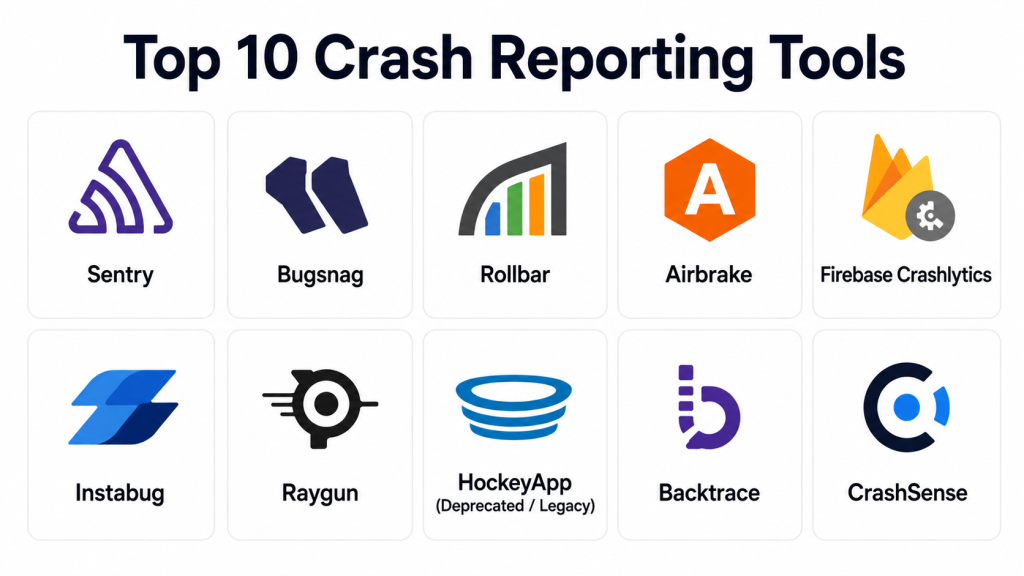
Top 10 Crash Reporting Tools
#1 — Sentry
Short description: Real-time crash reporting and error tracking for web and mobile applications. Designed for developers to pinpoint bugs quickly.
Key Features
- Real-time error reporting with stack traces
- Release tracking for regression monitoring
- Performance monitoring for slow transactions
- Issue aggregation to reduce alert noise
- Supports multiple languages and frameworks
- SDKs for mobile, web, and desktop
- Integrates with version control and CI/CD tools
Pros
- Immediate insights into crashes
- Extensive integrations across development tools
- Open-source SDKs for customization
Cons
- Can become complex for large-scale deployments
- Some advanced features require premium plans
Platforms / Deployment
- Web / Windows / macOS / Linux / iOS / Android
- Cloud / Self-hosted / Hybrid
Security & Compliance
- SSO, MFA, encryption, audit logs
- SOC 2, GDPR
- HIPAA: Not publicly stated
Integrations & Ecosystem
Supports GitHub, GitLab, Jira, Slack, Trello
- REST and GraphQL APIs
- SDKs for multiple languages
- Webhooks for automated notifications
Support & Community
Comprehensive documentation, community forums, and tiered support plans
#2 — Bugsnag
Short description: Monitors application stability and automatically captures errors for engineering teams.
Key Features
- Automatic crash detection and diagnostics
- Stability score metrics
- Breadcrumb tracking for user actions
- Real-time alerts with actionable insights
- Multi-platform support
- CI/CD pipeline integration
- Customizable dashboards
Pros
- Helps prioritize critical issues
- Strong user and session context
- Easy onboarding
Cons
- Pricing can be high for small teams
- Limited advanced analytics without premium plan
Platforms / Deployment
- Web / Windows / macOS / Linux / iOS / Android
- Cloud / Hybrid
Security & Compliance
- SSO, encryption
- SOC 2, GDPR
- HIPAA: Not publicly stated
Integrations & Ecosystem
Integrates with Jira, Slack, Trello, GitHub
- APIs for automated workflows
- Plugin support
Support & Community
Official support channels, detailed documentation, active developer community
#3 — Rollbar
Short description: Error monitoring and debugging tools to identify and fix software crashes quickly.
Key Features
- Real-time error tracking
- Automatic grouping of errors
- AI-assisted root cause detection
- Deployment tracking
- Multi-language support
- Workflow integration
- Performance metrics
Pros
- Reduces manual debugging
- Detailed context for developers
- Integrates well with CI/CD pipelines
Cons
- Limited offline support
- Requires configuration for large projects
Platforms / Deployment
- Web / Windows / macOS / Linux / iOS / Android
- Cloud / Hybrid
Security & Compliance
- SSO, encryption, audit logs
- SOC 2, GDPR
- HIPAA: Not publicly stated
Integrations & Ecosystem
Supports Jira, GitHub, Slack, Bitbucket
- API access for automation
- SDKs for multiple platforms
Support & Community
Documentation and community forums, premium support available
#4 — Airbrake
Short description: Cloud-based error monitoring providing crash reporting and notifications for developers.
Key Features
- Real-time error alerts
- Detailed stack traces
- Deployment tracking
- Error aggregation
- Multi-language support
- Integrates with project management tools
Pros
- Quick setup
- Clear prioritization of errors
- Alerts via multiple channels
Cons
- Advanced analytics limited
- Dashboard can be overwhelming
Platforms / Deployment
- Web / Windows / macOS / Linux / iOS / Android
- Cloud
Security & Compliance
- Encryption, audit logs
- SOC 2, GDPR
- HIPAA: Not publicly stated
Integrations & Ecosystem
Supports GitHub, Jira, Slack, Trello
- REST APIs
- SDKs for web and mobile
Support & Community
Documentation and community forums; tiered support options
#5 — Firebase Crashlytics
Short description: Lightweight crash reporting for mobile apps, prioritizing critical errors.
Key Features
- Real-time crash alerts
- Detailed logs and stack traces
- Integration with Firebase Analytics
- Breadcrumb tracking
- Multi-platform support
- Lightweight SDK
- Deployment monitoring
Pros
- Native mobile integration
- Lightweight and fast
- Free tier available
Cons
- Limited web support
- Fewer advanced analytics
Platforms / Deployment
- iOS / Android
- Cloud
Security & Compliance
- Encryption, SSO
- SOC 2: Not publicly stated
- GDPR: Not publicly stated
- HIPAA: Not publicly stated
Integrations & Ecosystem
Integrates with Slack, Jira, GitHub, Bitbucket
- Firebase ecosystem integration
- API support
Support & Community
Firebase documentation and forums
#6 — Instabug
Short description: Captures crash reports and user feedback in mobile apps with rich context.
Key Features
- Crash reporting with device data
- In-app user feedback
- Screen recordings of issues
- Breadcrumb tracking
- Customizable alerts
- Multi-platform SDKs
Pros
- Combines crash reporting with feedback
- Detailed diagnostic data
- Easy integration
Cons
- Limited web support
- Premium pricing
Platforms / Deployment
- iOS / Android
- Cloud
Security & Compliance
- Encryption, MFA
- SOC 2, GDPR
- HIPAA: Not publicly stated
Integrations & Ecosystem
Jira, Slack, Trello, GitHub
- API and webhook support
Support & Community
Documentation, tutorials, active support team
#7 — Raygun
Short description: Error, crash, and performance monitoring across web and mobile applications.
Key Features
- Real-time crash reporting
- Performance monitoring
- Detailed diagnostics
- Deployment tracking
- Multi-language support
- Alert routing
- User experience insights
Pros
- Strong performance insights
- Integrates with DevOps workflows
- Clear visualization
Cons
- Can be complex to configure
- Advanced features require higher-tier plans
Platforms / Deployment
- Web / Windows / macOS / Linux / iOS / Android
- Cloud
Security & Compliance
- SSO, encryption
- SOC 2, GDPR
- HIPAA: Not publicly stated
Integrations & Ecosystem
Jira, GitHub, Slack, Azure DevOps
- REST APIs
- SDKs
Support & Community
Documentation, ticket support, community forums
#8 — HockeyApp
Short description: Legacy crash reporting and beta distribution for mobile apps, replaced by App Center.
Key Features
- Crash and bug reporting
- Beta app distribution
- User metrics
- Multi-platform support
- Integration with Visual Studio
Pros
- Easy crash reporting
- Microsoft ecosystem integration
Cons
- Deprecated
- Limited support
Platforms / Deployment
- iOS / Android / Windows
- Cloud
Security & Compliance
Not publicly stated
Integrations & Ecosystem
Limited modern integrations
Support & Community
Legacy documentation
#9 — Backtrace
Short description: Error monitoring for games, embedded systems, and high-performance applications.
Key Features
- Real-time crash aggregation
- Symbolication for multiple languages
- Rich debugging data
- Multi-platform support
- Automated issue grouping
Pros
- Tailored for complex apps
- Advanced debugging
- Highly scalable
Cons
- Specialized, steep learning curve
Platforms / Deployment
- Web / Windows / macOS / Linux / iOS / Android
- Cloud / Self-hosted
Security & Compliance
- SSO, encryption
- SOC 2, GDPR: Not publicly stated
- HIPAA: Not publicly stated
Integrations & Ecosystem
Jira, GitHub, Slack, APIs
Support & Community
Documentation, enterprise support, technical forums
#10 — CrashSense
Short description: Lightweight crash reporting and analytics for web and mobile apps.
Key Features
- Real-time crash alerts
- Stack trace logging
- Minimal SDK footprint
- Dashboard analytics
- Multi-platform support
- Alerting via multiple channels
Pros
- Simple integration
- Quick setup
- Low performance impact
Cons
- Fewer advanced analytics
- Limited enterprise features
Platforms / Deployment
- Web / Windows / macOS / Linux / iOS / Android
- Cloud
Security & Compliance
Not publicly stated
Integrations & Ecosystem
Integrates with Slack, Jira, GitHub
Support & Community
Documentation and email support
Comparison Table
| Tool Name | Best For | Platform(s) Supported | Deployment | Standout Feature | Public Rating |
|---|---|---|---|---|---|
| Sentry | Developers, enterprises | Web / Windows / macOS / Linux / iOS / Android | Cloud / Self-hosted / Hybrid | Real-time error tracking | N/A |
| Bugsnag | Engineering teams | Web / Windows / macOS / Linux / iOS / Android | Cloud / Hybrid | Stability score metrics | N/A |
| Rollbar | DevOps and developers | Web / Windows / macOS / Linux / iOS / Android | Cloud / Hybrid | AI-assisted root cause detection | N/A |
| Airbrake | Cloud and web apps | Web / Windows / macOS / Linux / iOS / Android | Cloud | Deployment tracking | N/A |
| Firebase Crashlytics | Mobile apps | iOS / Android | Cloud | Lightweight mobile SDK | N/A |
| Instabug | Mobile apps with feedback | iOS / Android | Cloud | In-app feedback and crash reporting | N/A |
| Raygun | Web and mobile performance monitoring | Web / Windows / macOS / Linux / iOS / Android | Cloud | Combined performance insights | N/A |
| HockeyApp | Legacy mobile apps | iOS / Android / Windows | Cloud | Beta app distribution | N/A |
| Backtrace | Games, embedded, high-performance apps | Web / Windows / macOS / Linux / iOS / Android | Cloud / Self-hosted | Symbolication and debugging | N/A |
| CrashSense | Lightweight mobile/web apps | Web / Windows / macOS / Linux / iOS / Android | Cloud | Low SDK overhead | N/A |
Evaluation & Scoring
| Tool Name | Core (25%) | Ease (15%) | Integrations (15%) | Security (10%) | Performance (10%) | Support (10%) | Value (15%) | Weighted Total |
|---|---|---|---|---|---|---|---|---|
| Sentry | 9 | 8 | 8 | 9 | 9 | 8 | 8 | 8.7 |
| Bugsnag | 8 | 8 | 7 | 8 | 8 | 7 | 7 | 7.7 |
| Rollbar | 9 | 7 | 8 | 8 | 8 | 7 | 7 | 7.8 |
| Airbrake | 7 | 7 | 6 | 7 | 7 | 6 | 6 | 6.7 |
| Firebase Crashlytics | 6 | 9 | 6 | 6 | 6 | 6 | 8 | 6.9 |
| Instabug | 8 | 8 | 7 | 8 | 7 | 7 | 6 | 7.5 |
| Raygun | 8 | 7 | 7 | 7 | 8 | 7 | 7 | 7.5 |
| HockeyApp | 5 | 7 | 5 | 5 | 5 | 5 | 5 | 5.2 |
| Backtrace | 9 | 6 | 7 | 7 | 9 | 6 | 7 | 7.7 |
| CrashSense | 6 | 8 | 6 | 6 | 6 | 6 | 7 | 6.8 |
Scores reflect comparative performance across key criteria. Higher totals indicate broader capabilities. Choose based on use case and organizational priorities.
Which Crash Reporting Tool Is Right for You?
Solo / Freelancer
Firebase Crashlytics or CrashSense are ideal. Low setup time, minimal cost, mobile/web support.
SMB
Bugsnag or Instabug offer rich insights without complexity. Moderate pricing, solid Slack/Jira integrations.
Mid-Market
Sentry, Raygun, or Rollbar provide detailed analysis, CI/CD integration, and performance metrics.
Enterprise
Sentry, Rollbar, Backtrace, Raygun handle complex apps, multiple platforms, compliance, advanced dashboards.
Budget vs Premium
Budget: Firebase Crashlytics, CrashSense
Premium: Sentry, Rollbar, Raygun, Backtrace
Feature Depth vs Ease of Use
Feature-rich tools (Sentry, Backtrace) may require learning curves; simpler tools (CrashSense, Firebase Crashlytics) offer faster onboarding.
Integrations & Scalability
Choose tools with mature APIs and SDKs for multi-platform monitoring.
Security & Compliance Needs
Enterprise-grade tools ensure SOC 2, GDPR, encryption, audit logs, and optional HIPAA support.
Frequently Asked Questions (FAQs)
1. What is the cost structure of crash reporting tools?
Costs vary; many offer freemium tiers, subscription plans, or usage-based pricing depending on users, events, or platform coverage.
2. How easy is the integration with CI/CD pipelines?
Most tools provide APIs and webhooks, with native integrations for popular platforms like GitHub, Jira, and Slack.
3. Can these tools monitor both mobile and web applications?
Yes, tools like Sentry, Rollbar, and Raygun support cross-platform monitoring for mobile, web, and desktop.
4. Do crash reporting tools handle sensitive data securely?
Leading tools implement encryption, SSO, MFA, audit logs, and SOC 2 or GDPR compliance where applicable.
5. Can I prioritize which errors to fix first?
Yes, tools offer severity scoring, stability metrics, and AI-assisted root cause analysis for prioritization.
6. Are open-source options available?
Yes, Sentry provides open-source SDKs and community-supported integrations.
7. How long does it take to set up crash reporting?
Simple SDK integration can take minutes to hours, while enterprise deployment may require configuration for multiple environments.
8. Do they offer real-time alerting?
Yes, alerts can be sent via Slack, Teams, email, or webhooks in real time.
9. Can I track errors across multiple releases?
Yes, most tools provide release tracking and regression monitoring to correlate crashes with new deployments.
10. Are historical crash analytics available?
Yes, dashboards provide trends, error frequency, and performance metrics to guide long-term stability improvements.
Conclusion
Crash Reporting Tools are essential for modern development teams aiming to maintain high-quality applications and improve user experience. The right tool depends on your team size, platforms, budget, and integration needs. Freelancers and small teams may prefer lightweight options like Firebase Crashlytics, while mid-market and enterprise organizations benefit from Sentry, Rollbar, or Backtrace for advanced analytics and multi-platform coverage. A practical next step is to shortlist 2–3 tools, test in a pilot environment, and validate alerts, integrations, and security settings. Selecting the best tool ensures faster debugging, improved application stability, and better customer satisfaction.
