Introduction
Calendar software helps people and teams plan meetings, manage appointments, organize work schedules, and avoid missed commitments. It gives users one clear place to track events, reminders, availability, deadlines, and shared schedules.
Today, calendar software is useful because many teams work across locations, time zones, departments, and customer-facing roles. A good calendar tool saves time, reduces manual follow-ups, improves meeting planning, and helps businesses manage work more professionally.
Common use cases include team meetings, client appointments, interview scheduling, project planning, event coordination, class schedules, service bookings, and personal task planning.
Before choosing calendar software, buyers should evaluate:
- Ease of use
- Calendar sharing
- Mobile access
- Meeting reminders
- Scheduling automation
- Time-zone support
- Integrations
- Security controls
- Admin features
- Pricing flexibility
Best for: freelancers, consultants, agencies, sales teams, HR teams, education teams, healthcare offices, service businesses, startups, SMBs, and enterprises.
Not ideal for: users who only need a simple reminder app or teams that do not manage meetings, appointments, or shared schedules regularly.
Key Trends in Calendar Software
- AI-assisted scheduling helps users find suitable meeting times and reduce manual coordination.
- Self-service booking pages are becoming common for consultants, sales teams, recruiters, coaches, and service providers.
- Meeting automation helps with reminders, follow-ups, cancellation rules, and rescheduling.
- Hybrid work support is important for teams working across offices, homes, and different time zones.
- Privacy-focused calendars are gaining attention as users want stronger control over schedule data.
- Calendar analytics help teams understand meeting load, focus time, and productivity patterns.
- Deeper integrations with email, video meetings, CRM, project tools, and payment systems are now expected.
- Mobile-first scheduling is important because many users manage meetings while traveling or working remotely.
- Enterprise admin controls matter for large teams that need access control, identity management, and governance.
- Appointment-based workflows are becoming more advanced with forms, payment collection, reminders, and client records.
How We Selected These Tools
The tools in this list were selected based on practical business use, market recognition, feature depth, and suitability for different types of users.
Selection factors include:
- Market adoption and general mindshare
- Calendar and scheduling feature completeness
- Ease of use for individuals and teams
- Support for shared calendars and collaboration
- Integration with business tools
- Mobile and web availability
- Security and admin capabilities
- Suitability for solo users, SMBs, and enterprises
- Support quality and documentation strength
- Practical value for daily scheduling workflows
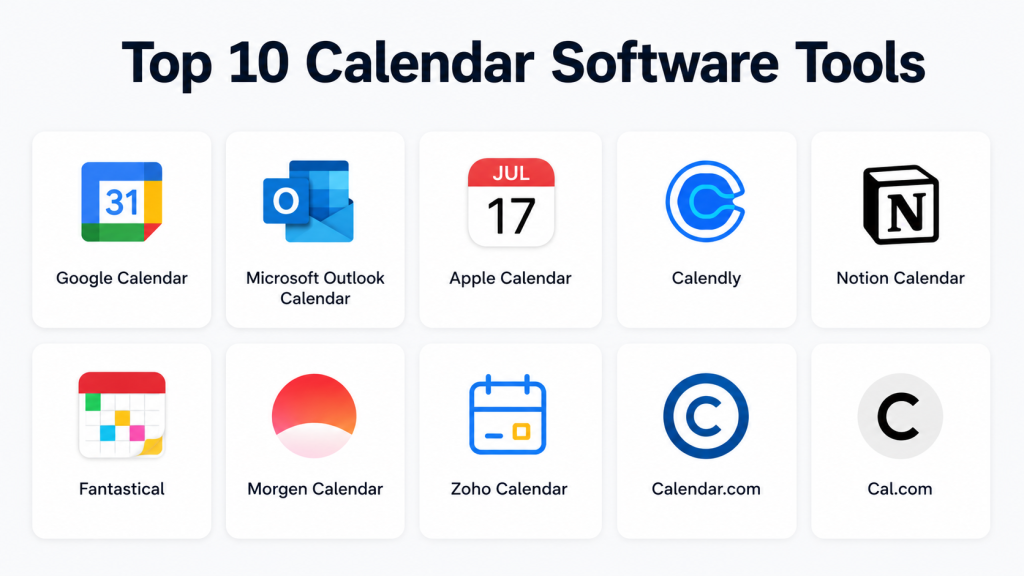
Top 10 Calendar Software Tools
1. Google Calendar
Short description:
Google Calendar is a popular cloud-based calendar tool for individuals, teams, schools, and businesses. It is especially useful for users already working with Gmail and Google Workspace.
Key Features
- Shared calendars for teams and departments
- Event invitations and reminders
- Recurring meeting support
- Google Meet integration
- Time-zone support
- Calendar sharing with permissions
- Mobile apps for iOS and Android
Pros
- Very easy to use
- Strong integration with Google services
- Good for personal and team scheduling
Cons
- Advanced admin controls depend on business plans
- Not ideal for teams fully using Microsoft tools
- Booking features are not as deep as dedicated scheduling tools
Platforms / Deployment
Web, iOS, Android
Cloud
Security & Compliance
MFA, encryption, admin controls, and Workspace-level security features are available. Some compliance capabilities depend on the selected business plan.
Integrations & Ecosystem
Google Calendar works well with many productivity and business tools.
- Gmail
- Google Meet
- Google Tasks
- Slack
- Zoom
- CRM tools
- Scheduling tools
Support & Community
Google Calendar has strong documentation, a large user community, and business support options through Google Workspace plans.
2. Microsoft Outlook Calendar
Short description:
Microsoft Outlook Calendar is a business-focused calendar system built into Outlook and Microsoft 365. It is a strong option for enterprises and teams using Microsoft tools.
Key Features
- Meeting scheduling inside Outlook
- Shared calendars
- Availability checking
- Microsoft Teams integration
- Room and resource booking
- Recurring meetings
- Enterprise admin controls
Pros
- Excellent for Microsoft-based organizations
- Strong enterprise scheduling controls
- Good support for large teams
Cons
- Can feel complex for casual users
- Best experience usually requires Microsoft 365
- Setup may need admin support in larger companies
Platforms / Deployment
Web, Windows, macOS, iOS, Android
Cloud / Hybrid
Security & Compliance
MFA, encryption, access controls, audit features, and admin policies are available through Microsoft 365. Compliance features vary by plan.
Integrations & Ecosystem
Outlook Calendar works deeply with Microsoft business tools.
- Microsoft Teams
- Microsoft Exchange
- Microsoft To Do
- OneNote
- SharePoint
- CRM tools
- Enterprise apps
Support & Community
Microsoft provides strong documentation, enterprise support options, and a large partner ecosystem.
3. Calendly
Short description:
Calendly is a scheduling automation platform that helps users book meetings without repeated emails. It is useful for sales, recruiting, consulting, customer success, and service teams.
Key Features
- Shareable booking links
- Availability rules
- Meeting buffers
- Round-robin scheduling
- Automated reminders
- Team scheduling
- CRM and video meeting integrations
Pros
- Reduces manual scheduling work
- Simple for external meeting booking
- Strong for sales and recruiting teams
Cons
- Not a full calendar replacement
- Advanced team features may require paid plans
- Less useful for users who only schedule internal meetings
Platforms / Deployment
Web, iOS, Android
Cloud
Security & Compliance
SSO and admin controls are available on selected business plans. Some security and compliance details vary by plan.
Integrations & Ecosystem
Calendly connects well with common business workflows.
- Google Calendar
- Outlook Calendar
- Zoom
- Microsoft Teams
- Salesforce
- HubSpot
- Stripe
Support & Community
Calendly offers helpful documentation, onboarding guides, and support options based on the plan.
4. Apple Calendar
Short description:
Apple Calendar is a clean and simple calendar app for Apple users. It works well for personal productivity and small teams already using iPhone, iPad, Mac, and iCloud.
Key Features
- Native Apple device experience
- iCloud calendar syncing
- Event reminders
- Recurring events
- Shared calendars
- Siri support
- Multiple calendar account support
Pros
- Simple and smooth for Apple users
- Works well across Apple devices
- Good for personal scheduling
Cons
- Limited business scheduling automation
- Not ideal for large enterprise workflows
- Best experience is inside the Apple ecosystem
Platforms / Deployment
macOS, iOS, iPadOS, Web
Cloud
Security & Compliance
Apple account security features such as two-factor authentication are available. Business compliance details for calendar-specific use are not publicly stated.
Integrations & Ecosystem
Apple Calendar works best with Apple services and standard calendar accounts.
- iCloud
- Apple Mail
- Contacts
- Siri
- Google Calendar sync
- Microsoft Exchange sync
Support & Community
Apple provides support documentation, device-level help, and a large user community.
5. Zoho Calendar
Short description:
Zoho Calendar is a business calendar tool within the Zoho ecosystem. It is useful for SMBs and teams using Zoho Mail, Zoho CRM, and other Zoho workplace tools.
Key Features
- Team calendar sharing
- Group calendars
- Event reminders
- Zoho Mail integration
- External calendar sync
- Calendar embedding
- Business productivity support
Pros
- Good fit for Zoho users
- Useful for SMBs
- Works well within Zoho’s business suite
Cons
- Less popular than Google or Microsoft calendars
- Best value comes when using other Zoho tools
- Some advanced details vary by plan
Platforms / Deployment
Web, iOS, Android
Cloud
Security & Compliance
Zoho provides MFA and business admin controls across its ecosystem. Calendar-specific compliance details are not publicly stated.
Integrations & Ecosystem
Zoho Calendar connects well with Zoho products and productivity workflows.
- Zoho Mail
- Zoho CRM
- Zoho Meeting
- Zoho Projects
- External calendar sync
- Team collaboration tools
Support & Community
Zoho offers documentation, help resources, and community support. Support levels vary by subscription.
6. Notion Calendar
Short description:
Notion Calendar is a modern calendar tool for users who want scheduling connected with notes, tasks, docs, and planning. It is especially useful for Notion users and knowledge workers.
Key Features
- Calendar view for planning
- Google Calendar integration
- Connection with Notion workflows
- Clean event management
- Personal productivity support
- Workspace planning
- Useful for creators and teams
Pros
- Strong fit for Notion users
- Clean and modern interface
- Useful for planning work and meetings together
Cons
- Not a complete enterprise calendar replacement
- Limited if the team does not use Notion
- Not mainly built for advanced appointment booking
Platforms / Deployment
Web, Windows, macOS, iOS
Cloud
Security & Compliance
Security depends on Notion workspace settings and account configuration. Calendar-specific compliance details are not publicly stated.
Integrations & Ecosystem
Notion Calendar works best with Notion and Google Calendar.
- Notion workspace
- Google Calendar
- Team planning workflows
- Notes and docs
- Project pages
- Personal productivity systems
Support & Community
Notion has strong documentation and a large creator community. Support varies by plan.
7. Teamup Calendar
Short description:
Teamup Calendar is built for shared group scheduling, operations planning, events, and team coordination. It is useful for schools, nonprofits, teams, and businesses that need visual shared calendars.
Key Features
- Shared team calendars
- Multiple calendar views
- Access permissions
- Calendar sharing links
- Color-coded events
- Embeddable calendars
- Operational scheduling support
Pros
- Good for shared schedules
- Easy for non-technical teams
- Useful for operations and event planning
Cons
- Less suited for large enterprise suites
- May need extra tools for workflow automation
- Advanced compliance details are limited
Platforms / Deployment
Web, iOS, Android
Cloud
Security & Compliance
Permission-based access is available. Advanced compliance details are not publicly stated.
Integrations & Ecosystem
Teamup Calendar focuses on simple shared scheduling and calendar publishing.
- Calendar sharing links
- Embeddable calendars
- Mobile access
- External calendar feeds
- Team planning workflows
- Event coordination workflows
Support & Community
Teamup provides documentation and practical support resources. Support details vary by plan.
8. Acuity Scheduling
Short description:
Acuity Scheduling is an appointment scheduling platform for service-based businesses. It is useful for consultants, coaches, salons, trainers, clinics, and client-facing teams.
Key Features
- Online appointment booking
- Client intake forms
- Automated reminders
- Payment collection support
- Calendar syncing
- Cancellation rules
- Appointment type management
Pros
- Strong for service bookings
- Good intake form support
- Useful for appointment-based businesses
Cons
- Not a full team calendar suite
- May be more than needed for simple meetings
- Some useful features depend on plan
Platforms / Deployment
Web, iOS, Android
Cloud
Security & Compliance
Account security and payment-related controls are available through the platform and connected services. Regulated industries should verify compliance needs directly.
Integrations & Ecosystem
Acuity Scheduling supports business booking workflows.
- Google Calendar
- Outlook Calendar
- Payment tools
- Video meeting tools
- Website booking pages
- Email reminders
Support & Community
Acuity provides help documentation and onboarding resources. Support options vary by plan.
9. Proton Calendar
Short description:
Proton Calendar is a privacy-focused calendar tool for users who want stronger control over schedule data. It is best for privacy-conscious individuals and teams already using Proton services.
Key Features
- Privacy-focused calendar management
- Event creation and reminders
- Calendar sharing
- Web and mobile access
- Proton Mail integration
- Encrypted data approach
- Clean personal scheduling experience
Pros
- Strong privacy focus
- Good for users who care about data protection
- Works well with Proton services
Cons
- Smaller ecosystem than Google or Microsoft
- Not ideal for complex enterprise scheduling
- Fewer business integrations than larger suites
Platforms / Deployment
Web, iOS, Android
Cloud
Security & Compliance
Proton is known for privacy-focused services and encryption. Calendar-specific compliance details should be validated based on business requirements.
Integrations & Ecosystem
Proton Calendar is strongest inside the Proton ecosystem.
- Proton Mail
- Proton account system
- Mobile calendar access
- Privacy-focused workflows
- Personal productivity stack
Support & Community
Proton provides documentation and has an active privacy-focused user community. Support depends on the plan.
10. Fantastical
Short description:
Fantastical is a premium calendar app focused on productivity, natural language scheduling, and a polished user experience. It is a good fit for Apple users and productivity-focused professionals.
Key Features
- Natural language event creation
- Multiple calendar views
- Calendar sets
- Task support
- Time-zone support
- Meeting scheduling support
- Clean Apple-focused interface
Pros
- Excellent user experience
- Strong for personal productivity
- Useful for users managing multiple calendars
Cons
- Best suited for Apple users
- Not mainly an enterprise admin platform
- Premium features may require a subscription
Platforms / Deployment
macOS, iOS, iPadOS, Apple Watch
Cloud-supported app experience
Security & Compliance
Security depends on connected calendar accounts and app configuration. Enterprise compliance details are not publicly stated.
Integrations & Ecosystem
Fantastical works with existing calendar services and productivity tools.
- Google Calendar
- Outlook Calendar
- iCloud Calendar
- Todoist
- Zoom
- Personal productivity workflows
Support & Community
Fantastical has useful documentation and a strong user base among productivity-focused Apple users. Support varies by subscription.
Comparison Table
| Tool Name | Best For | Platform(s) Supported | Deployment | Standout Feature | Public Rating |
|---|---|---|---|---|---|
| Google Calendar | Individuals, teams, Google Workspace users | Web, iOS, Android | Cloud | Simple shared scheduling | N/A |
| Microsoft Outlook Calendar | Enterprises and Microsoft 365 users | Web, Windows, macOS, iOS, Android | Cloud / Hybrid | Enterprise scheduling and Teams integration | N/A |
| Calendly | Sales, recruiting, consultants, customer-facing teams | Web, iOS, Android | Cloud | Shareable booking automation | N/A |
| Apple Calendar | Apple users and personal productivity | macOS, iOS, iPadOS, Web | Cloud | Native Apple experience | N/A |
| Zoho Calendar | SMBs using Zoho tools | Web, iOS, Android | Cloud | Zoho ecosystem integration | N/A |
| Notion Calendar | Notion users and knowledge workers | Web, Windows, macOS, iOS | Cloud | Calendar plus workspace planning | N/A |
| Teamup Calendar | Shared group scheduling and operations | Web, iOS, Android | Cloud | Visual shared calendars | N/A |
| Acuity Scheduling | Appointment-based businesses | Web, iOS, Android | Cloud | Client booking and intake forms | N/A |
| Proton Calendar | Privacy-conscious users | Web, iOS, Android | Cloud | Privacy-focused scheduling | N/A |
| Fantastical | Apple power users | macOS, iOS, iPadOS, Apple Watch | Cloud-supported app | Natural language scheduling | N/A |
Evaluation & Scoring of Calendar Software
| Tool Name | Core (25%) | Ease (15%) | Integrations (15%) | Security (10%) | Performance (10%) | Support (10%) | Value (15%) | Weighted Total |
|---|---|---|---|---|---|---|---|---|
| Google Calendar | 9 | 9 | 9 | 8 | 9 | 8 | 9 | 8.75 |
| Microsoft Outlook Calendar | 9 | 8 | 9 | 9 | 9 | 9 | 8 | 8.70 |
| Calendly | 9 | 9 | 9 | 8 | 8 | 8 | 8 | 8.50 |
| Apple Calendar | 7 | 9 | 7 | 8 | 9 | 8 | 9 | 8.00 |
| Zoho Calendar | 8 | 8 | 8 | 8 | 8 | 8 | 8 | 8.00 |
| Notion Calendar | 7 | 8 | 7 | 7 | 8 | 8 | 8 | 7.55 |
| Teamup Calendar | 8 | 8 | 7 | 7 | 8 | 7 | 8 | 7.65 |
| Acuity Scheduling | 8 | 8 | 8 | 7 | 8 | 8 | 8 | 7.90 |
| Proton Calendar | 7 | 8 | 6 | 9 | 8 | 7 | 7 | 7.35 |
| Fantastical | 8 | 9 | 8 | 7 | 9 | 8 | 7 | 8.05 |
The scores are comparative and should be used as a practical shortlist guide. A higher score does not always mean the tool is the best fit for every business. For example, Microsoft Outlook Calendar is strong for enterprise teams, while Calendly is better for booking automation. Buyers should always test the tool with real workflows before making a final decision.
Which Calendar Software Tool Is Right for You?
Solo / Freelancer
Solo users should choose a tool that is simple, mobile-friendly, and easy to manage. Google Calendar, Apple Calendar, Proton Calendar, Fantastical, and Calendly are good choices.
Freelancers who book calls with clients may benefit more from Calendly or Acuity Scheduling because booking links reduce manual follow-up.
SMB
Small and mid-sized businesses should look for shared calendars, team scheduling, appointment booking, reminders, and integrations. Google Calendar, Zoho Calendar, Calendly, Teamup Calendar, and Microsoft Outlook Calendar are strong options.
Service-based SMBs should consider Acuity Scheduling if they need appointment types, intake forms, cancellation rules, and payment support.
Mid-Market
Mid-market businesses need stronger admin controls, scalable scheduling, better integrations, and team workflows. Google Calendar, Microsoft Outlook Calendar, Calendly, Zoho Calendar, and Teamup Calendar can work well.
Sales, recruiting, and customer success teams may get more value from Calendly because it supports external booking workflows.
Enterprise
Enterprises usually need identity controls, admin policies, auditability, compliance support, reliability, and deep integration with existing systems. Microsoft Outlook Calendar and Google Calendar are usually the strongest enterprise choices.
Large organizations can also use Calendly or Acuity Scheduling for specific departments that need external booking automation.
Budget vs Premium
Budget-focused users can start with Google Calendar, Apple Calendar, Zoho Calendar, or Proton Calendar. Premium users who want stronger productivity or booking features may consider Fantastical, Calendly, or Acuity Scheduling.
The right choice depends on whether the buyer needs a basic calendar or a complete scheduling workflow.
Feature Depth vs Ease of Use
Google Calendar and Apple Calendar are easier for basic use. Microsoft Outlook Calendar offers deeper business and enterprise features but may require more setup.
Calendly and Acuity Scheduling offer deeper booking automation but are not full replacements for core calendar systems.
Integrations & Scalability
Google Calendar and Microsoft Outlook Calendar are strong choices when broad integrations matter. Calendly is useful for CRM, sales, recruiting, and customer-facing scheduling.
Zoho Calendar is best when a company already uses Zoho products.
Security & Compliance Needs
Organizations with strict security needs should review MFA, SSO, audit logs, encryption, admin controls, data retention, and compliance documentation.
Microsoft Outlook Calendar and Google Calendar are usually strong options for enterprise security. Proton Calendar is useful for privacy-focused users.
Frequently Asked Questions
1. What is calendar software?
Calendar software is a digital tool used to manage meetings, appointments, events, reminders, and schedules. It helps individuals and teams organize time more clearly.
2. Why is calendar software important for businesses?
Calendar software helps businesses reduce missed meetings, improve planning, manage availability, and coordinate teams. It also supports better customer and internal communication.
3. What is the difference between calendar software and scheduling software?
Calendar software helps users manage events and reminders. Scheduling software focuses more on booking appointments, sharing availability, and automating meeting setup.
4. Which calendar software is best for teams?
Google Calendar and Microsoft Outlook Calendar are strong choices for teams. Calendly, Teamup Calendar, and Zoho Calendar are also useful depending on team needs.
5. Which calendar software is best for appointment booking?
Calendly and Acuity Scheduling are strong options for appointment booking. They support booking links, reminders, availability rules, and client-facing scheduling.
6. Is free calendar software enough?
Free calendar software is enough for simple personal scheduling and basic team use. Paid plans are useful for advanced booking, admin controls, automation, and integrations.
7. What features should I look for in calendar software?
Important features include shared calendars, reminders, time-zone support, recurring events, booking links, mobile apps, integrations, access control, and admin settings.
8. Is calendar software secure?
Most well-known calendar tools include basic security features such as account protection and encryption. Businesses should still review MFA, SSO, permissions, and compliance needs.
9. Can calendar software support remote teams?
Yes, many calendar tools support remote teams through time-zone handling, shared calendars, video meeting integrations, reminders, and availability sharing.
10. What are common mistakes when choosing calendar software?
Common mistakes include ignoring integrations, choosing a tool without mobile support, not checking admin controls, and selecting a complex tool for a simple use case.
Conclusion
Calendar software is an important productivity tool for individuals, teams, and businesses. The best option depends on your workflow, team size, existing software stack, scheduling volume, security needs, and budget. Google Calendar and Microsoft Outlook Calendar are strong general-purpose choices. Calendly and Acuity Scheduling are better for appointment booking and external scheduling. Apple Calendar and Fantastical are useful for Apple-focused users, while Zoho Calendar fits teams using Zoho products. Teamup Calendar is helpful for shared operational schedules, and Proton Calendar is a good choice for privacy-conscious users.
Before making a final decision, shortlist two or three tools, test them with real scheduling workflows, review integrations, check security requirements, and choose the tool that fits your daily work instead of only looking at feature lists.
