Introduction
GPU Observability & Profiling Tools are specialized software platforms that provide deep insights into GPU performance, utilization, and efficiency. They allow developers, data engineers, and IT teams to monitor GPU workloads in real time, diagnose bottlenecks, and optimize GPU-intensive applications such as AI training, high-performance computing, and rendering pipelines. These tools have become critical in modern IT and AI infrastructure, where GPUs drive both speed and scale.
In today’s data-intensive landscape, efficiently managing GPU resources is crucial. Organizations deploying AI/ML models, gaming engines, and visualization platforms rely on GPU observability to ensure workloads run efficiently, resources are not wasted, and costs are controlled. These tools also help in preventing hardware overheating, reducing energy consumption, and identifying software misconfigurations affecting performance.
Real-world use cases:
- AI/ML model training and inference monitoring
- High-performance computing (HPC) and scientific simulations
- Real-time rendering and graphics pipelines for gaming or media
- Cloud GPU resource management for virtualized environments
- Multi-GPU data center orchestration and monitoring
Evaluation criteria for buyers:
- Real-time GPU performance monitoring
- Profiling capabilities for applications
- Multi-GPU and cluster support
- AI/ML workflow integration
- Alerting and automated diagnostics
- Resource utilization analytics
- Reporting and visualization features
- Cloud and on-prem deployment flexibility
- Security and compliance features
- Ease of integration with orchestration frameworks
Best for: Data engineers, AI/ML teams, DevOps and SRE teams managing GPU workloads, enterprises with HPC clusters, and organizations deploying AI at scale.
Not ideal for: Small teams with minimal GPU usage, casual developers, or users who require only basic monitoring without performance profiling.
Key Trends in GPU Observability & Profiling Tools
- AI-assisted anomaly detection and predictive alerts for GPU workloads
- Cloud-native monitoring and multi-cloud GPU observability
- Real-time profiling dashboards with visual heatmaps and metrics
- Automated optimization suggestions for AI/ML pipelines
- Integration with container orchestration platforms like Kubernetes
- Support for mixed GPU clusters and heterogeneous architectures
- Security and compliance reporting for enterprise workloads
- Energy-efficient GPU utilization tracking and power optimization
- API-driven telemetry and observability for automated workflows
- Expansion of multi-platform support, including Windows, Linux, and cloud GPUs
How We Selected These Tools (Methodology)
- Market adoption and mindshare in AI/ML and HPC sectors
- Feature completeness including profiling, monitoring, alerting, and reporting
- Reliability and performance signals such as real-time data accuracy and latency
- Security posture and enterprise compliance capabilities
- Integration capabilities with AI frameworks, orchestration platforms, and APIs
- Suitability for multiple GPU environments and heterogeneous clusters
- Ease of use and setup for small to enterprise-scale teams
- Support ecosystem and community engagement
- Scalability for cloud-native, on-premises, and hybrid deployments
- Alignment with modern GPU observability trends and AI workflow requirements
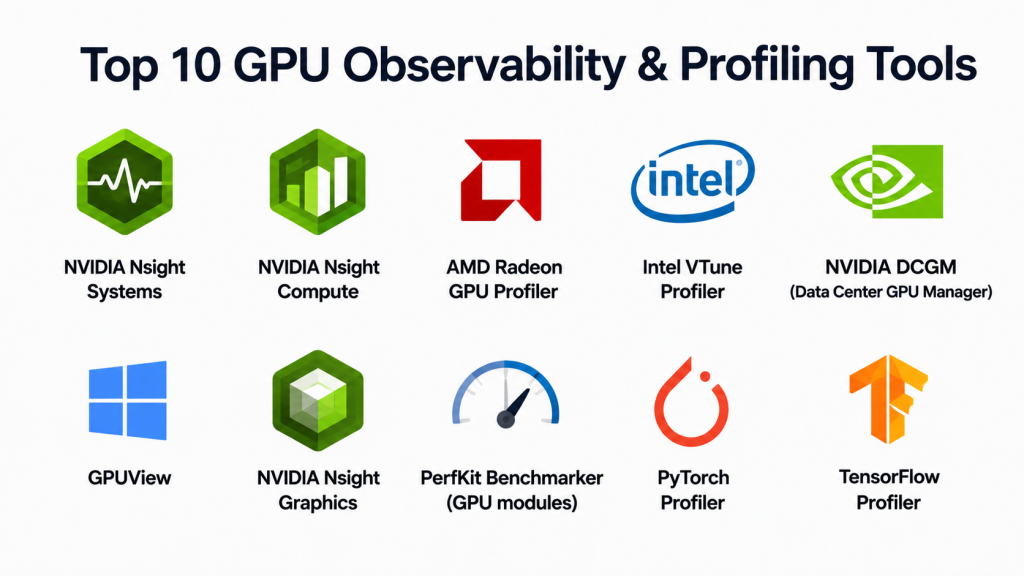
Top 10 GPU Observability & Profiling Tools Tools
#1 — NVIDIA Nsight Systems
Short description: A GPU profiling and system analysis tool for developers and data scientists optimizing high-performance GPU workloads.
Key Features
- Detailed GPU and CPU interaction profiling
- Real-time telemetry and utilization metrics
- Multi-GPU cluster analysis
- Support for CUDA, OpenCL, and Vulkan applications
- Visual timeline for application performance
- Automated bottleneck identification
Pros
- Deep GPU performance insight
- Supports complex multi-GPU setups
Cons
- Steep learning curve for beginners
- Limited cloud integration
Platforms / Deployment
- Windows, Linux
- Desktop / On-prem
Security & Compliance
- Not publicly stated
Integrations & Ecosystem
- Compatible with CUDA applications
- APIs for telemetry integration
- Supports NVIDIA GPU clusters
Support & Community
- NVIDIA documentation and forums
- Developer support for advanced troubleshooting
#2 — NVIDIA Nsight Compute
Short description: A detailed GPU kernel profiler for developers focused on optimizing CUDA kernels.
Key Features
- Per-kernel performance metrics
- Memory and compute efficiency analysis
- Detailed instruction-level profiling
- GPU utilization reporting
- Automated kernel bottleneck detection
Pros
- Extremely detailed performance insights
- Ideal for AI/ML kernel optimization
Cons
- Requires knowledge of CUDA programming
- Focused mainly on NVIDIA GPUs
Platforms / Deployment
- Windows, Linux
- Desktop
Security & Compliance
- Not publicly stated
Integrations & Ecosystem
- Integrates with Nsight Systems
- Compatible with CUDA profiling APIs
Support & Community
- Extensive NVIDIA developer guides
- Community discussion forums
#3 — AMD Radeon GPU Profiler
Short description: Profiling tool for AMD GPUs providing insights into GPU workloads and optimization guidance.
Key Features
- Real-time performance metrics
- Memory and bandwidth analysis
- Multi-GPU support for compute clusters
- Integration with Vulkan, OpenCL, and DirectX
- Visual profiling reports
Pros
- Optimized for AMD GPU hardware
- Provides detailed compute and memory metrics
Cons
- Limited support for non-AMD hardware
- Less mature than NVIDIA Nsight suite
Platforms / Deployment
- Windows, Linux
- Desktop
Security & Compliance
- Not publicly stated
Integrations & Ecosystem
- Works with AMD ROCm platform
- APIs for telemetry collection
- Supports integration with AI workloads
Support & Community
- AMD developer resources
- Community forums
#4 — Intel VTune Profiler
Short description: CPU and GPU profiling tool with support for Intel integrated graphics and GPU accelerators.
Key Features
- GPU kernel analysis
- Memory access and latency monitoring
- Performance hotspot identification
- Multi-platform support
- Integration with AI frameworks
Pros
- Combines CPU and GPU profiling
- Useful for hybrid workloads
Cons
- Focused on Intel GPUs and CPUs
- Complex setup for large GPU clusters
Platforms / Deployment
- Windows, Linux
- Desktop / On-prem
Security & Compliance
- Not publicly stated
Integrations & Ecosystem
- Intel oneAPI integration
- Supports telemetry APIs
- Compatible with ML and HPC frameworks
Support & Community
- Intel developer documentation
- Enterprise support channels
#5 — NVIDIA DCGM (Data Center GPU Manager)
Short description: Enterprise-level GPU monitoring tool for data centers to manage and profile GPU resources at scale.
Key Features
- Cluster-wide GPU health monitoring
- Performance and utilization metrics
- Power and temperature tracking
- Automated alerts for anomalies
- Multi-node GPU management
Pros
- Enterprise-grade monitoring
- Ideal for HPC and AI data centers
Cons
- Limited to NVIDIA GPU environments
- Requires cluster management expertise
Platforms / Deployment
- Linux
- On-prem / Cloud hybrid
Security & Compliance
- Not publicly stated
Integrations & Ecosystem
- APIs for telemetry and automation
- Integration with cluster management tools
- Compatible with NVIDIA GPU workloads
Support & Community
- NVIDIA enterprise support
- Documentation and community forums
#6 — GPUView
Short description: Windows tool for profiling GPU workloads, particularly for graphics rendering and compute performance.
Key Features
- Real-time GPU scheduling visualization
- Memory and latency analysis
- Multi-GPU support
- Integration with Windows Performance Toolkit
Pros
- Excellent for GPU scheduling insights
- Useful for graphics-intensive applications
Cons
- Windows-only
- Less detailed for AI workloads
Platforms / Deployment
- Windows
- Desktop
Security & Compliance
- Not publicly stated
Integrations & Ecosystem
- Works with Windows Performance Toolkit
- Supports developer profiling APIs
Support & Community
- Microsoft documentation
- Community developer forums
#7 — Nsight Graphics
Short description: NVIDIA tool for graphics and GPU profiling, ideal for developers optimizing rendering pipelines.
Key Features
- Real-time frame and draw call analysis
- GPU workload visualization
- Multi-platform graphics API support
- Memory and bandwidth profiling
- Performance hotspot detection
Pros
- Detailed graphics profiling
- Supports Vulkan, DirectX, OpenGL
Cons
- Focused on rendering pipelines
- NVIDIA hardware only
Platforms / Deployment
- Windows, Linux
- Desktop
Security & Compliance
- Not publicly stated
Integrations & Ecosystem
- APIs for telemetry
- Integration with Nsight Systems and Compute
Support & Community
- NVIDIA developer guides
- Forums for graphics optimization
#8 — PerfKit Benchmarker (GPU modules)
Short description: Open-source benchmarking tool with GPU profiling for cloud and on-prem environments.
Key Features
- Multi-cloud GPU benchmarking
- Real-time GPU utilization metrics
- Performance comparison and reports
- Integration with cloud orchestration
- Automated workload testing
Pros
- Open-source and flexible
- Cloud-friendly benchmarking
Cons
- Limited enterprise-grade dashboards
- Requires configuration knowledge
Platforms / Deployment
- Linux, Cloud
- Desktop / Cloud
Security & Compliance
- Not publicly stated
Integrations & Ecosystem
- Cloud APIs and automation scripts
- Supports Kubernetes and VM deployments
Support & Community
- Open-source documentation
- Community support
#9 — PyTorch Profiler
Short description: Profiling tool integrated with PyTorch to monitor GPU usage during AI/ML workloads.
Key Features
- Per-layer GPU utilization
- Memory and compute profiling
- Timeline and trace visualization
- Integration with TensorBoard
- Multi-GPU support
Pros
- Deep insight for AI developers
- Supports training optimization
Cons
- Limited outside PyTorch ecosystem
- Requires Python experience
Platforms / Deployment
- Linux, Windows
- Desktop / Cloud
Security & Compliance
- Not publicly stated
Integrations & Ecosystem
- TensorBoard integration
- Python APIs
- Compatible with cloud GPU instances
Support & Community
- PyTorch documentation
- Active ML developer community
#10 — TensorFlow Profiler
Short description: Profiling tool for TensorFlow workflows to optimize GPU-intensive AI and ML workloads.
Key Features
- Real-time GPU metrics
- Memory and compute analysis per layer
- Timeline visualization
- Multi-GPU support
- Integration with TensorBoard
Pros
- Detailed GPU insights for ML pipelines
- Works with TensorFlow workloads
Cons
- Limited outside TensorFlow
- Learning curve for beginners
Platforms / Deployment
- Linux, Windows
- Desktop / Cloud
Security & Compliance
- Not publicly stated
Integrations & Ecosystem
- TensorBoard visualization
- APIs for telemetry
- Cloud GPU instance support
Support & Community
- TensorFlow documentation
- ML community forums
Comparison Table (Top 10)
| Tool Name | Best For | Platform(s) Supported | Deployment | Standout Feature | Public Rating |
|---|---|---|---|---|---|
| NVIDIA Nsight Systems | GPU workload optimization | Windows, Linux | Desktop / On-prem | Multi-GPU profiling | N/A |
| NVIDIA Nsight Compute | CUDA kernel optimization | Windows, Linux | Desktop | Instruction-level profiling | N/A |
| AMD Radeon GPU Profiler | AMD GPU workloads | Windows, Linux | Desktop | Memory and compute analytics | N/A |
| Intel VTune Profiler | CPU + Intel GPU profiling | Windows, Linux | Desktop / On-prem | Hybrid CPU/GPU insights | N/A |
| NVIDIA DCGM | Data center GPU management | Linux | On-prem / Cloud | Cluster-wide monitoring | N/A |
| GPUView | Windows GPU scheduling | Windows | Desktop | GPU scheduling visualization | N/A |
| Nsight Graphics | Graphics optimization | Windows, Linux | Desktop | Rendering pipeline analysis | N/A |
| PerfKit Benchmarker | Cloud GPU benchmarking | Linux, Cloud | Desktop / Cloud | Cross-cloud benchmarking | N/A |
| PyTorch Profiler | AI/ML GPU profiling | Linux, Windows | Desktop / Cloud | Layer-wise utilization | N/A |
| TensorFlow Profiler | TensorFlow ML profiling | Linux, Windows | Desktop / Cloud | Timeline visualization | N/A |
Evaluation & Scoring of GPU Observability & Profiling Tools
| Tool Name | Core (25%) | Ease (15%) | Integrations (15%) | Security (10%) | Performance (10%) | Support (10%) | Value (15%) | Weighted Total |
|---|---|---|---|---|---|---|---|---|
| NVIDIA Nsight Systems | 10 | 8 | 9 | 9 | 10 | 8 | 9 | 9.2 |
| NVIDIA Nsight Compute | 10 | 7 | 8 | 9 | 9 | 7 | 8 | 8.5 |
| AMD Radeon GPU Profiler | 9 | 8 | 7 | 9 | 8 | 7 | 8 | 8.0 |
| Intel VTune Profiler | 9 | 7 | 8 | 9 | 8 | 7 | 8 | 8.1 |
| NVIDIA DCGM | 9 | 8 | 8 | 9 | 9 | 8 | 8 | 8.4 |
| GPUView | 8 | 7 | 6 | 8 | 7 | 6 | 7 | 7.1 |
| Nsight Graphics | 9 | 7 | 7 | 8 | 8 | 7 | 7 | 7.7 |
| PerfKit Benchmarker | 8 | 6 | 7 | 8 | 7 | 6 | 7 | 7.0 |
| PyTorch Profiler | 9 | 7 | 7 | 8 | 8 | 6 | 7 | 7.6 |
| TensorFlow Profiler | 9 | 7 | 7 | 8 | 8 | 6 | 7 | 7.6 |
Interpretation: Weighted totals provide a comparative view of features, ease of use, integrations, security, and performance. Higher scores indicate broader suitability for GPU-intensive workloads, while teams may prioritize profiling depth, cluster monitoring, or AI/ML-specific integration.
Which GPU Observability & Profiling Tools Tool Is Right for You?
Solo / Freelancer
- PyTorch Profiler or TensorFlow Profiler for individual ML workflows
- NVIDIA Nsight Compute for CUDA optimization
SMB
- NVIDIA Nsight Systems or AMD Radeon Profiler for small clusters
- GPUView for Windows-based graphics workloads
Mid-Market
- NVIDIA DCGM for cluster-wide monitoring
- Intel VTune Profiler for hybrid CPU/GPU environments
Enterprise
- NVIDIA DCGM or Nsight Systems for multi-node GPU clusters
- Nsight Graphics for graphics rendering teams
Budget vs Premium
- Open-source: PyTorch Profiler, TensorFlow Profiler, PerfKit Benchmarker
- Enterprise-grade: NVIDIA DCGM, Nsight Systems, Intel VTune
Feature Depth vs Ease of Use
- Deep profiling: Nsight Compute, Nsight Graphics
- Easier setup: PerfKit Benchmarker, PyTorch Profiler
Integrations & Scalability
- Cloud and on-prem multi-GPU clusters: NVIDIA DCGM, PerfKit Benchmarker
- Single-node workloads: PyTorch Profiler, TensorFlow Profiler
Security & Compliance Needs
- Enterprise monitoring: NVIDIA DCGM, Intel VTune
- AI/ML research workflows: PyTorch Profiler, TensorFlow Profiler
Frequently Asked Questions (FAQs)
- What is the cost of GPU profiling tools?
Some tools are free and open-source, like PyTorch Profiler and TensorFlow Profiler. Enterprise solutions may require licensing or subscription fees. - Can these tools monitor multi-GPU clusters?
Yes, tools like NVIDIA DCGM, Nsight Systems, and PerfKit Benchmarker support cluster-wide GPU observability. - Which tools are best for AI/ML workloads?
PyTorch Profiler, TensorFlow Profiler, and NVIDIA Nsight Compute are optimized for AI/ML profiling. - Do these tools support cloud GPUs?
Several tools, including PerfKit Benchmarker, NVIDIA DCGM, and TensorFlow Profiler, integrate with cloud GPU instances for monitoring. - Can these tools optimize GPU utilization?
Yes, they identify bottlenecks, memory inefficiencies, and kernel performance issues to improve GPU efficiency. - Are these tools hardware-specific?
Some tools are vendor-specific, such as NVIDIA Nsight for NVIDIA GPUs or AMD Radeon GPU Profiler for AMD GPUs. - How do these tools integrate with orchestration platforms?
They support Kubernetes, Docker, and cloud APIs for automated telemetry and monitoring pipelines. - Can beginners use GPU profiling tools?
Yes, tools like PyTorch Profiler and TensorFlow Profiler are beginner-friendly, while Nsight Systems and DCGM require deeper expertise. - Do these tools provide real-time alerts?
Enterprise-grade tools like NVIDIA DCGM provide real-time monitoring and alerting for GPU health, utilization, and anomalies. - Are there visualization dashboards?
Most tools, including Nsight Systems, Nsight Graphics, and TensorFlow Profiler, offer graphical dashboards and timeline visualizations for performance analysis.
Conclusion
GPU Observability & Profiling Tools are critical for modern AI/ML, HPC, and graphics workloads. The choice of tool depends on workload type, hardware vendor, and deployment scale. Solo developers may prefer PyTorch Profiler or TensorFlow Profiler for AI workflows, while enterprises with multi-GPU clusters benefit from NVIDIA DCGM or Nsight Systems. Profiling depth, integration, and monitoring capabilities should guide selection. Teams are encouraged to shortlist 2–3 tools, pilot them, and validate performance, integration, and alerting features before wide adoption.
