Introduction
Web browsers are essential software applications that allow users to access, navigate, and interact with content on the internet. They are the gateway between individuals or organizations and the web, rendering pages, running scripts, supporting extensions, and enabling advanced online functionality. Modern browsers have evolved to include integrated security, privacy, productivity, and management features that extend beyond basic browsing.
Organizations and individuals rely on browsers for secure and efficient access to web applications, research, and online collaboration. Enterprises use browsers to enforce corporate policies, monitor web activity, and ensure compliance with privacy and regulatory standards. Developers leverage browsers for testing applications across multiple environments, while families and educators use them to manage safe internet usage for children and students.
Use Cases:
- Enterprises managing secure access to internal applications and SaaS platforms
- Developers testing websites and web applications across multiple platforms
- Students and researchers browsing educational content safely
- Families using parental controls and content filters
- Marketers integrating browsers with productivity and analytics tools
Evaluation Criteria:
- Security and privacy controls
- Speed and performance
- Compliance and audit capabilities
- Extension and plugin ecosystem
- AI-assisted browsing features
- Cross-platform support
- Enterprise deployment and management tools
- User interface and usability
- Resource efficiency
- Licensing and cost
Best for: IT managers, corporate security teams, developers, educators, and families seeking controlled, secure, and feature-rich browsing experiences.
Not ideal for: Casual users who require only basic browsing, or organizations that prefer lightweight embedded solutions instead of enterprise-grade control.
Key Trends in Web Browsers
- AI-assisted browsing for smart suggestions, autofill, and content summarization
- Privacy-first browsing with built-in ad-blockers, anti-tracking, and anti-fingerprinting
- Zero-trust enterprise integration with SSO, MFA, and RBAC
- Consistent experience across multiple platforms: Windows, macOS, Linux, iOS, Android
- Cloud-first browser profiles to sync bookmarks, extensions, and settings securely
- Built-in collaboration tools like notes, chat, and task management
- Performance optimization for faster page load, lower memory, and energy efficiency
- Enterprise dashboards for monitoring usage, security incidents, and compliance metrics
- Sustainable computing with reduced CPU/GPU energy consumption
- Extensible ecosystems supporting AI-powered productivity and security extensions
How We Selected These Tools (Methodology)
- Market adoption and user mindshare across individuals, SMBs, and enterprises
- Feature completeness: privacy, security, AI, and productivity capabilities
- Reliability and performance: load speed, memory usage, and stability
- Security posture: sandboxing, encryption, and patching frequency
- Integration and ecosystem: compatibility with extensions, APIs, and third-party tools
- Fit across user segments, from solo users to enterprise teams
- Cross-platform availability for desktop and mobile
- Compliance alignment with privacy and regulatory standards
- Support resources and community engagement
- Relevance to modern browsing trends and future-readiness
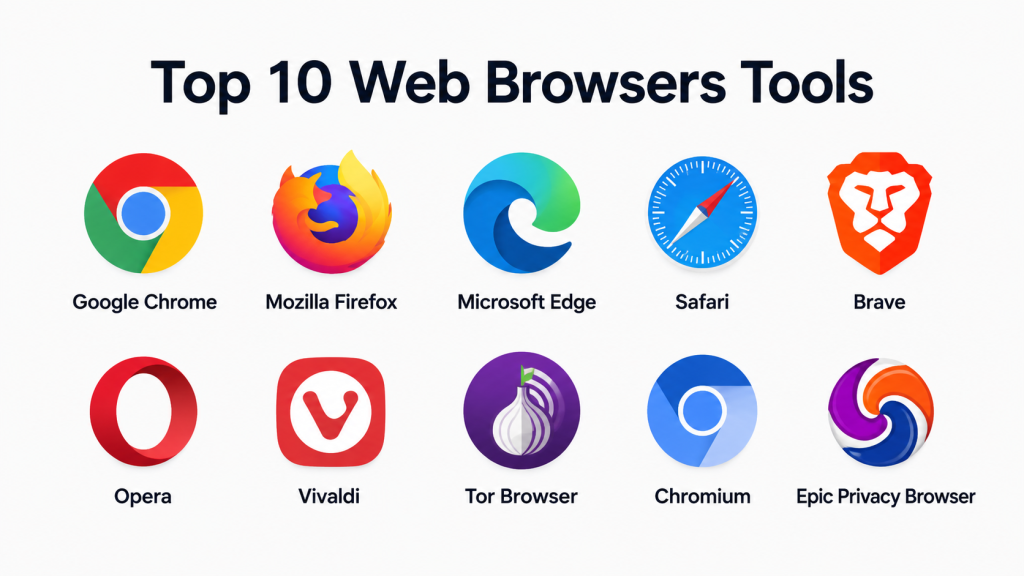
Top 10 Web Browsers Tools
#1 — Google Chrome
Short description: A fast, reliable browser for individuals and enterprises, offering deep integration with Google services and a vast extensions ecosystem.
Key Features
- High-performance rendering engine
- Extensive extensions marketplace
- AI-assisted autofill and password manager
- Google Workspace integration
- Cross-device sync of bookmarks and settings
- Privacy and tracking protection
- Regular security updates
Pros
- Excellent web standard compatibility
- Robust developer and enterprise tools
Cons
- High memory usage with multiple tabs
- Some privacy concerns
Platforms / Deployment
- Windows, macOS, Linux, iOS, Android
- Cloud / Desktop hybrid
Security & Compliance
- Sandboxing, safe browsing, automatic updates
- Not publicly stated: SOC 2, ISO 27001
Integrations & Ecosystem
- Google Workspace suite
- Chrome Web Store extensions
- APIs for automation and enterprise integrations
- Third-party productivity and security tools
Support & Community
- Extensive documentation and active community forums
- Enterprise onboarding resources
#2 — Mozilla Firefox
Short description: Open-source browser emphasizing privacy, customization, and developer-friendly features.
Key Features
- Advanced anti-tracking and privacy controls
- Customizable interface and themes
- Developer tools for debugging and testing
- AI-assisted autofill and password management
- Cross-device sync of settings and bookmarks
- Regular security updates
Pros
- Strong privacy-first approach
- Transparent open-source development
Cons
- Slower than Chrome for some web applications
- Smaller extension ecosystem
Platforms / Deployment
- Windows, macOS, Linux, iOS, Android
- Desktop / Cloud hybrid
Security & Compliance
- Tracking protection and sandboxed browsing
- Not publicly stated: SOC 2, ISO 27001
Integrations & Ecosystem
- Firefox Add-ons Marketplace
- Developer APIs for testing and automation
- Third-party productivity and security plugins
Support & Community
- Active community forums
- Enterprise support through Firefox ESR
#3 — Microsoft Edge
Short description: Chromium-based browser optimized for Windows and enterprise users, integrating Microsoft services and advanced management tools.
Key Features
- Hardware-accelerated rendering
- Integration with Microsoft 365 and Teams
- Collections for content organization
- AI-assisted search with Bing integration
- Enterprise policy enforcement
- Performance optimization for Windows
Pros
- Enterprise management and compliance ready
- Deep Microsoft ecosystem integration
Cons
- Limited macOS/Linux functionality
- Less developer-focused than Chrome
Platforms / Deployment
- Windows, macOS, Linux, iOS, Android
- Desktop / Cloud hybrid
Security & Compliance
- SSO, MFA, SmartScreen phishing protection
- Not publicly stated: SOC 2, ISO 27001
Integrations & Ecosystem
- Microsoft 365 apps, Teams, Outlook
- Edge extensions store
- APIs for enterprise policy management
- Security and analytics integrations
Support & Community
- Microsoft support portal
- Developer and IT forums
#4 — Safari
Short description: Apple’s native browser, offering energy-efficient browsing, privacy features, and seamless integration with Apple devices.
Key Features
- Intelligent tracking prevention
- Energy-efficient rendering engine
- iCloud syncing
- AI-assisted content suggestions
- Tab management and privacy reports
Pros
- Optimized for Apple hardware
- Strong privacy protections
Cons
- Limited to Apple ecosystem
- Smaller extension library
Platforms / Deployment
- macOS, iOS
- Desktop / Mobile
Security & Compliance
- Sandboxed browsing and encrypted connections
- Not publicly stated: SOC 2, ISO 27001
Integrations & Ecosystem
- iCloud services and apps
- Limited third-party extensions
- Enterprise management via Apple MDM
Support & Community
- Apple documentation
- Community forums
#5 — Brave
Short description: Privacy-first browser blocking ads and trackers by default, with optional cryptocurrency rewards.
Key Features
- Built-in ad and tracker blocking
- Tor mode for anonymous browsing
- Lightweight engine
- Brave Rewards system
- Cross-device sync
Pros
- Strong privacy-first approach
- Faster page load due to ad-blocking
Cons
- Smaller user base
- Some websites may not render correctly
Platforms / Deployment
- Windows, macOS, Linux, iOS, Android
- Desktop / Mobile
Security & Compliance
- HTTPS enforcement and script blocking
- Not publicly stated: SOC 2, ISO 27001
Integrations & Ecosystem
- Chromium extension support
- Tor integration for anonymity
- Cryptocurrency wallet and privacy tool plugins
Support & Community
- Community forums and guides
- Documentation for privacy settings
#6 — Opera
Short description: Browser with built-in VPN, ad-blocker, and productivity tools for personal and professional use.
Key Features
- Free integrated VPN
- Ad-blocker and tracker prevention
- Battery-saving mode
- Workspace and tab management
- AI-assisted search
Pros
- Strong security and privacy features
- Productivity-oriented tools
Cons
- Less market adoption
- Smaller extension ecosystem
Platforms / Deployment
- Windows, macOS, Linux, iOS, Android
- Desktop / Mobile
Security & Compliance
- Encrypted VPN and ad-blocking
- Not publicly stated: SOC 2, ISO 27001
Integrations & Ecosystem
- Chromium extensions supported
- Messaging and productivity app integrations
- Analytics plugins
Support & Community
- Documentation and tutorials
- Forum support
#7 — Vivaldi
Short description: Highly customizable browser for power users and developers seeking workflow control.
Key Features
- Tab stacking and tiling
- Customizable UI and themes
- Advanced keyboard shortcuts
- Notes and screenshot tools
- Privacy-focused settings
Pros
- Exceptional customization
- Strong privacy approach
Cons
- Learning curve for new users
- Limited extensions
Platforms / Deployment
- Windows, macOS, Linux, Android
- Desktop / Mobile
Security & Compliance
- Ad-blocking, tracker prevention
- Not publicly stated: SOC 2, ISO 27001
Integrations & Ecosystem
- Chromium extension support
- APIs for scripting and automation
- Productivity plugins
Support & Community
- Community forums
- Developer documentation
#8 — Tor Browser
Short description: Privacy-focused browser for anonymous web access using the Tor network.
Key Features
- Onion routing for anonymity
- Anti-fingerprinting techniques
- Secure browsing and encrypted traffic
- Open-source development
- Cross-platform support
Pros
- Strong anonymity and privacy
- Transparent open-source community
Cons
- Slower page load
- Limited multimedia support
Platforms / Deployment
- Windows, macOS, Linux
- Desktop
Security & Compliance
- Encrypted connections
- Not publicly stated: SOC 2, ISO 27001
Integrations & Ecosystem
- Supports secure plugins
- Privacy-focused extensions
Support & Community
- Open-source community
- Documentation for setup
#9 — Chromium
Short description: Open-source browser base for Chrome, Edge, and others, ideal for developers and enterprises.
Key Features
- Lightweight and fast
- Sandboxed browsing
- Extension support via Chrome Web Store
- Developer APIs
- Open-source customization
Pros
- Developer-friendly
- Highly customizable
Cons
- Limited direct support
- Requires technical knowledge
Platforms / Deployment
- Windows, macOS, Linux
- Desktop
Security & Compliance
- Sandboxing and secure updates
- Not publicly stated: SOC 2, ISO 27001
Integrations & Ecosystem
- Chrome Web Store extensions
- APIs for enterprise and security tools
Support & Community
- Open-source forums
- Developer documentation
#10 — Epic Privacy Browser
Short description: Browser focused on privacy, blocking ads, trackers, and fingerprinting techniques by default.
Key Features
- Encrypted proxy
- No history or cache storage
- Anti-tracking and ad-blocking
- Built-in privacy search
- Cross-device syncing
Pros
- Default privacy and encryption
- Lightweight and fast
Cons
- Limited extensions
- Smaller user base
Platforms / Deployment
- Windows, macOS, Linux
- Desktop
Security & Compliance
- Encrypted connections
- Not publicly stated: SOC 2, ISO 27001
Integrations & Ecosystem
- Chromium extensions supported
- Secure search integration
- Privacy tool plugins
Support & Community
- Documentation and guides
- Community-driven support
Frequently Asked Questions (FAQs)
- What is the cost of these browsers?
Most browsers are free for personal use. Enterprise editions may have licensing fees for management features. - How secure are these browsers?
They provide sandboxing, encryption, anti-phishing, and privacy controls. Enterprise versions support SSO and MFA. - Can browsers block malicious websites?
Yes, built-in or extension-based features prevent access to harmful websites. - Which browser is best for privacy?
Tor, Brave, and Epic maximize privacy with anti-tracking and encryption features. - Are browser extensions safe to use?
Extensions vary; verify official sources, review permissions, and use enterprise whitelists when available. - How do I switch browsers safely?
Export bookmarks, passwords, and settings, and test web applications for compatibility before switching. - Which browser is ideal for developers?
Chrome, Chromium, and Firefox provide strong developer tools, debugging, and testing capabilities. - Can these browsers run on all devices?
Most support Windows, macOS, Linux, iOS, and Android. Safari is limited to Apple devices. - How do AI features in browsers work?
AI features assist with autofill, content summarization, and intelligent search suggestions. - What are common mistakes when selecting a browser?
Ignoring enterprise management needs, privacy controls, cross-platform support, and extension compatibility are common pitfalls.
Conclusion
Web browsers are no longer just basic tools—they are central to privacy, productivity, and enterprise management. Choosing the right browser depends on priorities like privacy, AI features, enterprise deployment, or developer support. Solo users often prefer Chrome or Firefox, enterprises benefit from Edge or Chrome Enterprise, and privacy-focused teams can leverage Tor, Brave, or Epic. To select the best fit, shortlist 2–3 browsers, run pilot tests, and validate integrations, security, and compliance capabilities.
