Introduction
Pharmacy Management Systems help pharmacies manage prescription processing, dispensing workflows, inventory, billing, claims, patient profiles, refill reminders, compliance records, reporting, and pharmacy operations from one connected platform. Instead of depending on manual registers, disconnected billing tools, paper prescriptions, and separate inventory sheets, these systems bring pharmacy workflow, patient care, stock control, sales, and operational visibility into a single environment.
It matters now because pharmacies are expected to work faster, reduce dispensing errors, manage complex payer requirements, improve patient engagement, and maintain better visibility across prescriptions, refills, inventory, and compliance. Independent pharmacies, retail chains, specialty pharmacies, long-term care pharmacies, and hospital outpatient pharmacies all need systems that support accuracy, speed, security, and better decision-making.
Real-world use cases:
- Managing prescription intake, verification, filling, labeling, and dispensing
- Tracking drug inventory, stock levels, purchase orders, and reorder points
- Processing insurance claims, billing, payments, and reimbursements
- Managing patient profiles, medication history, allergies, and refill reminders
- Supporting compliance documentation, audit trails, reporting, and controlled substance workflows
- Improving pharmacy communication with patients, prescribers, wholesalers, and payers
Evaluation Criteria for Buyers
- Prescription workflow and dispensing efficiency
- Inventory management and reorder automation
- Claims processing and billing support
- Patient profile and medication history management
- Refill, adherence, and medication synchronization tools
- POS and front-store workflow support
- Reporting, dashboards, and business analytics
- Security controls such as MFA, RBAC, encryption, and audit logs
- Integration with wholesalers, payment systems, EHRs, prescribers, and clearinghouses
- Ease of use for pharmacists, technicians, cashiers, and administrators
- Scalability for single-store, multi-location, specialty, and enterprise pharmacy operations
Best for: Independent pharmacies, retail pharmacy chains, specialty pharmacies, long-term care pharmacies, compounding pharmacies, outpatient pharmacy teams, and pharmacy owners that need structured workflows for prescriptions, billing, inventory, compliance, patient engagement, and operational reporting.
Not ideal for: Very small informal medicine shops or teams that only need simple sales tracking, basic invoicing, or manual stock records. In those cases, a lightweight POS or inventory tool may be enough until prescription volume, payer workflows, compliance needs, and patient management requirements increase.
Key Trends in Pharmacy Management Systems
Workflow automation: Pharmacies are focusing on tools that reduce manual prescription entry, automate refill workflows, simplify claims handling, and improve dispensing speed.
Inventory optimization: Real-time inventory visibility, automatic reorder alerts, wholesaler integrations, and dead-stock reduction are becoming more important for margin control.
Medication adherence tools: Pharmacies are using refill reminders, medication synchronization, adherence packaging support, and patient communication to improve outcomes and recurring revenue.
Clinical service expansion: Many pharmacies are moving beyond dispensing into immunizations, medication therapy management, chronic care programs, and patient care documentation.
Integrated POS and pharmacy operations: Buyers want prescription workflow, retail sales, payments, inventory, loyalty, and reporting connected in one system.
Security and access control: Pharmacy systems increasingly need strong role permissions, audit logs, secure data handling, and controlled access to patient and prescription information.
Cloud and hybrid flexibility: More pharmacies prefer cloud-enabled access, remote management, centralized reporting, and easier updates, while some still need local or hybrid deployment options.
Specialty and compounding support: Pharmacies with complex medication workflows need stronger documentation, inventory tracking, labeling, workflow customization, and compliance support.
Patient engagement: Text reminders, refill requests, mobile apps, payment communication, and delivery updates are becoming standard expectations.
Multi-location visibility: Growing pharmacy groups need centralized reporting, consistent workflows, user management, inventory visibility, and performance analytics across branches.
How We Selected Pharmacy Management Systems
Market adoption: We prioritized systems that are widely recognized in independent pharmacy, retail pharmacy, specialty pharmacy, long-term care, or enterprise pharmacy markets.
Feature completeness: The selected tools support important workflows such as prescriptions, dispensing, claims, billing, inventory, reporting, and patient communication.
Pharmacy model fit: The list includes platforms for independent pharmacies, chains, specialty operations, long-term care pharmacies, and enterprise environments.
Operational depth: Platforms were evaluated for how well they support pharmacists, technicians, billing teams, inventory managers, owners, and administrators.
Integration ecosystem: Tools with stronger support for wholesalers, claims switching, POS, payment processing, refill systems, patient messaging, and reporting were weighted higher.
Security posture signals: We considered whether each system appears suitable for environments that handle sensitive patient, prescription, and payment data.
Scalability: We included options for single-location pharmacies, growing pharmacy groups, specialty businesses, and enterprise pharmacy operations.
Ease of adoption: Systems with practical daily workflows, training resources, vendor support, and usable interfaces were prioritized.
Reporting and compliance: We considered the ability to support audit readiness, performance tracking, inventory visibility, claims analysis, and operational decision-making.
Buyer practicality: The final list focuses on platforms that real pharmacy owners and operators are likely to compare when selecting pharmacy management software.
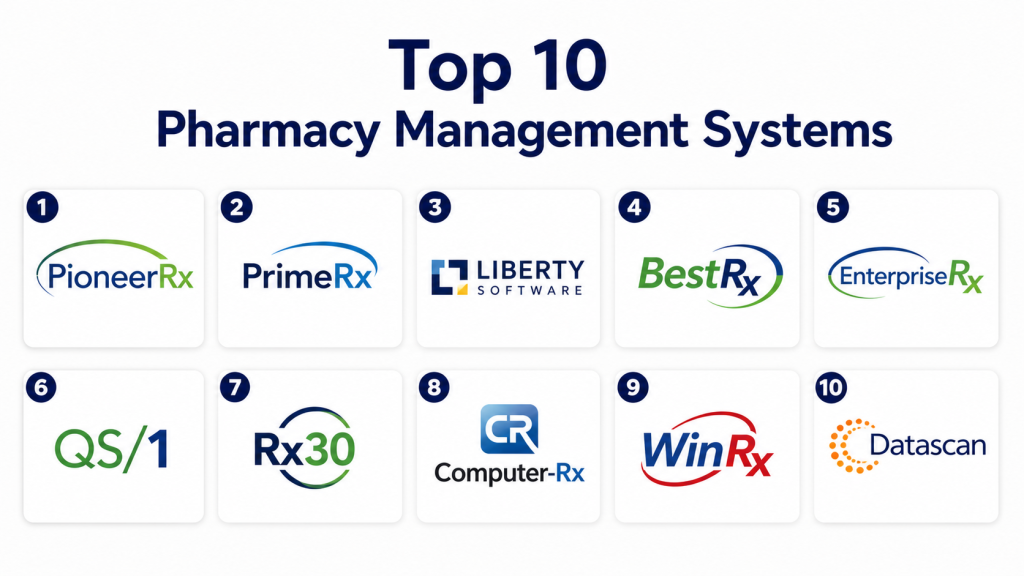
Top 10 Pharmacy Management Systems
#1 — PioneerRx
Short description: PioneerRx is a pharmacy management system built especially for independent community pharmacies that want strong workflow customization, patient engagement, inventory control, reporting, and clinical service support. It helps pharmacies manage prescriptions, refills, medication synchronization, patient profiles, workflow queues, claims, and daily operations in a connected environment.
Key Features
- Prescription workflow management
- Patient profile and medication history tools
- Medication synchronization support
- Inventory and purchasing workflows
- Claims and billing-related functions
- Reporting and pharmacy analytics
- Patient engagement and communication tools
Pros
- Strong fit for independent community pharmacies
- Good workflow customization and operational visibility
- Useful tools for adherence, refills, and patient care programs
Cons
- May require onboarding for teams moving from older systems
- Pricing and implementation details vary by pharmacy needs
- Advanced workflows may feel detailed for very small pharmacies
Platforms / Deployment
Web / desktop support varies
Cloud / hosted options may vary
Security & Compliance
Healthcare and pharmacy data security expectations apply. Specific controls such as MFA, RBAC, audit logs, encryption, SSO, SOC 2, ISO 27001, or advanced identity management should be verified directly with the vendor.
Integrations & Ecosystem
PioneerRx supports pharmacy workflows across prescription processing, claims, patient engagement, inventory, reporting, and clinical services. Buyers should validate wholesaler, POS, payment, messaging, claims, and reporting integration requirements before purchase.
- Claims and billing workflows
- Inventory and wholesaler connections
- Patient communication tools
- Medication synchronization workflows
- Reporting and analytics ecosystem
- Clinical service support
Support & Community
PioneerRx is well known in the independent pharmacy market. Pharmacies can expect vendor-led onboarding, training, and support resources, but exact support tiers, migration help, and response times should be confirmed before selection.
#2 — PrimeRx
Short description: PrimeRx is a pharmacy management platform designed for retail, specialty, compounding, and independent pharmacy workflows. It supports prescription processing, claims, inventory, refill management, reporting, patient records, and operational automation. It is a strong option for pharmacies that need configurable workflows and financial visibility.
Key Features
- Prescription intake and processing
- Claims processing and billing workflows
- Inventory tracking and reorder support
- Patient and provider records
- Refill and workflow automation
- Reporting and business insights
- Support for specialized pharmacy workflows
Pros
- Strong pharmacy workflow and billing support
- Useful inventory and reporting capabilities
- Good fit for independent and specialized pharmacy operations
Cons
- Configuration needs may vary by pharmacy type
- Interface experience should be tested during demos
- Pricing and module details should be verified directly
Platforms / Deployment
Web / desktop support varies
Cloud / hosted options may vary
Security & Compliance
Pharmacy data security expectations apply. Specific controls such as MFA, role-based access, encryption, audit logs, SSO/SAML, SOC 2, ISO 27001, or HIPAA-related documentation should be confirmed directly.
Integrations & Ecosystem
PrimeRx supports core pharmacy operations across workflow, inventory, claims, reporting, and patient records. Buyers should verify integration fit with wholesalers, payment systems, claims switching, accounting, messaging, and specialty pharmacy needs.
- Inventory and reorder workflows
- Claims and billing ecosystem
- Patient record management
- Reporting and analytics tools
- Workflow automation support
- Specialty and compounding workflow options
Support & Community
PrimeRx provides implementation and vendor support resources. Pharmacies should review onboarding timelines, data migration assistance, training options, and ongoing support expectations before signing.
#3 — Liberty Software
Short description: Liberty Software is a pharmacy management system commonly considered by independent pharmacies that need prescription workflow, POS, patient engagement, inventory, and reporting in one platform. It is designed to help pharmacies streamline dispensing, manage daily operations, and improve patient communication.
Key Features
- Prescription processing and dispensing workflows
- Integrated pharmacy POS capabilities
- Patient profile management
- Inventory tracking and purchasing support
- Refill and adherence workflows
- Reporting and business dashboards
- Communication tools for pharmacy teams and patients
Pros
- Strong fit for independent pharmacies
- Practical combination of pharmacy workflow and POS
- Useful patient engagement and operational tools
Cons
- May not be the best fit for very large enterprise pharmacy chains
- Exact deployment options should be verified
- Advanced integration needs require careful review
Platforms / Deployment
Web / desktop support varies
Cloud / hosted options may vary
Security & Compliance
Security and compliance capabilities should be reviewed during vendor due diligence. Buyers should confirm MFA, RBAC, audit logs, encryption, secure access, HIPAA-related documentation, and identity management support.
Integrations & Ecosystem
Liberty Software fits pharmacies that want prescription workflow, retail sales, payment, patient communication, and reporting connected. Integration requirements should be checked for wholesalers, claims systems, accounting tools, payment processors, and messaging platforms.
- POS and payment workflows
- Prescription and dispensing operations
- Inventory and purchasing tools
- Patient engagement ecosystem
- Reporting and business visibility
- Third-party integrations vary by setup
Support & Community
Liberty Software offers vendor-led support and implementation resources. Pharmacies should ask about migration help, training, hardware support, update process, and customer success availability.
#4 — BestRx
Short description: BestRx is a pharmacy management system used by independent and community pharmacies for prescription workflow, patient management, billing, inventory, reporting, and daily pharmacy operations. It is often considered by pharmacies that want a practical system with strong core functionality and manageable adoption.
Key Features
- Prescription processing workflows
- Patient profile and prescription history
- Claims and billing support
- Inventory management
- Refill and patient communication tools
- Reporting and operational insights
- POS and pharmacy workflow options
Pros
- Good fit for independent community pharmacies
- Practical feature set for daily pharmacy operations
- Useful balance of workflow, inventory, and reporting
Cons
- Enterprise-level scalability should be validated
- Advanced specialty workflows may require review
- Exact security certifications should be confirmed
Platforms / Deployment
Web / desktop support varies
Cloud / hosted options may vary
Security & Compliance
Healthcare and pharmacy compliance expectations apply. Specific details such as MFA, RBAC, audit logs, encryption, SSO, SOC 2, ISO 27001, or HIPAA documentation should be verified with the vendor.
Integrations & Ecosystem
BestRx supports prescription processing, inventory, billing, reporting, and patient communication workflows. Buyers should confirm integrations for claims, wholesalers, payment processors, POS, messaging, and accounting systems.
- Claims and billing workflows
- Inventory and purchasing support
- POS and payment workflows
- Patient communication tools
- Reporting dashboards
- Integration details vary by pharmacy setup
Support & Community
BestRx provides pharmacy-focused support and onboarding resources. Buyers should evaluate training quality, implementation scope, migration support, and service response expectations.
#5 — EnterpriseRx
Short description: EnterpriseRx is a pharmacy management system designed for larger pharmacy organizations, retail chains, and enterprise environments that require centralized operations, dispensing workflows, patient management, claims support, and operational control. It is especially relevant for organizations with multi-location pharmacy operations and complex workflow requirements.
Key Features
- Enterprise prescription processing
- Centralized pharmacy workflow management
- Claims and billing-related workflows
- Patient and prescription record management
- Inventory and operational visibility
- Reporting and performance analytics
- Multi-location pharmacy support
Pros
- Strong fit for enterprise and chain pharmacy operations
- Supports centralized control and operational consistency
- Useful for high-volume pharmacy environments
Cons
- May be too complex for smaller independent pharmacies
- Implementation planning can be significant
- Pricing and configuration are typically quote-based
Platforms / Deployment
Web / enterprise deployment options vary
Cloud / hosted options may vary
Security & Compliance
Enterprise pharmacy security expectations apply. Buyers should verify MFA, SSO/SAML, RBAC, audit logs, encryption, secure data handling, identity management, SOC 2, ISO 27001, and compliance documentation directly.
Integrations & Ecosystem
EnterpriseRx is built for larger pharmacy environments that need connected workflows across dispensing, claims, reporting, and centralized operations. Buyers should validate integrations with enterprise systems, claims networks, EHRs, analytics tools, payment platforms, and inventory partners.
- Enterprise workflow connections
- Claims and billing support
- Multi-location reporting
- Inventory and operational systems
- Patient management workflows
- Integration availability varies by organization
Support & Community
EnterpriseRx typically requires structured implementation, training, and support planning. Large organizations should review service levels, rollout strategy, migration services, security review process, and long-term account support.
#6 — QS/1
Short description: QS/1 is a long-standing pharmacy management system used by community, independent, long-term care, and institutional pharmacy operations. It supports prescription workflow, billing, inventory, patient records, reporting, and pharmacy administration. It is often evaluated by pharmacies that need established pharmacy software with operational depth.
Key Features
- Prescription processing and dispensing support
- Patient record management
- Claims and billing workflows
- Inventory and purchasing tools
- Reporting and business analytics
- Long-term care pharmacy support
- Administrative workflow tools
Pros
- Established presence in pharmacy management software
- Useful for community and long-term care pharmacy workflows
- Supports core operational and billing needs
Cons
- User experience should be tested against modern alternatives
- Migration and configuration needs may vary
- Security certifications should be confirmed directly
Platforms / Deployment
Desktop / web support varies
Cloud / hosted / local options may vary
Security & Compliance
Pharmacy compliance and secure patient data handling are important considerations. Buyers should verify MFA, RBAC, audit logs, encryption, SSO, HIPAA-related documentation, SOC 2, and ISO 27001 status directly.
Integrations & Ecosystem
QS/1 supports pharmacy operations across dispensing, billing, reporting, and inventory. Integration needs should be reviewed for wholesalers, claims systems, payment platforms, long-term care workflows, accounting, and patient communication tools.
- Prescription workflow ecosystem
- Claims and billing tools
- Inventory and purchasing workflows
- Long-term care pharmacy support
- Reporting and analytics
- Third-party integration scope should be confirmed
Support & Community
QS/1 has a long history in the pharmacy technology market. Pharmacies should evaluate training resources, support response times, migration help, and upgrade support before selection.
#7 — Rx30
Short description: Rx30 is a pharmacy management system used by independent and community pharmacies for prescription processing, claims, inventory, workflow management, reporting, and patient communication. It is designed to support day-to-day pharmacy operations while helping pharmacies improve efficiency and business visibility.
Key Features
- Prescription filling and processing workflows
- Claims and billing support
- Inventory management
- Patient profile tools
- Refill and communication workflows
- Reporting and analytics
- Pharmacy operational dashboards
Pros
- Practical fit for independent pharmacy operations
- Supports core prescription, claims, and inventory needs
- Useful reporting for pharmacy performance tracking
Cons
- Interface and workflow fit should be tested during demos
- Advanced enterprise needs may require validation
- Exact deployment and security details should be confirmed
Platforms / Deployment
Desktop / web support varies
Cloud / hosted options may vary
Security & Compliance
Pharmacy security expectations apply. Buyers should verify role permissions, audit logs, encryption, MFA, secure access controls, SSO support, and compliance documentation directly.
Integrations & Ecosystem
Rx30 supports pharmacy workflows across prescriptions, claims, inventory, reporting, and patient communication. Buyers should verify integration options with wholesalers, claims systems, payment processors, accounting tools, and communication services.
- Claims and billing workflows
- Inventory management tools
- Patient communication options
- Prescription processing ecosystem
- Reporting dashboards
- Integration availability varies by package
Support & Community
Rx30 provides pharmacy-focused support and implementation resources. Buyers should assess migration support, onboarding, training, service response expectations, and update processes.
#8 — Computer-Rx
Short description: Computer-Rx is a pharmacy management system for independent and community pharmacies that need prescription processing, inventory control, claims management, reporting, and patient workflow tools. It is often considered by pharmacies looking for a traditional pharmacy operations platform with practical day-to-day functionality.
Key Features
- Prescription workflow management
- Claims and billing support
- Inventory tracking
- Patient profile and medication history
- Reporting tools
- Workflow and refill support
- Pharmacy operations management
Pros
- Good fit for community pharmacy operations
- Supports core prescription and inventory workflows
- Practical option for pharmacies needing structured daily operations
Cons
- Modernization and interface expectations should be reviewed
- Advanced integrations may vary
- Exact security controls should be confirmed directly
Platforms / Deployment
Desktop / web support varies
Cloud / hosted options may vary
Security & Compliance
Pharmacy data security requirements should be reviewed carefully. Buyers should confirm MFA, RBAC, audit logs, encryption, secure access, HIPAA-related documentation, SSO, and data protection controls.
Integrations & Ecosystem
Computer-Rx supports pharmacy workflow, billing, reporting, and inventory needs. Pharmacies should verify connections with claims systems, wholesalers, POS tools, payment processors, messaging platforms, and accounting software.
- Prescription workflow support
- Claims and billing connections
- Inventory and purchasing workflows
- Reporting and business visibility
- Patient communication options
- Integration scope varies
Support & Community
Computer-Rx support experience may depend on package, pharmacy size, and implementation requirements. Buyers should review training resources, migration support, and customer service expectations before purchase.
#9 — WinRx
Short description: WinRx is a pharmacy management system used by retail and independent pharmacies for prescription processing, dispensing, patient records, inventory, claims, and reporting. It is designed to support pharmacy teams that need reliable operational workflows and structured prescription management.
Key Features
- Prescription processing and dispensing tools
- Patient profile management
- Claims and billing workflows
- Inventory tracking
- Reporting and operational insights
- Refill workflow support
- Pharmacy administration tools
Pros
- Practical fit for independent and retail pharmacy settings
- Supports core dispensing and inventory workflows
- Useful for pharmacies that need structured prescription operations
Cons
- May not offer the same ecosystem breadth as larger enterprise systems
- Deployment options should be verified
- Security and integration details require vendor confirmation
Platforms / Deployment
Desktop / web support varies
Cloud / hosted options may vary
Security & Compliance
Healthcare and pharmacy security expectations apply. Specific details such as MFA, RBAC, audit logs, encryption, SSO, HIPAA-related documentation, SOC 2, or ISO 27001 should be verified directly.
Integrations & Ecosystem
WinRx supports pharmacy operations across prescription workflow, billing, inventory, and reporting. Buyers should check integration needs for claims, wholesalers, accounting, POS, payment processing, and patient communication.
- Prescription workflow support
- Claims and billing operations
- Inventory management
- Reporting tools
- Patient record workflows
- Third-party integration availability varies
Support & Community
WinRx support and onboarding details should be reviewed during vendor evaluation. Pharmacies should ask about implementation help, training, data conversion, and ongoing technical support.
#10 — Datascan
Short description: Datascan is a pharmacy management system provider focused on independent pharmacy operations, prescription workflow, inventory, claims, reporting, and business performance. It is often evaluated by pharmacies that want an operational system with pharmacy-specific workflow support and practical management tools.
Key Features
- Prescription processing workflows
- Claims and billing support
- Inventory management
- Patient profile tools
- Reporting and analytics
- Refill and workflow support
- Pharmacy operations management
Pros
- Practical option for independent pharmacies
- Supports core pharmacy workflow and reporting needs
- Useful for pharmacies seeking operational visibility
Cons
- Feature fit should be validated for specialty or enterprise workflows
- Exact deployment options may vary
- Security certifications should be confirmed directly
Platforms / Deployment
Web / desktop support varies
Cloud / hosted options may vary
Security & Compliance
Pharmacy data security expectations apply. Buyers should verify MFA, RBAC, audit logs, encryption, HIPAA-related documentation, secure access, SSO/SAML, SOC 2, and ISO 27001 details directly.
Integrations & Ecosystem
Datascan supports daily pharmacy operations across prescription processing, inventory, billing, reporting, and patient management. Buyers should confirm compatibility with wholesalers, claims systems, POS, payment tools, accounting platforms, and communication systems.
- Prescription workflow tools
- Claims and billing support
- Inventory and purchasing workflows
- Reporting dashboards
- Patient profile management
- Integration details vary by setup
Support & Community
Datascan provides pharmacy-focused vendor support and implementation resources. Buyers should review onboarding process, training quality, support tiers, and migration assistance before final selection.
Comparison Table
| Tool Name | Best For | Platform(s) Supported | Deployment | Standout Feature | Public Rating |
|---|---|---|---|---|---|
| PioneerRx | Independent community pharmacies | Web, desktop support varies | Cloud / hosted options vary | Customizable independent pharmacy workflow | N/A |
| PrimeRx | Retail, specialty, and compounding pharmacies | Web, desktop support varies | Cloud / hosted options vary | Configurable workflow and inventory support | N/A |
| Liberty Software | Independent pharmacies needing pharmacy plus POS | Web, desktop support varies | Cloud / hosted options vary | Pharmacy workflow with integrated POS | N/A |
| BestRx | Community and independent pharmacies | Web, desktop support varies | Cloud / hosted options vary | Practical pharmacy operations management | N/A |
| EnterpriseRx | Large chains and enterprise pharmacy groups | Web, enterprise options vary | Cloud / hosted options vary | Centralized multi-location pharmacy control | N/A |
| QS/1 | Community and long-term care pharmacies | Desktop, web support varies | Cloud / hosted / local options vary | Established pharmacy workflow depth | N/A |
| Rx30 | Independent pharmacy operations | Desktop, web support varies | Cloud / hosted options vary | Core prescription and claims workflow | N/A |
| Computer-Rx | Community pharmacy teams | Desktop, web support varies | Cloud / hosted options vary | Traditional pharmacy operations support | N/A |
| WinRx | Retail and independent pharmacies | Desktop, web support varies | Cloud / hosted options vary | Structured dispensing and inventory tools | N/A |
| Datascan | Independent pharmacies needing workflow visibility | Web, desktop support varies | Cloud / hosted options vary | Pharmacy workflow and reporting support | N/A |
Evaluation & Scoring of Pharmacy Management Systems
| Tool Name | Core 25% | Ease 15% | Integrations 15% | Security 10% | Performance 10% | Support 10% | Value 15% | Weighted Total 0–10 |
|---|---|---|---|---|---|---|---|---|
| PioneerRx | 9.2 | 8.4 | 8.6 | 8.3 | 8.6 | 8.7 | 8.2 | 8.62 |
| PrimeRx | 9.0 | 8.2 | 8.5 | 8.2 | 8.5 | 8.3 | 8.1 | 8.45 |
| Liberty Software | 8.8 | 8.5 | 8.2 | 8.1 | 8.4 | 8.4 | 8.3 | 8.42 |
| BestRx | 8.5 | 8.4 | 8.0 | 8.0 | 8.2 | 8.3 | 8.5 | 8.30 |
| EnterpriseRx | 9.1 | 7.7 | 8.8 | 8.6 | 8.8 | 8.2 | 7.5 | 8.40 |
| QS/1 | 8.4 | 7.8 | 8.1 | 8.1 | 8.2 | 8.0 | 7.9 | 8.10 |
| Rx30 | 8.3 | 8.0 | 7.9 | 8.0 | 8.1 | 8.0 | 8.0 | 8.06 |
| Computer-Rx | 8.1 | 7.9 | 7.8 | 7.9 | 8.0 | 7.9 | 8.0 | 7.96 |
| WinRx | 7.9 | 8.0 | 7.5 | 7.8 | 7.9 | 7.8 | 8.1 | 7.84 |
| Datascan | 8.0 | 8.1 | 7.7 | 7.9 | 8.0 | 8.0 | 8.2 | 7.99 |
These scores are comparative and should be used as a shortlist guide, not as a universal ranking.
A higher score usually reflects stronger pharmacy workflow breadth, scalability, ecosystem maturity, or enterprise readiness.
A lower score does not mean a tool is weak; it may simply be better suited to smaller, more focused, or budget-conscious pharmacies.
Enterprise platforms may score higher in depth but require more implementation planning and stronger IT involvement.
SMB-friendly pharmacy systems may score well on ease and value but may not match enterprise-level interoperability needs.
Buyers should validate workflows, integrations, security, support, and pricing through demos and pilots before choosing.
Which Pharmacy Management System Is Right for You?
Solo / Freelancer
Solo pharmacy operators or very small pharmacy businesses should avoid buying overly complex enterprise systems too early. A practical system with prescription processing, patient profiles, inventory tracking, claims support, POS, and basic reporting may be enough.
The main priority should be ease of use. A small pharmacy team needs software that reduces manual work, speeds up dispensing, and keeps records organized without requiring long configuration cycles. BestRx, WinRx, Datascan, or Computer-Rx may be practical options depending on workflow needs.
SMB
Small and mid-sized pharmacies need a balanced system that can manage prescription workflows, refills, inventory, billing, claims, patient communication, and reporting. PioneerRx, PrimeRx, Liberty Software, BestRx, Rx30, and Datascan are strong options for this segment.
SMBs should focus on daily usability, inventory accuracy, claims reliability, refill automation, patient engagement, and support quality. A good SMB system should make pharmacy staff faster while giving owners better visibility into margins, stock movement, and prescription performance.
Mid-Market
Mid-market pharmacies usually need stronger reporting, multi-user controls, workflow customization, patient engagement, inventory optimization, and integrations with wholesalers, payment tools, and claims systems. PioneerRx, PrimeRx, Liberty Software, QS/1, and Rx30 are worth evaluating.
At this level, buyers should run role-based demos for pharmacists, technicians, billing staff, cashiers, and administrators. The best system should support real prescription volume, refill workflows, inventory routines, claims exceptions, and management reporting.
Enterprise
Enterprise pharmacy groups, large retail chains, and multi-location operations need centralized management, strong reporting, scalable workflows, security controls, integration depth, and implementation support. EnterpriseRx, QS/1, and other enterprise-capable systems should be reviewed carefully for these needs.
Enterprise buyers should involve pharmacy operations, IT, finance, compliance, security, and store leadership in the selection process. Data migration, user permissions, security review, claims workflows, and multi-location reporting should be tested before rollout.
Budget vs Premium
Budget-focused pharmacies should prioritize the workflows that directly reduce operational pain: prescription processing, billing, claims, inventory, refill reminders, POS, and reporting. A lower-cost system can be a smart choice if it solves daily problems without adding unnecessary complexity.
Premium platforms make more sense when the pharmacy needs stronger customization, advanced reporting, specialty workflow support, clinical services, multi-location visibility, or deeper integrations. The best choice depends on pharmacy complexity, not just software price.
Feature Depth vs Ease of Use
Feature-rich systems are valuable for complex pharmacies, but they can slow adoption if pharmacists and technicians find them hard to use. Ease of use matters because pharmacy teams work under time pressure and need fast access to prescriptions, patient records, claims, labels, and inventory data.
Buyers should test prescription intake, refill processing, inventory lookup, claim rejection handling, reporting, POS, and patient communication before choosing. A system should match real pharmacy workflows, not just look impressive in a sales demo.
Integrations & Scalability
Pharmacies should validate integrations with wholesalers, claims switches, payment processors, POS systems, accounting tools, patient messaging platforms, delivery systems, and reporting tools. Integration gaps can create duplicate data entry, inventory errors, billing delays, and operational frustration.
For scalability, buyers should check whether the system supports multiple locations, centralized reporting, user roles, permission levels, high prescription volume, inventory visibility, and consistent workflows. A system that works for one pharmacy may not automatically support a growing pharmacy network.
Security & Compliance Needs
Pharmacies handle sensitive patient, prescription, insurance, and payment information, so security should be a core buying requirement. Buyers should evaluate MFA, role-based access, audit logs, encryption, secure remote access, user permissions, and data backup practices.
Larger pharmacies should also ask about SSO/SAML, admin controls, access reviews, audit exports, user lifecycle management, and compliance documentation. Security should be validated before purchase, not treated as an afterthought after implementation.
Frequently Asked Questions FAQs
1. What is a Pharmacy Management System?
A Pharmacy Management System is software that helps pharmacies manage prescriptions, patient profiles, dispensing, claims, billing, inventory, reporting, and daily operations. It replaces manual records and disconnected tools with a structured pharmacy workflow. The goal is to improve accuracy, speed, visibility, and compliance.
2. How much does Pharmacy Management System software cost?
Pricing varies based on pharmacy size, number of users, modules, deployment model, integrations, support needs, and implementation scope. Some vendors offer quote-based pricing, while others may price by location, workstation, or feature package. Buyers should also consider onboarding, training, data migration, hardware, and support costs.
3. What features should a pharmacy prioritize first?
Most pharmacies should prioritize prescription processing, claims support, inventory tracking, refill workflows, patient profiles, POS, reporting, and security controls. Independent pharmacies may also need patient engagement and medication synchronization tools. Specialty or compounding pharmacies should evaluate documentation, labeling, and workflow flexibility.
4. Is cloud-based pharmacy software better than local software?
Cloud-based software can make updates, remote access, backups, and multi-location visibility easier. Local or hybrid systems may still be preferred by pharmacies with specific hardware, connectivity, or internal IT requirements. The best choice depends on pharmacy size, workflow needs, security expectations, and vendor support.
5. Can Pharmacy Management Systems reduce dispensing errors?
Yes, a good system can reduce errors by organizing prescription workflow, patient history, drug records, labeling, verification steps, and audit trails. However, software does not replace pharmacist judgment. Pharmacies still need proper review processes, staff training, and quality control procedures.
6. Do these systems support inventory management?
Most Pharmacy Management Systems include inventory tracking, reorder alerts, purchasing workflows, stock visibility, and reporting. Some platforms also support wholesaler connections, multiple inventory buckets, and purchase analysis. Buyers should test how the system handles returns, expired stock, controlled substances, and fast-moving items.
7. What security features should pharmacies look for?
Pharmacies should look for MFA, role-based access control, audit logs, encryption, secure backups, permission management, and secure remote access. Larger organizations may also need SSO/SAML, admin reporting, and advanced identity management. Security documentation should be reviewed before implementation.
8. Can pharmacy software integrate with wholesalers and claims systems?
Many pharmacy systems support integrations with wholesalers, claims processors, payment systems, POS tools, patient messaging, and reporting platforms. Exact integrations vary by vendor, pharmacy type, region, and package. Buyers should list required connections before scheduling demos.
9. What are common mistakes when choosing pharmacy software?
A common mistake is choosing software based only on brand recognition or feature lists instead of real workflow fit. Pharmacies may also overlook staff usability, inventory processes, claim rejection handling, migration effort, and support quality. Another mistake is failing to validate integrations before signing the contract.
10. How should a pharmacy switch from one system to another?
Switching systems requires data migration, workflow mapping, staff training, hardware review, integration testing, and a clear go-live plan. Pharmacies should identify which records need to move, including patient profiles, prescriptions, inventory, billing data, and reports. A pilot or phased rollout can reduce disruption.
Conclusion
Pharmacy Management Systems have become essential operating platforms for pharmacies that need to manage prescriptions, claims, inventory, patient records, billing, reporting, compliance, and daily workflow accuracy. There is no single best system for every pharmacy. PioneerRx, PrimeRx, Liberty Software, BestRx, and Rx30 are strong choices for many independent and community pharmacies, while EnterpriseRx and QS/1 may fit larger or more complex pharmacy environments. Computer-Rx, WinRx, and Datascan can also be practical options depending on budget, workflow needs, deployment preferences, and support expectations.
The best next step is to shortlist 2–3 systems that match your pharmacy model and operational maturity. Run workflow-based demos with pharmacists, technicians, billing staff, cashiers, and managers using real prescription, claims, inventory, refill, and reporting scenarios. Before scaling, validate integrations, migration support, security controls, support commitments, total cost, and daily usability so the selected system improves pharmacy operations instead of adding another layer of complexity.
