Introduction
Dental Practice Management Software is designed to help dental clinics manage daily operations such as appointment scheduling, patient records, billing, treatment planning, and communication. In simple terms, it acts as the digital backbone of a dental clinic, ensuring smooth workflows and improved patient care.
With increasing patient expectations, regulatory requirements, and digital transformation in healthcare, modern dental software now includes AI-driven scheduling, automated billing, cloud access, and integration with imaging systems. Clinics are moving away from paper-based workflows toward unified platforms that improve efficiency, reduce errors, and enhance patient experience.
Real-world use cases:
- Managing patient appointments and chair time optimization
- Digital patient records and treatment history tracking
- Insurance claims and billing automation
- Patient communication and reminders
- Integration with dental imaging systems
What buyers should evaluate:
- Appointment scheduling and workflow automation
- Billing, insurance, and claims management
- Integration with imaging and EHR systems
- Data security and compliance
- Ease of use for staff and dentists
- Reporting and analytics capabilities
- Cloud vs on-premise deployment
- Scalability for multi-location clinics
Best for: Dental clinics, multi-location dental chains, orthodontists, and healthcare IT teams managing dental operations.
Not ideal for: Solo practitioners with minimal administrative workload or clinics using fully outsourced management services.
Key Trends in Dental Practice Management Software
- Cloud-based platforms replacing legacy desktop systems
- AI-powered appointment scheduling and reminders
- Integration with digital imaging and CAD/CAM systems
- Mobile-first access for dentists and patients
- Automated billing and insurance verification
- Patient engagement tools (SMS, email, portals)
- Data analytics for clinic performance optimization
- Enhanced cybersecurity and access control features
- Subscription-based SaaS pricing models
How We Selected These Dental Practice Management Software
- Market adoption and vendor reputation
- Feature completeness across dental workflows
- Ease of use and staff productivity impact
- Integration capabilities with imaging and billing systems
- Security posture and compliance readiness
- Scalability for growing clinics
- Customer support and onboarding quality
- Deployment flexibility (cloud vs on-premise)
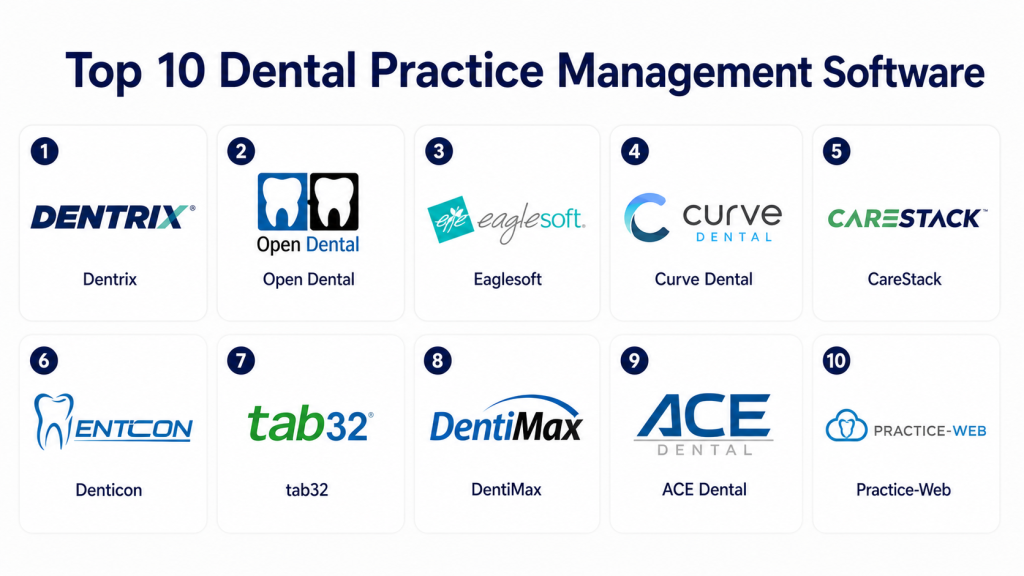
Top 10 Dental Practice Management Software
#1 — Dentrix
Short description:
Dentrix is one of the most widely used dental practice management platforms, designed for clinics of all sizes. It offers comprehensive tools for scheduling, billing, and patient management. Known for its strong feature set and long-standing market presence, it is suitable for growing practices. It integrates with imaging systems and provides reporting tools. Its scalability makes it popular among multi-location clinics.
Key Features
- Appointment scheduling
- Billing and insurance management
- Patient records management
- Reporting and analytics
- Imaging integration
- Workflow automation
Pros
- Comprehensive feature set
- Strong industry adoption
Cons
- Learning curve for new users
- Higher cost for small clinics
Platforms / Deployment
Windows
On-premise / Hybrid
Security & Compliance
RBAC, audit logs; compliance varies
Integrations & Ecosystem
Supports integration with imaging and third-party tools.
- Imaging systems
- Billing tools
- API integrations
Support & Community
Strong vendor support and large user community.
#2 — Eaglesoft
Short description:
Eaglesoft is a dental management solution developed by Patterson Dental. It provides tools for scheduling, charting, billing, and imaging integration. Known for reliability and usability, it is suitable for small to mid-sized practices. It offers strong integration with imaging systems and workflow automation.
Key Features
- Clinical charting
- Scheduling tools
- Billing management
- Imaging integration
- Reporting tools
Pros
- Easy to use
- Reliable performance
Cons
- Limited cloud capabilities
- Windows-only
Platforms / Deployment
Windows
On-premise
Security & Compliance
Not publicly stated
Integrations & Ecosystem
Integrates with Patterson imaging solutions and tools.
- Imaging systems
- Practice tools
Support & Community
Good support with training resources.
#3 — Open Dental
Short description:
Open Dental is an open-source dental practice management software known for flexibility and affordability. It supports scheduling, billing, and charting features. Suitable for clinics that want customization and control. It is widely used by SMB practices and independent dentists.
Key Features
- Open-source customization
- Scheduling and billing
- Patient records
- Reporting
- Integration capabilities
Pros
- Highly customizable
- Cost-effective
Cons
- Requires technical setup
- Limited enterprise features
Platforms / Deployment
Windows
On-premise
Security & Compliance
Varies / N/A
Integrations & Ecosystem
Supports third-party integrations via APIs.
- Imaging tools
- Billing systems
Support & Community
Active community and documentation available.
#4 — Curve Dental
Short description:
Curve Dental is a cloud-based dental management platform designed for modern practices. It provides scheduling, billing, and patient communication tools. Known for ease of use and accessibility, it is suitable for clinics looking for SaaS solutions.
Key Features
- Cloud-based access
- Scheduling tools
- Billing and insurance
- Patient communication
- Reporting
Pros
- Easy to use
- Accessible anywhere
Cons
- Subscription cost
- Internet dependency
Platforms / Deployment
Web
Cloud
Security & Compliance
Encryption, RBAC
Integrations & Ecosystem
Integrates with modern dental tools and services.
- Imaging tools
- Payment systems
Support & Community
Strong SaaS support and onboarding.
#5 — CareStack
Short description:
CareStack is a cloud-native dental practice management solution offering end-to-end workflow automation. It includes scheduling, billing, analytics, and patient engagement tools. Suitable for growing and multi-location clinics.
Key Features
- Workflow automation
- Revenue cycle management
- Analytics dashboards
- Patient engagement tools
- Multi-location support
Pros
- All-in-one platform
- Scalable
Cons
- Complex setup
- Learning curve
Platforms / Deployment
Web
Cloud
Security & Compliance
Encryption, audit logs
Integrations & Ecosystem
Supports integrations with third-party tools.
- Payment systems
- Imaging tools
Support & Community
Enterprise-level support available.
#6 — Practice-Web
Short description:
Practice-Web is designed for dental practices needing a balance of features and affordability. It includes scheduling, billing, and charting capabilities. Suitable for small to mid-sized clinics.
Key Features
- Scheduling
- Billing
- Charting
- Reporting
- Patient management
Pros
- Affordable
- Easy to use
Cons
- Limited advanced features
- Smaller ecosystem
Platforms / Deployment
Windows
On-premise
Security & Compliance
Not publicly stated
Integrations & Ecosystem
Basic integrations with imaging and billing tools.
Support & Community
Moderate support with onboarding help.
#7 — Denticon
Short description:
Denticon is a cloud-based dental practice management software focused on multi-location practices. It provides centralized management, reporting, and scheduling tools.
Key Features
- Multi-location management
- Cloud access
- Reporting tools
- Scheduling
- Billing
Pros
- Centralized control
- Scalable
Cons
- Requires internet
- Subscription model
Platforms / Deployment
Web
Cloud
Security & Compliance
Encryption, RBAC
Integrations & Ecosystem
Supports integration with imaging and billing tools.
Support & Community
Good support for enterprise clients.
#8 — iDentalSoft
Short description:
iDentalSoft is a cloud-based solution focused on simplicity and affordability. It offers scheduling, billing, and patient communication features. Suitable for small practices.
Key Features
- Scheduling
- Billing
- Patient communication
- Reporting
- Cloud access
Pros
- Affordable
- Simple interface
Cons
- Limited advanced features
- Smaller ecosystem
Platforms / Deployment
Web
Cloud
Security & Compliance
Not publicly stated
Integrations & Ecosystem
Basic integrations available.
Support & Community
Standard SaaS support.
#9 — tab32
Short description:
tab32 is a modern cloud-based dental platform offering workflow automation, analytics, and patient engagement tools. It is designed for digital-first dental practices.
Key Features
- Cloud platform
- Analytics
- Patient engagement
- Workflow automation
- Scheduling
Pros
- Modern UI
- Strong analytics
Cons
- Newer platform
- Limited legacy support
Platforms / Deployment
Web
Cloud
Security & Compliance
Encryption
Integrations & Ecosystem
Supports modern integrations with APIs.
Support & Community
Growing support ecosystem.
#10 — ACE Dental
Short description:
ACE Dental is a long-standing dental practice management software offering scheduling, billing, and reporting tools. Suitable for small practices and legacy users.
Key Features
- Scheduling
- Billing
- Reporting
- Patient records
- Workflow tools
Pros
- Stable platform
- Affordable
Cons
- Outdated interface
- Limited cloud features
Platforms / Deployment
Windows
On-premise
Security & Compliance
Not publicly stated
Integrations & Ecosystem
Limited integrations.
Support & Community
Basic support available.
Comparison Table
| Tool | Best For | Platforms | Deployment | Standout Feature | Rating |
|---|---|---|---|---|---|
| Dentrix | Large clinics | Windows | Hybrid | Feature depth | N/A |
| Eaglesoft | SMB clinics | Windows | On-prem | Ease of use | N/A |
| Open Dental | Custom setups | Windows | On-prem | Open-source | N/A |
| Curve Dental | Modern clinics | Web | Cloud | SaaS simplicity | N/A |
| CareStack | Growing clinics | Web | Cloud | All-in-one | N/A |
| Practice-Web | SMB | Windows | On-prem | Affordability | N/A |
| Denticon | Multi-location | Web | Cloud | Centralization | N/A |
| iDentalSoft | Small clinics | Web | Cloud | Simplicity | N/A |
| tab32 | Digital-first | Web | Cloud | Analytics | N/A |
| ACE Dental | Legacy users | Windows | On-prem | Stability | N/A |
Evaluation & Scoring
| Tool | Core | Ease | Integrations | Security | Performance | Support | Value | Total |
|---|---|---|---|---|---|---|---|---|
| Dentrix | 9 | 7 | 8 | 8 | 8 | 8 | 7 | 8.1 |
| Eaglesoft | 8 | 8 | 7 | 7 | 8 | 7 | 8 | 7.8 |
| Open Dental | 7 | 7 | 7 | 6 | 7 | 7 | 9 | 7.3 |
| Curve Dental | 8 | 9 | 7 | 7 | 8 | 8 | 8 | 8.0 |
| CareStack | 9 | 7 | 8 | 8 | 8 | 8 | 7 | 8.2 |
| Practice-Web | 7 | 8 | 6 | 6 | 7 | 7 | 8 | 7.1 |
| Denticon | 8 | 8 | 7 | 7 | 8 | 7 | 7 | 7.7 |
| iDentalSoft | 7 | 8 | 6 | 6 | 7 | 6 | 8 | 7.0 |
| tab32 | 8 | 8 | 7 | 7 | 8 | 7 | 7 | 7.6 |
| ACE Dental | 6 | 7 | 5 | 6 | 7 | 6 | 8 | 6.8 |
Interpretation:
Scores are comparative across tools. Enterprise tools score higher in features, while SMB tools perform better in value and ease of use. Choose based on priorities, not just total score.
Which Dental Practice Management Software Is Right for You?
Solo / Freelancer
Choose simple, affordable tools like iDentalSoft or ACE Dental.
SMB
Eaglesoft, Practice-Web, or Open Dental offer balance and flexibility.
Mid-Market
Curve Dental or CareStack provide scalability and cloud benefits.
Enterprise
Dentrix or CareStack for full workflow automation and integration.
Budget vs Premium
Budget tools offer essentials; premium tools provide automation and analytics.
Feature Depth vs Ease of Use
Advanced tools require training; simpler tools improve adoption.
Integrations & Scalability
Ensure compatibility with imaging, billing, and EHR systems.
Security & Compliance Needs
Focus on encryption, access control, and compliance readiness.
FAQs
1. What is dental practice management software?
It helps manage appointments, billing, and patient records. It improves clinic efficiency. It reduces manual work. It integrates with imaging systems. It is essential for modern clinics.
2. Is cloud software better?
Cloud offers flexibility and remote access. It reduces infrastructure costs. On-premise offers control. Choice depends on needs. Many prefer cloud today.
3. How much does it cost?
Costs vary widely. Subscription models are common. Pricing depends on features and size. Custom quotes are typical. Always compare vendors.
4. Does it integrate with imaging?
Yes, most tools support imaging integration. This improves workflow efficiency. It reduces manual work. Integration is essential.
5. Is it secure?
Most tools include encryption and access control. Compliance varies by vendor. Always verify security features. Data protection is critical.
6. How long to implement?
Implementation can take weeks. Complex setups take longer. Training is important. Planning helps smooth deployment.
7. Can it scale?
Yes, most tools support growth. Enterprise tools scale better. SMB tools may have limits. Choose based on future needs.
8. What mistakes to avoid?
Avoid choosing based only on price. Check integrations. Consider scalability. Evaluate usability. Plan long-term.
9. Is training required?
Yes, training improves adoption. Most vendors provide support. Staff training is critical. It ensures efficiency.
10. Can it be customized?
Many tools allow customization. Advanced tools offer more flexibility. SMB tools have limits. Check vendor options.
Conclusion
Dental Practice Management Software has become essential for modern dental clinics aiming to improve efficiency, patient experience, and financial performance. From traditional on-premise systems like Dentrix to cloud-first platforms like CareStack and Curve Dental, the market offers solutions for every size and type of practice. The right choice depends on your workflow complexity, budget, and integration needs with imaging and billing systems.
To move forward, shortlist 2–3 tools that align with your clinic’s requirements, run a pilot to test usability and workflow fit, and carefully validate integrations and security capabilities before making a final decision.
