Introduction
Student Information Systems help educational institutions manage student data, academic records, enrollment, attendance, grading, scheduling, and administrative workflows in one centralized platform. Instead of using spreadsheets or disconnected tools, SIS platforms provide a structured system to track the entire student lifecycle—from admission to graduation.
These systems matter because education is becoming more data-driven, digital, and scalable. Schools, colleges, and universities need efficient ways to manage student records, ensure accuracy, improve communication, and support both academic and administrative operations. A modern SIS also helps institutions deliver better student experiences while maintaining compliance and data security.
Real-world use cases include:
- Managing student enrollment and admissions
- Tracking attendance, grades, and performance
- Handling course scheduling and timetables
- Supporting communication between staff, students, and parents
- Generating reports for academic and administrative decisions
Buyers should evaluate:
- Data management and reporting capabilities
- Integration with LMS and other systems
- User experience for staff and students
- Automation of administrative tasks
- Security and access controls
- Scalability for growing institutions
- Customization and flexibility
- Mobile accessibility
- Compliance and data privacy features
- Support and training availability
Best for: Schools, colleges, universities, online education platforms, and training institutes managing student data at scale.
Not ideal for: Very small institutions with minimal student data or organizations that do not require centralized data management.
Key Trends in Student Information Systems
- Cloud-based SIS platforms are becoming standard due to scalability and accessibility
- Mobile-first access is improving student and parent engagement
- Integration with LMS platforms is essential for unified learning environments
- Data analytics and dashboards are helping institutions make better decisions
- Automation of administrative tasks is reducing manual workload
- AI-driven insights are emerging for performance tracking and predictions
- Improved parent and student portals are enhancing communication
- Compliance and data privacy focus is increasing globally
- API-first platforms are enabling better system integrations
- Personalized student experiences are becoming a priority
How We Evaluated Student Information Systems
The Top 10 platforms were selected based on:
- Market adoption across schools and universities
- Core SIS functionality and feature completeness
- Integration capabilities with LMS and other systems
- Ease of use for administrators and users
- Security and data management capabilities
- Automation and workflow efficiency
- Reporting and analytics features
- Scalability for different institution sizes
- Support and training resources
- Flexibility across academic environments
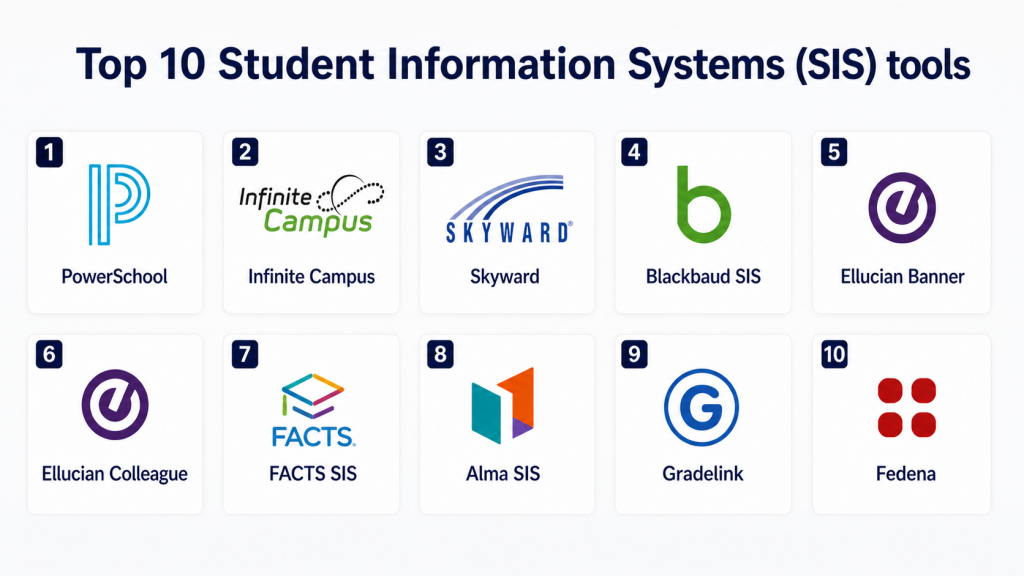
Top 10 Student Information Systems
#1 — PowerSchool
Short description: PowerSchool is one of the most widely used SIS platforms for K-12 institutions. It provides comprehensive tools for managing student data, attendance, grades, and communication. The platform supports administrators, teachers, students, and parents. It offers strong reporting capabilities. PowerSchool is scalable for large districts. It supports integration with learning systems. It is a reliable solution for educational institutions.
Key Features
- Student data management
- Attendance tracking
- Gradebook and reporting
- Parent and student portals
- Scheduling tools
- Integration support
- Analytics dashboards
Pros
- Widely adopted
- Scalable
- Strong reporting
Cons
- Customization may vary
- Implementation may require planning
- Pricing varies
Platforms / Deployment
Cloud / Web-based
Security & Compliance
Access controls and data security expected.
Specific certifications: Not publicly stated.
Integrations & Ecosystem
Integrates with LMS and education tools.
- LMS platforms
- APIs
- Education tools
- Data systems
- Reporting tools
Support & Community
Vendor support and training available.
#2 — Infinite Campus
Short description: Infinite Campus is a SIS platform used by K-12 schools for managing student records, attendance, and scheduling. It provides real-time data access for administrators and teachers. The platform supports communication tools. It includes reporting features. Infinite Campus is designed for district-wide use. It offers mobile access. It is suitable for large school systems.
Key Features
- Student record management
- Attendance and grading
- Scheduling tools
- Communication features
- Reporting dashboards
- Mobile access
- Integration support
Pros
- Real-time data access
- Good for districts
- Strong communication tools
Cons
- Setup may require effort
- Customization varies
- Pricing varies
Platforms / Deployment
Cloud / Web-based
Security & Compliance
Security controls expected.
Specific certifications: Not publicly stated.
Integrations & Ecosystem
Integrates with education systems.
- LMS platforms
- APIs
- Communication tools
- Data systems
- Reporting tools
Support & Community
Vendor support available.
#3 — Skyward
Short description: Skyward is a SIS platform designed for K-12 schools to manage student data, finance, and HR functions. It provides tools for attendance, grading, and communication. The platform is user-friendly. It supports parent engagement. Skyward includes reporting features. It is scalable for schools. It helps streamline administrative processes.
Key Features
- Student information management
- Attendance tracking
- Gradebook tools
- Parent communication
- Reporting dashboards
- Finance and HR modules
- Integration support
Pros
- User-friendly
- Good parent engagement
- Multi-functional
Cons
- Customization may vary
- Setup effort required
- Pricing varies
Platforms / Deployment
Cloud / Web-based
Security & Compliance
Security controls expected.
Specific certifications: Not publicly stated.
Integrations & Ecosystem
Integrates with school systems.
- LMS platforms
- APIs
- Communication tools
- Data systems
- Reporting tools
Support & Community
Vendor support available.
#4 — Blackbaud SIS
Short description: Blackbaud SIS is designed for private schools and higher education institutions. It provides tools for managing student data, academics, and communication. The platform supports online learning integration. It offers strong reporting capabilities. Blackbaud focuses on user experience. It supports customization. It is suitable for mid to large institutions.
Key Features
- Student data management
- Academic tracking
- Communication tools
- Reporting dashboards
- LMS integration
- Custom workflows
- Analytics
Pros
- Good user experience
- Strong reporting
- Customizable
Cons
- Pricing varies
- Setup may require effort
- Not ideal for small schools
Platforms / Deployment
Cloud / Web-based
Security & Compliance
Security controls expected.
Specific certifications: Not publicly stated.
Integrations & Ecosystem
Integrates with learning and administrative systems.
- LMS platforms
- APIs
- Communication tools
- Data systems
- Reporting tools
Support & Community
Vendor support available.
#5 — Ellucian Banner
Short description: Ellucian Banner is a SIS platform used by colleges and universities. It supports student records, enrollment, and academic management. The platform is scalable for large institutions. It includes reporting and analytics tools. Ellucian Banner integrates with campus systems. It supports complex workflows. It is suitable for higher education.
Key Features
- Student record management
- Enrollment tracking
- Academic management
- Reporting tools
- Integration support
- Workflow automation
- Analytics
Pros
- Strong for universities
- Scalable
- Comprehensive
Cons
- Complex setup
- Requires training
- Pricing varies
Platforms / Deployment
Cloud / Hosted / Enterprise
Security & Compliance
Enterprise controls expected.
Specific certifications: Not publicly stated.
Integrations & Ecosystem
Integrates with campus systems.
- LMS platforms
- APIs
- Campus tools
- Data systems
- Reporting tools
Support & Community
Vendor and partner support available.
#6 — Ellucian Colleague
Short description: Ellucian Colleague is a SIS platform designed for higher education institutions. It supports student data management, enrollment, and academic workflows. The platform provides reporting tools. It integrates with campus systems. It supports scalability. It is suitable for universities. It helps manage student lifecycle.
Key Features
- Student lifecycle management
- Enrollment tracking
- Academic workflows
- Reporting tools
- Integration support
- Automation features
- Data management
Pros
- Good for universities
- Scalable
- Comprehensive
Cons
- Setup complexity
- Training required
- Pricing varies
Platforms / Deployment
Cloud / Hosted / Enterprise
Security & Compliance
Enterprise controls expected.
Specific certifications: Not publicly stated.
Integrations & Ecosystem
Integrates with campus tools.
- LMS platforms
- APIs
- Data systems
- Campus tools
- Reporting tools
Support & Community
Vendor support available.
#7 — FACTS SIS
Short description: FACTS SIS is designed for private and faith-based schools. It provides tools for managing student data, grading, and communication. The platform supports parent engagement. It includes reporting features. FACTS SIS is user-friendly. It is suitable for small to mid-sized schools. It helps streamline operations.
Key Features
- Student data management
- Grade tracking
- Communication tools
- Reporting dashboards
- Parent engagement
- Integration support
- Automation features
Pros
- Easy to use
- Good for small schools
- Strong communication
Cons
- Limited enterprise features
- Customization varies
- Pricing varies
Platforms / Deployment
Cloud / Web-based
Security & Compliance
Security controls expected.
Specific certifications: Not publicly stated.
Integrations & Ecosystem
Integrates with school systems.
- LMS platforms
- APIs
- Communication tools
- Data systems
- Reporting tools
Support & Community
Vendor support available.
#8 — Alma SIS
Short description: Alma SIS is a modern SIS platform focused on user experience and simplicity. It is used by K-12 schools. The platform provides tools for student data, grading, and communication. It supports integration with LMS. Alma SIS includes analytics features. It is cloud-based. It is suitable for modern schools.
Key Features
- Student data management
- Gradebook tools
- Communication features
- Analytics dashboards
- LMS integration
- Automation tools
- Reporting
Pros
- Modern interface
- Easy to use
- Good integration
Cons
- Limited enterprise features
- Customization varies
- Pricing varies
Platforms / Deployment
Cloud / Web-based
Security & Compliance
Security controls expected.
Specific certifications: Not publicly stated.
Integrations & Ecosystem
Integrates with education tools.
- LMS platforms
- APIs
- Data systems
- Communication tools
- Reporting tools
Support & Community
Vendor support available.
#9 — Gradelink
Short description: Gradelink is a SIS platform for small to mid-sized schools. It provides tools for attendance, grading, and communication. The platform is simple to use. It supports reporting features. It integrates with basic systems. Gradelink is affordable. It is suitable for smaller institutions.
Key Features
- Attendance tracking
- Gradebook tools
- Communication features
- Reporting dashboards
- Integration support
- Automation tools
- Data management
Pros
- Affordable
- Easy to use
- Good for small schools
Cons
- Limited scalability
- Basic features
- Integration depth varies
Platforms / Deployment
Cloud / Web-based
Security & Compliance
Basic controls expected.
Specific certifications: Not publicly stated.
Integrations & Ecosystem
Integrates with basic tools.
- APIs
- Communication tools
- Data systems
- Reporting tools
- LMS integration
Support & Community
Vendor support available.
#10 — Fedena
Short description: Fedena is a SIS platform used globally by schools and institutions. It provides tools for student data management, scheduling, and communication. The platform supports customization. It includes reporting features. Fedena is scalable. It integrates with systems. It is suitable for various institutions.
Key Features
- Student data management
- Scheduling tools
- Communication features
- Reporting dashboards
- Customization options
- Integration support
- Automation tools
Pros
- Flexible
- Scalable
- Global usage
Cons
- Setup may require effort
- Customization varies
- Pricing varies
Platforms / Deployment
Cloud / Web-based
Security & Compliance
Security controls expected.
Specific certifications: Not publicly stated.
Integrations & Ecosystem
Integrates with education systems.
- LMS platforms
- APIs
- Data systems
- Communication tools
- Reporting tools
Support & Community
Vendor support available.
Which Student Information System Is Right for You?
Solo / Small Institution
If you are a small school or training center with limited student data, you should focus on simplicity and ease of use. Tools like Gradelink or Fedena are good options because they are affordable and easy to manage. You don’t need complex enterprise features at this stage. Basic attendance, grading, and communication features are usually enough. A lightweight system will reduce administrative workload. Avoid overly complex platforms that require technical setup.
SMB / Growing Schools
Small to mid-sized schools should look for systems that offer automation, reporting, and better communication tools. Alma SIS, FACTS SIS, and Skyward are strong options because they balance usability with functionality. These institutions often need parent portals, scheduling tools, and integration with learning systems. Ease of use for staff and students is important. Automation can help reduce manual errors. A scalable solution will support future growth.
Mid-Market / District-Level
Mid-sized institutions and school districts require stronger data management and reporting capabilities. PowerSchool and Infinite Campus are good choices because they support large data volumes and multiple schools. These platforms offer advanced analytics and integration capabilities. Institutions should prioritize scalability and centralized data control. Real-time reporting and communication tools are also critical. Choosing a system that supports district-wide operations is important.
Enterprise / Universities
Large universities and institutions need highly scalable and customizable systems. Ellucian Banner and Ellucian Colleague are designed for higher education environments. These platforms support complex workflows, enrollment management, and academic tracking. Security, compliance, and integration with campus systems are essential. Institutions should focus on long-term scalability and governance. Advanced reporting and automation features are also important.
Budget vs Premium
Budget tools are suitable for smaller institutions with limited needs and lower student volumes. Premium platforms offer advanced features like analytics, integrations, and automation. Institutions should invest in premium systems if they require scalability and complex workflows. Cost should be evaluated alongside long-term value. A cheaper tool may not scale as your institution grows. Always consider total cost of ownership.
Feature Depth vs Ease of Use
Some SIS platforms provide deep functionality but may require training and setup. Others are simpler and easier to use but offer fewer advanced features. Small teams should prioritize ease of use. Larger institutions can benefit from feature-rich systems. The right balance depends on your team’s expertise. A system that is easy to use often delivers better results.
Integrations & Scalability
SIS platforms should integrate with LMS, finance systems, HR tools, and communication platforms. Integration ensures smooth data flow and reduces manual work. Scalability is important as student numbers grow. API-based systems provide better flexibility. Poor integration can create inefficiencies. Always test integration capabilities before selecting a system.
Security & Compliance Needs
Student data is sensitive, so security is critical. Look for features like role-based access, encryption, and audit logs. Institutions should verify vendor security practices. Compliance with data privacy regulations is also important. A secure system protects both students and institutions. Always prioritize data protection and access control.
Frequently Asked Questions (FAQs)
1. What is a Student Information System (SIS)?
A Student Information System is a software platform used to manage student data such as enrollment, attendance, grades, and records. It centralizes information for administrators, teachers, and students. SIS platforms improve efficiency by automating administrative tasks. They also provide reporting and analytics for decision-making. These systems are widely used in schools and universities.
2. Who should use an SIS?
Schools, colleges, universities, and training institutes benefit from SIS platforms. Any institution managing student records at scale should use one. They are especially useful for institutions with multiple departments or campuses. Smaller schools can also benefit from simplified SIS tools. The need depends on student volume and complexity.
3. What features should an SIS include?
Core features include student data management, attendance tracking, grading, scheduling, and reporting. Communication tools for parents and students are also important. Integration with LMS and other systems adds value. Automation features help reduce manual work. Security and access control are essential for protecting data.
4. How does an SIS improve efficiency?
An SIS automates repetitive tasks like attendance tracking, grade calculation, and report generation. It reduces manual errors and saves time for administrators. Data is stored in one place, making it easier to access and manage. Communication between stakeholders becomes more streamlined. Overall, it improves operational efficiency.
5. Can SIS platforms integrate with other systems?
Yes, most modern SIS platforms integrate with LMS, finance systems, HR tools, and communication platforms. Integration allows seamless data sharing across systems. This reduces duplication and improves accuracy. API-based platforms offer more flexibility. Institutions should confirm compatibility before choosing a system.
6. Is student data secure in SIS platforms?
Most SIS platforms include security features like encryption, access control, and audit logs. These help protect sensitive student information. However, security depends on the vendor’s implementation. Institutions should verify security practices before adoption. Regular updates and monitoring also improve safety.
7. What is the cost of an SIS platform?
Pricing varies depending on features, number of users, and institution size. Some platforms offer affordable plans for small schools. Enterprise systems usually have custom pricing. Additional costs may include implementation and support. If pricing is not public, it is considered Varies / N/A.
8. How long does it take to implement an SIS?
Implementation time depends on system complexity and data migration needs. Small systems can be set up quickly, while enterprise platforms may take longer. Training and integration also affect timelines. A phased rollout is often recommended. Proper planning ensures smoother implementation.
9. What are common mistakes when choosing an SIS?
Choosing based only on price is a common mistake. Ignoring integration and scalability can cause issues later. Some institutions overlook user experience and training needs. Not testing the system before purchase is another risk. A proper evaluation helps avoid these problems.
10. Can small schools benefit from SIS platforms?
Yes, small schools can benefit by improving efficiency and reducing manual work. Even simple SIS tools can streamline operations. They help manage student data more effectively. Small institutions should choose easy-to-use systems. The right tool depends on their specific needs.
Conclusion
Student Information Systems are essential for modern educational institutions that need to manage student data efficiently and improve operational workflows. From K-12 schools to universities, SIS platforms provide centralized control, automation, and better communication across stakeholders.
The right SIS depends on institution size, complexity, and integration needs. Smaller schools may prefer simple and affordable tools, while universities require scalable and feature-rich platforms. Institutions should evaluate usability, integrations, and long-term scalability before making a decision.
