Introduction
Home Security Monitoring Apps allow users to monitor, manage, and secure their homes remotely using smartphones or web platforms. These apps connect with cameras, sensors, alarms, and smart devices to provide real-time alerts, live video feeds, and automation controls.
With increasing concerns around safety and smart home adoption, these apps have become essential for modern households. They provide instant notifications, remote access, and AI-powered detection features that help users respond quickly to potential threats. From basic surveillance to full home automation, these apps play a critical role in home security.
Common use cases:
- Monitoring home security cameras remotely
- Receiving alerts for motion or intrusion
- Managing smart locks and alarms
- Controlling home automation devices
- Reviewing recorded footage
What buyers should evaluate:
- Device compatibility
- Ease of use and interface
- Real-time alerts and notifications
- Video quality and storage options
- Integration with smart home ecosystems
- Security and privacy features
- Reliability and performance
- Support and updates
Best for: Homeowners, renters, and smart home users looking for remote monitoring and security control.
Not ideal for: Users without smart security devices or minimal monitoring needs.
Key Trends in Home Security Monitoring Apps
- AI-based motion detection and alerts
- Integration with smart home ecosystems
- Cloud and local video storage options
- Mobile-first remote monitoring
- Voice assistant integration
- Real-time notifications and automation
- Enhanced data privacy and encryption
- Smart device interoperability
How We Evaluate Home Security Monitoring Apps (Methodology)
- Market adoption and popularity
- Feature completeness and usability
- Device compatibility and ecosystem support
- Performance and reliability
- Security and privacy features
- Integration capabilities
- Ease of setup and onboarding
- Customer support and updates
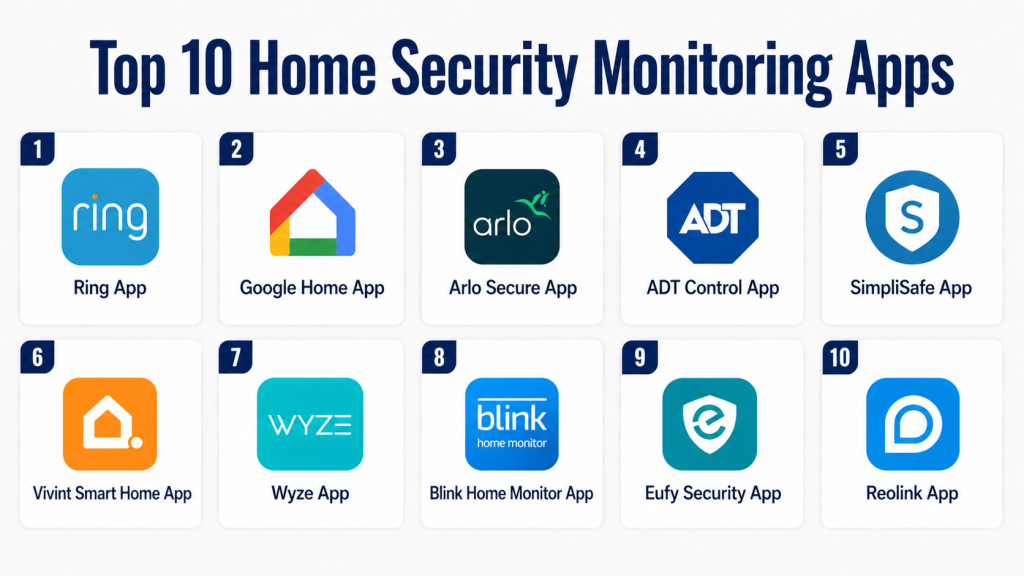
Top 10 Home Security Monitoring Apps
#1 — Ring App
Short description:
Ring App is a widely used home security platform that connects with cameras, doorbells, and sensors. It provides real-time alerts and live video feeds. The app is easy to use and integrates with smart home devices. It is suitable for home users. It offers reliable monitoring.
Key Features
- Live video streaming
- Motion alerts
- Two-way audio
- Video recording
Pros
- Easy to use
- Strong ecosystem
Cons
- Subscription required for storage
- Privacy concerns
Platforms / Deployment
iOS, Android / Cloud
Security & Compliance
Encryption
Other: Not publicly stated
Integrations & Ecosystem
Integrates with smart home devices.
- Smart cameras
- IoT systems
Support & Community
Strong support.
#2 — Google Home App
Short description:
Google Home App provides centralized control for smart home security devices. It supports cameras, sensors, and alarms. The app offers remote monitoring and automation. It is suitable for integrated smart homes. It provides flexibility.
Key Features
- Device control
- Live monitoring
- Automation
- Alerts
Pros
- Wide compatibility
- Easy integration
Cons
- Limited advanced security features
- Requires ecosystem
Platforms / Deployment
iOS, Android / Cloud
Security & Compliance
Not publicly stated
Integrations & Ecosystem
Supports integrations with smart devices.
- Smart cameras
- IoT devices
Support & Community
Strong community.
#3 — Arlo App
Short description:
Arlo App is a security monitoring app designed for Arlo cameras and devices. It provides live video, alerts, and cloud storage. The app offers advanced features like AI detection. It is suitable for home users. It enhances security.
Key Features
- Live video
- Motion detection
- Cloud storage
- AI alerts
Pros
- Advanced features
- Good video quality
Cons
- Subscription required
- Device dependency
Platforms / Deployment
iOS, Android / Cloud
Security & Compliance
Not publicly stated
Integrations & Ecosystem
Integrates with smart home systems.
- Cameras
- IoT devices
Support & Community
Good support.
#4 — SimpliSafe App
Short description:
SimpliSafe App provides remote control for home security systems. It allows monitoring of alarms and sensors. The app is easy to use and reliable. It is suitable for homeowners. It provides essential security features.
Key Features
- Alarm control
- Alerts
- Monitoring
- System management
Pros
- Easy setup
- Reliable
Cons
- Limited advanced features
- Subscription needed
Platforms / Deployment
iOS, Android / Cloud
Security & Compliance
Not publicly stated
Integrations & Ecosystem
Supports integrations with smart systems.
- Sensors
- Security devices
Support & Community
Reliable support.
#5 — ADT Control App
Short description:
ADT Control App is an enterprise-grade home security monitoring app. It provides full system control and alerts. The app supports professional monitoring. It is suitable for advanced security setups. It offers strong reliability.
Key Features
- System control
- Alerts
- Monitoring
- Automation
Pros
- Professional monitoring
- Strong reliability
Cons
- Expensive
- Contract required
Platforms / Deployment
iOS, Android / Cloud
Security & Compliance
Not publicly stated
Integrations & Ecosystem
Integrates with security systems.
- Cameras
- Sensors
Support & Community
Enterprise-level support.
#6 — Vivint Smart Home App
Short description:
Vivint App provides smart home security monitoring and automation. It supports cameras, locks, and sensors. The app offers real-time alerts. It is suitable for modern smart homes. It improves security and convenience.
Key Features
- Live monitoring
- Alerts
- Automation
- Device control
Pros
- Advanced features
- Good integration
Cons
- High cost
- Requires devices
Platforms / Deployment
iOS, Android / Cloud
Security & Compliance
Not publicly stated
Integrations & Ecosystem
Supports integrations with smart devices.
- IoT systems
- Security devices
Support & Community
Good support.
#7 — Wyze App
Short description:
Wyze App is an affordable home security monitoring app. It supports cameras and sensors. The app offers live video and alerts. It is suitable for budget users. It provides good value.
Key Features
- Live video
- Alerts
- Device control
- Recording
Pros
- Affordable
- Easy to use
Cons
- Limited features
- Basic analytics
Platforms / Deployment
iOS, Android / Cloud
Security & Compliance
Not publicly stated
Integrations & Ecosystem
Supports integrations with devices.
- Cameras
- IoT tools
Support & Community
Good support.
#8 — Eufy Security App
Short description:
Eufy Security App provides local storage-based security monitoring. It supports cameras and alarms. The app offers privacy-focused features. It is suitable for home users. It enhances security without subscriptions.
Key Features
- Local storage
- Live monitoring
- Alerts
- Device control
Pros
- No subscription
- Strong privacy
Cons
- Limited cloud features
- Smaller ecosystem
Platforms / Deployment
iOS, Android / Cloud
Security & Compliance
Not publicly stated
Integrations & Ecosystem
Supports integrations with devices.
- Cameras
- Sensors
Support & Community
Reliable support.
#9 — Blink App
Short description:
Blink App provides simple home security monitoring with cameras. It offers live video and alerts. The app is easy to use. It is suitable for small setups. It provides basic functionality.
Key Features
- Live video
- Alerts
- Recording
- Device control
Pros
- Easy setup
- Affordable
Cons
- Limited features
- Basic analytics
Platforms / Deployment
iOS, Android / Cloud
Security & Compliance
Not publicly stated
Integrations & Ecosystem
Supports integrations with devices.
- Cameras
- IoT tools
Support & Community
Basic support.
#10 — Home Assistant
Short description:
Home Assistant is an open-source platform for smart home security monitoring. It supports advanced automation and integrations. The platform is highly customizable. It is suitable for advanced users. It provides full control.
Key Features
- Automation
- Custom control
- Integration support
- Open-source
Pros
- Highly customizable
- Strong community
Cons
- Complex setup
- Requires technical knowledge
Platforms / Deployment
Web, Linux / Self-hosted
Security & Compliance
Not publicly stated
Integrations & Ecosystem
Supports extensive integrations.
- IoT devices
- Smart systems
Support & Community
Strong community support.
Comparison Table
| Tool Name | Best For | Platform(s) | Deployment | Standout Feature | Public Rating |
|---|---|---|---|---|---|
| Ring | Home users | Mobile | Cloud | Ecosystem | N/A |
| Google Home | Smart homes | Mobile | Cloud | Integration | N/A |
| Arlo | Advanced users | Mobile | Cloud | AI alerts | N/A |
| SimpliSafe | Basic security | Mobile | Cloud | Simplicity | N/A |
| ADT Control | Enterprise | Mobile | Cloud | Monitoring | N/A |
| Vivint | Smart homes | Mobile | Cloud | Automation | N/A |
| Wyze | Budget users | Mobile | Cloud | Affordability | N/A |
| Eufy | Privacy users | Mobile | Cloud | Local storage | N/A |
| Blink | Small setups | Mobile | Cloud | Simplicity | N/A |
| Home Assistant | Advanced users | Web | Self-hosted | Customization | N/A |
Evaluation & Scoring Table
| Tool | Core | Ease | Integrations | Security | Performance | Support | Value | Total |
|---|---|---|---|---|---|---|---|---|
| Ring | 9 | 9 | 8 | 7 | 9 | 9 | 8 | 8.5 |
| Google Home | 8 | 9 | 9 | 7 | 8 | 8 | 8 | 8.2 |
| Arlo | 9 | 8 | 8 | 7 | 9 | 8 | 7 | 8.2 |
| SimpliSafe | 7 | 9 | 6 | 7 | 8 | 7 | 8 | 7.6 |
| ADT | 9 | 7 | 8 | 8 | 9 | 9 | 7 | 8.3 |
| Vivint | 9 | 8 | 8 | 7 | 9 | 8 | 7 | 8.2 |
| Wyze | 7 | 9 | 6 | 6 | 7 | 7 | 9 | 7.6 |
| Eufy | 8 | 9 | 7 | 8 | 8 | 7 | 8 | 8.0 |
| Blink | 7 | 9 | 6 | 6 | 7 | 6 | 8 | 7.3 |
| Home Assistant | 9 | 6 | 10 | 8 | 9 | 9 | 9 | 8.7 |
Which Home Security Monitoring App Is Right for You?
Solo / Basic Home Users
If you need simple and reliable home monitoring, apps like Wyze or Blink are ideal. These apps provide basic features such as live video, alerts, and easy setup. They are budget-friendly and require minimal technical knowledge. You can quickly install and start monitoring your home. For small setups, simplicity and affordability matter most.
SMB / Smart Home Users
For users managing multiple devices, Ring or Google Home apps are great options. These platforms offer centralized control of cameras, sensors, and alarms. They provide real-time alerts and automation features. Integration with voice assistants adds convenience. They are suitable for modern smart homes with multiple devices.
Mid-Market / Advanced Users
Users who want better security features should consider Arlo or Eufy Security apps. These platforms offer advanced features like AI detection and enhanced video quality. They provide better control and monitoring capabilities. They also support multiple devices and integrations. These apps are ideal for users who need more than basic security.
Enterprise / Full Security Systems
For complete home security systems, ADT Control or Vivint apps are the best choices. These platforms offer professional monitoring and advanced automation. They support complex setups with multiple devices and locations. They provide high reliability and strong security features. These are ideal for users who prioritize maximum protection.
Budget vs Premium
Budget apps like Wyze and Blink focus on affordability and basic monitoring. Premium apps like ADT and Vivint offer advanced features and professional monitoring. If your needs are simple, budget tools are enough. For full security and automation, premium tools are better. Choose based on your security requirements and budget.
Feature Depth vs Ease of Use
Some apps provide advanced features but require setup and learning. Others are simple but limited in functionality. Beginners should choose easy-to-use apps. Advanced users can benefit from feature-rich platforms. The right choice depends on your comfort with technology.
Integrations & Scalability
If you plan to expand your smart home, choose apps with strong integrations. Platforms like Google Home and Home Assistant support multiple devices. Scalability ensures your system grows with your needs. Integration compatibility is critical for long-term use. Always check supported ecosystems.
Security & Privacy Needs
Home security apps handle sensitive data like video feeds and alerts. Choose platforms with strong encryption and secure access. Privacy policies should be carefully reviewed. Advanced users should prioritize security-focused apps. Protecting your home data is essential.
Frequently Asked Questions (FAQs)
1. What are home security monitoring apps?
Home security monitoring apps are mobile or web applications that allow users to monitor their homes remotely. They connect with cameras, sensors, and alarms. Users can view live video, receive alerts, and control devices. These apps improve safety and convenience. They are widely used in smart homes.
2. Do I need security devices to use these apps?
Yes, most apps require compatible devices such as cameras or sensors. The app acts as a control interface. Without hardware, the app cannot function effectively. Always check compatibility before purchasing. Devices and apps must work together.
3. Can I monitor my home remotely?
Yes, remote monitoring is a key feature. You can access live video and alerts from anywhere using your smartphone. This improves convenience and security. It allows quick response to incidents. Remote access is essential for modern home security.
4. Are these apps secure?
Security depends on the platform you choose. Many apps offer encryption and secure login features. Some provide advanced security options. It is important to use trusted apps. Regular updates help improve security.
5. Do these apps require subscriptions?
Some apps offer free basic features, while others require subscriptions for advanced features. Paid plans may include cloud storage and AI detection. Costs vary depending on the provider. Always review pricing before choosing. Subscription models are common.
6. Can I integrate these apps with smart home systems?
Yes, many apps integrate with smart home ecosystems. They can connect with devices like lights, locks, and sensors. This improves automation and control. Integration enhances functionality. Always check supported platforms.
7. What features should I look for?
Look for live video, alerts, and recording features. Automation and integration are also important. Ease of use should be considered. Choose features based on your needs. Scalability is also important.
8. Can these apps improve home security?
Yes, these apps provide real-time monitoring and alerts. They help detect potential threats quickly. They improve response time. This enhances overall security. They are essential for modern homes.
9. What are common mistakes when choosing an app?
Choosing apps without checking compatibility is a common mistake. Ignoring security features can be risky. Overpaying for unused features is another issue. Not considering scalability can limit growth. Proper evaluation is important.
10. What are alternatives to home security apps?
Alternatives include traditional alarm systems or manual monitoring. These are less flexible and efficient. Smart apps provide automation and remote access. They improve control and convenience. They are better suited for modern security needs.
Conclusion
Home Security Monitoring Apps have become essential tools for modern households, offering real-time visibility, automation, and remote control. They allow users to monitor their homes from anywhere, receive instant alerts, and respond quickly to potential threats. With the rise of smart home ecosystems, these apps are now more powerful and integrated than ever.
Choosing the right app depends on your security needs, budget, and technical expertise. Basic users can benefit from simple and affordable solutions, while advanced users may prefer platforms with AI detection and automation. Enterprises or high-security environments should consider professional monitoring solutions for maximum protection and reliability.
To make the right decision, start by identifying your requirements, shortlist 2–3 apps, and test their features. Evaluate compatibility, security, and scalability before finalizing your choice. The right home security app will not only protect your property but also provide peace of mind and long-term convenience.
