Introduction
Bug tracking tools are software platforms that help teams identify, record, prioritize, and resolve software defects efficiently. Instead of relying on scattered communication or spreadsheets, these tools centralize issue management, making it easier for developers, testers, and product teams to collaborate. They play a critical role in maintaining software quality, reducing downtime, and ensuring smooth product releases.
In today’s fast-paced development environment, especially with DevOps and agile methodologies, bug tracking tools have evolved into full-fledged issue management systems. They now integrate with CI/CD pipelines, version control systems, and monitoring tools. This makes them essential not just for fixing bugs, but for managing the entire lifecycle of software issues.
Common use cases include:
- Tracking and prioritizing software defects
- Managing QA and testing workflows
- Supporting agile sprint planning
- Monitoring production issues
- Coordinating cross-team development efforts
What buyers should evaluate:
- Issue tracking and workflow customization
- Integration with development tools
- Automation and AI-assisted triaging
- Reporting and analytics capabilities
- Scalability for large teams
- Security and access control features
- Ease of use and onboarding
- Cost and licensing model
Best for: Developers, QA engineers, DevOps teams, product managers, and enterprises managing complex software projects.
Not ideal for: Very small teams with minimal development workflows or organizations that only need simple task management tools.
Key Trends in Bug Tracking Tools
- AI-assisted bug triaging for faster issue prioritization
- Deep integration with DevOps pipelines including CI/CD tools
- Cloud-first deployment models with scalable infrastructure
- Automation workflows for repetitive issue handling
- Enhanced reporting dashboards for real-time insights
- Security-first design with role-based access and audit logs
- Collaboration features like comments, mentions, and notifications
- Integration with monitoring tools for proactive issue detection
- Mobile accessibility for tracking issues on the go
How We Evaluate Bug Tracking Tools (Methodology)
- Market adoption and industry popularity
- Feature depth including tracking, workflows, and reporting
- Integration ecosystem with development tools
- Performance and reliability in large-scale environments
- Security and compliance readiness
- Ease of use and onboarding experience
- Customer support and documentation quality
- Value for money across different pricing tiers
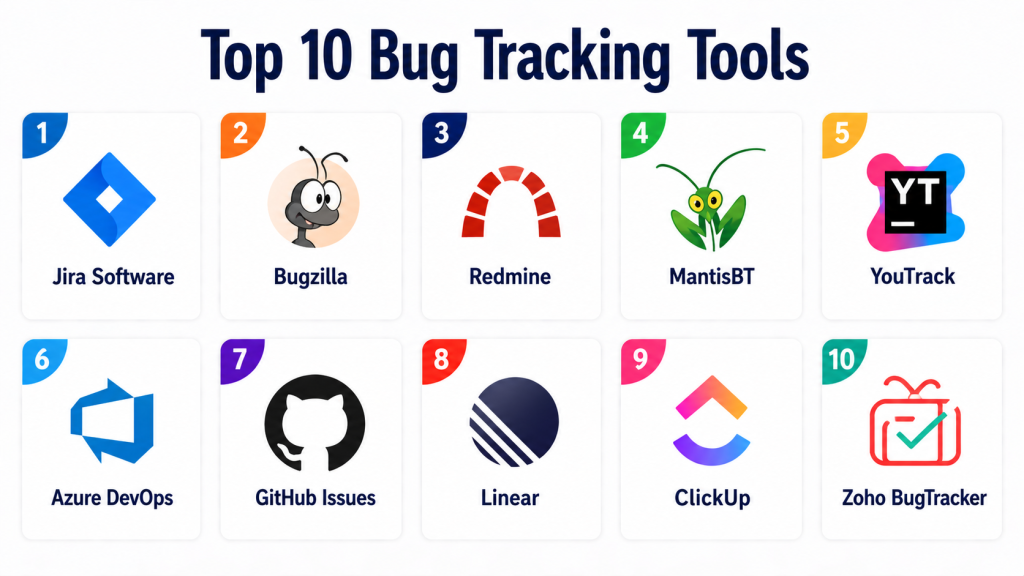
Top 10 Bug Tracking Tools
#1 — Jira Software
Short description:
Jira Software is one of the most widely used bug tracking and project management tools. It is designed for agile teams and supports Scrum and Kanban workflows. Jira offers deep customization and integration capabilities, making it suitable for teams of all sizes. It is particularly strong in issue tracking and reporting. The platform is widely adopted across industries.
Key Features
- Issue and bug tracking
- Agile boards
- Custom workflows
- Reporting dashboards
- Integration with development tools
Pros
- Highly customizable
- Large integration ecosystem
Cons
- Complex setup
- Learning curve for beginners
Platforms / Deployment
Web / Cloud / Self-hosted
Security & Compliance
SSO, RBAC, audit logs, GDPR support
Integrations & Ecosystem
Strong ecosystem with development tools
- GitHub
- Bitbucket
- Slack
Support & Community
Extensive documentation and large community
#2 — Bugzilla
Short description:
Bugzilla is an open-source bug tracking system known for reliability and flexibility. It is widely used in large-scale projects. The platform supports advanced search and reporting features. It is ideal for teams needing a customizable and cost-effective solution. However, it requires technical expertise for setup.
Key Features
- Advanced bug tracking
- Custom workflows
- Reporting tools
- Email notifications
Pros
- Open-source and free
- Highly customizable
Cons
- Outdated UI
- Requires technical setup
Platforms / Deployment
Web / Self-hosted
Security & Compliance
Not publicly stated
Integrations & Ecosystem
Limited native integrations
Support & Community
Community-driven support
#3 — Redmine
Short description:
Redmine is an open-source project management and bug tracking tool. It supports multiple projects and flexible workflows. The platform is known for its plugin ecosystem. It is suitable for teams looking for customization and control. Redmine is widely used in developer communities.
Key Features
- Issue tracking
- Multi-project support
- Gantt charts
- Plugin ecosystem
Pros
- Flexible and customizable
- Open-source
Cons
- Requires setup
- UI not modern
Platforms / Deployment
Web / Self-hosted
Security & Compliance
Not publicly stated
Integrations & Ecosystem
Plugin-based integrations
Support & Community
Active open-source community
#4 — MantisBT
Short description:
MantisBT is a lightweight bug tracking system focused on simplicity. It is easy to deploy and use. The platform offers essential bug tracking features. It is suitable for small to mid-sized teams. MantisBT balances simplicity with functionality.
Key Features
- Bug tracking
- Email notifications
- Role-based access
- Custom fields
Pros
- Lightweight
- Easy to use
Cons
- Limited advanced features
- Basic UI
Platforms / Deployment
Web / Self-hosted
Security & Compliance
RBAC, basic controls
Integrations & Ecosystem
Limited integrations
Support & Community
Community support
#5 — YouTrack
Short description:
YouTrack is a modern issue tracking tool developed for agile teams. It supports customizable workflows and automation. The platform includes powerful search and reporting features. It is suitable for development teams of all sizes. YouTrack offers both cloud and self-hosted options.
Key Features
- Issue tracking
- Agile boards
- Workflow automation
- Reporting tools
Pros
- Flexible workflows
- Strong automation
Cons
- Learning curve
- Limited enterprise features
Platforms / Deployment
Web / Cloud / Self-hosted
Security & Compliance
SSO, RBAC
Integrations & Ecosystem
Supports development tool integrations
Support & Community
Good documentation and support
#6 — Azure DevOps
Short description:
Azure DevOps provides a comprehensive suite for development, including bug tracking. It integrates seamlessly with Microsoft tools. The platform supports agile workflows and CI/CD pipelines. It is ideal for enterprises using Microsoft ecosystems. Azure DevOps is highly scalable.
Key Features
- Issue tracking
- CI/CD integration
- Agile boards
- Reporting
Pros
- Strong Microsoft integration
- Scalable
Cons
- Complex setup
- Can be expensive
Platforms / Deployment
Web / Cloud
Security & Compliance
SSO, RBAC, enterprise compliance
Integrations & Ecosystem
Deep integration with Microsoft tools
Support & Community
Enterprise support
#7 — GitHub Issues
Short description:
GitHub Issues is a simple bug tracking system integrated into GitHub repositories. It is widely used by developers. The platform supports basic issue tracking and collaboration. It is ideal for small teams and open-source projects. GitHub Issues is easy to use.
Key Features
- Issue tracking
- Labels and milestones
- Integration with code
- Collaboration tools
Pros
- Easy to use
- Integrated with Git
Cons
- Limited advanced features
- Not ideal for large teams
Platforms / Deployment
Web / Cloud
Security & Compliance
Varies / N/A
Integrations & Ecosystem
Strong GitHub ecosystem
Support & Community
Large developer community
#8 — Linear
Short description:
Linear is a modern issue tracking tool designed for speed and simplicity. It is popular among startups and product teams. The platform offers a clean UI and fast performance. It supports agile workflows and automation. Linear is known for its user experience.
Key Features
- Issue tracking
- Workflow automation
- Keyboard shortcuts
- Performance optimization
Pros
- Fast and intuitive
- Modern interface
Cons
- Limited enterprise features
- Fewer integrations
Platforms / Deployment
Web / Cloud
Security & Compliance
Not publicly stated
Integrations & Ecosystem
Integrates with modern dev tools
Support & Community
Growing community
#9 — ClickUp
Short description:
ClickUp is a versatile project management tool with bug tracking capabilities. It offers customizable workflows and dashboards. The platform supports teams across functions. It is suitable for SMBs and growing teams. ClickUp combines task and bug management.
Key Features
- Issue tracking
- Custom workflows
- Dashboards
- Automation
Pros
- All-in-one platform
- Flexible
Cons
- Feature overload
- Learning curve
Platforms / Deployment
Web / Cloud
Security & Compliance
RBAC, GDPR
Integrations & Ecosystem
Wide integration ecosystem
Support & Community
Strong support
#10 — Zoho BugTracker
Short description:
Zoho BugTracker is a dedicated bug tracking tool within the Zoho ecosystem. It provides issue tracking and reporting features. The platform is easy to use and affordable. It is suitable for SMBs. Zoho BugTracker integrates with other Zoho apps.
Key Features
- Bug tracking
- Workflow automation
- Reporting
- Integration with Zoho tools
Pros
- Affordable
- Easy to use
Cons
- Limited enterprise features
- Smaller ecosystem
Platforms / Deployment
Web / Cloud
Security & Compliance
Standard compliance features
Integrations & Ecosystem
Zoho ecosystem integration
Support & Community
Zoho support network
Comparison Table
| Tool Name | Best For | Platform(s) | Deployment | Standout Feature | Public Rating |
|---|---|---|---|---|---|
| Jira Software | Enterprise | Web | Cloud/Self-hosted | Custom workflows | N/A |
| Bugzilla | Open-source users | Web | Self-hosted | Advanced tracking | N/A |
| Redmine | Developers | Web | Self-hosted | Plugin ecosystem | N/A |
| MantisBT | Small teams | Web | Self-hosted | Lightweight | N/A |
| YouTrack | Agile teams | Web | Cloud/Self-hosted | Automation | N/A |
| Azure DevOps | Enterprises | Web | Cloud | DevOps integration | N/A |
| GitHub Issues | Developers | Web | Cloud | Code integration | N/A |
| Linear | Startups | Web | Cloud | Speed | N/A |
| ClickUp | SMBs | Web | Cloud | All-in-one | N/A |
| Zoho BugTracker | SMBs | Web | Cloud | Affordability | N/A |
Evaluation & Scoring of Bug Tracking Tools
| Tool | Core | Ease | Integrations | Security | Performance | Support | Value | Total |
|---|---|---|---|---|---|---|---|---|
| Jira | 10 | 7 | 10 | 9 | 9 | 9 | 7 | 8.9 |
| Bugzilla | 8 | 6 | 6 | 7 | 8 | 6 | 9 | 7.2 |
| Redmine | 8 | 6 | 7 | 7 | 8 | 7 | 9 | 7.5 |
| MantisBT | 7 | 8 | 6 | 7 | 7 | 7 | 9 | 7.4 |
| YouTrack | 9 | 8 | 8 | 8 | 8 | 8 | 8 | 8.3 |
| Azure DevOps | 10 | 7 | 9 | 9 | 9 | 9 | 7 | 8.8 |
| GitHub Issues | 7 | 9 | 8 | 7 | 8 | 8 | 9 | 8.0 |
| Linear | 8 | 9 | 7 | 7 | 9 | 8 | 8 | 8.1 |
| ClickUp | 8 | 8 | 9 | 8 | 8 | 8 | 8 | 8.2 |
| Zoho BugTracker | 7 | 9 | 7 | 7 | 7 | 8 | 9 | 7.8 |
Which Bug Tracking Tool Is Right for You?
Solo / Freelancer
GitHub Issues or Linear works best due to simplicity and speed.
SMB
ClickUp, Zoho BugTracker, and MantisBT offer balanced pricing and features.
Mid-Market
YouTrack and Jira provide scalability and customization.
Enterprise
Jira and Azure DevOps are ideal for complex workflows and integrations.
Budget vs Premium
Open-source tools are budget-friendly, while enterprise tools offer advanced features.
Feature Depth vs Ease of Use
Simple tools are easier but limited; advanced tools offer depth with complexity.
Integrations & Scalability
Choose tools that integrate with CI/CD and version control systems.
Security & Compliance Needs
Enterprises should prioritize tools with RBAC, SSO, and compliance features.
Frequently Asked Questions (FAQs)
1. What is a bug tracking tool?
Bug tracking tools help teams manage software defects efficiently. They provide a centralized system to log, track, and resolve issues. These tools improve collaboration among developers and testers. They ensure bugs are prioritized correctly. This leads to better software quality.
2. Why are bug tracking tools important?
They help maintain software quality and reliability. Without them, issues can be missed or duplicated. They improve communication across teams. They enable better planning and tracking. This results in faster releases.
3. Are bug tracking tools only for developers?
No, they are used by QA, product managers, and support teams. Anyone involved in software development can benefit. They improve cross-team collaboration. They provide visibility into project progress. They are essential for agile workflows.
4. Can bug tracking tools integrate with CI/CD?
Yes, many tools integrate with CI/CD pipelines. This allows automated issue tracking from builds. It improves DevOps workflows. It helps detect issues early. Integration enhances efficiency.
5. Are there free bug tracking tools?
Yes, many tools offer free plans or open-source versions. Bugzilla and Redmine are examples. Free tools may have limitations. They are suitable for small teams. Paid tools offer advanced features.
6. How do bug tracking tools improve productivity?
They centralize issue management. This reduces confusion and duplication. They automate workflows. They improve communication. This leads to faster issue resolution.
7. What features should I look for?
Look for tracking, reporting, and integration features. Automation and customization are important. Security and compliance matter for enterprises. Ease of use is critical. Choose based on your needs.
8. Can bug tracking tools scale?
Yes, many tools support large teams and projects. Enterprise tools offer scalability. They handle high volumes of issues. They integrate with other systems. Scalability is essential for growth.
9. Are bug tracking tools secure?
Most tools offer security features like RBAC and encryption. Compliance varies by tool. Enterprises should review security policies. Proper configuration is important. Security ensures data protection.
10. What are alternatives to bug tracking tools?
Alternatives include project management tools and spreadsheets. However, they lack specialized features. Dedicated tools provide better tracking. They improve collaboration. They are more efficient.
Conclusion
Bug tracking tools are a critical part of modern software development, enabling teams to manage issues efficiently and maintain high product quality. From lightweight open-source platforms to enterprise-grade solutions, these tools provide the structure and visibility needed to track, prioritize, and resolve bugs effectively. As development workflows become more complex, the importance of integrated, scalable, and secure bug tracking systems continues to grow.
Choosing the right tool depends on your team size, workflow complexity, and integration needs. Instead of selecting the most popular option, evaluate tools based on your specific requirements. Shortlist a few platforms, test them in real scenarios, and ensure they align with your development processes, security expectations, and long-term scalability goals.
