Introduction
Customer Journey Mapping Tools help businesses visualize, analyze, and optimize the end-to-end experience customers have with their brand—from first interaction to post-purchase engagement. These platforms allow teams to map touchpoints, identify friction, and improve customer satisfaction through data-driven insights.
In today’s experience-driven economy, understanding the customer journey is critical. Modern tools go beyond static maps by integrating analytics, behavioral data, and AI-driven insights. They also align with Identity Management, CyberSecurity, Zero Trust, and Access Control frameworks to ensure that sensitive customer data is handled securely. As organizations focus more on personalization and omnichannel experiences, journey mapping tools have become essential.
Real-world use cases:
- Visualizing customer touchpoints across channels
- Identifying friction points in the user experience
- Improving conversion rates and retention
- Aligning marketing, sales, and support teams
- Designing personalized customer experiences
What buyers should evaluate:
- Journey visualization capabilities
- Data integration and analytics features
- Ease of use and collaboration tools
- Real-time insights and reporting
- Integration with CRM, analytics, and marketing tools
- Security and compliance features
- Customization and scalability
- Pricing and ROI
Best for: CX teams, marketing teams, product managers, and enterprises focused on improving customer experience and retention.
Not ideal for: Small businesses with simple customer interactions or organizations that do not rely on structured customer experience analysis.
Key Trends in Customer Journey Mapping Tools
- AI-driven journey insights and personalization
- Real-time behavioral analytics integration
- Omnichannel journey mapping across web, mobile, and offline
- Integration with CRM, CDP, and marketing platforms
- Predictive analytics for customer behavior
- Zero Trust security and data governance
- Collaboration-focused platforms for cross-team alignment
- API-first architectures for extensibility
- Cloud-based deployment models
- Automated journey optimization and recommendations
How We Selected These Customer Journey Mapping Tools (Methodology)
- Market adoption and industry recognition
- Feature completeness for journey mapping and analytics
- Reliability and performance
- Security and compliance capabilities
- Integration ecosystem and API support
- Ease of use and collaboration features
- Scalability across business sizes
- Innovation in AI and analytics
- Customer feedback trends
- Balanced mix of enterprise and SMB tools
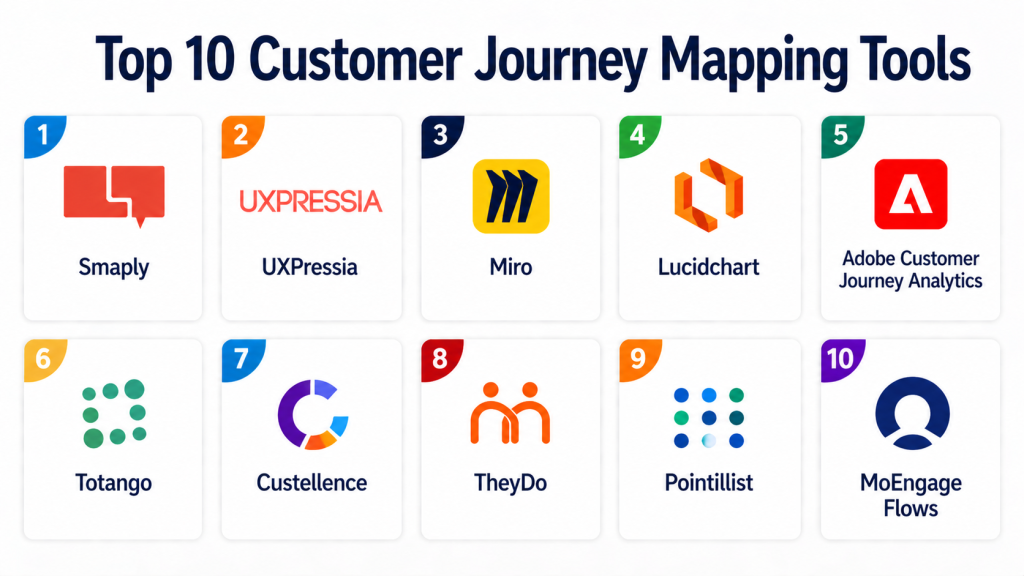
- Top 10 Customer Journey Mapping Tools
#1 — Smaply
Short description:
Smaply is a dedicated customer journey mapping platform that helps teams visualize and improve customer experiences. It provides tools for creating journey maps, personas, and stakeholder maps. The platform is widely used by CX professionals. It offers collaboration and analytics features. Smaply is suitable for teams focused on experience design. It is known for its structured approach to journey mapping.
Key Features
- Journey mapping tools
- Persona creation
- Stakeholder mapping
- Collaboration features
- Reporting tools
Pros
- Purpose-built for journey mapping
- Easy to use
Cons
- Limited advanced analytics
- Smaller ecosystem
Platforms / Deployment
Web
Cloud
Security & Compliance
Encryption, access control; compliance varies
Integrations & Ecosystem
Basic integrations available.
- APIs
- Collaboration tools
Support & Community
Good support and documentation
#2 — UXPressia
Short description:
UXPressia is a journey mapping platform designed for UX and CX teams. It provides tools for creating customer journeys, personas, and impact maps. The platform emphasizes collaboration and visualization. It is suitable for teams focused on customer experience design. UXPressia is easy to use and scalable.
Key Features
- Journey mapping
- Persona creation
- Impact mapping
- Collaboration tools
- Reporting
Pros
- Strong visualization capabilities
- User-friendly interface
Cons
- Limited analytics features
- Smaller ecosystem
Platforms / Deployment
Web
Cloud
Security & Compliance
Encryption, access control; compliance varies
Integrations & Ecosystem
Supports integrations with collaboration tools.
- APIs
Support & Community
Moderate support
#3 — Miro
Short description:
Miro is a collaborative whiteboard platform widely used for journey mapping and design. It provides templates and real-time collaboration features. The platform is suitable for cross-functional teams. It supports brainstorming and visualization. Miro integrates with various tools. It is ideal for teams needing flexibility.
Key Features
- Collaborative whiteboard
- Journey mapping templates
- Real-time collaboration
- Integration support
- Visualization tools
Pros
- Highly flexible
- Strong collaboration
Cons
- Not specialized for journey analytics
- Requires manual setup
Platforms / Deployment
Web / Desktop / Mobile
Cloud
Security & Compliance
SSO, encryption; compliance varies
Integrations & Ecosystem
Integrates with productivity tools.
- Collaboration platforms
- APIs
Support & Community
Large community and resources
#4 — Lucidchart
Short description:
Lucidchart is a diagramming tool used for journey mapping and process visualization. It provides templates and collaboration features. The platform is suitable for teams needing structured diagrams. It integrates with productivity tools. Lucidchart is easy to use and scalable.
Key Features
- Diagramming tools
- Templates
- Collaboration
- Integration support
- Visualization
Pros
- Easy to use
- Strong diagramming capabilities
Cons
- Limited analytics features
- Not CX-focused
Platforms / Deployment
Web
Cloud
Security & Compliance
Encryption, access control; compliance varies
Integrations & Ecosystem
Integrates with productivity tools.
- Google Workspace
- APIs
Support & Community
Good support
#5 — Adobe Customer Journey Analytics
Short description:
Adobe Customer Journey Analytics provides advanced analytics for customer journeys. It integrates with Adobe Experience Cloud. The platform offers real-time insights and reporting. It is suitable for enterprises. It provides deep analytics capabilities. It is ideal for data-driven organizations.
Key Features
- Journey analytics
- Real-time data
- Reporting dashboards
- Integration with Adobe
- AI insights
Pros
- Advanced analytics
- Enterprise capabilities
Cons
- Complex setup
- Higher cost
Platforms / Deployment
Web
Cloud
Security & Compliance
Enterprise-grade security; compliance varies
Integrations & Ecosystem
Deep integration with Adobe ecosystem.
- Marketing tools
- APIs
Support & Community
Enterprise support
#6 — Totango
Short description:
Totango is a customer success platform that includes journey mapping features. It helps organizations track and optimize customer engagement. The platform provides analytics and automation tools. It is suitable for SaaS companies. It integrates with CRM systems.
Key Features
- Customer journey tracking
- Analytics
- Automation
- Reporting
- Integration support
Pros
- Strong customer success focus
- Good analytics
Cons
- Limited visualization tools
- Requires setup
Platforms / Deployment
Web
Cloud
Security & Compliance
Encryption, access control; compliance varies
Integrations & Ecosystem
Integrates with CRM and SaaS tools.
- APIs
- CRM platforms
Support & Community
Moderate support
#7 — Custellence
Short description:
Custellence is a collaborative journey mapping tool designed for teams. It provides tools for creating and sharing customer journeys. The platform emphasizes simplicity and collaboration. It is suitable for CX teams. It offers visualization and reporting features.
Key Features
- Journey mapping
- Collaboration tools
- Visualization
- Reporting
- Templates
Pros
- Easy to use
- Collaboration-focused
Cons
- Limited advanced analytics
- Smaller ecosystem
Platforms / Deployment
Web
Cloud
Security & Compliance
Encryption, access control; compliance varies
Integrations & Ecosystem
Basic integrations available.
- APIs
Support & Community
Moderate support
#8 — Gliffy
Short description:
Gliffy is a diagramming and visualization tool used for journey mapping. It provides templates and collaboration features. The platform is easy to use. It integrates with productivity tools. It is suitable for SMBs. It focuses on simplicity and usability.
Key Features
- Diagramming tools
- Templates
- Collaboration
- Visualization
- Integration support
Pros
- Simple and intuitive
- Affordable
Cons
- Limited advanced features
- Not CX-focused
Platforms / Deployment
Web
Cloud
Security & Compliance
Encryption, access control; compliance varies
Integrations & Ecosystem
Integrates with productivity tools.
- APIs
Support & Community
Basic support
#9 — TheyDo
Short description:
TheyDo is a journey management platform that helps organizations manage customer journeys at scale. It provides analytics and collaboration tools. The platform is suitable for enterprises. It focuses on journey orchestration and insights. It integrates with business systems.
Key Features
- Journey management
- Analytics
- Collaboration
- Reporting
- Integration support
Pros
- Enterprise capabilities
- Strong analytics
Cons
- Complex setup
- Higher cost
Platforms / Deployment
Web
Cloud
Security & Compliance
Encryption, access control; compliance varies
Integrations & Ecosystem
Integrates with enterprise systems.
- APIs
- Data platforms
Support & Community
Enterprise support
#10 — Pointillist
Short description:
Pointillist is a customer journey analytics platform that provides deep insights into customer behavior. It offers real-time analytics and reporting. The platform is suitable for enterprises. It focuses on data-driven journey optimization. It integrates with multiple data sources.
Key Features
- Journey analytics
- Real-time insights
- Reporting dashboards
- Data integration
- Optimization tools
Pros
- Strong analytics
- Enterprise-ready
Cons
- Complex implementation
- Higher cost
Platforms / Deployment
Web
Cloud
Security & Compliance
Enterprise-grade security; compliance varies
Integrations & Ecosystem
Integrates with data platforms and tools.
- APIs
- Analytics systems
Support & Community
Enterprise support
Comparison Table (Top 10)
| Tool Name | Best For | Platform(s) Supported | Deployment | Standout Feature | Public Rating |
|---|---|---|---|---|---|
| Smaply | CX Teams | Web | Cloud | Journey mapping | N/A |
| UXPressia | UX Teams | Web | Cloud | Visualization | N/A |
| Miro | Teams | Web, Desktop, Mobile | Cloud | Collaboration | N/A |
| Lucidchart | SMB | Web | Cloud | Diagramming | N/A |
| Adobe Journey Analytics | Enterprise | Web | Cloud | Advanced analytics | N/A |
| Totango | SaaS | Web | Cloud | Customer success | N/A |
| Custellence | CX Teams | Web | Cloud | Collaboration | N/A |
| Gliffy | SMB | Web | Cloud | Simplicity | N/A |
| TheyDo | Enterprise | Web | Cloud | Journey management | N/A |
| Pointillist | Enterprise | Web | Cloud | Analytics | N/A |
Evaluation & Scoring of Customer Journey Mapping Tools
| Tool Name | Core | Ease | Integrations | Security | Performance | Support | Value | Weighted Total |
|---|---|---|---|---|---|---|---|---|
| Smaply | 8 | 9 | 7 | 7 | 8 | 8 | 8 | 8.0 |
| UXPressia | 8 | 9 | 7 | 7 | 8 | 8 | 8 | 8.0 |
| Miro | 7 | 9 | 8 | 8 | 8 | 9 | 8 | 8.2 |
| Lucidchart | 7 | 9 | 8 | 8 | 8 | 8 | 8 | 8.1 |
| Adobe | 9 | 6 | 9 | 9 | 9 | 8 | 6 | 8.2 |
| Totango | 8 | 7 | 8 | 8 | 8 | 7 | 7 | 7.8 |
| Custellence | 7 | 9 | 6 | 7 | 7 | 7 | 8 | 7.6 |
| Gliffy | 7 | 9 | 6 | 7 | 7 | 7 | 8 | 7.6 |
| TheyDo | 9 | 6 | 8 | 8 | 9 | 8 | 6 | 8.1 |
| Pointillist | 9 | 6 | 8 | 9 | 9 | 8 | 6 | 8.2 |
Interpretation:
Scores are comparative and based on weighted criteria. Higher scores indicate stronger overall capabilities, but the best tool depends on your specific needs and scale.
Which Customer Journey Mapping Tool Is Right for You
Solo / Freelancer
Miro or Gliffy for simplicity and flexibility.
SMB
Smaply, UXPressia, or Lucidchart for structured mapping.
Mid-Market
Totango or Custellence for analytics and collaboration.
Enterprise
Adobe, TheyDo, or Pointillist for advanced analytics.
Budget vs Premium
Budget: Gliffy, Custellence
Premium: Adobe, Pointillist
Feature Depth vs Ease of Use
Depth: Adobe, Pointillist
Ease: Miro, UXPressia
Integrations & Scalability
Best: Adobe, TheyDo
Moderate: Smaply, Totango
Security & Compliance Needs
Enterprise-grade: Adobe, Pointillist
Basic: SMB-focused tools
Frequently Asked Questions (FAQs)
1. What are Customer Journey Mapping Tools?
These tools help visualize and analyze customer interactions across touchpoints. They provide insights into customer behavior. They improve experience design. They are used by CX and marketing teams. They enhance decision-making.
2. Why are these tools important?
They help identify pain points in customer journeys. They improve customer satisfaction. They support data-driven decisions. They align teams across functions. They increase conversion and retention.
3. Are these tools suitable for small businesses?
Yes, many tools are designed for SMBs. They provide simple templates and visualization features. Small businesses benefit from improved customer insights. However, complex tools may not be necessary. Choosing the right tool is important.
4. What is the typical pricing model?
Most tools use subscription-based pricing. Costs vary by features and users. Enterprise tools may require custom pricing. Some tools offer free tiers. Pricing depends on usage and scale.
5. How long does implementation take?
Implementation can range from hours to weeks. Simple tools deploy quickly. Enterprise tools require integration and setup. Training may also be needed. Proper planning ensures success.
6. Do these tools integrate with other systems?
Yes, most tools integrate with CRM, analytics, and marketing platforms. APIs allow custom integrations. Integration depth varies. Strong integrations improve workflows. This is a key factor in selection.
7. What are common mistakes when choosing tools?
Choosing overly complex tools is common. Ignoring integration needs can cause issues. Not considering scalability is risky. Poor onboarding leads to low adoption. Proper evaluation helps avoid mistakes.
8. Are these tools secure?
Most platforms offer encryption and access controls. Enterprise tools provide advanced security features. Compliance varies by vendor. Security aligns with Zero Trust models. Verification is essential.
9. Can businesses switch tools later?
Switching is possible but requires effort. Data migration and retraining are needed. Integration changes may also be required. Planning ahead reduces risks. Choosing scalable tools helps.
10. What are alternatives to these tools?
Alternatives include manual mapping or diagramming tools. However, they lack analytics and automation. Some organizations use custom solutions. Journey mapping tools provide a comprehensive approach. They are ideal for improving customer experience.
Conclusion
Customer Journey Mapping Tools have become essential for organizations that want to deliver seamless, personalized, and data-driven customer experiences. These platforms go beyond simple visualization by incorporating analytics, collaboration, and automation, enabling teams to identify friction points and optimize every stage of the customer lifecycle. As customer expectations continue to rise, having a clear and actionable understanding of the journey is no longer optional.
The right tool depends on your organization’s size, complexity, and focus. While enterprise platforms provide deep analytics and scalability, simpler tools offer flexibility and faster adoption for smaller teams. The best approach is to shortlist a few options, test them with real scenarios, and evaluate how well they integrate with your existing systems and workflows. This ensures long-term success in improving customer experience and driving business growth.
