Introduction
Business Intelligence (BI) for Finance tools help organizations analyze financial data, generate insights, and support strategic decision-making. These platforms transform raw financial data into dashboards, reports, and forecasts, enabling finance teams to move from reactive reporting to proactive planning.
In the modern finance environment, BI tools are critical for real-time visibility into performance, profitability, and risk. With increasing data volumes and complexity, organizations need platforms that integrate with ERP systems, accounting software, and data warehouses. Additionally, modern BI solutions incorporate AI, automation, and strong security frameworks aligned with Identity Management, CyberSecurity, Zero Trust, and Access Control to protect sensitive financial data.
Real-world use cases:
- Financial reporting and dashboards
- Budgeting and forecasting analysis
- Profitability and cost analysis
- Cash flow monitoring
- Risk and compliance reporting
What buyers should evaluate:
- Data integration and ETL capabilities
- Visualization and dashboard features
- Financial modeling and forecasting support
- Ease of use and learning curve
- Security and access control features
- Performance and scalability
- Integration with ERP and accounting systems
- Pricing and ROI
Best for: CFOs, finance teams, analysts, enterprises, and data-driven organizations that require deep financial insights and reporting.
Not ideal for: Very small businesses with minimal data complexity or organizations that rely on basic spreadsheets for financial tracking.
Key Trends in Business Intelligence for Finance
- AI-driven financial forecasting and anomaly detection
- Real-time dashboards with live financial data
- Integration with ERP, accounting, and data warehouses
- Self-service analytics for finance teams
- Cloud-based BI platforms with global access
- Zero Trust security and granular access controls
- Embedded analytics within finance applications
- Automation of reporting and compliance workflows
- API-first architectures for data integration
- Increased focus on data governance and compliance
How We Selected These Business Intelligence for Finance Tools (Methodology)
- Market adoption and industry recognition
- Feature completeness for financial analytics
- Reliability and performance at scale
- Security and compliance capabilities
- Integration ecosystem and extensibility
- Ease of use for finance professionals
- Scalability across business sizes
- Innovation in AI and automation
- Customer feedback and usability trends
- Balanced mix of enterprise and SMB tools
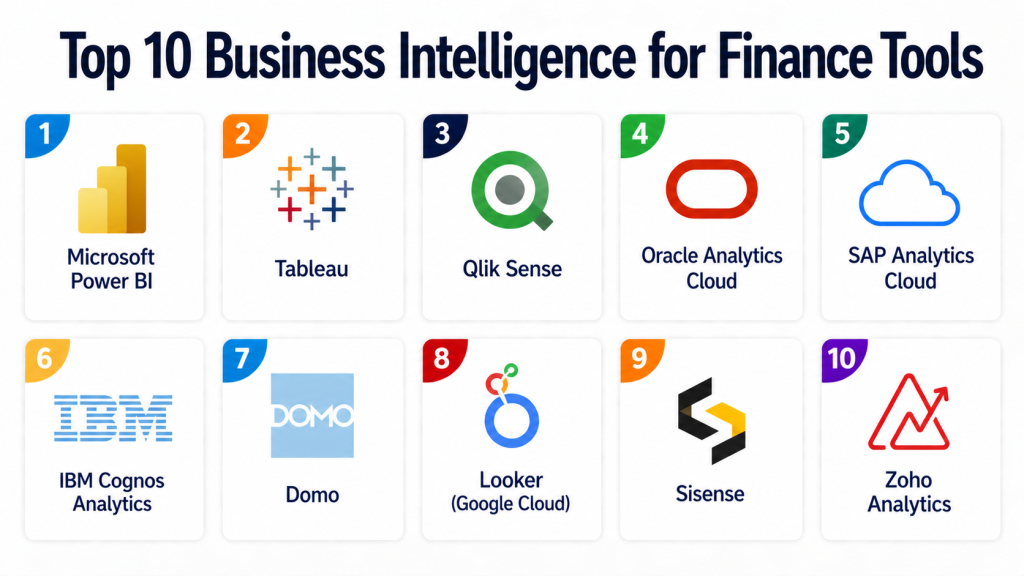
Top 10 Business Intelligence for Finance Tools
#1 — Microsoft Power BI
Short description:
Microsoft Power BI is one of the most widely used BI tools for finance teams. It provides powerful data visualization, reporting, and analytics capabilities. The platform integrates seamlessly with Microsoft products and various data sources. It supports real-time dashboards and AI-driven insights. Power BI is suitable for organizations of all sizes. It is known for its flexibility and scalability.
Key Features
- Data visualization and dashboards
- Real-time analytics
- AI insights
- Integration with Microsoft ecosystem
- Data modeling tools
Pros
- Strong integration capabilities
- Flexible and scalable
Cons
- Learning curve for advanced features
- Requires data modeling expertise
Platforms / Deployment
Web / Windows / Mobile
Cloud / On-premise
Security & Compliance
SSO, MFA, encryption, RBAC; enterprise compliance supported
Integrations & Ecosystem
Extensive integrations with Microsoft and third-party tools.
- Excel
- Azure services
- APIs
Support & Community
Large community and extensive documentation
#2 — Tableau
Short description:
Tableau is a leading BI platform known for its advanced data visualization capabilities. It helps finance teams create interactive dashboards and reports. The platform supports multiple data sources and real-time analytics. Tableau is widely used across industries. It is suitable for both technical and non-technical users. It offers strong analytics capabilities.
Key Features
- Interactive dashboards
- Data visualization
- Real-time analytics
- Data integration
- Reporting tools
Pros
- Best-in-class visualization
- Strong analytics capabilities
Cons
- Pricing can be high
- Requires training
Platforms / Deployment
Web / Desktop / Mobile
Cloud / On-premise
Security & Compliance
Encryption, access control; compliance varies
Integrations & Ecosystem
Supports integration with multiple data sources.
- Databases
- APIs
- Cloud platforms
Support & Community
Strong community and training resources
#3 — Qlik Sense
Short description:
Qlik Sense is a self-service BI platform that provides data analytics and visualization. It offers associative data modeling for deeper insights. The platform supports real-time analytics and reporting. It is suitable for finance teams needing advanced data exploration. Qlik Sense is scalable and flexible. It integrates with various data sources.
Key Features
- Associative data model
- Data visualization
- Self-service analytics
- Reporting tools
- Real-time insights
Pros
- Powerful data exploration
- Flexible platform
Cons
- Learning curve
- Setup complexity
Platforms / Deployment
Web / Mobile
Cloud / On-premise
Security & Compliance
Encryption, access control; compliance varies
Integrations & Ecosystem
Integrates with databases and enterprise tools.
- APIs
- Data platforms
Support & Community
Good support and community
#4 — Oracle Analytics Cloud
Short description:
Oracle Analytics Cloud is an enterprise-grade BI platform with advanced analytics capabilities. It provides data visualization, reporting, and AI insights. The platform integrates with Oracle’s ecosystem. It is suitable for large organizations. It offers scalability and performance. It is ideal for enterprise finance teams.
Key Features
- Advanced analytics
- Data visualization
- AI insights
- Reporting tools
- Integration with Oracle systems
Pros
- Strong enterprise capabilities
- Scalable platform
Cons
- Complex implementation
- Higher cost
Platforms / Deployment
Web
Cloud
Security & Compliance
Enterprise-grade security; compliance varies
Integrations & Ecosystem
Deep integration with Oracle ecosystem.
- ERP systems
- Data platforms
- APIs
Support & Community
Enterprise support
#5 — SAP Analytics Cloud
Short description:
SAP Analytics Cloud combines BI, planning, and predictive analytics. It integrates with SAP ERP systems. The platform supports financial planning and reporting. It provides real-time insights and dashboards. It is suitable for enterprises using SAP solutions. It offers scalability and advanced features.
Key Features
- BI and planning
- Predictive analytics
- Data visualization
- Reporting
- Integration with SAP
Pros
- Unified platform
- Strong integration with SAP
Cons
- Requires SAP ecosystem
- Complex setup
Platforms / Deployment
Web
Cloud
Security & Compliance
Enterprise-grade security; compliance varies
Integrations & Ecosystem
Integrates with SAP and enterprise tools.
- ERP systems
- APIs
Support & Community
Enterprise support
#6 — IBM Cognos Analytics
Short description:
IBM Cognos Analytics is a BI platform designed for enterprise reporting and analytics. It provides dashboards, reporting, and AI-driven insights. The platform supports complex data environments. It is suitable for large organizations. It offers strong governance and security features.
Key Features
- Reporting and dashboards
- AI insights
- Data visualization
- Data governance
- Analytics tools
Pros
- Strong governance
- Enterprise-ready
Cons
- Complex interface
- Requires training
Platforms / Deployment
Web / Desktop
Cloud / On-premise
Security & Compliance
Enterprise-grade security; compliance varies
Integrations & Ecosystem
Supports integration with enterprise systems.
- Databases
- APIs
Support & Community
Enterprise support
#7 — Domo
Short description:
Domo is a cloud-based BI platform focused on real-time data visualization and analytics. It provides dashboards and collaboration tools. The platform is easy to use and deploy. It is suitable for SMBs and enterprises. Domo integrates with multiple data sources. It offers strong mobile capabilities.
Key Features
- Real-time dashboards
- Data integration
- Collaboration tools
- Mobile access
- Analytics
Pros
- User-friendly
- Strong mobile support
Cons
- Pricing may be high
- Limited advanced analytics
Platforms / Deployment
Web / Mobile
Cloud
Security & Compliance
Encryption, access control; compliance varies
Integrations & Ecosystem
Integrates with multiple data sources.
- Cloud apps
- APIs
Support & Community
Good support
#8 — Looker (Google Cloud)
Short description:
Looker is a modern BI platform focused on data exploration and embedded analytics. It integrates with Google Cloud. The platform provides data modeling and dashboards. It is suitable for data-driven organizations. It supports scalability and customization. It is ideal for advanced analytics teams.
Key Features
- Data modeling
- Dashboards
- Embedded analytics
- Reporting
- Integration with Google Cloud
Pros
- Strong data modeling
- Flexible platform
Cons
- Requires technical expertise
- Learning curve
Platforms / Deployment
Web
Cloud
Security & Compliance
Encryption, access control; compliance varies
Integrations & Ecosystem
Integrates with Google Cloud and data platforms.
- BigQuery
- APIs
Support & Community
Strong community and support
#9 — Sisense
Short description:
Sisense is a BI platform designed for data analytics and embedded analytics. It provides dashboards and reporting tools. The platform supports complex data environments. It is suitable for enterprises and developers. It offers scalability and flexibility.
Key Features
- Data analytics
- Dashboards
- Embedded analytics
- Reporting
- Data integration
Pros
- Flexible platform
- Strong analytics
Cons
- Requires setup
- Learning curve
Platforms / Deployment
Web
Cloud / Hybrid
Security & Compliance
Encryption, access control; compliance varies
Integrations & Ecosystem
Supports integration with data platforms.
- APIs
- Databases
Support & Community
Moderate support
#10 — Zoho Analytics
Short description:
Zoho Analytics is a BI platform designed for SMBs and growing businesses. It provides dashboards, reporting, and data visualization tools. The platform is easy to use and affordable. It integrates with Zoho ecosystem and third-party tools. It is suitable for small and mid-sized finance teams.
Key Features
- Data visualization
- Reporting tools
- Dashboards
- Data integration
- Analytics
Pros
- Affordable pricing
- Easy to use
Cons
- Limited enterprise features
- Smaller ecosystem
Platforms / Deployment
Web / Mobile
Cloud
Security & Compliance
Encryption, access control; compliance varies
Integrations & Ecosystem
Integrates with Zoho and third-party tools.
- CRM systems
- APIs
Support & Community
Good support
Comparison Table (Top 10)
| Tool Name | Best For | Platform(s) Supported | Deployment | Standout Feature | Public Rating |
|---|---|---|---|---|---|
| Power BI | All sizes | Web, Windows, Mobile | Cloud/On-premise | Microsoft integration | N/A |
| Tableau | Enterprises | Web, Desktop, Mobile | Cloud/On-premise | Visualization | N/A |
| Qlik Sense | Mid/Enterprise | Web, Mobile | Cloud/On-premise | Data exploration | N/A |
| Oracle Analytics | Enterprise | Web | Cloud | Advanced analytics | N/A |
| SAP Analytics | Enterprise | Web | Cloud | Planning + BI | N/A |
| IBM Cognos | Enterprise | Web, Desktop | Cloud/On-premise | Governance | N/A |
| Domo | SMB/Enterprise | Web, Mobile | Cloud | Real-time dashboards | N/A |
| Looker | Enterprise | Web | Cloud | Data modeling | N/A |
| Sisense | Enterprise | Web | Cloud/Hybrid | Embedded analytics | N/A |
| Zoho Analytics | SMB | Web, Mobile | Cloud | Affordability | N/A |
Evaluation & Scoring of Business Intelligence for Finance
| Tool Name | Core | Ease | Integrations | Security | Performance | Support | Value | Weighted Total |
|---|---|---|---|---|---|---|---|---|
| Power BI | 9 | 8 | 9 | 9 | 9 | 9 | 8 | 8.6 |
| Tableau | 9 | 7 | 8 | 8 | 9 | 8 | 7 | 8.2 |
| Qlik Sense | 8 | 7 | 8 | 8 | 8 | 8 | 7 | 7.9 |
| Oracle | 9 | 6 | 9 | 9 | 9 | 8 | 6 | 8.2 |
| SAP | 9 | 6 | 9 | 9 | 9 | 8 | 6 | 8.2 |
| IBM Cognos | 8 | 6 | 8 | 9 | 9 | 8 | 6 | 7.9 |
| Domo | 8 | 8 | 8 | 8 | 8 | 8 | 7 | 8.0 |
| Looker | 9 | 6 | 9 | 8 | 9 | 8 | 6 | 8.1 |
| Sisense | 8 | 7 | 8 | 8 | 8 | 7 | 7 | 7.8 |
| Zoho Analytics | 7 | 9 | 7 | 7 | 7 | 7 | 9 | 7.8 |
Interpretation:
Scores are comparative and reflect strengths across weighted criteria. Higher scores indicate better overall performance, but the best tool depends on your organization’s data complexity and needs.
Which Business Intelligence Tool Is Right for You?
Solo / Freelancer
Zoho Analytics for affordability and simplicity.
SMB
Zoho Analytics or Domo for ease of use and quick deployment.
Mid-Market
Qlik Sense or Domo for flexibility and scalability.
Enterprise
Power BI, Tableau, SAP, or Oracle for advanced capabilities.
Budget vs Premium
Budget: Zoho Analytics
Premium: Tableau, SAP, Oracle
Feature Depth vs Ease of Use
Depth: Tableau, Oracle
Ease: Zoho, Power BI
Integrations & Scalability
Best: Power BI, Looker
Moderate: Domo, Zoho
Security & Compliance Needs
Enterprise-grade: SAP, Oracle, Power BI
Basic: SMB-focused tools
Frequently Asked Questions (FAQs)
1. What is Business Intelligence for Finance?
Business Intelligence for Finance refers to tools that analyze financial data and provide insights. These tools help organizations make data-driven decisions. They include dashboards, reports, and analytics. They improve financial visibility. They are essential for modern finance teams.
2. Why is BI important for finance teams?
BI tools help finance teams analyze large datasets quickly. They provide real-time insights into performance. These tools improve forecasting and planning. They also enhance decision-making. Overall, they increase efficiency and accuracy.
3. Are BI tools suitable for small businesses?
Yes, many BI tools are designed for SMBs. They offer simplified features and affordable pricing. Small businesses benefit from automation and insights. However, complex tools may not be necessary. Choosing the right tool is important.
4. What is the typical pricing model?
Most BI tools use subscription-based pricing. Costs vary by features and users. Enterprise tools may require custom pricing. Some tools offer free tiers. Pricing depends on scale and usage.
5. How long does implementation take?
Implementation can range from days to months. Simple tools deploy quickly. Enterprise tools require integration and setup. Training also affects timelines. Proper planning ensures success.
6. Do BI tools integrate with finance systems?
Yes, most BI tools integrate with ERP, CRM, and accounting systems. APIs allow custom integrations. Integration depth varies. Strong integrations improve workflows. This is a key factor in selection.
7. What are common mistakes when choosing BI tools?
Choosing overly complex tools is common. Ignoring integration needs can cause issues. Not considering scalability is risky. Poor onboarding leads to low adoption. Proper evaluation helps avoid mistakes.
8. Are BI tools secure?
Most platforms offer encryption and access controls. Enterprise tools provide advanced security features. Compliance varies by vendor. Security aligns with Zero Trust models. Verification is essential.
9. Can businesses switch BI tools later?
Switching is possible but requires effort. Data migration and retraining are needed. Integration changes may also be required. Planning ahead reduces risks. Choosing scalable tools helps.
10. What are alternatives to BI tools?
Alternatives include spreadsheets and manual reporting. However, they lack automation and scalability. Some organizations use custom solutions. BI tools provide a comprehensive approach. They are ideal for data-driven organizations.
Conclusion
Business Intelligence for Finance tools have become essential for organizations aiming to transform financial data into actionable insights. With capabilities like real-time dashboards, AI-driven forecasting, and deep integration with enterprise systems, these platforms empower finance teams to move beyond traditional reporting and adopt a proactive, data-driven approach. As financial complexity increases, the need for scalable, secure, and intelligent BI solutions continues to grow.
Choosing the right BI tool depends on your organization’s size, data maturity, and integration requirements. While enterprise platforms provide advanced analytics and scalability, SMB-focused tools prioritize ease of use and affordability. The best approach is to shortlist a few tools, run pilot implementations, and evaluate how well they align with your financial workflows and security needs. This ensures long-term success and better financial decision-making.
