Introduction
Sales Force Automation (SFA) refers to software platforms that streamline, automate, and optimize sales processes—from lead capture to deal closure and post-sale engagement. Instead of relying on spreadsheets, emails, and manual tracking, SFA systems centralize data, automate repetitive tasks, and provide actionable insights to sales teams.
In the modern landscape, SFA is no longer just a productivity tool—it’s a strategic growth engine. With AI-driven forecasting, intelligent lead scoring, and tighter integration with Identity Management, CyberSecurity, Zero Trust, and Access Control frameworks, SFA platforms are becoming more secure, scalable, and intelligent than ever.
Real-world use cases include:
- Managing and prioritizing leads across channels
- Automating follow-ups and sales workflows
- Forecasting revenue and pipeline performance
- Tracking sales team performance and KPIs
- Integrating with CRM, marketing, and finance tools
Key evaluation criteria:
- Core sales automation features
- Ease of use and onboarding
- Integration capabilities
- Security and compliance features
- Customization and scalability
- Reporting and analytics depth
- Mobile and remote access support
- Pricing and ROI
Best for: Sales teams, startups, SMBs, and enterprises across industries like SaaS, retail, healthcare, and finance that need structured, scalable sales operations.
Not ideal for: Very small teams with minimal sales complexity or businesses that rely entirely on manual or relationship-driven sales without repeatable processes.
Key Trends in Sales Force Automation (SFA)
- AI-driven sales intelligence: Predictive lead scoring, deal insights, and automated recommendations
- Zero Trust security adoption: Granular access control, identity verification, and secure data sharing
- Mobile-first sales workflows: Field sales reps rely heavily on mobile apps and offline capabilities
- Unified revenue platforms: SFA merging with CRM, marketing automation, and customer success tools
- Low-code customization: Drag-and-drop workflow builders and automation rules
- Real-time analytics: Live dashboards for pipeline tracking and forecasting
- API-first ecosystems: Seamless integrations with third-party tools and internal systems
- Usage-based pricing models: Flexible pricing aligned with team size and feature usage
- Compliance-first design: GDPR, audit logs, and data protection features becoming standard
- Collaboration-centric tools: Built-in messaging, notes, and deal collaboration features
How We Selected These Sales Force Automation (SFA) Tools (Methodology)
- Strong market presence and adoption across industries
- Comprehensive feature sets for sales automation
- Proven reliability and performance in production environments
- Security capabilities aligned with modern enterprise standards
- Rich integration ecosystems and API support
- Flexibility across company sizes (SMB to enterprise)
- Positive user feedback trends and industry recognition
- Scalability and long-term viability
- Innovation in AI, automation, and analytics
- Balanced mix of enterprise-grade and SMB-friendly tools
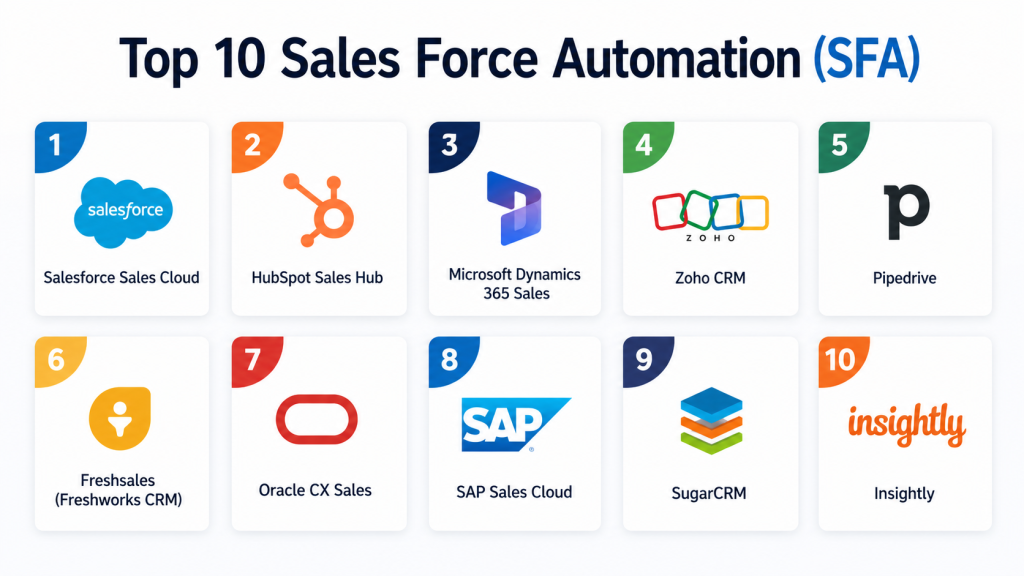
Top 10 Sales Force Automation (SFA)
#1 — Salesforce Sales Cloud
Short description:
Salesforce Sales Cloud is one of the most widely adopted SFA platforms globally, offering a comprehensive suite for managing leads, opportunities, and customer relationships. It is designed for organizations of all sizes but is especially powerful for enterprises with complex sales processes. The platform provides deep customization, advanced analytics, and AI-powered insights through its ecosystem. It integrates seamlessly with a vast marketplace of third-party apps. Its scalability and flexibility make it a long-term solution for growing businesses. However, it may require dedicated resources for implementation and management.
Key Features
- Lead and opportunity management
- AI-powered forecasting and insights
- Workflow automation
- Custom dashboards and reporting
- Territory management
- Mobile sales tools
Pros
- Highly customizable and scalable
- Extensive ecosystem and integrations
Cons
- Can be complex to implement
- Higher cost for advanced features
Platforms / Deployment
Web / iOS / Android
Cloud
Security & Compliance
SSO/SAML, MFA, encryption, RBAC, audit logs; compliance frameworks supported
Integrations & Ecosystem
Strong ecosystem with thousands of integrations and APIs.
- Marketing automation tools
- ERP systems
- Communication platforms
- Custom APIs
Support & Community
Extensive documentation, training programs, and a large global community
#2 — HubSpot Sales Hub
Short description:
HubSpot Sales Hub is a user-friendly SFA platform designed for growing teams and SMBs. It combines CRM capabilities with automation tools to simplify sales workflows. The platform emphasizes ease of use and quick onboarding, making it ideal for teams without technical expertise. It offers automation, email tracking, and pipeline management features. HubSpot also integrates tightly with its marketing and service hubs. While powerful for SMBs, enterprises may find limitations in deep customization.
Key Features
- Email tracking and automation
- Pipeline management
- Lead scoring
- Sales analytics
- Meeting scheduling
- Workflow automation
Pros
- Easy to use and quick setup
- Strong inbound marketing integration
Cons
- Limited customization for enterprises
- Advanced features require upgrades
Platforms / Deployment
Web / iOS / Android
Cloud
Security & Compliance
SSO, encryption, role-based access; compliance features vary
Integrations & Ecosystem
Integrates with marketing, service, and third-party tools.
- CRM integrations
- Email platforms
- Analytics tools
Support & Community
Strong onboarding resources and active user community
#3 — Microsoft Dynamics 365 Sales
Short description:
Microsoft Dynamics 365 Sales provides a robust SFA solution integrated with the Microsoft ecosystem. It is well-suited for organizations already using Microsoft tools like Office and Azure. The platform offers AI-driven insights, automation, and advanced analytics. It supports complex sales workflows and enterprise-level requirements. Its tight integration with Microsoft services enhances productivity. However, setup and customization may require technical expertise.
Key Features
- AI-driven sales insights
- Opportunity management
- Workflow automation
- Integration with Microsoft tools
- Forecasting and analytics
Pros
- Deep Microsoft ecosystem integration
- Strong enterprise capabilities
Cons
- Requires technical setup
- Interface can feel complex
Platforms / Deployment
Web / Windows / iOS / Android
Cloud / Hybrid
Security & Compliance
SSO, MFA, encryption, RBAC; enterprise-grade compliance support
Integrations & Ecosystem
Native integration with Microsoft products and APIs.
- Office tools
- Azure services
- ERP systems
Support & Community
Enterprise support with extensive documentation
#4 — Zoho CRM
Short description:
Zoho CRM is a cost-effective SFA solution suitable for SMBs and mid-market businesses. It offers automation, analytics, and AI features through its ecosystem. The platform is highly customizable and integrates well with other Zoho products. It provides a balance between affordability and functionality. While not as powerful as enterprise platforms, it delivers strong value for growing teams.
Key Features
- Lead and deal management
- Workflow automation
- AI assistant
- Reporting and dashboards
- Multichannel communication
Pros
- Affordable pricing
- Flexible customization
Cons
- UI can feel dated
- Advanced features require configuration
Platforms / Deployment
Web / iOS / Android
Cloud
Security & Compliance
Encryption, role-based access; compliance details vary
Integrations & Ecosystem
Part of the Zoho ecosystem with strong integrations.
- Zoho apps
- Third-party tools
- APIs
Support & Community
Good documentation and support options
#5 — Pipedrive
Short description:
Pipedrive is a sales-focused SFA tool designed for simplicity and visual pipeline management. It is ideal for small teams and startups that need an intuitive solution. The platform emphasizes ease of use and quick adoption. It offers automation and reporting features tailored for sales workflows. However, it may lack advanced enterprise features.
Key Features
- Visual sales pipeline
- Automation workflows
- Activity tracking
- Reporting tools
- Lead management
Pros
- Very easy to use
- Strong pipeline visualization
Cons
- Limited enterprise features
- Fewer customization options
Platforms / Deployment
Web / iOS / Android
Cloud
Security & Compliance
Encryption, access controls; detailed compliance not publicly stated
Integrations & Ecosystem
Supports integrations with common business tools.
- CRM tools
- Email platforms
- APIs
Support & Community
Responsive support and growing community
#6 — Freshsales (Freshworks)
Short description:
Freshsales offers an AI-powered SFA platform with built-in communication tools. It is designed for SMBs and mid-sized businesses seeking an all-in-one solution. The platform includes email, phone, and chat capabilities. Its AI assistant provides insights into deals and customer behavior. It is easy to deploy and use.
Key Features
- AI-based lead scoring
- Built-in communication tools
- Sales automation
- Reporting dashboards
- Workflow management
Pros
- All-in-one platform
- Easy deployment
Cons
- Limited advanced customization
- Enterprise features may be lacking
Platforms / Deployment
Web / iOS / Android
Cloud
Security & Compliance
Encryption, access controls; compliance details vary
Integrations & Ecosystem
Integrates with Freshworks ecosystem and third-party tools.
- CRM tools
- Communication platforms
- APIs
Support & Community
Good support and onboarding resources
#7 — Oracle CX Sales
Short description:
Oracle CX Sales is an enterprise-grade SFA platform with advanced analytics and automation. It is designed for large organizations with complex sales operations. The platform offers deep customization and AI capabilities. It integrates with Oracle’s broader enterprise suite. However, it may require significant implementation effort.
Key Features
- Advanced analytics
- Sales automation
- AI insights
- Custom workflows
- Enterprise integrations
Pros
- Strong enterprise capabilities
- Advanced analytics
Cons
- Complex implementation
- Higher cost
Platforms / Deployment
Web
Cloud
Security & Compliance
Enterprise-grade security features; compliance support varies
Integrations & Ecosystem
Part of Oracle ecosystem with enterprise integrations.
- ERP systems
- Data platforms
- APIs
Support & Community
Enterprise-level support services
#8 — SAP Sales Cloud
Short description:
SAP Sales Cloud is a powerful SFA solution integrated with SAP’s enterprise ecosystem. It supports complex sales processes and global operations. The platform offers analytics, automation, and integration capabilities. It is best suited for enterprises already using SAP systems. Implementation may require expertise.
Key Features
- Sales automation
- Analytics and reporting
- Integration with SAP systems
- Workflow management
- Forecasting
Pros
- Strong enterprise integration
- Scalable solution
Cons
- Complex setup
- Requires SAP expertise
Platforms / Deployment
Web / Mobile
Cloud
Security & Compliance
Enterprise security features; compliance varies
Integrations & Ecosystem
Deep integration with SAP ecosystem.
- ERP systems
- Supply chain tools
- APIs
Support & Community
Enterprise support and documentation
#9 — SugarCRM
Short description:
SugarCRM provides a flexible SFA platform with strong customization capabilities. It is suitable for mid-market and enterprise organizations. The platform focuses on customer experience and automation. It offers both cloud and on-premise deployment options. It is a good choice for organizations needing flexibility.
Key Features
- Sales automation
- Customer journey tracking
- Reporting tools
- Workflow automation
- Customization options
Pros
- Flexible deployment options
- Strong customization
Cons
- Interface may feel outdated
- Requires setup effort
Platforms / Deployment
Web
Cloud / Self-hosted
Security & Compliance
Encryption, access control; compliance not publicly stated
Integrations & Ecosystem
Supports integrations with various tools.
- CRM systems
- Marketing platforms
- APIs
Support & Community
Moderate community and support
#10 — Insightly
Short description:
Insightly is an SFA and CRM platform designed for SMBs and growing teams. It offers project management and sales automation features. The platform is easy to use and integrates with popular business tools. It is suitable for teams looking for a lightweight solution. However, it may lack advanced enterprise features.
Key Features
- Lead and opportunity management
- Workflow automation
- Project management
- Reporting tools
- Integration capabilities
Pros
- Easy to use
- Good for SMBs
Cons
- Limited advanced features
- Not ideal for large enterprises
Platforms / Deployment
Web / Mobile
Cloud
Security & Compliance
Encryption, access controls; compliance varies
Integrations & Ecosystem
Integrates with common business tools.
- Email platforms
- CRM tools
- APIs
Support & Community
Basic support and documentation
Comparison Table (Top 10)
| Tool Name | Best For | Platform(s) Supported | Deployment | Standout Feature | Public Rating |
|---|---|---|---|---|---|
| Salesforce Sales Cloud | Enterprise | Web, Mobile | Cloud | Customization & ecosystem | N/A |
| HubSpot Sales Hub | SMBs | Web, Mobile | Cloud | Ease of use | N/A |
| Microsoft Dynamics 365 | Enterprise | Web, Windows, Mobile | Cloud/Hybrid | Microsoft integration | N/A |
| Zoho CRM | SMB/Mid | Web, Mobile | Cloud | Affordability | N/A |
| Pipedrive | Startups | Web, Mobile | Cloud | Visual pipeline | N/A |
| Freshsales | SMB/Mid | Web, Mobile | Cloud | Built-in communication | N/A |
| Oracle CX Sales | Enterprise | Web | Cloud | Advanced analytics | N/A |
| SAP Sales Cloud | Enterprise | Web, Mobile | Cloud | SAP integration | N/A |
| SugarCRM | Mid/Enterprise | Web | Cloud/Self-hosted | Flexibility | N/A |
| Insightly | SMB | Web, Mobile | Cloud | Simplicity | N/A |
Evaluation & Scoring of Sales Force Automation (SFA)
| Tool | Core | Ease | Integrations | Security | Performance | Support | Value | Total |
|---|---|---|---|---|---|---|---|---|
| Salesforce | 9 | 7 | 10 | 9 | 9 | 9 | 7 | 8.6 |
| HubSpot | 8 | 9 | 8 | 8 | 8 | 8 | 9 | 8.4 |
| Microsoft | 9 | 7 | 9 | 9 | 9 | 8 | 7 | 8.5 |
| Zoho | 8 | 8 | 8 | 7 | 8 | 7 | 9 | 8.0 |
| Pipedrive | 7 | 9 | 7 | 7 | 8 | 7 | 9 | 7.9 |
| Freshsales | 8 | 8 | 7 | 7 | 8 | 7 | 8 | 7.8 |
| Oracle | 9 | 6 | 9 | 9 | 9 | 8 | 6 | 8.3 |
| SAP | 9 | 6 | 9 | 9 | 9 | 8 | 6 | 8.2 |
| SugarCRM | 8 | 7 | 8 | 7 | 8 | 7 | 7 | 7.7 |
| Insightly | 7 | 8 | 7 | 7 | 7 | 7 | 8 | 7.5 |
How to interpret:
Scores are comparative, not absolute. A higher score reflects stronger performance across weighted criteria. Enterprises may prioritize security and integrations, while SMBs may value ease of use and pricing more heavily.
Which Sales Force Automation (SFA) Is Right for You?
Solo / Freelancer
Choose simple tools like Pipedrive or Insightly for ease of use and quick setup.
SMB
HubSpot and Zoho CRM offer the best balance of features, affordability, and scalability.
Mid-Market
Freshsales and SugarCRM provide customization and automation without enterprise complexity.
Enterprise
Salesforce, Microsoft Dynamics, Oracle, and SAP are best for scalability and advanced needs.
Budget vs Premium
Budget tools: Zoho, Pipedrive
Premium tools: Salesforce, Oracle, SAP
Feature Depth vs Ease of Use
High depth: Salesforce, Oracle
Easy to use: HubSpot, Pipedrive
Integrations & Scalability
Best integrations: Salesforce, Microsoft
Moderate: Zoho, Freshsales
Security & Compliance Needs
Enterprise-grade: Salesforce, Microsoft, Oracle
Basic: SMB-focused tools
Frequently Asked Questions (FAQs)
1. What is Sales Force Automation (SFA)?
SFA is software that automates sales processes like lead tracking, follow-ups, and reporting. It helps sales teams improve efficiency and close deals faster. By centralizing data and workflows, it reduces manual effort. Modern SFA tools also include AI-driven insights. This makes decision-making more data-driven and accurate.
2. How is SFA different from CRM?
CRM focuses on managing customer relationships, while SFA emphasizes automating sales tasks. Most modern platforms combine both functionalities. SFA adds workflow automation, forecasting, and pipeline management. CRM provides a broader customer view. Together, they create a complete sales ecosystem.
3. What does SFA software typically cost?
Pricing varies widely based on features and team size. SMB tools often use subscription-based pricing. Enterprise platforms may involve licensing and implementation costs. Some vendors offer freemium tiers. Overall, pricing depends on customization and scale.
4. How long does implementation take?
Implementation can range from a few days to several months. SMB tools are quicker to deploy. Enterprise platforms require planning, customization, and integration. Training and onboarding also impact timelines. Proper planning ensures smoother adoption.
5. Is SFA suitable for small businesses?
Yes, many tools are designed specifically for SMBs. They offer simplified interfaces and affordable pricing. Small teams benefit from automation and organization. However, very small teams may not need advanced features. Choosing the right tool is key.
6. What are common mistakes when choosing SFA?
Overestimating feature needs is a common issue. Ignoring integration requirements can cause problems later. Choosing complex tools without resources leads to poor adoption. Not considering scalability is another mistake. Proper evaluation helps avoid these pitfalls.
7. How secure are SFA platforms?
Most platforms offer encryption, access controls, and audit logs. Enterprise tools provide advanced security features. Compliance varies by vendor. Security is increasingly aligned with Zero Trust models. Buyers should verify requirements carefully.
8. Can SFA integrate with other tools?
Yes, most SFA platforms support integrations with CRM, ERP, and marketing tools. APIs allow custom integrations. Integration depth varies by vendor. Strong ecosystems improve productivity. This is a key selection factor.
9. Can I switch SFA tools later?
Switching is possible but can be complex. Data migration and retraining are required. Integration changes may also be needed. Choosing a scalable tool reduces switching needs. Planning ahead minimizes disruption.
10. What are alternatives to SFA?
Alternatives include manual processes, spreadsheets, or basic CRM tools. However, these lack automation and scalability. Some businesses use industry-specific tools instead. SFA remains the most comprehensive solution. It is ideal for structured sales operations.
Conclusion
Sales Force Automation (SFA) platforms have evolved into critical systems that drive modern sales performance. From AI-powered insights to secure, Zero Trust-aligned architectures, these tools now go far beyond basic pipeline tracking. The right SFA solution can significantly improve productivity, visibility, and revenue predictability. However, the “best” tool depends heavily on your organization’s size, complexity, and integration needs.
Rather than chasing feature-heavy platforms blindly, businesses should focus on alignment with their workflows, scalability requirements, and security expectations. Start by shortlisting 2–3 tools that match your needs, run a pilot, and validate integrations and usability with your sales team. This practical approach ensures you choose a solution that delivers real, measurable value over time.
