Introduction
Bookkeeping tools are software solutions that help businesses record, organize, and manage financial transactions such as income, expenses, invoices, and bank reconciliations. Instead of relying on spreadsheets or manual accounting methods, these tools automate financial recordkeeping and provide real-time insights into business finances.
As businesses increasingly operate digitally and across multiple channels, bookkeeping software has become essential for maintaining accuracy, compliance, and financial transparency. Modern tools now include AI-powered automation, real-time reporting, and strong cybersecurity features like Identity Management, Zero Trust access, and role-based permissions to protect sensitive financial data.
Common use cases:
- Recording income and expenses
- Bank reconciliation
- Invoice and payment tracking
- Financial reporting
- Tax preparation support
Key evaluation criteria:
- Ease of use and onboarding
- Automation of financial entries
- Integration with banks and payment systems
- Reporting and analytics capabilities
- Security features like RBAC, MFA, and encryption
- Scalability for growing businesses
- Multi-user collaboration
- Pricing and value
Best for: Freelancers, SMBs, startups, accountants, and finance teams managing daily financial records.
Not ideal for: Businesses requiring highly complex enterprise accounting or those with minimal financial activity.
Key Trends in Bookkeeping Tools
- AI-driven transaction categorization and automation
- Cloud-based bookkeeping replacing desktop systems
- Real-time financial dashboards and insights
- Zero Trust security models for financial data protection
- Integration with banking, payment gateways, and ERP systems
- Mobile-first bookkeeping apps
- Automated tax calculation and compliance support
- Multi-currency and global bookkeeping capabilities
- Subscription-based pricing models
- API-first platforms for extensibility
How We Selected These Bookkeeping Tools (Methodology)
- Evaluated market adoption and user popularity
- Assessed automation and usability features
- Reviewed integration capabilities with banks and payment systems
- Analyzed security posture including RBAC and encryption
- Considered scalability across SMB and mid-market businesses
- Evaluated reporting and analytics features
- Assessed support quality and documentation
- Reviewed pricing and value for money
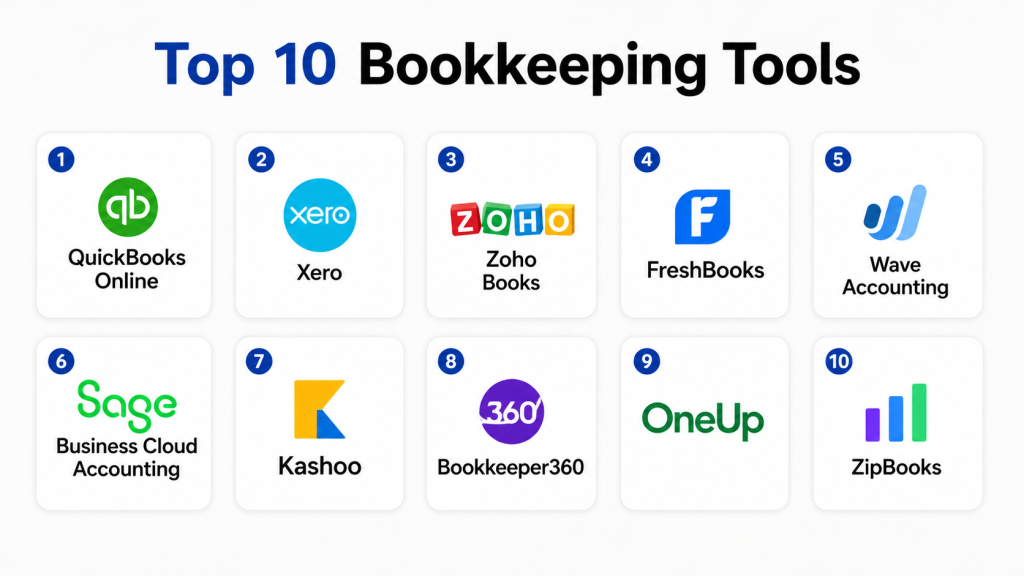
Top 10 Bookkeeping Tools
#1 — QuickBooks Online
Short description: QuickBooks Online is one of the most widely used bookkeeping and accounting tools globally. It provides comprehensive financial management features including expense tracking, invoicing, and reporting. Designed for SMBs and growing businesses. Offers automation and real-time insights. Integrates with a wide range of financial tools. Scalable and reliable platform. Ideal for businesses needing all-in-one bookkeeping.
Key Features
- Expense tracking
- Invoice management
- Financial reporting
- Bank reconciliation
- Tax preparation tools
Pros
- All-in-one solution
- Strong reporting
Cons
- Can be expensive
- Learning curve for beginners
Platforms / Deployment
Cloud
Security & Compliance
Encryption, MFA, RBAC
Integrations & Ecosystem
QuickBooks integrates with banking systems, payment gateways, and business tools.
- Banking integrations
- Payment processors
- APIs
Support & Community
Strong global support and community
#2 — Xero
Short description: Xero is a cloud-based bookkeeping platform designed for small and mid-sized businesses. It offers real-time financial tracking, invoicing, and reporting. Known for its clean interface and ease of use. Supports multi-user collaboration. Integrates with various financial tools. Ideal for growing businesses.
Key Features
- Bank reconciliation
- Invoice management
- Financial reporting
- Multi-user access
Pros
- Easy to use
- Strong collaboration features
Cons
- Pricing increases with scale
- Limited advanced customization
Platforms / Deployment
Cloud
Security & Compliance
RBAC, encryption
Integrations & Ecosystem
- Banking systems
- Payment gateways
- APIs
Support & Community
Good support
#3 — Zoho Books
Short description: Zoho Books is a user-friendly bookkeeping tool designed for SMBs. It offers automation, invoicing, and expense tracking. Integrates well with Zoho ecosystem. Provides real-time insights. Affordable and scalable. Ideal for startups and small businesses.
Key Features
- Expense tracking
- Invoice management
- Reporting tools
- Automation
Pros
- Affordable
- Easy to use
Cons
- Limited enterprise features
- Best within Zoho ecosystem
Platforms / Deployment
Cloud
Security & Compliance
RBAC, encryption
Integrations & Ecosystem
- Zoho apps
- APIs
Support & Community
Good SMB support
#4 — FreshBooks
Short description: FreshBooks is designed for freelancers and service-based businesses. It simplifies bookkeeping with invoicing and expense tracking features. Known for ease of use. Provides automation and reporting tools. Helps improve financial organization. Ideal for small teams.
Key Features
- Expense tracking
- Invoice creation
- Time tracking
- Reporting
Pros
- Very easy to use
- Great for freelancers
Cons
- Limited advanced features
- Not ideal for large businesses
Platforms / Deployment
Cloud / Mobile
Security & Compliance
Encryption, MFA
Integrations & Ecosystem
- Payment gateways
- CRM tools
Support & Community
Strong SMB support
#5 — Wave Accounting
Short description: Wave is a free bookkeeping tool designed for freelancers and small businesses. It offers basic financial tracking and reporting. Easy to use and accessible. Supports invoice creation and expense tracking. Ideal for startups.
Key Features
- Expense tracking
- Invoice management
- Reporting tools
Pros
- Free to use
- Simple interface
Cons
- Limited features
- Not scalable
Platforms / Deployment
Cloud
Security & Compliance
Basic encryption
Integrations & Ecosystem
- Payment systems
Support & Community
Basic support
#6 — Sage Business Cloud Accounting
Short description: Sage provides bookkeeping and accounting solutions for SMBs and mid-market businesses. It offers financial reporting, invoicing, and compliance tools. Known for reliability. Supports global operations. Ideal for structured financial management.
Key Features
- Financial reporting
- Expense tracking
- Tax management
Pros
- Reliable
- Strong compliance
Cons
- UI can feel complex
- Pricing varies
Platforms / Deployment
Cloud
Security & Compliance
RBAC, encryption
Integrations & Ecosystem
- ERP systems
- APIs
Support & Community
Strong support
#7 — Kashoo
Short description: Kashoo is a simple bookkeeping tool designed for small businesses. It offers automated transaction categorization and reporting. Easy to use. Affordable solution. Ideal for beginners.
Key Features
- Expense tracking
- Automated categorization
- Reporting
Pros
- Simple interface
- Affordable
Cons
- Limited advanced features
- Not scalable
Platforms / Deployment
Cloud
Security & Compliance
Basic security
Integrations & Ecosystem
- APIs
Support & Community
Moderate support
#8 — Bookkeeper360
Short description: Bookkeeper360 combines bookkeeping software with financial advisory services. Designed for SMBs. Offers reporting and analytics. Provides automation and expert support. Ideal for businesses needing guidance.
Key Features
- Financial reporting
- Expense tracking
- Advisory services
Pros
- Expert support
- Comprehensive services
Cons
- Higher cost
- Not DIY-focused
Platforms / Deployment
Cloud
Security & Compliance
RBAC
Integrations & Ecosystem
- Accounting tools
- APIs
Support & Community
Strong support
#9 — OneUp
Short description: OneUp is a bookkeeping tool focused on automation and inventory management. It offers invoicing, CRM, and accounting features. Designed for SMBs. Provides real-time financial insights. Ideal for small businesses.
Key Features
- Automated accounting
- CRM integration
- Inventory tracking
Pros
- Automation features
- All-in-one tool
Cons
- Limited scalability
- Basic reporting
Platforms / Deployment
Cloud
Security & Compliance
Basic RBAC
Integrations & Ecosystem
- CRM tools
- APIs
Support & Community
Moderate support
#10 — ZipBooks
Short description: ZipBooks is a simple bookkeeping platform designed for small businesses. It offers invoicing, expense tracking, and reporting. Easy to use. Affordable solution. Ideal for startups and freelancers.
Key Features
- Invoice creation
- Expense tracking
- Reporting tools
Pros
- Affordable
- Easy setup
Cons
- Limited advanced features
- Not for large businesses
Platforms / Deployment
Cloud
Security & Compliance
Basic security
Integrations & Ecosystem
- Payment systems
Support & Community
Basic support
Comparison Table (Top 10)
| Tool Name | Best For | Platform(s) | Deployment | Standout Feature | Public Rating |
|---|---|---|---|---|---|
| QuickBooks | SMB | Web | Cloud | All-in-one | N/A |
| Xero | SMB | Web | Cloud | Collaboration | N/A |
| Zoho Books | SMB | Web | Cloud | Affordability | N/A |
| FreshBooks | Freelancers | Mobile/Web | Cloud | Ease of use | N/A |
| Wave | Freelancers | Web | Cloud | Free plan | N/A |
| Sage | SMB/Mid | Web | Cloud | Compliance | N/A |
| Kashoo | SMB | Web | Cloud | Simplicity | N/A |
| Bookkeeper360 | SMB | Web | Cloud | Advisory | N/A |
| OneUp | SMB | Web | Cloud | Automation | N/A |
| ZipBooks | SMB | Web | Cloud | Simplicity | N/A |
Evaluation & Scoring of Bookkeeping Tools
| Tool | Core | Ease | Integrations | Security | Performance | Support | Value | Total |
|---|---|---|---|---|---|---|---|---|
| QuickBooks | 9 | 7 | 9 | 9 | 9 | 9 | 7 | 8.6 |
| Xero | 9 | 8 | 9 | 8 | 8 | 8 | 7 | 8.3 |
| Zoho Books | 8 | 9 | 8 | 8 | 8 | 8 | 9 | 8.4 |
| FreshBooks | 8 | 9 | 8 | 8 | 8 | 8 | 8 | 8.2 |
| Wave | 7 | 9 | 7 | 7 | 7 | 7 | 10 | 7.9 |
| Sage | 9 | 7 | 8 | 9 | 9 | 9 | 7 | 8.4 |
| Kashoo | 7 | 9 | 7 | 7 | 7 | 7 | 9 | 7.8 |
| Bookkeeper360 | 8 | 7 | 7 | 7 | 8 | 8 | 7 | 7.7 |
| OneUp | 7 | 8 | 7 | 7 | 7 | 7 | 8 | 7.5 |
| ZipBooks | 7 | 9 | 7 | 7 | 7 | 7 | 9 | 7.8 |
Which Bookkeeping Tool Is Right for You?
Freelancers
FreshBooks, Wave
SMB
Zoho Books, QuickBooks, Xero
Mid-Market
Sage, QuickBooks
Budget vs Premium
Budget = Wave, ZipBooks
Premium = QuickBooks, Sage
Feature Depth vs Ease of Use
Advanced = QuickBooks, Sage
Simple = Wave, Kashoo
Frequently Asked Questions (FAQs)
1. What is bookkeeping software?
Bookkeeping software is used to record and manage financial transactions digitally. It helps track income, expenses, and cash flow in real time. Businesses use it to automate accounting tasks and reduce errors. It also generates reports for better decision-making.
2. How much does bookkeeping software cost?
Pricing varies depending on features and scale. Some tools offer free plans, while others use monthly subscriptions. SMB-focused tools are generally affordable, while advanced platforms cost more. The overall cost depends on automation, integrations, and user count.
3. Is bookkeeping software secure?
Most modern tools use encryption and secure access controls. Many include features like role-based access and multi-factor authentication. Enterprise tools offer stronger compliance and security frameworks. Always review vendor security practices before choosing.
4. Can bookkeeping software integrate with banks?
Yes, most tools support direct bank integration. This allows automatic import of transactions and real-time reconciliation. It reduces manual data entry and improves accuracy. Integration also helps maintain up-to-date financial records.
5. Who should use bookkeeping software?
Freelancers, small businesses, startups, and finance teams benefit the most. Any business that handles regular transactions can use it. It helps improve financial visibility and organization. Growing companies especially benefit from automation.
6. Is bookkeeping software easy to use?
Most SMB-focused tools are designed for ease of use with simple interfaces. Enterprise tools may require training and onboarding. Many platforms provide tutorials and support. Ease of use depends on the complexity of features.
7. Can I switch bookkeeping tools later?
Yes, switching is possible but requires planning. Data migration and integration updates may be needed. Some tools offer import/export features to simplify the process. It is important to evaluate tools carefully before switching.
8. Do small businesses really need bookkeeping software?
Yes, it helps manage finances efficiently and reduces errors. It saves time compared to manual bookkeeping methods. It also provides insights into cash flow and expenses. As businesses grow, automation becomes essential.
9. What are alternatives to bookkeeping software?
Spreadsheets and manual accounting methods are common alternatives. Some ERP systems also include bookkeeping features. However, these options lack automation and scalability. Dedicated tools are more efficient for growing businesses.
10. What industries use bookkeeping tools?
Bookkeeping tools are used across all industries including retail, services, manufacturing, and tech. Any business that manages finances can benefit. Industry-specific features may vary. Adoption is increasing as businesses go digital.
Conclusion
Bookkeeping tools are essential for maintaining accurate financial records, improving efficiency, and enabling better decision-making. With features like automation, real-time reporting, and secure data handling, these platforms simplify complex financial processes for businesses of all sizes. While enterprise-grade tools offer advanced capabilities, SMB-focused solutions prioritize ease of use and affordability, making them accessible to startups and freelancers.
Choosing the right bookkeeping tool depends on your business size, financial complexity, and integration needs. Instead of focusing only on features, evaluate usability, scalability, and reporting capabilities. Start by shortlisting a few tools, test their workflows, and ensure they align with your financial processes before making a final decision.
