Introduction
Billing & Invoicing Software helps businesses create, send, and manage invoices while tracking payments and automating financial workflows. Instead of manual billing, spreadsheets, or paper-based systems, these tools streamline the entire invoicing cycle from invoice creation to payment reconciliation.
In today’s digital economy, fast and accurate billing is critical for cash flow management, customer satisfaction, and financial transparency. Modern invoicing platforms now include automation, AI-based invoice generation, subscription billing support, and strong cybersecurity controls like Identity Management, Zero Trust access, and role-based permissions to protect sensitive financial data.
Common use cases:
- Creating and sending digital invoices
- Tracking payments and outstanding dues
- Managing recurring subscriptions
- Automating tax calculations
- Generating financial reports
Key evaluation criteria:
- Invoice creation and customization flexibility
- Payment processing and gateway support
- Subscription and recurring billing support
- Integration with accounting and ERP systems
- Security features (RBAC, MFA, encryption)
- Reporting and analytics capabilities
- Ease of use and onboarding
- Pricing and scalability
Best for: Freelancers, SMBs, SaaS companies, finance teams, and enterprises managing recurring billing or large invoice volumes.
Not ideal for: Businesses with extremely simple, non-digital billing needs or those not requiring automation.
Key Trends in Billing & Invoicing Software
- AI-powered invoice generation and categorization
- Subscription-based and usage-based billing models
- Real-time payment tracking and reconciliation
- Cloud-based billing platforms replacing legacy systems
- Zero Trust security models for financial data protection
- Integration with ERP, CRM, and payment gateways
- Mobile-first invoicing applications
- Automated tax compliance and calculation
- Multi-currency and global billing support
- Advanced analytics for revenue insights
How We Selected These Billing & Invoicing Tools (Methodology)
- Evaluated market adoption and user popularity
- Assessed billing automation capabilities
- Reviewed payment processing flexibility
- Analyzed security and compliance features
- Considered integration ecosystem and APIs
- Evaluated ease of use and onboarding experience
- Assessed scalability for SMB to enterprise use cases
- Reviewed reporting and financial analytics features
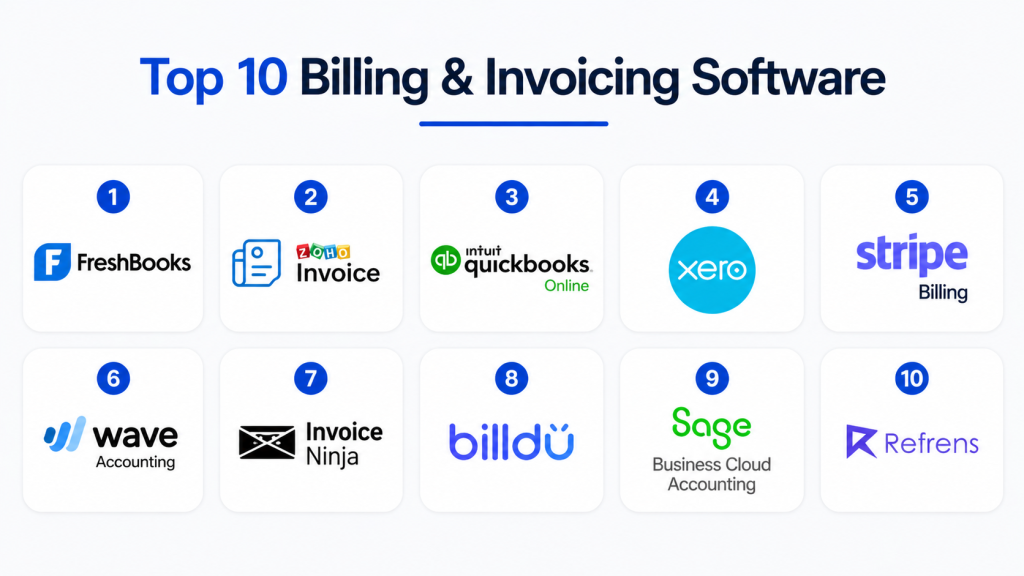
Top 10 Billing & Invoicing Software
#1 — FreshBooks
Short description: FreshBooks is a widely used invoicing and accounting platform designed for freelancers and small businesses. It simplifies invoice creation, expense tracking, and payment collection. Known for its clean interface and ease of use. Offers automated invoicing and recurring billing. Provides strong reporting features. Ideal for service-based businesses. Helps improve cash flow management.
Key Features
- Invoice creation and customization
- Expense tracking
- Recurring billing
- Time tracking
- Payment reminders
Pros
- Very easy to use
- Great for freelancers
Cons
- Limited enterprise features
- Not ideal for complex billing
Platforms / Deployment
Cloud / Mobile
Security & Compliance
Encryption, MFA, RBAC
Integrations & Ecosystem
- Payment gateways
- CRM tools
- Accounting systems
Support & Community
Strong SMB support
#2 — Zoho Invoice
Short description: Zoho Invoice is a free and powerful billing platform for small businesses. It allows users to create professional invoices and track payments. Known for automation and ease of use. Supports multi-currency billing. Integrates well with Zoho ecosystem. Ideal for startups and SMBs. Offers recurring billing and reminders.
Key Features
- Invoice generation
- Payment tracking
- Recurring billing
- Multi-currency support
Pros
- Free plan available
- Easy setup
Cons
- Limited advanced features
- Best within Zoho ecosystem
Platforms / Deployment
Cloud / Mobile
Security & Compliance
RBAC, encryption
Integrations & Ecosystem
- Zoho apps
- Payment gateways
- APIs
Support & Community
Good SMB support
#3 — QuickBooks Online
Short description: QuickBooks Online is one of the most popular accounting and invoicing platforms. It offers billing, accounting, and financial reporting in one system. Designed for SMBs and growing businesses. Provides automated invoicing and payment tracking. Strong integration ecosystem. Ideal for end-to-end financial management.
Key Features
- Invoice creation
- Expense tracking
- Financial reporting
- Tax calculation
- Payment reminders
Pros
- All-in-one solution
- Strong reporting
Cons
- Can be expensive
- Learning curve for beginners
Platforms / Deployment
Cloud
Security & Compliance
Encryption, MFA, RBAC
Integrations & Ecosystem
- Banking systems
- Payment gateways
- ERP tools
Support & Community
Strong global support
#4 — Xero
Short description: Xero is a cloud-based accounting and invoicing software designed for small and mid-sized businesses. It offers billing automation and financial reporting. Known for simplicity and scalability. Provides real-time financial insights. Supports multi-user collaboration. Ideal for growing businesses.
Key Features
- Invoice management
- Bank reconciliation
- Financial reporting
- Recurring billing
Pros
- Easy to use
- Strong collaboration features
Cons
- Limited advanced customization
- Pricing increases with scale
Platforms / Deployment
Cloud
Security & Compliance
RBAC, encryption
Integrations & Ecosystem
- Banking systems
- Payment platforms
- APIs
Support & Community
Good global support
#5 — Stripe Billing
Short description: Stripe Billing is a powerful billing and subscription management platform designed for SaaS and digital businesses. It supports recurring payments, usage-based billing, and global transactions. Highly scalable and developer-friendly. Known for strong API capabilities. Ideal for subscription-based businesses.
Key Features
- Subscription billing
- Usage-based pricing
- Payment automation
- Global payments
Pros
- Highly scalable
- Strong API support
Cons
- Requires technical setup
- Not beginner-friendly
Platforms / Deployment
Cloud / API-based
Security & Compliance
PCI compliance, encryption, RBAC
Integrations & Ecosystem
- SaaS platforms
- Payment gateways
- APIs
Support & Community
Strong developer support
#6 — Wave Accounting
Short description: Wave is a free invoicing and accounting tool designed for freelancers and small businesses. It offers simple invoice creation and payment tracking. Easy to use and affordable. Provides basic financial reporting. Ideal for startups. Supports online payments.
Key Features
- Invoice creation
- Payment tracking
- Expense management
- Reporting tools
Pros
- Free to use
- Simple interface
Cons
- Limited advanced features
- Not scalable for enterprises
Platforms / Deployment
Cloud
Security & Compliance
Basic encryption
Integrations & Ecosystem
- Payment gateways
- APIs
Support & Community
Basic support
#7 — Invoice Ninja
Short description: Invoice Ninja is an open-source invoicing platform designed for freelancers and SMBs. It offers invoice creation, time tracking, and payment management. Known for flexibility and customization. Supports self-hosted deployment. Ideal for developers and small businesses.
Key Features
- Invoice generation
- Time tracking
- Payment integration
- Custom branding
Pros
- Open-source option
- Highly customizable
Cons
- Requires setup effort
- Limited enterprise features
Platforms / Deployment
Cloud / Self-hosted
Security & Compliance
RBAC, encryption
Integrations & Ecosystem
- Payment gateways
- APIs
Support & Community
Strong community support
#8 — Billdu
Short description: Billdu is a mobile-first invoicing solution designed for freelancers and small businesses. It allows users to create invoices quickly and track payments. Easy to use and lightweight. Provides mobile apps for convenience. Suitable for on-the-go billing. Affordable solution.
Key Features
- Mobile invoicing
- Payment tracking
- Invoice templates
- Reporting tools
Pros
- Mobile-friendly
- Easy setup
Cons
- Limited enterprise features
- Basic analytics
Platforms / Deployment
Cloud / Mobile
Security & Compliance
Basic encryption
Integrations & Ecosystem
- Payment gateways
- APIs
Support & Community
Moderate support
#9 — Sage Business Cloud Accounting
Short description: Sage offers invoicing and accounting solutions for small and mid-sized businesses. It provides billing automation, financial reporting, and tax management. Known for reliability and compliance features. Supports global business operations. Ideal for structured financial workflows.
Key Features
- Invoice management
- Tax calculation
- Financial reporting
- Expense tracking
Pros
- Strong compliance support
- Reliable platform
Cons
- UI can feel complex
- Pricing varies
Platforms / Deployment
Cloud
Security & Compliance
RBAC, encryption, MFA
Integrations & Ecosystem
- ERP systems
- Banking tools
- APIs
Support & Community
Strong support
#10 — Refrens
Short description: Refrens is a simple invoicing and billing platform designed for freelancers and SMBs. It provides invoice creation, payment tracking, and reporting tools. Easy to use and affordable. Supports global invoicing. Ideal for small businesses and freelancers.
Key Features
- Invoice creation
- Payment tracking
- Reporting tools
- Client management
Pros
- Affordable
- Simple interface
Cons
- Limited advanced features
- Not for enterprises
Platforms / Deployment
Cloud
Security & Compliance
Basic security
Integrations & Ecosystem
- Payment gateways
- APIs
Support & Community
Moderate support
Comparison Table (Top 10)
| Tool Name | Best For | Platform(s) | Deployment | Standout Feature | Public Rating |
|---|---|---|---|---|---|
| FreshBooks | Freelancers | Mobile/Web | Cloud | Ease of use | N/A |
| Zoho Invoice | SMB | Mobile/Web | Cloud | Free plan | N/A |
| QuickBooks | SMB | Web | Cloud | Accounting suite | N/A |
| Xero | SMB | Web | Cloud | Collaboration | N/A |
| Stripe Billing | SaaS | API/Web | Cloud | Subscription billing | N/A |
| Wave | Freelancers | Web | Cloud | Free invoicing | N/A |
| Invoice Ninja | SMB | Web | Cloud/Self-hosted | Open-source | N/A |
| Billdu | SMB | Mobile/Web | Cloud | Mobile-first | N/A |
| Sage | SMB/Mid | Web | Cloud | Compliance | N/A |
| Refrens | SMB | Web | Cloud | Simplicity | N/A |
Evaluation & Scoring of Billing & Invoicing Software
| Tool | Core | Ease | Integrations | Security | Performance | Support | Value | Total |
|---|---|---|---|---|---|---|---|---|
| FreshBooks | 8 | 9 | 8 | 8 | 8 | 8 | 8 | 8.2 |
| Zoho Invoice | 8 | 9 | 8 | 8 | 8 | 8 | 9 | 8.4 |
| QuickBooks | 9 | 7 | 9 | 9 | 9 | 9 | 7 | 8.6 |
| Xero | 9 | 8 | 9 | 8 | 8 | 8 | 7 | 8.3 |
| Stripe Billing | 9 | 7 | 9 | 9 | 9 | 8 | 7 | 8.5 |
| Wave | 7 | 9 | 7 | 7 | 7 | 7 | 10 | 7.9 |
| Invoice Ninja | 8 | 8 | 8 | 8 | 8 | 8 | 9 | 8.3 |
| Billdu | 7 | 9 | 7 | 7 | 7 | 7 | 8 | 7.6 |
| Sage | 9 | 7 | 8 | 9 | 9 | 9 | 7 | 8.4 |
| Refrens | 7 | 9 | 7 | 7 | 7 | 7 | 9 | 7.8 |
Which Billing & Invoicing Software Is Right for You?
Freelancers
FreshBooks, Wave, Refrens
SMB
Zoho Invoice, QuickBooks, Xero
SaaS Businesses
Stripe Billing, Invoice Ninja
Mid-Market
Sage, QuickBooks
Budget vs Premium
Budget = Wave, Refrens
Premium = Stripe Billing, QuickBooks
Feature Depth vs Ease of Use
Advanced = Stripe Billing, QuickBooks
Simple = Wave, Billdu
Frequently Asked Questions (FAQs)
1. What is billing and invoicing software?
It is software used to create and manage invoices digitally. It automates billing processes. Helps track payments and revenue. Improves financial efficiency. Reduces manual work.
2. How much does it cost?
Pricing varies by tool. Some offer free plans. Others use subscription models. Enterprise tools are more expensive. Costs depend on features.
3. Is it secure?
Yes, most tools include encryption and secure access. Enterprise tools offer advanced security. Compliance depends on vendor. Always verify security features.
4. Can it integrate with accounting software?
Yes, most tools integrate with accounting systems. APIs enable connectivity. Integration improves financial accuracy. Enterprise tools offer deeper integration.
5. Who should use it?
Freelancers, SMBs, SaaS companies, and enterprises. Any business issuing invoices benefits. Helps scale operations. Improves cash flow.
6. Can I use it for recurring billing?
Yes, many tools support subscriptions. Stripe Billing specializes in this. Useful for SaaS businesses. Automates revenue collection.
7. Is it easy to use?
Most SMB tools are easy to use. Enterprise tools may require training. UI varies by platform. Onboarding support is usually provided.
8. Can I switch tools later?
Yes, but migration is required. Data transfer may be complex. Integration updates are needed. Planning is important.
9. Do freelancers need invoicing software?
Yes, it simplifies billing and payments. Saves time and effort. Helps maintain financial records. Improves professionalism.
10. What are alternatives?
Spreadsheets or accounting tools can be used. However, they lack automation. Dedicated software is more efficient. Scales better with business growth.
Conclusion
Billing & Invoicing software plays a crucial role in modern financial operations by automating invoice creation, payment tracking, and revenue management. With features like AI automation, recurring billing, and secure payment processing, these tools help businesses improve cash flow, reduce manual errors, and streamline financial workflows.
The right solution depends on your business size and complexity. Freelancers and SMBs benefit from simple tools like FreshBooks or Zoho Invoice, while SaaS and enterprise companies require advanced platforms like Stripe Billing or QuickBooks. Instead of focusing only on features, prioritize ease of use, integration capability, and scalability. Start with a shortlist, test workflows, and choose the platform that best aligns with your financial operations.
