Introduction
Robotics Simulation Tools are software platforms that allow developers, researchers, and engineers to design, test, and validate robotic systems in a virtual environment before deploying them in the real world. These tools simulate physics, sensors, environments, and robot behavior to reduce development risk and cost.
As robotics adoption grows across industries like manufacturing, logistics, healthcare, and autonomous systems, simulation has become essential. It enables faster prototyping, safer testing, and scalable experimentation without physical constraints. With advancements in AI and digital twins, robotics simulation tools are now more realistic, intelligent, and integrated into development pipelines.
Common use cases include:
- Autonomous robot development
- Industrial automation testing
- Drone and UAV simulation
- Robotics research and education
- Digital twin environments
Key evaluation criteria buyers should consider:
- Physics engine accuracy
- Sensor and environment simulation
- Integration with ROS and AI frameworks
- Scalability and performance
- Real-time simulation capabilities
- Ease of use and UI
- Hardware compatibility
- Support and community
Best for: Robotics engineers, AI developers, researchers, automation teams, and enterprises building robotic systems
Not ideal for: Simple automation tasks without robotics components
Key Trends in Robotics Simulation Tools
- AI-driven simulation environments
- Digital twin technology
- Real-time physics simulation
- Cloud-based simulation platforms
- Integration with ROS and ML frameworks
- Multi-robot simulation
- Photorealistic environments
- Autonomous system testing
Methodology
- Market adoption and popularity
- Feature completeness
- Simulation accuracy
- Integration capabilities
- Performance and scalability
- Ease of use
- Community support
- Value for development
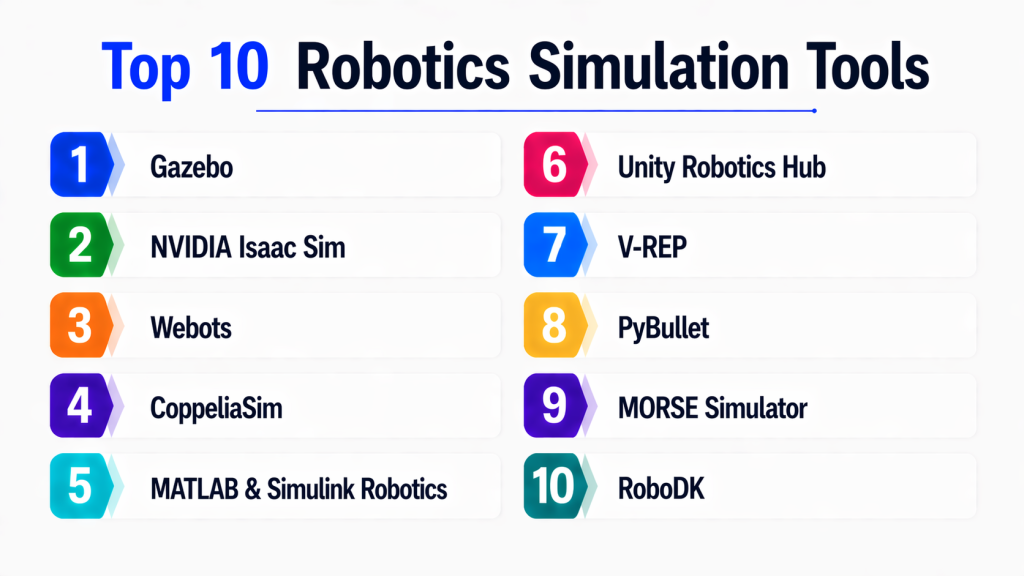
Top 10 Robotics Simulation Tools
#1 — Gazebo
Short description:
Gazebo is one of the most widely used open-source robotics simulation tools. It provides realistic physics simulation and supports integration with ROS. The platform allows developers to simulate robots, sensors, and environments. It is highly flexible and widely used in research. It is ideal for robotics development and testing.
Key Features
- Physics simulation
- Sensor simulation
- ROS integration
- Environment modeling
- Multi-robot support
Pros
- Open-source
- Highly flexible
Cons
- Complex setup
- Requires expertise
Platforms / Deployment
- Linux / Cloud
#2 — NVIDIA Isaac Sim
Short description:
NVIDIA Isaac Sim is a high-performance robotics simulation platform built on Omniverse. It provides photorealistic environments and advanced physics simulation. The platform supports AI and deep learning workflows. It is optimized for GPU performance. It is ideal for advanced robotics and AI simulation.
Key Features
- Photorealistic simulation
- AI integration
- Physics engine
- Sensor simulation
- GPU acceleration
Pros
- High realism
- Strong AI support
Cons
- Hardware requirements
- Complex setup
Platforms / Deployment
- Cloud / Linux
#3 — Webots
Short description:
Webots is a user-friendly robotics simulation platform that supports multiple robot types. It provides realistic simulation environments and easy programming interfaces. The platform is widely used in education and research. It supports multiple programming languages. It is ideal for beginners and academic use.
Key Features
- Robot simulation
- Multi-language support
- Environment modeling
- Sensors
- Visualization
Pros
- Easy to use
- Good documentation
Cons
- Limited advanced features
- Performance constraints
Platforms / Deployment
- Windows / macOS / Linux
#4 — CoppeliaSim (V-REP)
Short description:
CoppeliaSim is a versatile robotics simulation platform that supports multiple simulation approaches. It provides a flexible environment for testing robotic systems. The platform supports scripting and APIs. It is widely used in research. It is ideal for complex simulations.
Key Features
- Multi-robot simulation
- Scripting
- APIs
- Physics engines
- Visualization
Pros
- Flexible
- Powerful
Cons
- Learning curve
- UI complexity
Platforms / Deployment
- Windows / macOS / Linux
#5 — MATLAB & Simulink Robotics
Short description:
MATLAB & Simulink provide tools for modeling, simulating, and analyzing robotic systems. They offer strong integration with control systems and AI workflows. The platform is widely used in academia and industry. It supports simulation and prototyping. It is ideal for engineering applications.
Key Features
- Modeling
- Simulation
- Control systems
- AI integration
- Visualization
Pros
- Powerful tools
- Industry standard
Cons
- Expensive
- Licensing
Platforms / Deployment
- Windows / Linux
#6 — Unity Robotics Hub
Short description:
Unity Robotics Hub enables robotics simulation using the Unity game engine. It provides realistic 3D environments and supports ROS integration. The platform is widely used for simulation and visualization. It is ideal for AI-driven robotics.
Key Features
- 3D simulation
- ROS integration
- Visualization
- Physics
- Real-time rendering
Pros
- High-quality visuals
- Flexible
Cons
- Requires Unity knowledge
- Setup complexity
Platforms / Deployment
- Windows / macOS
#7 — V-REP (Legacy CoppeliaSim version)
Short description:
V-REP is an earlier version of CoppeliaSim, still used in some environments. It supports robotics simulation and scripting. It provides flexible simulation capabilities. It is widely used in academic setups. It is ideal for legacy systems.
Key Features
- Simulation
- Scripting
- APIs
- Multi-robot support
- Visualization
Pros
- Flexible
- Open ecosystem
Cons
- Outdated
- Limited support
Platforms / Deployment
- Windows / Linux
#8 — PyBullet
Short description:
PyBullet is a lightweight physics simulation tool for robotics and AI. It is widely used for reinforcement learning and robotics research. The platform supports Python integration. It is fast and easy to use. It is ideal for prototyping.
Key Features
- Physics engine
- Python API
- Simulation
- Reinforcement learning
- Visualization
Pros
- Lightweight
- Easy integration
Cons
- Limited realism
- Basic UI
Platforms / Deployment
- Cross-platform
#9 — MORSE Simulator
Short description:
MORSE is a robotics simulation environment focused on academic and research use. It integrates with ROS and supports sensor simulation. The platform is designed for experimentation. It is ideal for educational purposes.
Key Features
- ROS integration
- Sensor simulation
- Environment modeling
- Simulation
- APIs
Pros
- Research-friendly
- Open-source
Cons
- Limited updates
- Smaller community
Platforms / Deployment
- Linux
#10 — RoboDK
Short description:
RoboDK is a robotics simulation software focused on industrial automation and robot programming. It supports offline programming and simulation. The platform integrates with industrial robots. It is widely used in manufacturing. It is ideal for industrial applications.
Key Features
- Robot programming
- Simulation
- Industrial integration
- Visualization
- Offline programming
Pros
- Industrial focus
- Easy to use
Cons
- Limited AI features
- Cost
Platforms / Deployment
- Windows / macOS / Linux
Comparison Table (Top 10 Robotics Simulation Tools)
| Tool Name | Best For | Platform(s) Supported | Deployment | Standout Feature | Public Rating |
|---|---|---|---|---|---|
| Gazebo | Research | Linux | Hybrid | ROS integration | N/A |
| Isaac Sim | AI robotics | Linux | Cloud | Photorealism | N/A |
| Webots | Education | Multi | Local | Ease of use | N/A |
| CoppeliaSim | Advanced sim | Multi | Local | Flexibility | N/A |
| MATLAB | Engineering | Multi | Local | Modeling | N/A |
| Unity Hub | Visualization | Multi | Local | 3D rendering | N/A |
| V-REP | Legacy | Multi | Local | Scripting | N/A |
| PyBullet | AI/ML | Multi | Local | Lightweight | N/A |
| MORSE | Research | Linux | Local | Open-source | N/A |
| RoboDK | Industry | Multi | Local | Robot programming | N/A |
Evaluation & Scoring of Robotics Simulation Tools
| Tool Name | Core (25%) | Ease (15%) | Integrations (15%) | Security (10%) | Performance (10%) | Support (10%) | Value (15%) | Weighted Total |
|---|---|---|---|---|---|---|---|---|
| Gazebo | 9 | 6 | 9 | 7 | 8 | 9 | 8 | 8.2 |
| Isaac Sim | 9 | 6 | 8 | 8 | 9 | 8 | 7 | 8.1 |
| Webots | 7 | 9 | 7 | 6 | 7 | 7 | 8 | 7.6 |
| CoppeliaSim | 8 | 7 | 8 | 7 | 8 | 8 | 8 | 7.9 |
| MATLAB | 9 | 7 | 9 | 8 | 8 | 8 | 6 | 8.0 |
| Unity Hub | 8 | 7 | 8 | 7 | 8 | 7 | 7 | 7.7 |
| V-REP | 7 | 6 | 7 | 6 | 7 | 6 | 7 | 6.8 |
| PyBullet | 7 | 9 | 7 | 6 | 8 | 7 | 8 | 7.7 |
| MORSE | 6 | 7 | 7 | 6 | 7 | 6 | 7 | 6.9 |
| RoboDK | 8 | 8 | 7 | 7 | 8 | 7 | 7 | 7.8 |
Which Robotics Simulation Tool Is Right for You?
Solo / Freelancer
- PyBullet, Webots
SMB
- Unity Robotics Hub, CoppeliaSim
Mid-Market
- Gazebo, RoboDK
Enterprise
- NVIDIA Isaac Sim, MATLAB
Frequently Asked Questions (FAQs)
1. What are robotics simulation tools?
Robotics simulation tools allow developers to test robots in virtual environments. They simulate physics, sensors, and behavior. They reduce risk and cost. They improve development speed. They are essential for robotics.
2. Why are simulation tools important?
They allow safe testing before real deployment. They reduce hardware dependency. They improve accuracy. They speed up development. They enable experimentation.
3. Who should use them?
Robotics engineers, researchers, and developers. Companies building robots. Academic institutions. AI teams. Anyone working with robotics.
4. Are these tools AI-compatible?
Yes, many tools support AI and ML integration. They are used for reinforcement learning. They enable AI training. They support automation. They are widely used.
5. Are they expensive?
Some tools are free and open-source. Others require licenses. Cost depends on features. Enterprise tools are expensive. Budget matters.
6. Can they scale?
Yes, many tools scale well. Cloud-based tools offer better scalability. Performance depends on hardware. Scalability is important. Enterprise tools scale better.
7. Do they support real-time simulation?
Yes, many tools support real-time simulation. It depends on system capability. Real-time is important for robotics. It improves accuracy. It enhances testing.
8. How do I choose the right tool?
Evaluate features and use case. Consider integration needs. Test tools before choosing. Check scalability. Select best fit.
9. What industries use these tools?
Manufacturing, logistics, healthcare, and research. Robotics is widely used. Simulation tools support development. Adoption is growing. They are essential.
10. Are they easy to use?
Some tools are beginner-friendly. Others require expertise. Learning depends on complexity. Documentation helps. Choose based on skill level.
Conclusion
Robotics simulation tools are essential for developing, testing, and deploying robotic systems efficiently and safely. They enable developers to experiment with complex environments, reduce costs, and accelerate innovation. As robotics continues to evolve, simulation tools are becoming more advanced, integrating AI and digital twin technologies to create highly realistic environments.
Choosing the right tool depends on your technical expertise, project scale, and industry requirements. While open-source tools provide flexibility and cost efficiency, enterprise platforms offer scalability and advanced features. A practical approach is to test a few tools, evaluate their performance in real-world scenarios, and select the one that aligns with your robotics development strategy.
