Introduction
Data Science Platforms are integrated environments that enable teams to build, train, deploy, and manage data models at scale. These platforms combine data preparation, machine learning, visualization, and deployment tools into a unified ecosystem, helping organizations turn raw data into actionable insights.
In the modern AI-driven landscape, data science platforms are critical for accelerating innovation, enabling collaboration, and operationalizing machine learning. As businesses increasingly adopt AI and analytics, these platforms help streamline workflows, reduce time-to-insight, and ensure governance and security.
Common use cases include:
- Predictive analytics and forecasting
- Machine learning model development
- Data exploration and visualization
- AI-powered automation
- Customer behavior analysis
Key evaluation criteria buyers should consider:
- Ease of use and learning curve
- Scalability and performance
- Integration with data sources
- Security and compliance features
- Collaboration capabilities
- Deployment flexibility
- Support for AI/ML workflows
- Cost and licensing model
Best for: Data scientists, ML engineers, analytics teams, enterprises adopting AI, and organizations with large data ecosystems.
Not ideal for: Small teams with minimal data needs, organizations requiring only basic analytics tools, or those preferring lightweight scripting environments.
Key Trends in Data Science Platforms
- AutoML adoption: Automated model building and optimization
- AI-assisted development: Copilots and intelligent code suggestions
- Unified platforms: Integration of data engineering, ML, and analytics
- Cloud-first deployments: Managed services dominating adoption
- MLOps maturity: Better lifecycle management for models
- Low-code/no-code tools: Enabling non-technical users
- Data governance integration: Strong compliance and lineage tracking
- Real-time + batch hybrid systems: Unified pipelines
- Open ecosystem support: APIs and plugin architectures
How We Evaluated Data Science Platforms (Methodology)
- Industry adoption and enterprise usage
- Breadth of features across ML lifecycle
- Performance and scalability
- Security and compliance capabilities
- Integration with modern data stacks
- Ease of use and onboarding
- Community and support ecosystem
- Cost-effectiveness and flexibility
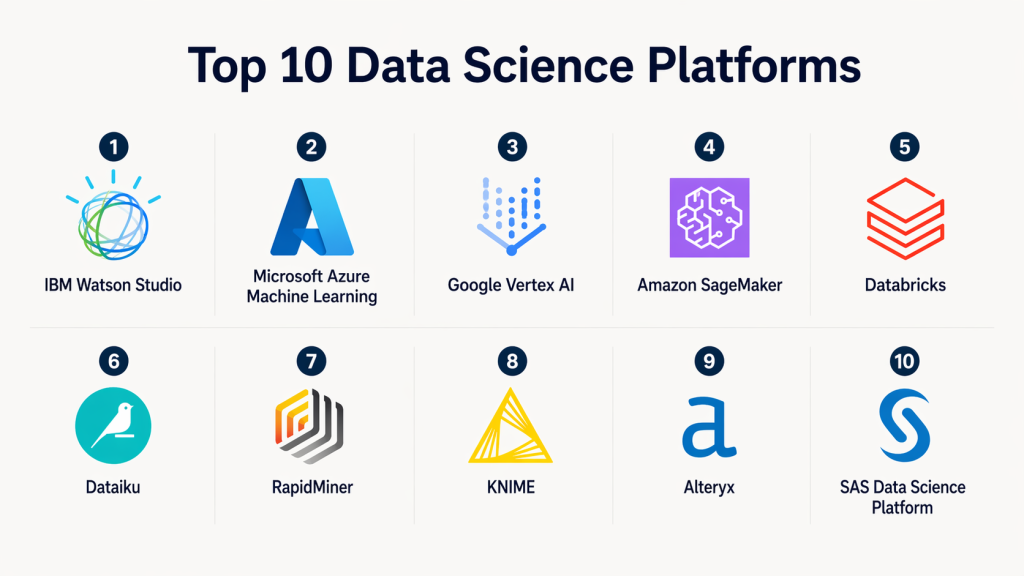
Top 10 Data Science Platforms
#1 — IBM Watson Studio
Short description:
IBM Watson Studio is a comprehensive data science and AI platform designed for enterprises. It enables teams to build, train, and deploy machine learning models using collaborative tools, notebooks, and AutoML features. It is well-suited for regulated industries and large-scale AI deployments.
Key Features
- AutoML capabilities
- Jupyter notebooks integration
- Model lifecycle management
- Data preparation tools
- Collaboration workspace
Pros
- Enterprise-grade capabilities
- Strong governance features
Cons
- Complex interface
- Premium pricing
Platforms / Deployment
- Cloud / Hybrid
Security & Compliance
- Encryption, RBAC, enterprise compliance support
Integrations & Ecosystem
Integrates with IBM Cloud services and enterprise data systems.
- Data warehouses
- APIs
- AI services
Support & Community
Enterprise-level support with strong documentation.
#2 — Microsoft Azure Machine Learning
Short description:
Azure Machine Learning is a cloud-based platform that provides tools for building, training, and deploying machine learning models. It supports both code-first and low-code approaches, making it suitable for teams of all skill levels.
Key Features
- Automated ML
- Model deployment pipelines
- MLOps integration
- Experiment tracking
- Scalable compute
Pros
- Seamless Azure integration
- Flexible development options
Cons
- Azure dependency
- Learning curve for beginners
Platforms / Deployment
- Cloud
Security & Compliance
- Azure AD, encryption, compliance certifications
Integrations & Ecosystem
- Azure Data Factory
- Power BI
- Databricks
Support & Community
Strong Microsoft ecosystem and enterprise support.
#3 — Google Vertex AI
Short description:
Google Vertex AI is a unified platform for machine learning development and deployment. It combines AutoML and custom model training with scalable infrastructure, making it ideal for advanced AI workflows.
Key Features
- Unified ML platform
- AutoML and custom training
- Feature store
- Model monitoring
- Pipeline orchestration
Pros
- Highly scalable
- Advanced AI capabilities
Cons
- Requires GCP knowledge
- Pricing complexity
Platforms / Deployment
- Cloud
Security & Compliance
- IAM, encryption, audit logging
Integrations & Ecosystem
- BigQuery
- TensorFlow
- Kubernetes
Support & Community
Strong cloud-native support.
#4 — Amazon SageMaker
Short description:
Amazon SageMaker is a fully managed machine learning platform that simplifies building, training, and deploying models at scale. It provides end-to-end ML lifecycle support.
Key Features
- Managed training environments
- AutoML
- Model deployment
- Data labeling tools
- Monitoring
Pros
- End-to-end ML platform
- Scalable infrastructure
Cons
- AWS lock-in
- Complex pricing
Platforms / Deployment
- Cloud
Security & Compliance
- IAM, encryption, compliance frameworks
Integrations & Ecosystem
- S3
- Lambda
- AWS analytics tools
Support & Community
Strong AWS ecosystem and support.
#5 — Databricks
Short description:
Databricks is a unified data platform built on Apache Spark that combines data engineering, data science, and ML. It is widely used for large-scale analytics and AI workloads.
Key Features
- Unified analytics platform
- Spark-based processing
- Collaborative notebooks
- MLflow integration
- Data lake support
Pros
- High performance
- Strong collaboration features
Cons
- Cost can scale quickly
- Requires expertise
Platforms / Deployment
- Cloud
Security & Compliance
- RBAC, encryption, enterprise security
Integrations & Ecosystem
- AWS, Azure, GCP
- Data lakes
- BI tools
Support & Community
Large community and enterprise support.
#6 — Dataiku
Short description:
Dataiku is a collaborative data science platform that combines data preparation, machine learning, and analytics into one interface. It supports both technical and non-technical users.
Key Features
- Visual workflows
- AutoML
- Data preparation tools
- Collaboration features
- Deployment automation
Pros
- User-friendly interface
- Strong collaboration
Cons
- Expensive
- Requires training
Platforms / Deployment
- Cloud / On-premise
Security & Compliance
- RBAC, governance features
Integrations & Ecosystem
- Databases
- Cloud platforms
- APIs
Support & Community
Enterprise support with growing community.
#7 — RapidMiner
Short description:
RapidMiner is a data science platform focused on ease of use with visual workflows. It enables users to build and deploy models without extensive coding.
Key Features
- Drag-and-drop interface
- Machine learning library
- Data preparation tools
- Model validation
- Visualization
Pros
- Beginner-friendly
- No-code/low-code
Cons
- Limited scalability
- Fewer advanced features
Platforms / Deployment
- Desktop / Cloud
Security & Compliance
- Not publicly stated
Integrations & Ecosystem
- Databases
- APIs
Support & Community
Moderate community support.
#8 — KNIME
Short description:
KNIME is an open-source data analytics and data science platform known for its modular workflows and extensibility. It is popular among analysts and researchers.
Key Features
- Visual workflows
- Open-source core
- Extensible plugins
- Data integration tools
- Analytics capabilities
Pros
- Free and flexible
- Strong community
Cons
- UI can feel outdated
- Performance limitations
Platforms / Deployment
- Desktop / Server
Security & Compliance
- Not publicly stated
Integrations & Ecosystem
- Python
- R
- Databases
Support & Community
Strong open-source community.
#9 — Alteryx
Short description:
Alteryx is a data analytics platform that combines data preparation, blending, and advanced analytics with a user-friendly interface.
Key Features
- Drag-and-drop workflows
- Data blending
- Advanced analytics
- Automation
- Visualization
Pros
- Easy to use
- Strong analytics capabilities
Cons
- High cost
- Limited ML depth
Platforms / Deployment
- Desktop / Cloud
Security & Compliance
- Enterprise security features
Integrations & Ecosystem
- Databases
- BI tools
- Cloud platforms
Support & Community
Strong enterprise support.
#10 — SAS Data Science Platform
Short description:
SAS offers a comprehensive data science platform with advanced analytics, machine learning, and AI capabilities tailored for enterprise use.
Key Features
- Advanced analytics
- Machine learning
- Data management
- Visualization
- Governance
Pros
- Highly reliable
- Enterprise-grade features
Cons
- Expensive
- Requires expertise
Platforms / Deployment
- Cloud / On-premise
Security & Compliance
- Enterprise-grade compliance support
Integrations & Ecosystem
- Databases
- Enterprise systems
- APIs
Support & Community
Strong enterprise support.
Comparison Table (Top 10)
| Tool | Best For | Platform | Deployment | Standout Feature | Rating |
|---|---|---|---|---|---|
| IBM Watson Studio | Enterprise AI | Cloud | Hybrid | AutoML | N/A |
| Azure ML | Microsoft ecosystem | Cloud | Cloud | MLOps | N/A |
| Vertex AI | Advanced ML | Cloud | Cloud | Unified AI | N/A |
| SageMaker | AWS users | Cloud | Cloud | End-to-end ML | N/A |
| Databricks | Big data ML | Cloud | Cloud | Spark-based | N/A |
| Dataiku | Collaboration | Multi | Hybrid | Visual workflows | N/A |
| RapidMiner | Beginners | Desktop | Cloud | No-code ML | N/A |
| KNIME | Open-source users | Desktop | Self-hosted | Modular workflows | N/A |
| Alteryx | Analytics teams | Desktop | Cloud | Data blending | N/A |
| SAS | Enterprises | Multi | Hybrid | Advanced analytics | N/A |
Evaluation & Scoring
| Tool | Core | Ease | Integration | Security | Performance | Support | Value | Total |
|---|---|---|---|---|---|---|---|---|
| Databricks | 9 | 7 | 9 | 8 | 9 | 9 | 8 | 8.6 |
| SageMaker | 9 | 7 | 9 | 9 | 8 | 8 | 7 | 8.3 |
| Vertex AI | 9 | 7 | 8 | 9 | 8 | 8 | 7 | 8.2 |
| Azure ML | 8 | 8 | 9 | 9 | 8 | 8 | 7 | 8.2 |
| Watson Studio | 8 | 6 | 8 | 9 | 7 | 8 | 6 | 7.6 |
| Dataiku | 8 | 8 | 7 | 8 | 7 | 7 | 7 | 7.6 |
| SAS | 9 | 6 | 8 | 9 | 8 | 8 | 6 | 7.8 |
| Alteryx | 7 | 9 | 7 | 8 | 7 | 7 | 6 | 7.5 |
| KNIME | 7 | 8 | 6 | 6 | 6 | 7 | 9 | 7.0 |
| RapidMiner | 6 | 9 | 6 | 6 | 6 | 6 | 8 | 6.8 |
Interpretation:
Scores reflect relative strengths across categories. Higher scores indicate balanced capabilities across enterprise needs, usability, and scalability. Choose based on your priorities rather than total score alone.
Which Data Science Platform Is Right for You?
Solo / Freelancer
- KNIME, RapidMiner
SMB
- Dataiku, Alteryx
Mid-Market
- Azure ML, Databricks
Enterprise
- SageMaker, Vertex AI, SAS
Budget vs Premium
- Budget: KNIME
- Premium: SAS, Databricks
Feature Depth vs Ease
- Deep: Vertex AI, SageMaker
- Easy: Alteryx, RapidMiner
Security Needs
- Strong: Azure ML, SageMaker
FAQs
1. What is a data science platform?
A data science platform is a unified environment that helps teams build, train, deploy, and manage machine learning models. It combines tools for data preparation, analytics, modeling, and deployment in a single ecosystem. These platforms simplify workflows and improve collaboration between data scientists and engineers.
2. Which platform is best for beginners?
Beginner-friendly platforms include RapidMiner and KNIME because they offer drag-and-drop interfaces and require minimal coding. These tools help users understand data workflows without needing advanced programming knowledge, making them ideal for learning and small projects.
3. Are these platforms cloud-based?
Most modern data science platforms are cloud-based, offering scalability and managed infrastructure. However, some tools also support on-premise or hybrid deployments, allowing organizations to choose based on their security and compliance needs.
4. How secure are data science platforms?
Security varies by platform. Enterprise tools like Azure ML, SageMaker, and SAS provide strong security features such as encryption, access control, and compliance support. Open-source tools may require additional configuration to meet enterprise standards.
5. Can these platforms handle big data?
Yes, platforms like Databricks, SageMaker, and Vertex AI are designed to handle large-scale data processing. They use distributed computing and scalable infrastructure to manage big data efficiently.
6. What is AutoML?
AutoML automates parts of the machine learning process, such as model selection and tuning. It allows users to build models quickly without deep expertise in data science, making AI more accessible.
7. How do I choose the right platform?
Choosing the right platform depends on your use case, budget, technical expertise, and integration needs. Evaluate tools based on scalability, ease of use, and compatibility with your existing data ecosystem.
8. Are open-source tools reliable?
Open-source tools like KNIME are reliable and widely used, but they may lack enterprise-level support and advanced features. They are best suited for small teams or experimental projects.
9. What are common mistakes to avoid?
Common mistakes include choosing overly complex tools, ignoring integration requirements, and underestimating costs. It’s important to align the platform with your team’s skills and business needs.
10. Is switching platforms difficult?
Switching platforms can be challenging due to differences in architecture and workflows. Proper planning, data migration strategies, and compatibility checks can help reduce complexity during transitions.
Conclusion
Data science platforms have become essential for organizations aiming to leverage AI and analytics effectively. From enterprise-grade solutions like SAS and Databricks to beginner-friendly tools like KNIME and RapidMiner, the ecosystem offers a wide range of options tailored to different needs. These platforms not only accelerate model development but also help ensure scalability, governance, and collaboration across teams.
Ultimately, the best platform depends on your organization’s goals, technical capabilities, and budget. Rather than choosing based on popularity alone, focus on how well the platform integrates with your data ecosystem and supports your workflows. A practical approach is to shortlist a few platforms, test them with real use cases, and validate their performance, scalability, and security before making a final decision.
