Introduction
Multi-Factor Authentication (MFA) is a security method that requires users to verify their identity using two or more authentication factors before gaining access to systems, applications, or data. These factors typically include something you know (password), something you have (OTP, device), and something you are (biometrics).
In modern cybersecurity environments, MFA has become essential due to rising credential theft, phishing attacks, and identity-based breaches. With remote work, cloud adoption, and API-driven systems, relying on passwords alone is no longer sufficient. MFA adds a critical extra layer of protection that significantly reduces unauthorized access risks.
Real-world use cases:
- Securing employee logins across SaaS tools
- Protecting financial and banking applications
- Enabling secure remote access (VPN, cloud apps)
- Safeguarding customer accounts in eCommerce and fintech
- Securing APIs and developer access
What buyers should evaluate:
- Supported authentication factors (OTP, push, biometrics)
- Ease of deployment and user onboarding
- Integration with IAM, SSO, and applications
- Adaptive and risk-based authentication
- Scalability across users and devices
- User experience and login friction
- Offline authentication capabilities
- Security policies and access control
- Compliance readiness
- Pricing and licensing model
Best for: Enterprises, SaaS companies, fintech, healthcare, government, and any organization handling sensitive user data.
Not ideal for: Very small systems with minimal security exposure and no critical user authentication requirements.
Key Trends in Multi-Factor Authentication (MFA)
- Rapid shift toward passwordless authentication
- AI-driven adaptive authentication based on risk signals
- Biometric authentication adoption (face, fingerprint)
- Integration with Zero Trust security frameworks
- Growth of mobile push-based authentication
- Hardware-based authentication (security keys)
- Continuous authentication models
- API-first authentication for developers
- Reduction in SMS-based authentication reliance
- Identity analytics and fraud detection integration
How We Selected These Tools (Methodology)
- Market adoption and enterprise usage
- Feature completeness across authentication methods
- Security strength and reliability
- Integration ecosystem (SSO, IAM, APIs)
- Ease of deployment and usability
- Scalability across industries and company sizes
- Support for modern authentication standards
- Performance under large-scale usage
- Flexibility across deployment models
- Vendor ecosystem maturity
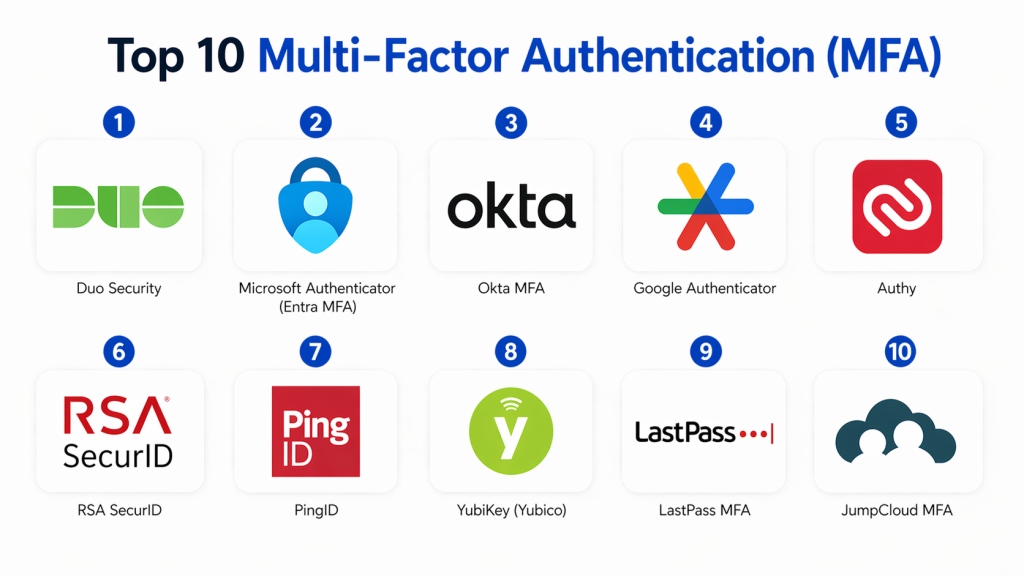
Top 10 Multi-Factor Authentication (MFA)
#1 — Duo Security
Short description :
Duo Security is a widely used MFA solution offering secure authentication for users, devices, and applications. It provides push notifications, OTP, and biometric authentication options. It is easy to deploy and integrates well with enterprise systems. Duo is suitable for SMBs and enterprises alike. It focuses on user-friendly security. It is known for strong usability and scalability.
Key Features
- Push-based authentication
- Device trust verification
- Adaptive authentication
- Endpoint visibility
- VPN and app protection
- User-friendly dashboard
Pros
- Easy to deploy
- Strong user experience
- Broad integrations
Cons
- Advanced features cost more
- Limited customization compared to enterprise-heavy tools
Platforms / Deployment
- Cloud
Security & Compliance
- MFA, encryption, RBAC
- Compliance: Not publicly stated
Integrations & Ecosystem
- VPN systems
- SaaS applications
- APIs
Support & Community
- Strong support
- Widely adopted
#2 — Microsoft Authenticator (Entra MFA)
Short description :
Microsoft Authenticator provides MFA integrated with Microsoft Entra ID and Microsoft 365. It enables secure login using push notifications, OTP, and passwordless options. It is widely used in enterprise environments. It offers strong integration with Microsoft services. It supports hybrid identity models. It is ideal for Microsoft-based organizations.
Key Features
- Push notifications
- Passwordless login
- Conditional access
- Device authentication
- Risk-based policies
Pros
- Strong Microsoft integration
- Easy deployment
- Enterprise-grade security
Cons
- Limited outside Microsoft ecosystem
- Requires configuration expertise
Platforms / Deployment
- Cloud
Security & Compliance
- MFA, RBAC, encryption
- Compliance: Not publicly stated
Integrations & Ecosystem
- Microsoft ecosystem
- Azure services
- SaaS apps
Support & Community
- Enterprise support
- Large user base
#3 — Okta MFA
Short description :
Okta MFA is part of the Okta identity platform and provides secure multi-factor authentication. It supports multiple authentication factors including push, OTP, and biometrics. It integrates with SSO and IAM systems. It is widely used in enterprise environments. It offers adaptive authentication features. It is known for flexibility and scalability.
Key Features
- Push authentication
- Adaptive MFA
- Biometric support
- Risk-based policies
- API authentication
Pros
- Strong ecosystem
- Flexible deployment
- Enterprise scalability
Cons
- Expensive at scale
- Complex advanced setup
Platforms / Deployment
- Cloud
Security & Compliance
- SAML, OAuth, MFA
- Compliance: Not publicly stated
Integrations & Ecosystem
- SaaS apps
- APIs
- Enterprise systems
Support & Community
- Enterprise support
- Developer community
#4 — Google Authenticator
Short description :
Google Authenticator is a simple and widely used OTP-based MFA app. It generates time-based one-time passwords for secure login. It works offline and supports multiple accounts. It is lightweight and easy to use. It is ideal for individuals and small teams. It is one of the most popular MFA tools globally.
Key Features
- Time-based OTP
- Offline authentication
- Multi-account support
- Simple setup
- Cross-platform usage
Pros
- Free and easy
- Offline capability
- Widely supported
Cons
- No push authentication
- Limited enterprise features
Platforms / Deployment
- Mobile
Security & Compliance
- OTP-based authentication
- Compliance: Not publicly stated
Integrations & Ecosystem
- Works with most platforms supporting OTP
- Broad compatibility
Support & Community
- Community support
- Basic documentation
#5 — Authy
Short description :
Authy is a multi-device MFA application offering OTP-based authentication with backup and synchronization. It provides secure login for individuals and teams. It supports encrypted backups and device synchronization. It is user-friendly and widely used. It is ideal for both personal and business use.
Key Features
- OTP generation
- Multi-device sync
- Encrypted backups
- Offline access
- App-based authentication
Pros
- Easy to use
- Backup support
- Multi-device capability
Cons
- Limited enterprise features
- Requires account setup
Platforms / Deployment
- Mobile / Desktop
Security & Compliance
- OTP, encryption
- Compliance: Not publicly stated
Integrations & Ecosystem
- Broad OTP compatibility
- App integrations
Support & Community
- Good support
- Large user base
#6 — RSA SecurID
Short description :
RSA SecurID is a long-established MFA solution offering token-based authentication. It supports hardware and software tokens. It is widely used in enterprise environments. It provides strong security controls. It is ideal for regulated industries. It offers reliable authentication solutions.
Key Features
- Hardware tokens
- Software tokens
- Risk-based authentication
- Identity assurance
- Access control
Pros
- Strong security reputation
- Enterprise-grade
- Reliable
Cons
- Expensive
- Complex setup
Platforms / Deployment
- Cloud / On-prem
Security & Compliance
- MFA, encryption
- Compliance: Not publicly stated
Integrations & Ecosystem
- Enterprise systems
- Security platforms
Support & Community
- Enterprise support
#7 — PingID
Short description :
PingID is an MFA solution from Ping Identity offering adaptive authentication and strong security. It supports push notifications, biometrics, and OTP. It integrates with enterprise identity systems. It is suitable for large organizations. It offers flexible deployment.
Key Features
- Push authentication
- Biometric login
- Adaptive MFA
- Device trust
- API integration
Pros
- Flexible deployment
- Strong security
- Enterprise-ready
Cons
- Complex setup
- Requires expertise
Platforms / Deployment
- Cloud / Hybrid
Security & Compliance
- MFA, RBAC
- Compliance: Not publicly stated
Integrations & Ecosystem
- Enterprise systems
- APIs
Support & Community
- Enterprise support
#8 — YubiKey (Yubico)
Short description :
YubiKey is a hardware-based MFA device providing strong authentication using physical security keys. It supports passwordless login and phishing-resistant authentication. It is widely used in high-security environments. It is ideal for enterprises and developers. It offers strong protection against credential theft.
Key Features
- Hardware authentication
- Passwordless login
- FIDO2 support
- USB/NFC support
- Phishing-resistant security
Pros
- Extremely secure
- No network dependency
- Durable
Cons
- Requires physical device
- Cost per user
Platforms / Deployment
- Hardware / Cross-platform
Security & Compliance
- MFA, FIDO2
- Compliance: Not publicly stated
Integrations & Ecosystem
- Enterprise systems
- Identity platforms
Support & Community
- Strong community
- Enterprise support
#9 — LastPass MFA
Short description :
LastPass MFA provides secure authentication integrated with password management solutions. It supports push notifications and OTP. It is easy to use and deploy. It is suitable for SMBs. It enhances security for password-based systems.
Key Features
- Push authentication
- OTP support
- Integration with password manager
- Easy deployment
- Multi-device support
Pros
- Simple setup
- Good usability
- SMB-friendly
Cons
- Limited enterprise features
- Depends on password ecosystem
Platforms / Deployment
- Cloud
Security & Compliance
- MFA, encryption
- Compliance: Not publicly stated
Integrations & Ecosystem
- Password management tools
- SaaS apps
Support & Community
- Good support
#10 — JumpCloud MFA
Short description :
JumpCloud MFA is part of the JumpCloud identity platform offering secure authentication for users and devices. It supports push notifications, OTP, and policy-based access. It integrates with directory services. It is suitable for SMB and mid-market organizations. It offers strong identity control.
Key Features
- MFA authentication
- Directory integration
- Device management
- Policy-based access
- Cloud directory
Pros
- Easy integration
- Strong identity platform
- Good scalability
Cons
- Limited enterprise depth
- Requires ecosystem adoption
Platforms / Deployment
- Cloud
Security & Compliance
- MFA, RBAC
- Compliance: Not publicly stated
Integrations & Ecosystem
- Directory services
- SaaS apps
Support & Community
- Good support
Comparison Table
| Tool | Best For | Platform | Deployment | Standout Feature | Rating |
|---|---|---|---|---|---|
| Duo | SMB/Enterprise | Web | Cloud | Push authentication | N/A |
| Microsoft | Enterprise | Web | Cloud | Passwordless login | N/A |
| Okta | Enterprise | Web | Cloud | Adaptive MFA | N/A |
| Google Authenticator | Individuals | Mobile | App | OTP | N/A |
| Authy | Individuals/Teams | Mobile | App | Multi-device sync | N/A |
| RSA | Enterprise | Web | Hybrid | Token security | N/A |
| PingID | Enterprise | Web | Hybrid | Adaptive MFA | N/A |
| YubiKey | Security-focused | Hardware | Device | Hardware key | N/A |
| LastPass | SMB | Web | Cloud | Password integration | N/A |
| JumpCloud | SMB/Mid | Web | Cloud | Directory MFA | N/A |
Evaluation & Scoring of Multi-Factor Authentication (MFA)
| Tool | Core | Ease | Integration | Security | Performance | Support | Value | Total |
|---|---|---|---|---|---|---|---|---|
| Duo | 9 | 10 | 9 | 9 | 9 | 9 | 9 | 9.1 |
| Microsoft | 9 | 9 | 10 | 10 | 9 | 9 | 9 | 9.2 |
| Okta | 9 | 9 | 10 | 9 | 9 | 9 | 8 | 9.0 |
| 7 | 10 | 7 | 8 | 8 | 7 | 10 | 8.2 | |
| Authy | 8 | 9 | 7 | 8 | 8 | 8 | 9 | 8.3 |
| RSA | 9 | 6 | 8 | 10 | 9 | 9 | 7 | 8.4 |
| PingID | 9 | 7 | 9 | 10 | 9 | 9 | 7 | 8.7 |
| YubiKey | 10 | 7 | 8 | 10 | 9 | 8 | 7 | 8.8 |
| LastPass | 8 | 9 | 7 | 8 | 8 | 8 | 9 | 8.2 |
| JumpCloud | 8 | 8 | 8 | 9 | 8 | 8 | 8 | 8.3 |
Interpretation:
These scores are comparative and not absolute. Enterprise tools score higher in security, while consumer tools score higher in ease of use. Hardware-based solutions provide maximum security. Cloud-based tools offer flexibility. Value depends on organization size and requirements.
Which Multi-Factor Authentication (MFA) Is Right for You?
Solo / Freelancer
- Google Authenticator, Authy
- Simple and free
SMB
- Duo, OneLogin MFA, JumpCloud
- Easy setup and cost-effective
Mid-Market
- Okta, Microsoft, JumpCloud
- Strong integration and scalability
Enterprise
- Okta, PingID, RSA, CyberArk
- Advanced security and compliance
Frequently Asked Questions (FAQs)
1. What is MFA?
MFA is a security method requiring multiple verification steps to access systems. It combines different authentication factors. It improves security significantly. It reduces unauthorized access risks. It is widely used in modern systems.
2. Is MFA necessary?
Yes, MFA is essential for protecting accounts from attacks. Passwords alone are not secure. MFA adds an extra layer of protection. It prevents credential-based attacks. It is widely recommended.
3. What are common MFA methods?
Common methods include OTP, push notifications, biometrics, and hardware tokens. Each offers different security levels. Organizations often combine multiple methods. Choice depends on risk level.
4. Is SMS-based MFA secure?
SMS MFA is better than passwords alone but less secure than other methods. It can be vulnerable to SIM swap attacks. App-based or hardware MFA is preferred. It is still widely used.
5. Can MFA be hacked?
MFA reduces risk but is not foolproof. Advanced attacks can bypass weak MFA setups. Strong MFA like hardware keys is more secure. Proper implementation is critical. Monitoring helps.
6. What is passwordless authentication?
Passwordless authentication removes the need for passwords. It uses biometrics or hardware keys. It improves security and user experience. It is becoming more popular. MFA supports this model.
7. Who needs MFA?
Any organization with sensitive data or user accounts needs MFA. It is essential for enterprises. It is also useful for individuals. It protects against cyber threats. It is widely adopted.
8. Is MFA expensive?
Costs vary depending on tools and scale. Some tools are free. Enterprise solutions are paid. Pricing depends on features and users. It is often subscription-based.
9. Can MFA work offline?
Yes, some MFA tools generate offline OTP codes. Hardware tokens also work offline. This ensures access even without internet. It improves reliability. It is useful for remote environments.
10. Does MFA affect user experience?
Modern MFA tools are designed to minimize friction. Push notifications are fast. Biometrics improve usability. Poor implementation can cause delays. Proper setup ensures smooth experience.
Conclusion
Multi-Factor Authentication (MFA) is one of the most effective ways to strengthen identity security in modern digital environments. As cyber threats evolve, relying solely on passwords is no longer sufficient. MFA provides an essential layer of defense against unauthorized access and identity-based attacks.
There is no single best MFA solution for all organizations. Tools like Microsoft Authenticator, Okta, and Duo dominate enterprise use cases, while Google Authenticator and Authy are ideal for individuals and small teams. Hardware solutions like YubiKey offer maximum security for high-risk environments. The best approach is to evaluate your security needs, test a few solutions, and implement a layered authentication strategy.
