Introduction
Wi-Fi Planning Tools are specialized platforms used to design, simulate, and optimize wireless network coverage before actual deployment. They help engineers predict signal strength, identify interference, and determine optimal access point placement. In simple terms, these tools ensure that Wi-Fi networks perform reliably across offices, campuses, warehouses, and public spaces.
With increasing demand for high-speed connectivity, IoT adoption, and dense device environments, Wi-Fi planning has become more complex. Poor planning can lead to dead zones, interference, and performance issues. Modern Wi-Fi planning tools leverage heatmaps, predictive modeling, and AI-driven insights to ensure efficient network deployment.
Real-World Use Cases
- Designing Wi-Fi coverage for office buildings
- Planning wireless networks for warehouses and factories
- Optimizing public Wi-Fi in malls, airports, and campuses
- Troubleshooting coverage gaps and interference
- Capacity planning for high-density environments
What Buyers Should Evaluate
- Accuracy of RF simulation and heatmaps
- Support for multiple Wi-Fi standards
- Ease of use and visualization capabilities
- Integration with access point vendors
- Support for indoor and outdoor planning
- Reporting and documentation features
- Real-time validation and survey tools
- Scalability for large deployments
Best for: Network engineers, wireless specialists, MSPs, enterprise IT teams, telecom providers.
Not ideal for: Small setups with minimal Wi-Fi requirements or plug-and-play home networks.
Key Trends in Wi-Fi Planning Tools
- AI-driven RF optimization and predictive modeling
- Support for latest Wi-Fi standards and high-density environments
- Cloud-based planning and collaboration tools
- Integration with IoT and smart building systems
- 3D modeling for complex environments
- Real-time validation with mobile survey tools
- Automation of access point placement
- Improved visualization with heatmaps and analytics dashboards
How We Selected These Tools (Methodology)
- Strong industry adoption among wireless professionals
- Accurate RF simulation and planning capabilities
- Support for multi-vendor access points
- Proven performance in real-world deployments
- Ease of use and visualization features
- Availability of survey and validation tools
- Integration with network management ecosystems
- Vendor support and community presence
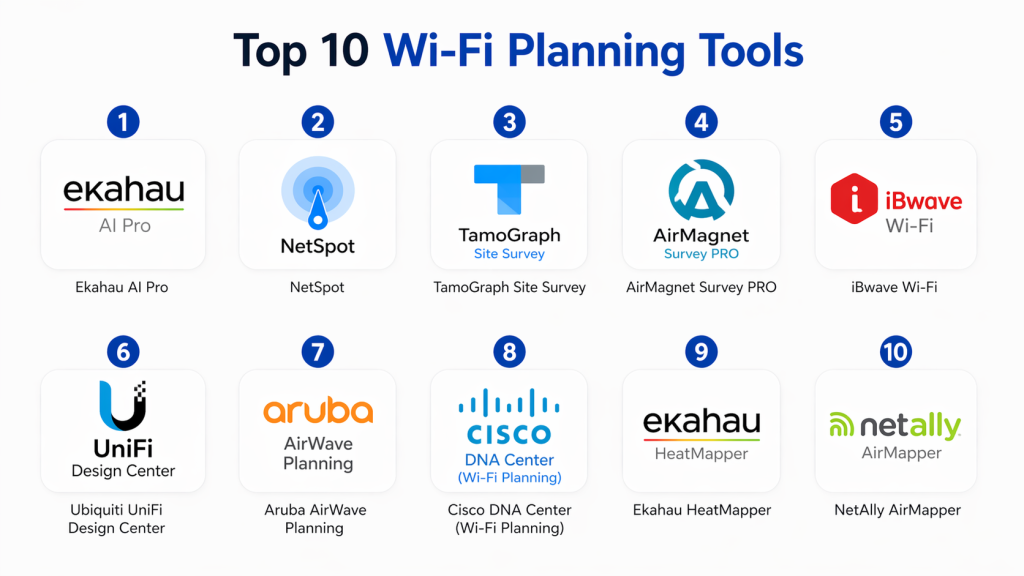
Top 10 Wi-Fi Planning Tools
#1 — Ekahau AI Pro
Short description :
Ekahau AI Pro is one of the most advanced Wi-Fi planning tools used by professionals worldwide. It provides accurate RF modeling, heatmaps, and predictive analysis. Ideal for enterprise deployments, it supports complex environments and high-density networks. Known for its precision and ease of use.
Key Features
- AI-driven RF simulation
- Heatmap visualization
- Access point placement optimization
- Real-time survey tools
- Multi-floor planning
Pros
- Highly accurate
- Industry-leading features
Cons
- Expensive
- Requires training
Platforms / Deployment
Windows / macOS
Security & Compliance
Not publicly stated
Integrations & Ecosystem
Supports multiple AP vendors and network tools.
- Vendor integrations
- APIs
Support & Community
Strong professional community
#2 — NetSpot
Short description :
NetSpot is a user-friendly Wi-Fi planning and survey tool. It provides heatmaps and signal analysis. Ideal for SMBs and professionals. Offers both planning and troubleshooting features.
Key Features
- Heatmaps
- Signal strength analysis
- Survey tools
- Wi-Fi troubleshooting
Pros
- Easy to use
- Affordable
Cons
- Limited enterprise features
- Less advanced modeling
Platforms / Deployment
Windows / macOS
Security & Compliance
Not publicly stated
Integrations & Ecosystem
- Limited integrations
Support & Community
Good support
#3 — TamoGraph Site Survey
Short description :
TamoGraph provides Wi-Fi planning and site survey capabilities with detailed visualization. It supports predictive and active surveys. Suitable for professionals and SMBs.
Key Features
- Site surveys
- Heatmaps
- Predictive modeling
- Reporting
Pros
- Strong visualization
- Flexible
Cons
- UI can feel dated
- Limited automation
Platforms / Deployment
Windows / macOS
Security & Compliance
Not publicly stated
Integrations & Ecosystem
- Limited integrations
Support & Community
Reliable support
#4 — AirMagnet Survey PRO
Short description :
AirMagnet Survey PRO is an enterprise-grade Wi-Fi planning and validation tool. It offers advanced RF analysis and reporting. Ideal for large deployments.
Key Features
- RF analysis
- Heatmaps
- Predictive surveys
- Reporting
Pros
- Enterprise-grade
- Detailed insights
Cons
- Expensive
- Complex
Platforms / Deployment
Windows
Security & Compliance
Not publicly stated
Integrations & Ecosystem
- Network tools
Support & Community
Enterprise support
#5 — iBwave Wi-Fi
Short description :
iBwave Wi-Fi provides advanced planning tools for indoor wireless networks. It offers 3D modeling and simulation. Ideal for large buildings and campuses.
Key Features
- 3D modeling
- RF simulation
- Planning tools
- Reporting
Pros
- Advanced modeling
- Scalable
Cons
- Expensive
- Learning curve
Platforms / Deployment
Windows
Security & Compliance
Not publicly stated
Integrations & Ecosystem
- Vendor integrations
Support & Community
Strong support
#6 — Ubiquiti UniFi Design Center
Short description :
UniFi Design Center is a free tool for planning Ubiquiti Wi-Fi deployments. It provides simple visualization and AP placement. Ideal for small to mid-size networks.
Key Features
- AP placement
- Coverage visualization
- Simple planning
Pros
- Free
- Easy to use
Cons
- Limited to Ubiquiti
- Basic features
Platforms / Deployment
Web
Security & Compliance
Not publicly stated
Integrations & Ecosystem
- Ubiquiti ecosystem
Support & Community
Active community
#7 — Aruba AirWave Planning
Short description :
Aruba AirWave offers Wi-Fi planning and management capabilities. It integrates with Aruba networks for optimization. Ideal for enterprise environments.
Key Features
- Planning tools
- Network monitoring
- Optimization
Pros
- Integrated platform
- Enterprise-ready
Cons
- Aruba-focused
- Complex
Platforms / Deployment
On-premise
Security & Compliance
RBAC
Integrations & Ecosystem
- Aruba ecosystem
Support & Community
Enterprise support
#8 — Cisco DNA Center (Wi-Fi Planning)
Short description :
Cisco DNA Center includes Wi-Fi planning features as part of its network management suite. It provides automation and analytics. Ideal for Cisco environments.
Key Features
- Network planning
- Automation
- Analytics
Pros
- Integrated platform
- Strong analytics
Cons
- Cisco-only
- Expensive
Platforms / Deployment
On-premise
Security & Compliance
RBAC
Integrations & Ecosystem
- Cisco ecosystem
Support & Community
Strong support
#9 — Ekahau HeatMapper
Short description :
Ekahau HeatMapper is a lightweight tool for basic Wi-Fi visualization. It provides simple heatmaps for small environments. Ideal for beginners.
Key Features
- Heatmaps
- Basic visualization
Pros
- Free
- Simple
Cons
- Limited features
- Not enterprise-ready
Platforms / Deployment
Windows
Security & Compliance
Not publicly stated
Integrations & Ecosystem
- Limited
Support & Community
Basic support
#10 — NetAlly AirMapper
Short description :
AirMapper provides mobile-based Wi-Fi surveys and mapping. It is designed for field engineers. Ideal for quick site surveys and troubleshooting.
Key Features
- Mobile surveys
- Heatmaps
- Signal analysis
Pros
- Portable
- Easy to use
Cons
- Limited planning depth
- Device dependency
Platforms / Deployment
Mobile
Security & Compliance
Not publicly stated
Integrations & Ecosystem
- NetAlly tools
Support & Community
Good support
Comparison Table (Top 10)
| Tool Name | Best For | Platform(s) Supported | Deployment | Standout Feature | Public Rating |
|---|---|---|---|---|---|
| Ekahau AI Pro | Enterprise | Windows/macOS | Desktop | AI RF modeling | N/A |
| NetSpot | SMB | Windows/macOS | Desktop | Ease of use | N/A |
| TamoGraph | SMB | Windows/macOS | Desktop | Visualization | N/A |
| AirMagnet | Enterprise | Windows | Desktop | RF analysis | N/A |
| iBwave | Enterprise | Windows | Desktop | 3D modeling | N/A |
| UniFi Design | SMB | Web | Cloud | Free planning | N/A |
| Aruba AirWave | Enterprise | On-prem | On-premise | Integration | N/A |
| Cisco DNA | Enterprise | Appliance | On-premise | Automation | N/A |
| Ekahau HeatMapper | Small | Windows | Desktop | Free heatmaps | N/A |
| AirMapper | Field teams | Mobile | Mobile | Surveys | N/A |
Evaluation & Scoring of Wi-Fi Planning Tools
| Tool Name | Core (25%) | Ease (15%) | Integrations (15%) | Security (10%) | Performance (10%) | Support (10%) | Value (15%) | Weighted Total |
|---|---|---|---|---|---|---|---|---|
| Ekahau AI Pro | 9 | 7 | 8 | 7 | 9 | 9 | 6 | 8.1 |
| NetSpot | 7 | 9 | 6 | 6 | 7 | 7 | 9 | 7.6 |
| TamoGraph | 7 | 7 | 6 | 6 | 7 | 7 | 8 | 7.2 |
| AirMagnet | 9 | 6 | 7 | 7 | 9 | 8 | 6 | 7.9 |
| iBwave | 9 | 6 | 7 | 7 | 9 | 8 | 6 | 7.9 |
| UniFi Design | 6 | 9 | 6 | 5 | 6 | 7 | 9 | 7.1 |
| Aruba AirWave | 8 | 6 | 7 | 8 | 8 | 8 | 6 | 7.5 |
| Cisco DNA | 9 | 6 | 8 | 8 | 9 | 8 | 6 | 7.9 |
| HeatMapper | 5 | 9 | 5 | 5 | 6 | 6 | 9 | 6.7 |
| AirMapper | 6 | 8 | 6 | 5 | 7 | 7 | 8 | 7.0 |
How to interpret:
These scores provide a comparative overview of Wi-Fi planning tools. Higher scores indicate stronger capabilities, especially for enterprise environments. However, simpler tools may be more suitable for smaller deployments.
Which Wi-Fi Planning Tool Is Right for You?
Solo / Freelancer
Use NetSpot or HeatMapper for simplicity and cost-effectiveness.
SMB
NetSpot or UniFi Design Center provide easy setup and affordability.
Mid-Market
TamoGraph or Aruba AirWave offer balanced features and scalability.
Enterprise
Ekahau AI Pro, iBwave, or Cisco DNA Center are best for large deployments.
Budget vs Premium
- Budget: NetSpot, HeatMapper
- Premium: Ekahau, iBwave
Feature Depth vs Ease of Use
- Advanced: Ekahau, iBwave
- Easy: NetSpot
Integrations & Scalability
Choose tools that support multi-vendor APs and APIs.
Security & Compliance Needs
Enterprise environments should prioritize RBAC and integration capabilities.
Frequently Asked Questions (FAQs)
1. What are Wi-Fi planning tools?
Wi-Fi planning tools help design and optimize wireless networks. They simulate signal coverage and identify interference. These tools ensure proper access point placement. They improve network performance and reliability. They are essential for professional deployments.
2. How much do Wi-Fi planning tools cost?
Pricing varies widely. Some tools offer free versions with limited features. Enterprise tools can be expensive due to advanced capabilities. Costs may include licensing and hardware. Always evaluate based on your needs.
3. Are free Wi-Fi planning tools effective?
Free tools can be effective for small environments. They provide basic visualization and planning features. However, they lack advanced capabilities. For enterprise use, paid tools are recommended.
4. How accurate are Wi-Fi planning tools?
Accuracy depends on the tool and input data. Advanced tools provide highly accurate RF simulations. Real-world validation is still important. Combining planning with surveys improves accuracy.
5. Do these tools support modern Wi-Fi standards?
Most modern tools support current Wi-Fi standards. They are updated regularly. Always check compatibility with your hardware. Support for high-density environments is important.
6. Can Wi-Fi planning tools integrate with network systems?
Yes, many tools integrate with network management systems. They also support APIs. Integration improves efficiency. It allows better network optimization.
7. How long does Wi-Fi planning take?
Planning time depends on the environment size. Small setups can be done quickly. Large deployments may take days or weeks. Proper planning ensures better results.
8. What are common mistakes in Wi-Fi planning?
Common mistakes include poor placement of access points and ignoring interference. Not considering capacity can cause issues. Lack of validation is another mistake. Proper planning avoids these problems.
9. Is training required?
Yes, especially for advanced tools. Training helps users understand features. It improves accuracy and efficiency. Vendors often provide training resources.
10. How to choose the right tool?
Evaluate your environment size and complexity. Consider features and budget. Test a few tools before deciding. Choose based on scalability and ease of use.
Conclusion
Wi-Fi Planning Tools play a crucial role in designing reliable and high-performing wireless networks. As environments become more complex with increasing device density and modern connectivity demands, proper planning is essential to avoid coverage gaps and performance issues. These tools enable engineers to simulate, visualize, and optimize network deployments before implementation, saving both time and cost. However, the best tool depends on your specific requirements—whether it’s simplicity for small setups or advanced modeling for enterprise-scale networks. It’s important to evaluate features, scalability, and ease of use carefully. A practical next step is to shortlist a few tools, test them in your environment, and validate accuracy and performance before finalizing your choice.
