Introduction
IP Address Management (IPAM) Tools are designed to plan, track, and manage IP address spaces across networks. They help organizations maintain visibility into IP usage, prevent conflicts, and streamline network operations. In simple terms, IPAM tools act as a centralized system to manage IP allocations efficiently across devices, servers, and applications.
As networks expand across cloud, on-premise, and hybrid environments, managing IP addresses manually becomes error-prone and inefficient. Modern IPAM tools provide automation, integration with DNS/DHCP, and real-time visibility, making them essential for ensuring network reliability and scalability.
Real-World Use Cases
- Tracking and allocating IP addresses across networks
- Preventing IP conflicts and downtime
- Managing hybrid cloud and on-prem environments
- Integrating with DNS and DHCP systems
- Automating IP provisioning and reporting
What Buyers Should Evaluate
- IP address tracking and visualization capabilities
- Integration with DNS and DHCP (DDI solutions)
- Automation and API support
- Scalability for large IP address spaces
- Security and access control features
- Reporting and auditing capabilities
- Ease of deployment and usability
- Cloud and hybrid environment support
Best for: Network engineers, IT operations teams, data centers, cloud infrastructure teams, enterprises managing large IP spaces.
Not ideal for: Small businesses with minimal network infrastructure or those using basic router-level IP management.
Key Trends in IP Address Management (IPAM)
- Integration with DDI platforms (DNS, DHCP, IPAM)
- Cloud-native IPAM solutions for hybrid environments
- Automation and API-driven IP provisioning
- IPv6 adoption and dual-stack management
- Real-time monitoring and analytics dashboards
- Zero Trust alignment for network segmentation
- AI-driven capacity planning and forecasting
- Centralized visibility across multi-cloud environments
How We Selected These Tools (Methodology)
- Strong industry adoption and credibility
- Comprehensive IP tracking and management features
- Integration with DNS and DHCP systems
- Proven scalability and reliability
- Availability of automation and API capabilities
- Security features like RBAC and audit logs
- Suitability across SMB, mid-market, and enterprise environments
- Vendor support and community presence
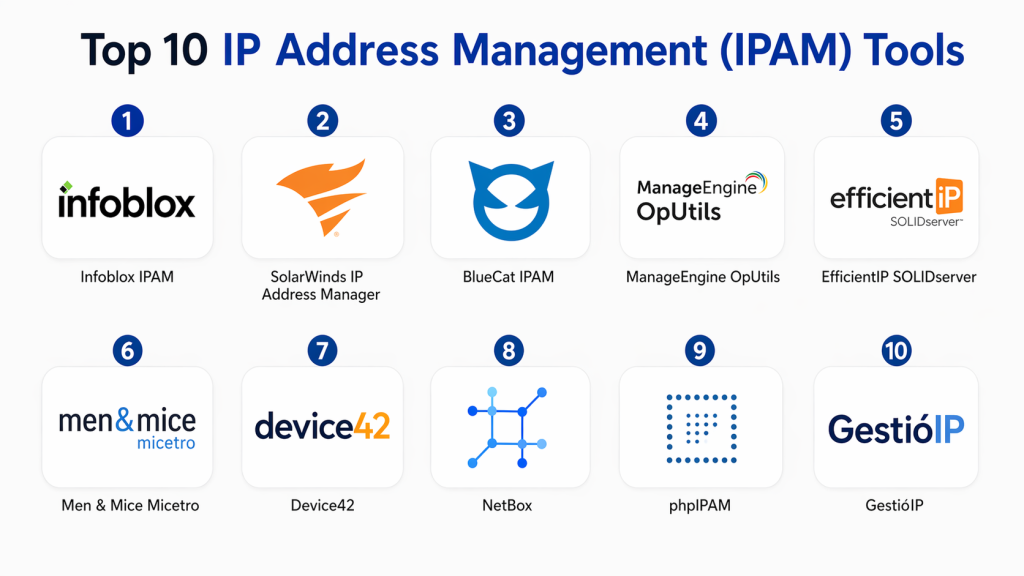
Top 10 IP Address Management (IPAM) Tools
#1 — Infoblox IPAM
Short description :
Infoblox IPAM is an enterprise-grade solution that combines DNS, DHCP, and IP address management into a unified platform. It provides centralized visibility and automation for managing large-scale networks. Ideal for enterprises with complex infrastructure, it ensures high reliability and security. It also supports hybrid and multi-cloud environments.
Key Features
- Integrated DDI platform
- Automated IP tracking
- Centralized management
- Advanced reporting and analytics
- Role-based access control
Pros
- Enterprise scalability
- Strong automation features
Cons
- Expensive
- Complex setup
Platforms / Deployment
On-premise / Hybrid
Security & Compliance
RBAC, audit logs
Integrations & Ecosystem
Integrates with enterprise networking and cloud tools.
- APIs
- ITSM platforms
- Cloud services
Support & Community
Enterprise-level support
#2 — SolarWinds IP Address Manager
Short description :
SolarWinds IPAM provides automated IP tracking and monitoring with strong reporting capabilities. It is suitable for mid-market and enterprise environments. Known for its ease of use and integration with other SolarWinds tools.
Key Features
- Automated IP tracking
- DHCP and DNS integration
- Alerts and notifications
- Subnet management
Pros
- User-friendly
- Strong reporting
Cons
- Windows-focused
- Limited cloud-native features
Platforms / Deployment
Windows / On-premise
Security & Compliance
RBAC
Integrations & Ecosystem
- SolarWinds ecosystem
- APIs
Support & Community
Strong support
#3 — BlueCat IPAM
Short description :
BlueCat IPAM is a scalable DDI solution designed for enterprise networks. It provides centralized control and automation. Ideal for organizations with complex network environments.
Key Features
- DDI integration
- IP automation
- Centralized management
- Analytics
Pros
- Enterprise-grade features
- Strong automation
Cons
- Expensive
- Complex deployment
Platforms / Deployment
On-premise / Cloud
Security & Compliance
RBAC, audit logs
Integrations & Ecosystem
- APIs
- Cloud platforms
Support & Community
Enterprise support
#4 — phpIPAM
Short description :
phpIPAM is an open-source IPAM solution designed for flexibility and customization. It provides IP tracking and subnet management. Ideal for small teams and custom environments.
Key Features
- IP tracking
- Subnet management
- Open-source customization
- API support
Pros
- Free and flexible
- Customizable
Cons
- Requires setup
- Limited enterprise features
Platforms / Deployment
Linux / Self-hosted
Security & Compliance
Not publicly stated
Integrations & Ecosystem
- APIs
Support & Community
Active open-source community
#5 — ManageEngine OpUtils
Short description :
OpUtils offers IP address management along with switch port management. It provides visibility and automation for network operations. Suitable for SMBs and mid-market.
Key Features
- IP tracking
- Switch port management
- Alerts
- Reporting
Pros
- Affordable
- Easy to use
Cons
- Limited advanced features
- UI improvements needed
Platforms / Deployment
Windows / Linux
Security & Compliance
RBAC
Integrations & Ecosystem
- APIs
- IT tools
Support & Community
Good support
#6 — GestióIP
Short description :
GestióIP is an open-source IPAM tool focused on IPv4 and IPv6 management. It provides subnet tracking and reporting. Ideal for small organizations.
Key Features
- IPv4/IPv6 management
- Subnet tracking
- Reporting
Pros
- Free
- Lightweight
Cons
- Limited features
- Basic UI
Platforms / Deployment
Linux
Security & Compliance
Not publicly stated
Integrations & Ecosystem
- Limited integrations
Support & Community
Community-driven
#7 — Device42
Short description :
Device42 provides IPAM along with asset and dependency management. It offers visibility across hybrid infrastructures. Suitable for mid-market and enterprise environments.
Key Features
- IP tracking
- Asset discovery
- Dependency mapping
Pros
- Multi-purpose tool
- Good visualization
Cons
- Not IPAM-focused
- Limited automation
Platforms / Deployment
Cloud / On-premise
Security & Compliance
RBAC
Integrations & Ecosystem
- ITSM tools
- APIs
Support & Community
Good support
#8 — Men & Mice Micetro
Short description :
Micetro is a DDI management platform providing IPAM capabilities with strong automation. It integrates with multiple DNS and DHCP systems. Ideal for enterprises.
Key Features
- DDI management
- Automation
- Centralized control
Pros
- Flexible integration
- Strong automation
Cons
- Expensive
- Complex
Platforms / Deployment
Cloud / On-premise
Security & Compliance
RBAC
Integrations & Ecosystem
- APIs
- DNS/DHCP systems
Support & Community
Enterprise support
#9 — EfficientIP SOLIDserver
Short description:
EfficientIP provides IPAM as part of its DDI platform. It focuses on security and automation. Suitable for enterprises needing secure network management.
Key Features
- DDI integration
- Automation
- Security features
Pros
- Strong security
- Scalable
Cons
- Complex
- Expensive
Platforms / Deployment
Cloud / On-premise
Security & Compliance
RBAC, audit logs
Integrations & Ecosystem
- APIs
- Security tools
Support & Community
Enterprise support
#10 — NetBox
Short description :
NetBox is an open-source infrastructure resource modeling tool with IPAM capabilities. It is widely used by DevOps teams. Provides flexibility and API-driven management.
Key Features
- IPAM and DCIM
- API-first design
- Custom modeling
Pros
- Open-source
- Highly flexible
Cons
- Requires setup
- No native enterprise support
Platforms / Deployment
Linux / Self-hosted
Security & Compliance
Not publicly stated
Integrations & Ecosystem
- APIs
- DevOps tools
Support & Community
Strong community
Comparison Table (Top 10)
| Tool Name | Best For | Platform(s) Supported | Deployment | Standout Feature | Public Rating |
|---|---|---|---|---|---|
| Infoblox | Enterprise | Varies | Hybrid | DDI platform | N/A |
| SolarWinds | Mid-market | Windows | On-premise | Ease of use | N/A |
| BlueCat | Enterprise | Varies | Hybrid | Automation | N/A |
| phpIPAM | SMB | Linux | Self-hosted | Open-source | N/A |
| OpUtils | SMB | Windows/Linux | On-premise | Port management | N/A |
| GestióIP | Small teams | Linux | Self-hosted | Lightweight | N/A |
| Device42 | Hybrid IT | Web | Hybrid | Visibility | N/A |
| Micetro | Enterprise | Varies | Hybrid | DDI control | N/A |
| EfficientIP | Enterprise | Varies | Hybrid | Security | N/A |
| NetBox | DevOps | Linux | Self-hosted | API-first | N/A |
Evaluation & Scoring of IPAM Tools
| Tool Name | Core (25%) | Ease (15%) | Integrations (15%) | Security (10%) | Performance (10%) | Support (10%) | Value (15%) | Weighted Total |
|---|---|---|---|---|---|---|---|---|
| Infoblox | 9 | 7 | 9 | 9 | 9 | 9 | 6 | 8.6 |
| SolarWinds | 8 | 8 | 8 | 7 | 8 | 8 | 8 | 8.0 |
| BlueCat | 9 | 6 | 8 | 9 | 9 | 8 | 6 | 8.1 |
| phpIPAM | 7 | 7 | 6 | 6 | 7 | 6 | 9 | 7.2 |
| OpUtils | 7 | 8 | 6 | 6 | 7 | 7 | 8 | 7.3 |
| GestióIP | 6 | 7 | 5 | 5 | 6 | 6 | 9 | 6.6 |
| Device42 | 7 | 7 | 7 | 7 | 7 | 7 | 7 | 7.0 |
| Micetro | 8 | 6 | 8 | 8 | 8 | 8 | 6 | 7.7 |
| EfficientIP | 9 | 6 | 8 | 9 | 9 | 8 | 6 | 8.2 |
| NetBox | 8 | 6 | 8 | 6 | 7 | 6 | 9 | 7.6 |
How to interpret:
These scores provide a comparative view of IPAM tools based on key criteria. Higher scores indicate stronger overall capabilities, particularly for enterprise environments. Smaller teams may prioritize ease of use and cost over advanced features.
Which IPAM Tool Is Right for You?
Solo / Freelancer
Use NetBox or phpIPAM for flexibility and cost savings.
SMB
OpUtils or SolarWinds offer ease of use and affordability.
Mid-Market
Device42 or SolarWinds provide balanced features.
Enterprise
Infoblox, BlueCat, or EfficientIP are best for scale and security.
Budget vs Premium
- Budget: phpIPAM, NetBox
- Premium: Infoblox, BlueCat
Feature Depth vs Ease of Use
- Advanced: Infoblox, EfficientIP
- Easy: SolarWinds, OpUtils
Integrations & Scalability
Choose API-first tools for automation and scalability.
Security & Compliance Needs
Prioritize tools with RBAC, audit logs, and DDI integration.
Frequently Asked Questions (FAQs)
1. What is IP Address Management (IPAM)?
IPAM is the process of planning, tracking, and managing IP address spaces across a network. It ensures efficient allocation and prevents conflicts. It provides visibility into IP usage and supports automation. IPAM is essential for maintaining network reliability. It also integrates with DNS and DHCP systems.
2. How much do IPAM tools cost?
Pricing varies depending on features and scale. Open-source tools are free but require maintenance. Enterprise tools are more expensive due to advanced features. Costs may include licensing, support, and infrastructure. Always consider total cost of ownership.
3. What is DDI?
DDI stands for DNS, DHCP, and IP Address Management. It combines these functions into a unified platform. DDI solutions provide centralized control and automation. They improve efficiency and reduce errors. Many enterprise tools offer DDI capabilities.
4. Are open-source IPAM tools reliable?
Yes, open-source tools can be reliable for small to mid-size environments. They offer flexibility and customization. However, they require technical expertise and maintenance. Enterprises may prefer commercial tools for support and scalability.
5. How long does implementation take?
Implementation time depends on network complexity. Small setups can be done quickly. Large environments may take weeks. Integration with existing systems can add complexity. Proper planning is essential.
6. Do IPAM tools support cloud environments?
Yes, many modern IPAM tools support hybrid and cloud environments. They provide visibility across multiple platforms. Cloud-native tools offer better scalability. Always verify compatibility with your infrastructure.
7. How do IPAM tools improve security?
They provide visibility and control over IP usage. Role-based access limits unauthorized changes. Audit logs help track activity. Integration with DDI improves network security. Proper configuration reduces risks.
8. Can IPAM tools integrate with DevOps workflows?
Yes, many tools provide APIs for automation. This allows integration with CI/CD pipelines. It supports Infrastructure as Code practices. Automation improves efficiency and consistency.
9. What are common mistakes in IPAM adoption?
Common mistakes include poor planning and lack of integration. Ignoring scalability can limit growth. Not training staff reduces effectiveness. Choosing the wrong tool can cause issues. Proper evaluation is key.
10. How to choose the right IPAM tool?
Evaluate your network size and requirements. Consider features, integrations, and budget. Test shortlisted tools. Ensure scalability and security. Choose based on long-term needs.
Conclusion
IP Address Management tools play a crucial role in maintaining network efficiency, visibility, and scalability. As networks grow more complex with hybrid and multi-cloud environments, manual IP tracking becomes impractical and error-prone. The right IPAM solution can automate allocation, prevent conflicts, and integrate seamlessly with DNS and DHCP systems. However, the best choice depends on your organization’s size, infrastructure, and technical expertise. Enterprises may prioritize scalability and security, while smaller teams may focus on simplicity and cost-effectiveness. A practical approach is to shortlist a few tools, test them in your environment, and validate their performance, integration capabilities, and usability before making a final decision.
