Introduction
Release Management Tools are platforms that help teams plan, schedule, coordinate, and deploy software releases efficiently. They provide visibility into release pipelines, automate workflows, and ensure that code changes move smoothly from development to production. These tools play a critical role in modern DevOps by reducing errors, improving collaboration, and accelerating delivery cycles.
In fast-paced development environments, managing releases manually can lead to delays, inconsistencies, and failed deployments. Release management tools standardize processes, enforce governance, and integrate with CI/CD pipelines to enable reliable and repeatable releases.
Common real-world use cases:
- Managing software release pipelines
- Coordinating deployments across environments
- Automating release workflows
- Tracking release status and progress
- Ensuring compliance and auditability
What buyers should evaluate:
- Integration with CI/CD and DevOps tools
- Automation capabilities for deployments
- Visibility and reporting dashboards
- Support for multi-environment releases
- Collaboration features for teams
- Security and access controls
- Scalability for large projects
- Ease of use and onboarding
- Customization of workflows
Best for: DevOps teams, release managers, developers, and enterprises managing complex deployment pipelines.
Not ideal for: Small teams with simple deployment workflows that can be handled manually.
Key Trends in Release Management Tools
- Increasing adoption of continuous delivery and deployment
- Integration with DevOps and CI/CD pipelines
- Rise of release orchestration platforms
- Focus on automation and pipeline visibility
- Enhanced real-time monitoring and analytics
- Integration with cloud-native and container platforms
- Support for multi-environment deployments
- Adoption of AI-driven release insights
- Emphasis on security and compliance tracking
- Improved developer experience and collaboration features
How We Selected These Tools (Methodology)
- Market adoption and industry reputation
- Strength of release automation capabilities
- Integration with DevOps ecosystems
- Scalability across environments
- Ease of use and developer experience
- Security and compliance features
- Support for complex workflows
- Flexibility in deployment models
- Innovation in automation and analytics
- Community and enterprise support
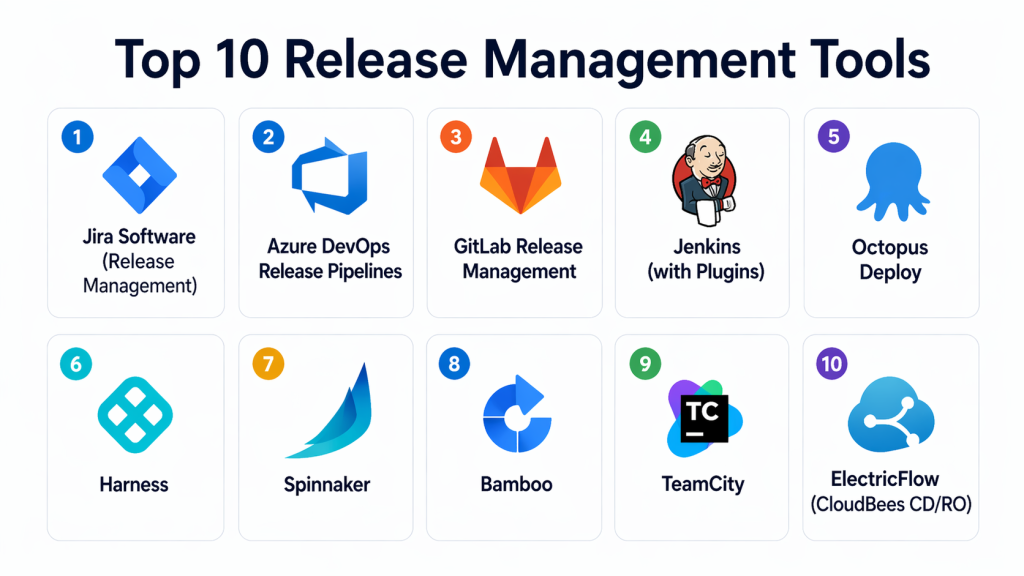
Top 10 Release Management Tools
#1 — Jira Software (Release Management)
Short description: Jira Software provides release tracking and management capabilities as part of its project management platform. It helps teams plan, track, and coordinate releases with strong integration across development workflows.
Key Features
- Release tracking dashboards
- Issue and sprint management
- Integration with CI/CD tools
- Custom workflows
- Reporting and analytics
Pros
- Strong collaboration features
- Widely adopted
Cons
- Not a dedicated release tool
- Can be complex for beginners
Platforms / Deployment
- Cloud / Self-hosted
Security & Compliance
- RBAC, audit logs
Integrations & Ecosystem
Deep integration with development and DevOps tools.
- CI/CD pipelines
- Dev tools
- Collaboration platforms
Support & Community
Large global community with enterprise support.
#2 — Azure DevOps Release Pipelines
Short description: Azure DevOps provides robust release management capabilities through its pipelines, enabling automated deployments and release orchestration across environments.
Key Features
- Release pipelines
- Automated deployments
- Environment management
- Approval workflows
- Integration with Azure services
Pros
- Strong automation
- Integrated DevOps platform
Cons
- Requires Azure ecosystem
- Learning curve
Platforms / Deployment
- Cloud
Security & Compliance
- RBAC, audit logs
Integrations & Ecosystem
Works seamlessly with development pipelines and cloud services.
- CI/CD tools
- Cloud platforms
Support & Community
Enterprise-grade support.
#3 — GitLab Release Management
Short description: GitLab offers built-in release management features as part of its DevOps platform, enabling teams to manage releases alongside code, pipelines, and security.
Key Features
- Release pipelines
- CI/CD integration
- Environment tracking
- Version control integration
- Automation workflows
Pros
- All-in-one platform
- Strong automation
Cons
- Complex interface
- Requires configuration
Platforms / Deployment
- Cloud / Self-hosted
Security & Compliance
- RBAC, audit logs
Integrations & Ecosystem
Integrates with DevOps and cloud environments.
- CI/CD pipelines
- Dev tools
Support & Community
Strong open-source and enterprise support.
#4 — Jenkins (with Plugins)
Short description: Jenkins is a widely used open-source automation server that can be extended for release management using plugins and pipelines.
Key Features
- Pipeline automation
- Plugin ecosystem
- CI/CD integration
- Custom workflows
- Distributed builds
Pros
- Highly customizable
- Open-source
Cons
- Requires maintenance
- Complex setup
Platforms / Deployment
- Self-hosted
Security & Compliance
- Not publicly stated
Integrations & Ecosystem
Extensive integration ecosystem.
- CI/CD tools
- Dev platforms
Support & Community
Very large open-source community.
#5 — Octopus Deploy
Short description: Octopus Deploy is a dedicated release management tool designed for automated deployments and environment orchestration.
Key Features
- Deployment automation
- Environment management
- Release pipelines
- Role-based access
- Dashboard and reporting
Pros
- Purpose-built for releases
- Easy to use
Cons
- Licensing cost
- Limited outside deployment focus
Platforms / Deployment
- Cloud / Self-hosted
Security & Compliance
- RBAC, audit logs
Integrations & Ecosystem
Integrates with development and deployment tools.
- CI/CD pipelines
- DevOps platforms
Support & Community
Strong documentation and support.
#6 — Harness
Short description: Harness provides AI-driven release management and continuous delivery with advanced automation and monitoring capabilities.
Key Features
- Continuous delivery pipelines
- AI-based deployment verification
- Rollback automation
- Cloud-native support
- Monitoring and analytics
Pros
- Advanced automation
- Strong analytics
Cons
- Premium pricing
- Requires setup
Platforms / Deployment
- Cloud
Security & Compliance
- RBAC, audit logs
Integrations & Ecosystem
Supports integration with cloud and DevOps tools.
- CI/CD pipelines
- Cloud platforms
Support & Community
Enterprise-level support.
#7 — Spinnaker
Short description: Spinnaker is an open-source release orchestration platform designed for multi-cloud deployments and continuous delivery.
Key Features
- Multi-cloud deployment
- Release pipelines
- Automated rollbacks
- Canary deployments
- Integration with cloud providers
Pros
- Strong cloud support
- Advanced deployment strategies
Cons
- Complex setup
- Requires expertise
Platforms / Deployment
- Cloud / Self-hosted
Security & Compliance
- Not publicly stated
Integrations & Ecosystem
Works with cloud-native environments.
- Cloud platforms
- CI/CD tools
Support & Community
Active open-source community.
#8 — Bamboo
Short description: Bamboo is a CI/CD tool by Atlassian that includes release management capabilities and integrates well with Jira and Bitbucket.
Key Features
- Build and deployment pipelines
- Integration with Atlassian tools
- Environment management
- Automation workflows
- Reporting
Pros
- Strong integration with Atlassian ecosystem
- Easy to use
Cons
- Limited outside ecosystem
- Licensing cost
Platforms / Deployment
- Self-hosted
Security & Compliance
- RBAC
Integrations & Ecosystem
Best suited for Atlassian environments.
- Jira
- Dev tools
Support & Community
Enterprise support available.
#9 — TeamCity
Short description: TeamCity provides CI/CD and release management capabilities with strong automation and customization options.
Key Features
- Build pipelines
- Deployment automation
- Integration with version control
- Custom workflows
- Reporting
Pros
- Flexible
- Strong performance
Cons
- Setup complexity
- Limited free tier
Platforms / Deployment
- Cloud / Self-hosted
Security & Compliance
- RBAC
Integrations & Ecosystem
Integrates with development and deployment tools.
- CI/CD pipelines
- Dev tools
Support & Community
Good documentation and support.
#10 — ElectricFlow (CloudBees CD/RO)
Short description: ElectricFlow is an enterprise release orchestration platform designed for complex deployments and large-scale environments.
Key Features
- Release orchestration
- Pipeline automation
- Environment management
- Compliance tracking
- Reporting and analytics
Pros
- Strong enterprise capabilities
- Advanced automation
Cons
- Expensive
- Complex implementation
Platforms / Deployment
- Cloud / Self-hosted
Security & Compliance
- RBAC, audit logs
Integrations & Ecosystem
Supports integration with enterprise DevOps ecosystems.
- CI/CD tools
- Dev platforms
Support & Community
Enterprise-level support.
Comparison Table (Top 10)
| Tool Name | Best For | Platform(s) Supported | Deployment | Standout Feature | Public Rating |
|---|---|---|---|---|---|
| Jira | Project tracking | Web | Hybrid | Release tracking | N/A |
| Azure DevOps | DevOps teams | Web | Cloud | Pipelines | N/A |
| GitLab | All-in-one DevOps | Web | Hybrid | Integrated releases | N/A |
| Jenkins | Custom workflows | Web | Self-hosted | Plugins | N/A |
| Octopus | Deployment automation | Web | Hybrid | Release orchestration | N/A |
| Harness | Enterprises | Web | Cloud | AI automation | N/A |
| Spinnaker | Multi-cloud | Web | Hybrid | Canary releases | N/A |
| Bamboo | Atlassian users | Web | Self-hosted | Integration | N/A |
| TeamCity | CI/CD teams | Web | Hybrid | Flexibility | N/A |
| ElectricFlow | Enterprises | Web | Hybrid | Orchestration | N/A |
Evaluation & Scoring of Release Management Tools
| Tool Name | Core (25%) | Ease (15%) | Integrations (15%) | Security (10%) | Performance (10%) | Support (10%) | Value (15%) | Weighted Total (0–10) |
|---|---|---|---|---|---|---|---|---|
| Jira | 8 | 8 | 9 | 8 | 8 | 9 | 8 | 8.2 |
| Azure DevOps | 9 | 8 | 9 | 9 | 8 | 8 | 8 | 8.5 |
| GitLab | 9 | 7 | 9 | 8 | 8 | 8 | 8 | 8.3 |
| Jenkins | 8 | 6 | 9 | 7 | 8 | 9 | 9 | 8.1 |
| Octopus | 9 | 9 | 8 | 8 | 8 | 8 | 8 | 8.5 |
| Harness | 9 | 7 | 8 | 9 | 9 | 8 | 7 | 8.4 |
| Spinnaker | 8 | 6 | 8 | 8 | 8 | 7 | 8 | 7.8 |
| Bamboo | 8 | 8 | 8 | 8 | 8 | 8 | 7 | 8.0 |
| TeamCity | 8 | 7 | 8 | 8 | 8 | 8 | 8 | 8.0 |
| ElectricFlow | 9 | 6 | 8 | 9 | 9 | 8 | 6 | 8.2 |
How to interpret scores:
These scores compare tools across key criteria and provide a relative benchmark. Higher scores indicate stronger capabilities, but the best tool depends on your workflow, infrastructure, and team needs. Always test tools in your environment before making a final decision.
Which Release Management Tool Is Right for You?
Solo / Freelancer
Jenkins is a good option due to its flexibility and open-source nature. It allows customization for simple workflows. It is cost-effective and widely supported. However, it may require manual setup.
SMB
GitLab and Jira provide balanced features with strong integrations. They offer ease of use and scalability for growing teams. These tools simplify release management without excessive complexity. SMBs benefit from their all-in-one capabilities.
Mid-Market
Octopus Deploy and TeamCity provide better automation and control. They support more complex workflows and integrations. These tools help manage scaling infrastructure. They are suitable for expanding teams.
Enterprise
Harness, Spinnaker, and ElectricFlow are ideal for large organizations. They provide advanced automation, analytics, and orchestration. Enterprises benefit from their scalability and compliance features. These tools handle complex deployments effectively.
Budget vs Premium
- Budget: Jenkins
- Premium: Harness, ElectricFlow
Feature Depth vs Ease of Use
- Easy: Octopus Deploy
- Advanced: Spinnaker, Harness
Integrations & Scalability
Choose tools that integrate with CI/CD pipelines and cloud platforms. Scalability is essential for handling complex environments. Ensure the tool supports automation and distributed systems. Integration flexibility is key.
Security & Compliance Needs
Prioritize tools with audit logs, access control, and compliance tracking. Security requirements vary by organization. Tools with governance features provide better control. Continuous monitoring improves reliability.
Frequently Asked Questions (FAQs)
1. What is a release management tool?
A release management tool helps plan, schedule, and deploy software releases in a structured way. It ensures that code changes move smoothly from development to production. These tools provide visibility and automation for release processes. They are essential for modern DevOps practices.
2. Why are release management tools important?
They reduce deployment errors and improve consistency across environments. Automated workflows ensure faster and more reliable releases. These tools also enhance collaboration among teams. They help organizations maintain control over complex deployment pipelines.
3. Can release management tools integrate with CI/CD?
Yes, most tools integrate directly with CI/CD pipelines. This enables automated builds, testing, and deployments. Integration ensures continuous delivery and reduces manual effort. It is a key feature for modern development workflows.
4. Are these tools suitable for small teams?
Some tools are suitable for small teams, especially those with simple workflows. However, advanced tools may be too complex or costly. Smaller teams often prefer lightweight or open-source options. The choice depends on project complexity.
5. What is release orchestration?
Release orchestration refers to managing and coordinating multiple deployment processes across environments. It ensures that releases happen in the correct sequence. This is important for complex systems with dependencies. Tools automate orchestration to reduce errors.
6. Do these tools support rollback?
Yes, many tools support automated rollback features. This allows teams to revert to a previous version if something goes wrong. Rollback reduces downtime and risk. It is a critical feature for production environments.
7. How difficult is implementation?
Implementation complexity varies by tool. Some tools are easy to set up, while others require expertise. Proper planning helps simplify the process. Starting with small deployments can ease adoption.
8. Can release tools support multi-cloud environments?
Yes, many modern tools support multi-cloud deployments. They allow teams to manage releases across different cloud providers. This ensures flexibility and scalability. It is important for organizations with diverse infrastructure.
9. What are common mistakes in release management?
Common mistakes include lack of automation, poor visibility, and inconsistent processes. These issues can lead to failed deployments and delays. Using proper tools helps avoid these problems. Monitoring and governance are essential.
10. What are alternatives to release management tools?
Alternatives include manual deployment processes or basic scripting. However, these approaches are error-prone and difficult to scale. Release management tools provide automation and control. They are essential for modern development.
Conclusion
Release management tools are essential for delivering software reliably and efficiently in modern development environments. They help teams automate deployments, maintain consistency, and reduce risks associated with manual processes. As organizations adopt DevOps and continuous delivery practices, these tools become critical for managing complex pipelines and ensuring smooth releases. While tools like GitLab and Azure DevOps offer integrated solutions, specialized platforms like Harness and Octopus Deploy provide advanced orchestration and automation. The right choice depends on your team size, infrastructure, and workflow complexity. Start by identifying your release requirements, test a few tools in real scenarios, and choose the one that best fits your development and deployment strategy.
