Introduction
Git clients provide graphical or command-line interfaces to manage Git repositories efficiently. They simplify version control operations such as cloning, branching, committing, merging, and resolving conflicts. Git clients are essential for developers and teams looking for a more intuitive workflow or a visual interface to Git operations.
Use cases include:
- Visualizing and managing branches and commits.
- Simplifying merging and conflict resolution.
- Collaborating with distributed teams.
- Integrating with CI/CD pipelines and code review systems.
- Managing multiple repositories in one interface.
Evaluation criteria:
- User interface and ease of use
- Cross-platform compatibility
- Branching, merging, and conflict resolution features
- Integration with Git hosting services (GitHub, GitLab, Bitbucket)
- Support for multiple repositories
- Security and authentication options
- Customization and extensibility
- Performance for large repositories
- Cost and licensing
- Support and community
Best for: Developers, DevOps engineers, and teams that want GUI-based Git management alongside CLI support.
Not ideal for: Users who prefer pure command-line Git operations without graphical interfaces.
Key Trends in Git Clients
- Cross-platform and cloud-native client support.
- Enhanced GUI for branch visualization and conflict resolution.
- Integration with code hosting platforms and CI/CD pipelines.
- Real-time collaboration and code review features.
- Lightweight and performance-optimized for large repositories.
- Support for GitFlow and other workflow strategies.
- AI-assisted merge suggestions and commit insights.
- Built-in terminal for advanced Git operations.
- Customizable themes, workflows, and shortcuts.
- Subscription or usage-based licensing for cloud-hosted clients.
How We Selected These Tools
- Popularity and adoption among developers.
- Feature set including branching, merging, and repository management.
- Performance and reliability for large projects.
- Security and authentication features.
- Integration with Git hosting platforms.
- Suitability for solo, SMB, and enterprise teams.
- Community support and documentation quality.
- Cross-platform support (Windows, macOS, Linux).
- Extensibility and workflow customization.
- Modern relevance for GUI and CLI-based Git operations.
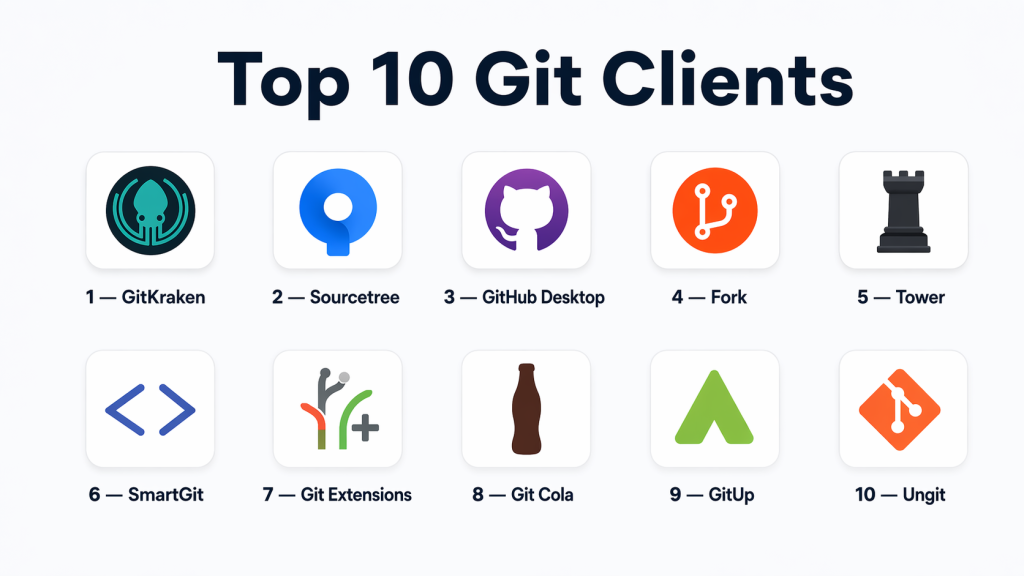
Top 10 Git Clients
#1 — GitKraken
Short description: Cross-platform Git client with an intuitive GUI for managing repositories visually.
Key Features
- Visual commit history and branch management
- Drag-and-drop merging and rebasing
- Integration with GitHub, GitLab, Bitbucket, Azure DevOps
- Built-in code editor and conflict resolution
- Cross-platform support
- Free and paid tiers available
Pros
- Intuitive interface for beginners and pros
- Strong integration with Git hosting platforms
- Supports multiple repositories
Cons
- Paid features for advanced workflows
- Can be heavy on system resources
Platforms / Deployment
- Windows / macOS / Linux
- Cloud / Desktop
Security & Compliance
- OAuth and token-based authentication
- Not publicly stated
Integrations & Ecosystem
- GitHub, GitLab, Bitbucket
- CI/CD integrations via API
- Slack notifications
Support & Community
- Vendor support for paid tiers
- Active community forums
- Documentation available
#2 — Sourcetree
Short description: Free Git client for Windows and macOS with visual repository management and GitFlow support.
Key Features
- Visual commit and branch history
- GitFlow integration
- Supports multiple repositories
- Pull requests and code review
- Submodules management
- Free to use
Pros
- User-friendly interface
- Ideal for beginners
- Free desktop client
Cons
- Limited Linux support
- May lag with very large repositories
Platforms / Deployment
- Windows / macOS
- Desktop
Security & Compliance
- OAuth, SSH key support
- Not publicly stated
Integrations & Ecosystem
- Bitbucket, GitHub
- Jira integration
- CI/CD pipelines via plugins
Support & Community
- Atlassian support
- Active user community
- Extensive documentation
#3 — GitHub Desktop
Short description: Official GitHub client for managing repositories visually on Windows and macOS.
Key Features
- Simple GUI for commits and branches
- Pull request creation
- Repository cloning and management
- Cross-platform and lightweight
- Integration with GitHub workflows
Pros
- Easy to use for GitHub users
- Free and open-source
- Lightweight and fast
Cons
- Limited to GitHub repositories
- Fewer advanced features than other clients
Platforms / Deployment
- Windows / macOS
- Desktop
Security & Compliance
- OAuth authentication
- Not publicly stated
Integrations & Ecosystem
- GitHub repositories
- CI/CD via GitHub Actions
- IDE integrations
Support & Community
- GitHub support
- Active open-source community
- Documentation available
#4 — Fork
Short description: Git client for Windows and macOS focused on speed and advanced Git operations.
Key Features
- Visual branch and commit management
- Conflict resolution tools
- Interactive rebase
- GitFlow support
- Lightweight and fast
- Multiple repository support
Pros
- Fast performance
- Advanced Git features
- Modern user interface
Cons
- No Linux support
- Paid license for pro features
Platforms / Deployment
- Windows / macOS
- Desktop
Security & Compliance
- SSH, HTTPS authentication
- Not publicly stated
Integrations & Ecosystem
- GitHub, GitLab, Bitbucket
- CI/CD via command line
- IDE integration possible
Support & Community
- Vendor support
- Community forums
- Documentation available
#5 — Tower
Short description: Premium Git client for macOS and Windows designed for professional developers and teams.
Key Features
- Visual commit history and branches
- Pull request and merge management
- GitFlow and rebase support
- Undo and conflict resolution tools
- Integration with Git hosting platforms
Pros
- Professional-grade UI
- Strong workflow support
- Collaboration-friendly
Cons
- Paid license required
- Can be expensive for small teams
Platforms / Deployment
- Windows / macOS
- Desktop
Security & Compliance
- OAuth, SSH authentication
- Not publicly stated
Integrations & Ecosystem
- GitHub, GitLab, Bitbucket
- CI/CD integrations via hosting services
- IDE support
Support & Community
- Vendor support included
- Active documentation
- Community forums available
#6 — SmartGit
Short description: Cross-platform Git client with GUI and CLI support, suitable for advanced Git operations.
Key Features
- Visual commit and branch history
- Conflict and merge resolution tools
- GitFlow and rebase support
- Submodule and repository management
- Windows, macOS, Linux support
Pros
- Powerful for advanced users
- Supports multiple Git workflows
- Cross-platform
Cons
- UI can be overwhelming for beginners
- Paid license for commercial use
Platforms / Deployment
- Windows / macOS / Linux
- Desktop
Security & Compliance
- SSH and HTTPS authentication
- Not publicly stated
Integrations & Ecosystem
- GitHub, GitLab, Bitbucket
- CI/CD pipelines via CLI
- IDE plugins available
Support & Community
- Vendor support for paid versions
- Documentation included
- User forums active
#7 — Git Extensions
Short description: Free Windows-based Git client with integration for Windows Explorer and Visual Studio.
Key Features
- Visual commit and branch management
- Integration with Visual Studio
- Repository cloning and history viewing
- Support for GitFlow
- Windows Explorer integration
Pros
- Free and open-source
- Good for Windows users
- Visual interface for beginners
Cons
- Windows-only
- UI is outdated
Platforms / Deployment
- Windows
- Desktop
Security & Compliance
- SSH and HTTPS authentication
- Not publicly stated
Integrations & Ecosystem
- Visual Studio
- GitHub, GitLab
- CI/CD pipelines via command line
Support & Community
- Open-source community
- Documentation available
- No commercial support
#8 — Git Cola
Short description: Lightweight open-source Git client with GUI for Linux, Windows, and macOS.
Key Features
- Visual commit and branch history
- Lightweight interface
- Supports multiple repositories
- GitFlow support
- Customizable UI
Pros
- Open-source and free
- Lightweight
- Cross-platform support
Cons
- Limited advanced features
- Less polished UI
Platforms / Deployment
- Windows / macOS / Linux
- Desktop
Security & Compliance
- SSH and HTTPS authentication
- Not publicly stated
Integrations & Ecosystem
- GitHub, GitLab, Bitbucket
- CI/CD via CLI
- IDE integration possible
Support & Community
- Open-source community
- Documentation included
- Limited commercial support
#9 — GitUp
Short description: Fast and simple Git client for macOS designed for speed and visualization.
Key Features
- Real-time commit visualization
- Drag-and-drop merge and rebase
- Lightweight interface
- Multiple repository support
- GitFlow support
Pros
- Extremely fast
- Intuitive interface
- Great for macOS users
Cons
- macOS-only
- Limited advanced functionality
Platforms / Deployment
- macOS
- Desktop
Security & Compliance
- SSH and HTTPS authentication
- Not publicly stated
Integrations & Ecosystem
- GitHub, GitLab
- CI/CD via CLI
- IDE integration possible
Support & Community
- Community support only
- Documentation available
#10 — Ungit
Short description: Browser-based Git client for visualizing and managing repositories.
Key Features
- Web-based GUI
- Branch and commit visualization
- Drag-and-drop merges
- Supports multiple repositories
- Cross-platform via browser
Pros
- Easy to use
- Lightweight
- Runs in browser
Cons
- Limited advanced features
- Requires Node.js to run locally
Platforms / Deployment
- Windows / macOS / Linux (via browser)
- Desktop / Web
Security & Compliance
- SSH and HTTPS authentication
- Not publicly stated
Integrations & Ecosystem
- GitHub, GitLab, Bitbucket
- CI/CD via CLI
- APIs for automation
Support & Community
- Open-source community
- Documentation available
Comparison Table (Top 10 Git Clients)
| Tool Name | Best For | Platform(s) Supported | Deployment | Standout Feature | Public Rating |
|---|---|---|---|---|---|
| GitKraken | Cross-platform teams | Windows / macOS / Linux | Desktop / Cloud | Visual commit and branch GUI | N/A |
| Sourcetree | Atlassian users | Windows / macOS | Desktop | GitFlow support | N/A |
| GitHub Desktop | GitHub users | Windows / macOS | Desktop | Native GitHub integration | N/A |
| Fork | Windows / macOS users | Windows / macOS | Desktop | Drag-and-drop merges | N/A |
| Tower | Professional developers | Windows / macOS | Desktop | Premium workflow support | N/A |
| SmartGit | Advanced Git users | Windows / macOS / Linux | Desktop | GUI + CLI support | N/A |
| Git Extensions | Windows developers | Windows | Desktop | Visual + IDE integration | N/A |
| Git Cola | Lightweight cross-platform | Windows / macOS / Linux | Desktop | Lightweight GUI | N/A |
| GitUp | macOS users | macOS | Desktop | Real-time visualization | N/A |
| Ungit | Browser-based Git users | Windows / macOS / Linux | Desktop / Web | Browser GUI | N/A |
Evaluation & Scoring of Git Clients
| Tool Name | Core (25%) | Ease (15%) | Integrations (15%) | Security (10%) | Performance (10%) | Support (10%) | Value (15%) | Weighted Total |
|---|---|---|---|---|---|---|---|---|
| GitKraken | 9 | 9 | 9 | 8 | 8 | 8 | 8 | 8.55 |
| Sourcetree | 8 | 8 | 8 | 7 | 7 | 7 | 9 | 7.95 |
| GitHub Desktop | 7 | 9 | 8 | 8 | 7 | 7 | 9 | 8.05 |
| Fork | 8 | 8 | 8 | 8 | 8 | 7 | 8 | 8.00 |
| Tower | 9 | 7 | 9 | 8 | 8 | 8 | 7 | 8.10 |
| SmartGit | 9 | 7 | 8 | 8 | 9 | 8 | 8 | 8.35 |
| Git Extensions | 7 | 8 | 7 | 7 | 7 | 6 | 8 | 7.20 |
| Git Cola | 6 | 8 | 6 | 7 | 6 | 6 | 8 | 6.85 |
| GitUp | 6 | 9 | 6 | 7 | 7 | 6 | 7 | 7.10 |
| Ungit | 6 | 8 | 6 | 7 | 6 | 6 | 7 | 6.90 |
Frequently Asked Questions (FAQs)
What is a Git client?
A Git client is a tool that provides a graphical or enhanced command-line interface to manage Git repositories efficiently.
Are Git clients free to use?
Many Git clients are free (e.g., GitHub Desktop, Sourcetree), while some professional or premium clients like Tower require a paid license.
Do Git clients work on multiple platforms?
Yes, most popular clients like GitKraken, Fork, and SmartGit support Windows, macOS, and Linux. Some clients are macOS-only or Windows-only.
Can Git clients integrate with Git hosting platforms?
Yes, they commonly integrate with GitHub, GitLab, Bitbucket, and Azure Repos for repository management and collaboration.
Do Git clients support branch visualization?
Most Git clients provide graphical commit history and branch visualization to simplify merging and conflict resolution.
Can Git clients manage multiple repositories?
Yes, clients like GitKraken, Sourcetree, and SmartGit support managing multiple repositories simultaneously.
Do Git clients support advanced Git workflows?
Yes, professional clients support GitFlow, rebase, pull requests, and interactive merges.
Are Git clients suitable for beginners?
Yes, Git clients like GitHub Desktop and Sourcetree are designed for beginners to interact with Git visually.
Can Git clients work with CI/CD pipelines?
Yes, Git clients can integrate with CI/CD workflows either through hosting platforms or via CLI commands.
Can I switch Git clients easily?
Yes, since Git data is stored in the repository itself, switching clients does not affect the repository, only your workflow interface.
Conclusion
Git clients enhance the Git workflow by providing visual tools, simplified branching, and conflict resolution. From lightweight options like GitHub Desktop and GitUp to professional solutions like Tower and GitKraken, there are clients suitable for all skill levels and team sizes. When selecting a Git client, consider platform compatibility, workflow integration, repository size, and collaboration features. Testing multiple clients and matching them to team workflows ensures developers and teams maintain productivity while managing code efficiently.
