Introduction
Operating Systems (OS) are the core software that manage computer hardware and software resources while providing essential services for applications. They act as the bridge between users and hardware, enabling devices to run programs, manage memory, process tasks, and handle input/output operations efficiently.
From personal computers and mobile devices to enterprise servers and cloud environments, operating systems form the foundation of all modern computing systems. Without an OS, hardware would be unusable for everyday tasks.
Real-world use cases:
- Running desktop and laptop computers
- Powering servers and data centers
- Managing mobile devices and tablets
- Supporting cloud computing environments
- Running embedded systems and IoT devices
What buyers should evaluate:
- Performance and speed
- Security features and updates
- Hardware compatibility
- User interface and usability
- Software ecosystem and application support
- Stability and reliability
- Scalability for enterprise use
- Licensing and cost
- Community and vendor support
Best for:
Individuals, developers, enterprises, IT administrators, and organizations managing computing infrastructure.
Not ideal for:
Users needing only single-purpose devices without software flexibility.
Key Trends in Operating Systems
- Increased focus on security and zero-trust architecture
- Cloud-native and hybrid OS environments
- Integration with AI and automation tools
- Lightweight operating systems for edge and IoT devices
- Improved virtualization and container support
- Faster kernel optimization for performance
- Seamless cross-device synchronization
- Enhanced privacy controls and encryption
- Growth of Linux-based enterprise adoption
How We Selected These Tools (Methodology)
- Market adoption and global usage
- Performance and stability
- Security features and update frequency
- Hardware and software compatibility
- Ecosystem and application support
- Ease of use and accessibility
- Enterprise readiness
- Community and vendor support
- Innovation and long-term viability
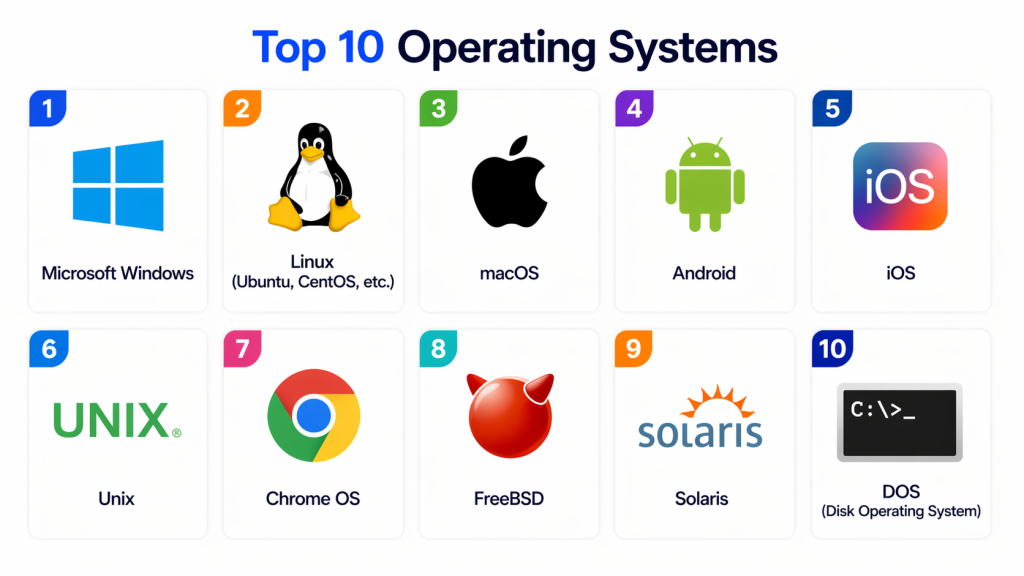
Top 10 Operating Systems
#1 — Microsoft Windows
Short description:
Microsoft Windows is the most widely used desktop operating system in the world. It provides a user-friendly interface and supports a vast range of applications and hardware. It is widely used in personal computing and enterprise environments. It is ideal for general users and businesses.
Key Features
- Graphical user interface
- Wide software compatibility
- Multi-tasking support
- Security updates
- Hardware support
Pros
- Easy to use
- Extensive software ecosystem
Cons
- Paid license
- Vulnerable to malware if not secured
Platforms / Deployment
Desktop / Laptop / Server
Security & Compliance
Built-in antivirus, encryption support
Integrations & Ecosystem
- Microsoft ecosystem
- Enterprise tools
- Cloud services
Support & Community
Strong global support
#2 — Linux (Ubuntu, CentOS, etc.)
Short description:
Linux is an open-source operating system widely used in servers, development environments, and cloud infrastructure. It offers high flexibility and security. Organizations use it for scalable and stable systems. It is ideal for developers and enterprises.
Key Features
- Open-source architecture
- High security
- Customizable environment
- Multi-user support
- Strong networking capabilities
Pros
- Free and flexible
- Highly secure
Cons
- Steeper learning curve
- Less GUI consistency
Platforms / Deployment
Desktop / Server / Cloud
Security & Compliance
Strong permission-based security
Integrations & Ecosystem
- DevOps tools
- Cloud platforms
- Open-source software
Support & Community
Large open-source community
#3 — macOS
Short description:
macOS is Apple’s proprietary operating system designed for Mac computers. It offers a smooth user experience and strong integration with Apple devices. It is widely used in creative industries. It is ideal for designers and developers in Apple ecosystems.
Key Features
- Clean user interface
- Strong ecosystem integration
- Built-in security features
- Optimized performance
- Developer tools
Pros
- Stable and secure
- Excellent UI/UX
Cons
- Expensive hardware requirement
- Limited customization
Platforms / Deployment
Desktop / Laptop
Security & Compliance
Built-in encryption and sandboxing
Integrations & Ecosystem
- Apple ecosystem
- Creative tools
Support & Community
Strong vendor support
#4 — Android
Short description:
Android is a mobile operating system based on Linux, widely used in smartphones and tablets. It provides flexibility and a large app ecosystem. It is the most popular mobile OS globally. It is ideal for mobile users and developers.
Key Features
- Open-source base
- Large app ecosystem
- Customizable interface
- Multi-device support
- Google services integration
Pros
- Highly customizable
- Wide device availability
Cons
- Fragmentation issues
- Security depends on device vendor
Platforms / Deployment
Mobile / Embedded
Security & Compliance
App sandboxing, encryption
Integrations & Ecosystem
- Google ecosystem
- Mobile apps
Support & Community
Large global community
#5 — iOS
Short description:
iOS is Apple’s mobile operating system designed for iPhones and iPads. It offers a secure and optimized environment for mobile applications. It is widely used for personal and enterprise mobility. It is ideal for users in Apple ecosystems.
Key Features
- Smooth performance
- Strong security
- App Store ecosystem
- Regular updates
- Seamless device integration
Pros
- Highly secure
- Optimized performance
Cons
- Limited customization
- Closed ecosystem
Platforms / Deployment
Mobile
Security & Compliance
Strong encryption and app control
Integrations & Ecosystem
- Apple services
- Mobile apps
Support & Community
Strong vendor support
#6 — Unix
Short description:
Unix is a powerful multi-user operating system widely used in enterprise and academic environments. It is known for stability and performance. It forms the foundation for many modern systems. It is ideal for servers and legacy systems.
Key Features
- Multi-user system
- High stability
- Strong networking
- Shell scripting
- Security model
Pros
- Reliable
- Stable performance
Cons
- Complex interface
- Limited modern usage
Platforms / Deployment
Server / Legacy systems
Security & Compliance
Strong permission model
Integrations & Ecosystem
- Enterprise systems
- Networking tools
Support & Community
Limited modern support
#7 — Chrome OS
Short description:
Chrome OS is a lightweight operating system developed by Google, designed primarily for web-based applications. It is widely used in education and lightweight computing environments. It is ideal for cloud-first users.
Key Features
- Cloud-based OS
- Fast boot time
- Security sandboxing
- Google integration
- Automatic updates
Pros
- Lightweight
- Secure
Cons
- Limited offline use
- Dependent on internet
Platforms / Deployment
Laptops / Tablets
Security & Compliance
Sandboxing and encryption
Integrations & Ecosystem
- Google ecosystem
- Web apps
Support & Community
Strong support
#8 — FreeBSD
Short description:
FreeBSD is an open-source Unix-like operating system known for performance and reliability. It is widely used in servers and networking environments. It is ideal for enterprise-grade infrastructure.
Key Features
- Advanced networking
- Security features
- Open-source system
- High performance
- Stability
Pros
- Reliable
- Secure
Cons
- Smaller ecosystem
- Complex setup
Platforms / Deployment
Server / Desktop
Security & Compliance
Strong security model
Integrations & Ecosystem
- Networking tools
- Server applications
Support & Community
Active community
#9 — Solaris
Short description:
Solaris is a Unix-based operating system designed for enterprise workloads and large-scale systems. It is known for scalability and reliability. It is ideal for mission-critical applications.
Key Features
- High scalability
- Advanced file systems
- Security features
- Virtualization support
- Enterprise tools
Pros
- Stable
- Scalable
Cons
- Limited adoption
- Complex management
Platforms / Deployment
Server
Security & Compliance
Strong enterprise security
Integrations & Ecosystem
- Enterprise systems
Support & Community
Limited but enterprise-focused
#10 — DOS (Disk Operating System)
Short description:
DOS is a command-line based operating system used in early computing systems. It played a foundational role in OS development. It is now mostly used for legacy systems and learning purposes. It is ideal for educational use.
Key Features
- Command-line interface
- Lightweight system
- Basic file management
- Low resource usage
- Simple architecture
Pros
- Very lightweight
- Easy to understand basics
Cons
- Outdated
- No modern features
Platforms / Deployment
Legacy systems
Security & Compliance
Minimal
Integrations & Ecosystem
- Legacy applications
Support & Community
Very limited
Comparison Table (Top 10)
| Tool Name | Best For | Platform(s) Supported | Deployment | Standout Feature | Public Rating |
|---|---|---|---|---|---|
| Windows | General users | Multi | Desktop | Ease of use | N/A |
| Linux | Developers | Multi | Multi | Flexibility | N/A |
| macOS | Creatives | Apple | Desktop | UI/UX | N/A |
| Android | Mobile users | Mobile | Mobile | App ecosystem | N/A |
| iOS | Apple users | Mobile | Mobile | Security | N/A |
| Unix | Enterprise | Multi | Server | Stability | N/A |
| Chrome OS | Cloud users | Multi | Cloud | Simplicity | N/A |
| FreeBSD | Servers | Multi | Server | Reliability | N/A |
| Solaris | Enterprise | Multi | Server | Scalability | N/A |
| DOS | Legacy | Legacy | Local | Simplicity | N/A |
Evaluation & Scoring of Operating Systems
| OS Name | Core | Ease | Ecosystem | Security | Performance | Support | Value | Total |
|---|---|---|---|---|---|---|---|---|
| Windows | 10 | 9 | 10 | 8 | 9 | 10 | 8 | 9.1 |
| Linux | 10 | 7 | 9 | 10 | 10 | 9 | 10 | 9.3 |
| macOS | 9 | 10 | 9 | 9 | 9 | 10 | 7 | 8.9 |
| Android | 9 | 9 | 10 | 8 | 9 | 10 | 9 | 9.0 |
| iOS | 9 | 10 | 9 | 10 | 9 | 10 | 7 | 9.0 |
| Unix | 9 | 6 | 7 | 9 | 9 | 7 | 8 | 8.1 |
| Chrome OS | 8 | 10 | 8 | 9 | 8 | 9 | 9 | 8.6 |
| FreeBSD | 8 | 7 | 7 | 9 | 9 | 7 | 8 | 8.0 |
| Solaris | 8 | 6 | 7 | 9 | 9 | 7 | 7 | 7.8 |
| DOS | 5 | 9 | 4 | 5 | 5 | 4 | 10 | 6.0 |
Which Operating System Is Right for You?
Personal Use
Windows, macOS, Android, or iOS depending on device preference.
Developers
Linux and FreeBSD offer flexibility and control.
Enterprises
Windows Server, Linux, and Unix-based systems.
Cloud & Modern Infrastructure
Linux and Chrome OS dominate cloud environments.
Budget vs Premium
Linux is free; macOS and iOS require Apple hardware.
Ease of Use vs Control
Windows/macOS are easy; Linux offers deep control.
Security Needs
Linux and iOS offer strong security models.
Frequently Asked Questions (FAQs)
1. What is an operating system?
An operating system is software that manages hardware and runs applications. It acts as a bridge between user and machine.
2. Why is an OS important?
It controls system resources and enables software execution. Without it, computers cannot function.
3. Which OS is most popular?
Windows is the most widely used desktop OS globally.
4. Is Linux better than Windows?
It depends on use case. Linux is better for servers; Windows is better for general use.
5. Is macOS secure?
Yes, macOS has strong built-in security features.
6. What is a mobile OS?
A mobile OS is designed for smartphones and tablets like Android and iOS.
7. Can I install multiple OS on one device?
Yes, through dual-boot or virtualization.
8. What is open-source OS?
It is an OS whose source code is publicly available, like Linux.
9. Which OS is best for developers?
Linux is widely preferred by developers.
10. What are legacy operating systems?
Older systems like DOS that are no longer widely used.
Conclusion
Operating Systems are the foundation of all modern computing systems, powering everything from personal devices to enterprise servers and cloud platforms. They determine how efficiently hardware and software interact, making them critical for performance, security, and usability.
Each OS has its strengths—Windows for general users, Linux for developers, macOS for creative professionals, and Android/iOS for mobile ecosystems. Choosing the right OS depends entirely on your needs, environment, and technical requirements.
A thoughtful evaluation of performance, security, ecosystem, and compatibility ensures better long-term productivity and system efficiency.
