Introduction
Virtualization Platforms enable organizations to create and manage virtual machines (VMs) on physical hardware, allowing multiple operating systems and workloads to run on a single server. This technology improves resource utilization, reduces hardware costs, and simplifies infrastructure management.
In modern IT environments, virtualization is a core foundation for cloud computing, DevOps, and enterprise infrastructure. It allows businesses to scale applications efficiently, isolate workloads, and improve disaster recovery capabilities.
Real-world use cases:
- Running multiple operating systems on a single server
- Server consolidation and cost optimization
- Development and testing environments
- Disaster recovery and backup systems
- Cloud infrastructure and hybrid deployments
What buyers should evaluate:
- Performance and resource allocation
- Scalability and cluster management
- Security and isolation capabilities
- Ease of deployment and management
- Integration with cloud and DevOps tools
- Automation and orchestration features
- Licensing and cost structure
- Hardware compatibility
- Support and ecosystem maturity
Best for:
Enterprises, IT teams, developers, cloud architects, and organizations managing large-scale infrastructure.
Not ideal for:
Users needing only simple containerization or lightweight application hosting.
Key Trends in Virtualization Platforms
- Shift toward hybrid and multi-cloud virtualization
- Integration with container platforms like Kubernetes
- Software-defined infrastructure adoption
- Automation and orchestration capabilities
- AI-driven resource optimization
- Increased focus on security and isolation
- GPU virtualization for high-performance workloads
- Edge computing and distributed virtualization
- Convergence with hyperconverged infrastructure (HCI)
How We Selected These Tools (Methodology)
- Market adoption and enterprise usage
- Performance and scalability capabilities
- Feature completeness and innovation
- Security and isolation features
- Integration with cloud ecosystems
- Ease of deployment and management
- Support for diverse workloads
- Vendor reliability and support
- Community and ecosystem strength
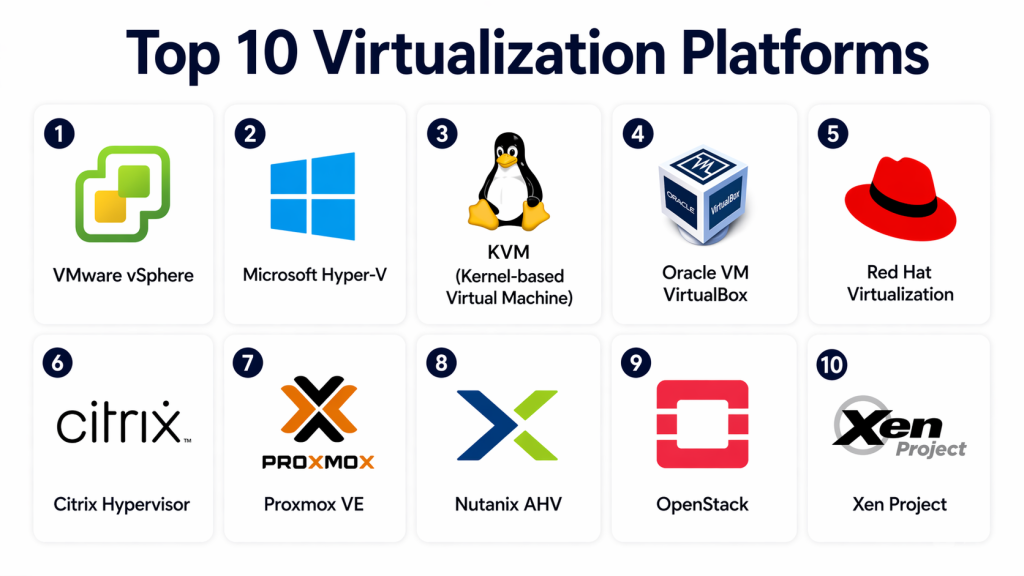
Top 10 Virtualization Platforms
#1 — VMware vSphere
Short description:
VMware vSphere is one of the most widely used enterprise virtualization platforms for managing virtual machines. It provides advanced features for scalability, automation, and performance. Organizations use it for data center virtualization. It is ideal for enterprises requiring robust infrastructure.
Key Features
- Virtual machine management
- High availability
- Resource scheduling
- Automation tools
- Cluster management
Pros
- Industry-leading features
- Highly scalable
Cons
- Expensive licensing
- Complex setup
Platforms / Deployment
On-premise / Hybrid
Security & Compliance
Encryption, access controls
Integrations & Ecosystem
- VMware ecosystem
- Cloud platforms
- Enterprise tools
Support & Community
Strong enterprise support
#2 — Microsoft Hyper-V
Short description:
Microsoft Hyper-V is a virtualization platform integrated with Windows Server. It enables users to create and manage virtual machines efficiently. Businesses use it for enterprise virtualization and cloud integration. It is ideal for organizations using Microsoft environments.
Key Features
- Virtual machine creation
- Resource allocation
- Live migration
- Backup integration
- Windows integration
Pros
- Cost-effective
- Strong integration
Cons
- Limited advanced features
- Windows dependency
Platforms / Deployment
On-premise / Cloud
Security & Compliance
Encryption, authentication
Integrations & Ecosystem
- Microsoft ecosystem
- Azure services
Support & Community
Strong support
#3 — KVM (Kernel-based Virtual Machine)
Short description:
KVM is an open-source virtualization platform built into Linux. It allows users to run multiple virtual machines with high performance. Organizations use it for flexible and scalable environments. It is ideal for developers and enterprises preferring open-source solutions.
Key Features
- Open-source virtualization
- High performance
- Linux integration
- Scalability
- Resource isolation
Pros
- Free and flexible
- Strong performance
Cons
- Requires expertise
- Limited UI tools
Platforms / Deployment
Linux / On-premise / Cloud
Security & Compliance
Isolation, encryption
Integrations & Ecosystem
- Open-source tools
- Cloud platforms
Support & Community
Large open-source community
#4 — Oracle VM VirtualBox
Short description:
VirtualBox is a desktop virtualization platform used for running multiple operating systems on a single machine. It is widely used for development and testing. Users can create virtual environments easily. It is ideal for individuals and developers.
Key Features
- Desktop virtualization
- Multi-OS support
- Snapshot management
- Resource allocation
- Easy setup
Pros
- Free to use
- Easy to install
Cons
- Limited enterprise features
- Lower performance
Platforms / Deployment
Windows / macOS / Linux
Security & Compliance
Basic isolation
Integrations & Ecosystem
- Developer tools
- Testing environments
Support & Community
Strong community
#5 — Red Hat Virtualization
Short description:
Red Hat Virtualization is an enterprise-grade platform built on open-source technologies. It provides high-performance virtualization and centralized management. Organizations use it for scalable infrastructure. It is ideal for enterprises using Linux-based systems.
Key Features
- Centralized management
- High availability
- Automation
- Resource optimization
- Integration tools
Pros
- Open-source flexibility
- Strong performance
Cons
- Complex setup
- Requires expertise
Platforms / Deployment
On-premise / Hybrid
Security & Compliance
Encryption
Integrations & Ecosystem
- Linux ecosystem
- Enterprise tools
Support & Community
Strong support
#6 — Citrix Hypervisor
Short description:
Citrix Hypervisor is a virtualization platform designed for enterprise workloads. It provides high performance and scalability for virtual environments. Businesses use it for desktop and server virtualization. It is ideal for large enterprises.
Key Features
- Virtual machine management
- High availability
- Resource optimization
- Live migration
- Security features
Pros
- High performance
- Enterprise features
Cons
- Complex configuration
- Licensing cost
Platforms / Deployment
On-premise / Cloud
Security & Compliance
Encryption
Integrations & Ecosystem
- Citrix ecosystem
- Enterprise tools
Support & Community
Enterprise support
#7 — Proxmox VE
Short description:
Proxmox VE is an open-source virtualization platform that combines KVM and container virtualization. It provides a web-based management interface for ease of use. Organizations use it for flexible virtualization environments. It is ideal for SMBs and enterprises.
Key Features
- Web-based interface
- VM and container support
- Backup tools
- Cluster management
- Storage integration
Pros
- Free and flexible
- Easy management
Cons
- Limited enterprise support
- Learning curve
Platforms / Deployment
Linux / On-premise
Security & Compliance
Encryption
Integrations & Ecosystem
- Open-source tools
- Storage systems
Support & Community
Active community
#8 — Nutanix AHV
Short description:
Nutanix AHV is a hypervisor built into the Nutanix platform for hyperconverged infrastructure. It provides integrated virtualization with simplified management. Organizations use it for modern data centers. It is ideal for enterprises adopting HCI.
Key Features
- Integrated hypervisor
- Centralized management
- Automation
- High availability
- Resource optimization
Pros
- Simplified deployment
- Integrated platform
Cons
- Vendor lock-in
- Requires Nutanix ecosystem
Platforms / Deployment
On-premise / Hybrid
Security & Compliance
Encryption
Integrations & Ecosystem
- Nutanix ecosystem
- Cloud services
Support & Community
Strong support
#9 — OpenStack
Short description:
OpenStack is an open-source cloud platform that includes virtualization capabilities. It allows organizations to build private and public clouds. Users can manage large-scale virtual environments. It is ideal for cloud-native enterprises.
Key Features
- Cloud infrastructure
- Virtual machine management
- Networking tools
- Storage management
- Automation
Pros
- Highly scalable
- Open-source
Cons
- Complex setup
- Requires expertise
Platforms / Deployment
Cloud / Hybrid
Security & Compliance
Isolation, encryption
Integrations & Ecosystem
- Cloud tools
- APIs
Support & Community
Large community
#10 — Xen Project
Short description:
Xen Project is an open-source hypervisor used for virtualization in cloud environments. It provides strong isolation and performance. Organizations use it for large-scale deployments. It is ideal for enterprises and cloud providers.
Key Features
- Hypervisor technology
- Resource isolation
- Scalability
- Performance optimization
- Security controls
Pros
- Strong isolation
- High performance
Cons
- Requires expertise
- Limited UI tools
Platforms / Deployment
On-premise / Cloud
Security & Compliance
Isolation, encryption
Integrations & Ecosystem
- Cloud platforms
- Open-source tools
Support & Community
Strong community
Comparison Table (Top 10)
| Tool Name | Best For | Platform(s) Supported | Deployment | Standout Feature | Public Rating |
|---|---|---|---|---|---|
| VMware vSphere | Enterprise | Multi | Hybrid | Scalability | N/A |
| Hyper-V | Microsoft users | Multi | Hybrid | Integration | N/A |
| KVM | Open-source | Linux | Hybrid | Performance | N/A |
| VirtualBox | Individuals | Multi | Local | Ease of use | N/A |
| Red Hat Virtualization | Enterprise | Linux | Hybrid | Flexibility | N/A |
| Citrix Hypervisor | Enterprise | Multi | Hybrid | Performance | N/A |
| Proxmox VE | SMB | Linux | On-prem | Web UI | N/A |
| Nutanix AHV | HCI | Multi | Hybrid | Integration | N/A |
| OpenStack | Cloud | Multi | Cloud | Scalability | N/A |
| Xen Project | Cloud providers | Multi | Hybrid | Isolation | N/A |
Evaluation & Scoring of Virtualization Platforms
| Tool Name | Core | Ease | Integrations | Security | Performance | Support | Value | Total |
|---|---|---|---|---|---|---|---|---|
| VMware vSphere | 10 | 7 | 9 | 9 | 9 | 9 | 7 | 8.7 |
| Hyper-V | 9 | 8 | 9 | 9 | 8 | 8 | 8 | 8.4 |
| KVM | 9 | 6 | 8 | 8 | 9 | 7 | 9 | 8.2 |
| VirtualBox | 7 | 9 | 6 | 7 | 7 | 6 | 10 | 7.7 |
| Red Hat Virtualization | 9 | 6 | 8 | 8 | 8 | 8 | 8 | 8.1 |
| Citrix Hypervisor | 9 | 6 | 8 | 9 | 9 | 8 | 7 | 8.2 |
| Proxmox VE | 8 | 8 | 7 | 8 | 8 | 7 | 9 | 8.1 |
| Nutanix AHV | 9 | 8 | 8 | 9 | 9 | 8 | 8 | 8.4 |
| OpenStack | 10 | 5 | 9 | 9 | 9 | 8 | 8 | 8.3 |
| Xen Project | 9 | 5 | 8 | 9 | 9 | 7 | 8 | 8.0 |
Which Virtualization Platform Is Right for You?
Solo / Freelancer
VirtualBox is simple and free for local virtualization.
SMB
Proxmox VE and Hyper-V offer cost-effective solutions.
Mid-Market
Nutanix AHV and Red Hat Virtualization provide scalability.
Enterprise
VMware vSphere and Citrix Hypervisor are ideal for large deployments.
Budget vs Premium
Open-source tools are cost-effective; enterprise tools offer advanced features.
Feature Depth vs Ease of Use
VirtualBox is simple; OpenStack is feature-rich.
Integrations & Scalability
VMware and OpenStack excel.
Security & Compliance Needs
Citrix and VMware provide strong security.
Frequently Asked Questions (FAQs)
1. What is a virtualization platform?
A virtualization platform allows multiple virtual machines to run on a single physical server. It improves resource utilization and flexibility. It is widely used in modern IT infrastructure.
2. Is virtualization secure?
Yes, virtualization provides isolation between workloads. Security depends on proper configuration and management. Encryption and access control improve protection.
3. What is a hypervisor?
A hypervisor is software that creates and manages virtual machines. It allocates resources and ensures isolation. It is the core component of virtualization.
4. What is the difference between virtualization and containers?
Virtualization runs full operating systems, while containers share the host OS. Containers are lightweight, while VMs provide full isolation. Both serve different use cases.
5. Are virtualization platforms expensive?
Some enterprise platforms are expensive, while open-source options are free. Costs depend on features and scale. Cloud options offer flexible pricing.
6. Can virtualization improve performance?
Yes, it optimizes resource usage and workload distribution. However, performance depends on hardware and configuration.
7. Who should use virtualization platforms?
Enterprises, IT teams, and developers benefit the most. It is essential for cloud and infrastructure management.
8. What are common challenges?
Complex setup and resource management are common challenges. Proper planning is required.
9. Can virtualization run multiple operating systems?
Yes, virtualization allows multiple OS environments on one machine. This is one of its key benefits.
10. How do I choose the right platform?
Evaluate performance, scalability, security, and cost. Choose based on your infrastructure needs.
Conclusion
Virtualization Platforms are the backbone of modern IT infrastructure, enabling efficient resource utilization, scalability, and flexibility across environments. They allow organizations to run multiple workloads on shared hardware while maintaining isolation and performance.
Each platform offers unique strengths, from enterprise-grade scalability to open-source flexibility. The right choice depends on your organization’s size, technical expertise, and infrastructure goals.
Instead of selecting a single solution immediately, it is best to evaluate multiple platforms through testing and real-world scenarios. This ensures compatibility with your workloads and operational requirements.
Choosing the right virtualization platform will enhance efficiency, improve scalability, and support long-term infrastructure growth.
